


Part 1 covered secret scanning with Gitleaks — catching credentials before they reach the repo. That's one layer. But credentials aren't the only problem in app.py. There's a SQL injection vulnerability, an eval() call that lets an attacker run arbitrary Python code, and debug mode left on. None of those are secrets. Gitleaks won't touch them.
That's what SAST is for.
Code repo: https://github.com/pkkht/devsecops-demo/
What SAST is
SAST stands for Static Application Security Testing. It analyses your source code without running it, looking for patterns that indicate security vulnerabilities. No server needed, no database, no HTTP requests — just the code itself.
The key difference from a linter: SAST is specifically looking for security issues, not style or correctness. It knows what SQL injection looks like. It knows which Python functions are dangerous. It knows that debug=True in a Flask app exposes the Werkzeug interactive debugger to anyone who can reach it.
The tool: Bandit
Bandit is the standard SAST tool for Python.
It is open source, maintained by the Python Security community, and maps its findings to CWE (Common Weakness Enumeration) IDs so you know exactly what class of vulnerability you're dealing with.
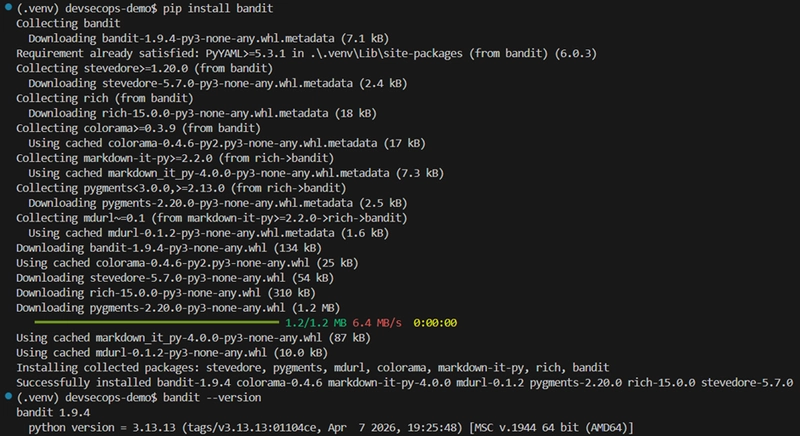
Installing Bandit
pip install bandit
bandit --version
Running it against the app
bandit -r app.py
The -r flag means recursive — scan the directory, not just a single file. Here it's running against app.py directly.
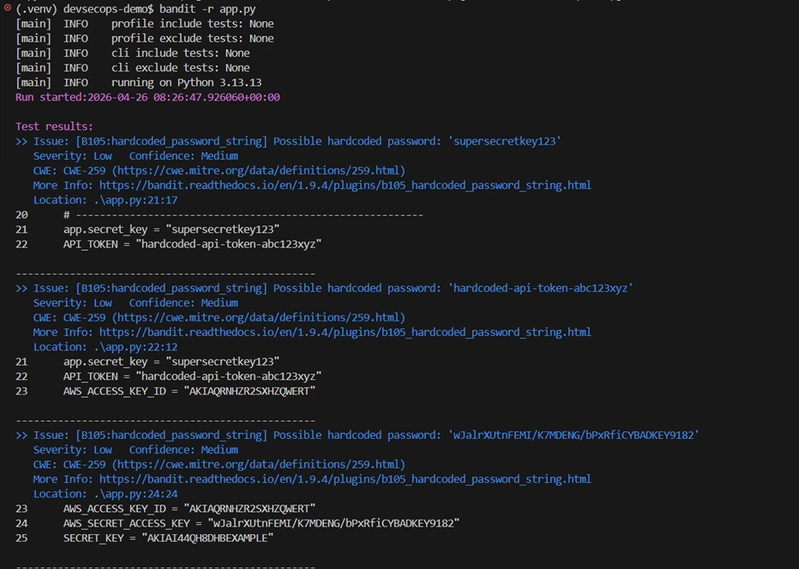
The first findings are hardcoded passwords — supersecretkey123, the API token, the AWS keys. These are all flagged as B105: hardcoded_password_string, severity Low. Bandit and Gitleaks overlap here — both tools catch hardcoded credentials, just from different angles.
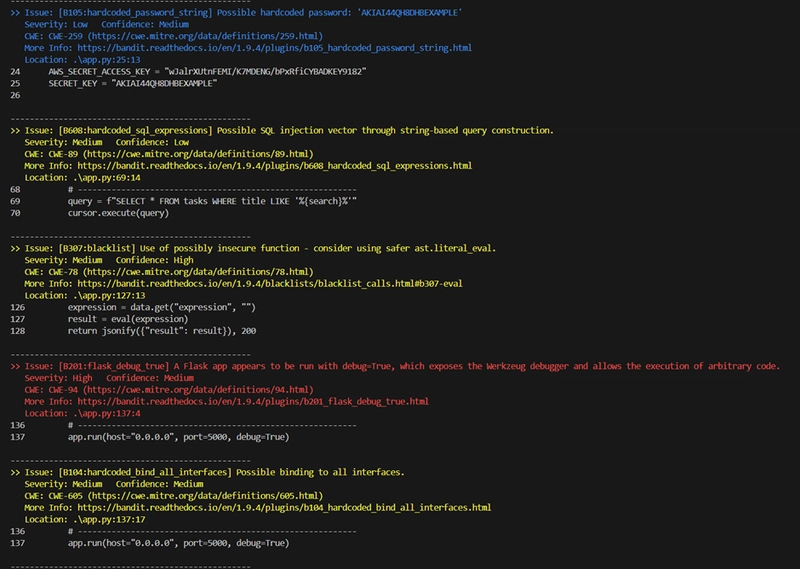
The more serious findings:
B608: hardcoded_sql_expressions — the f-string SQL query on line 69. Severity Medium. This is the SQL injection vulnerability — user input is
embedded directly into the query string.
B307: blacklist — the eval() call on line 127. Severity Medium,
Confidence High. Bandit flags eval() as blacklisted because it executes
arbitrary code. An attacker who can reach the /calculate endpoint can run anything on the server.
B201: flask_debug_true — debug=True on line 137. Severity High.
The Werkzeug debugger is interactive — if an unhandled exception hits in
production, anyone who sees the error page gets a Python shell.
B104: hardcoded_bind_all_interfaces — host="0.0.0.0" on line 137.
Severity Medium. The app is listening on every network interface, not just
localhost.
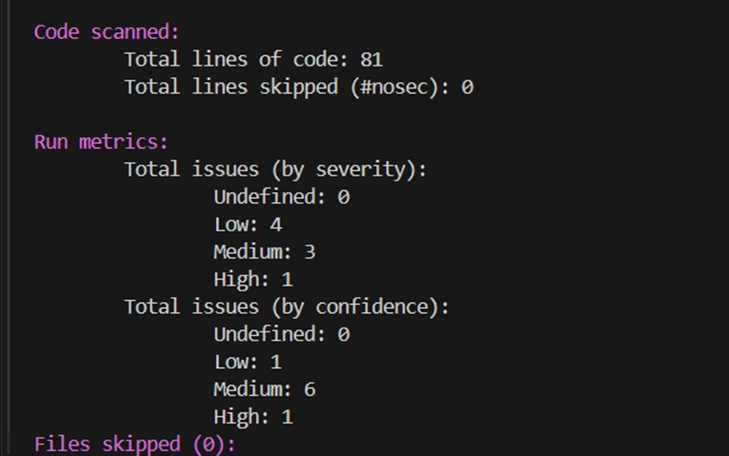
The summary: 81 lines of code, 8 issues total — 4 Low, 3 Medium, 1 High.
Filtering by severity
In a real pipeline you don't want to fail on every Low finding — you'd never ship anything. The practical approach is to gate on High severity only, and report everything else for visibility.
bandit -r app.py --severity-level high
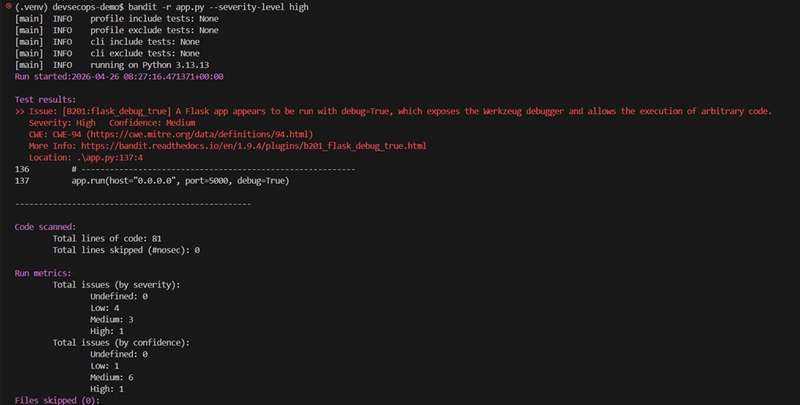
With --severity-level high, only one finding comes through: the Flask
debug=True. That's the gate. Everything else is still visible in the full report but won't block the build.
Generating a JSON report
bandit -r app.py -f json -o bandit-report.json
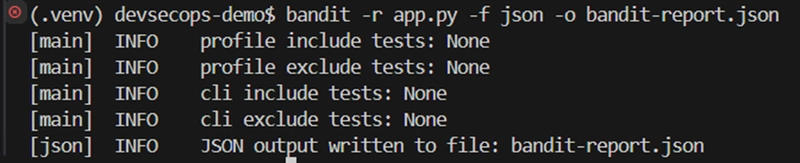
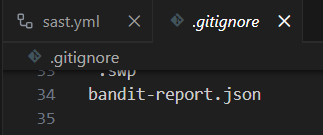
The JSON output is what the pipeline uses — it's machine-readable and can be uploaded as a build artifact. One thing to watch: the report contains the actual secret values from the code as context snippets. Add it to .gitignore so it doesn't get committed.
GitHub Actions workflow
Create .github/workflows/sast.yml:
name: SAST - Bandit

on:
  push:
    branches: ["**"]
  pull_request:
    branches: ["**"]

jobs:
  bandit:
    name: Bandit SAST Scan
    runs-on: ubuntu-latest
    steps:
      - uses: actions/checkout@v4

      - name: Set up Python
        uses: actions/setup-python@v5
        with:
          python-version: '3.11'

      - name: Install Bandit
        run: pip install bandit

      - name: Run Bandit
        run: bandit -r app.py --severity-level high -f json -o bandit-report.json

      - name: Upload Bandit Report
        uses: actions/upload-artifact@v4
        if: always()
        with:
          name: bandit-report
          path: bandit-report.json
if: always() on the upload step is important — it means the report gets
uploaded even when the scan fails, so you can inspect the findings.
Push it and watch it run:
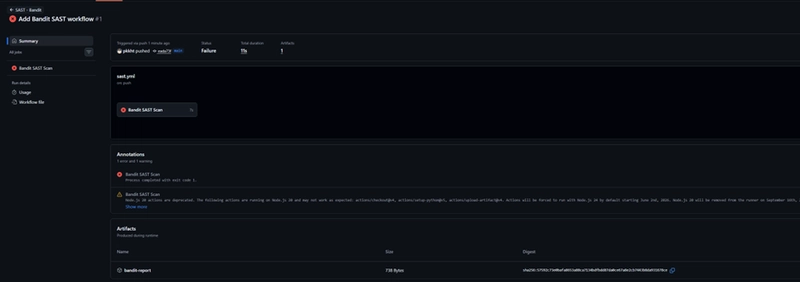
The pipeline fails. This is the right outcome — Bandit found a HIGH severity issue (debug=True) and exited with code 1. The bandit-report artifact is still uploaded and available for download.
This is the pipeline doing its job. In a real codebase, a developer would fix debug=True, push again, and the build would pass. In this demo repo the vulnerability is intentional, so we leave it failing as a demonstration that the gate is real.
What we've built so far
Three layers are now in place:
- Gitleaks pre-commit hook — blocks secrets at commit time
- Gitleaks GitHub Actions — catches secrets at push time
- Bandit GitHub Actions — catches code vulnerabilities at push time, gates on HIGH severity