








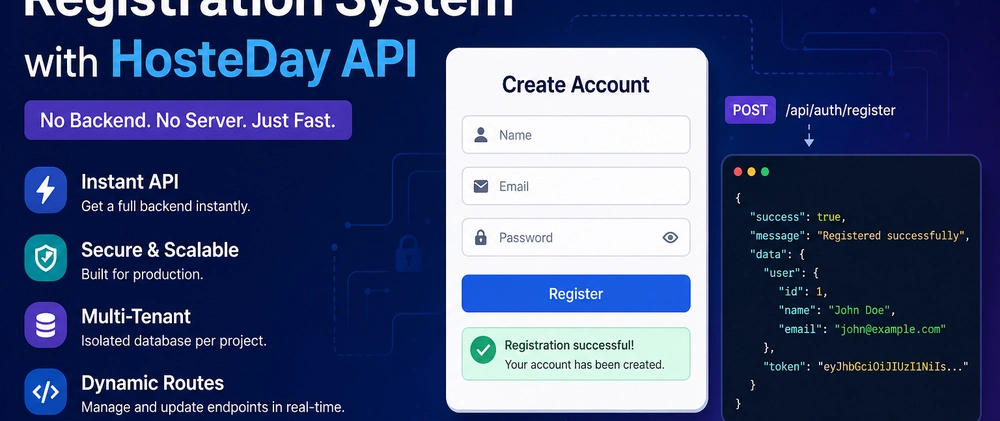

Introduction
Building a complete registration system usually means setting up a backend, managing authentication, handling validation, and securing endpoints. But what if you could skip all of that?
In this tutorial, you’ll build a production-ready user registration system by connecting a simple frontend directly to the HosteDay API—no backend required. Instead of focusing on infrastructure, you’ll focus on integration and real-world behavior.
You’ll learn how to connect an HTML form to a live API, handle responses properly, manage authentication tokens, and deal with errors—just like in a real production environment. By the end, you’ll have a working system and a clear understanding of how ready-to-use APIs like HosteDay can significantly accelerate development.
Why HosteDay?
HosteDay is not just a CRUD generator. It provides:
A fully functional API within minutes
Built-in authentication (Register / Login / Token)
Complete project isolation (Multi-Tenant architecture)
Ability to modify routes without redeployment
Instant deployment with zero server setup
This allows frontend and mobile developers to start building immediately without waiting for backend implementation.
Example Overview
We will use a ready-made endpoint from HosteDay:
POST /api/auth/register
Its responsibility:
Create a new user
Return a ready-to-use authentication token
Full Code
<!DOCTYPE html>
<html lang="en" dir="ltr">
<head>
    <meta charset="UTF-8">
    <title>Register Account</title>

    <!-- Tailwind CDN -->
    <script src="https://cdn.tailwindcss.com"></script>
</head>

<body class="bg-gray-100 flex items-center justify-center min-h-screen">

<div class="bg-white p-6 rounded-2xl shadow-md w-full max-w-md">

    <h2 class="text-2xl font-bold mb-4 text-center">Register Account</h2>

    <!-- Alerts -->
    <div id="alert" class="hidden mb-4 p-3 rounded text-sm"></div>

    <form id="registerForm" class="space-y-4">

        <input type="text" id="name"
            class="w-full border p-2 rounded focus:outline-none focus:ring-2 focus:ring-blue-400"
            placeholder="Name" required>

        <input type="email" id="email"
            class="w-full border p-2 rounded focus:outline-none focus:ring-2 focus:ring-blue-400"
            placeholder="Email Address" required>

        <input type="password" id="password"
            class="w-full border p-2 rounded focus:outline-none focus:ring-2 focus:ring-blue-400"
            placeholder="Password" required>

        <button id="submitBtn" type="submit"
            class="w-full bg-blue-600 text-white p-2 rounded hover:bg-blue-700 transition">
            Register
        </button>

    </form>
</div>

<script>
const form = document.getElementById('registerForm');
const alertBox = document.getElementById('alert');
const btn = document.getElementById('submitBtn');

function showAlert(message, type = 'success') {
    alertBox.classList.remove('hidden');

    if (type === 'success') {
        alertBox.className = "mb-4 p-3 rounded text-sm bg-green-100 text-green-700";
    } else {
        alertBox.className = "mb-4 p-3 rounded text-sm bg-red-100 text-red-700";
    }

    alertBox.innerText = message;
}

form.addEventListener('submit', async function(e) {
    e.preventDefault();

    btn.disabled = true;
    btn.innerText = "Submitting...";

    const data = {
        name: document.getElementById('name').value.trim(),
        email: document.getElementById('email').value.trim(),
        password: document.getElementById('password').value
    };

    try {
        const response = await fetch('https://max.hosteday.com/api/auth/register', {
            method: 'POST',
            headers: {
                'Content-Type': 'application/json',
                'Accept': 'application/json'
            },
            body: JSON.stringify(data)
        });

        const result = await response.json();

        if (result.success) {
            localStorage.setItem('token', result.data.token);

            showAlert("Registration successful", "success");

            form.reset();
        } else {
            showAlert(result.message || "Registration failed", "error");
        }

    } catch (error) {
        showAlert("Server connection error", "error");
    }

    btn.disabled = false;
    btn.innerText = "Register";
});
</script>

</body>
</html>
What Actually Happens?
When the user clicks "Register":
The form data is sent to the HosteDay API
The system identifies the tenant via the subdomain
A new user is created in an isolated database
A token is generated instantly
A JSON response is returned
Token Handling
localStorage.setItem('token', result.data.token);
This token is your access key to all other endpoints:
Create data
Update
Delete
Fetch user information
All without implementing authentication manually.
The Real Advantage
In a traditional setup:
Build Laravel backend
Configure authentication
Create controllers
Define routes
Set up the database
With HosteDay:
Everything is pre-built
Fully customizable via the dashboard
No redeployment required
Dynamic API (Key Feature)
You can:
Modify any endpoint
Change HTTP methods (GET / POST / etc.)
Bind routes to controllers
Add or remove routes instantly
All changes take effect immediately thanks to the Dynamic Routing Engine.
Using This in a Real Project
Frontend (Flutter / React / Vue)
Direct API consumption
Token-based authentication
No custom backend required
Conclusion
HosteDay transforms backend into a ready-to-use service
Significantly reduces development time
Provides production-ready APIs instantly
Ideal for rapidly building SaaS products
Next step:
Integrate the same token with other endpoints such as:
/api/user
/api/posts
and start building a complete application without a backend.
Final Step
Ready to build your own API in minutes?
Start now with HosteDay and experience a new way of backend development:
👉 https://hosteday.com/
No setup. No servers. Just a powerful API ready to use.