


If you're reading this, you're probably trying to figure out how to move on after the travesty that was Apr 3, 2026 for nvim-treesitter.
This post will be a walk through on how to setup syntax highlighting for tree-sitter.
Prerequisites:
- You will need the
tree-sitter cli
Setting up Queries
Queries are the languages that contain the .scm files required to tell tree-sitter how to highlight code.
- The easiest way to install this is to make the queries directory in you nvim path, e.g.
~/.config/nvim/queries
After which clone the nvim tree-sitter repo and move the queries folder into the nvim/queries dir.
1.1 clone --depth=1 https://github.com/nvim-treesitter/nvim-treesitter
1.2 mv nvim-treesitter/runtime/queries ~/.config/nvim/
That should be that, most syntax should immediately work.
If certain files like .svelte are not working, you can try forcing tree-sitter to start. I'll use an autocommand to attach a callback during file type loads.
~/.config/nvim/init.lua
vim.api.nvim_create_autocmd('FileType', {
    pattern = { 'svelte', 'python', 'javascript', 'typescript', 'typescriptreact', 'rust', 'go', 'c', 'c++' },
    callback = function()
        vim.treesitter.start()
    end,
})
If its still not working, you will have to install your language parser(s). Move on to how to install parsers below.
To read more about the queries read the docs NVIM TREESITTER QUERIES.
Install a Parser
The Neovim docs say that:
Parsers are searched for as parser/{lang}.* in any 'runtimepath' directory.
but I think that's a bit messy so I'll create a tree-sitter directory to install parsers.
2.1 mkdir ~/.local/share/tree-sitter/
Let's install the tsx parser to demonstrate how this process works.
Clone this typescript-treesitter repo into that dir.
2.2 git clone --depth=1 https://github.com/tree-sitter/tree-sitter-typescript ~/.local/share/tree-sitter/tree-sitter-typescript
Next, we need to build everything. You will need the tree-sitter cli. cd into the repo.
2.3.1 make
The output looks similar to this.
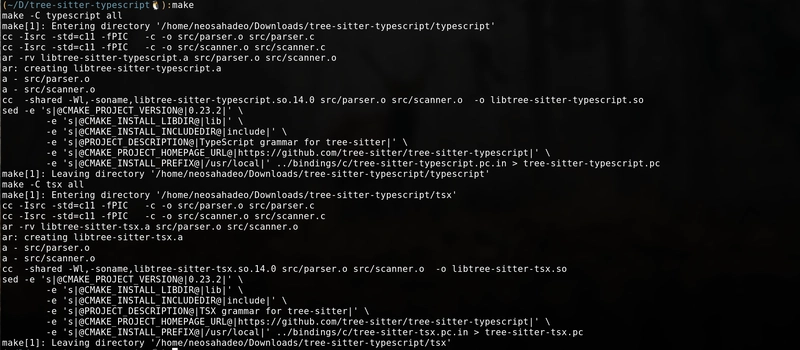
Next since this repo contains both the tsx and typescript parser, they to need to be built separately. Since typescript is most likely working, let's build tsx
cd into tsx and run the tree-sitter builder.
2.3.2 tree-sitter build
This will generate a parser.so file. Now the hard part is done and all we have to do is add it to nvim.
2.4.1
First we need to tell nvim about our parser.
~/.config/nvim/init.lua
vim.treesitter.language.add(
    'tsx',
    { path = '/home/neosahadeo/.local/share/tree-sitter/tree-sitter-typescript/tsx/parser.so' }
)
2.4.2
Next we need to tell nvim what highlighter we want to load into the parser.
~/.config/nvim/init.lua
vim.treesitter.language.register('tsx', { 'typescriptreact' })
This says that nvim should associate the tsx parser with the .tsx file. (The file type name is typescriptreact, to get the name just run :echo &filetype).
After this restart neovim and everything should just work.