






🔗 Try it out: Velocmd Explorer
If you are anything like me, you are probably obsessed with squeezing every ounce of efficiency out of your daily workflow. We undervolt our PCs for better thermals, we optimize our code to shave off milliseconds, and we meticulously design our workspaces.
Yet, as Windows power users, we have collectively accepted a glaring bottleneck right in the center of our operating system: Native Windows Search.
It is notoriously sluggish. It is bloated with Bing web results when you just want to find a local file. Visually, it is heavy and cumbersome. I wanted a unified, instant command palette: something that felt less like a search bar and more like an extension of my keyboard.
When I couldn’t find exactly what I wanted, I built it. Meet Velocmd Explorer!

The Philosophy: Zero Latency, Zero Bloat
Velocmd is a high-performance system launcher and file indexer designed to bring a unified, instant Spotlight-like command palette to Windows. The entire philosophy behind it is simple: total keyboard control with absolutely zero latency.
When you hit the master shortcut (Win + Shift + .), the palette snaps open instantly. You type, you hit enter, and you are exactly where you need to be. No loading spinners. No forced web results.
How It Achieves Sub-Millisecond Speeds
Most traditional search indexers rely on constant background database reads and writes. They are heavy, and they constantly chew on your disk usage.
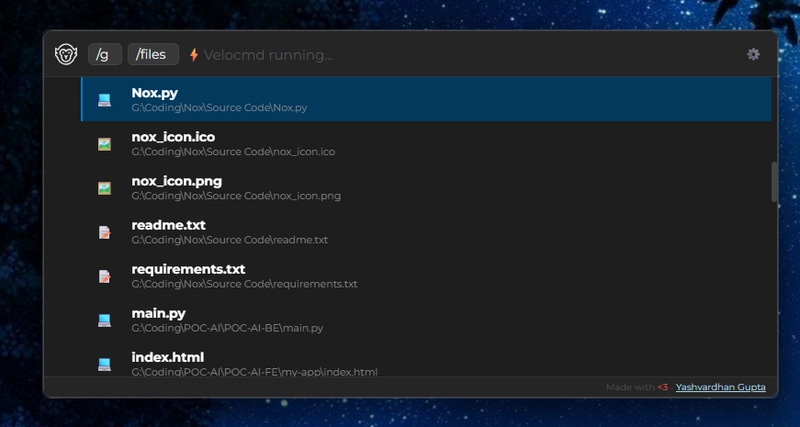
To bypass this, Velocmd takes a more aggressive, performance-first approach. Upon startup, it utilizes multithreaded directory traversal to scan your Start Menu, local AppData, and mounted drives.
Instead of writing this to a sluggish database, it stores the entire index directly in memory. The performance difference is night and day. In my benchmarking across all connected drives, Velocmd can index ~1 Million items in just 3.97 seconds. Because that index sits directly in your RAM, querying it happens in sub-milliseconds.
Deep System Integration
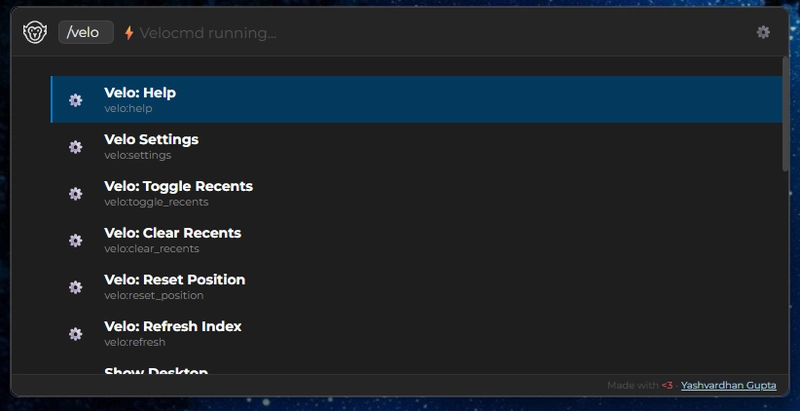
Beyond just files, Velocmd acts as a control center for your machine. You can bypass the Windows Settings app entirely. Need to change your path variables? Just type Environment Variables. Need to reboot fast? Just type Restart. Media controls, Task Manager, Registry Editor—it is all mapped and ready to launch.
Built for Privacy
Because Velocmd operates by aggressively scanning your drives, I wanted to ensure there were absolutely zero privacy concerns.
- 100% Local: No telemetry or analytics are collected.
- Volatile Memory: The file index is held in your local RAM and is completely wiped the moment the app closes.
- No Unwanted Network Calls: It only reaches out to the web if you explicitly use a web search chip like /google.
Try It Out
Every project is constantly evolving, but Velocmd has already fundamentally changed how I navigate my system. If you are tired of the default Windows search and want to feel like a true power user again, give it a spin.
You can download the latest lightweight installer directly from the repository, and check out the deep dive into all the features on the documentation site.
🔗Check it out! Velocmd Explorer
If you end up using it, or if you want to contribute to the project, feel free to open a PR or connect with me, happy exploring (quicker)!