








You are getting form submissions.
People are filling in your contact form, your registration form, and your quote request form.
The submissions are arriving in your inbox and your dashboard.
But here is the question most small business owners never think to ask:
Where are these people coming from?
Did they find your form through your Instagram bio? Did someone share your link in a WhatsApp group? Did they click a link in your email newsletter? Did they find you through a Google search?
If you do not know the answer to that question, you are making marketing decisions blindly. You are spending time on channels that might not be sending you any leads at all, while ignoring the one channel that is sending you your best customers.
This guide shows you how to track exactly where every form submission comes from using a simple system called UTM tracking and how Formgrid makes it automatic.
Why This Matters More Than You Think
Imagine you are sharing your contact form
in three places:
Your Instagram bio
A WhatsApp group for your industry
Your monthly email newsletter
After a month, you have 40 submissions. But you have no idea which channel sent which submissions.
Without source tracking:
You guess Instagram is working because you post there most often.
You stop sending the newsletter because it feels like a lot of effort.
You leave the WhatsApp group because it seems inactive.
With source tracking, you discover:
Instagram: 4 submissions
WhatsApp: 28 submissions
Newsletter: 8 submissions
WhatsApp was sending you 70 percent of your leads, and you almost stopped using it.
That is the difference source tracking makes.
What UTM Tracking Is
UTM stands for Urchin Tracking Module. The name does not matter. What matters is what it does.
UTM tracking is a simple way to add invisible labels to your links so you can see which link a person clicked before they filled in your form.
You create different versions of your form link for each place you share it. Every version looks the same to the person clicking it. But behind the scenes, each version carries a label that tells you where it came from.
When someone clicks your WhatsApp link and fills in your form, Formgrid reads that label automatically and attaches it to the submission. No form fields needed. No technical setup required.
It just works.
How UTM Links Work
Your normal Formgrid form link looks
like this:
https://formgrid.dev/f/your-form-id
A UTM tracked version of the same link
looks like this:
https://formgrid.dev/f/your-form-id?utm_source=whatsapp&utm_medium=social
The part after the question mark is the
UTM parameter. It tells Formgrid two things:
utm_source=whatsapp where the link was shared.
In this case, WhatsApp.
utm_medium=social
How the link was shared.
In this case through social media.
The person clicking the link sees nothing different. They open your form. They fill it in. They submit it.
Behind the scenes, Formgrid reads the UTM parameters from the URL and saves them to the submission automatically.
No visible fields. No extra steps.
No technical knowledge is needed from the person filling in your form.
The Three UTM Parameters
You only need to understand three:
utm_source
Where the traffic came from.
Examples:
whatsapp
twitter
instagram
linkedin
facebook
email
google
reddit
utm_medium
How the traffic arrived.
Examples:
social (shared on social media)
email (sent in an email)
paid (from a paid ad)
organic (from search)
referral (linked from another site)
utm_campaign
Which specific campaign or piece
of content sent to them.
Examples:
summer_launch
newsletter_april
instagram_bio
horse_ride_outreach
You do not need all three on every link.
Source and medium are enough for most small businesses.
How to Create Tracked Links in Formgrid
Formgrid generates tracked links automatically for you. You do not need to edit URLs manually or understand the technical details.
Here is how it works.
Step 1: Create and Save Your Form
Go to formgrid.dev
and sign up. No credit card required.
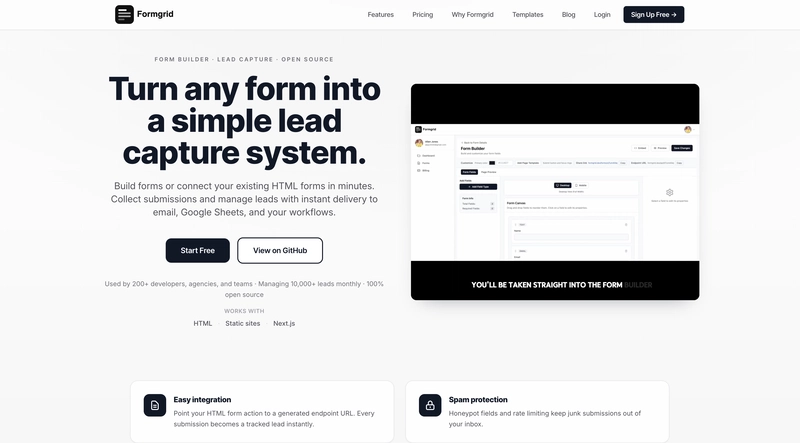
Create a new form using the drag and drop builder or connect your existing HTML form to a Formgrid endpoint.
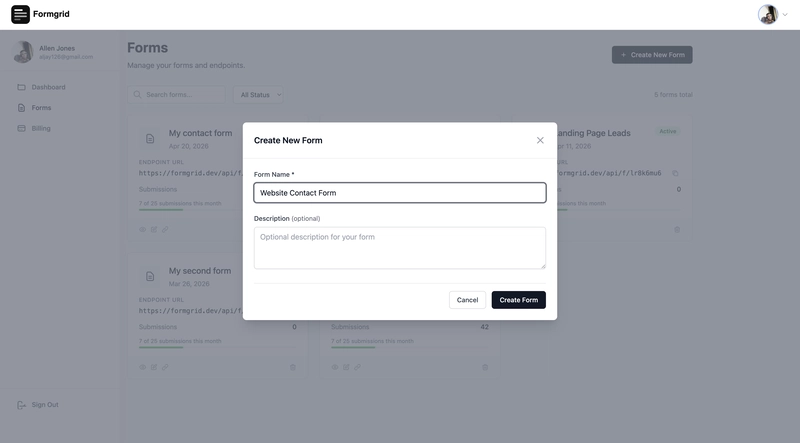
Give your form a name and click Save.
Step 2: Open the Share Modal
Once your form is saved, open it in the form builder. In the top toolbar, you will see four buttons:
Embed Preview Share Save Changes
Click Share.
A modal opens showing your form link and six pre-built tracked links for the most common channels.
Step 3: Copy Your Tracked Links
The Share modal shows:
Your form link:
formgrid.dev/f/your-form-id
[Copy]
Share with tracking:
[Twitter] [Copy]
[WhatsApp] [Copy]
[Email] [Copy]
[Instagram] [Copy]
[LinkedIn] [Copy]
[Facebook] [Copy]
Custom source:
[ ] [Copy]
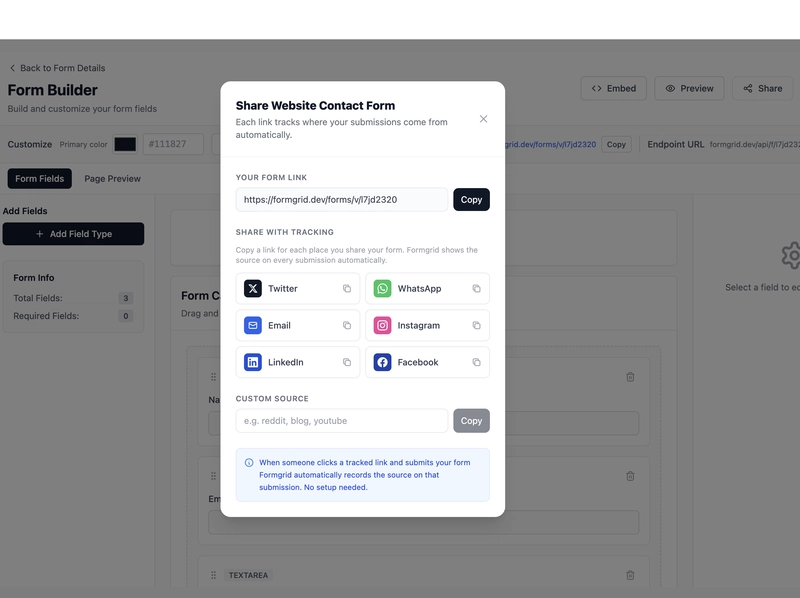
Each button copies a different tracked version of your form link to your clipboard.
Twitter link:
formgrid.dev/f/your-form-id
?utm_source=twitter&utm_medium=social
WhatsApp link:
formgrid.dev/f/your-form-id
?utm_source=whatsapp&utm_medium=social
Email link:
formgrid.dev/f/your-form-id
?utm_source=email&utm_medium=newsletter
You copy the link for wherever you are sharing. Paste it. Done.
Step 4: Share Each Link in the
Right Place
Paste the Twitter link in your
Twitter bio or tweet
Paste the WhatsApp link in your
WhatsApp group or status
Paste the Email link in your
newsletter or email signature
Paste the Instagram link in your
Instagram bio
Each link goes to the same form.
The person filling it in sees nothing different.
But Formgrid knows which link they clicked.
Step 5: See Where Your Submissions
Are Coming From
When submissions arrive in your dashboard, each one shows where it came from.
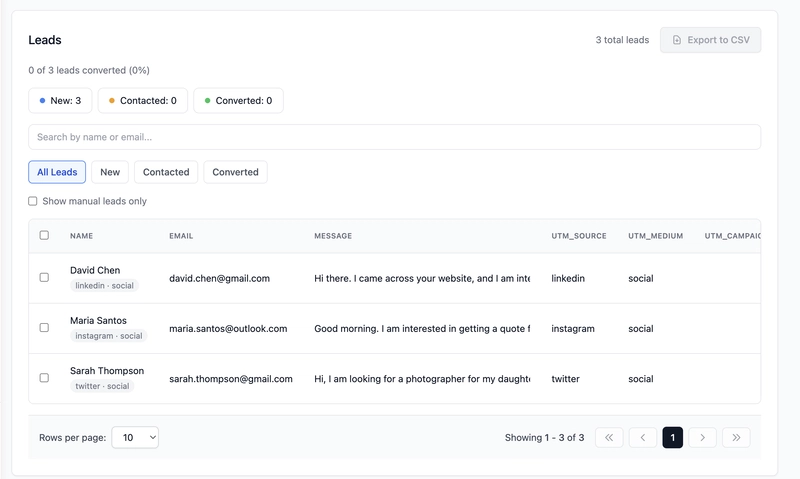
Open any submission, and you will see:
Source: WhatsApp via social
Or:
Source: Twitter via social
Or:
Source: email via newsletter
After a few weeks of sharing your tracked links, you can see at a glance which channel is sending you the most submissions and which channel is sending you the leads that actually convert.
A Real Example: How This Changes
Your Decisions
Sarah runs a photography studio. She shares
her booking enquiry form in four places:
Her Instagram bio
Her WhatsApp group for local businesses
Her monthly email newsletter
Her Twitter profile
After using tracked links for one month, her Formgrid dashboard shows:
Instagram: 6 submissions
WhatsApp: 19 submissions
Newsletter: 3 submissions
Twitter: 2 submissions
She was spending two hours per week creating content for Twitter. She had 2 submissions to show for it.
She was spending 10 minutes per week in the local business WhatsApp group. She had 19 submissions to show for it.
She stopped posting on Twitter. She started engaging more in the WhatsApp group.
Her submission volume increased by 40 percent without creating any
more content.
That decision was only possible because she could see the data.
What About Custom Channels
Not every channel fits neatly into the six default options. Maybe you share your form in a Reddit community.
Maybe you put it in a blog post. Maybe a podcast mentions your business.
The Share modal in Formgrid has a custom
source field at the bottom:
Custom source:
[reddit ] [Copy]
Type your source name and click Copy.
Formgrid generates a tracked link for that exact source:
formgrid.dev/f/your-form-id
?utm_source=reddit&utm_medium=custom
You can create tracked links for any channel you use.
What To Do With This Information
Once you have a few weeks of tracked submissions in your dashboard, ask yourself these questions:
Which channel sends the most submissions?
Double down on that channel.
Which channel sends zero submissions?
Stop spending time there, or try a different approach.
Which channel sends submissions that actually convert to customers?
That is your most valuable channel regardless of volume.
The last question is the most powerful one. Volume is vanity. Conversion is what matters.
A channel that sends 5 submissions, and 4 of them become customers is
worth more than a channel that sends 30 submissions and none of them convert.
With Formgrid's lead pipeline, you can track both. You see the source on each submission, and you see whether that submission became
New, Contacted, or Converted.
WhatsApp submissions:
19 total
14 contacted
8 converted (42% conversion rate)
Instagram submissions:
6 total
4 contacted
1 converted (17% conversion rate)
WhatsApp is not just sending more leads.
It is sending better leads. You would never know that without source tracking.
Why Most Form Tools Do Not Do This
Most form backends receive your submission and send you an email. That is where their job ends.
They have no concept of where the submission came from.
They have no pipeline to track what happens after.
They have no way to connect a lead back to the channel that generated it.
Formgrid captures UTM parameters automatically from every submission.
It stores the source, medium, and campaign on every lead record. It shows you the source in the lead detail view so you always know where each person came from.
No plugin. No Zapier integration.
No third-party analytics tool.
It is just built in.
Getting Started
If you already have a form on your website, you can connect it to Formgrid by replacing the form action URL with your Formgrid endpoint. One line change. Everything else stays the same.
<form
  action="https://formgrid.dev/api/f/your-form-id"
  method="POST"
>
  <input
    type="text"
    name="name"
    placeholder="Your Name"
    required
  />
  <input
    type="email"
    name="email"
    placeholder="Your Email"
    required
  />
  <textarea
    name="message"
    placeholder="Your Message"
  ></textarea>
  <button type="submit">Send</button>
</form>
If you are starting from scratch, use the drag-and-drop form builder to get a shareable link in under 2 minutes. No website needed.
Either way, the moment you start sharing tracked links, Formgrid automatically shows you where every submission came from.
No credit card required. Free plan available.
The Share modal with tracked links is available on all plans, including free.
Have questions about UTM tracking
or setting up source tracking for
your specific form? Email
allen@formgrid.dev, and I will
help you get it working.