惯性聚合 高效追踪和阅读你感兴趣的博客、新闻、科技资讯
阅读原文 在惯性聚合中打开

推荐订阅源

G
Google Developers Blog
Apple Machine Learning Research
小众软件
小众软件
Recent Announcements
阮一峰的网络日志
阮一峰的网络日志
IT之家
IT之家
A
About on SuperTechFans
量子位
Engineering at Meta
Engineering at Meta
B
Blog
The Cloudflare Blog
博客园 - 【当耐特】
Hugging Face - Blog
Hugging Face - Blog
Y
Y Combinator Blog
J
Java Code Geeks
D
DataBreaches.Net
aimingoo的专栏
aimingoo的专栏
T
Tailwind CSS Blog
H
Help Net Security
钛媒体:引领未来商业与生活新知
钛媒体:引领未来商业与生活新知
V
V2EX
Stack Overflow Blog
Stack Overflow Blog
C
Check Point Blog
酷 壳 – CoolShell
酷 壳 – CoolShell

DEV Community

Authentication Security Deep Dive: From Brute Force to Salted Hashing (With Java Examples) Why AI Systems Don’t Fail — They Drift Spilling beans for how i learn for exam😁"Reinforcement Learning Cheat Sheet" I Replaced Chrome with Safari for AI Browser Automation. Here's What Broke (and What Finally Worked) How Python Borrows Other People's Work The $40 Architecture: Processing 1 Billion API Requests with 99.99% Uptime Vibe Coding: A Workflow Guide (From Zero to SaaS) Most webhook security guides protect the wrong side. The scary part is delivery. Headless CMS for TanStack Start: Build a Blog with Cosmic EU Age Verification App "Hacked in 2 Minutes" — What Actually Happened Comfy Cloud’s delete function does not actually remove files Running AI Models on GPU Cloud Servers: A Beginner Guide Event-driven media intelligence with AWS Step Functions and Bedrock I scored 500 AI prompts across 8 quality dimensions — here's what broke How to Call Google Gemini API from Next.js (Free Tier, No Backend Needed) The Portal Protocol: Reclaiming Human Connection in the Age of AI How to Fix Your Team's Scattered Knowledge Problem With a Self-Hosted Forum Intro to tc Cloud Functors: A Graph-First Mental Model for the Modern Cloud Designing Multi-Tenant Backends With Both Ownership and Team Access I Built a Neumorphic CSS Library with 77+ Components — Here's What I Learned PostgreSQL Performance Optimization: Why Connection Pooling Is Critical at Scale Cómo construí un SaaS multi-rubro para gestionar expensas en Argentina con FastAPI + Vue 3 🚀 I Built an Ethical Hacking Scanner Tool – Open Source Project I Replaced /usage and /context in Claude Code With a Single Statusline A Pythonic Way to Handle Emails (IMAP/SMTP) with Auto-Discovery and AI-Ready Design I Collected 8.9 Million Polymarket Price Points — Here's What I Found About How Markets Really Move EcoTrack AI — Carbon Footprint Tracker & Dashboard Everyone's Using AI. No One Agrees How. 5 self-hosted ebook managers worth trying in 2026 Building Your First AI Agent with LangChain: From Chatbot to Autonomous Assistant
Building a real SSH workspace for iPhone and iPad
Yaser · 2026-04-28 · via DEV Community
Cover image for Building a real SSH workspace for iPhone and iPad

Yaser

SSH from a phone has always felt useful, but rarely comfortable.

Most server work happens from a laptop. But sometimes you are away and still need to check logs, restart a service, inspect disk usage, upload a file, or fix something quickly before it becomes a bigger issue.

I kept running into this problem, so I built Shellora.
The idea

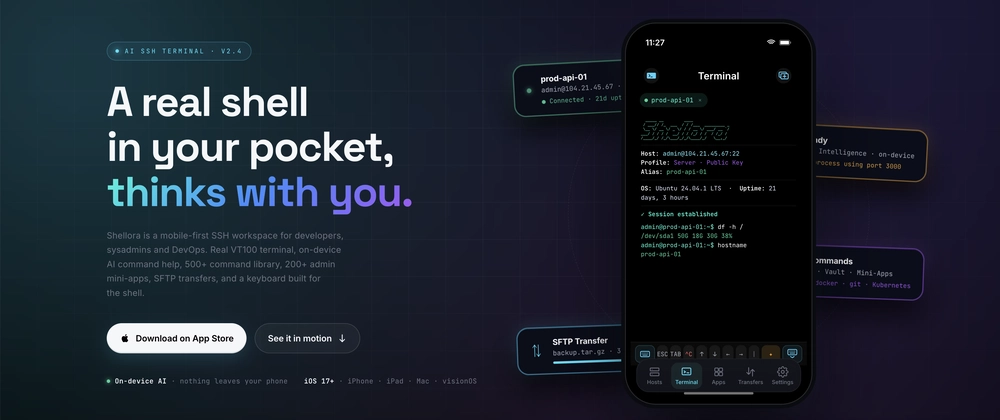
Shellora is a mobile-first SSH workspace for iPhone and iPad.

I did not want it to feel like a desktop terminal squeezed onto a phone. I wanted mobile SSH to feel fast, readable, and practical.

What it includes

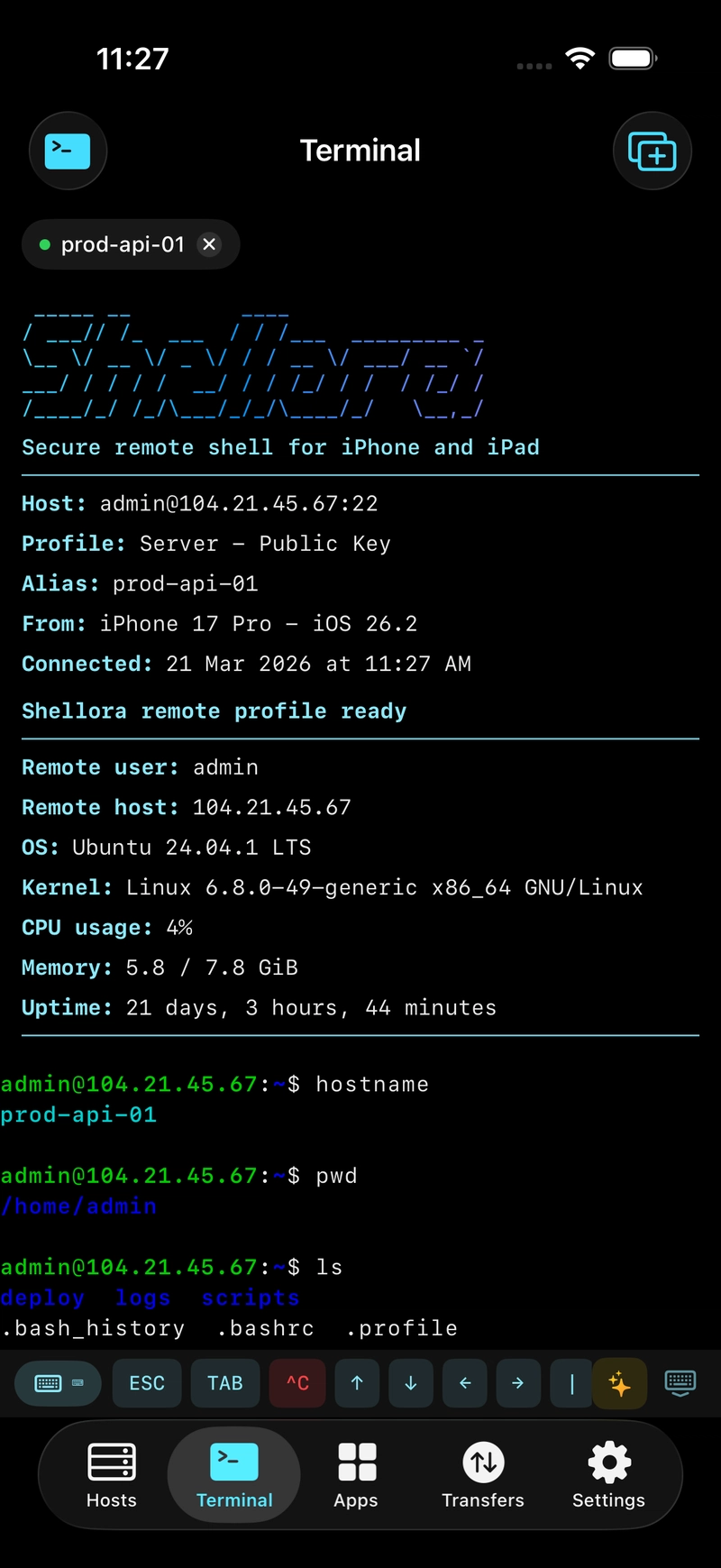
  • Real SSH terminal sessions
  • In-house VT100/ANSI terminal emulator
  • Multi-session tabs
  • Custom keyboard for shell commands
  • On-device AI command help
  • SFTP uploads and downloads
  • 500+ built-in commands
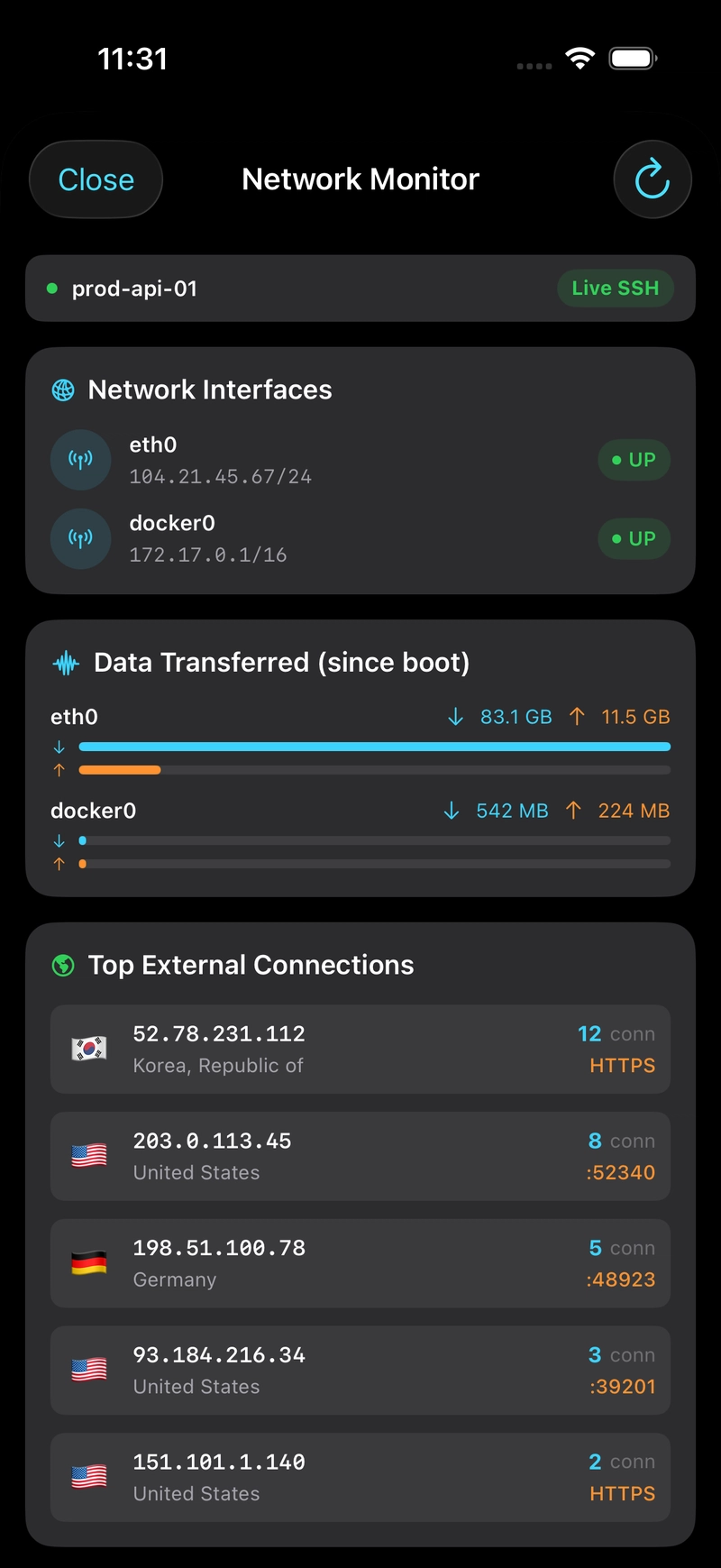
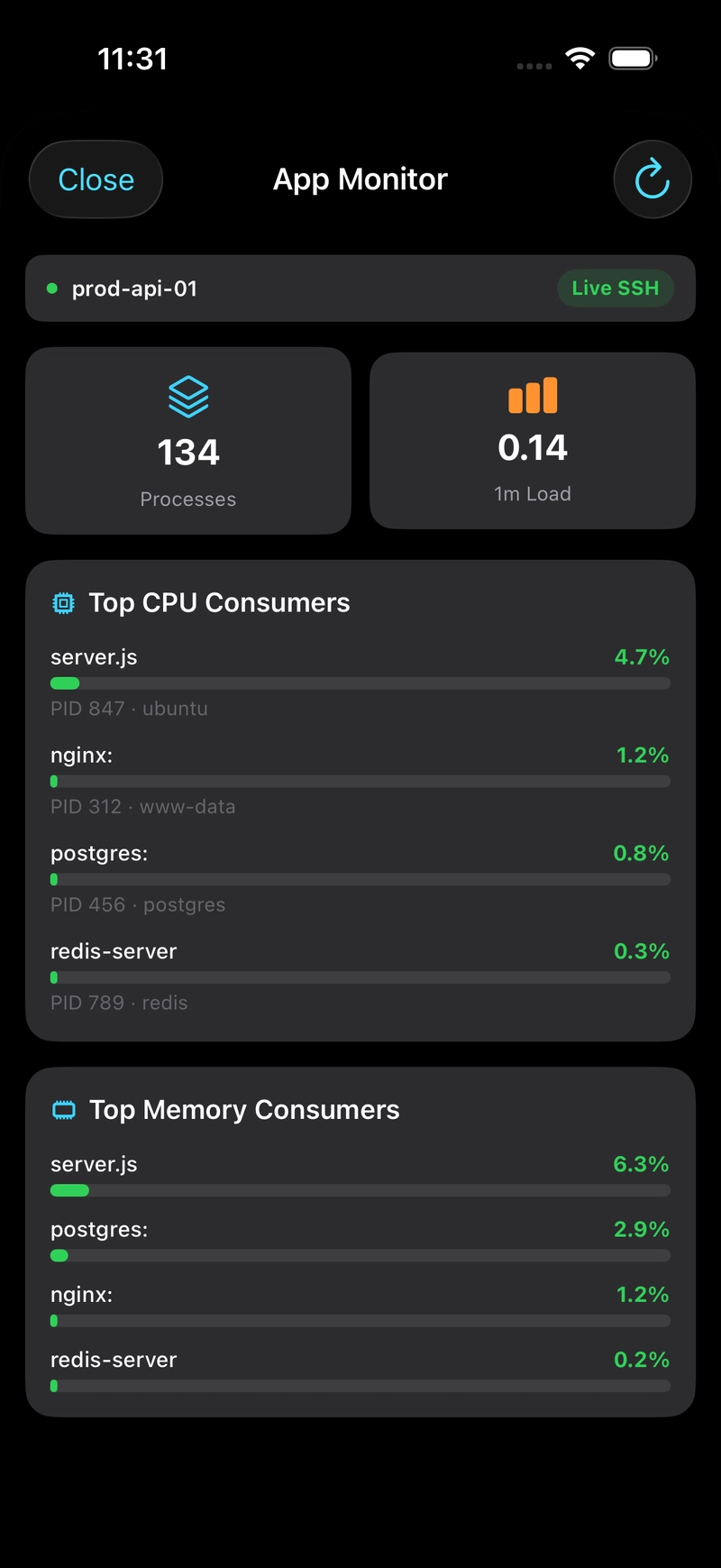
  • 220+ admin mini-apps
  • Host management with folders, tags, and favorites
  • Secure Keychain vault for passwords and SSH keys
  • Widgets and Live Activities


The AI part

The AI is designed to assist, not take over. You describe what you need, Shellora suggests one command, explains it, shows a danger level, and lets you choose whether to run, paste, or copy it.
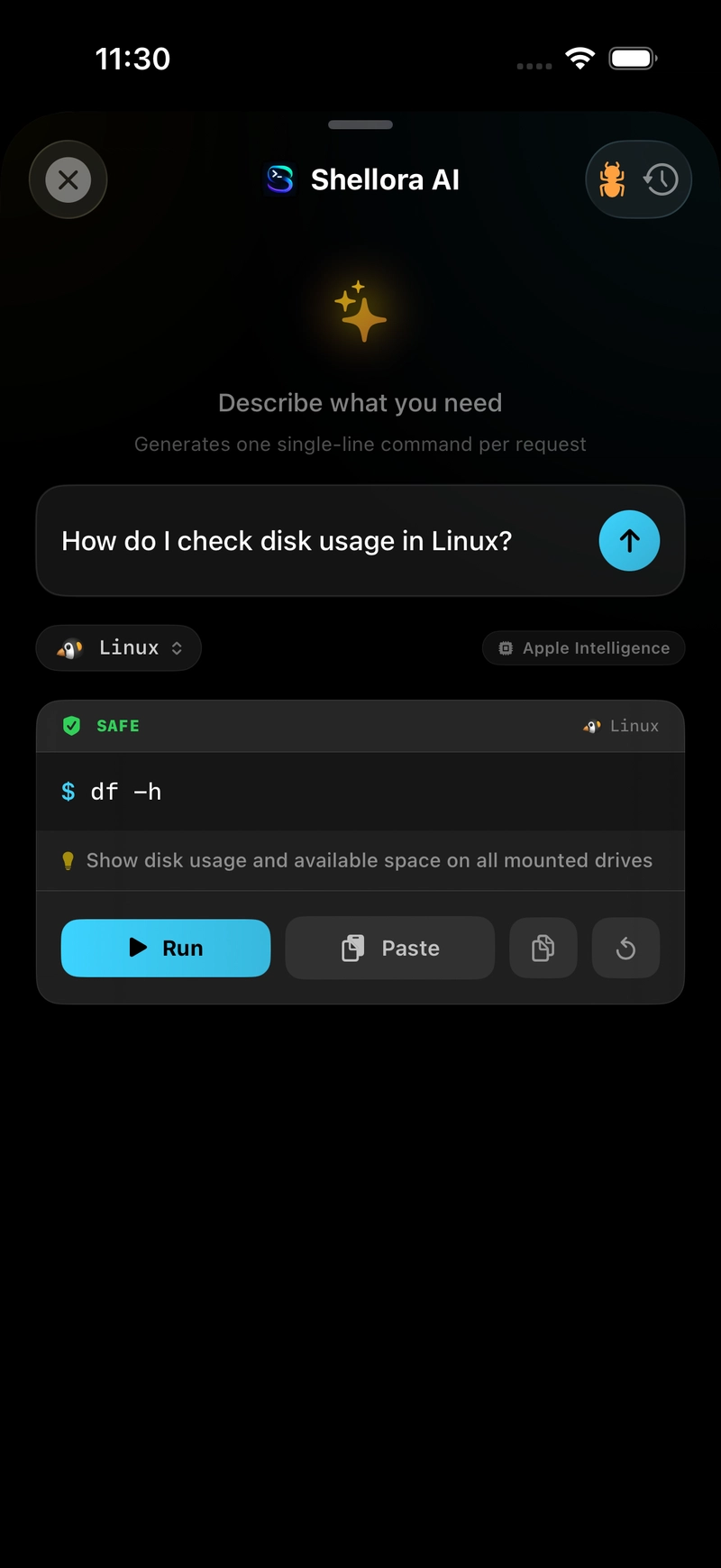
Nothing runs automatically. That was important to me because SSH commands can affect real servers.

Why I built it this way

The hardest part was not just connecting to a server. It was making the whole workflow feel usable on a small screen.

A normal phone keyboard is not made for shell work, so Shellora includes dedicated keys for things like ESC, TAB, Ctrl+C, arrows, pipes, slashes, brackets, and common shell shortcuts.

The built-in tools are there for quick checks, but the terminal stays at the center.

Looking for feedback

I am sharing this because I would love feedback from developers, sysadmins, and DevOps engineers.

  • Do you use SSH from your phone?
  • What frustrates you most about mobile SSH?
  • Would AI command help be useful if it never runs commands automatically?
  • What server tools would you want on mobile?

Would love to hear your thoughts.