







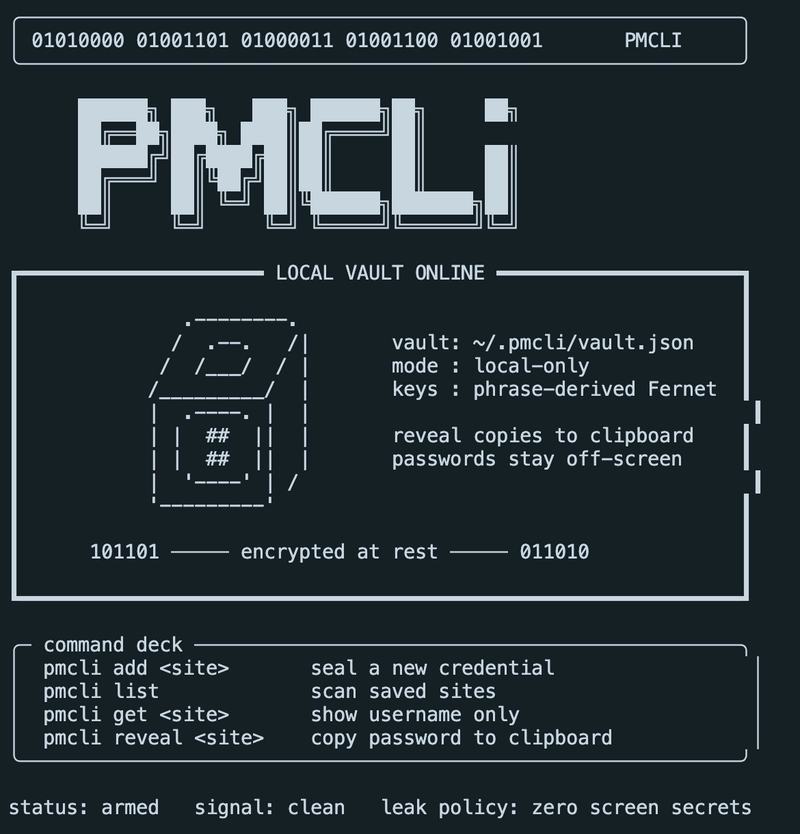
a Local CLI Password Manager in Python
I have been working on a small local password manager called PMCLI.
The goal is simple: store credentials locally, encrypt the saved passwords, and retrieve them from the terminal without printing secrets directly to the screen.
GitHub repo:
https://github.com/KimtVak8143/pmcli
This is not meant to replace a production password manager like 1Password or Bitwarden. It is a learning project for building a secure-ish CLI tool with clean Python structure.
Tech Stack
- Python
- Typer for the CLI
- cryptography for encryption
- Fernet for symmetric encryption
- PBKDF2 for deriving an encryption key from a phrase
- pyperclip for copying passwords to the clipboard
- JSON file storage
The vault is stored locally at:
~/.pmcli/vault.json
Basic Usage
After setup, the tool can be used like this:
pmcli add github.com
pmcli list
pmcli get github.com
pmcli reveal github.com
The get command shows only the username.
The reveal command does not print the password. It copies the password to the clipboard.
Project Structure
I split the app into small modules:
pmcli/
├── main.py
├── crypto.py
├── storage.py
├── commands/
│   ├── add.py
│   ├── get.py
│   ├── reveal.py
│   ├── list_cmd.py
│   └── config.py
└── README.md
The separation is intentional:
-
main.pyonly registers commands -
commands/contains CLI behavior -
crypto.pyhandles encryption and decryption -
storage.pyhandles reading and writing the vault
This made the code easier to reason about as the project grew.
Encryption Design
One important design change was separating the master password from the encryption phrase.
At first, the master password was used directly for encryption and decryption. That worked, but it had a problem:
if the master password changed, all existing passwords became unreadable.
So I changed the design:
PMCLI_MASTER_PASSWORD=used to unlock reveal
PMCLI_ENCRYPTION_PHRASE=used to encrypt and decrypt stored passwords
The master password is now used only as an access check before revealing a password.
The encryption phrase is the stable secret used for encryption.
That means the master password can be changed without breaking the vault, as long as the encryption phrase stays the same.
Adding a Credential
The add command:
- asks for a username
- asks for the password
- validates empty input
- prevents accidental overwrite
- encrypts the password
- saves it in the vault
The saved JSON looks roughly like this:
{
  "github.com": {
    "username": "user@example.com",
    "password": "gAAAAAB..."
  }
}
The password value is encrypted before it is written to disk.
Revealing a Password
The reveal command:
- checks if the site exists
- asks for the master password
- validates it against the configured master password
- decrypts using the encryption phrase
- copies the password to the clipboard
It intentionally does not print the password.
That small behavior matters. Terminal history, screen sharing, and logs are all easy ways to accidentally leak secrets.
Configuration
The local config lives in .env:
PMCLI_MASTER_PASSWORD=your-reveal-password
PMCLI_ENCRYPTION_PHRASE=your-stable-encryption-phrase
The real .env file is ignored by git.
Only .env.example is committed.
Things I Learned
Some useful lessons from this project:
- Keep CLI routing separate from business logic
- Do not print secrets if copying to clipboard is enough
- Never commit local secret config
- Think carefully before tying encryption to a changeable password
- Small command files are easier to test and modify
Final Thoughts
This was a fun project because it sits at the intersection of CLI design, encryption, local storage, and security tradeoffs.
Even a small password manager forces you to think carefully about defaults:
- What should be printed?
- What should be stored?
- What should be ignored by git?
- What happens when a user changes a secret?
The code is small, but the design decisions are real.
That is what made this project worth building.
You can find the code here:
https://github.com/KimtVak8143/pmcli