
惯性聚合 高效追踪和阅读你感兴趣的博客、新闻、科技资讯
阅读原文 在惯性聚合中打开

推荐订阅源

博客园 - 司徒正美
M
MIT News - Artificial intelligence
博客园_首页
IT之家
IT之家
L
LangChain Blog
D
DataBreaches.Net
Cyber Security Advisories - MS-ISAC
Google DeepMind News
Blog — PlanetScale
Blog — PlanetScale
人人都是产品经理
人人都是产品经理
博客园 - Franky
云风的 BLOG
云风的 BLOG
罗磊的独立博客
量子位
G
Google Developers Blog
freeCodeCamp Programming Tutorials: Python, JavaScript, Git & More
博客园 - 【当耐特】
博客园 - 叶小钗
S
SegmentFault 最新的问题
Stack Overflow Blog
Stack Overflow Blog
B
Blog
T
Tailwind CSS Blog
A
About on SuperTechFans
让小产品的独立变现更简单 - ezindie.com

DEV Community

Authentication Security Deep Dive: From Brute Force to Salted Hashing (With Java Examples) Why AI Systems Don’t Fail — They Drift Spilling beans for how i learn for exam😁"Reinforcement Learning Cheat Sheet" I Replaced Chrome with Safari for AI Browser Automation. Here's What Broke (and What Finally Worked) How Python Borrows Other People's Work The $40 Architecture: Processing 1 Billion API Requests with 99.99% Uptime Vibe Coding: A Workflow Guide (From Zero to SaaS) Most webhook security guides protect the wrong side. The scary part is delivery. Headless CMS for TanStack Start: Build a Blog with Cosmic EU Age Verification App "Hacked in 2 Minutes" — What Actually Happened Comfy Cloud’s delete function does not actually remove files Running AI Models on GPU Cloud Servers: A Beginner Guide Event-driven media intelligence with AWS Step Functions and Bedrock I scored 500 AI prompts across 8 quality dimensions — here's what broke How to Call Google Gemini API from Next.js (Free Tier, No Backend Needed) The Portal Protocol: Reclaiming Human Connection in the Age of AI How to Fix Your Team's Scattered Knowledge Problem With a Self-Hosted Forum Intro to tc Cloud Functors: A Graph-First Mental Model for the Modern Cloud Designing Multi-Tenant Backends With Both Ownership and Team Access I Built a Neumorphic CSS Library with 77+ Components — Here's What I Learned PostgreSQL Performance Optimization: Why Connection Pooling Is Critical at Scale Cómo construí un SaaS multi-rubro para gestionar expensas en Argentina con FastAPI + Vue 3 🚀 I Built an Ethical Hacking Scanner Tool – Open Source Project I Replaced /usage and /context in Claude Code With a Single Statusline A Pythonic Way to Handle Emails (IMAP/SMTP) with Auto-Discovery and AI-Ready Design I Collected 8.9 Million Polymarket Price Points — Here's What I Found About How Markets Really Move EcoTrack AI — Carbon Footprint Tracker & Dashboard Everyone's Using AI. No One Agrees How. 5 self-hosted ebook managers worth trying in 2026 Building Your First AI Agent with LangChain: From Chatbot to Autonomous Assistant
I Built a Free Negative Image Converter That Never Upload...
stackflowtoo · 2026-04-25 · via DEV Community

The Problem With Most Online Image Inverters
Most tools online do the same thing. They upload your photo to a server. They show you ads. They ask you to sign up. You wait. You worry about where your file goes.
For a simple math operation, all of that is unnecessary.
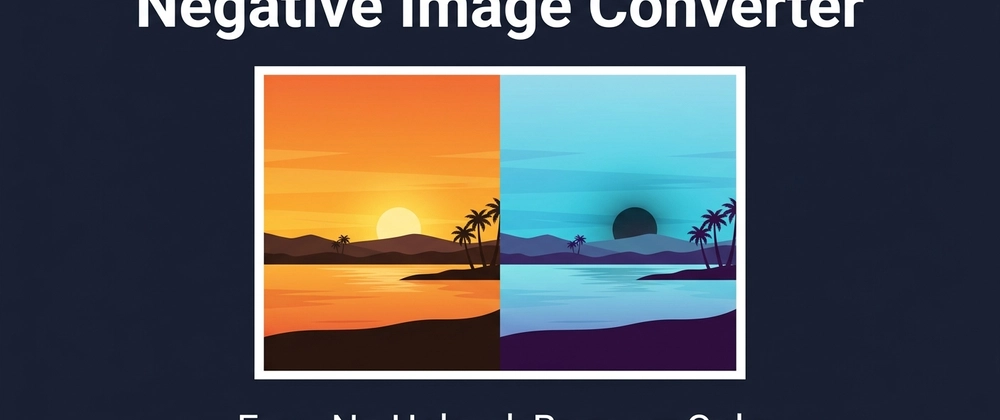
Inverting a color is one formula: 255 minus the original pixel value. Your browser handles this in milliseconds. No server needed.
What I Built
I built a free Negative Image Converter at stackflowtools.com.
It runs 100% in your browser using the HTML Canvas API. Your image never leaves your device.
Here is what it does:

Inverts JPG, PNG, WebP, and GIF files up to 20 MB
Processes the image the moment you upload it
Preserves the alpha channel on transparent PNGs
Lets you adjust brightness, contrast, and saturation
Exports as PNG (lossless) or JPG (smaller size)
Requires zero signup

How the Math Works
Every pixel has three color channels: Red, Green, Blue. Each channel holds a value from 0 to 255.
To invert a pixel, you subtract each channel value from 255.
Example:

White pixel (255, 255, 255) becomes black (0, 0, 0)
Red pixel (255, 0, 0) becomes cyan (0, 255, 255)
Any color flips to its opposite on the color wheel

The calculation runs on every pixel in the image at once. On a modern browser, this takes milliseconds regardless of file size.
Why Client-Side Processing Matters
When a tool processes your image on a server, your file travels over the internet, sits on someone else's machine, and gets deleted at some point, hopefully.
When processing happens in your browser:

Your file never moves
No one else sees it
No storage, no logs, no risk
Works offline after the page loads

This matters more for photos of people, documents, and anything personal.
Who Actually Uses This
People use negative image conversion more than you might expect:

Designers flipping a white logo to work on dark backgrounds
Photographers adding a retro film negative effect to shots
Students studying medical X-rays where inverted contrast shows more detail
Accessibility testers checking contrast for visual conditions

How to Use It
Three steps:

Go to the tool and upload your image or drag and drop it
The inverted version appears automatically. Adjust brightness or contrast if needed
Pick PNG or JPG and click Download

The whole process takes under ten seconds.
Tech Behind It
The tool uses the HTML Canvas API to read pixel data with getImageData(), runs the inversion loop across the pixel array, writes it back with putImageData(), and exports with canvas.toBlob().
No libraries. No frameworks on the processing side. Pure browser APIs.
Try It
Free Negative Image Converter no signup, no upload, no ads.
If you build image tools or work with browser-based file processing, feel free to ask anything below.