




惯性聚合 高效追踪和阅读你感兴趣的博客、新闻、科技资讯
阅读原文 在惯性聚合中打开

推荐订阅源

Microsoft Security Blog
Apple Machine Learning Research
美团技术团队
WordPress大学
WordPress大学
酷 壳 – CoolShell
酷 壳 – CoolShell
G
Google Developers Blog
阮一峰的网络日志
阮一峰的网络日志
The Cloudflare Blog
J
Java Code Geeks
Martin Fowler
Martin Fowler
M
MIT News - Artificial intelligence
IT之家
IT之家
博客园 - 三生石上(FineUI控件)
月光博客
月光博客
Google DeepMind News
小众软件
小众软件
V
V2EX
Hugging Face - Blog
Hugging Face - Blog
爱范儿
爱范儿
OSCHINA 社区最新新闻
OSCHINA 社区最新新闻
Jina AI
Jina AI
freeCodeCamp Programming Tutorials: Python, JavaScript, Git & More
腾讯CDC
B
Blog

DEV Community

Authentication Security Deep Dive: From Brute Force to Salted Hashing (With Java Examples) Why AI Systems Don’t Fail — They Drift Spilling beans for how i learn for exam😁"Reinforcement Learning Cheat Sheet" I Replaced Chrome with Safari for AI Browser Automation. Here's What Broke (and What Finally Worked) How Python Borrows Other People's Work The $40 Architecture: Processing 1 Billion API Requests with 99.99% Uptime Vibe Coding: A Workflow Guide (From Zero to SaaS) Most webhook security guides protect the wrong side. The scary part is delivery. Headless CMS for TanStack Start: Build a Blog with Cosmic EU Age Verification App "Hacked in 2 Minutes" — What Actually Happened Comfy Cloud’s delete function does not actually remove files Running AI Models on GPU Cloud Servers: A Beginner Guide Event-driven media intelligence with AWS Step Functions and Bedrock I scored 500 AI prompts across 8 quality dimensions — here's what broke How to Call Google Gemini API from Next.js (Free Tier, No Backend Needed) The Portal Protocol: Reclaiming Human Connection in the Age of AI How to Fix Your Team's Scattered Knowledge Problem With a Self-Hosted Forum Intro to tc Cloud Functors: A Graph-First Mental Model for the Modern Cloud Designing Multi-Tenant Backends With Both Ownership and Team Access I Built a Neumorphic CSS Library with 77+ Components — Here's What I Learned PostgreSQL Performance Optimization: Why Connection Pooling Is Critical at Scale Cómo construí un SaaS multi-rubro para gestionar expensas en Argentina con FastAPI + Vue 3 🚀 I Built an Ethical Hacking Scanner Tool – Open Source Project I Replaced /usage and /context in Claude Code With a Single Statusline A Pythonic Way to Handle Emails (IMAP/SMTP) with Auto-Discovery and AI-Ready Design I Collected 8.9 Million Polymarket Price Points — Here's What I Found About How Markets Really Move EcoTrack AI — Carbon Footprint Tracker & Dashboard Everyone's Using AI. No One Agrees How. 5 self-hosted ebook managers worth trying in 2026 Building Your First AI Agent with LangChain: From Chatbot to Autonomous Assistant
Haul :) a tiny file organizer daemon for Linux
KUSHAL BARAL · 2026-04-25 · via DEV Community
Cover image for Haul :) a tiny file organizer daemon for Linux

KUSHAL BARAL

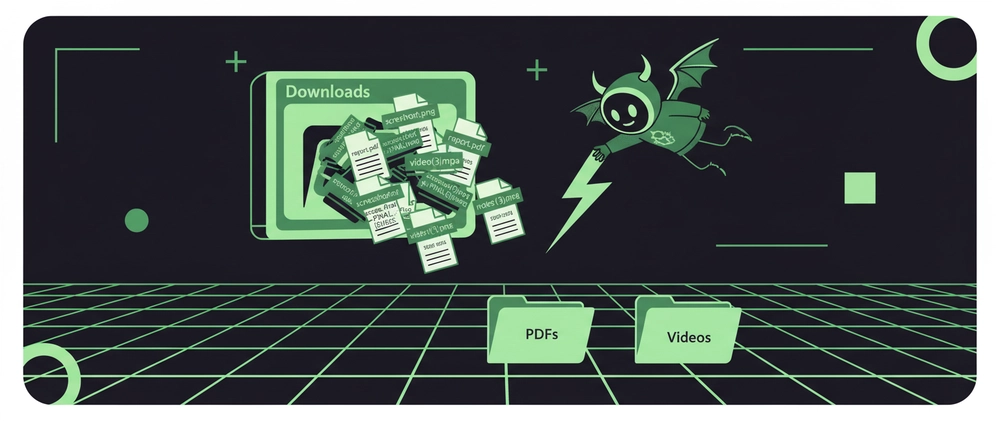
I hate messy Downloads folders. You know the feeling:

report.pdf
report(1).pdf
report(2).pdf
screenshot.png
screenshot(1).png
screenshot(2).png
video_final.mp4
video_final_FINAL.mp4
notes.docx
notes_copy.docx
notes_copy_FINAL(1).docx

Enter fullscreen mode Exit fullscreen mode

At some point you just stop caring and let it rot.

Cron jobs felt overkill — why poll every minute just to watch an empty folder? So I built haul. Drop a file in a watched folder, it moves it to the right place. That's it.

The trick — zero CPU when idle

haul uses inotify, a filesystem event API built into the Linux kernel. Instead of running a loop, it just waits for the kernel to say "hey, a file arrived" — sorts it — then exits. systemd restarts it immediately for the next file.

No polling. No persistent process. Nothing running between events.

file lands
    ↓
kernel fires inotify
    ↓
haul wakes up
    ↓
file sorted → ~/Data/subfolder
    ↓
haul exits
    ↓
systemd restarts it
    ↓
(waiting for next file...)

Enter fullscreen mode Exit fullscreen mode

Install

sudo apt install inotify-tools -y
curl -fsSL https://raw.githubusercontent.com/kushal1o1/haul/main/install.sh | bash

Enter fullscreen mode Exit fullscreen mode

Usage

haul install      set up and start
haul sweep        sort files already sitting in watched folders
haul start/stop   manage the service
haul logs         tail the live log
haul uninstall    remove haul (your ~/Data/ is untouched)

Enter fullscreen mode Exit fullscreen mode

What it sorts

Folder Extensions
PDFs .pdf
Images .jpg .jpeg .png .gif .webp .svg
Videos .mp4 .mkv .avi .mov .webm
Audio .mp3 .flac .wav .ogg .m4a
Code .py .js .ts .sh .json .yaml .sql
Zips .zip .tar.gz .rar .7z .deb
WordFiles .doc .docx .odt
Excel .xlsx .xls .csv
Others everything else

Screenshots are detected by source folder, not filename — set SCREENSHOTS to wherever your tool saves them.

Fully configurable

Everything — watched folders, destination, subfolder names, extension rules — is just bash variables at the top of ~/.local/bin/haul. Open it in any editor and change what you want.

DATA="$HOME/Files"          # change destination
DOWNLOADS="$HOME/Desktop"   # change watched folder

Enter fullscreen mode Exit fullscreen mode

After editing: haul restart

Duplicate handling

  • Same file arrives again → deleted silently
  • Same name, different content → renamed with a timestamp before moving

Logs

[2024-01-15 14:30:22] MOVED report.pdf → ~/Data/PDFs/
[2024-01-15 14:31:45] DUPLICATE (identical) skipped: report.pdf
[2024-01-15 14:32:10] CONFLICT renamed: notes_20240115_143210.md

Enter fullscreen mode Exit fullscreen mode


Requirements: Linux with systemd, bash 4+, inotify-tools. Tested on Ubuntu 22.04 / 24.04.

Source: github.com/kushal1o1/haul — MIT licensed.

If you've been living with a messy Downloads folder, give haul sweep a try first — it sorts whatever's already there without touching the daemon.