








This is a submission for the OpenClaw Writing Challenge
I already use the Excalidraw Model Context Protocol (MCP) remote server in Claude and ChatGPT, but I was curious how it would work in OpenClaw. In Claude and ChatGPT, the MCP renders the diagram inline. I can iterate, see changes in real time, edit directly, and when I am happy, open it in Excalidraw.
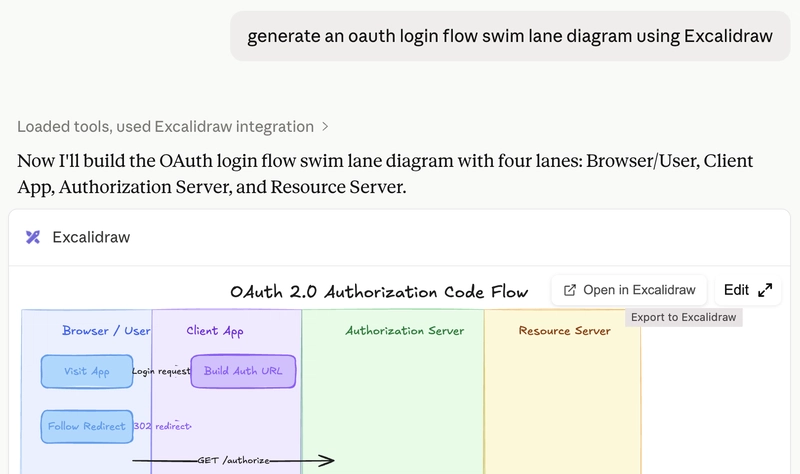
OpenClaw does not render the MCP's UI, so the challenge was getting my OpenClaw, McClaw to generate the scene and hand me back a shareable Excalidraw link instead. Also, meet McClaw!
Setting it up was straightforward. I pointed McClaw at the Excalidraw MCP server repository, the readme includes a link to the remote MCP, and asked it to configure itself. The one thing I had to specify was to use streamable HTTP instead of Server Sent Events (SSE) for the MCP transport, since OpenClaw defaults MCPs to SSE (deprecated in the MCP specification in favour of streamable HTTP.
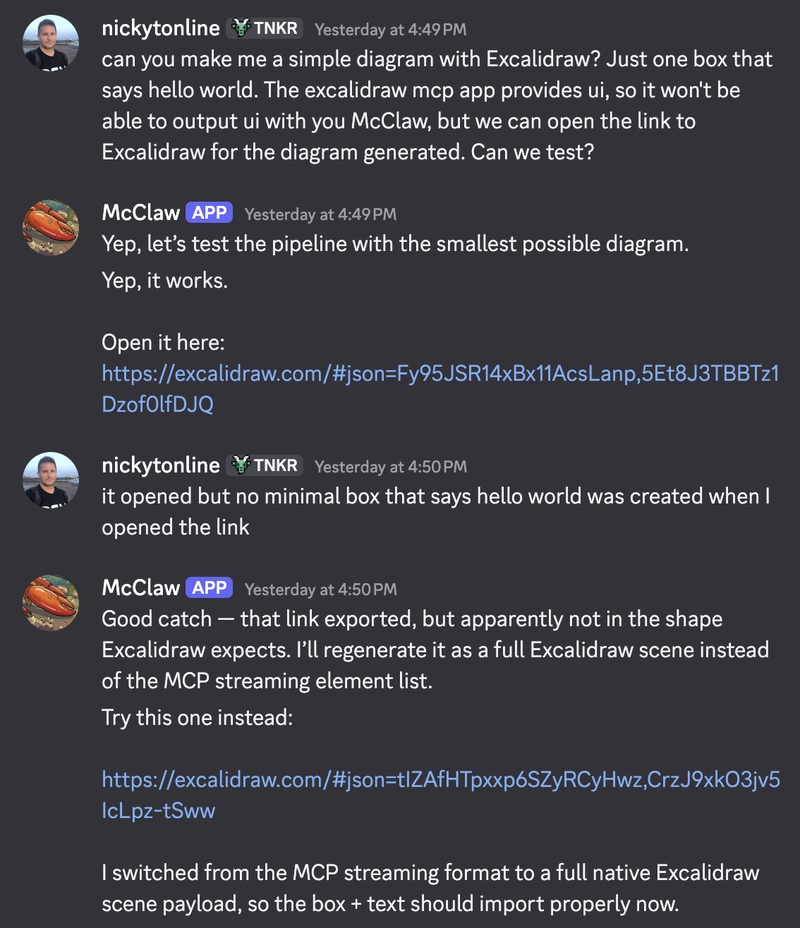
From there I started to use the Excalidraw MCP server. My first test was intentionally tiny: one box that said "hello world." The MCP render worked, but the first Excalidraw share link opened an empty scene. The fix: ask it to export a full native Excalidraw scene payload, not just the MCP streaming element data.
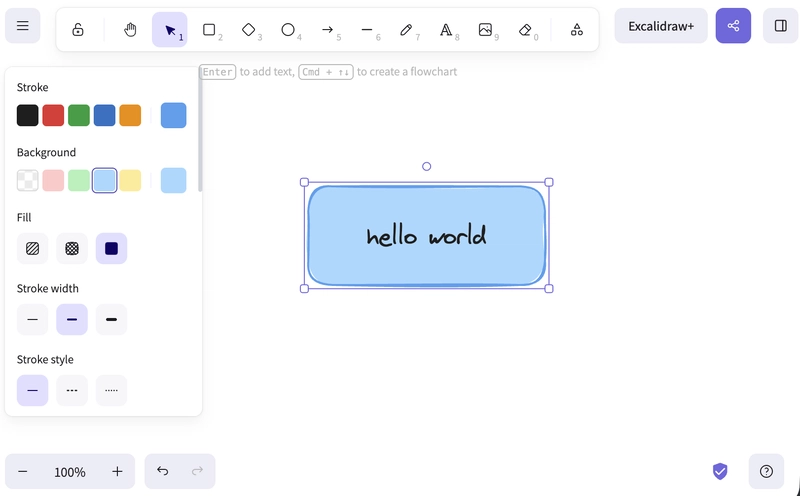
Once I was more specific, it rendered correctly.
From there, I thought everything was fixed so I went with a more complicated diagram. McClaw and I tried a Kubernetes diagram. The boxes rendered, but labels disappeared. A later version had labels, but not the hand-drawn Excalifont. After a few rounds of iteration, McClaw and I landed on a reliable pattern:
- Use explicit text elements instead of relying on Excalidraw/MCP label shortcuts.
- Put text on top of shapes in the draw order.
- Set
fontFamily: 1so text uses Excalidraw's hand-drawn Excalifont. - Include width and height on text elements.
- Keep diagram elements large enough to read in chat previews.
- Route arrows around labels where possible.
- Never return an Excalidraw link unless the exported scene has real elements in it.
You can see the progression in the links generated along the way:
First hello-world export that opened empty: https://excalidraw.com/#json=Fy95JSR14xBx11AcsLanp,5Et8J3TBBTz1Dzof0lfDJQ
Fixed hello-world scene export: https://excalidraw.com/#json=tIZAfHTpxxp6SZyRCyHwz,CrzJ9xkO3jv5IcLpz-tSww
First Kubernetes architecture attempt: https://excalidraw.com/#json=a_pCVfjZVrtJ48nkUrbUg,hma7cx8T6aeRzIkQhnTLvg
Kubernetes attempt with more explicit text, but still not quite right: https://excalidraw.com/#json=UXKfZbYOghzN3r-ivWshq,VhWdX9PT-TVTZyaJ0l2-TQ
Version with explicit text elements and Excalifont: https://excalidraw.com/#json=RWA_hrunvpASHouEksoVV,2kV4_nMbAX2rBpEBQ_ELcQ
Final fresh-run diagram after the skill was tightened up: https://excalidraw.com/#json=QnzIcl0-t3iLLu8DDjZbe,dD5hPUPEn4gBr-SrjOFn_Q
That debugging process turned into a small OpenClaw skill McClaw and I built called excaliclaw.
We iterated some more and it's still a work in progress, but I'm happy with where we landed for this skill.
The skill packages everything McClaw and I worked out from the failed exports, missing labels, font weirdness, and arrow-routing issues. Now when I ask for a diagram, McClaw has a repeatable recipe instead of the two of us rediscovering those edge cases on every run.
Now arrows actually connect boxes instead of jus floating between them, labels for boxes are grouped with the box etc.

Here's an example of the skill in action for a OAuth/OIDC login flow for a web app.
If you want to use it yourself, you can install it via ClawHub:
openclaw skills install excaliclaw
Or directly from GitHub using npx skills:
npx skills add nickytonline/skills --skill excaliclaw
MCP gives the assistant access to a specialized tool. The skill captures the practical lessons that make it reliable.
If you want to stay in touch, all my socials are on nickyt.online.
Until the next one!