惯性聚合 高效追踪和阅读你感兴趣的博客、新闻、科技资讯
阅读原文 在惯性聚合中打开

推荐订阅源

奇客Solidot–传递最新科技情报
奇客Solidot–传递最新科技情报
Jina AI
Jina AI
博客园 - Franky
Apple Machine Learning Research
酷 壳 – CoolShell
酷 壳 – CoolShell
阮一峰的网络日志
阮一峰的网络日志
量子位
雷峰网
雷峰网
宝玉的分享
宝玉的分享
V
Visual Studio Blog
博客园_首页
小众软件
小众软件
The Cloudflare Blog
让小产品的独立变现更简单 - ezindie.com
大猫的无限游戏
大猫的无限游戏
博客园 - 聂微东
S
SegmentFault 最新的问题
博客园 - 【当耐特】
OSCHINA 社区最新新闻
OSCHINA 社区最新新闻
博客园 - 叶小钗
月光博客
月光博客
博客园 - 三生石上(FineUI控件)
人人都是产品经理
人人都是产品经理
WordPress大学
WordPress大学

DEV Community

Authentication Security Deep Dive: From Brute Force to Salted Hashing (With Java Examples) Why AI Systems Don’t Fail — They Drift Spilling beans for how i learn for exam😁"Reinforcement Learning Cheat Sheet" I Replaced Chrome with Safari for AI Browser Automation. Here's What Broke (and What Finally Worked) How Python Borrows Other People's Work The $40 Architecture: Processing 1 Billion API Requests with 99.99% Uptime Vibe Coding: A Workflow Guide (From Zero to SaaS) Most webhook security guides protect the wrong side. The scary part is delivery. Headless CMS for TanStack Start: Build a Blog with Cosmic EU Age Verification App "Hacked in 2 Minutes" — What Actually Happened Comfy Cloud’s delete function does not actually remove files Running AI Models on GPU Cloud Servers: A Beginner Guide Event-driven media intelligence with AWS Step Functions and Bedrock I scored 500 AI prompts across 8 quality dimensions — here's what broke How to Call Google Gemini API from Next.js (Free Tier, No Backend Needed) The Portal Protocol: Reclaiming Human Connection in the Age of AI How to Fix Your Team's Scattered Knowledge Problem With a Self-Hosted Forum Intro to tc Cloud Functors: A Graph-First Mental Model for the Modern Cloud Designing Multi-Tenant Backends With Both Ownership and Team Access I Built a Neumorphic CSS Library with 77+ Components — Here's What I Learned PostgreSQL Performance Optimization: Why Connection Pooling Is Critical at Scale Cómo construí un SaaS multi-rubro para gestionar expensas en Argentina con FastAPI + Vue 3 🚀 I Built an Ethical Hacking Scanner Tool – Open Source Project I Replaced /usage and /context in Claude Code With a Single Statusline A Pythonic Way to Handle Emails (IMAP/SMTP) with Auto-Discovery and AI-Ready Design I Collected 8.9 Million Polymarket Price Points — Here's What I Found About How Markets Really Move EcoTrack AI — Carbon Footprint Tracker & Dashboard Everyone's Using AI. No One Agrees How. 5 self-hosted ebook managers worth trying in 2026 Building Your First AI Agent with LangChain: From Chatbot to Autonomous Assistant
How to Connect Power BI to Aiven PostgreSQL Using ODBC (S...
Mburu · 2026-04-25 · via DEV Community

Mburu

Introduction

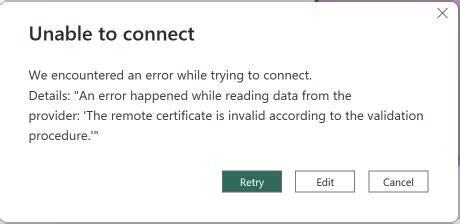
I tried connecting Power BI directly to a PostgreSQL database on Aiven and run into this frustrating error:

The remote certificate is invalid according to the validation procedure
Enter fullscreen mode Exit fullscreen mode

I fixed it and this article explains the steps I took to connect to my postgre database: I used ODBC (Open Database Connectivity)

This is the step by step process on how I did it:

  • Install the PostgreSQL ODBC driver
  • Configure a secure connection - with SSL
  • Connect Power BI to your Aiven PostgreSQL database
  • Load your dataset (customers, products, sales, inventory)

What is ODBC

ODBC is like a translator between Power BI and your database. Instead of Power BI connecting directly like this,
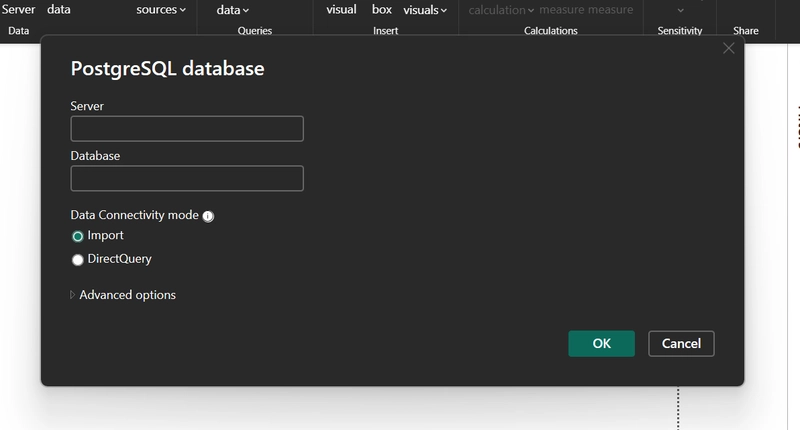
it fails on SSL issues and that`s where we use ODBC:

  • Handles SSL properly
  • Manages drivers
  • Ensures stable connections

Step 1: Install PostgreSQL ODBC Driver

Download driver

Download the psqlODBC (64-bit) version

Install
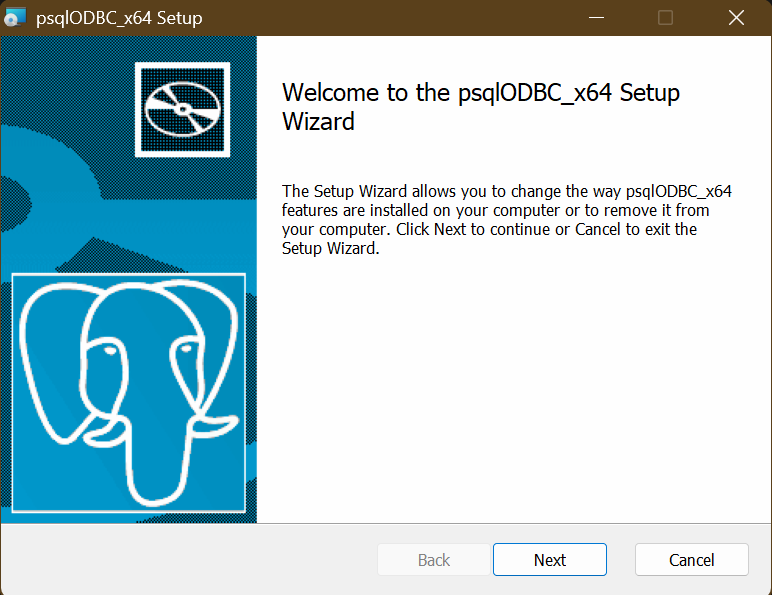
  • Run the installer
  • Keep default settings
  • Finish installation

🖥️ Step 2: Open ODBC Data Source Administrator

  • Press Windows + S
  • Search:


ODBC Data Sources (64-bit)

  • Open it

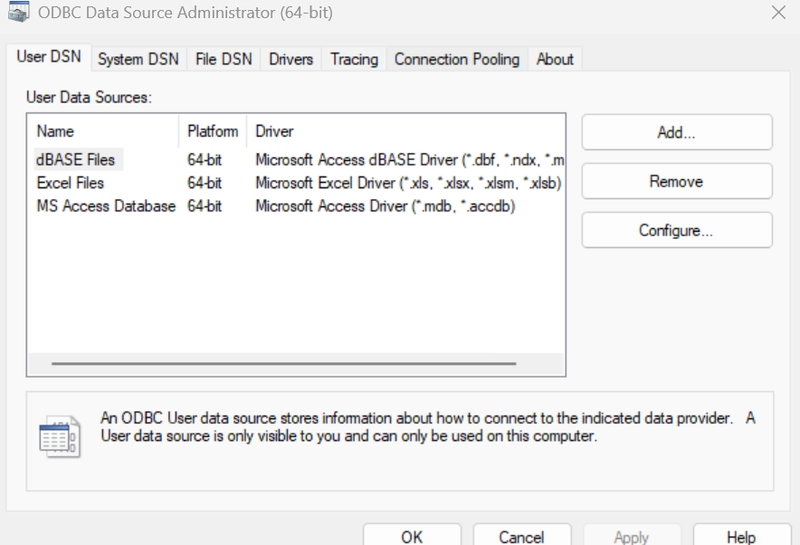
Step 3: Create a New DSN

Go to: System DSN tab

Click: Add

Select:


PostgreSQL Unicode(x64)

Step 4: Enter Aiven Connection Details

Now fill in your database info:

Basic Settings

  • Data Source Name: AivenPostgres - Any name is fine

  • Server: paste your Aiven Host name
    e.g mine is

    pg-21504f75-mburuboniface.c.aivencloud.com

  • Port: Paste your port here

  • Database: your database name


defaultdb

  • User Name: your user name
    e.g.

    avnadmin

  • Password:


your_password

Step 5: Configure SSL

Click “SSL” tab

Set:

  • SSL Mode: require

  • Root Certificate: Browse and select your downloaded:


ca.pem

Where to get ca.pem?

From your Aiven dashboard:

  • Open your PostgreSQL service
  • Go to Connection Information
  • Download:

    • ca.pem

Step 6: Test the Connection

Click: Test

If everything is correct: Connection successful

If it fails:

  • Check port
  • Check SSL file
  • Check credentials

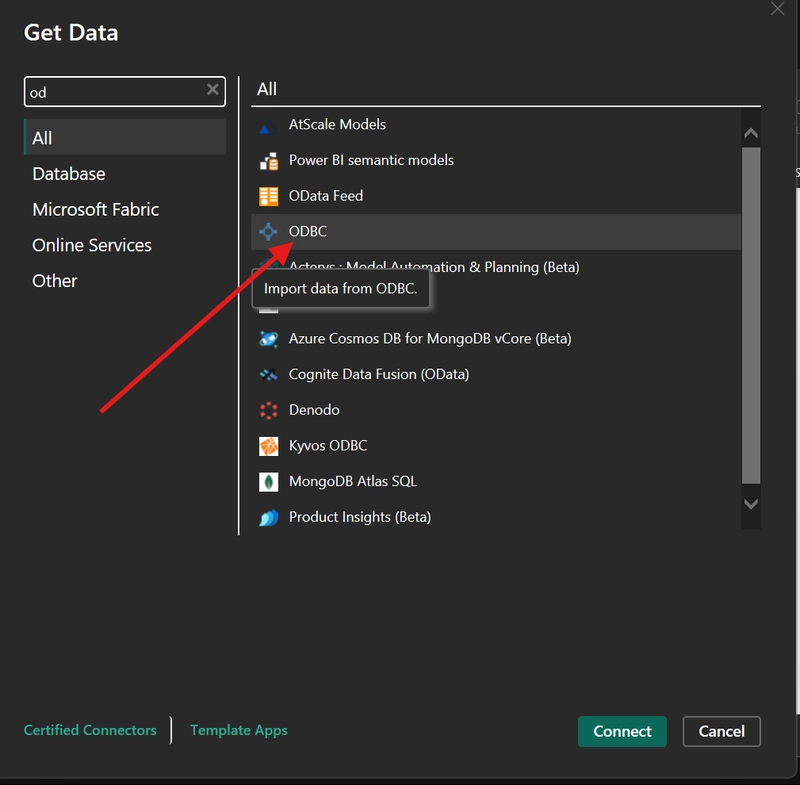
Step 7: Connect Power BI Using ODBC

Now go to Power BI:

👉 Steps:

  1. Open Power BI Desktop
  2. Click Get Data
  3. Search:


ODBC

  1. Select it
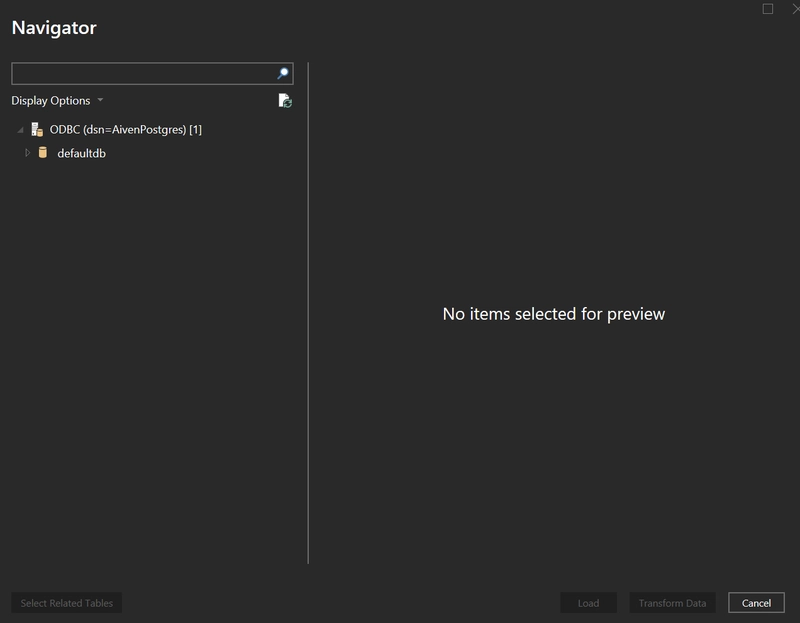
  2. Choose your DSN:


AivenPostgres

  1. Click OK

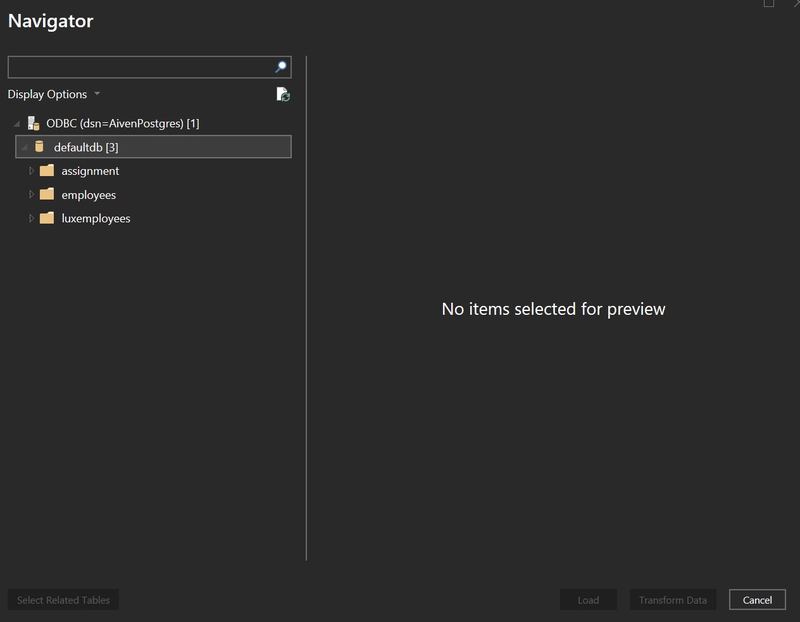
Step 8: Load Your Tables

You should now see your tables:
Example

  • customers
  • products
  • sales
  • inventory

Select all --> Click Load

Step 9: You can now visualize your data