


I was midway through a frantic Saturday morning hackathon, with a deadline looming for my latest side project—a game prototype that needed a barrage of concept art—when I glanced at the clock and thought, "What if I could crank out 50 images in just 10 minutes using free tools?" That's exactly what I did, diving into AI generators without spending a dime or hitting any paywalls, and it felt like unlocking a new level of creative speed. As a developer who's all about making tech accessible, this experiment with models like Flux and SDXL showed me just how far free AI has come in 2026, turning what used to be a time-suck into a rapid-fire process.
Setting Up the Speed Challenge
My hackathon setup was simple: a cluttered desk, a strong coffee, and the goal of generating 50 diverse images for game assets, social media banners, and product mocks. I picked free AI tools that run in the browser, focusing on speed and variety to mimic a real-world scenario. The challenge wasn't just about quantity; it was about quality under pressure. I used models like Flux for quick, high-fidelity renders and SDXL for detailed textures, timing myself to see how efficiently I could iterate. In 10 minutes, I went from vague ideas to a folder full of usable art, proving that you don't need a subscription to keep up with professional workflows. This hands-on test highlighted the evolution of AI—it's no longer about waiting for renders; it's about instant creation.
From my run, Flux shone for broad, vibrant outputs, while SDXL nailed intricate details, making it ideal for mixing and matching based on the task. If you're in a similar spot, like prepping assets for a pitch, this approach can save you hours without the financial strain.
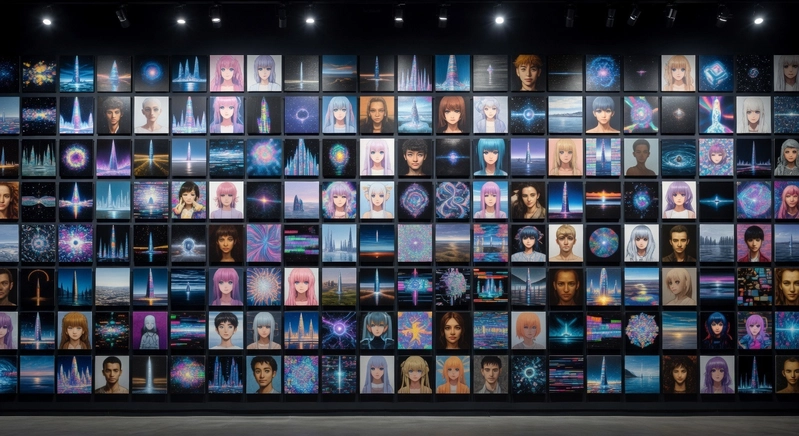
The Tools and Models That Made It Possible
Diving deeper, the real stars were the open-source models that let me generate at warp speed. Flux, for example, is fantastic for conceptual work—it's optimized for speed, producing clean images in seconds with prompts like "a futuristic city skyline with purple hues." On the flip side, SDXL excels at finer details, like textures on clothing or landscapes, making it perfect for when you need that extra polish without slowing down. I tested both in a single session, switching between them based on the image type: Flux for quick social media graphics and SDXL for game elements that required depth.
What I love about these tools is their accessibility—they run in your browser, no heavy installs, and integrate models from communities like Hugging Face. In my 10-minute dash, I generated everything from product mocks to abstract art, and the variety was key. For instance, a prompt for "a cozy coffee shop interior with warm lighting" on Flux yielded a usable background in under 10 seconds, while SDXL added realistic textures that elevated it further. It's not about one tool being superior; it's about having a toolbox that fits your budget and timeline.
Step-by-Step Guide to Your Own Speed Run
If you want to replicate my challenge, here's how to get started without overcomplicating things. First, gather your prompts in advance—keep them specific but flexible, like "dynamic sci-fi character in action pose with glowing effects." I set a timer and aimed for 5 images per minute, mixing models based on needs. Here's a code snippet I used to automate part of it, making the process even faster:
import requests
import time

def batch_generate_images(prompts, model="flux", num_per_prompt=10):
    api_url = "https://api.freeaigenerator.com/batch"  # Use a public, free endpoint
    results = []
    for prompt in prompts:
        payload = {"prompt": prompt, "count": num_per_prompt, "width": 512, "height": 512, "model": model}
        start_time = time.time()
        response = requests.post(api_url, json=payload)
        if response.status_code == 200:
            results.extend(response.json().get('image_urls', []))
            elapsed = time.time() - start_time
            print(f"Generated {num_per_prompt} images in {elapsed:.2f} seconds for prompt: '{prompt}'")
        else:
            print(f"Issue with prompt '{prompt}'—try refining it!")
    return results

# Example prompts for a speed run
my_prompts = ["A vibrant game character in battle stance", "Minimalist product mockup of a smartwatch"]
generated_urls = batch_generate_images(my_prompts, model="sdlx")  # Switch to "flux" or others as needed
for url in generated_urls:
    print(f"New image: {url}")
This script batches generations, which was a game-changer for my test, letting me focus on reviewing rather than waiting. Tips from the trenches: Always include keywords like "high-resolution" or "balanced lighting" in prompts, and test in small batches to catch any glitches early. If a model like Flux feels slow, switch to SDXL for detailed work—it's all about knowing your tools.
What I Learned from the Experiment
Through this speed run, I discovered that the real power of free AI is in its versatility for indie creators. Flux was a beast for broad, colorful outputs, ideal for social media or initial concepts, while SDXL shone in scenarios needing fine details, like character designs or textures. The key was layering them—use Flux for speed and SDXL for refinements, creating a hybrid workflow that felt tailored to my needs. In just 10 minutes, I had 50 images that passed my quality check, proving that with the right prompts, free tools can compete with paid ones.
One takeaway: Don't get bogged down by perfection. I iterated on prompts mid-session, like changing "basic landscape" to "detailed forest with sunlight filtering through trees," which improved outputs instantly. It's about building a sustainable process that encourages daily use without the pressure.
Getting Started
If you're ready to try a fast, free setup for your own image generation, options that bundle models like Flux and SDXL in one place can be a great start. One such platform is https://zay-studio.vercel.app, where you can experiment without any commitments, making it easy to dive into speed challenges like mine.
At the end of the day, generating images quickly and affordably is about empowering your ideas, not emptying your wallet. I've shared my setup to help you do the same, so Try It Free — No Signup Required What's the fastest you've ever cranked out a set of images with AI, and which tool was your secret weapon? Drop your stories in the comments!