









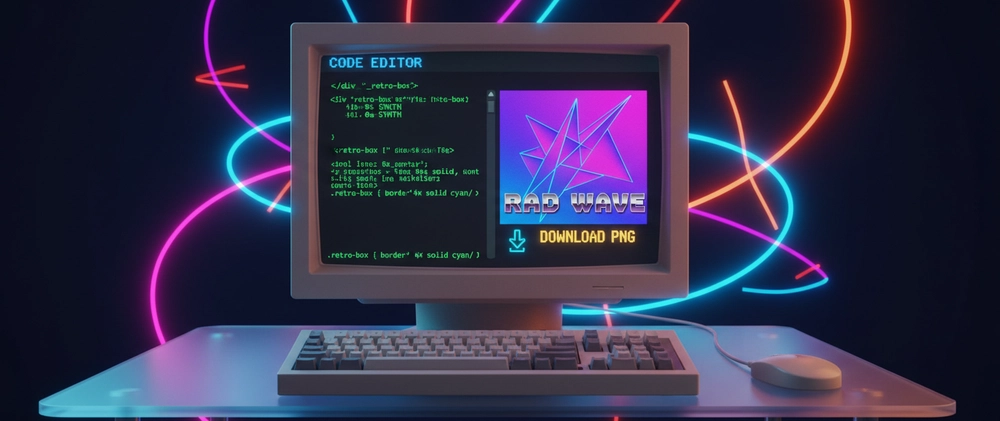

Sometimes you need a screenshot of a specific HTML element — not the whole page, not the browser chrome, just the card, the code block, or the styled component. The standard screenshot tool captures everything. You end up cropping, scaling, and still getting the browser UI in the frame.
There's a better way: paste the HTML and CSS, get a clean PNG download.
HTML to Image Converter — free, no upload, runs in browser
What This Is Useful For
Open Graph (OG) and Twitter Card images. Many developers hard-code OG images. But for dynamic content — blog posts, product pages, event pages — you want a generated image that matches the page content. Mock up the OG card in HTML, convert it to PNG, upload it. No design tool needed.
Code snippet sharing. A styled code block as an image looks cleaner than a screenshot in documentation, presentations, or social posts. Paste your <pre> with syntax highlighting CSS, download the PNG.
Component previews for documentation. When documenting a UI component, a clean render of just the component is more useful than a screenshot with surrounding UI.
Social media graphics. Design a card in HTML/CSS (faster than Figma for many developers), export as PNG, post it.
Email headers. Design a styled banner in HTML, convert to PNG, embed in the email template.
How to Use It
- Go to the HTML to Image Converter
- Paste your HTML in the left panel
- Add any CSS in the CSS panel (or use inline styles)
- Preview renders live in the right panel
- Click Download PNG
The output is a clean PNG at whatever size your HTML renders to. No browser chrome. No surrounding page. Just the element.
Tips for Best Results
Use inline styles or a <style> block. External stylesheets (Bootstrap CDN, Google Fonts via link tag) may not load fully in the renderer. Move critical styles inline or into a <style> tag in the HTML.
Set explicit dimensions. If you need a specific output size — 1200×630px for OG images — wrap your content in a <div style="width:1200px; height:630px">. The converter renders at that size.
For OG images:
<div style="width:1200px; height:630px; background:#0f172a; display:flex; align-items:center; justify-content:center; font-family:sans-serif; padding:60px; box-sizing:border-box;">
  <div>
    <h1 style="color:#fff; font-size:52px; margin:0 0 20px;">Your Title Here</h1>
    <p style="color:#94a3b8; font-size:24px; margin:0;">yourdomain.com</p>
  </div>
</div>
For code snippet images:
<pre style="background:#1e293b; color:#e2e8f0; padding:32px; border-radius:8px; font-size:16px; font-family:monospace; margin:0;">
const hello = () => {
  console.log("Hello, world!");
};
</pre>
For Twitter cards: Use 1200×675px as the wrapper dimensions.
What It Runs On
The converter uses html2canvas — a JavaScript library that renders HTML to a canvas element in the browser and exports it as a PNG. Everything runs client-side. Your HTML is never sent to a server.
This means:
- No file size limit
- No rate limiting
- Sensitive HTML (internal dashboard mockups, unreleased designs) stays on your device
When This Won't Work
- External resources (images, fonts) loaded via URL may not render if the domain blocks cross-origin requests
- CSS animations and transitions are captured at a single frame (the current state)
- Very complex CSS (3D transforms, advanced blend modes) may not render exactly as in Chrome
For these cases, a headless browser (Puppeteer) is the right tool — but that requires a server, code, and setup. For most use cases — OG cards, code blocks, styled components — the browser-based approach is fast enough and far simpler.
Convert HTML to PNG now: HTML to Image Converter at Ultimate Tools — free, no upload, runs in your browser.