









Docker Competencies: Part 1/3 (BASIC)
From "I've heard of it" to "I can ship it"
Task 1: Create a Multi-Stage Build
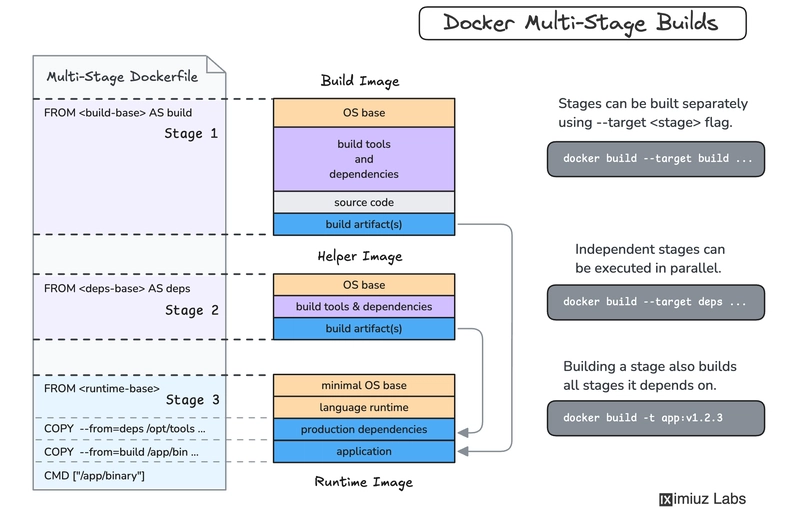
- Write a Dockerfile for an app that uses a heavy build image (like node:latest) to install dependencies, but then copies only the necessary production files into a slim runtime image (like node:alpine).
- The Goal: Compare the final image sizes.
- Resource: More ways to reduce image size
Task 2: The "Bridge Network" Handshake
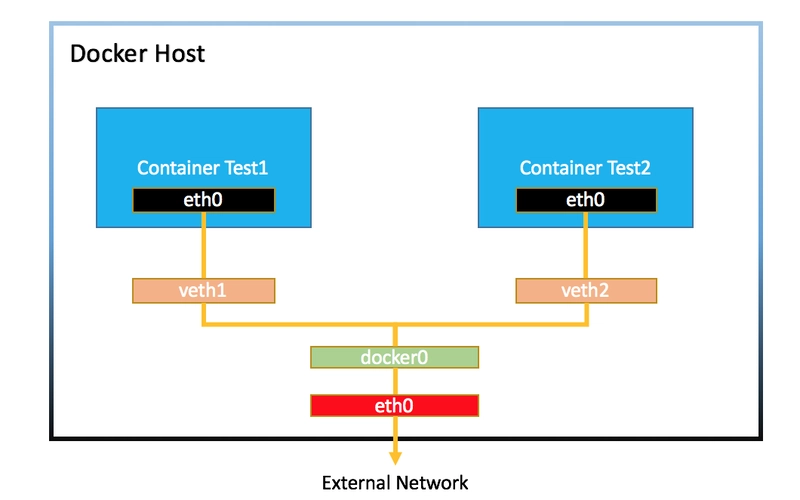
- Deploy two containers: an API container (e.g., Flask/Express) and a UI container (Nginx-based).
- The Goal: Create a custom Docker network and ensure the containers can communicate using the container name as the hostname, rather than a hardcoded IP.
- Key Concept: Containers should talk via names, not unstable IP addresses.
- Resource: Docker Bridge Network
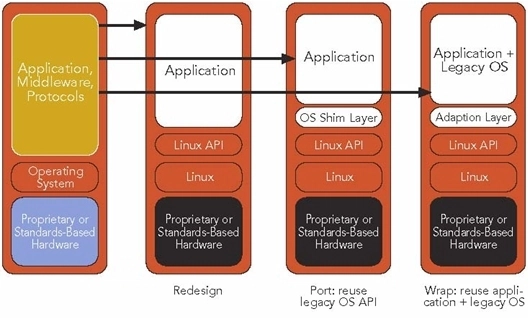
Task 3: "Legacy to Linux" Migration
- Take a basic HTML/JS frontend that runs locally and containerize it using Nginx.
- The Goal: Inject an environment variable into the container to change the background color of the UI.
- Optimization: Use a .dockerignore file to ensure node_modules or local logs aren't accidentally copied into the image.
- Resource: Migrate Legacy Apps to Docker
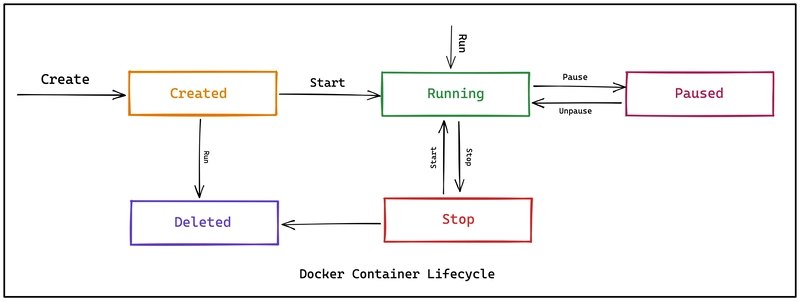
Task 4: Master Container Lifecycle Commands
Execute the following sequence to master the CLI:
- Detached Mode: Run a Redis container in the background: docker run --name my-cache -d redis.
- Port Mapping: Map port 6379 of the container to 7000 on your host.
- Restart Policy: Run a container with --restart unless-stopped and manually restart your Docker Desktop/Daemon to see if it recovers.
- Auto-Cleanup: Run a temporary "Hello World" container with the --rm flag to ensure it deletes itself after execution.
Task 5: Deploy to a Docker Registry
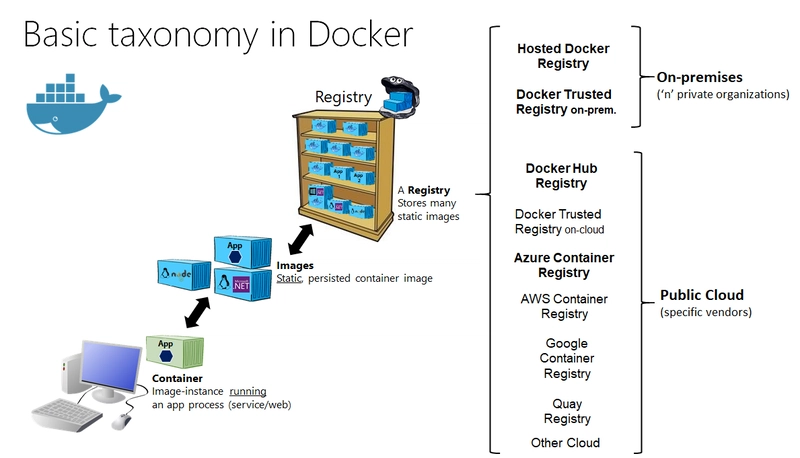
- Create a repository on Docker Hub or GitHub Packages.
- Tag your local image: docker tag /:v1.0.
- Authenticate via CLI (docker login) and push the image.
- Delete the local image and pull it back down to prove it’s stored in the cloud.
Task 6: Cross-Platform .NET Deployment
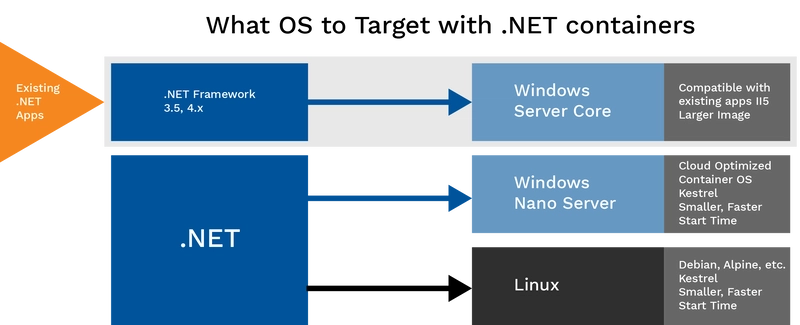
- Create a standard .NET 8 (or 6/7) Web API.
- Build it using a Linux-based SDK image.
- Switch Docker Desktop to "Windows Container" mode and build using Windows Server Core or Nano Server.
The Goal: Observe the difference in startup time and image size between native Windows and Linux-based containers.
🛠️ Pro-Tips: Working in Neovim
If you live in the terminal, you can manage Docker without leaving your editor.
Plugin Support:
nvim-docker: Provides a UI to list, start, stop, and delete containers (use r for restart, t for logs).
denops-docker.vim: Manage images/containers and search Docker Hub directly from Neovim.
devops-tools.nvim: Adds handy commands like :DockerPs and :DockerImages.
LSP & Syntax:
Install the *Docker Language Server *(via Mason) for autocompletion, linting, and hover documentation.
Terminal Integration: Open a terminal inside a split (:term) to run Docker commands while editing your Dockerfile.
Lazy Management: Use lazydocker (a TUI for Docker) and toggle it inside Neovim using toggleterm.nvim.
Advanced Note: For Task 6, you can even install Neovim inside your dev container. Tools like** DevPod or nvim-remote-containers **allow you to edit files directly inside a running Docker environment.