










Introduction
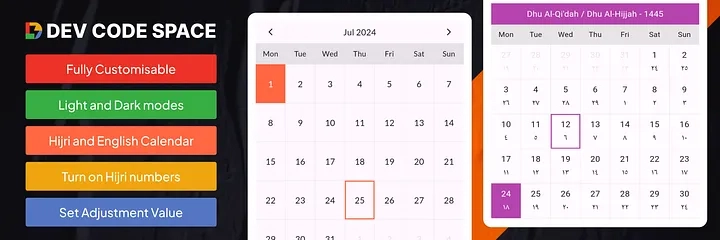
Introducing our Islamic Hijri Calendar Package for displaying most fully featured dates in Arabic and English numerals. In this solution, customers can easily notice the month’s name in Hijri, with a year and move months without any hassle. Today, I am going to introduce the Islamic Hijri
Calendar Package, which is a versatile, easy-to-use Flutter package that has the ability to show both the Islamic Hijri and the Gregorian Calendars in your Flutter apps.
Key Features
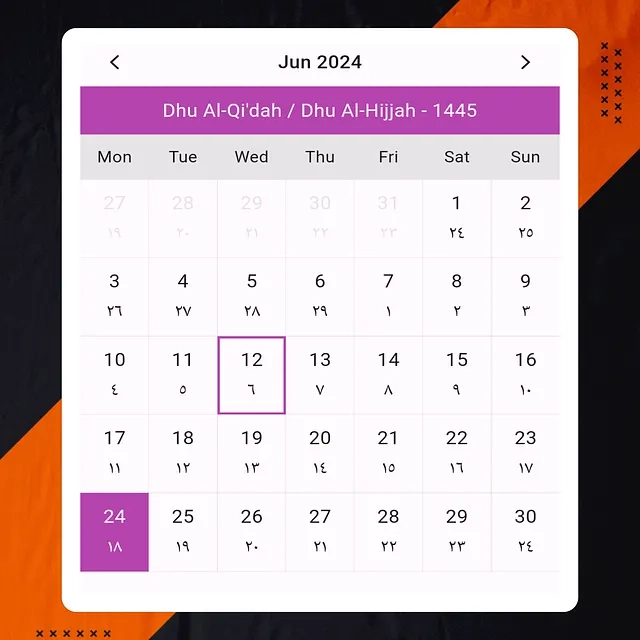
Dual Calendar View: Toggle between the Hijri and Gregorian calendars effortlessly.
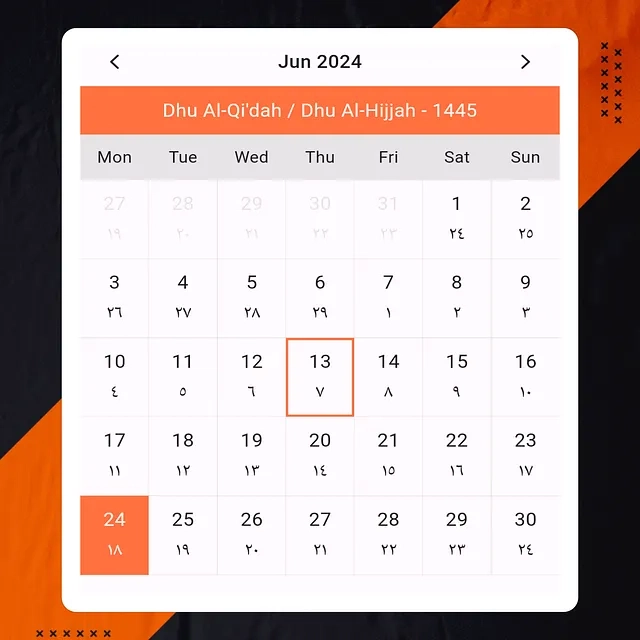
Customizable Appearance: Adjust the border colors, text colors, background colors, and font styles to match your app’s theme.
Google Fonts Support: Use Google Fonts to ensure your calendar looks modern and clean.
Date Selection Callbacks: Get the selected date in both Gregorian and Hijri formats.
Date Adjustment: Adjust the Hijri calendar by a certain number of days as needed.
Disable Out-of-Month Dates: Show or hide dates that are not part of the current month.
Installation
First, add the package to your pubspec.yaml:
dependencies:
  islamic_hijri_calendar: ^1.0.0
Usage
Here’s how you can integrate the Islamic Hijri Calendar Package into your Flutter app:
import 'package:flutter/material.dart';
import 'package:islamic_hijri_calendar/islamic_hijri_calendar.dart';
void main() {
  runApp(MyApp());
}
class MyApp extends StatelessWidget {
  @override
  Widget build(BuildContext context) {
    return MaterialApp(
      theme: ThemeData(
        colorScheme: ColorScheme.fromSwatch().copyWith(
          primary: Colors.blue,
          onBackground: Colors.black,
          background: Colors.white,
        ),
      ),
      home: Scaffold(
        appBar: AppBar(
          title: Text('Islamic Hijri Calendar'),
        ),
        body: Center(
          child: IslamicHijriCalendar(
            isHijriView: true,
            highlightBorder: Theme.of(context).colorScheme.primary,
            defaultBorder: Theme.of(context).colorScheme.onBackground.withOpacity(.1),
            highlightTextColor: Theme.of(context).colorScheme.background,
            defaultTextColor: Theme.of(context).colorScheme.onBackground,
            defaultBackColor: Theme.of(context).colorScheme.background,
            adjustmentValue: 0,
            isGoogleFont: true,
            fontFamilyName: "Lato",
            getSelectedEnglishDate: (selectedDate) {
              print("English Date : $selectedDate");
            },
            getSelectedHijriDate: (selectedDate) {
              print("Hijri Date : $selectedDate");
            },
            isDisablePreviousNextMonthDates: true,
          ),
        ),
      ),
    );
  }
}
Customization Options
Dual Calendar View:
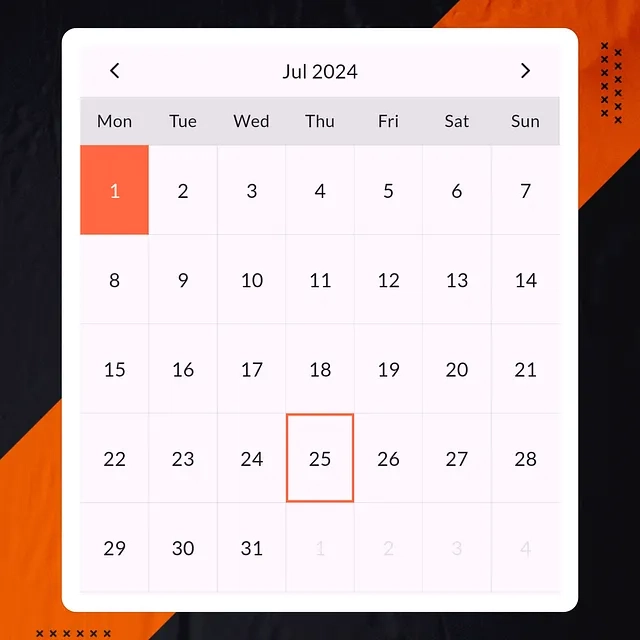
The isHijriView property allows users to toggle between viewing the Hijri calendar and the Gregorian calendar.
isHijriView: true, // Show Hijri calendar
Appearance Customization:
Customize the appearance of the calendar using the following properties:

highlightBorder: Sets the border color for the selected date.
defaultBorder: Sets the border color for other dates.
highlightTextColor: Sets the text color for today’s date.
defaultTextColor: Sets the text color for other dates.
defaultBackColor: Sets the background color for dates.
highlightBorder: Theme.of(context).colorScheme.primary,
defaultBorder: Theme.of(context).colorScheme.onBackground.withOpacity(.1),
highlightTextColor: Theme.of(context).colorScheme.background,
defaultTextColor: Theme.of(context).colorScheme.onBackground,
defaultBackColor: Theme.of(context).colorScheme.background,
Google Fonts:
Use Google Fonts to enhance the appearance of your calendar:
isGoogleFont: true,
fontFamilyName: "Lato",
Date Selection Callbacks:
Capture the selected date in both Gregorian and Hijri formats using these callbacks:
getSelectedEnglishDate: (selectedDate) {
  print("English Date : $selectedDate");
},
getSelectedHijriDate: (selectedDate) {
  print("Hijri Date : $selectedDate");
},
Date Adjustment:
Adjust the Hijri calendar dates by a specific value:
adjustmentValue: 0, // No adjustmen
Disable Previous/Next Month Dates:
Decide whether to show or hide dates from previous or next months:
isDisablePreviousNextMonthDates: true, // Disable dates not in the current month
Conclusion:
There is a calendar widget for Muslim users available for Flutter apps. This widget shows dates according to the Islamic Hijri Calendar with the familiar Gregorian calendar. This widget is pretty easy to set up in your app and has some appearance customization. It will help any Flutter app that is specifically targeted to engage Muslim users. For more information, you can check it out at Pub.dev
more information, check out the
https://pub.dev/packages/islamic_hijri_calendar

Thanks for reading! If you found this post useful, please share it with others in your network and follow me for more Flutter insights and tutorials. Keep coding and stay awesome!