


Table of Contents
- Overview
- README Files Are Never Perfect
- The Primary Purpose of README Files
- A Good README Starts With a Proper Structure
- The Essential README Sections
- Ready-to-Use Template
- Conclusion
Overview
Imagine building an amazing software product that no one can use, or even knows exists simply because it lacks proper documentation. Unfortunately, there are plenty of projects like that.
Yours doesn't have to be one of them.
Earlier I published an article The Final 1% of Every GitHub Project: Sealing It Properly, where README was literally the first item on the list. Yes, it's that important, and that's why I decided to take a deeper look into this topic.
If you're a software engineer, knowing how to write proper documentation is one of the most critical skills you can have. There's no excuse for skipping it or considering it as optional.
Yes, coding is way more fun. But coming back later and trying to understand what you did (and why you did it) without any reference is far less fun than writing a few clear notes upfront.
And if you want your work to be recognized, used, contributed to, or even starred, documentation isn't optional. It's one of the first things people see, and often the reason they stay... or leave.
But this article isn't about documentation as a whole, that's a massive topic and it deserves to be broken down. There are many different types of documentation, each serving a different purpose.
Here, we're focusing on the most essential one: the README.
README Files Are Never Perfect
I've seen so many variations of README files throughout my career. Some were good, others not so good, and a few were close to perfect.
But one thing is always true: having a README with somewhat useful information is way better than having no README at all.
You have to start somewhere. Perfection doesn't happen from the beginning, it's something you work your way up to over time.
I've been a software engineer for almost a decade now, and even today, I still look at my own README files and think they could be clearer, more consistent, or simply better. You're never fully satisfied with how you write documentation and that's exactly the point.
It's something you continuously refine, just like your code.
In this article, I'll walk through the essential README sections, and explain why each of them matters.
At the end, I'll also provide a ready-to-use README template you can take and adapt for your own projects.
The Primary Purpose of README Files
The primary purpose of a README is to quickly guide someone through the essential information about a repository.
It should include just enough detail for others to understand what the project is about, how to get it running, and how to contribute. Not everything needs to live in the README, trying to cover too much will only make it harder to read.
There's a reason different types of documentation exist. Each serves its own purpose, and the README is meant to be the entry point, not the entire manual.
A Good README Starts With a Proper Structure
README files are typically written in Markdown, which has become the universal format for a few good reasons: it's simple, widely supported, easy to learn, and flexible enough to cover almost everything you need in a README.
If you've never used Markdown before, it's worth checking out a quick reference. In less than half an hour, you can learn everything you need to write solid README files. For anything more advanced, you can always refer back to the documentation later.
The key point is this: don't write your README as just plain text. It's just terrible to read and doesn't scale well. Instead, use Markdown features to make your documentation not only informative, but also clean, structured, and easy to scan.
The Essential README Sections
Alright, it's time to go through the essential sections you should include in your README.
But the key thing to keep in mind is this: this is not a definitive checklist. Every project is different, and your README should reflect that. In addition to these core sections, you might need custom ones specific to your project, so don't feel limited by this list.
Also, not every section is necessary in every case. If you're building a simple "hello world"-level application, you don't need to overthink things or include everything mentioned here. The goal of this article is to cover the sections that make sense for most real-world projects.
And if you think I've missed something important, feel free to share your experience in the comments, it can be valuable for both me and the wider developer community.
So here's my list:
Title and Introduction
Before diving into your project details, it's important to start with the most essential elements: the title and a short description.
This is where you capture attention. As you probably know, first impressions matter a lot, if you want people to keep reading, this is the section that determines whether they do or not.
You can also make this section more engaging by adding visual elements like a logo, tags, or a screenshot of your project. For example, the homepage, dashboard, or any interface that looks clean and appealing works really well.
Here's an example from one of my projects: Sunday DEV Drive.
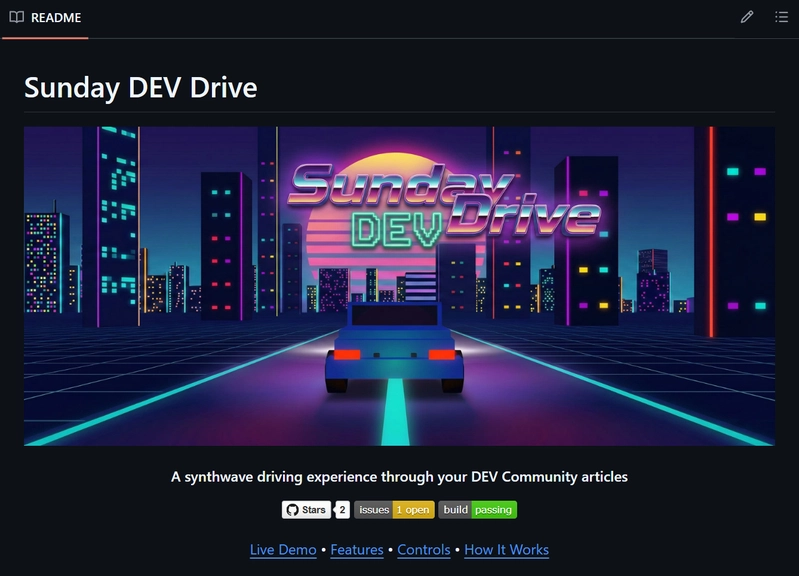
Remember, this section is the main poster of your entire project. Make sure it's clear, effective, and catchy, it's often the first thing people see, and it sets the tone for everything that follows.
It can also be functional, not just visual. You can include useful links like a demo, video walkthrough, article, or any other relevant resource that helps people understand your project faster.
Table of Contents
Whenever I write any kind of structured content, whether it's a document, a README, an article, or anything similar, I always try to include a table of contents.
It's one of the most underused and underrated parts of documentation. I wouldn't call it absolutely critical in every case, but it adds a lot of clarity and structure.
Think of it like the opening credits of a movie. The movie might be great, but those opening credits already give you a sense of who's involved and what to expect. They set the context before the story even begins.
A table of contents does the same thing for your project. It helps readers quickly understand what's inside and jump straight to the section they care about.
Here's an example from one of my projects: NoteRunway.
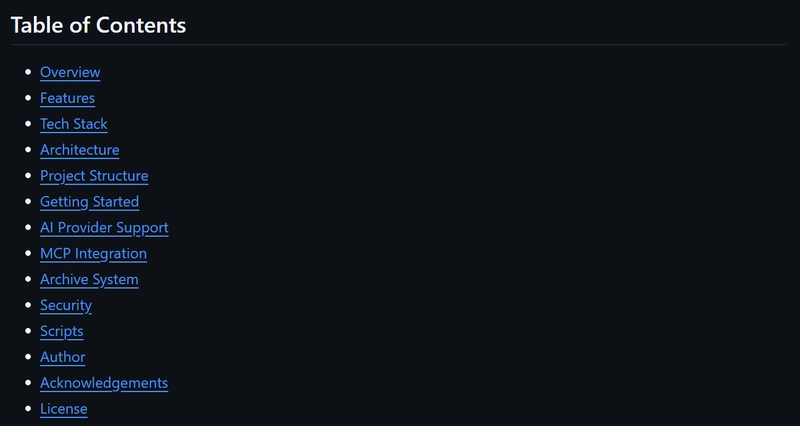
Additionally, you can add links to each section so users can easily navigate through the README without having to scroll and search for what they need.
About
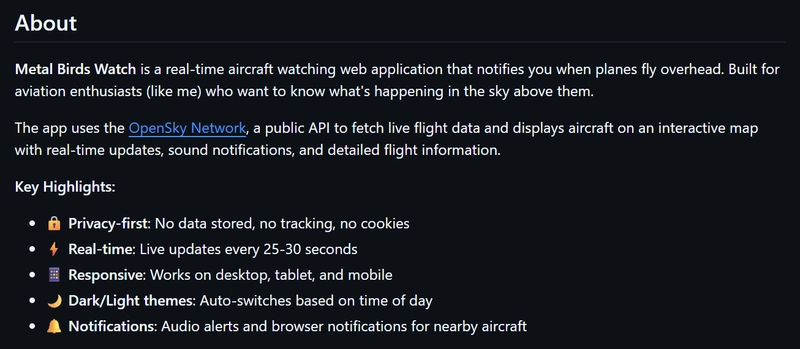
This is where you actually start describing your project: what it is, what it does, and at a high level, how it works. Focus on the key highlights and the core idea behind it, but don't go too deep into implementation details just yet, that comes later.
Here's an example from another one of my projects: Metal Birds Watch.
Features
Now it's time to expand the details a bit and start talking about the major features your project supports.
There are two common ways to structure this section. You can either use a simple table format, where you list each feature alongside its description, or you can go deeper and use subheadings for each feature if you want to provide more context and detail.
Here's an example of the features section from my Metal Birds Watch project:
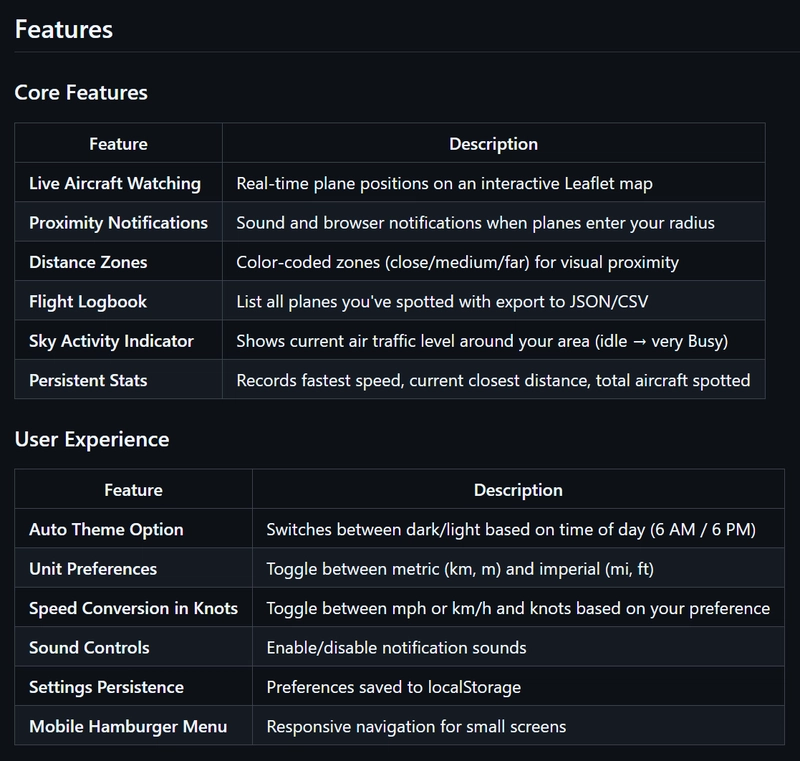
Even though this section goes into more detail, the descriptions should still stay at a high level. The goal is to help readers understand what each feature does, not how it's implemented.
In most cases, you shouldn't include implementation details here. Those belong in deeper documentation or technical sections. Only include them when there's a specific reason they're important for understanding the feature itself.
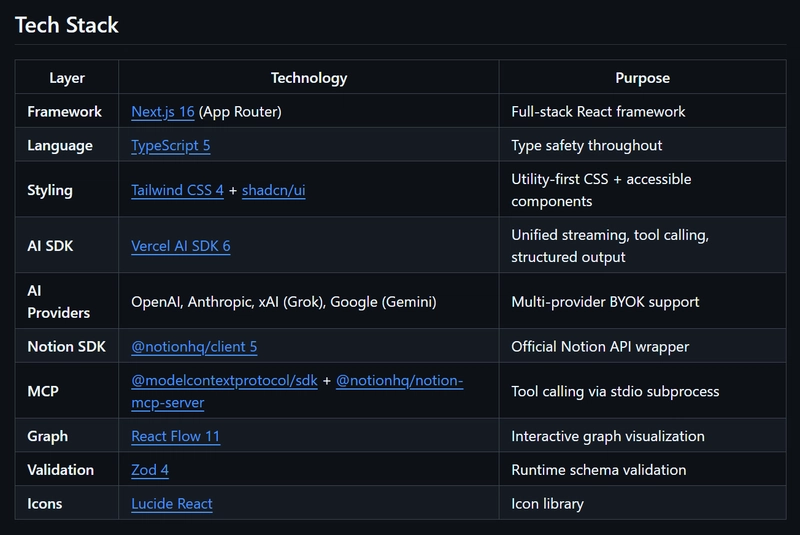
Tech Stack
One of the most important pieces of information a README should include is the tech stack.
First, because it represents the building blocks of your project. And second, many developers actively look for projects built with specific technologies so they can contribute using their existing skills.
So make it clear what your project is built with, it helps both understanding and discoverability.
Here's the tech stack section from my NoteRunway project:
Architecture
This section is typically where you describe your architecture, a bird's-eye view of how the different parts of your system work together.
For example, this might include the front-end, back-end, database, caching layer, external services, load balancers, firewalls, and anything else relevant to your system design.
It's also a good practice to visualize your architecture using diagramming tools like draw.io, Lucidchart, or similar tools. A visual representation is almost always easier to understand than a purely textual explanation, especially for more complex systems.
Here's the architecture diagram from the Metal Birds Watch project:
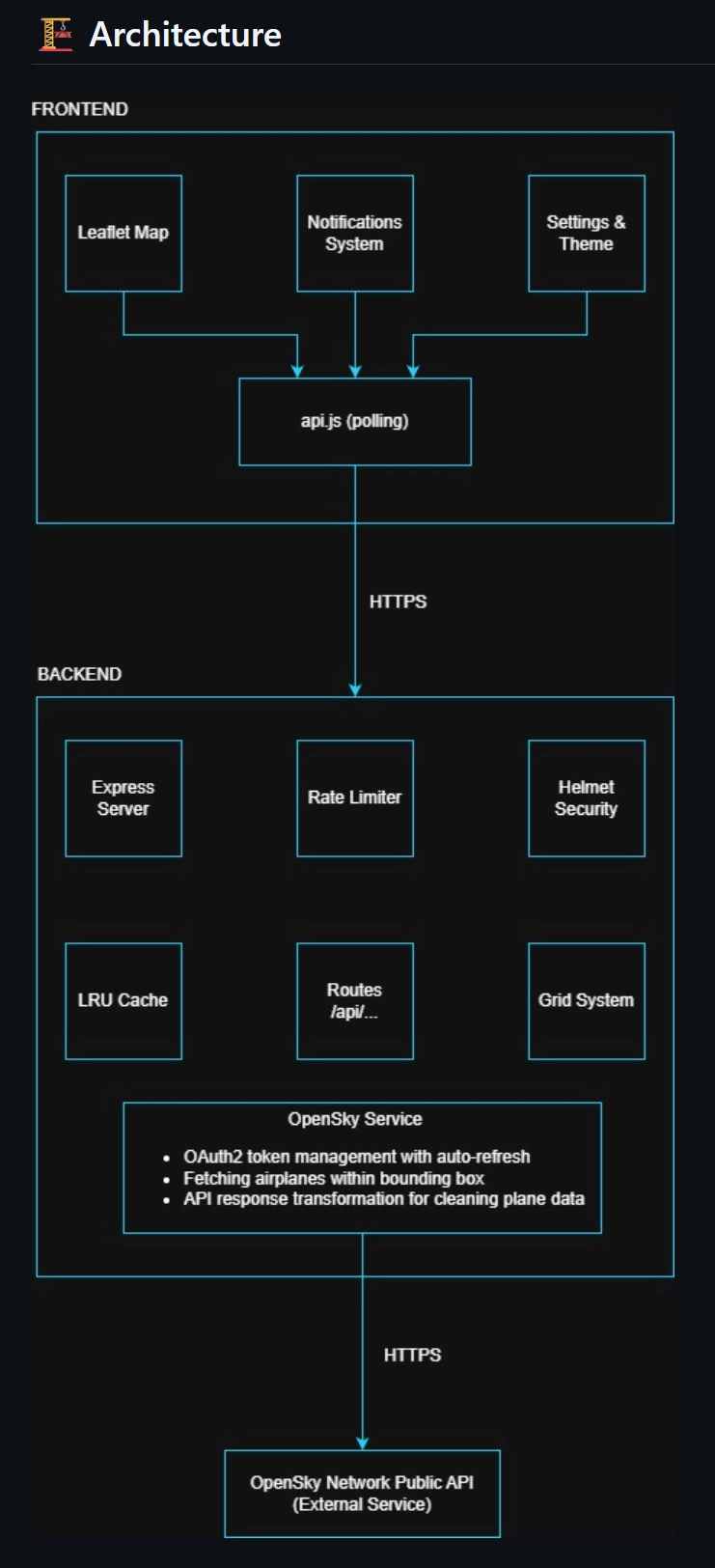
As you can see, you don't need to create something overly sophisticated. In most cases, the simpler the diagram, the better.
Clarity should always come first. Keeping things simple and easy to understand is usually more valuable than adding unnecessary complexity, and it's something fellow developers will always appreciate.
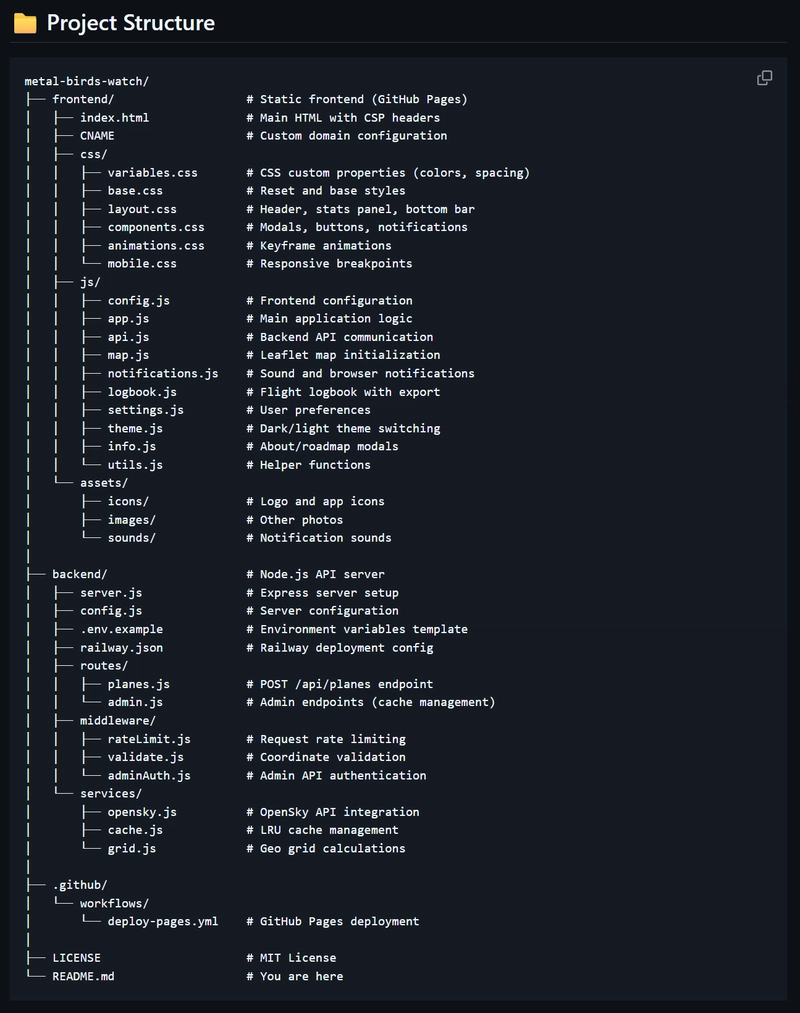
Project Structure
This one is a bit controversial, I don't see it in many README files, and I understand why. You can always explore the source code and figure out the structure yourself, right?
But the benefit of including this section is that you can clearly describe the key folders and files, what they do, and what their purpose is.
Yes, it can be a bit tedious to write. But it pays off, not just for future contributors, but for your future self as well. When you come back to the project later, this section quickly reminds you how everything is organized.
Always take care of future you.
Here's an example from Metal Birds Watch:
Getting Started
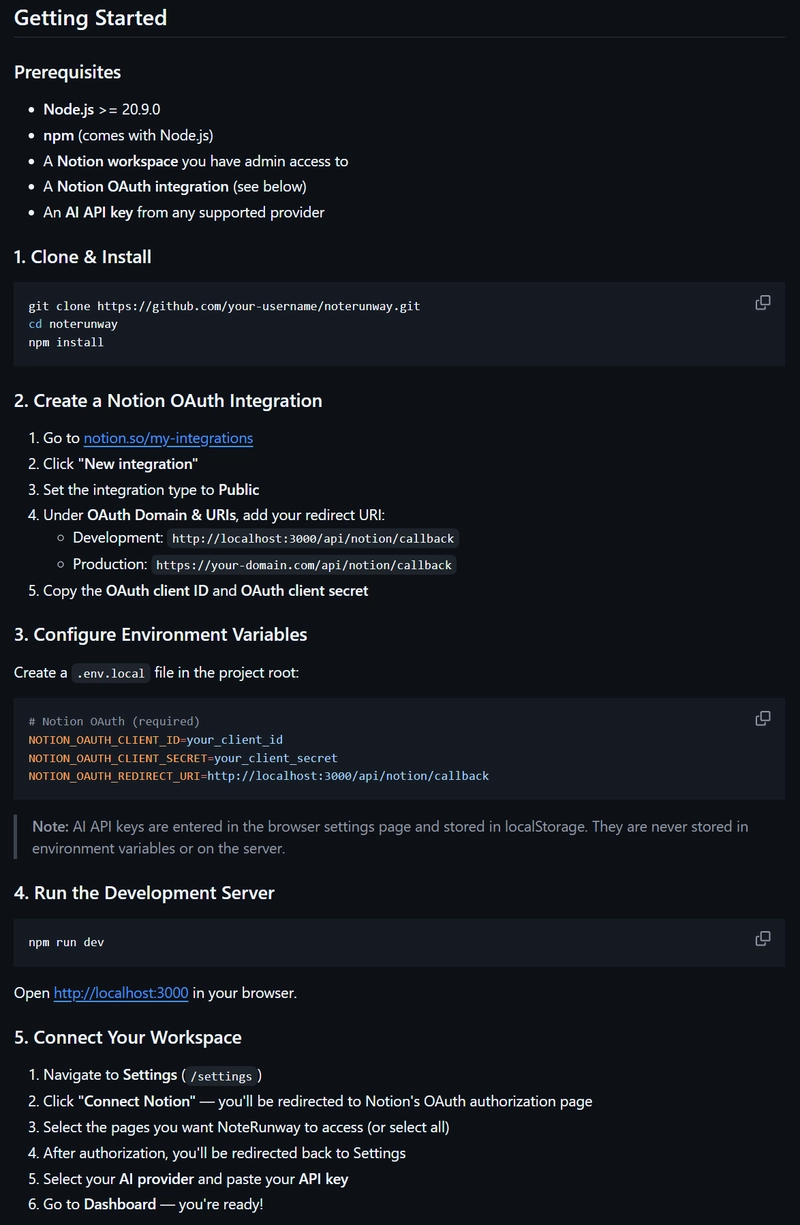
Some prefer calling it "Setup", both work, the main idea of this section is to clearly explain how someone can clone your repository and set it up on their local machine.
This is one of the most important parts of a README, if not the most important, because no one can contribute to your project if they can't even get it running locally.
Once you've listed all the setup steps, make sure to actually test them yourself. This helps you catch missing details early and reduces frustration for both you and other developers.
This section can include things like installing required frameworks and dependencies, setting up external service accounts (if needed), creating local databases, configuring environment variables, and any other steps required to run the project locally.
Here's the example from the NoteRunway app:
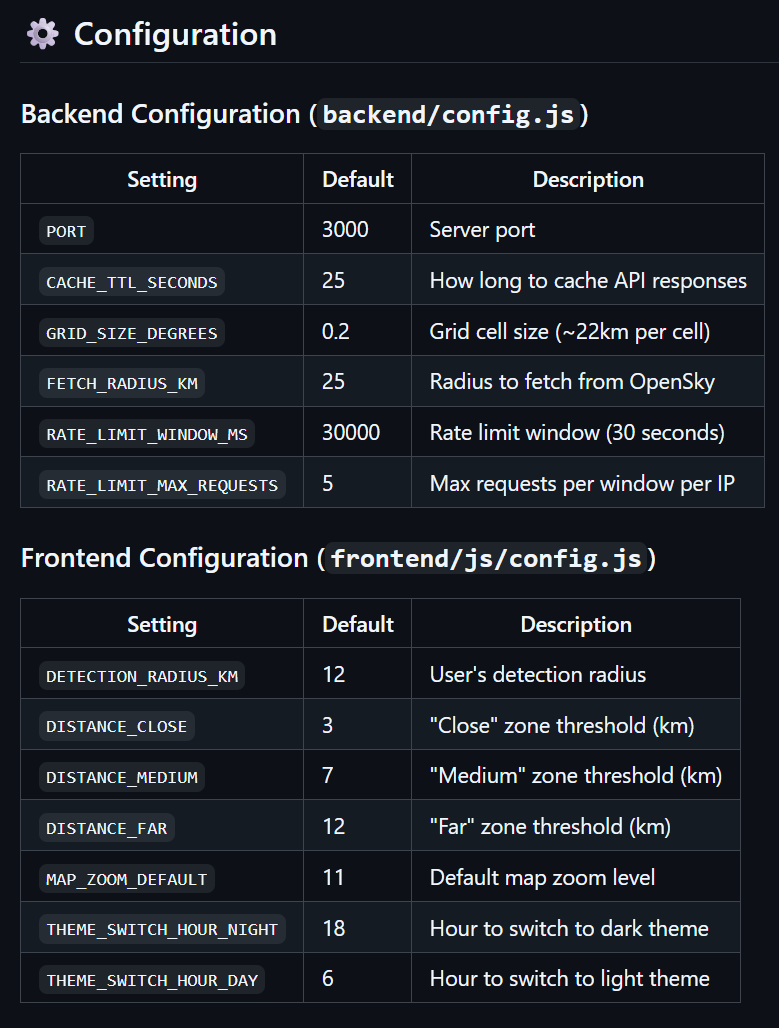
Configuration
This can be part of the "Getting Started" section, but I sometimes keep it separate because configuration is one of the most fundamental parts of any project.
Configuration can quickly become complex and tedious, so it's important to document it clearly in your README. This ensures you always understand what each parameter does and how everything is set up.
You can include any type of configuration here, like environment variables, database-related settings, feature flags, or external JSON configuration files stored in the cloud.
Unlike the high-level overview sections, this is where you go into more detailed, practical setup information that's necessary for the project to actually run correctly.
Here's an example from Metal Birds Watch:
Security
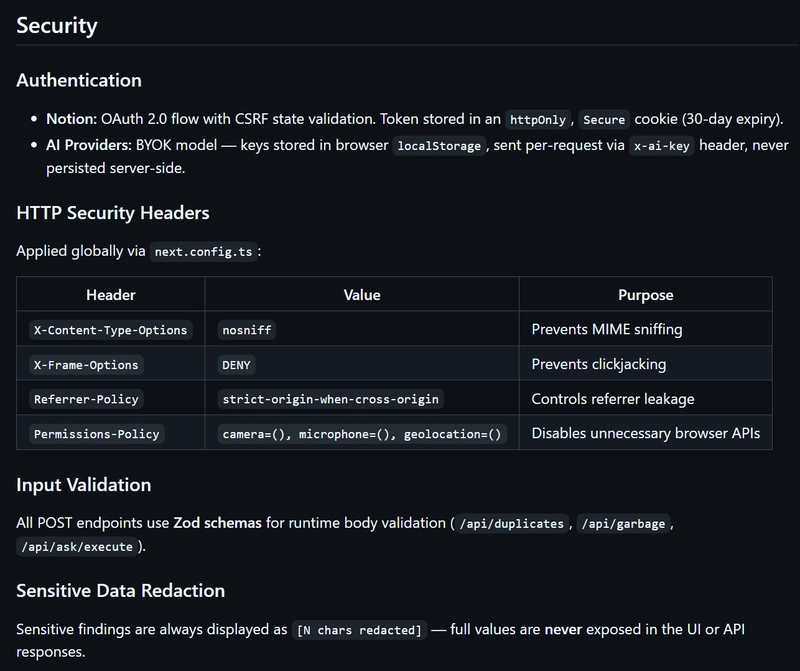
Security is one of the most important aspects to address in your documentation.
This section ensures that if someone adds new features or modifies existing ones, they follow the established standards and understand how security is handled throughout the project.
Here's where you outline the key security considerations of your system, so contributors don't accidentally introduce vulnerabilities or break existing protections.
Here's an example from the NoteRunway app:
How to Contribute?
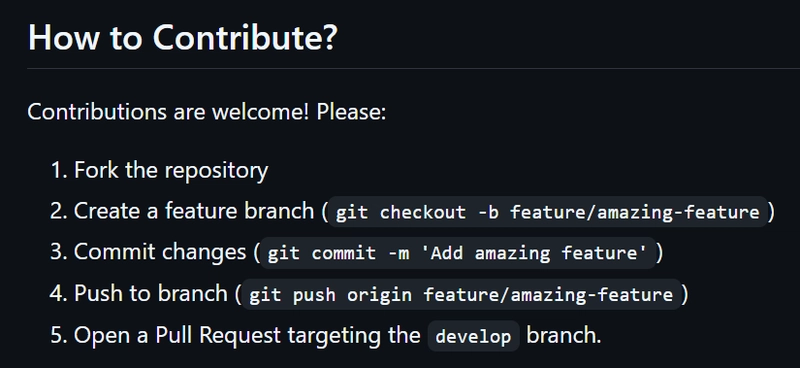
This is where you briefly describe the contribution guidelines for your project.
Sometimes this can't be kept short, especially in large open-source projects with thousands of contributors. Without clear rules, things can get messy quickly.
However, if your project is still early-stage, there's no need to overcomplicate it. Simple guidelines are usually enough to start with, such as the ones below:
What's Next?
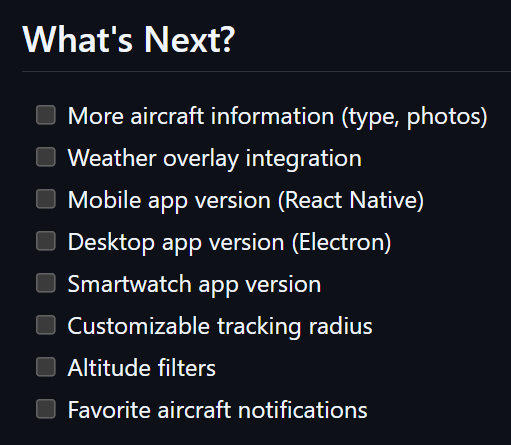
It's a good practice to let readers know that your project isn't finished and that you plan to continue supporting it and adding new features over time.
This is where you can list what's coming next. It not only shows the direction of the project, but also gives contributors ideas for where they can start contributing.
Here's an example:
License
The license information is absolutely essential. This is where people understand what they're allowed to do with your project and under what conditions.
You don't need to include the full license text or explain it in detail. In most cases, it's enough to simply state the license type and link to the license file, like the following example:

Acknowledgements
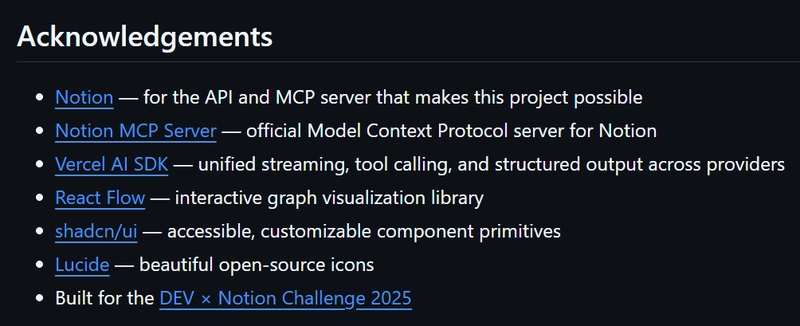
Show gratitude to anyone who has contributed to your project, as well as any tools, libraries, or resources that helped you build it.
It's a simple but meaningful section, and it's always good practice to include it when appropriate. Here's an example from the NoteRunway app:
Author
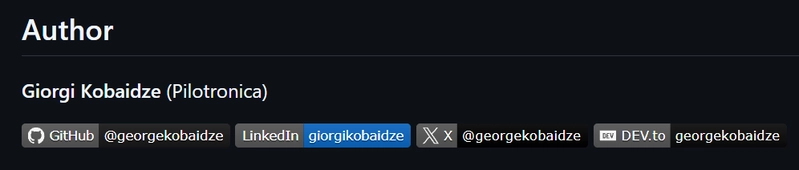
And last but not least, leave your mark, because you are the main person behind the project. You put everything together and made it work.
Make it easy for others to reach out, ask questions, or even propose collaborations.
Here's my example:
Ready to Use Template
Here's a template you can copy, paste into your project, and customize as needed. Feel free to adjust it, add new sections, or remove anything that doesn't fit. This is meant to be a flexible starting point for building a well-structured README.
# Title and Introduction (replace this with your project title)

---

## Table of Contents

---

## About

---

## Features

---

## Tech Stack

---

## Architecture

---

## Project Structure

---

## Getting Started

---

## Configuration

---

## Security

---

## How to Contribute?

---

## What's Next?

---

## License

---

## Acknowledgements

---

## Author
Conclusion
Like in most areas of software engineering, writing good README files takes experience and practice.
But having a solid starting point can make the process much faster and more straightforward. That's the main reason I'm sharing this, so you can get up to speed quickly and start improving your documentation from day one.
Good documentation doesn't just help others, it makes you a better engineer overall.