






By Avinash, GenAI Practice Lead | Part 1 | Part 2 | Part 3 | Part 4 | Part 5 | Part 6 of 6
A setup you can't reproduce is a setup you'll eventually lose. Hard drives fail, Macs get replaced, and without a dotfiles repo everything built in this series disappears with them. This final part covers packaging everything into a maintainable dotfiles repo and wrapping up the series.
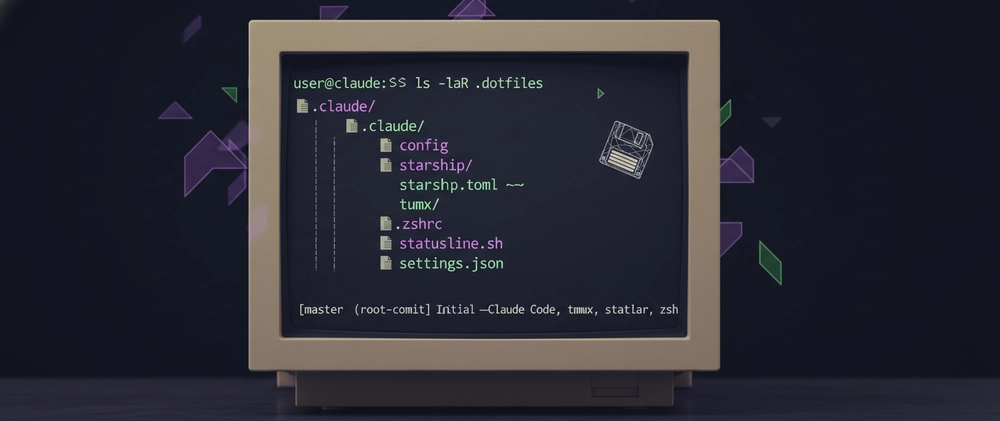
The Dotfiles Repo
A dotfiles repo is a version-controlled collection of your configuration files. The goal is simple: clone the repo on a new machine, follow the checklist, and have a fully configured environment in under an hour.
mkdir ~/dotfiles
cd ~/dotfiles
git init
Copy all configuration files in:
# Claude Code
mkdir -p .claude/hooks
cp ~/.claude/statusline.sh .claude/statusline.sh
cp ~/.claude/hooks/notify-stop.sh .claude/hooks/notify-stop.sh
cp ~/.claude/hooks/notify-permission.sh .claude/hooks/notify-permission.sh
cp ~/.claude/settings.json .claude/settings.json

# Terminal
cp ~/.tmux.conf .tmux.conf
cp ~/.zshrc .zshrc

# Starship
mkdir -p .config
cp ~/.config/starship.toml .config/starship.toml
Commit and push:
git add .
git commit -m "Initial dotfiles — Claude Code, tmux, starship, zsh"
gh repo create dotfiles --private --source=. --push
File Structure
dotfiles/
├── README.md
├── .tmux.conf
├── .zshrc
├── .config/
│   └── starship.toml
└── .claude/
    ├── settings.json
    ├── statusline.sh
    └── hooks/
        ├── notify-stop.sh
        └── notify-permission.sh
Fresh Machine Checklist
The README in the repo contains the full step-by-step setup guide. The checklist at the end covers every action in sequence:
- [ ] Install Homebrew
- [ ] Install core dependencies:
brew install git jq node fzf - [ ] Install iTerm2 and set JetBrains Mono Nerd Font
- [ ] Set terminal type to
xterm-256color - [ ] Import tokyo-night color theme
- [ ] Install
zsh-autosuggestionsandzsh-syntax-highlighting - [ ] Install fzf and run key bindings setup
- [ ] Install starship and apply tokyo-night preset
- [ ] Install tmux and clone tpm
- [ ] Copy
.tmux.confand install plugins withCtrl+B I - [ ] Install Claude Code
- [ ] Copy
.claude/settings.json,statusline.sh, and hook scripts - [ ]
chmod +xthe statusline and hook scripts - [ ] Add plugin marketplaces in Claude Code
- [ ] Install all 9 plugins and reload
- [ ] Verify plugin counts: 9 plugins · 35 skills · 18 agents · 10 hooks · 2 plugin MCP servers · 1 plugin LSP server
- [ ] Verify claude-mem worker at
http://localhost:37777 - [ ] Test sound notifications with
afplay - [ ] Test statusline with mock JSON input
- [ ] Create tmux sessions and save layout with
Ctrl+B Ctrl+S
What I'd Do Differently
If I were starting this setup from scratch with the knowledge I have now, I'd install claude-mem and pyright-lsp on day one. They have the highest ongoing return of anything in the stack — persistent memory and real-time type checking compound in value over time in a way that one-time tools don't.
I'd also build the statusline earlier. Flying blind on token usage and rate limits for the first weeks of Pro plan use cost me more than the hour it took to write the script.
The one thing I'd skip entirely is trying to get visual notification banners working. osascript and terminal-notifier are both unreliable on macOS Sequoia. afplay is the right answer and I should have gone there first.
The Full Stack
| Layer | Tool | Purpose |
|---|---|---|
| Terminal | iTerm2 + tokyo-night | True color, Nerd Font support |
| Multiplexer | tmux + resurrect | Persistent sessions, 3-pane layout |
| Prompt | Starship tokyo-night | Git, Python, time at a glance |
| Shell | zsh + autosuggestions + fzf | Faster command entry |
| AI IDE | Claude Code | Primary development tool |
| Statusline | Custom bash script | Real-time token/cost/rate limit visibility |
| Hooks |
afplay sound notifications |
Async task completion awareness |
| Plugins | 9 curated plugins | Code review, memory, type checking, workflow |
| Config | Private dotfiles repo | Reproducible setup in under an hour |
The Series
- Part 1 — The Problem and Overview
- Part 2 — Custom Statusline
- Part 3 — Sound Notification Hooks
- Part 4 — Plugin Stack
- Part 5 — Terminal Environment
- Part 6 — Dotfiles and Wrap-up (this article)
All scripts and configuration files are at https://github.com/ai-with-avinash/claude-code-best-setup.
If you build on this setup or find improvements, I'd genuinely like to know — leave a comment or open a PR on the dotfiles repo.