






Most CMS platforms ask you to make technical decisions that have nothing to do with your content. Which SEO plugin handles canonical tags better. Whether the sitemap plugin conflicts with the multilingual plugin. How to configure Open Graph images without another plugin. Why the favicon only shows in the browser tab but not in Google's search results.
After years of watching the same problems repeat on site after site, the natural question becomes: what if the CMS just did all of that itself?
AliothPress is a self-hosted CMS built around that question. This post walks through what it automates, so the kind of person who needs this can recognise it.
Installation in the browser, no terminal
Installing a self-hosted CMS usually sounds intimidating: upload files to a server, edit configuration by hand, run commands in a terminal. AliothPress works differently, and understanding how it works removes most of the anxiety.
When you create a new Ubuntu server at a cloud provider, there is a field during setup labelled "user-data" or "cloud-init script". You paste a short script into that field before you click create. From that point, everything happens on its own. The server prepares itself, installs what it needs, downloads the latest version of the CMS from the update service, and configures itself. You never touch the server directly. There is nothing to upload, nothing to install manually, no commands to run.
After a few minutes, you open the server's IP address in your browser. A setup wizard walks you through the rest: admin account, database, basic site settings. The whole first-time setup takes around five minutes, and a step-by-step installation guide with screenshots is included for anyone who prefers a visual walkthrough.
Once your domain's DNS points to the server, you activate a free Let's Encrypt SSL certificate from the admin panel with a single click. The certificate covers both your domain and its www version. Automatic renewal is set up in the background. The redirect rules are configured correctly so visitors always land on the canonical version of the site without unnecessary hops through different URL variants.
SEO, generated and maintained automatically
In the admin panel, you fill in normal fields — title, content, a short description, featured image, keywords. That is all the author does. Everything a search engine needs is generated from those fields by the CMS itself, in the background, in the page's source code.
This includes the title tag, meta description, canonical URL, Open Graph tags (for Facebook and LinkedIn previews), Twitter Card tags, and hreflang (which tells Google that the same content exists in different languages).
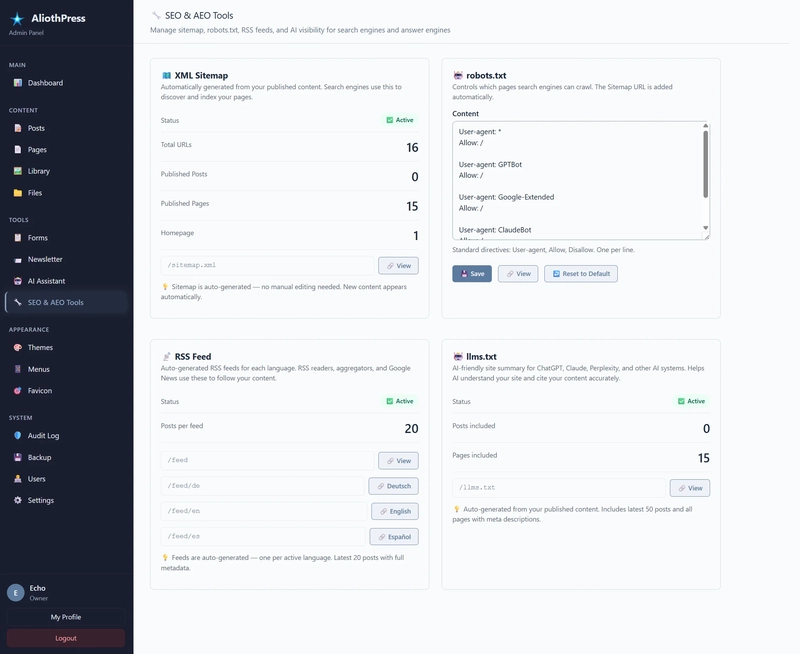
The XML sitemap — the file search engines use to discover every page on a site — is generated from published content and stays current as pages are added, edited, or removed. The robots.txt file, which controls how search engines and AI systems are allowed to crawl the site, is managed from the admin panel and comes with sensible defaults, including permissions for AI crawlers (GPTBot, Google-Extended, ClaudeBot) for sites that want to be reachable by language models.
URL paths are cleaned up on input and checked for duplicates across the whole site. When you change the address of a page, a redirect is created automatically from the old address to the new one, so existing external links keep working. When a page, image, file, or form is deleted, every reference to it across the site's content is cleaned up on its own. No broken links appearing in Google Search Console a week later.
AEO: content structured for AI visibility
Answer Engine Optimisation is the counterpart to SEO for AI-driven search. When someone asks a language model a question, the model draws on training data and, increasingly, on live content from the web. Content structured for AEO is easier for those systems to understand and to quote accurately.
This structured layer is generated automatically, again from the regular content fields:
- Schema.org markup describes the site's entities — the organisation behind the site, the authors, the articles, the pages — in a format that search engines and AI systems can read directly. The entities are linked together so they are understood as part of the same site, not as isolated pieces.
- FAQ markup is generated when a page has FAQ content, which makes questions and answers directly available to search and AI systems.
- Speakable markup identifies the parts of a page that voice assistants (like Google Assistant or Alexa) should read aloud.
- llms.txt is a plain-text summary of the whole site, placed at the site's root address, so AI systems have a clean structured overview when they visit. The author never writes any of this by hand. The author writes normal content; the CMS prepares the structured layer underneath.
Multilingual without plugins
The admin panel and the public site are available in 31 languages. Each team member picks their own language in their profile. The public site serves content in the visitor's language, linked across translations with a single click.
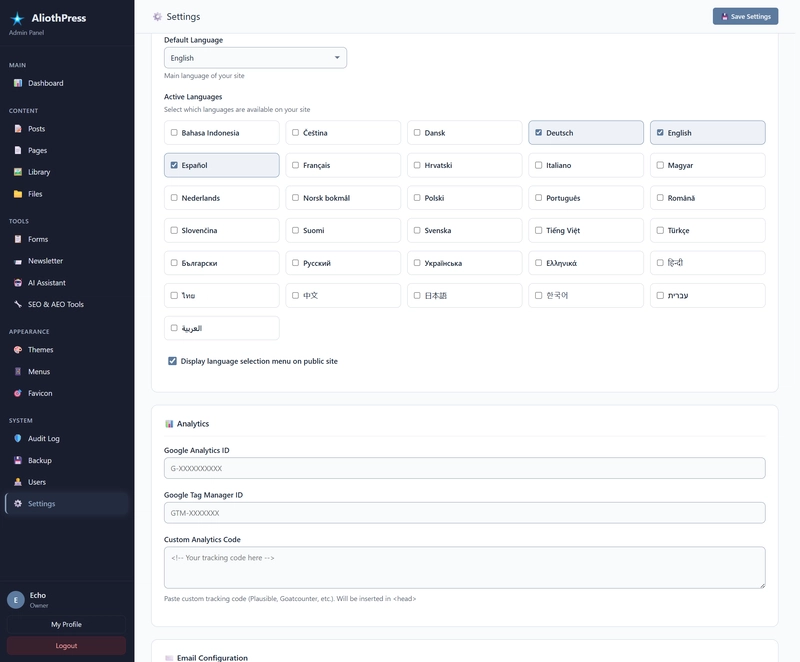
The technical parts are handled the same way as SEO: hreflang tags for search engines, RSS feeds per language, menus that adapt to the visitor's language. None of it requires plugins or additional configuration.
Images, handled
Every uploaded image is automatically optimised. The CMS generates modern formats (WebP and AVIF) that load faster than traditional JPEG or PNG, plus multiple sizes for different screen widths so mobile phones don't have to download desktop-sized images. Dedicated crops are produced for social previews at the correct proportions. The dominant colour of the image is extracted for smooth loading placeholders. EXIF metadata is removed for privacy, SVG files are cleaned for security. Transparency is preserved across all generated variants, so logos and icons with transparent backgrounds stay transparent instead of picking up a white fill along the way.
Every image is served from a short, clean URL at the root of the domain — for example, yoursite.com/product-hero.png rather than a deep path through system folders. Search engines prefer these short paths for image indexing.
Favicons follow the same principle. You upload a single source image and the system generates the complete set: the classic favicon.ico in multiple sizes, PNGs for browsers and Android, an Apple Touch icon for iPhones, an SVG version, and a web manifest for progressive web apps. All served from standard paths that search engines can actually find — which is where many favicon tools fail, ending up visible only in the browser tab and not in the search results.
More than SEO and AEO
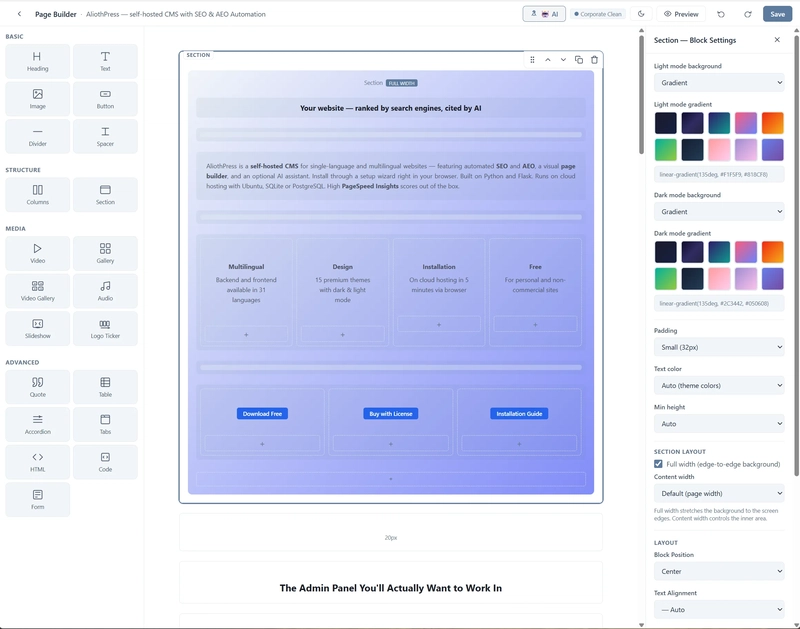
The automation above is the technical foundation, but the CMS itself is a complete content platform. A visual page builder lets you assemble pages from blocks — headings, text, images, columns, galleries, sliders, forms, and more — without writing HTML. A form builder covers contact forms, surveys, and subscription forms with thirteen field types, including GDPR consent and star ratings. A newsletter module handles campaigns, subscriber lists, and double opt-in confirmation, so you don't need an external email service. A file manager serves downloads like PDFs or documents with clean URLs and proper metadata.
None of these are separate plugins. They share the same interface, the same visual style, and the same automation layer underneath — so an image selected in the page builder comes from the same optimised library as images in posts, a form created in the form builder uses the same translation groups as a page, a newsletter signup can draw subscribers from any form on the site.
What stays with the human
The parts that require judgement stay with the user: what to write, how to structure the site, which of the fifteen built-in designer themes to choose (each with dark and light mode, selected with a single click in the admin panel), how the menu is organised, when to send newsletters. An optional AI assistant is available for content generation, translation, and filling SEO fields — it works with your own API key from Anthropic, DeepSeek, or Google Gemini — but the final decisions belong to the author.
Backups are created with a single button and downloaded as a ZIP. Updates arrive through the admin panel when available; the user reviews and approves them rather than having updates applied silently.
The trade-off
A self-hosted CMS means you own your server, your data, your domain. There is no subscription, no vendor lock-in, no surprise pricing change. The trade-off is that someone has to maintain the server — but with browser-based setup, one-click SSL, and in-panel updates, the maintenance surface is small.
AliothPress is free for personal and non-commercial use, with a commercial licence required for business sites. You can find it at aliothpress.com — the same site runs on the engine it describes.