




📰 Originally published on SecurityElites — the canonical, fully-updated version of this article.
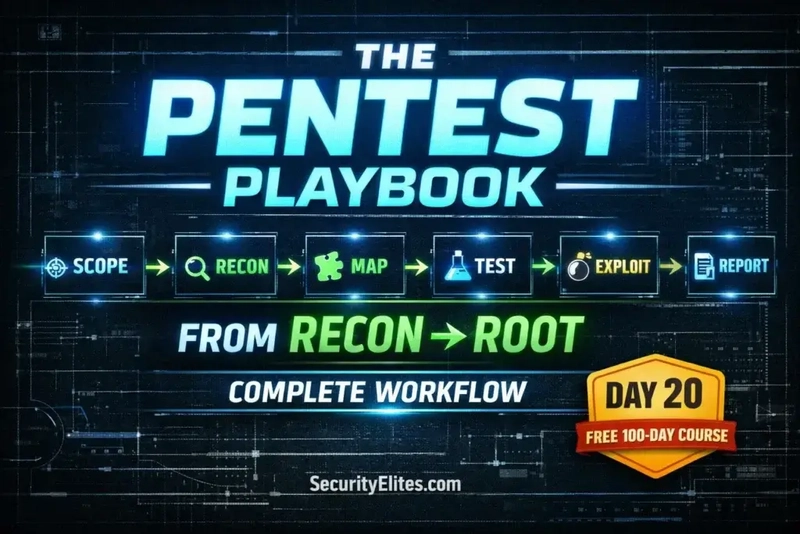
DAY 20 OF 100
PHASE 2 CAPSTONE
🏆 Day 20 — Web App Pentest Methodology
Day 100 — Professional Pentester
Day 21: Metasploit Framework →
🏆 PHASE 2 CAPSTONE — WEB APPLICATION SECURITY (DAYS 11–20)
You’ve spent 10 days learning individual web vulnerabilities. Today you learn how a professional brings all of them together into a single, structured engagement that produces reliable, comprehensive results.
HTTP fundamentals → Burp Suite → SQL injection → XSS → CSRF → Broken access control → Security misconfiguration → File upload → Command injection. The methodology is what turns these separate skills into a professional workflow.
20
Knowing how to exploit SQL injection is a skill. Knowing how to run a professional web application penetration test is a different thing entirely — it requires knowing how to structure your approach so you don’t miss anything, document as you go, escalate findings appropriately, and ultimately deliver something that actually improves the client’s security posture.Lets learn everything about web app pentesting methodology.
Today we build the framework that sits around all the individual skills from the last nine days. This is how professional testers actually work — not jumping between techniques randomly, but following a repeatable methodology that produces consistent, thorough, defensible results every time.
📋 Day 20 Contents
- The Six-Phase Methodology Overview
- Phase 1 — Scoping & Authorisation
- Phase 2 — Passive Reconnaissance
- Phase 3 — Application Mapping
- Phase 4 — Systematic Vulnerability Testing
- Phase 5 — Exploitation & Impact Proof
- Phase 6 — Documentation & Reporting
- Finding Report Template
- Master Testing Checklist
- Day 20 Practical Task
The Six-Phase Web Application Penetration Testing Methodology
Professional web application security testing follows a repeatable, documented methodology. Using a methodology rather than ad-hoc testing ensures coverage (you don’t miss vulnerability categories), defensibility (you can explain what you did and why), and consistency (every engagement meets the same quality standard). The methodology below aligns with the OWASP Testing Guide v4.2.
The Six-Phase Web Application Pentest Methodology
📋
PHASE 1
Scope & Auth
Define targets. Get written permission. Agree rules.
→
🔍
PHASE 2
Passive Recon
OSINT, tech stack, subdomains, no server contact.
→
🗺️
PHASE 3
App Mapping
Browse all features. Build attack surface inventory.
→
🧪
PHASE 4
Vuln Testing
Systematic OWASP Top 10 testing on all input points.
→
💥
PHASE 5
Exploit & Prove
Confirm findings. Demonstrate impact. Capture evidence.
→
📄
PHASE 6
Report
Document findings. Rate severity. Recommend fixes.
PHASE 1 Scoping & Authorisation
No testing happens before this phase is complete. Every professional engagement begins with written authorisation that clearly defines what is in scope, what is out of scope, testing windows, rules of engagement, and emergency contact procedures. This document protects both the tester and the client.
Scoping document — what must be agreed before testing starts
What the scope document must define
IN SCOPE:
– Application URL(s): https://app.target.com
– IP ranges: 203.0.113.0/24
– Authenticated testing: yes (credentials provided)
– Testing types: black-box / grey-box / white-box
OUT OF SCOPE:
– Third-party systems (payment processors, CDN)
– Production database — read only
– Denial-of-service testing
– Social engineering attacks on employees
TESTING WINDOW:
– Dates: 2026-04-14 to 2026-04-18
– Hours: 09:00–17:00 UTC (business hours)
– Emergency contact: security@target.com / +44 xxx xxxx
RULES OF ENGAGEMENT (Rules of Engagement apply throughout):
– No exploits that cause data loss or downtime
– Escalate critical findings immediately
– All test accounts to be created by client
– Pen test IPs whitelisted in WAF
PHASE 2 Passive Reconnaissance
Before touching the target’s servers, gather as much intelligence as possible from public sources. This shapes your entire testing approach — the tech stack tells you which vulnerabilities are relevant, subdomain enumeration reveals additional attack surface, and leaked credentials from public breach databases might grant immediate access.
Passive recon toolkit — everything before the first active request
Tech stack fingerprinting (no direct server contact)
whatweb https://target.com # CMS, framework, libraries
wappalyzer browser extension # Visual tech identification
shodan search hostname:target.com # From Shodan (Day 9)
Subdomain discovery
theHarvester -d target.com -b all # Email + subdomains
curl “https://crt.sh/?q=%.target.com&output=json” | python3 -c \
“import sys,json;[print(c[‘name_value’]) for c in json.load(sys.stdin)]” | sort -u
Google dorking (Day 9)
site:target.com filetype:pdf # Public documents
site:github.com “target.com” password # Leaked credentials
intitle:”index of” site:target.com # Open directories
DNS information
dig target.com ANY # All DNS records
dig axfr @ns1.target.com target.com # Zone transfer attempt
whois target.com # Registrant, IP ranges
Outputs → attack surface list, tech stack notes, credential leads
PHASE 3 Application Mapping — Building the Attack Surface Inventory
Before testing any individual vulnerability, you need a complete picture of the application. Walk through every page, form, function, and API endpoint — with Burp Suite running and Intercept off so HTTP History captures everything. This map is what you systematically test in Phase 4.
Application mapping — building a complete inventory with Burp Suite
Burp Suite setup for mapping
- Intercept OFF — browse normally, Burp logs everything
- Target → Scope → add target domain
- Browse ALL features: login, register, password reset, profile
- Browse as multiple privilege levels: unauthenticated, user, admin
- Target → Site Map → review discovered URLs # Active endpoint discovery — find what browsing didn’t reveal ffuf -u https://target.com/FUZZ \ -w /usr/share/seclists/Discovery/Web-Content/common.txt \ -fc 404 -mc 200,301,302,403 # JavaScript analysis — find hidden API endpoints curl -s https://target.com | grep -oE ‘src=”[^”]+.js”‘ # Review each .js file for API paths, credentials, business logic # What to document in your inventory For each endpoint record: – URL and HTTP method – Input parameters (GET, POST, headers, cookies) – Authentication required? (Y/N) – Role restrictions (user vs admin) – Data returned (PII? Financial? Internal?) – Initial risk rating (High/Medium/Low priority for testing)
📖 Read the complete guide on SecurityElites
This article continues with deeper technical detail, screenshots, code samples, and an interactive lab walk-through. Read the full article on SecurityElites →
This article was originally written and published by the SecurityElites team. For more cybersecurity tutorials, ethical hacking guides, and CTF walk-throughs, visit SecurityElites.