How to conduct a mobile app security audit | TechTarget
Will Kelly·2026-06-26·via WhatIs
Article 2 of 3
Part of:Conducting mobile audits
Mobile app security audits help IT identify weaknesses in code, APIs, authentication, data storage and third-party components throughout the app lifecycle.
Conducting a mobile app security audit requires an effective strategy and knowledge of the issues IT might encounter.
Mobile apps are essential for hybrid and remote organizations. Employees need real-time access to corporate data, cloud services and backend systems from anywhere, which makes mobile apps an important access point into the enterprise environment. This raises the stakes for conducting mobile app security audits during app development, before major releases and while the app is in production. Mobile app security audits should be part of the application lifecycle, not a one-time check before release.
What is a mobile app security audit?
A mobile app security audit focuses on the security aspects of a mobile application. It examines the app's code, functionality and architecture to find vulnerabilities that hackers could exploit. This is different from a mobile device security audit, which evaluates all aspects of the device's security, including its OS and installed applications.
An app audit enhances the mobile application's security posture by addressing potential threats and ensuring compliance with industry standards. It involves thorough code reviews, penetration testing and analysis of features such as encryption and API security. Additionally, the audit checks access control mechanisms and the security of third-party components within the app.
Mobile app security audits address the following key areas:
Authentication and authorization. This should include identity verification, secure login mechanisms and proper session management.
Data encryption. Strong, current encryption standards help secure data in transit and at rest.
Code security. Source code reviews focus on finding vulnerabilities and protecting against reverse engineering.
Third-party components. Audits should review software development kits, open source libraries, embedded services and other third-party components for known vulnerabilities, insecure permissions or excessive data collection.
Network security. Secure communication between the app and the cloud protects against man-in-the-middle attacks.
Secure configuration. Audits should ensure the proper configuration of security settings and flag default configurations.
Audits should factor into IT's overall application lifecycle management practices. The size of the user community increases the risk exposure, attack surface and data volume if attackers compromise mobile app security. IT administrators should plan their audit schedule accordingly and be open to altering the audit cadence if the need arises.
6 common mobile app security audit issues
There are some common issues that IT might encounter when performing a mobile app security audit. Admins should be ready to handle problems such as inadequate encryption, invalid user inputs, weak authentication, unsecured APIs and risky third-party components.
1. Inadequate encryption
Weak encryption for data storage and transmission is a common mobile app security issue. It can lead to unauthorized access to sensitive data, especially with outdated or weak encryption algorithms.
To mitigate this issue, organizations must use strong encryption protocols. Effective protocols include Advanced Encryption Standard 256 for data at rest and Transport Layer Security for data in transit. In addition, IT must regularly update encryption libraries and frameworks to protect against known vulnerabilities.
2. Improper session handling
Mobile app security audits should be part of the application lifecycle, not a one-time check before release.
Poor session management, including inadequate session timeouts and the reuse of session tokens, can expose an app to session hijacking attacks. Hackers can take over user sessions, leading to unauthorized access and data theft.
Admins can deal with this issue by implementing secure session management practices. Use short-lived session tokens and enforce automatic logout after a period of inactivity. Session identifiers should be secure and unique and regenerate upon login.
3. Invalid user inputs
Many mobile apps do not adequately validate user inputs. This makes them susceptible to various injection attacks, such as SQL injection (SQLi). Cross-site scripting (XSS) can also be a concern for mobile apps that use WebViews or connect to web-based administrative portals. Lack of validation enables attackers to execute malicious code or queries that can compromise the app's database and user information.
To avoid this issue, validate all user inputs on both the client and server side. Use parameterized queries to prevent SQLi attacks and encode outputs to prevent XSS attacks. IT should also implement an allowlist approach for input validation.
4. Weak authentication mechanisms
Weak authentication methods, such as easily guessable passwords or single-factor authentication, can be a significant security risk. Attackers can bypass these weak authentication systems, gaining unauthorized access to user accounts and sensitive data.
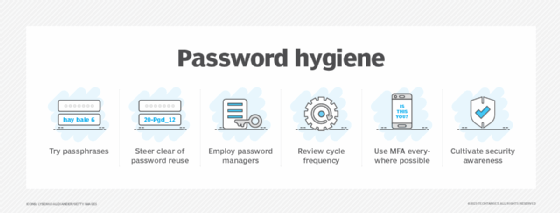
For secure authentication, use OAuth or similar protocols, enforce strong password policies and deploy multifactor authentication. Additionally, audit and update authentication mechanisms often to address new security threats.
5. Unsecured API endpoints
Mobile apps often use APIs to communicate with backend servers. These APIs can be vulnerable to cyberattacks if IT does not properly secure them. Common issues include inadequate authentication and weak protection against automated attacks.
Admins should secure API endpoints with appropriate authentication and authorization mechanisms. Require API gateways to manage and monitor API traffic, including rate limiting and input validation on all endpoints.
Mobile app security audits should evaluate password policies, multifactor authentication and other access controls that protect corporate apps and data.
6. Hardcoded secrets and risky third-party components
Mobile apps can expose sensitive information if developers hardcode API keys, credentials, tokens or encryption keys into the app. Attackers can sometimes extract these secrets through reverse engineering and use them to access backend systems or other services. Third-party software development kits and libraries can also introduce vulnerabilities or collect more data than the organization expects.
To reduce this risk, mobile app security audits should check for hardcoded secrets, exposed keys, outdated libraries and risky third-party components. Development teams should use secure secrets management, keep dependencies updated and review third-party components before they are added to the app.
How to conduct a mobile app security audit
The app audit process can vary based on the organization's needs, number of devices, regulatory requirements and other factors. In general, IT can perform the following broad steps to complete a mobile app security audit:
Define the scope of the audit.
Analyze the mobile app architecture.
Test the mobile app functionality.
Evaluate data protection.
Assess the risk level.
Implement improvements to mobile app security as part of ongoing app development work.
When conducting an audit or setting up a plan for future security assessments, it's important to consider the frameworks IT can use and the schedule on which mobile app audits should occur. Two crucial parts of any mobile app security audit are deciding on the audit methodology and planning audit frequency.
Determine an audit methodology
To create a thorough app audit plan, admins should look to established mobile application security standards and testing guidance.
The Open Worldwide Application Security Project's (OWASP) Mobile Application Security Verification Standard can provide a baseline for mobile app security requirements, while the OWASP Mobile Application Security Testing Guide can help security teams test those controls.
NIST Special Publication 800-163 Rev. 1 also provides guidance for vetting the security of mobile applications.
Organizations should use these frameworks to support app development and audit activities. They can help security and development teams assess common issues such as injection attacks, insecure data storage, weak authentication, insufficient cryptography, exposed APIs, insecure configuration and risky third-party components.
Determine audit frequency
Factors such as app complexity, data sensitivity and the development lifecycle determine how often app audits should occur. The following guidelines can help IT manage audit frequency:
A standard recommendation is to perform an audit annually. This ensures that the app remains secure against evolving threats and vulnerabilities.
Major app updates or version releases should trigger an audit to address the security effects of codebase updates, new features or architectural changes.
Cybersecurity incidents such as data breaches must trigger an audit to address the root causes, assess the effects and apply necessary fixes to prevent future occurrences.
Regulatory requirements mandate the frequency of security audits. For example, healthcare apps must adhere to HIPAA standards.
Continuous security monitoring should be in place to complement the audit framework. Admins can use automated tools, code scanning, dependency scanning, penetration testing and runtime monitoring to find security flaws between formal audits.
Editor's note:This article was updated to improve clarity and include current mobile app security audit considerations around testing frameworks, APIs and third-party components.
Will Kelly is a freelance writer and content strategist who has written about cloud, DevOps, AI and enterprise mobility.