


Desk setups are ever evolving. Because so much of our workflow and desk revolves around tech, which changes constantly, the products we use every day naturally change alongside it. But one thing I’ve noticed over the years is that when I invest a little more in premium accessories, they tend to last much longer. There will always be a place for budget-conscious products, but the accessories I keep coming back to are usually well-built, thoughtfully designed, and that improve my overall workflow. I wanted to share some of my favorite premium desk accessories that would benefit anyone’s setup, whether for gaming, work, or leisure.
Be sure to check out our video to get a hands-on look at all of these accessories!
I reviewed the Satechi CubeDock a few months back, and it has quickly become the centerpiece of my setup. I needed something that offered a wide range of ports, fast Thunderbolt 5 speeds, looked good, and delivered sustained performance. The Satechi CubeDock has done that and much more.
Main features and specs
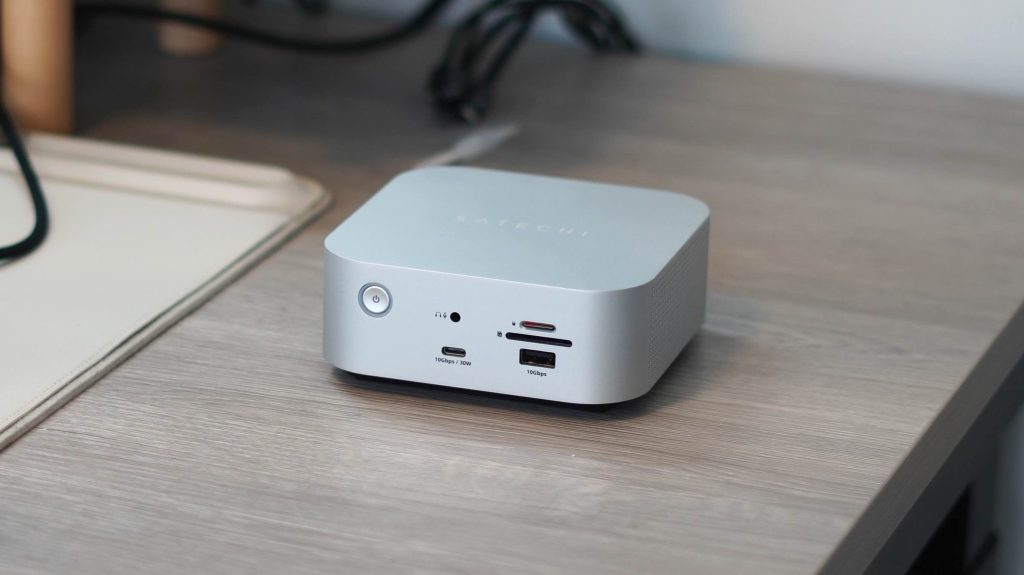
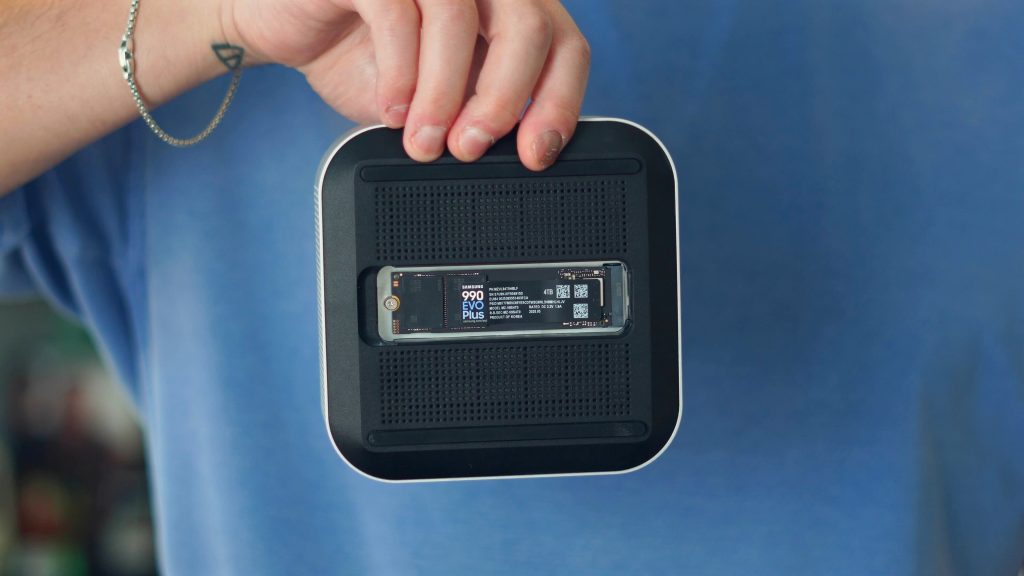
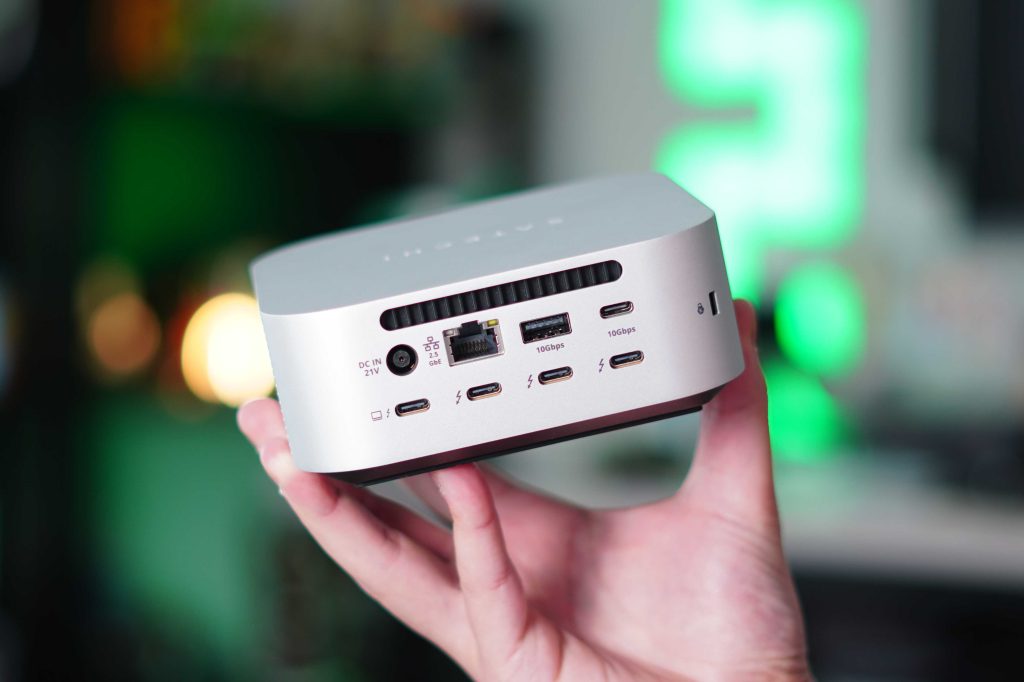
What really sets this apart from the rest is its built-in SSD expansion. This has really streamlined my workflow because I now have a repository of footage I can always work from and go back to. This helps keep my MacBook Pro storage clear while still getting ultra-fast transfer speeds. Combine that with 140W fast charging, multi-display support, and the one-cable setup, and it has been perfect for my use cases. It also helps that it literally looks identical to an M4 Mac mini!
The Satechi CubeDock is available on Amazon and Satechi’s store for $399.
I am a huge fan of this new wave and trend of high-powered desk charging stations. I have tested a ton over the last two years. There are plenty of good ones, and you can find one that fits any of your specific needs. But the CUKTECH 30 Ultra is what peak charging performance looks like. It delivers up to 300W of charging output and, like the Satechi CubeDock, has a feature you rarely see.
Main features and specs
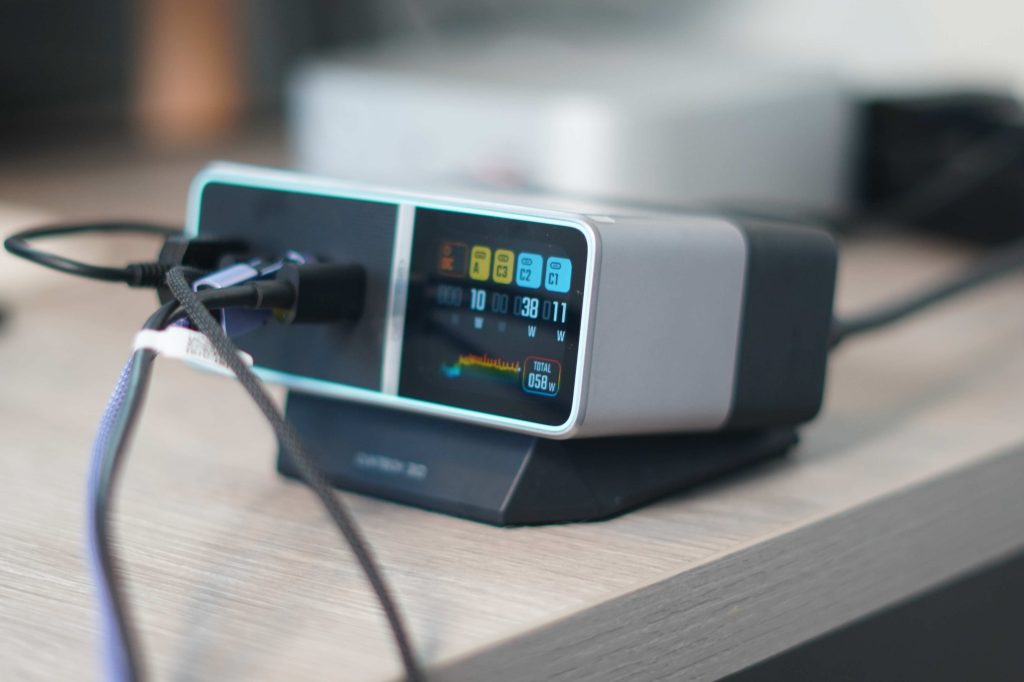
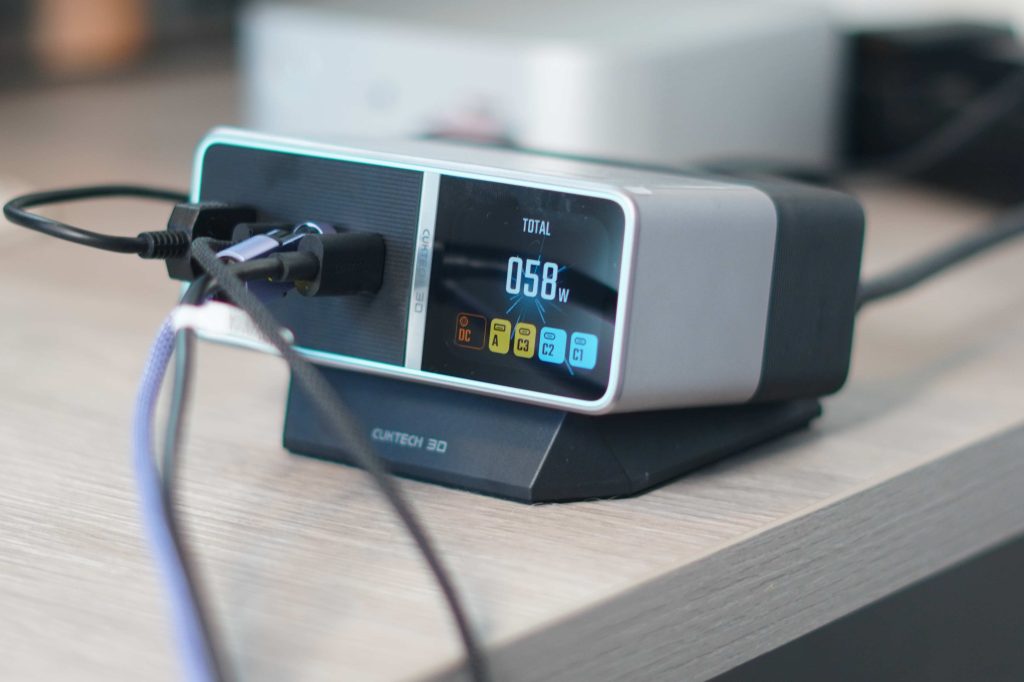
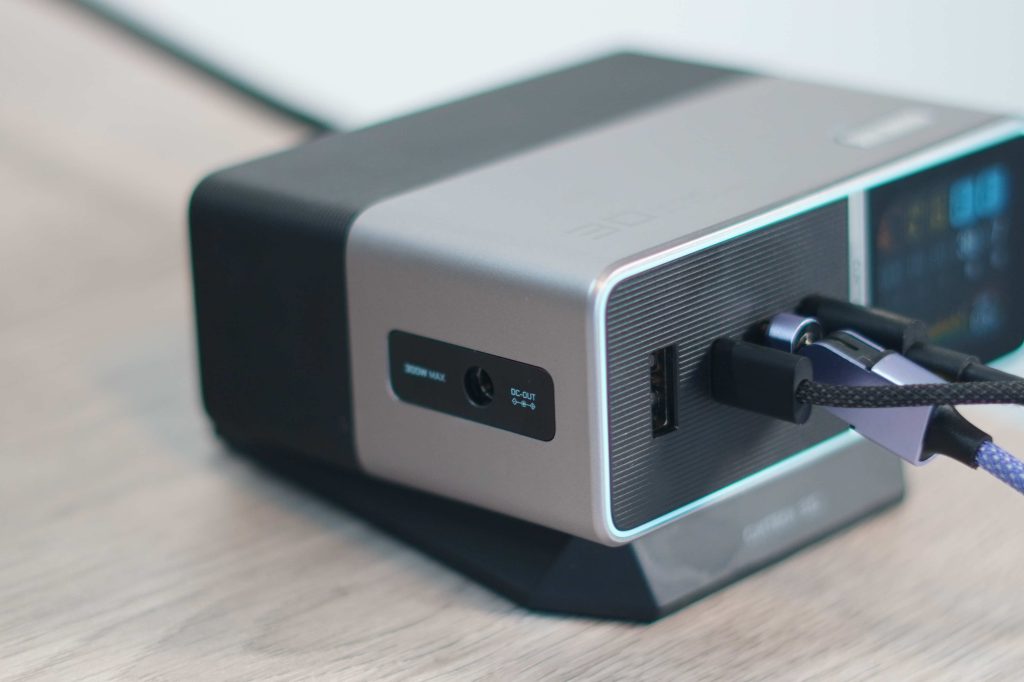
Of course, the show stopper is the 1.8in diagnostic display. It gives you all the readouts you would ever want. From amp, volt, and wattage readings to temperature and wave graphs, and even telling you which brand of product is being charged. I love that they kept one USB-A port for people like me who still use USB-A on occasion. They also included a DC out port for people who use products like gaming laptops, and it can supply the full 300W to one device with the included DC out port and cable. Very niche, but great to have.
The CUKTECH 30 Ultra is available on Amazon for $159, but there is a 10% off coupon on the product page, bringing it to right under $145.
As you grow wiser with age, you come to realize the importance of a comfortable, ergonomic chair. I sit (and sometimes stand) at my desk for 8-10 hours a day. So having a chair that is built to handle that is extremely important. I recently upgraded my chair to the LiberNovo Omni, and man, am I impressed!
Main features and specs
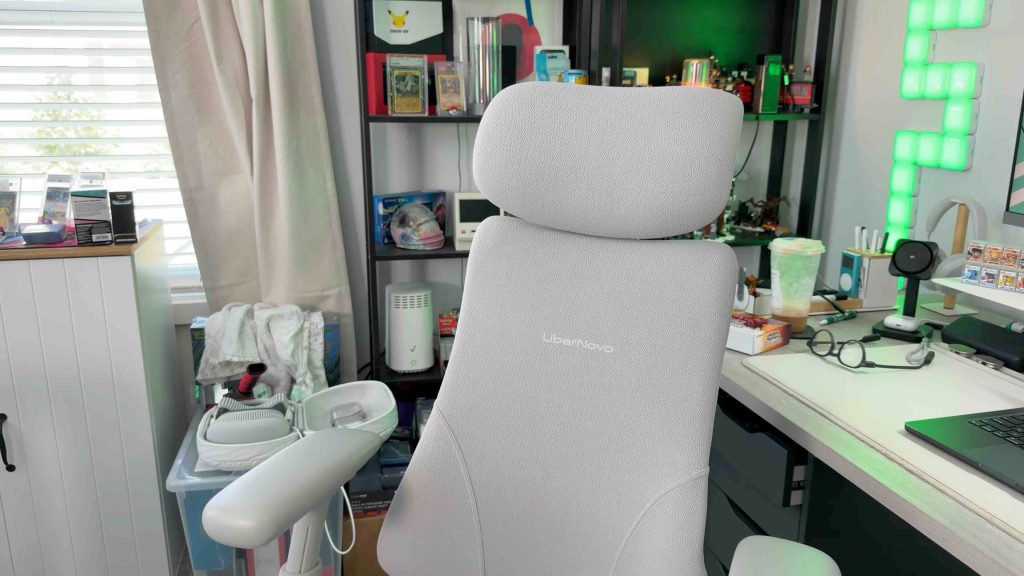
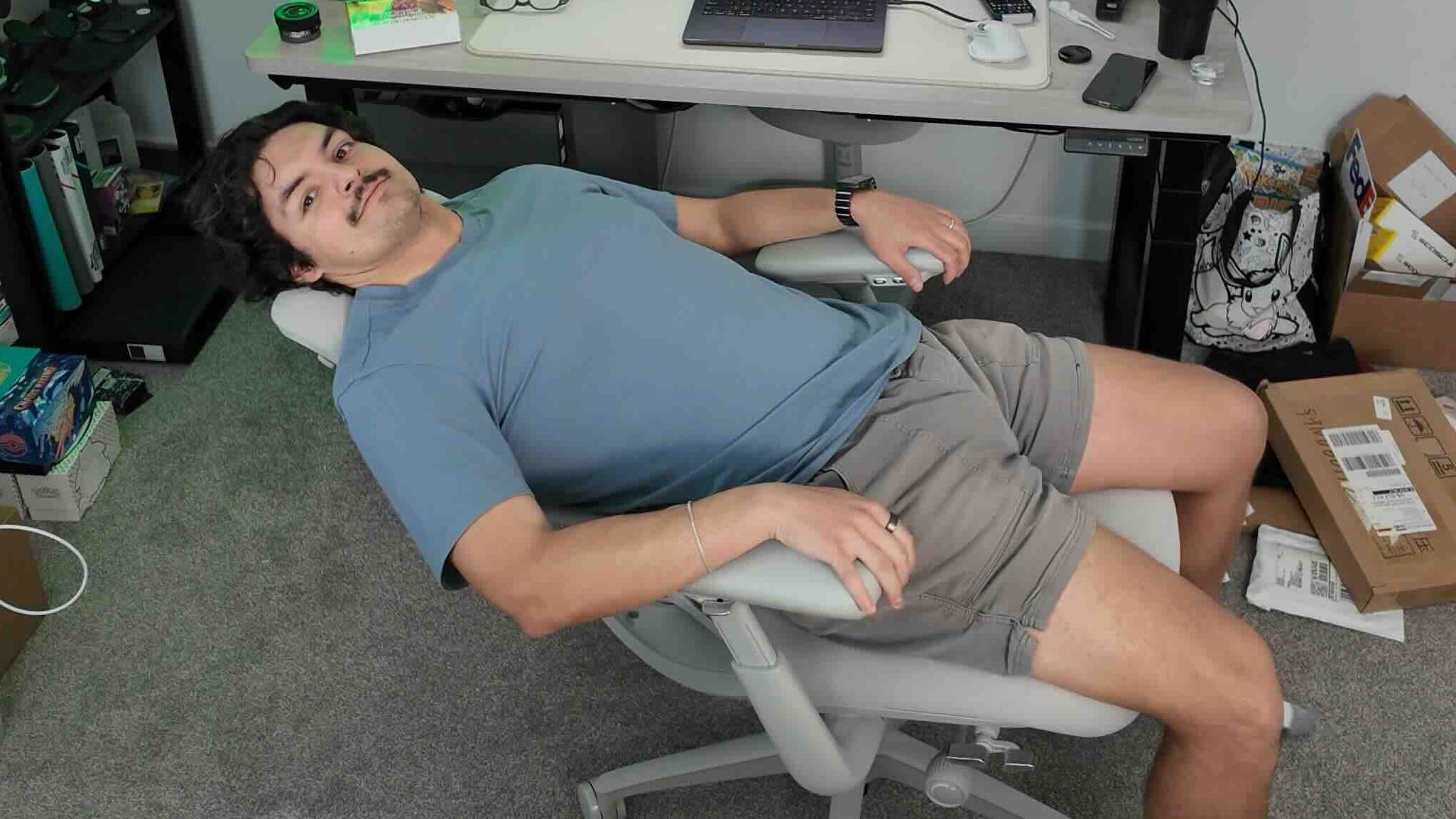
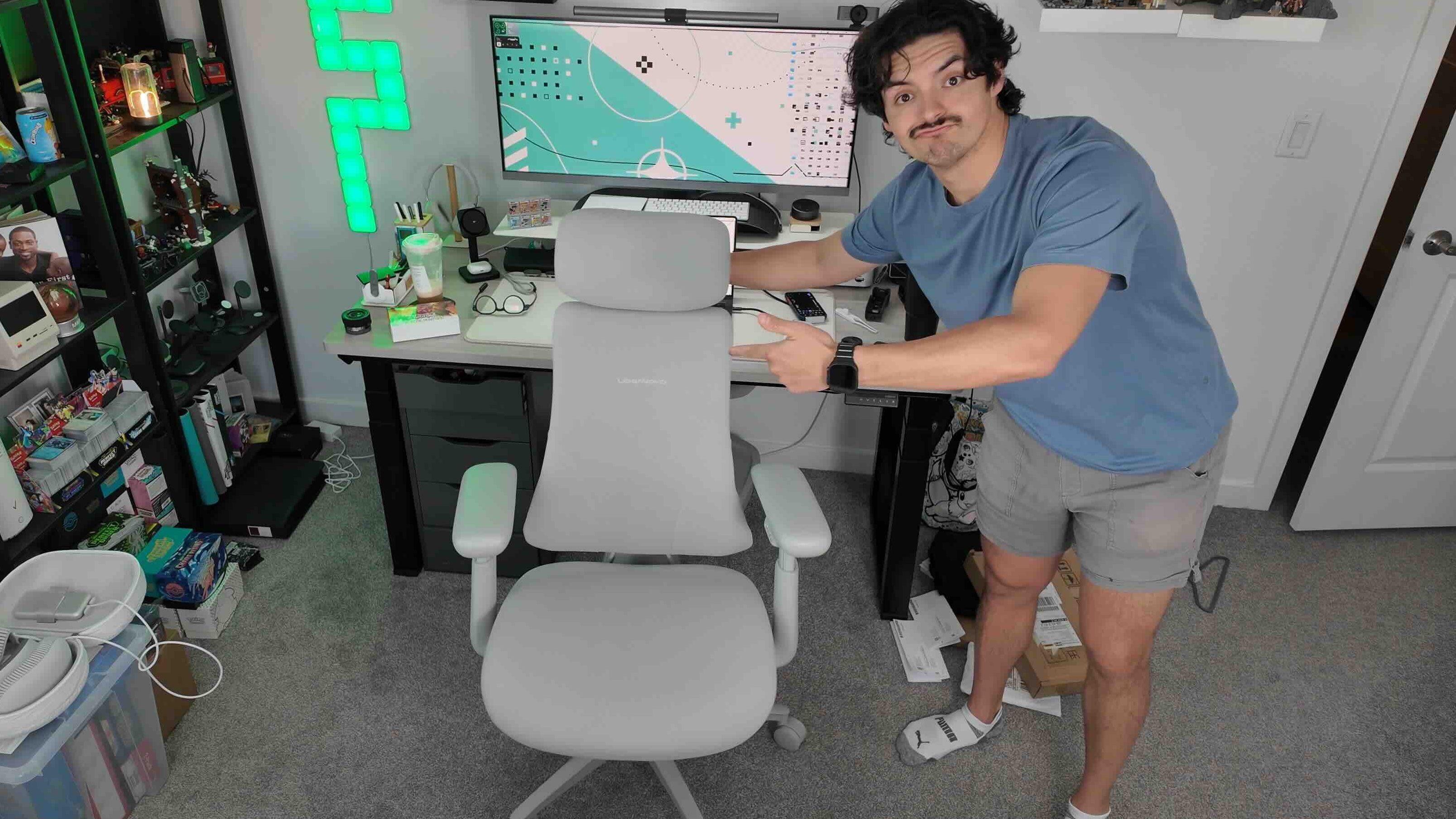
What makes this stand out is how adjustable and dynamic everything is. From the recline, height adjustability, headrest, and the massage feature, it’s like sitting on a cloud. The memory foam seat is incredibly comfortable during my long editing sessions, and I was surprised by how much I enjoyed the massaging features. At first, I thought it would be a bit gimmicky, but I use it every day.
While this is not as pricey as a Herman Miller, it is a premium desk chair that starts at $929. Five years ago, I would have laughed at that price for a chair, but as I said, as you get older, you understand why these premium chairs are so popular. The investment is worth it for the right person.
This is my longest tenured product on this list. It has lived on my desk for over three years now. You might think to yourself, what is so special about a deskmat. But there is a ton to like about Orbitkey’s desk mat because it quietly adds functionality to something that usually only does one thing.
Main features and specs


The magnetic cable management system across the top of the desk mat is genius. It is so well implemented. You use the included magnetic organizers and place them anywhere on the rail system to make it easy to grab cables for your peripherals when needed. The second awesome function is that it is double-layered. So you can lift the vegan leather section and slip in brochures, loose papers, or anything that is flat. Such a great way to keep documents around you but out of sight. So you can reach for them when you need them.
The Orbitkey desk mat comes in a few sizes. I have the XL version, which is $99. They also have a slim version for $85. It comes in two colors, black and stone (basically white)
This is one of the most recommended mice you will ever see. Youtubers have been recommending these for years. It took me a while to get on board because I had a Logitech Anywhere mouse that still worked great. But after getting my hands on the MX master 4, I finally understand the appeal.
Main features and specs
While Logitech made some awesome improvements between the Master 3 and Master 4, like the new haptic touchpad and productivity-focused shortcuts, the real reason I love this mouse is simply how comfortable and refined it feels. The scroll wheel, quiet clicks, the thumb side scroll, and the overall ergonomics are just top in class. It has really changed what I look for in a mouse, and I see myself using this one for years to come.
The Logitech Mx Master 4 is available for $119 and comes in two colors: black and white.
The best thing about any desk setup is that it’s so personal and subjective. What works for one person might not work for another. So I like grabbing bits and pieces from other people’s desk setups to see if they fit into mine. But I have learned that nothing beats the longevity of a more premium product. Having pride that lasts for 5+ years is becoming increasingly rare. So when I find something I like, I make sure to make it last. And these accessories have been built to last and make my life that much better while working at this desk for 8+ hours a day.
What are your thoughts on these accessories? What is one accessory that you cannot live without? Let’s discuss below!


FTC: We use income earning auto affiliate links. More.
此内容由惯性聚合(RSS阅读器)自动聚合整理,仅供阅读参考。 原文来自 — 版权归原作者所有。