


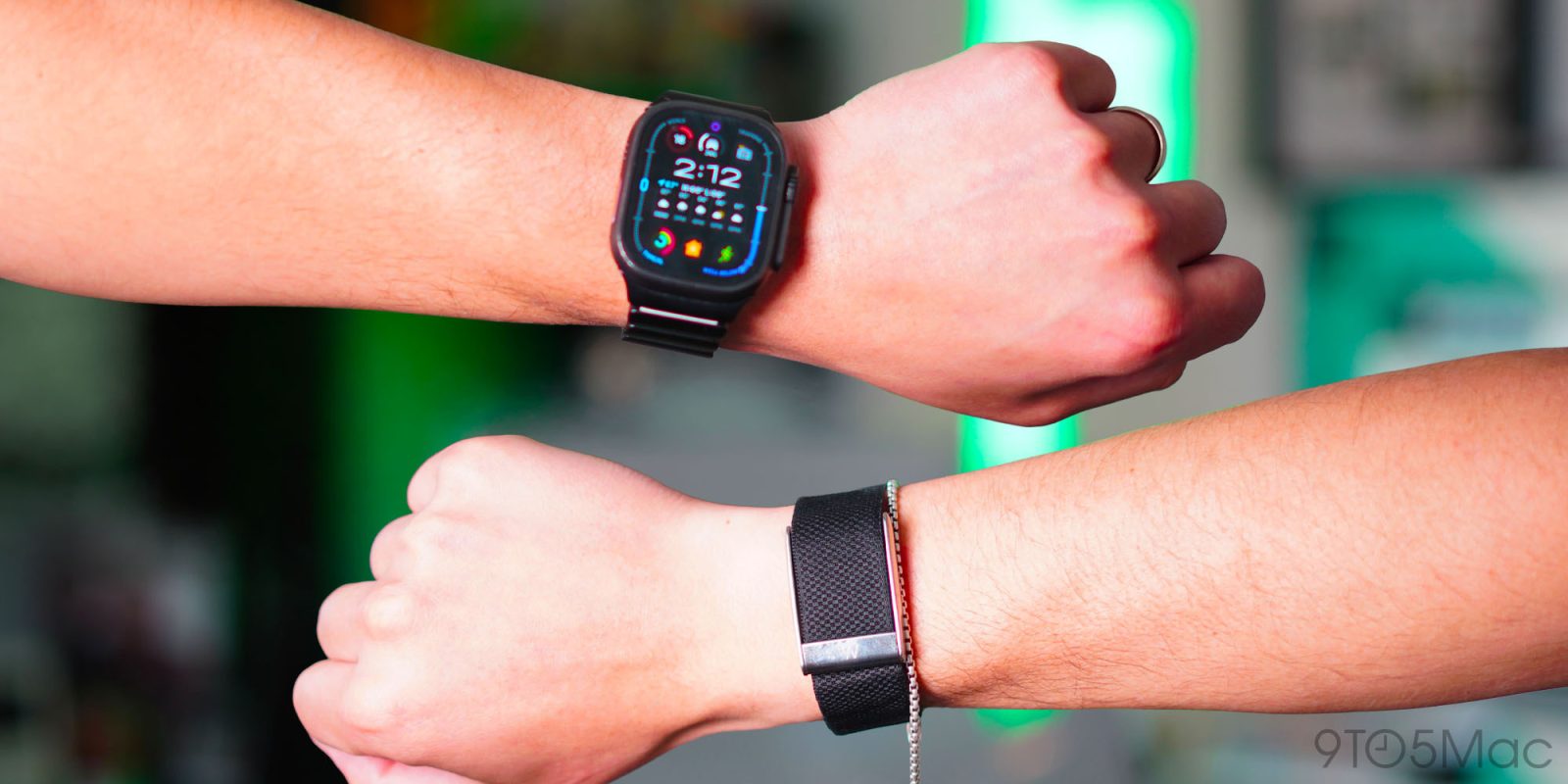
For the last 60 days, I have been wearing an Apple Watch Ultra 2 and the latest WHOOP MG. I wanted to better understand the hype surrounding WHOOP. If you spend enough time online, you can see that WHOOP users are loud and proud. It’s marketed as a serious wellness and fitness tracker that high-profile athletes and Silicon Valley tech founders wear. So, as someone who cares about their fitness, wellness, sleep, and overall health, I felt like I had to experience this for myself and, of course, compare it to the fitness tracker that I have been wearing for well over a decade: the Apple Watch. This is what I learned after 60 days.
Be sure to watch our in-depth video review below. We go hands-on with both of them for over 60 days and learn a lot about what they each can and cannot do.
The first thing I noticed when I finally got my WHOOP set up is that these fitness trackers are built around completely different ideas. The WHOOP has no screen. It’s lightweight at just 26.5g, low-profile, and designed to disappear on your body. I wore it on my right wrist, but you can wear it on your bicep or even on your waistband with the correct accessory. There is nearly nothing to interact with. You put it on and let it collect your data in the background. And that is the point, it’s meant to feel passive.
Then you have the Apple Watch, and it’s the complete opposite. In my testing, I used the Apple Watch Ultra 2, but everything I mention applies to any Apple Watch. The Apple Watch is a smartwatch first; an extension of your iPhone on your wrist. It has a bright display, tactile buttons, apps, notifications, and can make phone calls, doing pretty much everything your iPhone does at a smaller scale.
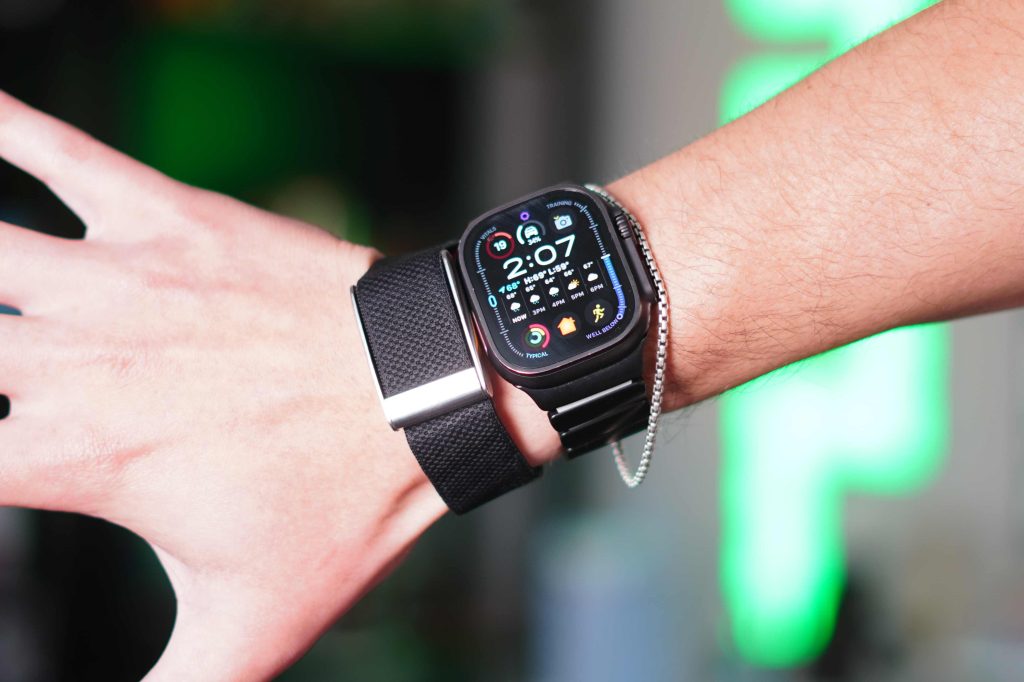
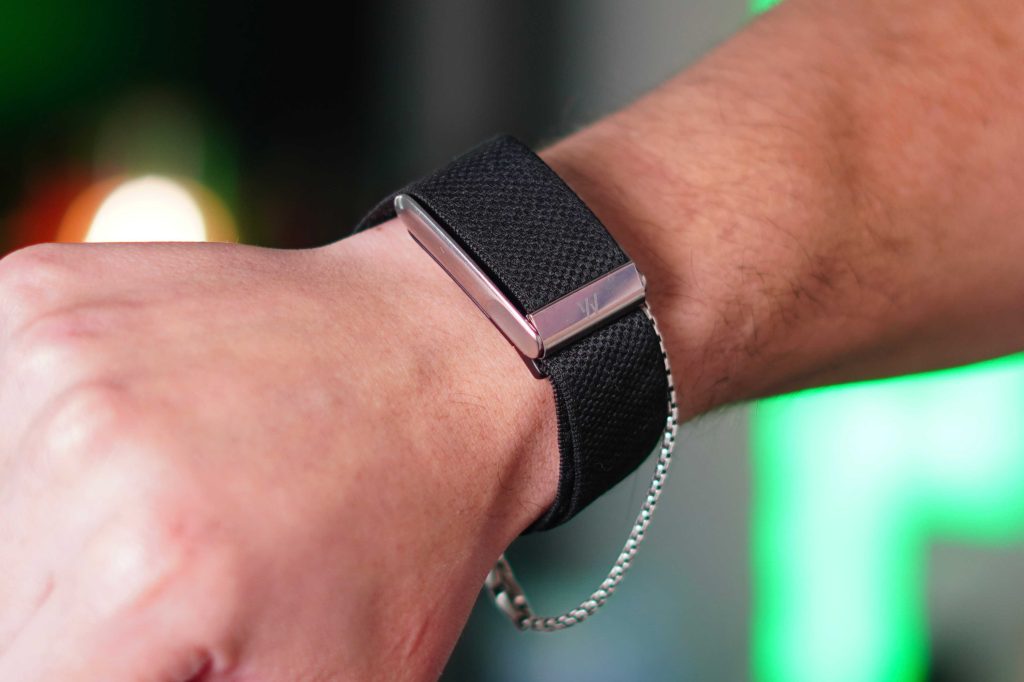
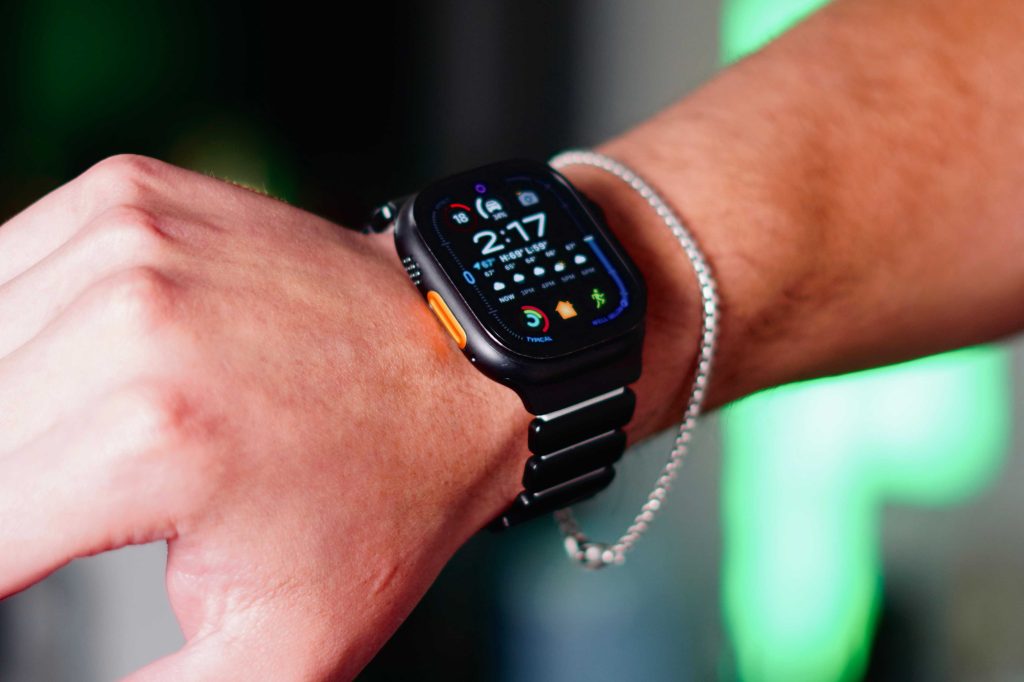
Even though I’m comparing these from a health and fitness perspective, the Apple Watch still feels like a tool you actively use throughout the day, while the WHOOP feels more like something you forget is even there. I understand the appeal of an accessory that is intentional, hyper-focused on one thing, and also distraction-free. I did enjoy that aspect of it. The only time I physically interacted with the WHOOP was to charge it. So if you are deciding between the two and want to be dead set on it being a fitness tracker, then the WHOOP will do that for you.
The WHOOP’s distraction-free nature results in amazing battery life. It is rated for about 14 days of battery life, and I consistently got around 10–12 days with the WHOOP MG before needing to charge it. The charging system is also pretty clever because, in a perfect world, WHOOP does not want you to take the device off at all. So the charger is actually a battery pack that can be slipped onto the WHOOP to charge it, even while you are wearing it. I personally did not do that; I preferred to take it off while charging, but it is a nice aspect of the charging system. But that constant data collection is a huge part of the WHOOP philosophy.
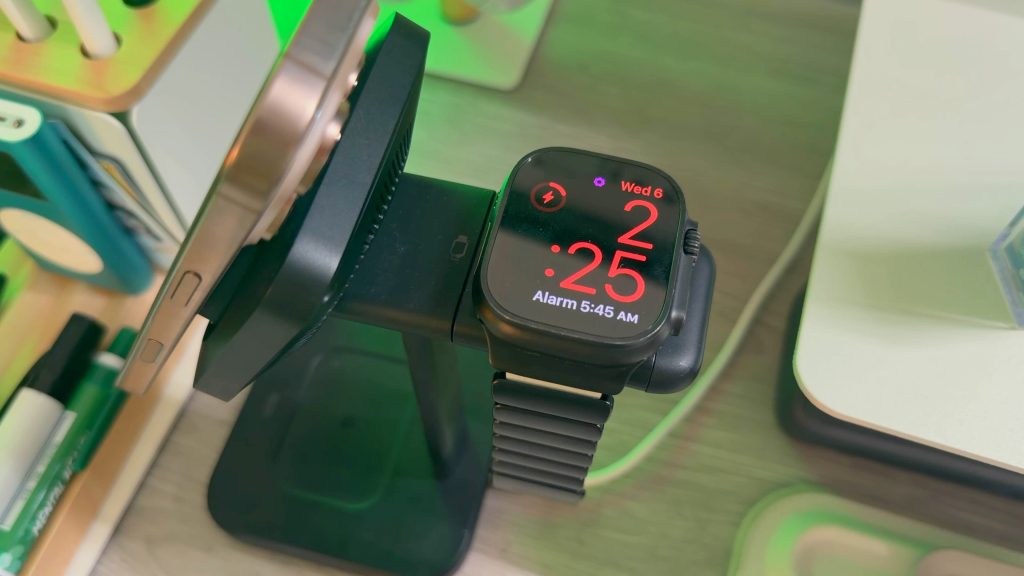
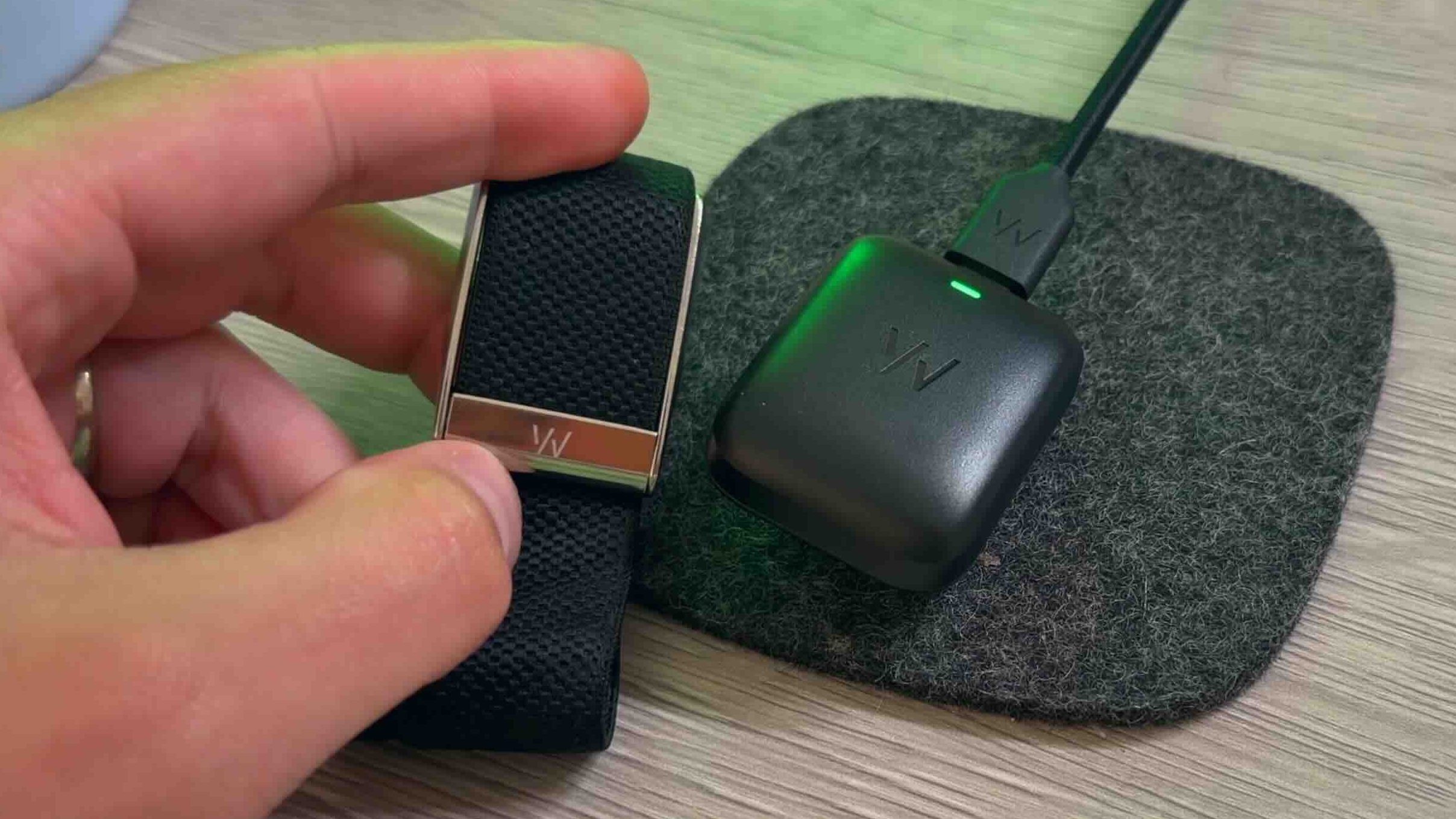
Then you have the Apple Watch. Again, I am using my 2-year-old Apple Watch Ultra 2. At its best, the Apple Watch is rated for 36 hours and has a low-power mode that extends that to 60 hours. But since it is 2 years old, I get about 30-32 hours of battery life on it before I need to charge it. I usually charge it daily when I am in the shower or doing dishes. Battery is something I think about constantly with my Apple Watch. And if you work out for hours at a time, multiple times a day, it will drain even faster. It’s safe to assume that you will easily get through a day on one charge, but you will need to charge it on day 2.
If your number one priority is uninterrupted 24/7 tracking, WHOOP absolutely has the edge here.
This one actually surprised me. Going into this comparison, I assumed the WHOOP would have every advanced health sensor imaginable. But in reality, the Apple Watch actually has more sensors than the WHOOP MG.
Apple Watch sensors:
Meanwhile, the WHOOP MG has:
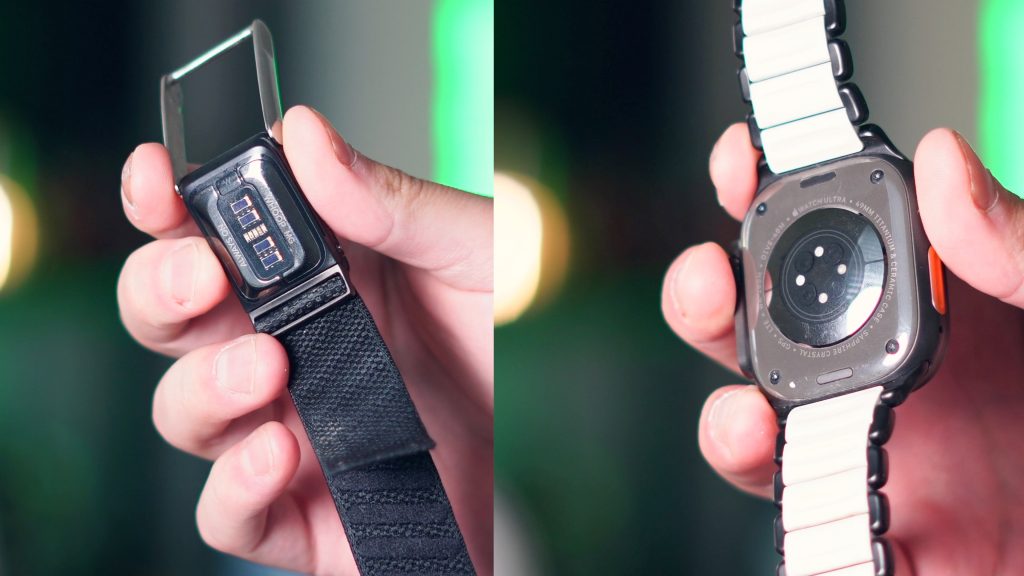
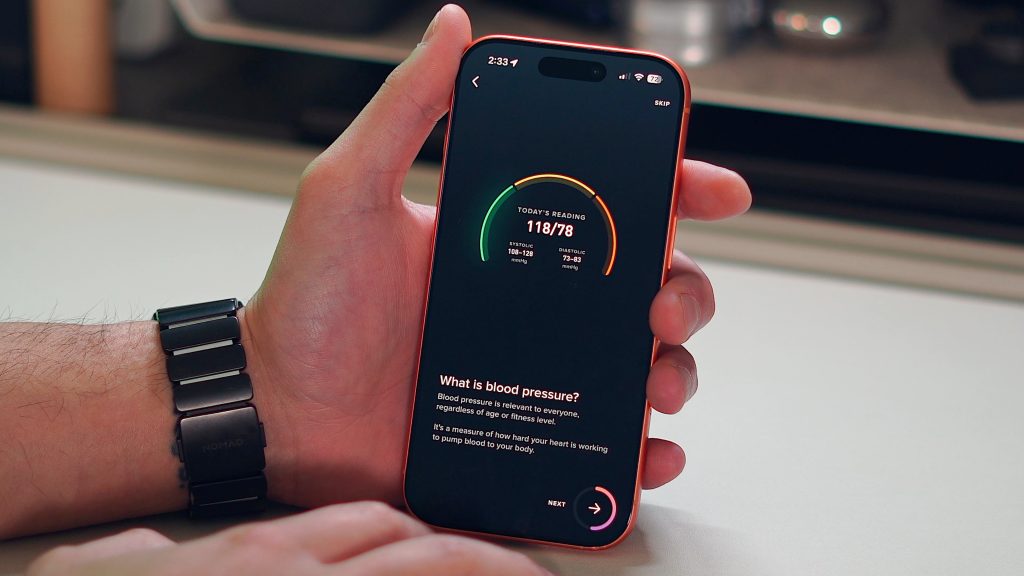
Technically, the WHOOP MG also advertises blood pressure tracking, but to set it up there is a lot of friction, and the feature feels half-baked.
The interesting part is that even though the Apple Watch is doing more overall, the core fitness and recovery data between the two is very comparable. The heart rate tracking, sleep tracking, and recovery metrics are all presented with mostly the same values. The difference comes down to how the data is presented to us.
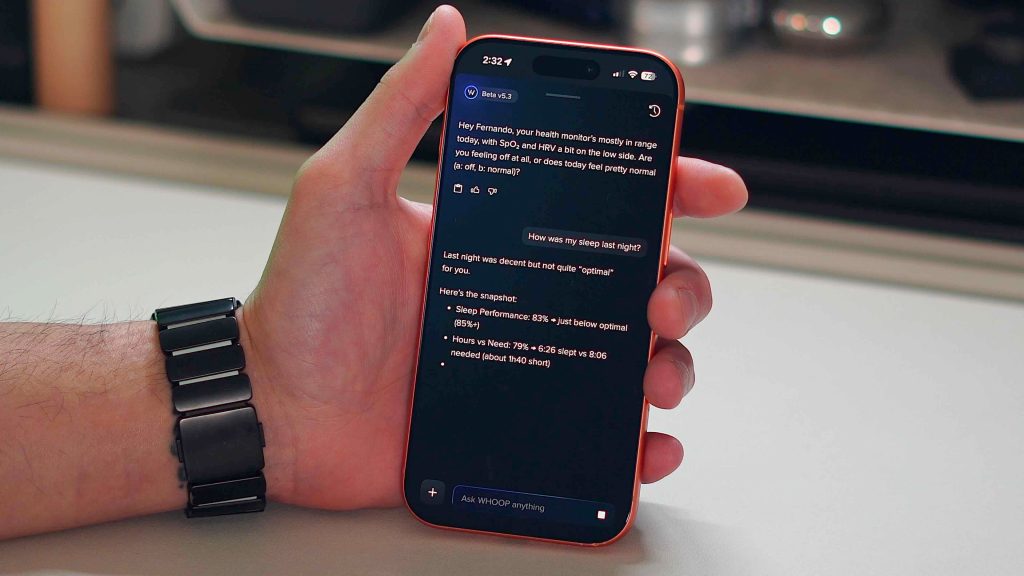
Now this is WHOOP’s bread and butter. The WHOOP app experience is actually great. You get recovery scores, strain targets, sleep coaching, and an overall experience focused on proactivity. So instead of just showing you the data, it wants to guide the interpretation of that data and help you take action to improve your wellness. In their most recent update, they also added an AI assistant, which I really like. You can simply ask questions like:
Then, based on your WHOOP health data, it will guide you to the best action plan for that moment or day.
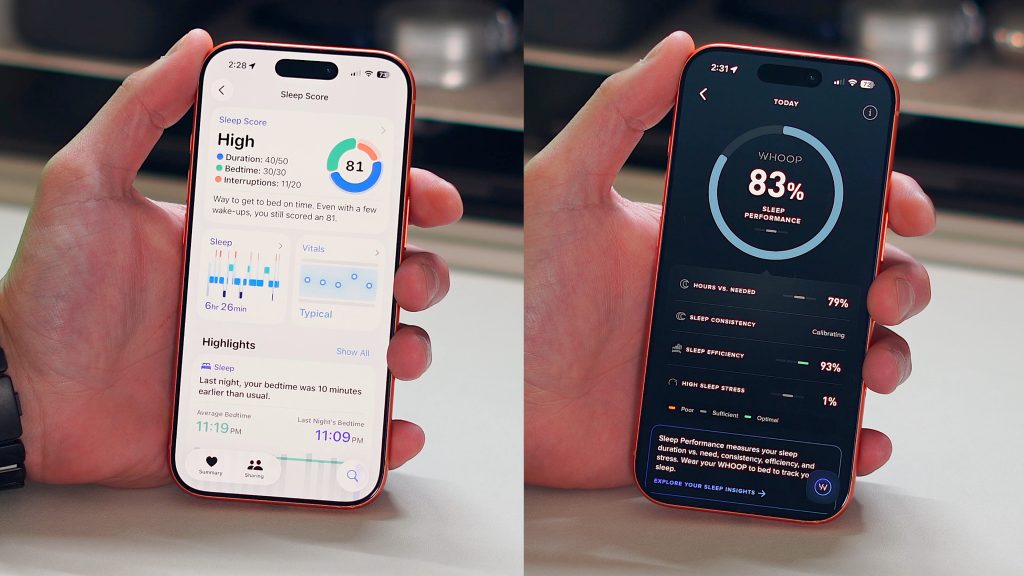
The Apple Health app is the opposite. Apple gives you all the raw data, but it’s mostly up to you to interpret what that all means. You can view a lot of the same metrics like HRV, VO2 Max, resting heart rate, and everything else, but Apple doesn’t help you put an action plan together to help you improve it. There are some explanations and blurbs that tell you what HRV is and what it means to have it high or low, but it won’t take your HRV data and tell you how to improve it.
Personally, I think that when it comes to tracking all of your health and fitness metrics, most people want guidance on what to do with this data. So, because of that, I would give the edge to the WHOOP app. It’s clean, easy to navigate, and helps you proactively make tangible improvements to your health, while the Apple Watch takes a more “figure it out yourself” approach.
Coming into this experience, I thought the hardware was what set the WHOOP apart from the rest. But I quickly learned that the Apple Watch offers far more sensors and health-related hardware. Then I started playing with the WHOOP app, and it seemed the app was the actual differentiator for them. The software layer on top of the WHOOP was what really set them apart, so I thought.
Then I found the app called Bevel. This app essentially turns any modern Apple Watch into a WHOOP. Bevel has everything WHOOP has: recovery scores, sleep analysis, strain tracking, and AI-based insights. It even has a similar conversational AI layer that helps interpret your data just as WHOOP does. When I found the Bevel app, things just clicked in my mind. I realized I did not need the WHOOP hardware at all.
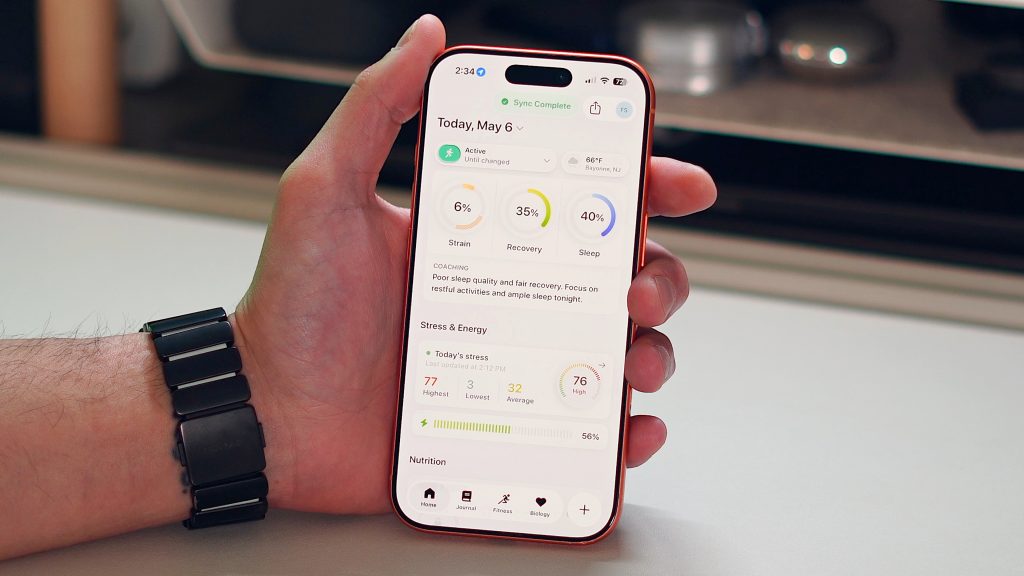
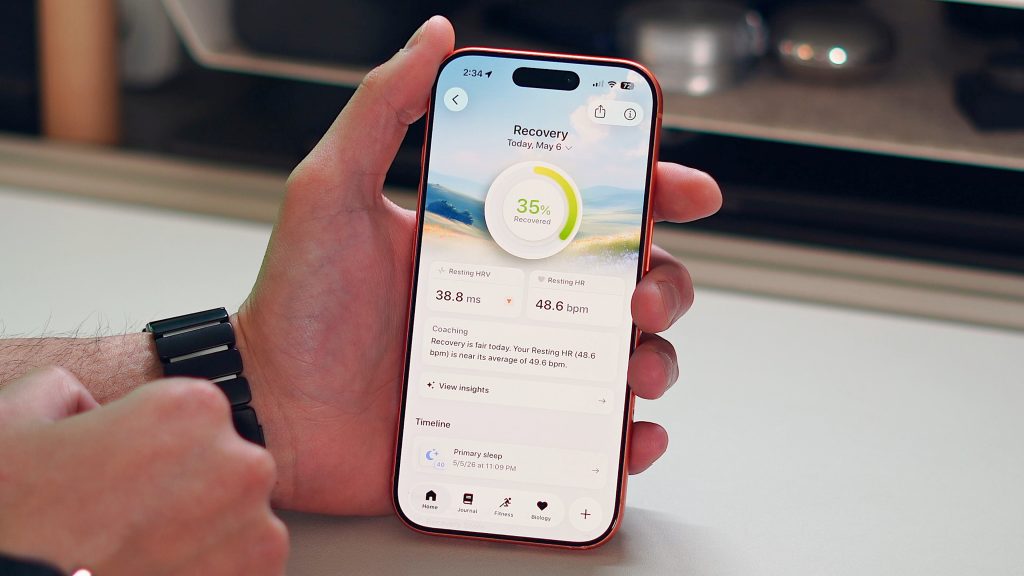
What WHOOP really opened my eyes to was third-party health app ecosystems on the Apple Watch. For over a decade, I had relied on Apple’s default fitness and health apps, but there are hundreds (maybe thousands) of apps that build on Apple Watch data in interesting ways. Bevel was just the one who felt closest to the WHOOP. So if you combine this new realization with WHOOP’s price point and subscription model, it really changes how you view and justify the WHOOP. Especially if you already have an Apple Watch.
This is where things get interesting for my comparison. The WHOOP MG costs $359. They have two cheaper options with the ONE starting at $199 and the PEAK starting at $239. But I wanted to test their best version, so I went with the WHOOP MG LIFE at $359. For that price, you get the WHOOP, the fabric band, and a battery pack that doubles as a charger. But what baffles me is that the $359 price is PER YEAR. You can literally get a brand new Apple Watch Series 11 from Amazon for $299. So you could technically buy a brand-new watch every year for less than the price of a WHOOP MG subscription.
Then, as I mentioned above, I realized that what you are paying for is the app experience. The WHOOP hardware itself is not particularly special and does not have any proprietary features. Meanwhile, apps like Bevel cost significantly less. So if you already own an Apple Watch, it becomes very difficult to justify the long-term cost of a WHOOP.
But, even with everything I mentioned above, I can still see the appeal of the WHOOP. There was something refreshing about wearing a device with no screen. There were no notifications, no distractions, no phantom buzzing; it was purely built for health and recovery. I 100% see that there is a growing audience of people who are tired of having another smart device attached to them all day. People want to track their data, but also wear a normal watch that doesn’t have a flashing screen. So the WHOOP’s intentionality is actually refreshing.
There also seems to be an aura around WHOOP. They have a great marketing team and fantastic branding. Athletes wear it, tech founders and tech bros love it, and high performers are drawn to it. The WHOOP has an exclusivity feeling around it that reminds me of the early days of the Apple Watch. But after living with it for over two months, the experience really did not live up to that aura, for me.
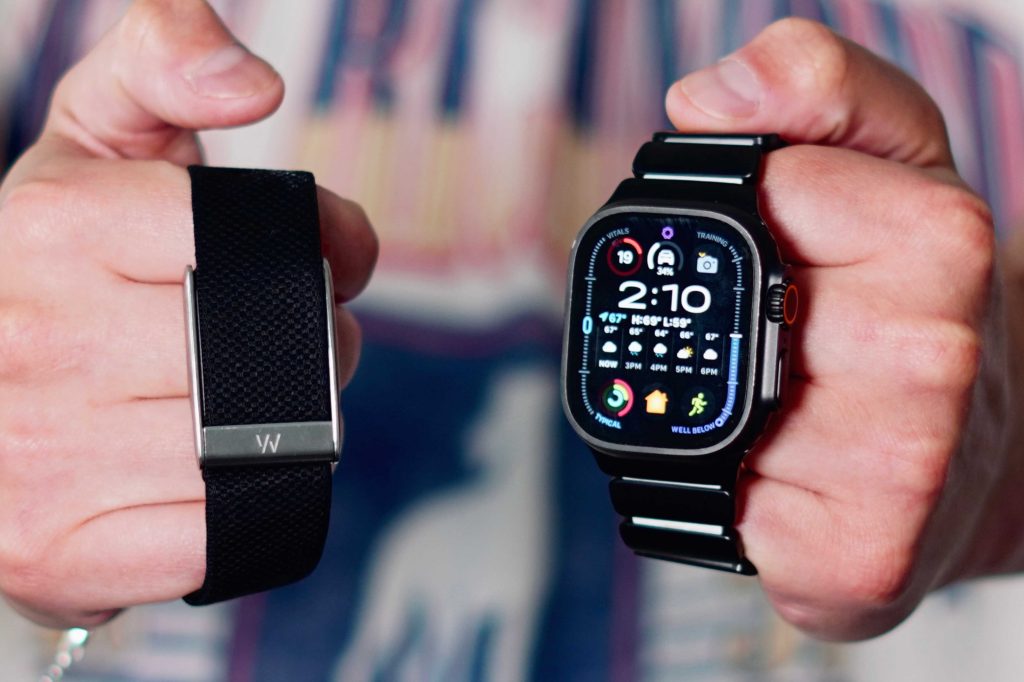
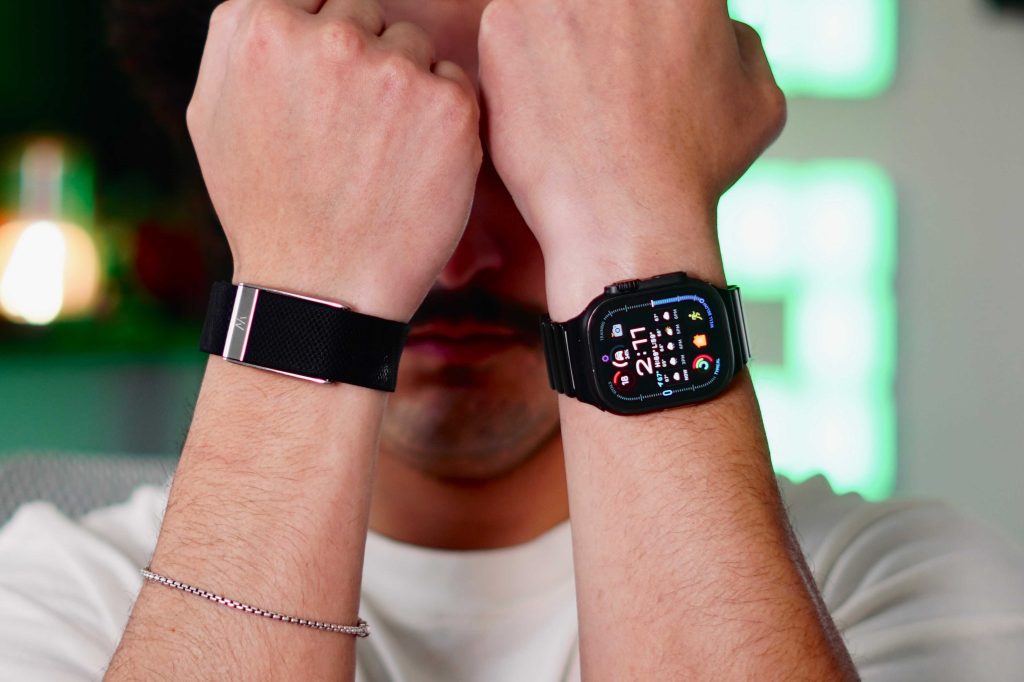
There were a few annoying nuances that a $359 priced product should not have. For example, I rely heavily on my Apple Watch to slowly wake me up with its haptic engine. I love it. The WHOOP also has a vibration motor, but it’s terrible. It feels like something that should be on a $20 device, not a nearly $400 device. The way you turn off the vibration alarm is also clunky. You are supposed to double-tap the device, and it literally never works. I have to slap my wrist 10 times for the vibration to stop. And then the fabric band stinks, literally. Since its fabric, the sweat and moisture stick to it, and over time, it gets very nasty very quickly. They should have gone with a rubber band for the default option.
Those little things add up over time when it’s a product you’re supposed to wear 24/7 and is marketed as premium and high-quality.
After this comparison period, I did learn who the WHOOP was for. If you want great battery life, no distractions, passive wellness tracking, and a more guided health experience, then I get the appeal. But it still baffles me that it doesn’t feel premium and lacks GPS. I feel like everyone is now into running, so the fact that you cannot track runs with GPS is wild to me.
But for me personally, it’s not enough to pull me away from the Apple Watch. Especially once I realized that the Apple Watch can basically give you all the advantages the WHOOP has through third-party apps like Bevel, and the Apple Watch Series 11 is cheaper than the WHOOP MG and does way more. And for those who want a distraction-free experience, you can still do that on your Apple Watch by turning off a few settings. So for that reason, I would recommend an Apple Watch to 9 out of 10 people.
Because at the end of the day, the Apple Watch can be a WHOOP, but the WHOOP can never be an Apple Watch.


FTC: We use income earning auto affiliate links. More.
此内容由惯性聚合(RSS阅读器)自动聚合整理,仅供阅读参考。 原文来自 — 版权归原作者所有。