
惯性聚合 高效追踪和阅读你感兴趣的博客、新闻、科技资讯
阅读原文 在惯性聚合中打开

推荐订阅源

P
Palo Alto Networks Blog
大猫的无限游戏
大猫的无限游戏
Martin Fowler
Martin Fowler
GbyAI
GbyAI
CTFtime.org: upcoming CTF events
量子位
T
The Blog of Author Tim Ferriss
Y
Y Combinator Blog
Microsoft Azure Blog
C
CERT Recently Published Vulnerability Notes
Recent Announcements
A
About on SuperTechFans
aimingoo的专栏
aimingoo的专栏
P
Privacy International News Feed
cs.CL updates on arXiv.org
博客园 - 叶小钗
L
Lohrmann on Cybersecurity
G
GRAHAM CLULEY
T
The Exploit Database - CXSecurity.com
Hugging Face - Blog
Hugging Face - Blog
P
Proofpoint News Feed
NISL@THU
NISL@THU
博客园 - Franky
C
Cybersecurity and Infrastructure Security Agency CISA
The Register - Security
M
MIT News - Artificial intelligence
Know Your Adversary
Know Your Adversary
A
Arctic Wolf
F
Full Disclosure
T
Threat Research - Cisco Blogs
P
Privacy & Cybersecurity Law Blog
The Hacker News
The Hacker News
博客园 - 【当耐特】
D
Docker
T
Tailwind CSS Blog
S
SegmentFault 最新的问题
Cyber Security Advisories - MS-ISAC
Jina AI
Jina AI
Help Net Security
Help Net Security
V
Visual Studio Blog
小众软件
小众软件
B
Blog
Vercel News
Vercel News
云风的 BLOG
云风的 BLOG
N
News and Events Feed by Topic
Forbes - Security
Forbes - Security
N
Netflix TechBlog - Medium
让小产品的独立变现更简单 - ezindie.com
C
Cisco Blogs
Security Archives - TechRepublic

The Eclectic Light Company

Apple has released an update to XProtect for all macOS Hero or hooligan: Theseus’ later years BSD flags are incompatible with iCloud Drive Apple has released macOS Tahoe 26.5.1 In memoriam Mary Cassatt: 1, 1868-1880 Solutions to Saturday Mac riddles 362 What Location Services do in macOS Eclectic paintings of Joseph Stella: 2 European myths Eclectic paintings of Joseph Stella: 1 American landscapes Saturday Mac riddles 362 Protect files with the Locked or Immutable flag Reading Visual Art: 252 Dragonfly What happens in the log when an app crashes as it starts up? Portraits of trees: Introduction On Reflection: Conclusions and contents Which tasks require mains power? Medium and message: Vast canvases Online reference to external displays for Apple silicon Macs What’s in that phishing email? Hero or hooligan: Theseus and Ariadne Solutions to Saturday Mac riddles 361 How to search document versions Rubens’ Consequences of War Rubens’ Peace and War Saturday Mac riddles 361 How to search Time Machine backups? Naturalists: Contents and artists On Reflection: Extending the image Tackle QuickLook problems Medium and message: Pottery Hero or hooligan: Theseus and the sandals How QuickLook provides thumbnails and previews Last Week on My Mac: Syncing metadata in iCloud Drive Paintings of visits to India 1778-1877 Saturday Mac riddles 360 Naturalists: Sorolla and Zorn On Reflection: Pierre Bonnard 1909-1946 SpotTest 1.2 can display Spotlight metadata directly On Reflection: Pierre Bonnard 1899-1908 How to preserve versions, and how to create versioned PDFs Medium and message: Sculpture What gets synced in iCloud Drive? Hero or hooligan: Perseus 2 Solutions to Saturday Mac riddles 359 Last Week on My Mac: snapshots, the elephant in APFS Paintings of Beatrice Portinari: to 1862 Saturday Mac riddles 359 Naturalists: Into the 20th century How to check whether Spotlight is getting the right metadata On Reflection: Mirror play Hero or hooligan: Perseus 1 The bicentenary of Frederic Edwin Church: 1857-77 Solutions to Saturday Mac riddles 358 macOS virtual machines and audio-video syncing A walk in the parks of Rome, Vienna, Manhattan and Brooklyn Saturday Mac riddles 358 Naturalists: Photography Use Finder tags for categories Control what gets written to the log Medium and message: Tapestry Virtualisation on Apple silicon Macs is different Jerusalem Delivered: Overview and contents The bicentenary of Frederic Edwin Church: 1849-57 Solutions to Saturday Mac riddles 357 Painting Pandora and her box: 1883-1919 Painting Pandora and her box: 1550-1882 Saturday Mac riddles 357 Reading Visual Art: 250 Winged sandals The secret life of the xattr The macOS Natural Language framework and Nalaprop Medium and Message: Stained glass The MACL extended attribute Jerusalem Delivered: 13 Leading characters Solutions to Saturday Mac riddles 356 Privacy: How locations are protected Painting Spring blossom 2 Last Week on My Mac: Don’t be a victim of fraud Painting Spring blossom 1 Saturday Mac riddles 356 Explainer: Recovery Reading Visual Art: 249 Mask Naturalists: Urban poverty On Reflection: Cézanne Privacy: Which folders are protected in Tahoe? Medium and Message: Mosaic Jerusalem Delivered: 12 Delivery Solutions to Saturday Mac riddles 355 Centaurs 2: Revenge Centaurs 1: Fights Saturday Mac riddles 355 Explainer: sandboxes Naturalists: The modern meal Why you can’t trust Privacy & Security Apple has just released an update to macOS Tahoe, to version 26.4.1 On Reflection: Divisionism Please help update CPU frequencies for Apple silicon Macs Commemorating the centenary of the death of John Ferguson Weir Privacy: Files & Folders or Full Disk Access? Jerusalem Delivered: 11 Into Jerusalem Privacy: protected folders
Last Week on My Mac: Razzle and dazzle
hoakley · 2026-05-31 · via The Eclectic Light Company

In just over a week the razzle of this year’s WWDC will have started, and we’ll see what macOS 27 has to offer those with Apple silicon Macs. This is unusually important, as it also marks the end of further improvements to the last version of macOS that can run on Intel Macs. For the many who still use Intel Macs with T2 chips it’s time to decide whether to see their remaining years out with Sequoia or Tahoe, and that in turn is limited by Tahoe’s flawed and dazzling interface. For those with Apple silicon Macs who have delayed upgrading to Tahoe, what we are shown in WWDC may also be decisive.

Has Tahoe recovered? Will macOS 27 be any more usable?

When macOS 26.0 was released it came with three sets of controls over its appearance, increasing to four in 26.1:

  • Appearance mode, Light or Dark, in Appearance settings;
  • Display variations to Reduce transparency or Increase contrast, in Accessibility settings;
  • Icon & widget style, in Appearance settings;
  • A Liquid Glass setting, Clear or Tinted, in Appearance settings, added in 26.1.

Although these offer many different combinations, I have examined some of their flaws in graphic detail. Here I compare the more obvious functional shortcomings in 26.0 with the new, improved 26.5.

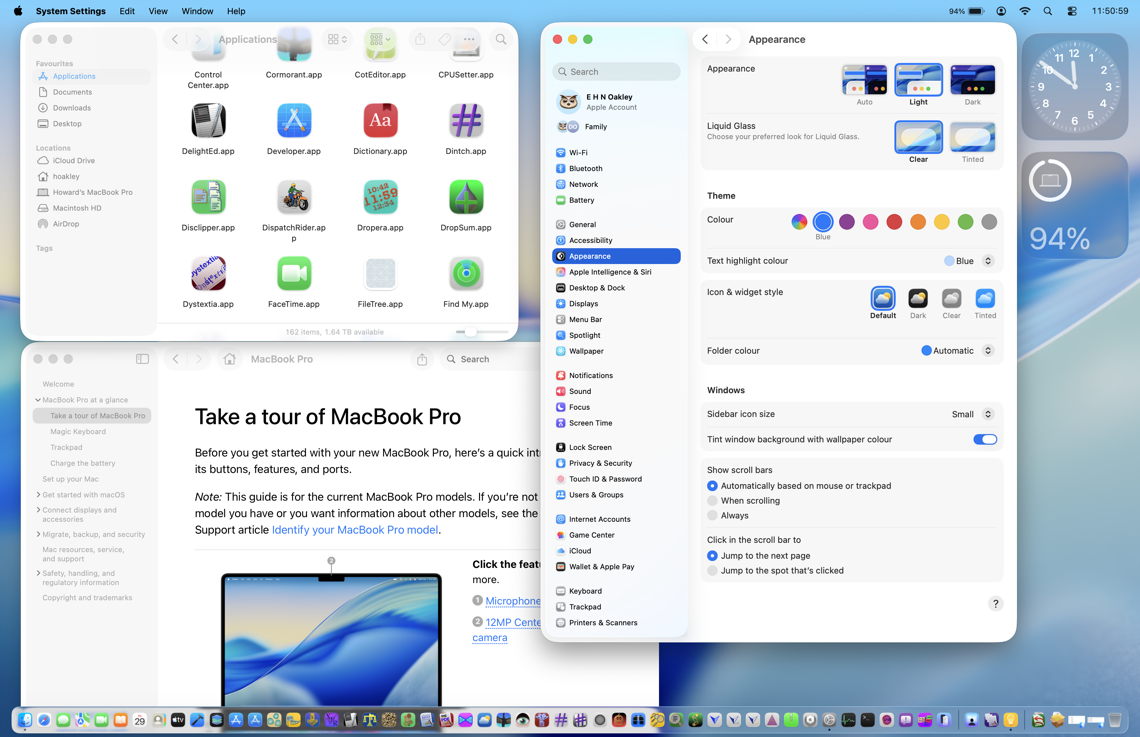
Light mode, default transparency, Liquid Glass clear

The overall appearance of macOS 26.0 above appears little changed in 26.5 below. In the Finder window at the upper left, app icons still deface the window title bar as much. Dock transparency is more obvious not because it has changed, but it demonstrates how that affects readability of app icons when they overlie dark objects in the window behind. Tinting from the wallpaper is more apparent in the upper part of System Settings’ navigation sidebar, and the new Liquid Glass setting added to Appearance settings is perhaps the most noticeable change.
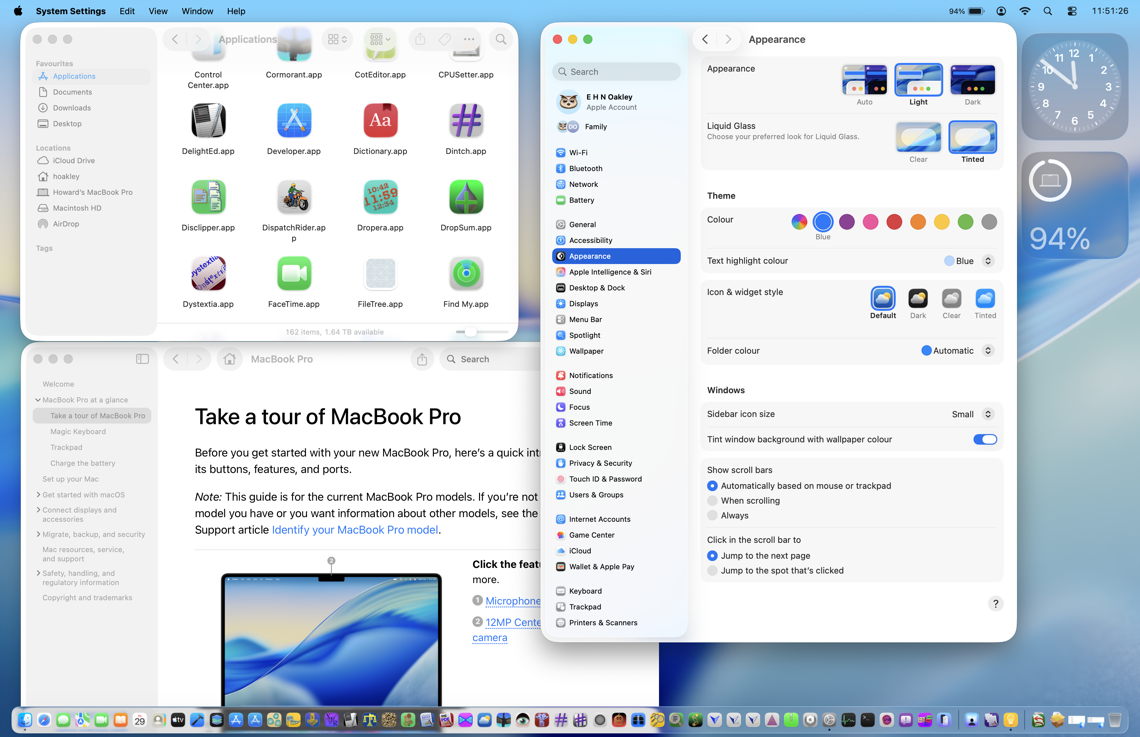
Light mode, default transparency, Liquid Glass tinted

With the new Liquid Glass control set to Tinted, no change is apparent in 26.1 above, or 26.5 below. I still can’t tell the difference this new control makes in general use.
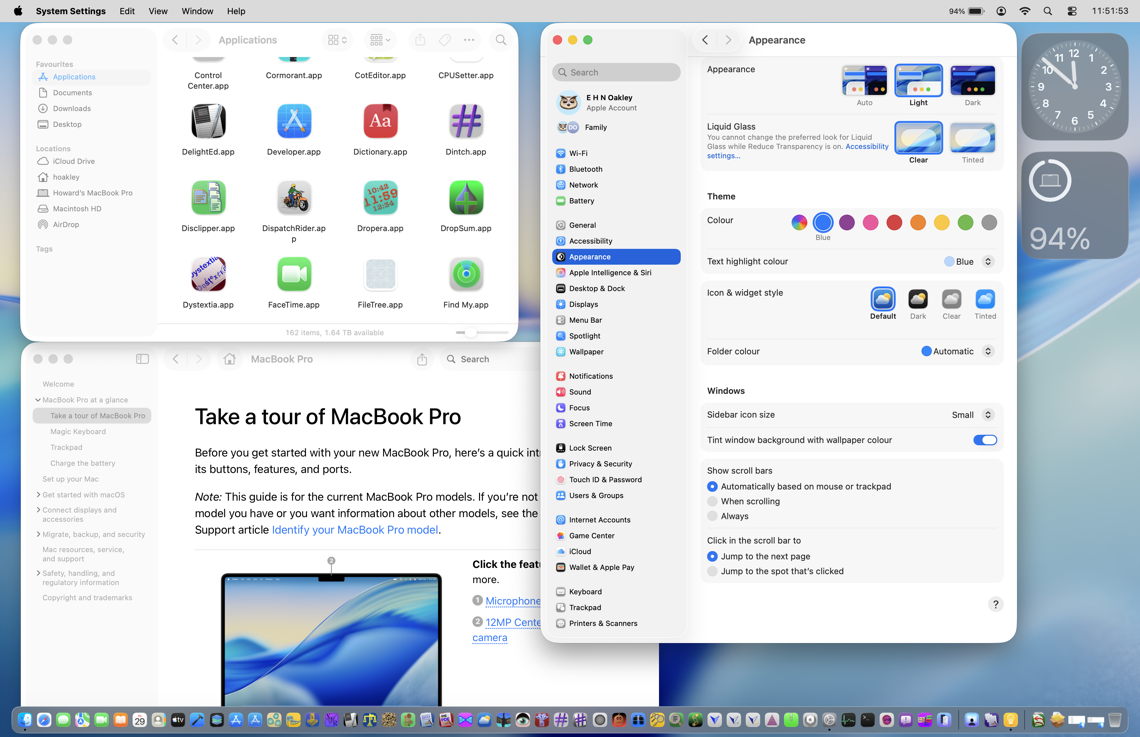
Light mode, reduced transparency, Liquid Glass clear

Above and below are light mode with Reduce transparency enabled in Accessibility settings. This disables all Liquid Glass effects, restoring the traditional opaque menu bar and Dock, and making the Finder’s toolbar more readable.
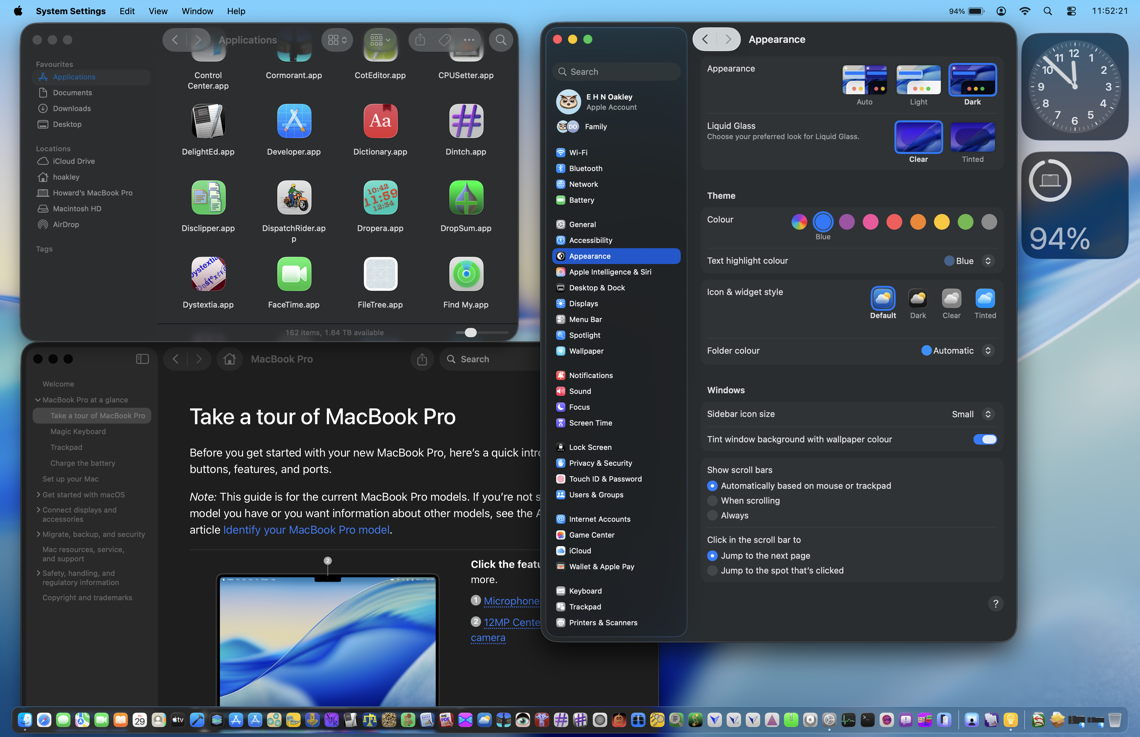
Dark mode, default transparency, Liquid Glass clear

Dark mode differs in its use of what appears a more opaque Dock when it overlies window content, but not over wallpaper.

Defaced controls in Light mode, default transparency, Liquid Glass clear

The most glaring visual faults in 26.0 were in the use of Liquid Glass transparency in the top of navigation sidebars and in toolbars and other controls in window title bars.

At the top left of System Settings in 26.0, underlying text defaces the search box to the point where both are unreadable and unusable without scrolling the list below. Apple has improved this in 26.5 (below) by softening the underlying text to a faint blur. The similar problem with window title bars remains, though, and is unaffected by the Liquid Glass tinting option.

Whiteout

Lack of contrast in controls results in a ‘whiteout’, where text entry boxes can’t be distinguished from the bleached background. This remains exactly the same in both 26.0 above, and 26.5 below.

Has Tahoe’s interface improved?

It’s now almost a year since we got our first glimpse of Tahoe at WWDC 2025, and eight months since it was released to the public. Despite widespread outcry and detailed criticism, it has changed remarkably little. If you were unconvinced of its merits last September, I see little here that’s likely to persuade you otherwise. The only remaining question is whether, in the razzle of WWDC, Apple will do anything substantial to relieve the dazzle on our displays. I fear I already know the answer.