








We released BloodHound in 2016. Since then, BloodHound has been used by attackers and defenders alike to identify and analyze attack paths in on-prem Active Directory environments. Now, I am very proud to announce the release of BloodHound 4.0: The Azure Update.
This release is authored by myself (Andy Robbins), Rohan Vazarkar, and Ryan Hausknecht, with special thanks to Will Schroeder and Lee Christensen.
This release wouldn’t be possible without prior work from several individuals and teams, in particular when it comes to understanding the architecture of Azure and the relevant configuration-based attack primitives available in that system. At the forefront of research into Azure attacks is Karl Fosaaen and his team at NetSPI. In addition, there are several individuals and pieces of prior work to acknowledge:
Sean Metcalf’s Azure research and writings
Jake Karnes and Ryan Gandrud’s writings on the NetSPI blog
Dirk-Jan Mollema’s ROADtools and writings
Tal Maor’s AzureADLateralMovement
When doing our own research, we especially learned a lot from work shared by the following folks:
We are introducing 10 new node types with this release: tenants, Azure users, Azure security groups, Apps, Service Principals, Subscriptions, Resource Groups, Virtual Machines, Devices and Key Vaults:

We’re also introducing 14 new edges that cover attack primitives against the new node types.
These new nodes and edges mean finding attack paths that include Azure abuses. You may find an attack path that starts at a low-privilege Azure user and ends with having Global Admin rights against the tenant, or an attack path that ends at a VM hosted in Azure that you’re trying to get access to. Many of the real attack paths we’ve observed in real tenants abuse apps and service principals. In this example, we escalate to Global Admin from a low-privilege user by way of owning an app which runs as a privileged service principal:
One feature of Azure makes this release even more exciting: Azure AD Connect. Azure AD Connect allows organizations to synchronize principals from on-prem domains up into an Azure tenant. It also allows on-prem users to be added to cloud groups, to have Azure admin roles, to own Azure apps and service principals, and to have control of AzureRM objects like Virtual Machines and Key Vaults.
Additionally, Hybrid AD Join enables tenant-to-on-prem attack paths. These configuration possibilities mean that you can also find attack paths that start in on-prem AD, go up into Azure, and then go back down into on-prem AD to get access to your objective — sometimes where an attack path within on-prem AD didn’t exist! To that end, this release supports ingestion from SharpHound and the new data-collector, AzureHound, into the same database.
For the complete list of new edges and attack primitives, see the updated BloodHound docs.
The BloodHound GUI has been completely refreshed while maintaining the familiar functionality and basic design. Credit for the updated design goes to Liz Duong.
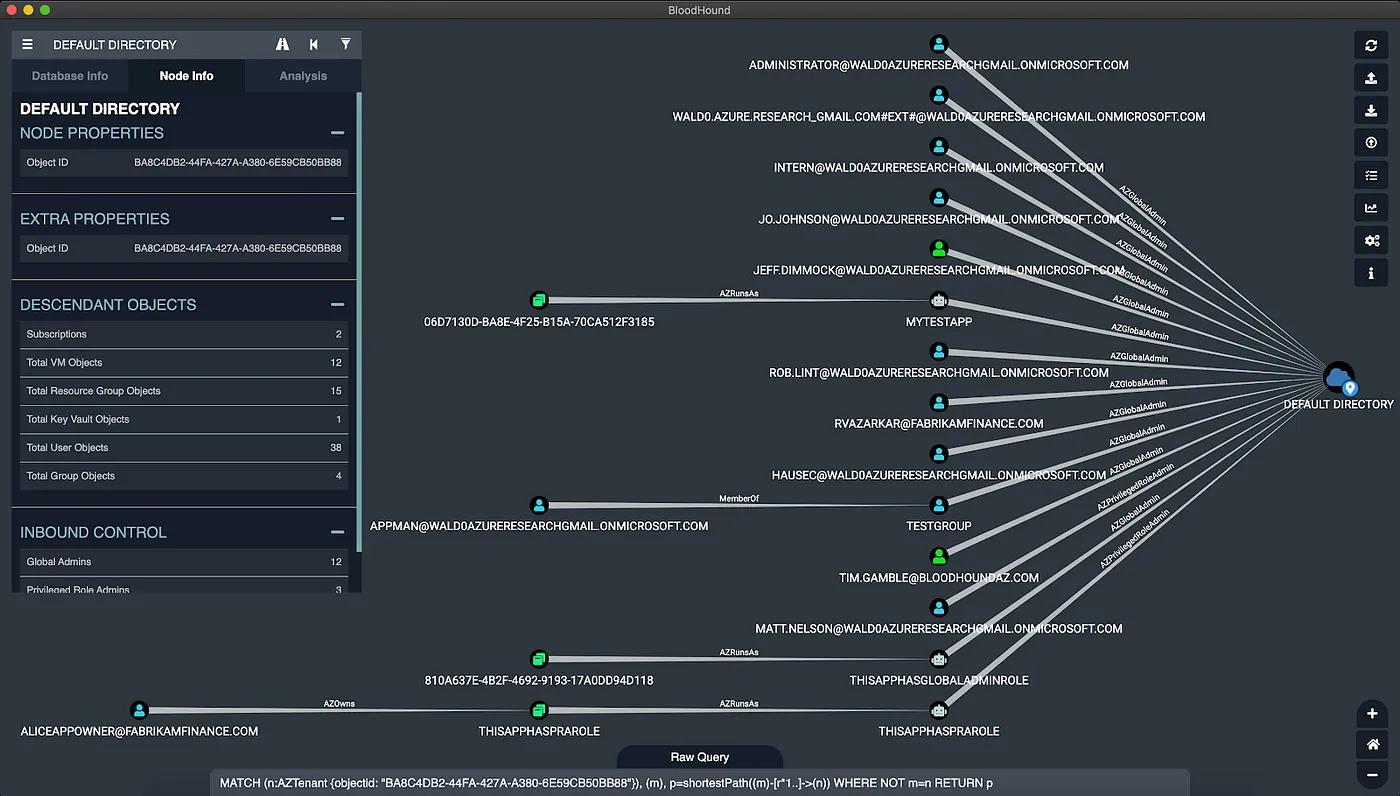
Above: The updated BloodHound GUI in dark mode, showing shortest attack paths to control of an Azure tenant.
We’ve made a few functional updates to the GUI as well, beyond upload and analysis of Azure data. The upload progress modal has been updated to list out all uploaded items in a similar way to what you see in Google Chrome:
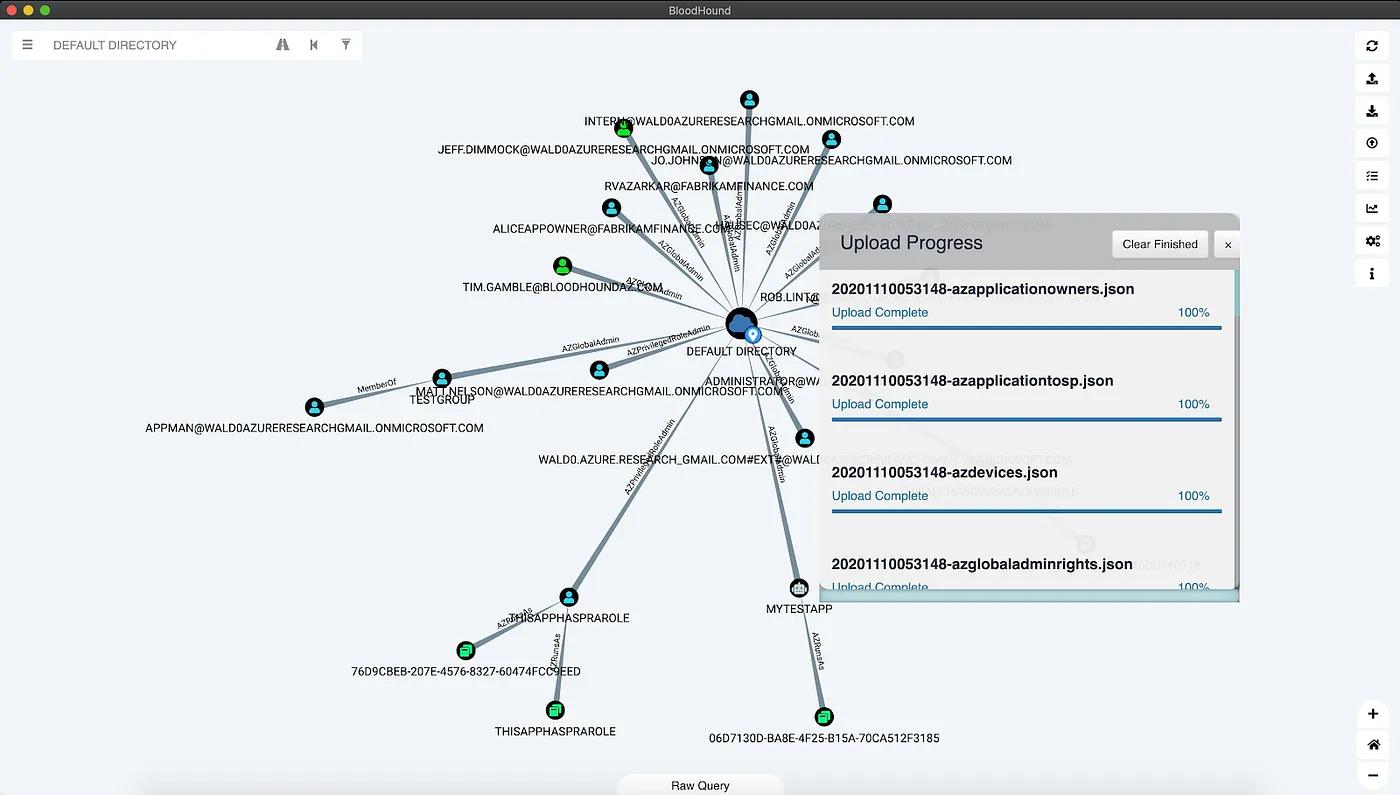
Above: The updated Upload Progress modal in light mode
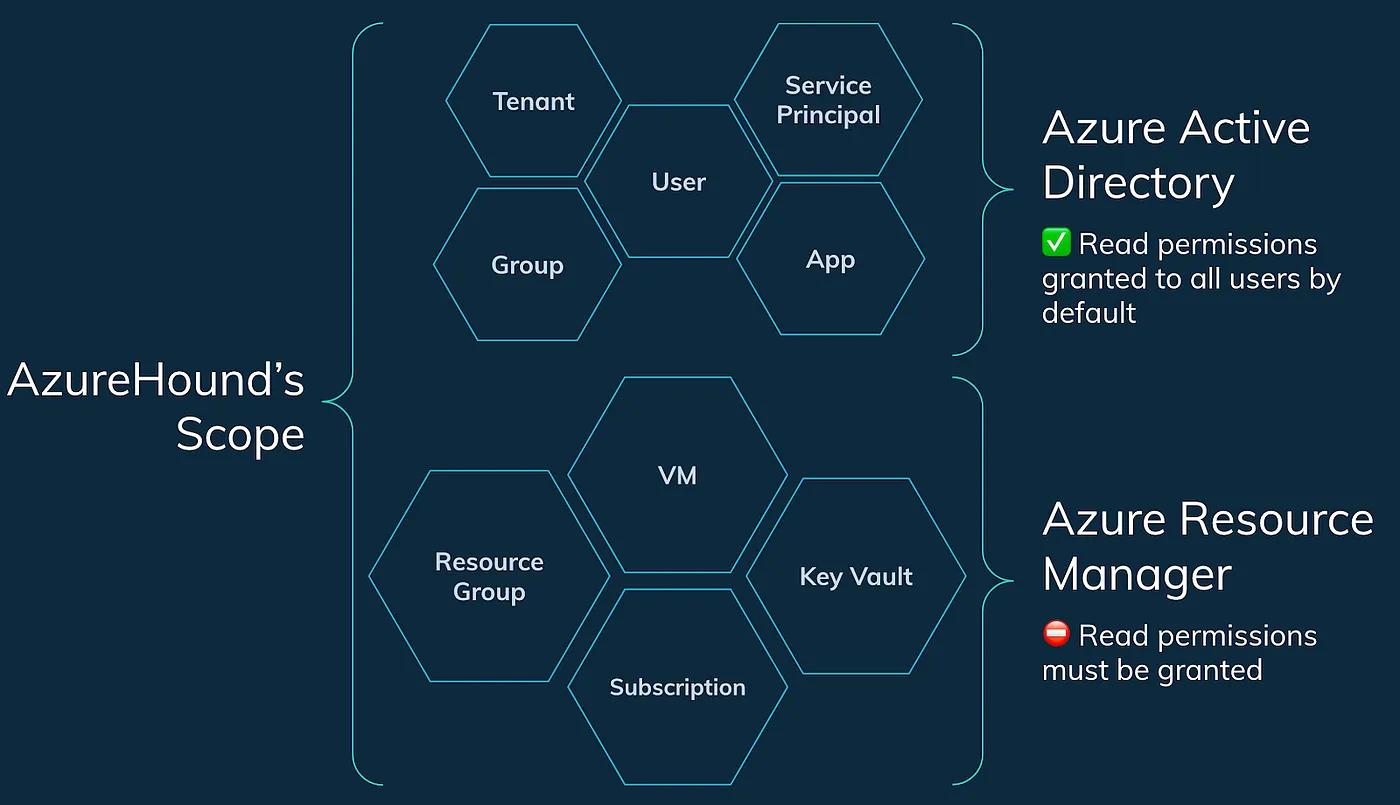
AzureHound is the new data collector for BloodHound, and it specifically collects data from an Azure tenant and subscriptions that trust that tenant. AzureHound and SharpHound collect data from different sources, but their output is totally compatible with each other: you can import AzureHound data and SharpHound data into the same database.
By default, any user that can authenticate to an Azure tenant can collect information about admin roles, users, groups, apps, automation accounts, devices, and service principals. But by default, users do not have the ability to read information about subscriptions or anything within them:
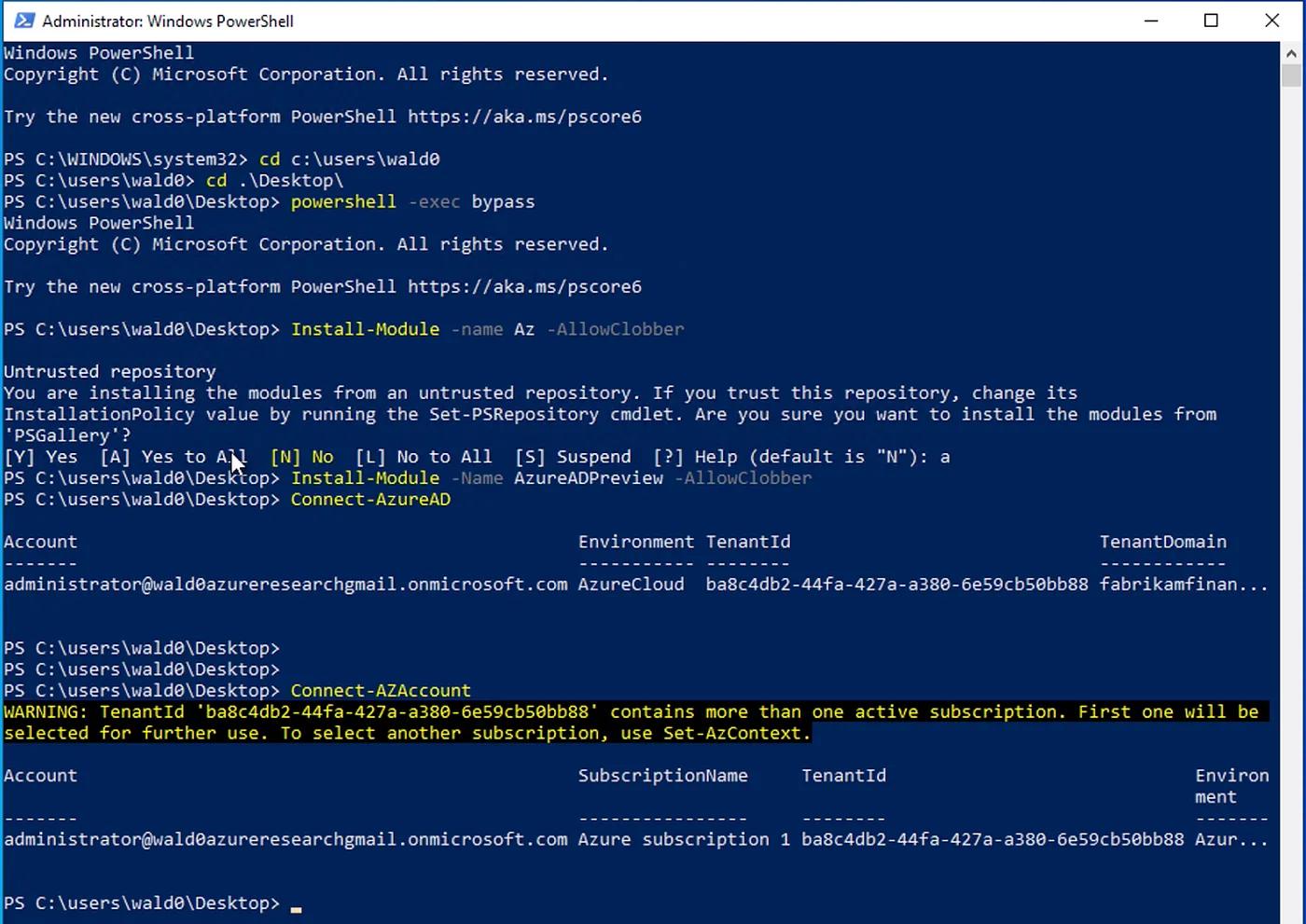
Using AzureHound is very simple. First, open a new PowerShell prompt as admin, install Microsoft’s Azure modules, and authenticate to your target tenant:
Then dot-source AzureHound and use its Invoke-AzureHound cmdlet to start the data collection:
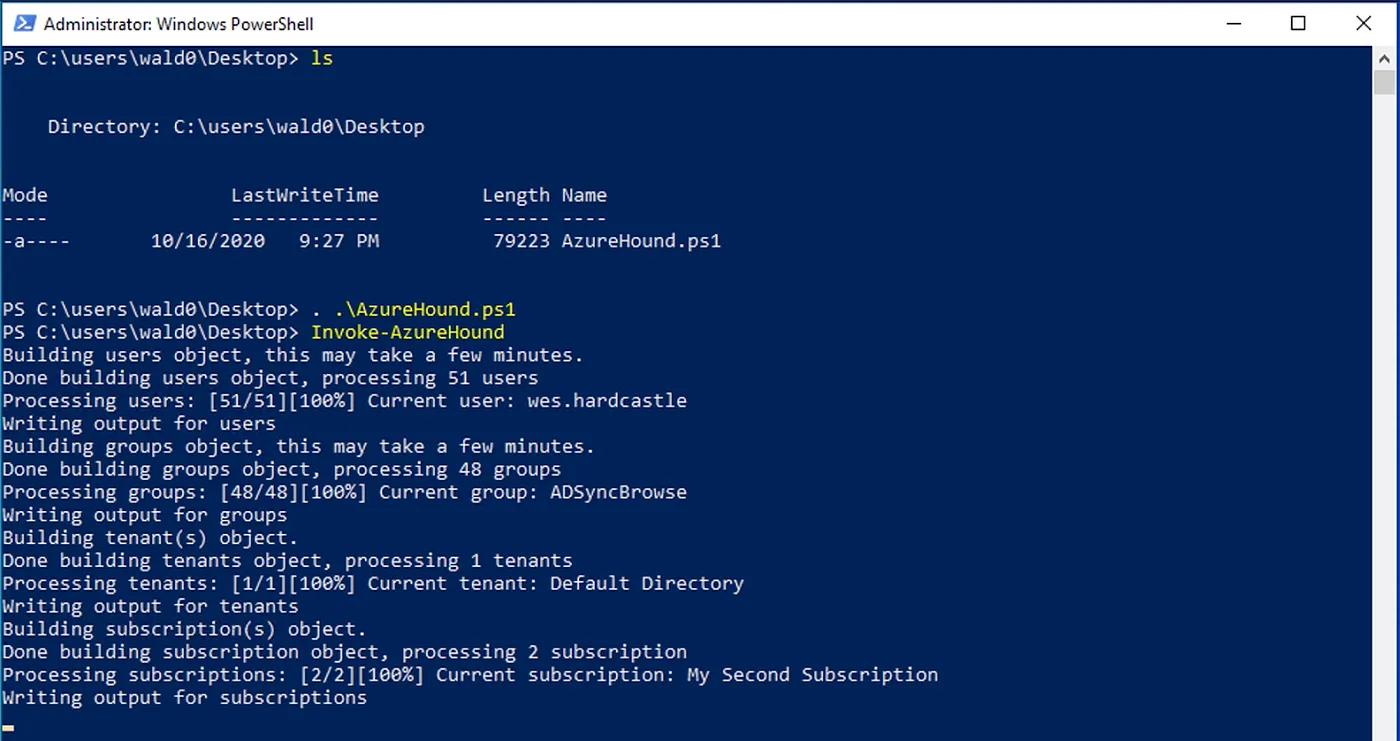
AzureHound will collect data from the tenant and all subscriptions your user can read, then output a zip with all the data. You can then simply drag-and-drop this zip into the BloodHound GUI to upload and ingest the data into the database.
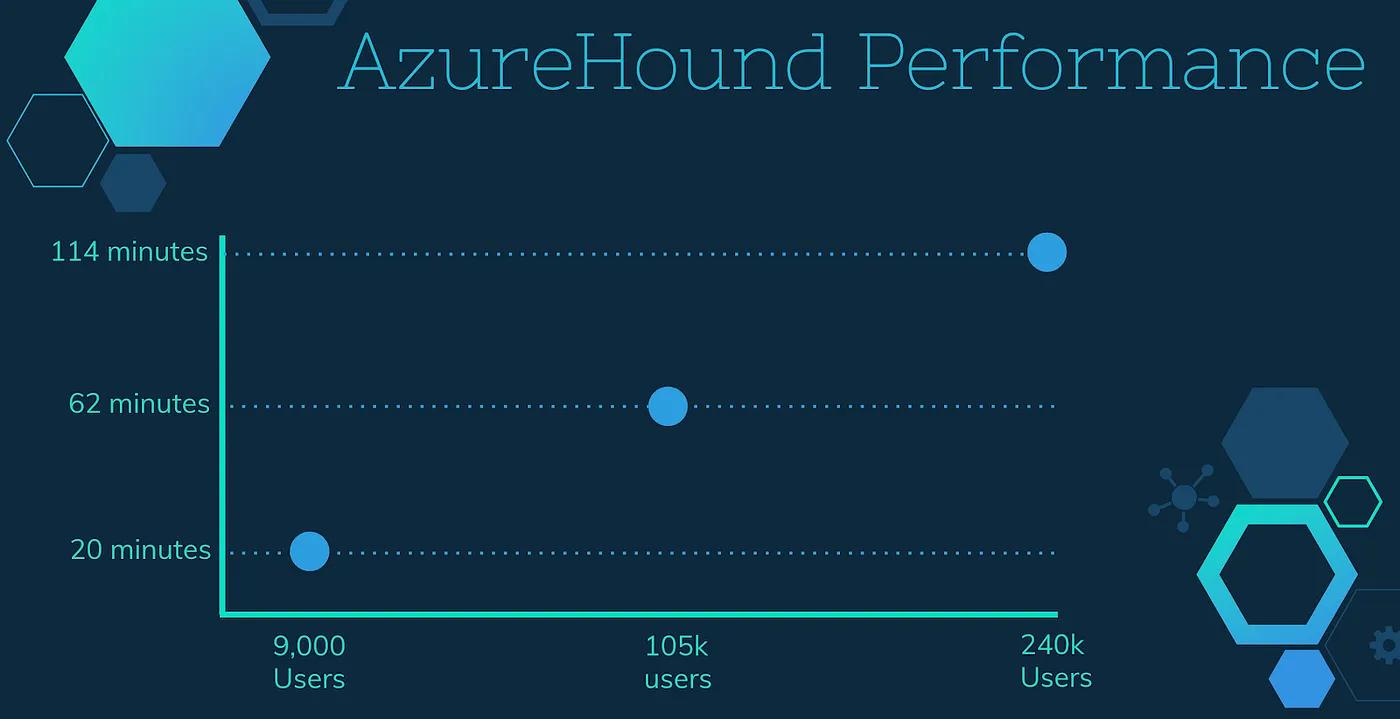
How long the data collection process takes depends on how large the tenant is. We’ve tested AzureHound out in tenants varying in size from about 9,000 users, to 105,000 users, to over 240,000 users. This chart shows how long AzureHound took to run in each tenant:
There are many, many roles in Azure. You can grant a principal the ability to read logs, read billing data, add users to groups, etc. — but only particular roles actually grant abusable privileges. That last one, for example, is abusable: if someone adds themselves to a group, they may abuse privileges already held by that group. Similar to SharpHound, AzureHound only collects abusable roles against abusable objects — we filter out everything else that can’t be used to take over another object.
Let’s take a look at a VM, for example. In the BloodHound GUI, we can search for the VM we’re interested in just by typing its display name:
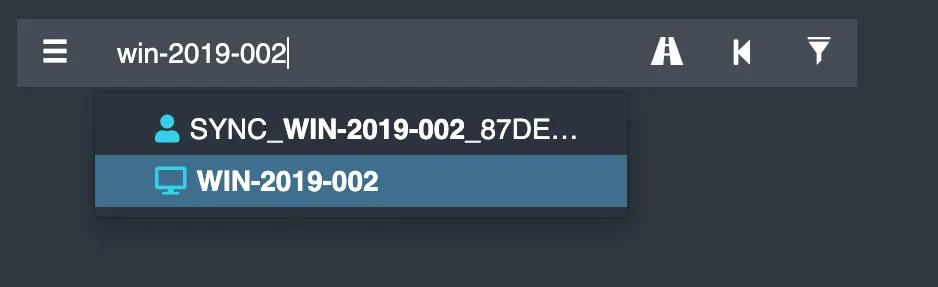
Here, click on the computer in the auto-suggestion dropdown, or hit enter. Then, click the computer in the graph drawing area, which will bring up the node info tab:
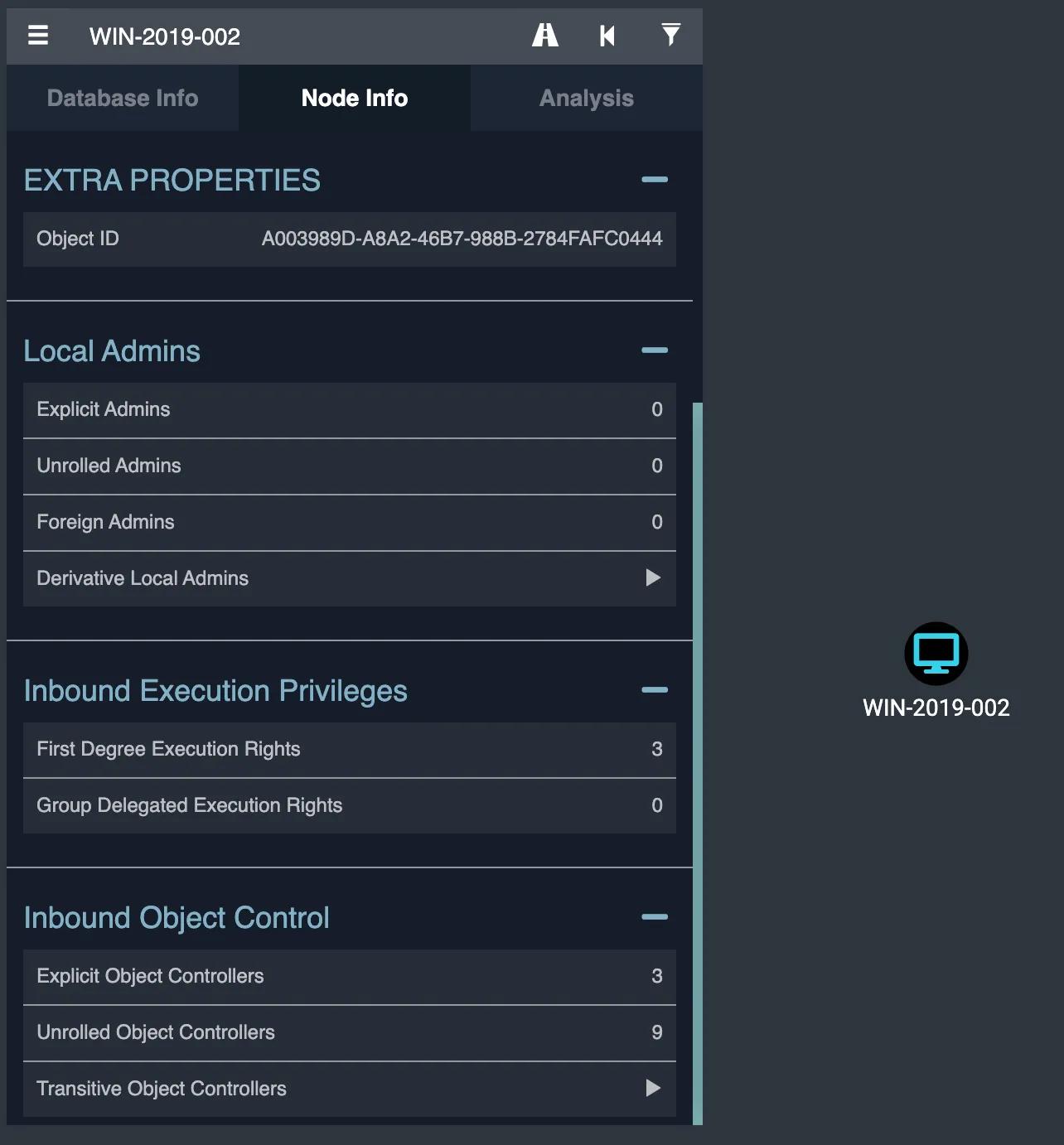
If we click on “First Degree Execution Rights”, we can see the 3 principals that have the ability to execute code as the SYSTEM user on this VM:
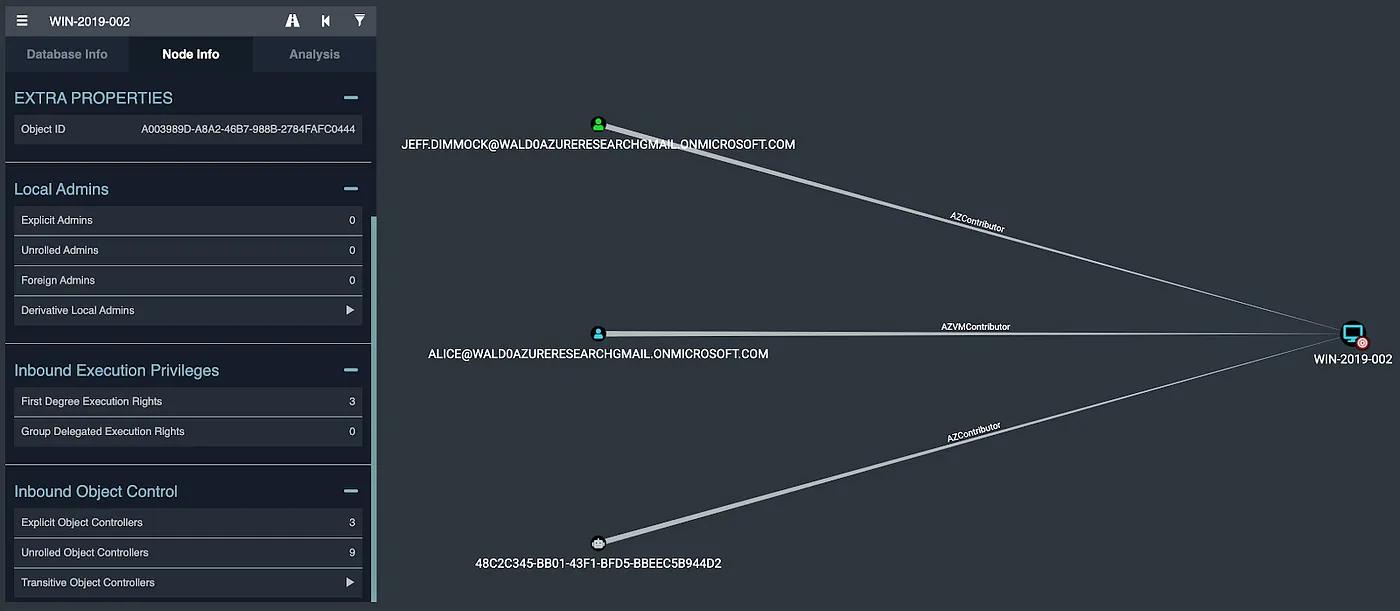
Under “Inbound Object Control”, we can see there are 9 principals with group-delegated control of this VM, meaning that while they may not be able to execute code as SYSTEM on the VM, they can grant themselves the ability to do so:
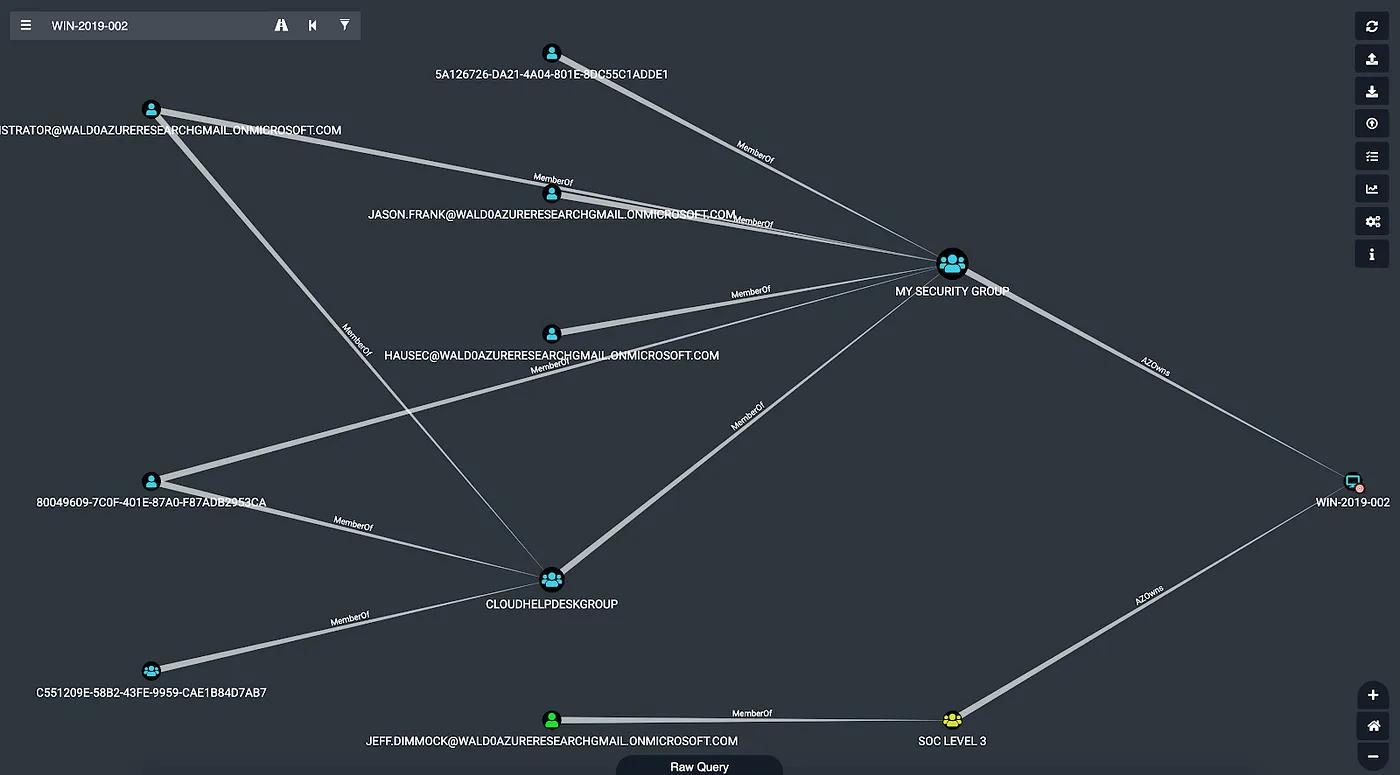
For example, the Administrator user on the far left belongs to the CLOUDHELPDESKGROUP security group, which itself has been added to the MY SECURITY GROUP group, which owns the VM. Interestingly, an on-prem security group with an on-prem user also owns this VM. This is a fairly light example, in real environments the number of principals with control of a VM can number in the hundreds.
Finally, we can explore what possible attack paths exist to take control of this VM by right clicking on the node and clicking “Shortest Paths to Here”:

This will run the shortest path query against the database for this VM, and display those attack paths in the BloodHound GUI once the query completes:
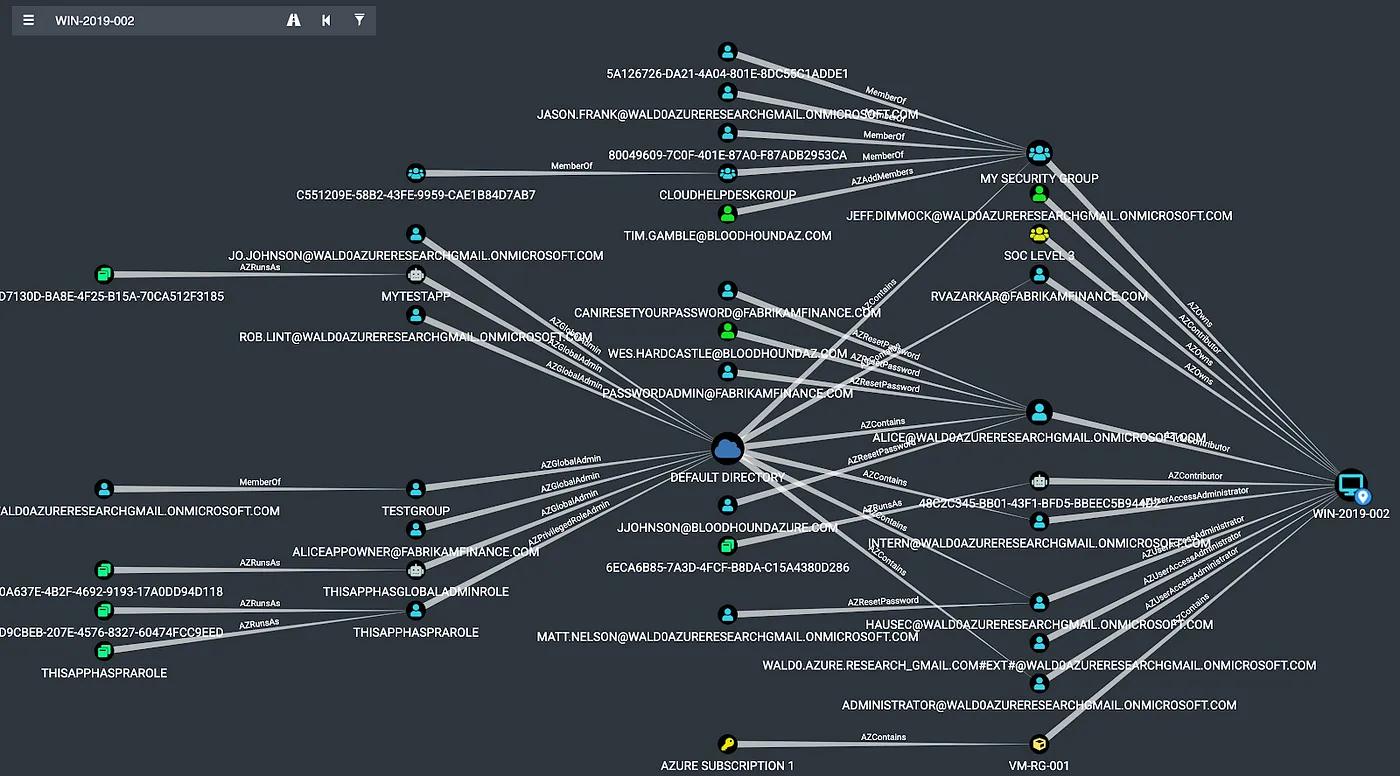
Each node in this graph has the ability to gain access to the VM on the far right by executing an attack path. Again, in real environments, you will see much, much more data here.
Visually exploring these relationships may offer an easier way to audit privileges on any given object in your Azure tenant and subscriptions, discover dangerous privileges, and remove them before an attacker can abuse them.
We’re excited to expand BloodHound outside the scope of on-prem Active Directory, and eager to hear your experiences with using BloodHound to analyze attack paths that include Azure. For defenders, we hope the BloodHound GUI offers an easier and more effective auditing capability to fully understand which and how many principals have control of any given object — or can gain control through attack path execution.
There’s a few more nodes and edges related to Azure we want to add soon, including automation accounts and, if possible, collecting user sessions from VMs. We are also keeping our eyes on the continued research into Azure abuses from others in the community, and are always eager to add new, stable, reliable attack primitives into the BloodHound graph.
BloodHound is available free and open source on GitHub at https://github.com/BloodHoundAD/BloodHound
You can join us on Slack at the official BloodHound Gang Slack by clicking here: https://bloodhoundgang.herokuapp.com/
See the BloodHound 4.0 release video here: https://specterops.io/so-con2020/event-758916
Post Views: 2,360
此内容由惯性聚合(RSS阅读器)自动聚合整理,仅供阅读参考。 原文来自 — 版权归原作者所有。