






We haven’t had any updates for a few months but the wait is hopefully worth it! We’ve got many nice new features, optimizations, and stability fixes in this release!
Version 2.10.10 highlights include:
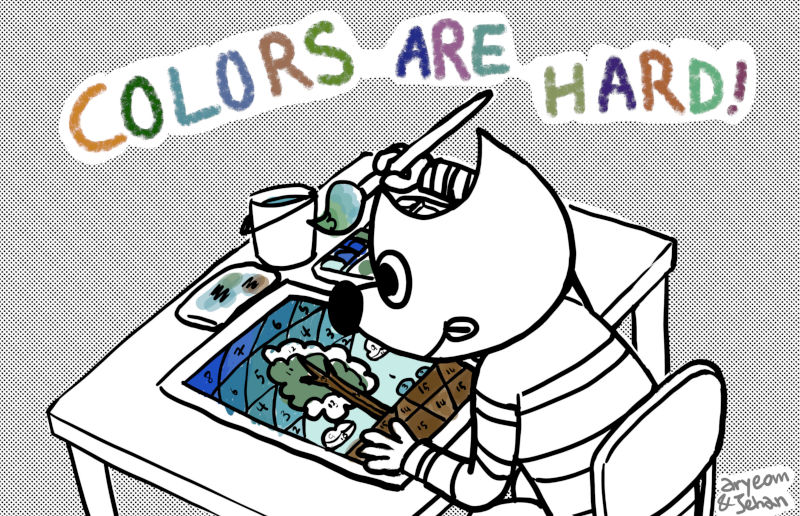
The Bucket Fill tool got a bit of a revamp making it much easier to use. It also got a new “Fill by line art detection” mode (a.k.a. “Smart Colorization”)!
Similarly to painting tools, it is now possible to pick surrounding
colors on canvas with the Ctrl modifier, without having to switch to
Color Picker tool.
In “Fill similar colors” and “Fill by line art detection” modes, you can now keep the mouse button down to continue filling more areas.
Finally, the highlight change on the Bucket Fill tool is a new algorithm for painters, allowing to fill areas surrounded by “line arts”, while trying to leave no unfilled pixels near the lines, and closing potential zones.
This feature, originated from the G’MIC plug-in as a research paper, was contributed by Jehan as work for the IMAGE team of the GREYC laboratory (French Research Lab, affiliated to the CNRS, the University of Caen, and the engineering school ENSICAEN), with important interface input from Aryeom from ZeMarmot project.

See also this technical blog post.
Ell improved various shortcomings on several transformation tools:
Michael Natterer improved the Heal tool by adding the “Sample merged” option which allows painting changes on a separate layer to keep the original data intact. The Clone tool already had the “Sample merged” option. It has been updated to also work similarly.
These changes are important for manipulating images without modifying original pixels in a non-destructive fashion.
Michael Natterer and Ell worked a lot on a better brush support in GIMP. A major improvement for painters was making parametric brushes finally 32-bit float, following the high-bit depth move for color processing. The main advantage will be to avoid posterization on large brushes, especially with darker colors.
It is to be noted that raster brushes are still 8-bit. Promoting them to 32-bit float is also a planned future work.
Moreover, plug-ins only have access to 8-bit versions of high-precision brushes and patterns. A new API, not available yet, will be required to handle high-precision data.
It was already possible to create new brushes and patterns on-the-fly
from the clipboard (i.e. image copied, typically with a Ctrl-c
shortcut). This was extremely practical, yet only allowed temporary
brushes and patterns.
These temporary brushes and patterns can now be duplicated as any other data, therefore allowing to promote them to stored data for further reuse. Though simple looking, this change is the result of an important code migration into the core of GIMP (instead of being plug-in code), performed by Michael Natterer, which may have further happy consequences in a near future!
The “Brushes” dock now provides an “Open brush as image” button to quickly open a brush file, allowing easier brush edits.

Anyone working with a lot of layers has sometimes experienced the frustration of not finding a layer in the list, even though you see its pixels in front of your eyes.
Jehan implemented a new generic canvas modifier Alt + middle click
allowing layers to be picked by clicking on pixels. The available layers will
be looped through (starting from the upper one) while the Alt key is held
and the picked layer name will be temporarily displayed in the status
bar. The interaction choices heavily benefited from input by
Aryeom, from the ZeMarmot project.
As usual, many bugs were fixed and a lot of optimizations were made to existing part of the code. Of them these 2 improvements are particularly noteworthy:
Various parts of the file-writing code were made more robust by not overwriting the file when an error occured. In particular XCF saving and exporting to various image formats should be safer now.
Layer groups are now rendered in bigger chunks rather than tile-by-tile (this used to pretty much eliminate multithreading for groups), which improves the rendering speed.
HiDPI/Retina support was improved in the macOS/OSX build, fixing issues with blurry icons.
Moreover the macOS package is finally signed, thus making the installation process on this platform much less painful now!
In total, since GIMP 2.10.8, 775 commits were contributed (average of 5 commits a day) to the GIMP 2.10 branch (and more to other development branches). This means a lot of bugs were fixed (41 bug reports were closed during this development span), performance were improved, and your work is made safer…
And as we should also count babl (66 commits for babl 0.1.62) and GEGL (404 commits for GEGL 0.4.14), you can bet that this release is again as awesome as ever!
Moreover 21 translations were updated. So we also want to thank all the awesome translators who allow GIMP to be available in so many languages around the world.
The third-party DDS plug-in, originally developed by Shawn Kirst and Arne Reuter, is now part of the GIMP core plug-ins, allowing GIMP to load or export DDS files out of the box.
It is to be noted though that we are still looking for an active maintainer for this plug-in if you want to see it improved since we only fixed the minimum to get it up-to-date. If you want to step up, we welcome patches!
Elad Shahar, original author of the Spyrogimp plug-in rewrote it from scratch completely, with more options and an automatic preview (by drawing directly on a temporary layer, not as a GEGL preview).
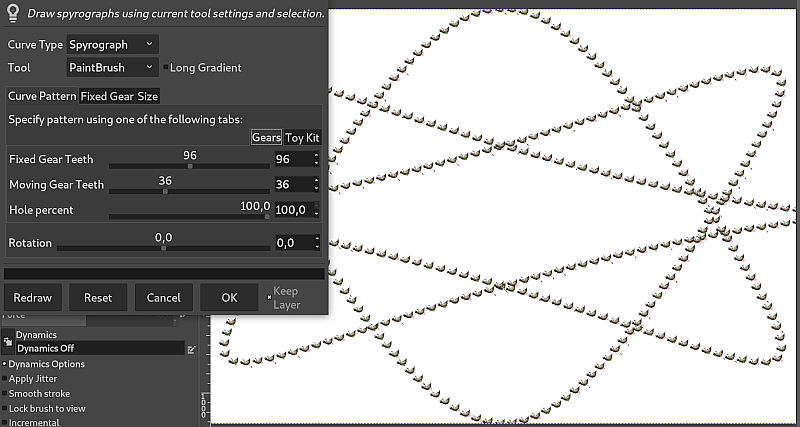
The old plug-in is still available, as its API may be used by existing scripts, but is not available in the menus anymore as it is replaced by the new version.
Circular, Linear, and Zoom Motion blurs got new on-canvas interactions (simple lines) allowing easier visual tweaking of the blur settings.
This release of GIMP is accompanied by a hefty GEGL 0.4.14 release, featuring a handful of under-the-hood improvements, as well as new user-facing additions.
Most excitingly, the standalone gegl tool, which can be used to apply GEGL
pipelines directly from the command-line, has seen a
massive rework of its integrated GUI
by Øyvind Kolås.
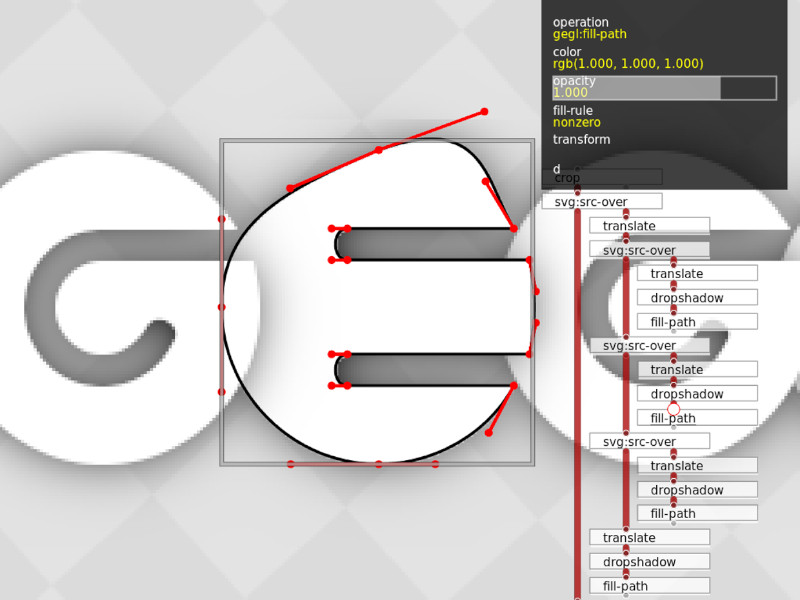
The new UI doubles as an image viewer and a graph editor, allowing real-time
non-destructive image manipulation.
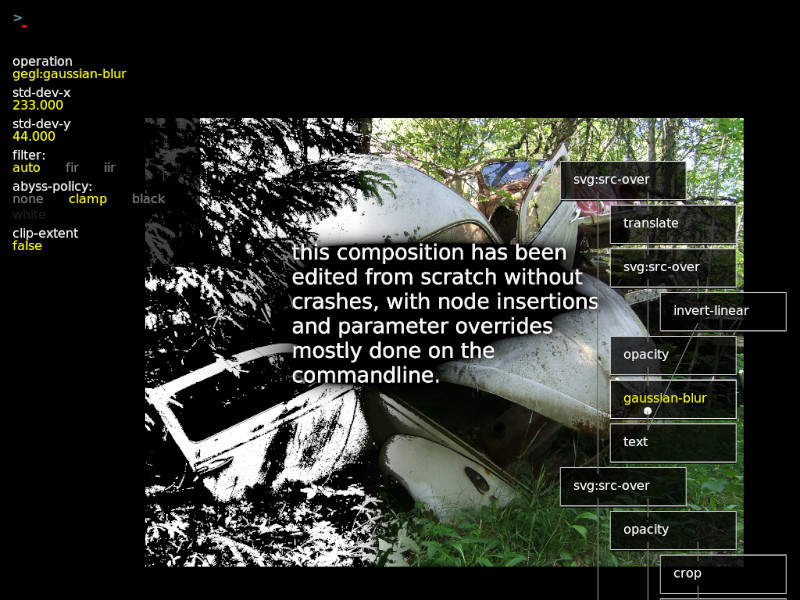
gegl binary features a reworked graphical editor
As well as acting as a non-destructive editor proof-of-concept, sporting such snazzy features as touch-oriented interaction and Lua-based per-operation UI, it also provides a testbed for new and existing GEGL features, such as mipmap rendering.
Øyvind Kolås has also been working on more deeply-ingrained CMYK support in both babl, which saw its 0.1.62 release earlier this year, and GEGL. This includes support for CMYK ICC profiles in babl (at this point, through LCMS2), direct CMYK support as part of relevant GEGL functions and core operations, and support for reading/writing CMYK data in TIFF and JPEG files. While not done yet, this work goes towards adding first-class CMYK support to GIMP.
Behind the scenes, this release saw various bug fixes and performance improvements, including:
See the GEGL relase notes for more information.
Note for packagers: to build GEGL 0.4.14 on Win32, 2 commits will need cherry-picking: commits 141a7aa7 and b3ff0df0.
As often, we remind that you can donate to the project and personally fund several of the people mentionned in this news. This is a way to give back if you appreciate the work and wish to help GIMP improve more!
Work on GIMP codebase is still going strong, not only for the stable GIMP 2.10.x branch, but also on the master branch with GTK+3 port. Hopefully we will soon have some nice things to announce on this less visible side of the development!
In the meantime, if you want to meet members of the GIMP team, as every year, several members will be present during the Libre Graphics Meeting 2019 in Saarbruecken, Germany, from May 29 to June 2. We have a few talks planned. Other than this, we will likely hang around, so do not hesitate to catch one of us for a talk!
此内容由惯性聚合(RSS阅读器)自动聚合整理,仅供阅读参考。 原文来自 — 版权归原作者所有。