


A few years ago, we had started a series of interviews (mitch and schumaml). More were planned, but things don’t always go as planned.
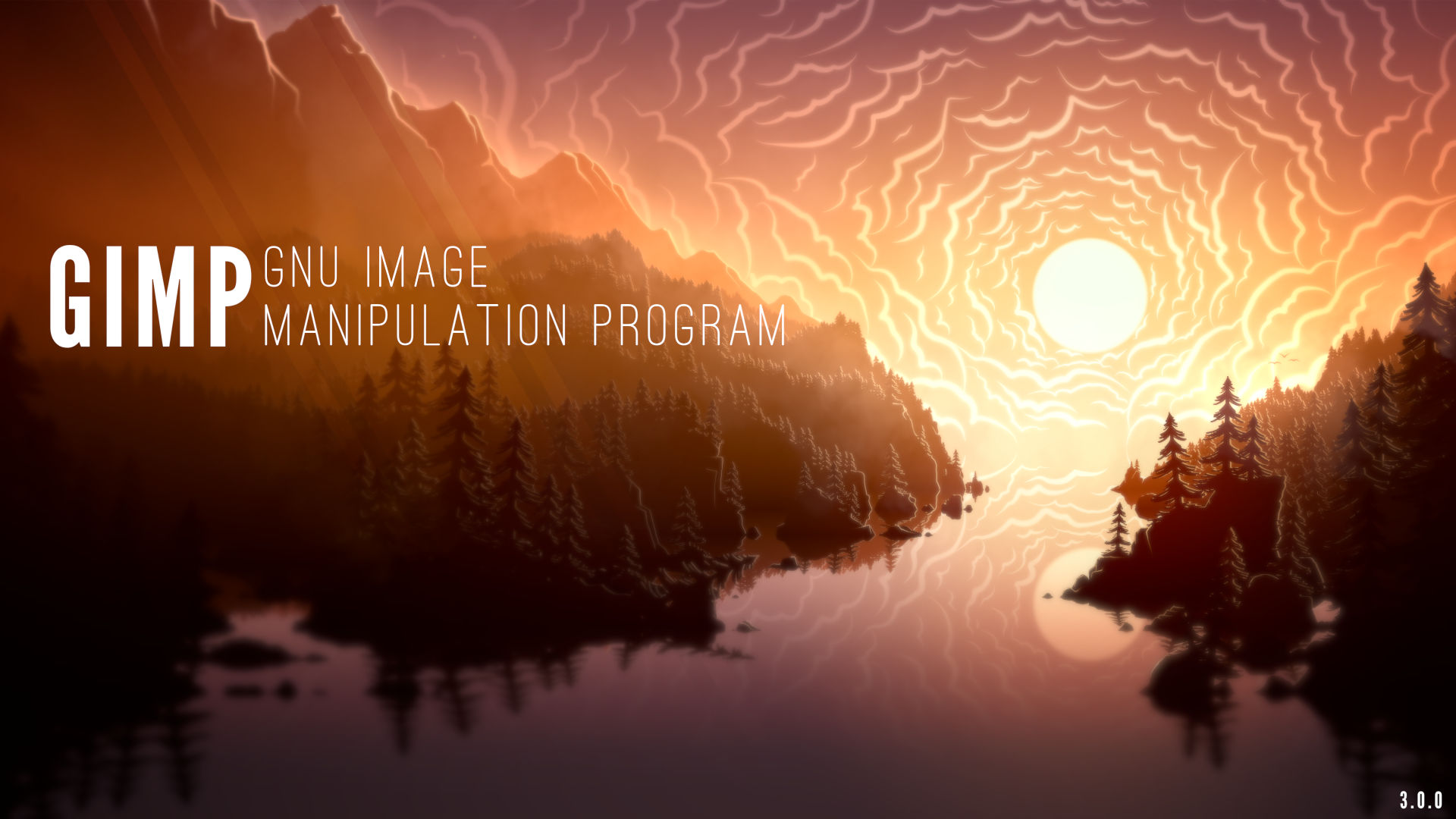
Well let’s try again! Today we are interviewing Sevenix, the digital artist who contributed the very cool splash screen image (which appears when starting GIMP) for the GIMP 3.0 series.
This interview was held asynchronously and remotely with questions from myself, Liam Quin and Alx Sa.
Wilber (GIMP team): Hello Sevenix! Could you introduce yourself?
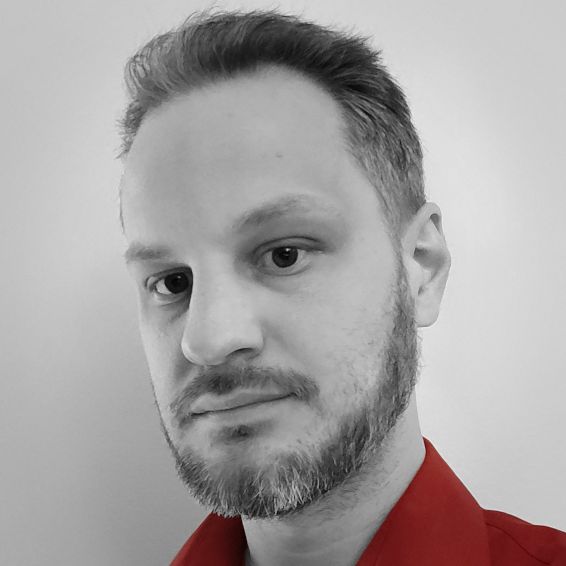
Sevenix: Hello! My name is Fredrik Persson and I’m a programmer located in Sweden in my late thirties. I like music, movies and video games with the latter being one of my major points of artistic inspiration. Most of my drawings, even if not necessarily related to a specific game, take a lot of inspirations from the games I enjoy. One game in specific was actually the reason I got into digital artwork at all.
W: You use GIMP for illustrations. Is this a hobby? Do you use GIMP for a living?
S: I use GIMP for a lot of things but my main use would probably be creating illustrations, or digital artwork, yes. Ever since I was little I enjoyed drawing vast landscapes and simply filling them to the brim with little details. I use GIMP as a hobby, and while I have taken commission works earlier, I tend to not these days. The way I work is rather slow and heavily dependent on my inspiration over several months. Taking on projects that are not based on my own inspiration as well as demanding deadlines, it was simply not an enjoyable experience for me.
W: Could you talk a bit about your workflow please?
S: Funny thing, most who read this would probably expect me to be good at drawing, but truth is, I’m really not. I would consider myself below mediocre when it comes to real life drawing. I’ve always had the will and compulsion to draw, but I was never really any good at it. As such, I belong to a rather small minority who produce my artwork, not with a drawing tablet and pen, but with keyboard and mouse.
W: You work with fairly large images - what sizes are typical, and do you need to do anything special in your workflow to handle them?
S: Since I work with digital art, my main focus has always been to create wallpapers for desktops. As such I started off making regular 16:9 images in 1920x1080 pixels (HD) which during the later years I have increased to 3840x2160 (UHD). That being said, this resolution and aspect ratio is only my final aim. Sometimes websites etc. will use some different aspect ratio which I would have to adhere to, and I found it easier to create my work with this in mind from the start, rather than try to add more to the image afterwards. Print on Demand sites like Displate for example create prints in a 1.4:1 ratio. So, the first parts of all my work is to create an image that would fit a Displate 1.4:1 print. My next step is to immediately make sure to add guides or framing to make sure I do most of my detail work inside the areas which will later become the 16:9 wallpaper. This way I get a resulting image that is a 16:9 wallpaper, but with the option to extend the image to a 1.4:1 without having to create anything new.
W: You told us that you only use a mouse (no graphics tablet). Why is that?
S: One of the major advantages with digital work compared to conventional is that you can undo steps. Whenever I need to draw a line or arc, I can literally have infinite amount of attempts to get it just right. I try once and see if I’m happy with the result, if not, I do a quick Undo and try again. I mentioned that I’m bad at actual drawing and ever since I came to accept that I’ve started considering the work I do less of “drawing”, and more of “Brute Forcing Pixels”.
I believe using a graphic tablet could be great if you like it and it’s a skill you already have, but I equally believe that achieving a similar skill and familiarity with a mouse isn’t much harder. I suppose an answer to this question in it’s simplest form would be: I do my work with keyboard and mouse, because it’s how I learned to do it and it’s what I feel comfortable with.
W: Your art uses a rather specific art style, could you tell us a bit about it?
S: I can try. The way I got into actual art was trying to replicate the art of the game Fallen London. They use rather simple shapes, fog and lights. Creating more of a Silhouette of their objects rather than actually drawing them. They also tend to use images with very few colors, which is also something I’ve taken with me. This way I was able to create expansive landscapes by placing layer after layer on top of each other. This results in an image that is hard to describe digitally but when people ask I tend to describe it as a Digital Paper Diorama, which I find very apt.
The way I tend to work consists of really just a few techniques, repeated for each of my “layers”
I replicate this Group Layer structure for each of the “layers” I need in my images. I usually end up with around 10 to 20 of these groups in my images. And while the above list is the base of them, many become more advanced as I need things added.
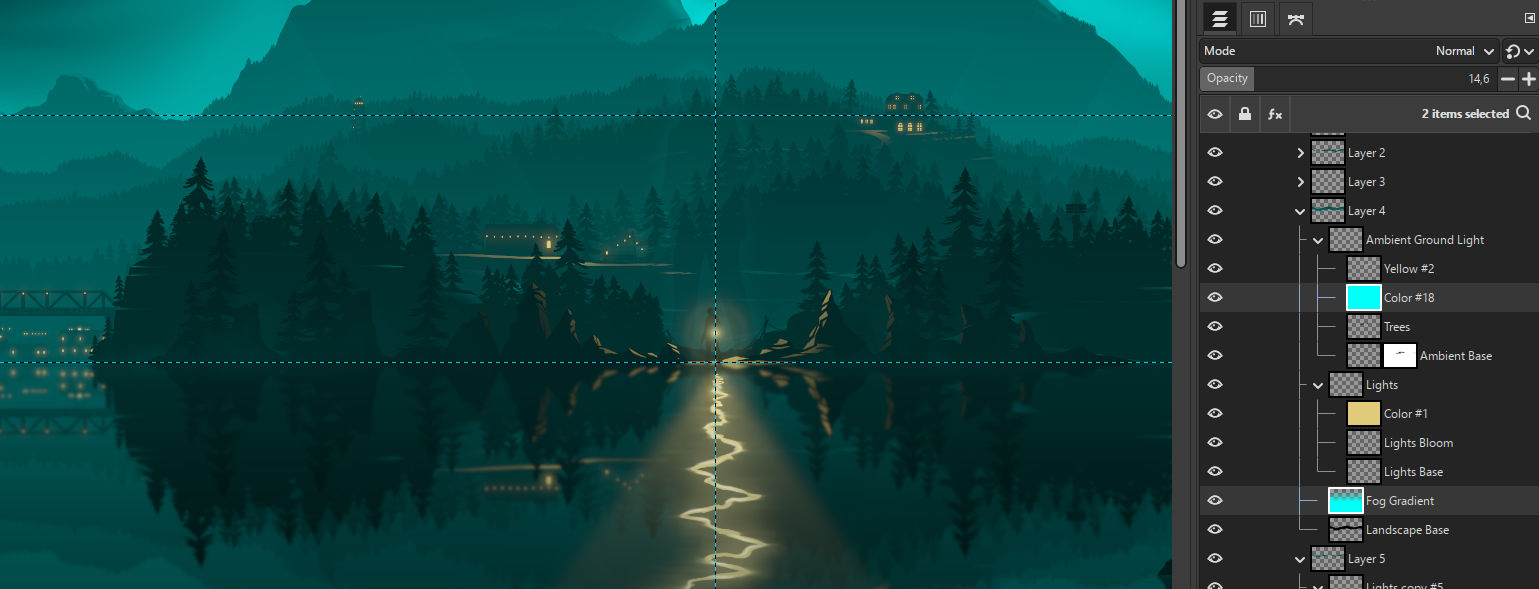
What’s important to me with this structure is the fact that it’s very easy to go back to it and edit it. At any point in my workflow I want to be able to determine that “This part here on layer 3 doesn’t really work with this great tree placement on layer 13”. At those points I don’t want there to be anything to stop me from going back to Layer 3 and change it to how I need it to be.
As I see it, the more non-destructive editing I do, the less I become tied down to decisions I made 10 hours back in my workflow.
This does create some rather large files, but as long as my computer can handle it I feel it’s a crucial part of my workflow.
Just for an example, the latest piece I did was a piece related to Remedy Entertainments Alan Wake games. The whole project took some 15h of work time and ended up with some 170 individual layers.
W: Is there any of your illustrations that hold a special place in your mind?
S: There are many, I could pick a lot out of my early work that were the point where I felt like I was actually happy with my results, and eager to show them off. But instead I will pick a piece I named Land of the Cherry Blossoms.
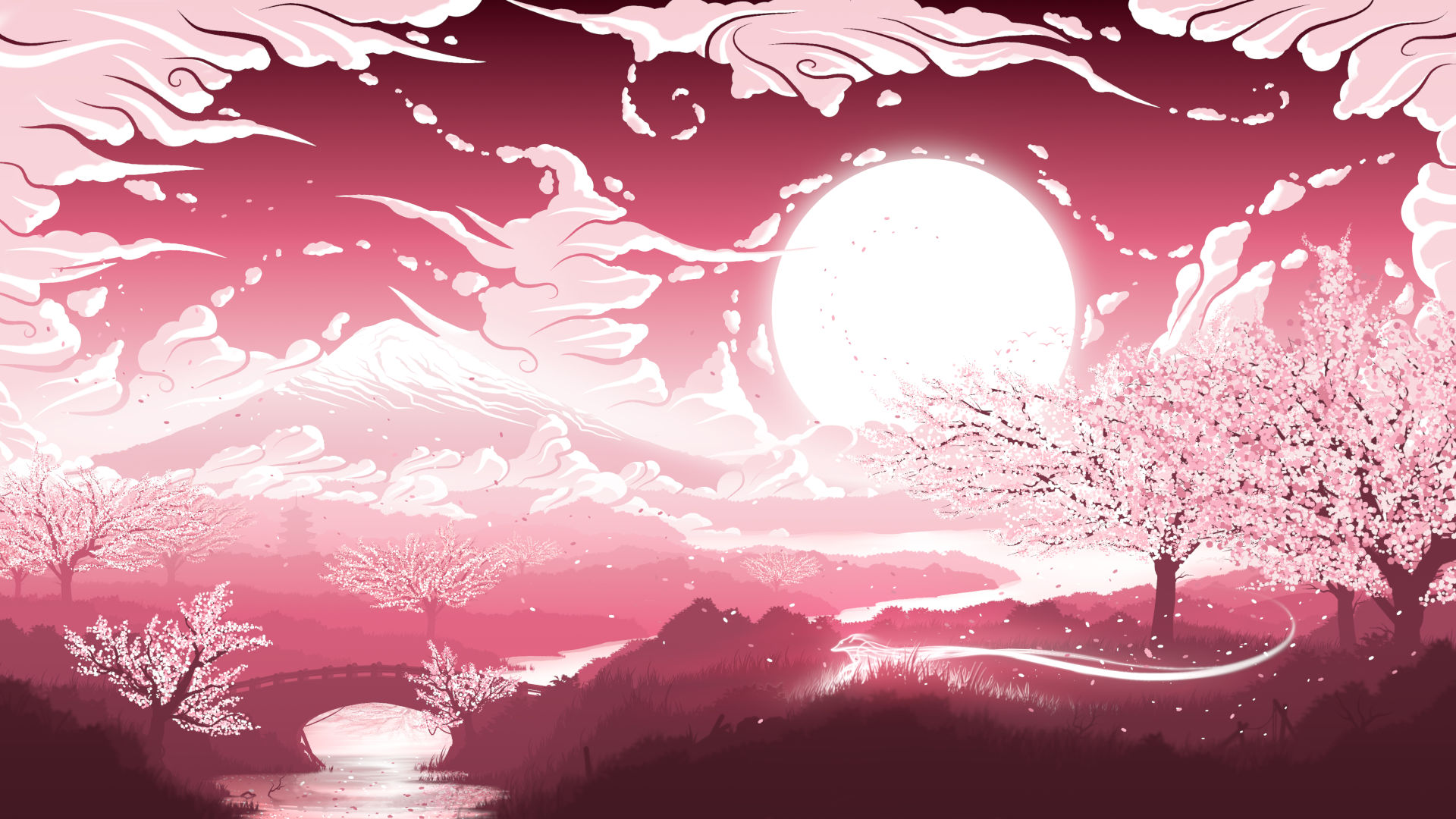
This was probably the first real piece I did that was not simply based on other works. Up to this point I had made most my work by trying to replicate styles, testing out techniques and basing it on already existing lore. This piece was the first time I made something that felt like it was me putting something on the canvas that was all me.
There are a lot of inspirations in this piece of course. A classic Japanese setting in pink with Sakura trees are in no way mind-bending. But it was mine, straight out of my head, and piled on with all the thousands of small details I like adding to my work.
This was also one of my first pieces to become really popular on Print on Demand sites, providing me with visions of a potential future where I could actually do this for a job.
All of this. The positive feedback, the actual small amounts of money it brought in, not to mention the joy I felt with creating it, really put this piece as one of the most impactful of my digital artist career.
W: What do you think of the latest GIMP 3 series?
S: I really like it! There were some issues in the very earliest releases but they were fixed fast and I now moved over to using 3.0 for my regular, daily work. It looks much more modern to start, but what really wins me over are some long awaited features such as non-destructive editing.
W: Any specific feature in 3.0 that caught you by surprise?
S: Multi-layer selection. When I first heard about it being added to GIMP I had no idea how perfectly it would fit into my workflow. The ability to save selections allow me to easily select all of my “color” layers of the color I want to replace, then simply fill them all with my new color.
In the old workflow I had to change one layer first, then click every other layer one by one, repeating the same action on each of them. Even providing I was happy with the end result, this was still some 20 or 30 actions I had to do manually.
In 3.0 I can do all that in just 4 actions!
W: What are your favorite features or main reasons why you appreciate GIMP?
S: I enjoy the fact that it is open source and free. I say that as someone who would never have gotten into image editing or digital art unless I would have been able to simply download it and start trying.
W: What are the features you really wished GIMP had, or things you’d like to see improved or changed?
I’ve been using the 2.10 version since I started with digital art, and as such there was always the continuous rumors about a 3.0 version arriving sometime in the far future. It wasn’t till I actually got into the GIMP community that I realized that the 3.0 version really didn’t seem that far off at all. Ever since then I’ve followed the development and believe it or not, just about everything I wished for seems to be implemented in 3.0. Multi-layer select, Non-destructive editing. Just such a simple thing as the decision to change the default Paste functionality from the very beginner hostile Paste as Floating Layer was great.
There are of course things that still can improve, and definitely things I could see myself using if they were implemented. And if you forced me to mention one I think it would be something similar to Adobes Smart Objects. Being able to add another GIMP image into your current GIMP image.
W: Apart from contributing to the project with illustrations, you also help with moderation on Discord. Could you talk about it?
S: I was very happy when I found the Discord. GIMP is an advanced program and in that it can be very hard to navigate when you are new. Joining the community on Discord allowed me access to a quick way to throw out “stupid” questions whenever I got stuck. Issues that would usually provide me with enough frustration to simply stand up and walk away from my computer suddenly just took a quick question in a chat channel, a cool head, and some patience.
As for the moderation. I’m a person who enjoy finding things I like doing. And as I get better at them, I really enjoy helping others find that same joy.
In GIMP, most of the time when you get stuck it’s usually because of 2 or 3 common issues. Maybe you got a checkbox active that you shouldn’t. Maybe you accidentally set your layer to 0% opacity. Maybe you happened to set the Mode of your brush to Screen.
In either of those cases, you learn each time you figure it out. And with some help that goes much faster. As soon as I had gotten stuck enough times, I was able to help answer literally half the questions that were asked in the Discord channel. And people were always so appreciative. Most of the times those that get help there also end up posting the results of their work a bit later, and it’s awesome to know we were part of making that happen.
I say We because I’m in no way alone in this. While I was later promoted to a moderation role in the discord, the moderation itself has always been quite easy. What really impressed me is how popular the Discord server has become. These days it’s frequented by so many people that you hardly got a chance to answer questions unless you literally pounce at them the moment they appear.
My work as a moderator is a very easy one, all thanks to the absolute amazing community in there that crave to help others, improve their own work, or show off their latest creative works.
W: Any closing remarks for this interview?
S: Thanks for picking me for this. As I mentioned earlier, I love talking about and sharing my passions. Combining not only Digital Art but the general history and development of GIMP into the same interview could literally have me talking for ages.
A few links to know more about this artist:
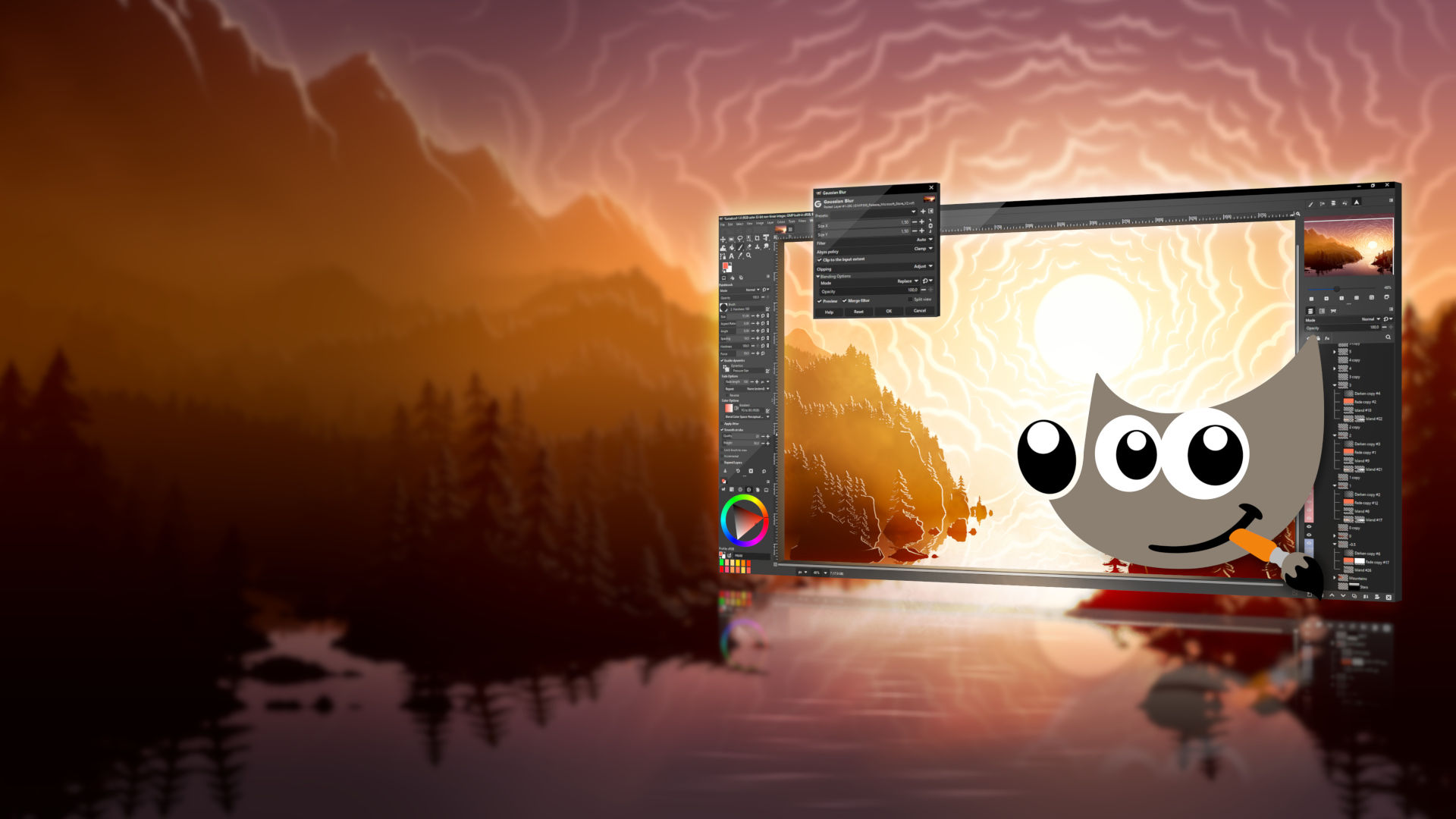
Bonus: here is the alternative banner version of the GIMP 3.0 splash image, also contributed by Sevenix for irregular promotion of the software on the Microsoft Store (it is designed so that it can be cropped for various form factors and with space left on the left for the software’s name and some additional text):
此内容由惯性聚合(RSS阅读器)自动聚合整理,仅供阅读参考。 原文来自 — 版权归原作者所有。