



As we are progressing towards v3.0, we expect future unstable releases to have less new features and more bug fixes and improvements.
Release highlights:
We fixed several discoverability issues in the new (more compact) slider widget. This was mostly the result of usability tests by Aryeom after extensive use in production.
Before, if you tried to edit the scale value numerically (i.e. by inputting numbers on keyboard), you’d also trigger a value change by using the main mouse button click. You could avoid that by using the middle mouse button click, but is was hardly discoverable.
So now you can pinpoint-click the displayed numbers. This action will only focus the text input (by default entirely selecting the existing value as is common when focusing text entries). You can still click-edit the value from everywhere in the widget, except exactly on the numbers.
The second issue was related to changing the cursor depending on the context:
Shift modifier key, the cursor will become
a horizontal resize cursor (“col-resize” in the CSS specification),
hence advertizing the ability for smaller relative resizing (an action
also available with the third button, usually right-click).
Multi-item selection in the Layers dockable comes with common key
interactions for multiple selection such as: Shift-click for range
selection or Ctrl-click for selection modification. These interactions clashed with some features we had on layer and mask thumbnails.
For instance one could end up changing the selected layers while in the
same time create or remove layer masks by mistake.
Since the multiple layers feature is just too important and these generic interactions are so well established across software (hence their removal or replacement not even being a question), we made the following design choices:
Layers dockable should be based
only on Shift, Ctrl or Shift-Ctrl modifiers, but it could
include these if any additional modifier (e.g. Alt) comes to play.Alt+ combination.Ctrl-click should not trigger both the Ctrl-click
and simple click actions).The concrete consequential changes are as follows:
Ctrl-click on a mask thumbnail to enable/disable the layer mask has
been changed to Alt-Ctrl-click. The other mask action, Alt-click
for showing the mask, stays the same.Shift-click and Ctrl-click actions on a layer thumbnail to
respectively add (with last used values) or remove a layer mask have
been removed. Indeed all Alt+ combinations are already taken on
layer thumbnails (for “Alpha to Selection”, “Add Alpha to
Selection”, “Subtract Alpha from Selection” and “Intersect Alpha
with Selection”, respectively on Alt-click, Alt-Shift-click,
Alt-Ctrl-click and Alt-Shift-Ctrl-click; we also took the
opportunity to improve the Undo labels for these actions, improving
discoverability on random clicks) and these “Add/Remove mask”
actions were much newer (2.10.0) anyway.The infamous “Input Devices” dialog has always felt packed with arcane features and devices. With GIMP 3, many features will be working out-of-the-box and it felt like the right time to clean this dialog a bit.
XTEST device which some kind of a test device generated by the X11
server (Linux).X axis for a graphics tablet will be Abs. X
because these devices are usually meant for absolute pointer
positioning whereas it will be Rel. X on mice.Call for user input:
There are a few puzzling settings in this dialog and we would welcome input from anyone who had an actual need for them. How were you using any of these features? Which OS? What was the goal?
If anyone has the use for these features, we would definitely welcome feedback because we are as puzzled as many others whether users actually rely on these things. On one hand, we are tempted to remove these settings, because it doesn’t make sense to show a non-working configuration. On the other hand, we don’t want to remove actual features if someone somewhere has a use for them. So if you are one of those people, please contact us. E.g. open a report to tell us more.
Maybe there are other ways to improve this dialog for more people? Tell us what you expect from it!
As explained in the 2.99.2 release notes, GIMP 3 will be coming with a much better input device detection as well as hotplug detection. So we decided to provide reasonable defaults for when a new device is detected. This would help people see if it works correctly. In particular for graphics tablets, people expect pressure to work from scratch.
For these reasons, here are the tools enabled by default the first time you plug a device:
Moreover, the default dynamics when a new device is plugged is now “Pressure Size”, i.e. the brush size will increase when you press harder.
This should make the first-time experience with GIMP much more enjoyable for people using graphics tablets, as they can directly start to paint on the canvas without having first to understand all the inner settings of GIMP’s painting system (based on the combination of brush and dynamics).
Our font list will now display fonts targeted at Korean and Japanese writing systems with “한” and “あ” respectively. This will allow to more quickly detect fonts useful for your language of choice in a long list.
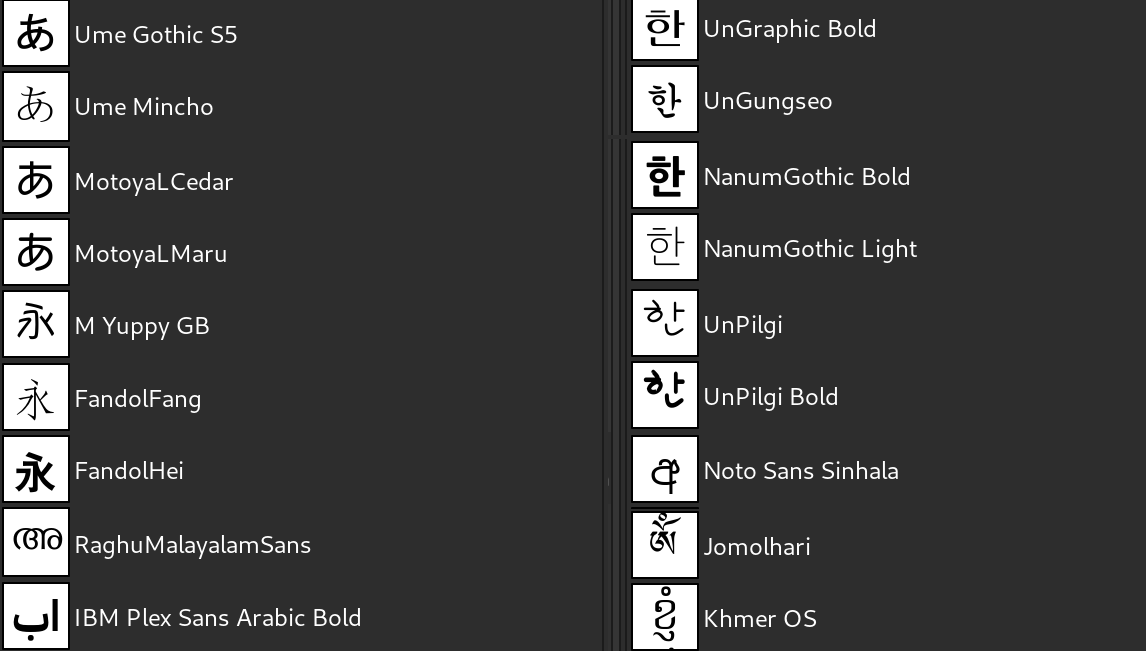
For Korean “한” (han) was chosen (apart from being the first syllable in “Hangeul”, the name of the Korean writing system) firstly because it is a syllable with two consonants, which gives good indications on stylistic choices, and secondly because the circle shape in ‘ㅎ’ (hieut) but also its small hat have many stylistic variants and are therefore also quite good hints of stylistic choices made by a font designer.
As for “あ”, it is the first kana in the hiragana syllabary, which is one of the main components of the Japanese writing system.
The code logics is based on approximation of probable target language depending on supported characters found in the fonts. It may not always show the ideal sample characters, especially for fonts that try to support many different scripts, but it remains very useful overall. This is based on existing code, which already had detection for other writing systems, yet not for Korean and Japanese until now.
Our long-term contributor Thomas Manni is working on a new paint-based selection tool. It will offer a new way to progressively make a selection by roughly painting with a brush over the region of interest.
This new tool is based on a targeted segmentation algorithm (graphcut): its goal is to quickly isolate a specific region in the image. The tool provides a binary result (fully selected for the area of interest, fully non-selected for all other pixels).
It’s at a very early stage of development, so if you test it right now, you will probably be disappointed by its lack of precision and poor performance. Fear not, there’s just way more work to be done, you’ll like it once it’s complete.

But what about the Foreground Select tool?
Some people might be wondering about the existing Foreground Select tool which might look very similar to the new experimental Paint Select tool. This quote from Thomas might explain the difference:
Foreground Select uses a matting algorithm: its goal is to provide an alpha (grey) value for all “unknown” pixels. Generally it should be used only on regions where pixels’ colors are a mix of foreground and background colors (like strands of hair or fur).
Moreover, it is true that part of this new development comes from recognition of some limitations of the current Foreground Select tool which unfortunately does not work so well for actually segmenting global shapes, often takes a lot of time on big images, and has memory and stability issues.
We are not aiming to replace the Foreground Select tool though. The idea is to offer a new way to do selections. We might be able to improve the Foreground Select tool to work better in more situations. Discussions have also been happening on reworking the interaction interface as a better way to retarget the tool’s usage.
More experiments are still in progress or planned by Thomas, in particular, to give new ways to refine edges of existing selection (since the Paint Select tool creates binary selections which are less appropriate for edge selection).
This is all to be considered as open development and experiments in free software. We shall see how things evolve!
We have been working on dialog generation for plug-ins. A plug-in
historically comes with a “procedure” (which can be called from the core
but also from other plug-ins through the PDB protocol), with
parameters and 3 run methods: interactively, non-interactively and with
last values. The non-interactive and with last values run methods
imply known parameters (given by the caller or previous calls), but an
“interactive” run implies to ask for these parameters in a GUI, usually
with added logics.
Until now, this always needed specific GUI code. We now added new functions for easy dialog generation from the procedure parameters. In simplest case, you could therefore generate a full blown plug-in dialog in less than 5 lines.
Several checks were added, such as mnemonic verification, ensuring that every displayed property in a plug-in dialog has a unique mnemonic. This is a very useful feature for usability and accessibility, for people who mostly use keyboard navigation.
Similar ability used to be available on some specific bindings (Python and Scheme) up to the GIMP 2.10 series. Unlike this past ability, the new functions will be available for all plug-ins (i.e. C/C++ plug-ins, but also for GObject-Introspected bindings, for instance in Python 3, JavaScript, Vala, or Lua). Moreover, the customizability is much more powerful and will provide much better dialogs and advanced logics.
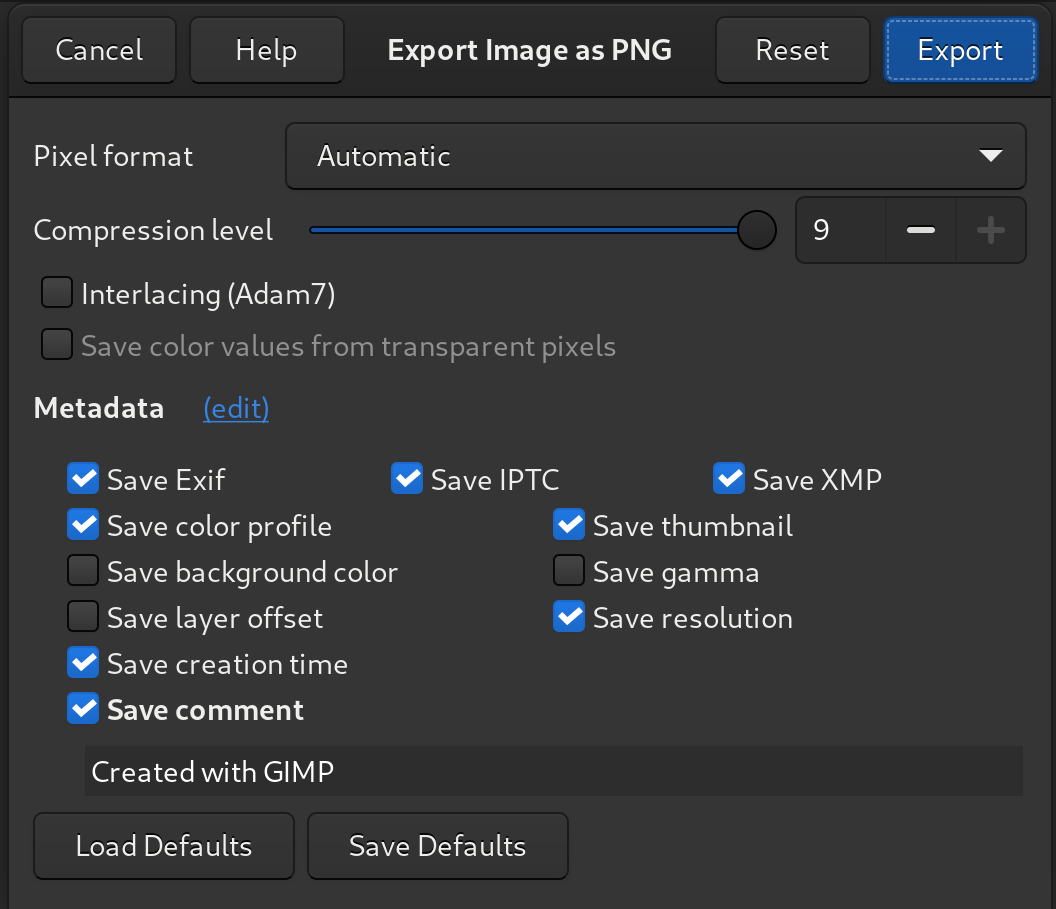
With the plug-in dialog generation, we also special-cased some features for export plug-ins. In particular, we tried to rework some of the metadata logics and analyzed common points across various file formats.
This goes together with a more thorough work currently done by Jacob Boerema on metadata handling. Some of this work will end up in the GIMP 2.10.x series, but the fundamental part might only be available in GIMP 3.
Only 4 plug-ins so far have benefited from the new generic dialog generation API: the PNG, JPEG, TIFF, and FLI plug-ins. In the most extreme case, we shaved 600 lines of code off the JPEG plug-in code!
Note: we just discovered (after release) crashes on these 4 plug-ins 😱, which escaped us because they only happen on Windows! Pretty bad, but then it’s the joy of running unstable versions. We will fix these as soon as possible.
The Preferences dialog proposes a “Number of threads to use” setting,
allowing people to customize the thread usage (defaulting to system
threads detection). This was only used by core processing until now. We
now make this setting available to plug-ins too through the
gimp_get_num_processors() API function, hence allowing plug-ins to
follow user preferences.
The HEIF/AVIF plug-in now uses this function (it was already multi-threaded, yet was using system threads discovery with no way to override the settings until now). The JPEG2000 loading code, which was single-threaded until now, has been ported to use this new function, hence decoding images much faster.
Lloyd Konneker refactored and improved the infrastructure to help
debugging plug-ins. It is now capable of telling the difference between
WARNING from CRITICAL bugs for better targeted debugging.
We started documentation on porting plug-ins to 3.0 a month ago. We welcome anyone who follows the API changes to look at already ported official plug-ins in our source repository and help with the documentation side too. This is still moving API, yet most of the core logics will stay the same, so the groundwork can be started already!
Øyvind Kolås released babl 0.1.84 and GEGL 0.4.28 in time for GIMP 2.99.4. Both releases mostly contain small fixes.
Apart from that, GEGL got two new operations:
Øyvind Kolås spent lately much time on polishing his ctx project (a new 2D vector graphics platform/protocol/library/terminal we talked about a year ago.
We need to remind that this is a development version and therefore bugs and even crashes are bound to happen. We do not advise using it in production. Nevertheless we are encouraging early tests and welcome reports as well as patches on issues. We fixed 21 reported issues (and many more unreported ones) since GIMP 2.99.2 release and we expect many are still unfixed. We probably even created some new ones as the work on upcoming v3.0 continues!
Between the GIMP 2.99.2 and 2.99.4, 283 changes were committed to this particular development branch of GIMP in a bit less than 2 months. This was quite a busy end of the year!
A Windows installer and a Flatpak build are already available:
Note: we still haven’t got a build for GIMP 2.99.4 for macOS, yet you may have noticed our other news from the very same day about finally releasing GIMP 2.10.22 for macOS (double Christmas 🎁!). So there’s a progress, and an unstable macOS package might happen soon too!
A lot more work is still in-progress, so as always, we welcome any contributions to code, bug investigation, themes, icons, documentation, translation, website, builds…
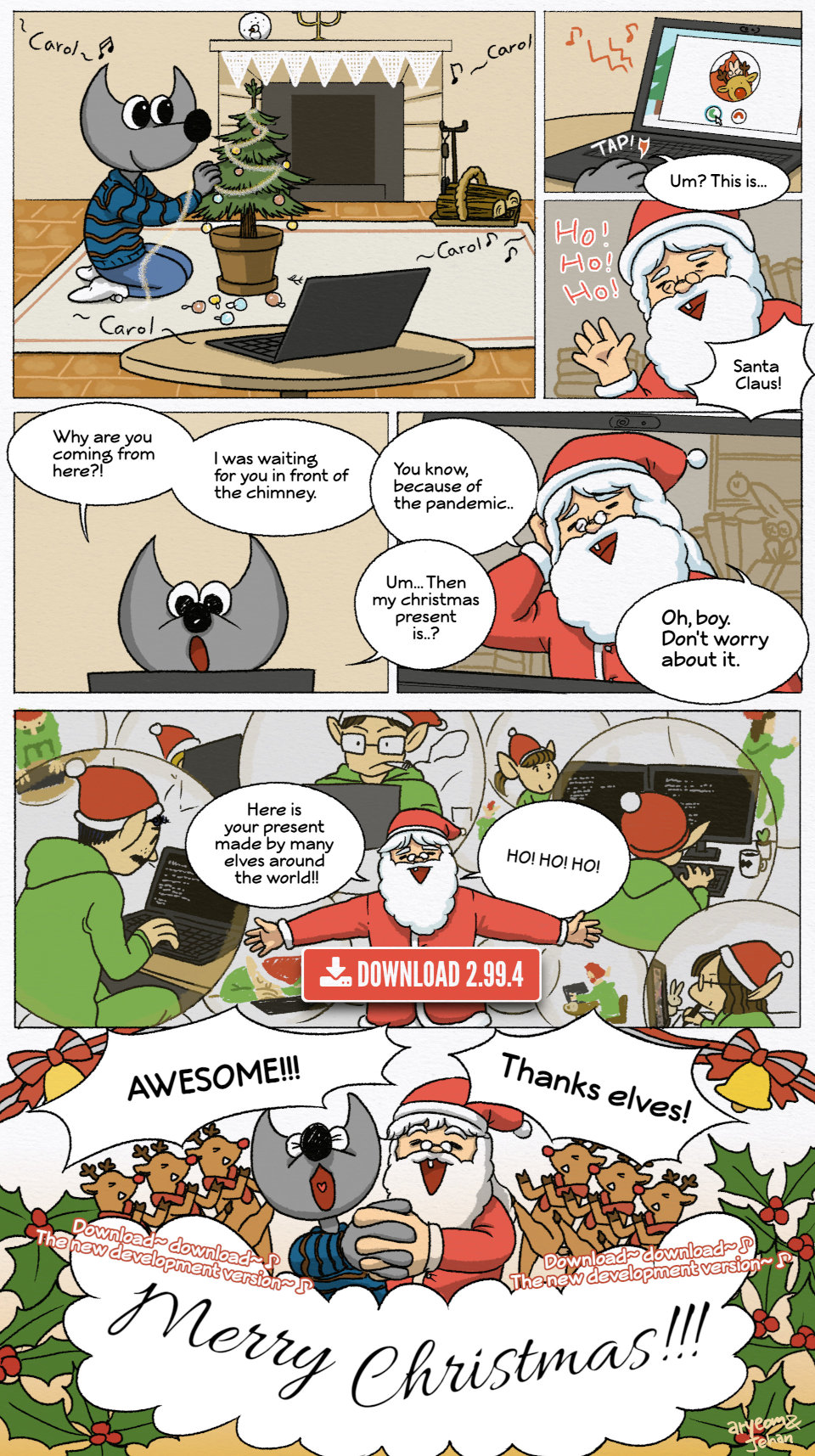
GIMP is a community-developed software. You could think of everyone who contributed to this release as of friendly elves from all over the world who helped making this holiday present happen.
Oh, and one last thing. We are well aware that GTK 4.0 is out now, we have no plans switching over to it before GIMP 3.0 is released.
As usual, you can donate to the project and personally fund several GIMP developers who make this all possible at all. This is also a way to give back and accelerate the development of GIMP if you appreciate the project.
Have a very nice holiday season 🥳🎄 and the end of 2020, everyone! This year was a complete mess for most people out there. But we do sincerely hope that at least some things were good for you, and maybe (just maybe) GIMP was one of those things. We sure wish 2021 to go easy on everyone!
此内容由惯性聚合(RSS阅读器)自动聚合整理,仅供阅读参考。 原文来自 — 版权归原作者所有。