


Though the updated GIMP release policy allows cool new features in micro releases, we also take pride on the stability of our software (so that you can edit images feeling that your work is safe).
In this spirit, GIMP 2.10.8 is mostly the result of dozens of bug fixes and optimizations.

In particular, chunk size of image projections are now determined dynamically depending on processing speed, allowing better responsiveness of GIMP on less powerful machines whereas processing would be faster on more powerful ones.
Moreover various tools have been added to generate performance logs, which will allow us to optimize GIMP even more in the future. As with most recent optimizations of GIMP, these are the results of Ell’s awesomeness. Thanks Ell!
In the meantime, various bugs have been fixed in
wavelet-decompose, the new vertical text feature (including text
along path), selection tools, and more. On Windows, we also improved
RawTherapee detection (for RawTherapee 5.5 and over), working in sync
with the developers of this very nice RAW processing software.
And many, many more fixes, here and there…
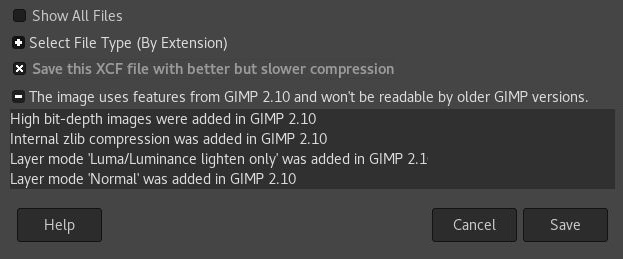
The Save dialog also got a bit of retouching as it now shows more prominently the features preventing backward compatibility (in case you wish to send images to someone using an older version of GIMP). Of course, we want to stress that we absolutely recommend to always use the latest version of GIMP. But life is what it is, so we know that sometimes you have no choice. Now it will be easier to make your XCF backward compatible (which means, of course, that some new features must not be used).
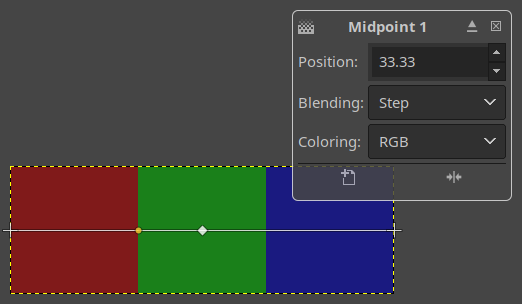
Thanks to Ell, the Gradient tool now supports multi-color hard-edge gradient fills. This feature is available as a new Step gradient-segment blending mode. This creates a hard-edge transition between the two adjacent color stops at the midpoint.
On the usability end of things, all transform tools now apply changes when you save or export/overwrite an image without pressing Enter first to confirm changes. Ell also fixed the color of selected text which wasn’t very visible when e.g. renaming a layer.
Thanks to Elle Stone, GIMP now features initial support for color readouts in the CIE xyY color space. You can see these values in the Info window of the Color Picker tool and in the Sample Points dock. Most of the related code went into the babl library.
Much like CIE LAB, this color space is a derivative of CIE XYZ. The Y channel separates luminance information from chromaticity information in the x and y channels. You might be (unknowingly) familiar with this color space if you ever looked at a horseshoe diagram of an ICC profile.
CIE xyY is useful to explore various color-related topics like the Abney effect. See this Pixls.us thread for an example of what people do with this kind of information.
Our new macOS contributor, Alex Samorukov, has been very hard at work improving the macOS/OSX package, debugging and patching both GIMP, GEGL, and the gtk-osx project.
Some of the macOS specific bugs he fixed are artifacts while zooming, the windows focus bug in plug-ins, and a non-functional support for some non-Wacom tablets. Jehan, Ell, and Øyvind actively participated in fixing these and other macOS issues.
We also thank CircleCI for providing their infrastructure to us free of charge. This helps us automatically building GIMP for macOS.
That said, please keep in mind that we have very few developers for macOS and Windows. If you want GIMP to be well supported on your operating system of choice, we do welcome new contributors!
Also, see the NEWS file for more information on the new GIMP release, and the commit history for even more details.
The babl library got an important fix that directly affects GIMP users: the color of transparent pixels is now preserved during conversion to premultiplied alpha. This means all transform and deformation operations now maintain color for fully transparent pixels, making unerase and curves manipulation of alpha channel more reliable.
On the GEGL side, a new buffer iterator API was added (GIMP code has been ported to this improved interface as well). Additionally, new GEGL_TILE_COPY command was added to backends to make buffer duplication/copies more efficient.
Recently, Øyvind Kolås has been working again on multispectral/hyperspectral processing in GEGL, which happens to be the groundwork for CMYK processing. This is therefore the first steps for better CMYK support in GIMP! We hope that anyone who wants to see this happening will support Øyvind on Patreon!
Aryeom, well known around here for being the director of ZeMarmot movie, a skilled illustrator, and a contributor to GIMP has given a graphics course with GIMP as a guest teacher for nearly a week at the Université de Cergy-Pontoise in France, mid-October.
She taught to two classes: a computer graphics class and a 3D heritage one, focusing on digital illustration for the former and retouching for the latter.
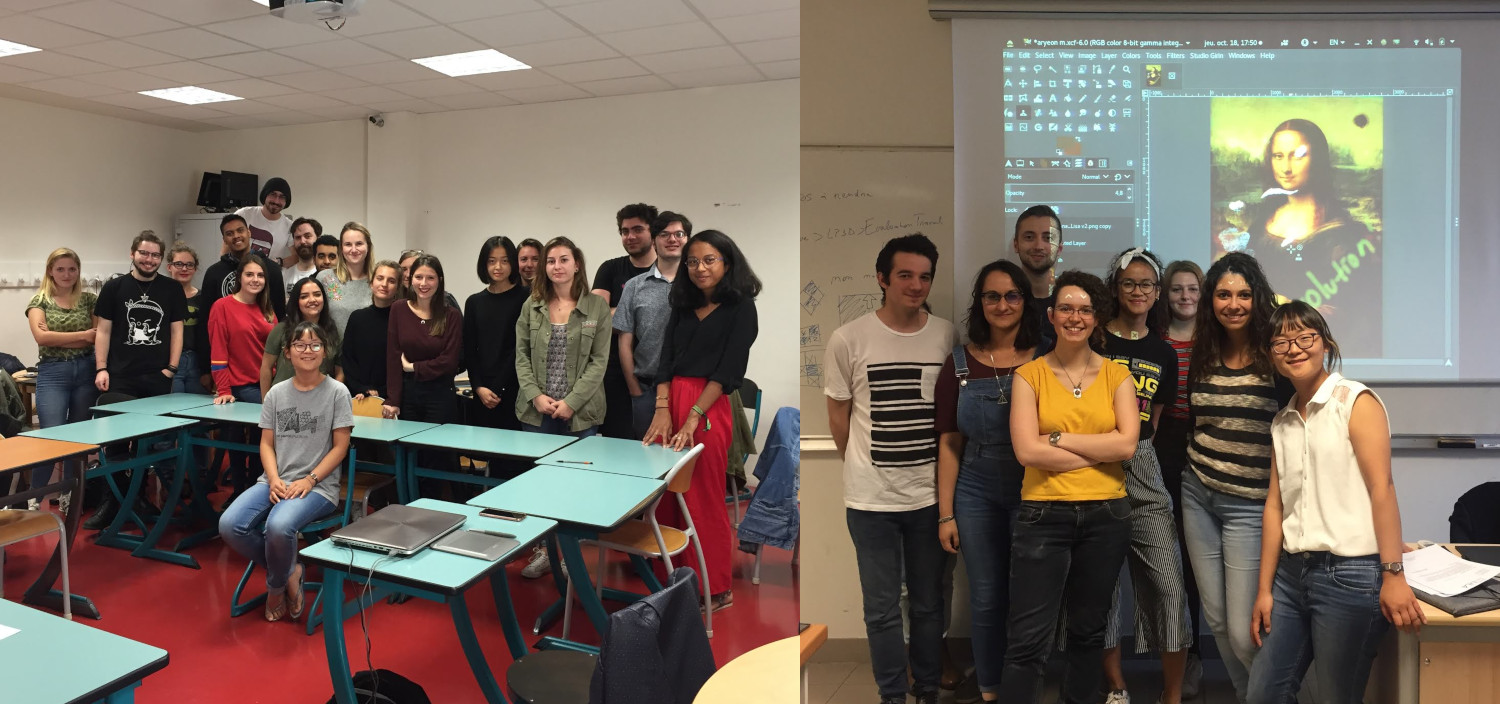
This is a good hint that GIMP is getting more recognition as it now gets taught in universities. Students were very happy overall, and we could conclude by quoting one of them at the end of a 3-day course:
I didn’t know that GIMP was the Blender for 2D; now this is one more software in my toolbox!
We remind that you can also support Aryeom’s work on Patreon, on Tipeee or by others means!
Although Flathub does not (yet) provide any public statistics for packages, an internal source told us that there have been over 214,000 downloads of GIMP since its existence (October 2017). This is more than 500 downloads a day, and by far the most downloaded application there!
Flathub is a new kind of application repository for GNU/Linux, so of course these numbers are not representative of all downloads. In particular, we don’t have statistics for Windows and macOS. Even for Linux, every distribution out there makes its own package of GIMP.
So this is a small share, and a nice one at that, of the full usage of GIMP around the globe!
The GIF format is the only animated image format which is visible in any web browser, making it the de-facto format for basic animation on the web, despite terrible quality (256 colors!), binary transparency (no partial transparency), and not so good compression.
Well, this may change! A few days ago, WebP reached support in most major browsers (Mozilla Firefox, Google Chrome, Microsoft Edge, Opera), when a 2-year old feature request for Mozilla Firefox got closed as “FIXED”. This will be available for Firefox 65.
Therefore, we surely hope web platforms will take this new format into consideration, and that everyone will stop creating GIF images now that there are actual alternatives in most browsers!
And last but not least, we remind everyone that GIMP has already had WebP support since GIMP 2.10.0!

Disclaimer: the GIMP team is neutral towards formats. We are aware of other animated image formats, such as APNG or MNG, and wish them all the best as well! We would also be very happy to support them in GIMP, if contributors show up with working patches.
We’ve been running late with this release, so we haven’t included some of the improvements available in the main development branch of GIMP. And there are even more changes coming!
Here is what you can expect in GIMP 2.10.10 when it’s out.
Another new feature we expect to merge to a public branch soon is smart colorization based on the original implementation in the ever-popular GMIC filter.
Given quickly approaching winter holidays and all the busy time that comes with it, we can’t 100% guarantee another stable release this year, but we’ll do our best to keep ‘em coming regularly!
We wish you a lot of fun with GIMP, as it becomes more stable every day!
此内容由惯性聚合(RSS阅读器)自动聚合整理,仅供阅读参考。 原文来自 — 版权归原作者所有。