











GIMP 2.10.22 is a bug fix release, which for once contains mostly maintenance changes in core code.
Release highlights:
On official plug-in side though, there are quite a few improvements, in particular, better support of image formats, as well as support for one new format, AVIF.
The highlight of this release is clearly the contributions on file format plug-ins.
AVIF is the HEIF variant using AV1 compression (instead of HEVC in the same HEIF container format, which is the default and also called HEIC). This format was highly awaited as being an open, royalty-free, video coding format developed by the Alliance for Open Media.
AVIF is already supported on the web in Firefox (experimentally, you
must enable image.avif.enabled in about:config), Chrome and Opera,
which makes it a serious contender as a web image format.
It is now supported by GIMP, both for import and export.
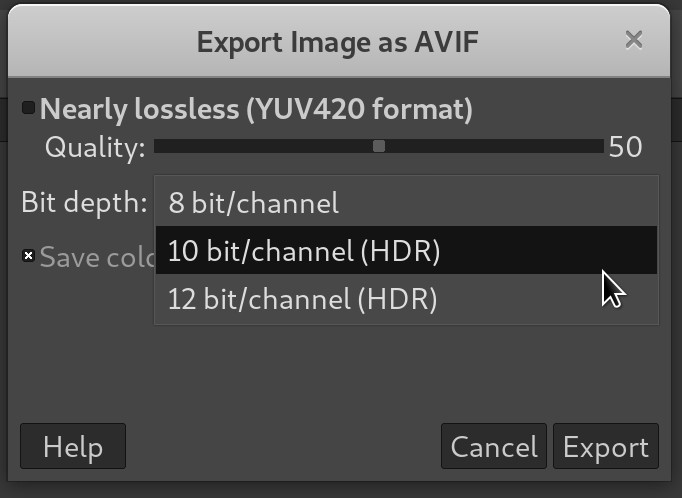
Not only this, but HEIF files (both AVIF and HEIC) can now be imported and exported in high bit depth (10- and 12-bit per channel).
And finally, NCLX color profiles and metadata will now be properly imported.
These changes all happened thanks to the awesome contributions of Daniel Novomesky.
The plug-in for reading PSP (Paint Shop Pro) files has received numerous bug fixes and improvements. Raster layers from PSP images over version 6 are now supported, as well as 16-bit integer, grayscale, and indexed images.
Furthermore, PSP blend modes are now better converted to GIMP layer modes for correct rendering.
The importer is also much more robust and is even able to fix errors of some files which may have been wrongly exported by third party software. It also handles some edge cases like zero-length layer names better.
All these improvements were made by Jacob Boerema, one of GIMP newest core contributors.
Multi-layer TIFF export got improved by allowing to crop layers to image bounds in the exported image. Indeed, TIFF has no concept of global image bounds, only layer bounds. Hence cropping the layers is the only way to enforce the image bounds.
Obviously, this cropping may or may not be what you wanted and perhaps you were expecting layers of various sizes. This is why the feature is available as a new optional Crop layers to image bounds checkbox in the export dialog.
There have been other bug fixes and improvements in the TIFF plug-in as well.
Other file format supports were improved. In particular:
In previous release, when an image with an “Orientation” tag was imported, GIMP would propose to rotate the image or leave it as-is. If you denied rotation, the image would keep the tag and retain it upon exporting. So when you opened the edited image in other software, you’d get the rotation you didn’t ask for.
The new policy is to remove the “Orientation” tag whether or not you accept the rotation. Hence what you see in GIMP is what you will see anywhere else after exporting.
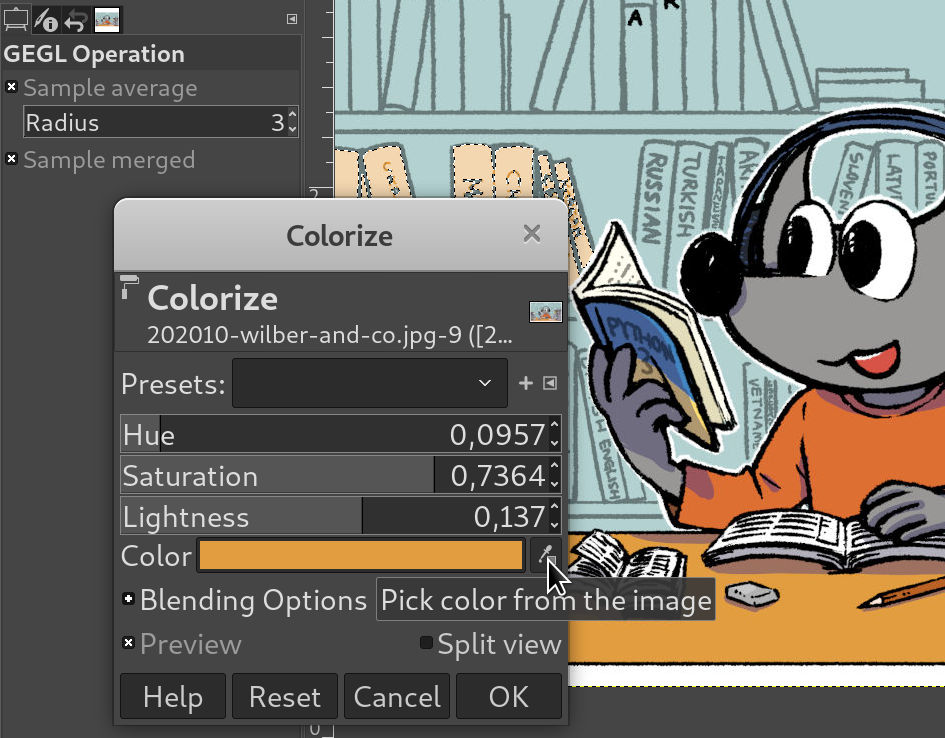
When some filters have a color property, their dialog usually exposes a button allowing to pick a color directly on the canvas. Until now, it could only pick from the active layer (the one you were editing).
All filters implemented as GEGL operations now show a Sample merged checkbox in the Tool Options dockable (just below the Sample average option). This allows color picking visible colors when necessary.
Spyrogimp, the official plug-in to draw spyrograph patterns, now works on grayscale images too and won’t clutter the undo history as much as it used to.
This is actually a feature that arrived in GIMP 2.10.20, but we forgot to mention it in the previous release notes. So let’s describe the changes here.
The conversion to an indexed image uses a median-cut algorithm to derive a suitable palette for the image. Such algorithm computes each index to be used as the average of colors in a 3D box in a color space, making the result value drift away from the extremes.
This makes it nigh impossible to achieve pure white or black, even when the original image contained these colors, like in scans of printed documents or technical drawings.
We now counteract the drift by snapping the whitest color to white and the blackest color to black if the resulting colors of median-cut are sufficiently close to white or black and if the original image already had some pure white or black.
Note that the 2-color optimum palette case is special-cased not to use this modified algorithm as we already provide a dedicated “black and white (1-bit) palette” option which would do the same thing.
After a small poll (which got 174 answers) on multiple social media platforms, Sample merged option is now enabled by default in the Color Picker tool. The idea is that it should now be less confusing to beginners because they will be able to pick what they see rather than the color in the active layer.
Of course for advanced users, it doesn’t change a thing as they perfectly know how to toggle this option, both use cases being useful at different times. This change does not affect anything other than the defaults and does not modify how the feature works.
We changed the default matting engine of the Foreground Select tool to Matting Levin as this engine performs better in most situations.
The dashboard dockable now has a new option to record progressive performance logs that contain complete information after each recorded sample. This allows recording complete logs even in cases where they can’t be properly terminated, such as when GIMP crashes or freezes in the middle of the log.
Progressive logs are disabled by default, since they potentially
increase the sampling cost. They can be enabled through a toggle in the
log file dialog, or through $GIMP_PERFORMANCE_LOG_PROGRESSIVE
environment variable.
Moreover, verbose debug information (gimp-2.10 -v on command line,
or debug output) now displays Flatpak related information when it’s
relevant: the exact Flatpak build hash, the runtime version, the
installed Flatpak extensions, permissions, etc. This helps debugging
Flatpak builds.
Since GIMP 2.10.0, several GEGL operations have OpenCL code paths, hopefully allowing faster processing. Unfortunately OpenCL situation is not so idyllic because of the lack of contributions to improve our code as well as faulty drivers.
In various cases, enabling OpenCL in GIMP could lead to instability. We
decided it was not acceptable anymore and moved the feature into the
Playground tab of the Preferences dialog. Technically it means that
the feature is hidden unless you run GIMP with --show-playground
command line option, so that anyone enabling this is really aware of the
instability of the feature. Hopefully we will be able at some point to
move this back into mainline Preferences.
The Playground page in the Preferences is not visible anymore, unless
you run a development version of GIMP, or if you start a stable version
with the --show-playground command line option.
Nevertheless if you activated any of the unstable features from
Playground, then the page will always be shown (making it easy to find
the settings again if you need to disable it).
Our official Flatpak now has an extension point for plug-ins. This means that anyone can now package third-party plug-ins as “Flatpak extensions” and contribute them to the Flathub repository. Thanks to the contributor Hubert Figuière, 7 very popular GIMP plug-ins are already available to Flatpak users: BIMP, FocusBlur, Fourier, G’MIC, GimpLensfun, LiquidRescale, and Resynthesizer.
The one-liner CLI call to install them all at once is (if GIMP is already installed as Flatpak, and the Flathub repository is configured):
flatpak install org.gimp.GIMP.Plugin.Resynthesizer org.gimp.GIMP.Plugin.LiquidRescale org.gimp.GIMP.Plugin.Lensfun org.gimp.GIMP.Plugin.GMic org.gimp.GIMP.Plugin.Fourier org.gimp.GIMP.Plugin.FocusBlur org.gimp.GIMP.Plugin.BIMP
Note: Flathub does not yet provide a way to discover software
extensions directly on its web catalog. The following CLI call can be
used to search for GIMP plug-ins: flatpak search org.gimp.GIMP.Plugin
Moreover, the GIMP manual will now be installed by default when installing our Flatpak, but not in all languages. To install the manuals in all available languages, run:
flatpak install --reinstall flathub org.gimp.GIMP.Manual
Flathub statistics indicate that there are nearly 230K users of our Flatpak package (with about 100K users updating GIMP within the first 2 weeks after a build update), which is pretty decent for a single package format on GNU/Linux.
As usual, GIMP release is accompanied by babl (0.1.78, 0.1.80 and 0.1.82) and GEGL (0.4.24 and 0.4.26) releases, with various bug fixes.
It is to be noted that, even though GIMP minimum requirement is babl 0.1.78, we advise to build against the latest version if possible, i.e. babl 0.1.82. This last version handles more complex parametric TRCs for ICCv4, which means that without these changes, your color profile conversion may be wrong in case you use a profile with these parameters.
GIMP CI process now runs a distcheck step, hence producing a fully
unit-tested source tarball without human interaction.
Continuous builds of the development version (future GIMP 3) for Windows were already provided since GIMP 2.10.18 but the downloadable archive was huge, containing many temporary files from the build process and a wrapper to necessarily run at first launch. We now implemented a new CI job with a slimmed-down and hopefully usable build (if not please report, or better: send us patches!) and already fully set up with no first launch process.
The idea came from the Siril project (astronomical image processing free software) after we helped them set up a cross-compilation CI, similar to ours, using crossroad. A pretty good example of exchange between free software where some code goes from one project to another where it is improved, then back to the original one. 🥳
This will be very useful when asking people to test the development version as a lot of bugs are fixed on it (often just because the GTK2 toolkit is simply not maintained anymore whereas the development version using GTK3 fixes the problem by itself). The following dynamic links will always return you the last successful development builds:
NOTE 1: test builds are for testing purpose only (as the name tells!). They have not been human-tested, it relies on regularly modified development code, and our automatic build process is still a bit young, which means there may even be bugs specific to the build. So please do not use it for production!
NOTE 2: there are still a few known issues such as missing GObject Introspection, i.e. that the Python 3/Javascript/Lua/Vala plug-ins won’t work with this build (yet).
NOTE 3: these builds are not provided with a fancy installer nor any
desktop integration (i.e. no shortcuts in menus, etc.). Just unzip the
archive, and double-click gimp.cmd or gimp-2.99.exe files.
These changes are all part of a more global work in progress to improve development code testing as well as eventually automatize the release procedure to be faster, easier, and more trustworthy.
Unfortunately, we don’t have good news for macOS users at this time. The contributor who set up CI builds for making macOS releases and worked on macOS-specific bugs in GTK is still unavailable. So far, no other contributors stepped up to fill in. If you are interested to help out, please contact us on the IRC channel for developers, #gimp, or the gimp-developer@ mailing list.
Contributors to this release are: Daniel Novomesky, David Russo, Elad Shahar, Ell, Jacob Boerema, Jehan, Liam Quin, Michael Natterer, Peter Oliver, luz.paz, sabri ünal, Sebastian Rasmussen, Simon McVittie, space pudim, Øyvind Kolås.
Translators: Alan Mortensen, Alexandre Prokoudine, Anders Jonsson, Andika Triwidada, Asier Sarasua Garmendia, Baurzhan Muftakhidinov, Boyuan Yang, Christian Kirbach, Daniel Mustieles, Jordi Mas, Julien Hardelin, Marco Ciampa, Milo Ivir, Piotr Drąg, Rodrigo Lledó, Sabri Ünal, sicklylife, Stephan Woidowski, Tim Sabsch, Yuri Chornoivan.
We also thank lillolollo, nmat, and Michael Schumacher for triaging bug reports, and Julien Hardelin for updating the user manual.
During the same time span, specific work on the development version (future GIMP 3.0) continued, including:
gimp_ui prefix
when relevant (i.e. gimp_ui_init() will be GimpUi.init() rather than GimpUi.ui_init());pygimp) has now been fully removed and
all former Python plug-ins have been ported to Python 3 and new GIMP 3
API (this work started over a year ago and is now finished, with a lot
of help from Elad Shahar). The new way to make Python plug-ins is
streamlined, following the same logics as for other supported
languages (C/C++, Python 3, Lua, Vala and Javascript so far).The user interface is now available in two more languages in the development branch (first new languages since Marathi support was added back in GIMP 2.10.6): Kabyle and Central Kurdish. Please note though that these two additional translations are not yet present in the GIMP 2.10 series. With these, GIMP will be available in 83 languages. It is a very good opportunity to remind that translators are doing a tremendous job.
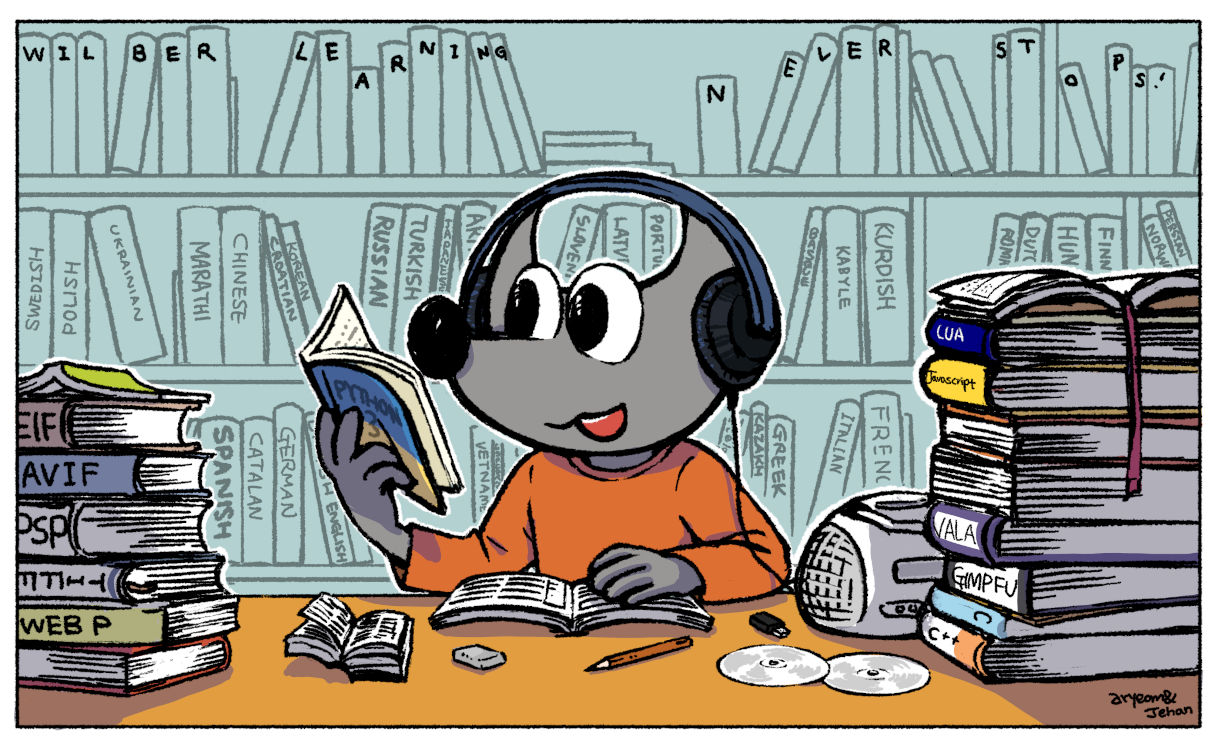
Also with new file format support (AVIF), various major file format improvements, new programming languages for plug-ins, our little Wilber is really getting very studious lately, learning many new things!
Finally, please don’t forget you can donate to the project and personally fund several GIMP developers, as a way to give back and accelerate the development of GIMP.
此内容由惯性聚合(RSS阅读器)自动聚合整理,仅供阅读参考。 原文来自 — 版权归原作者所有。