



TL;DR: We built a browser-based terminal controller working around 24 hours using Claude Code, named pipes, and Xterm.js. No SSH needed, just open your browser and start typing. Check and command your agents on the go!
What happens when three developers lock themselves in a room for around 24 hours with Claude Code and too much caffeine? You get VibeTunnel - a browser-based terminal that actually works. Control & command your agents on the go.
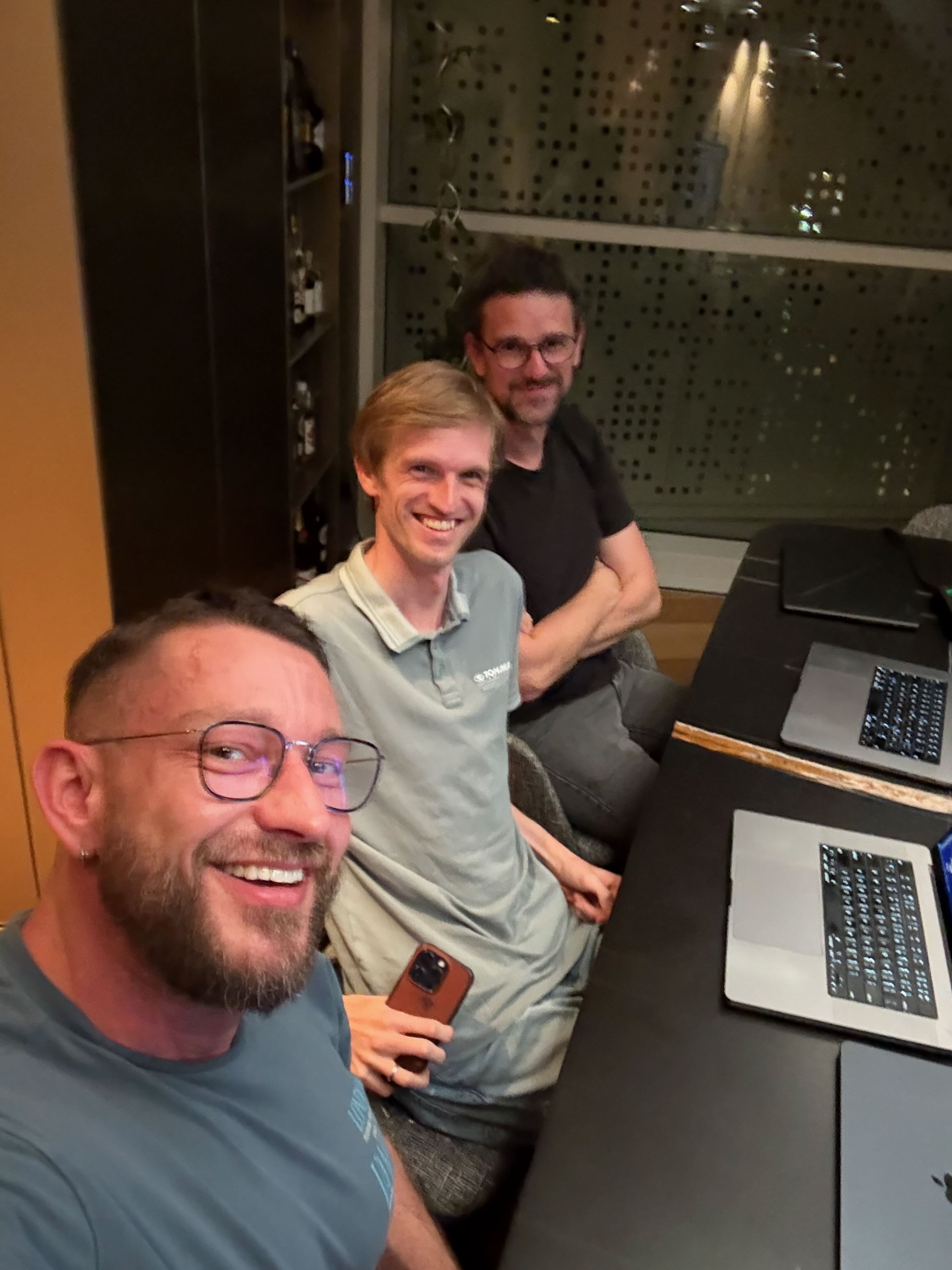
This is the story of how Mario, Armin, and I built VibeTunnel in one marathon session working around 24 hours.
Motivation
We met up for a hackathon without knowing exactly what we wanted to build, but we knew one thing: we were all completely in love with building stuff with AI. As we talked, we realized we shared the same frustration - we all wanted to check on our AI agents and see how far they’d gotten with their tasks.
This first version lets you control Claude Code remotely - imagine being at lunch and checking if your agent finished that refactoring task, then immediately giving it the next assignment.
But here’s the thing - we didn’t want to constrain VibeTunnel to just Claude Code. It can control anything in your terminal. Accessing your development machine’s terminal from anywhere shouldn’t require complex SSH setups. We wanted something that just works. And we’re making it open source so everyone can benefit.
The Birth of VibeTunnel
It started with Armin’s prototype that piped stdin/stdout to files and used asciinema for playback. His initial approach was clever - capture terminal output to a JSONL file that described terminal dimensions and character events, then replay it using asciinema’s player. But it was one-way communication only - no input, no interactivity, just a recording.
Armin had actually built a similar library two years ago:
I used a library that I wrote two years ago… that library probably took me three or four days because I had to really figure out how pseudo terminals work. I’m pretty sure you could write this whole thing up in probably under an hour at this point. And I didn’t even bother using my library again… I just copy pasted the whole library in and had Claude do the modifications to it.
Within hours, we had transformed it into a full bidirectional terminal emulator. The journey from “wouldn’t it be cool if…” to a working prototype showcases what’s possible when you combine the right tools, the right team, and a healthy dose of determination. Here’s how we built it in one intense session working around 24 hours.
The Technical Journey
From Asciinema to Xterm.js: The Marathon Pivot
Our first major challenge came when we needed a proper scrollback buffer. The initial asciinema approach had a fatal flaw - no history. You couldn’t scrollback to see previous output, making it useless for any real work. Imagine running a build command and not being able to scroll up to see the errors!
Mario spent two hours going down a rabbit hole, investigating whether to write his own ANSI sequence renderer. He got surprisingly far - basic text output worked, colors were rendering, cursor movement was… sort of working. But then came the edge cases: double-width characters, complex cursor positioning, alternate screen buffers, and the hundreds of other ANSI escape sequences that real terminals support. It was becoming clear this was a month-long project, not a two-hour hack.
Mario explained:
I first investigated whether I could write my own ANSI sequence renderer. That kinda worked. But there were so many edge cases that I eventually searched for something else. Armin had been recommending Xterm.js all along.
I went through that a bit and thought maybe I can figure that out, but there was no way to get that working. So I went back to Xterm and spent about two hours figuring out how it works and how to massage it so it works in our context as well.
Mario exclaimed when we finally integrated Xterm.js:
That was pretty fucking complete. It’s a full terminal emulator that runs in the browser, handling all the ANSI escape sequences, cursor positioning, screen clearing - everything a real terminal needs. The magic is in how it works: feed it the raw output from your shell (including all those escape sequences), and it maintains an internal buffer representing exactly what should be displayed. It outputs this buffer with characters, foreground colors, and background colors that renders directly to the DOM. No canvas needed, just divs and spans with the right styling.
The only issue? Unicode rendering for things like box-drawing characters. When you start Claude Code, you get that nice orange border made of Unicode box-drawing characters - it currently falls back to ASCII replacements like ’+’ and ’-’ instead of smooth lines.
The Streaming Challenge: Six Terminals and You’re Out
We chose Server-Sent Events (SSE) for streaming terminal output because it’s simple, well-supported, and doesn’t require WebSocket complexity. Each terminal connects to an endpoint like /api/stream/session-123 and receives a continuous stream of output events. It worked beautifully… until we tried to open a seventh terminal.
Turns out browsers have a hard limit of six concurrent connections to the same domain. It’s an HTTP/1.1 limitation that exists to prevent connection flooding. Each terminal session needs its own stream, which means you can only have six terminals open at once. We discovered this the hard way when terminal number seven just… didn’t work. No errors, no warnings, just a blank screen waiting for a connection that would never come.
The solution? Multiplexing. Instead of one connection per terminal, we need a single SSE stream that carries data for all terminals. Each message would be tagged with a session ID, and the frontend would route it to the correct terminal display. It’s more complex but would remove the six-terminal limitation entirely. The architecture is already sketched out: a single /api/stream/all endpoint that broadcasts all terminal updates, with the frontend filtering based on which terminals are actually visible. It’s on the roadmap, right after we fix the input handling quirks.
Claude Code: The Secret Weapon (With Battle Scars)
We wouldn’t even have attempted this without Claude Code. What would have been a week-long project compressed into hours. The ability to say “integrate Xterm.js for terminal emulation” and get working code in minutes is game-changing.
Armin put it in perspective:
20x is not an understatement in terms of how much faster we are with agents. As an example: This button that I added to the UI, which is install the shell command and sudo the user. It wrote shell script. It wrote an Apple script. And then it wrote another thing around it, and it took it two and a half minutes. And for me to figure out how to bring up the right sudo dialogue, which kind of workaround to use to bring this thing in would have been two hours, three hours.
He compared it to his experience at Sentry:
Every year, we had a hack week culture. So every year, we took four days to five days of three to four people working on one project. And, honestly, three, four people working for five days not nearly as impressive in terms of how much stuff you can produce than working around 24 hours with AI.
Claude excels at bootstrapping. Need to integrate a library you’ve never used? Claude will get you 80% there in minutes. Want to understand how Server-Sent Events work? Claude generates a working example faster than you can read the MDN docs.
The workflow that emerged was fascinating: Claude would generate the initial implementation, Mario would test it, discover the edge cases, then spend significant time refactoring. But here’s the key insight - even with all the fixes needed, we were still moving 5x faster than coding from scratch. It’s not about getting perfect code; it’s about getting something that works, then iterating rapidly.
This is what people often don’t really get. It’s not like you do one prompt and this comes out. You work with it. It is a tool. And if you are a really good engineer, it’s rocket fuel for you. But if you don’t know what you’re doing, you still cannot build this.
Three Servers, One Purpose: The Polyglot Experiment
In true hackathon fashion, we ended up with three server implementations. But it wasn’t planned - it was born from frustration and iteration:
-
Node.js - The reference implementation that Mario built first. It’s the most complete, with all the session management, authentication hooks, and error handling. About 400 lines of Express.js that just works. Perfect for developers who want to hack on it immediately - everyone knows Node.
-
Swift (Hummingbird) - This came next, as we wanted a Swift implementation. But it became a story of frustration. When I asked Armin what the hardest part was, his answer was immediate:
The hardest thing is Xcode. You’re kinda used to being able to remote control a lot of stuff because a lot of it is text based. And xcodebuild sort of runs on a command line, but… the behavior of xcodebuild on a command line on our machine at least doesn’t match the behavior of Xcode play button. And so it kinda shows you how inappropriate the tool is for agentic workflows.
After spending “almost half an hour to get the bare bones things over from a to b,” he was done. Three hours and much frustration later, we had a working Hummingbird server. It’s actually quite elegant - Swift’s async/await makes the code surprisingly readable. But the development experience was painful.
- Rust (now the default) - This is where things got interesting. Fed up with Xcode’s limitations, Armin pivoted to Rust. The difference was night and day. The iteration speed was incredible - what took 30 minutes of fighting with Xcode took minutes in Rust. The development experience was so superior that we ended up making the Rust version our recommended default engine. It’s not just about performance (though it does use about 10x less memory) - it’s about developer velocity.
We’re keeping all three implementations for educational purposes. As Mario explained:
We should keep both for educational purposes. Actually, all three for educational purposes because you have an aligned implementation of the same back end in three different environments. It’s the same REST API implemented in three different environments - perfect for learning how different ecosystems handle HTTP, async I/O, and process management. But if you’re just looking to use VibeTunnel? Start with the Rust version.
This unplanned polyglot approach revealed interesting patterns. The Rust version forced us to think carefully about lifetimes and session cleanup. The Swift version’s strong typing caught several API inconsistencies (when we could get it to compile). The Node version’s ecosystem made adding features trivial. Each implementation taught us something that improved the others, even if we didn’t set out to build three versions.
The Technology Stack: A Beautiful Frankenstein
The final stack that emerged from our coding marathon is a testament to pragmatic engineering - we used whatever worked best for each layer.
The main component that we distribute is a fully native SwiftUI app (with some sprinkles of AppKit) built with Swift 6. It packages all the bells and whistles, uses Sparkle for automatic updates, and ships with all the other components needed to make VibeTunnel work seamlessly. This native app ensures a smooth macOS experience while bundling the entire technology stack:
Core Process Management
- Rust Binary - The heart of the system. Controls process spawning, named pipes, and I/O forwarding. The magic happens through Unix named pipes - we use a regular file for stdout (so we can tail and observe it) and a named pipe for stdin, allowing bidirectional communication between the browser and your shell. Why Rust? Because when you’re dealing with system-level process management, you want something that won’t segfault at 2 AM. The binary is remarkably small - about 2MB compiled - and handles all the tricky bits of PTY allocation, signal forwarding, and process lifecycle management.
Armin explained why this is actually harder than SSH:
What is a lot harder is drawing something in not the same terminal. Because what we’re doing here is we’re basically keeping it running the original terminal plus keeping it running in another terminal. And that is harder because, for instance, one of the terminals resizes, then you need to also update the other one. Or you wanna have a scrollback that is longer than what you would normally show.
Terminal Emulation
- Xterm.js - Full terminal emulation with ANSI support in the browser. It’s the same library that powers VS Code’s terminal, which gave us confidence it could handle real-world usage. The integration was surprisingly smooth once we understood its API. Pro tip: the documentation is extensive but the examples are gold.
Frontend Framework
- Lit Framework - Google’s lightweight web components library. No build step required! This was crucial for our rapid iteration. Just save the file and reload. Lit’s reactive properties made state management trivial, and web components meant our terminal widget was completely self-contained. You could drop it into any webpage and it would just work.
Communication Layer
- Server-Sent Events (SSE) - For streaming terminal output. We chose SSE over WebSockets because it’s simpler, works through proxies better, and automatic reconnection is built-in. The unidirectional nature (server to client only) perfectly matched our needs for output streaming.
Backend Options
- Node.js/Rust/Swift - Pick your flavor based on your team’s expertise or deployment constraints. They all expose the same REST API, so switching between them is literally just changing a command-line flag.
The Real MVP: Teamwork, Claude, and Caffeine
This project happened because of a perfect storm of factors:
Armin’s systems wizardry - He cranked out the Rust binary in 2-3 hours, building the critical process management layer that makes everything possible.
Mario’s frontend adventures with Claude - Mario rebuilt the UI layer three times. The first version was a mess. The second used vanilla JavaScript and quickly became unmaintainable. The third, using Lit, was the charm. Claude was his constant companion, generating boilerplate, explaining APIs, and occasionally leading him astray with over-engineered solutions. The key was learning when to trust Claude and when to take control.
My deep knowledge of macOS and Product-market fit - I’ve been in the iOS and macOS space for almost 20 years and really know how to build great products. I could reuse a lot of my existing work to get us really far, especially with branding, distribution, and the difficulties around notarization and updating. I built the app, onboarding, website, the social pages, did the design, and the overall branding to make this from a quick hack project into an actual beautifully designed product.
I had the most fun building the website with v0 from Vercel. I almost didn’t believe that it would shoot out something that is as cool as this.
The power of a deadline - We worked around 24 hours on this. There’s something magical about a time constraint. It forces pragmatic decisions.
The individual components aren’t really complex. It’s just fitting them together and making them work together. This became our mantra. Named pipes? Simple. SSE? Straightforward. Terminal emulation? Solved problem. But making them dance together in harmony? That’s where the magic (and the bugs) lived.
Mario summed up the project perfectly:
We can definitely say we wouldn’t even have attempted this without Claude Code… That would be a multi week project probably. Maybe not a multi week project, but definitely a week project.
The real lesson here is about momentum. Once we had that first character appear in the browser - just a simple ‘h’ from typing ‘hello’ - we were hooked. Each small victory fueled the next. Input working? Let’s add colors. Colors working? How about cursor movement. Before we knew it, we had a full terminal emulator.
Conclusion: Shipping Beats Perfect
VibeTunnel is what happens when developers scratch their own itch with modern tools. We’re making it open source because we want to use this ourselves, and there’s nothing quite like it out there. It’s not perfect - yet already amazing and fun to use.
As Armin noted about the quality:
I don’t think that we wrote the most amazing code with Claude. There’s definitely a lot of slop in there. But I think if one were to want to make this really, really nice, you could actually use Claude to fix a ton of this stuff. Plus - it’s not just the app that is there. Right? There’s the logo. There’s the website. There is the readme. There’s the documentation. All of it just came out of effectively an agent.
The scale of what we built working around 24 hours? Over 16,000 lines of code:
- Swift: 7,666 lines (57%)
- Rust: 3,001 lines (22%)
- Shell Scripts: 2,331 lines (17%)
- TypeScript: 2,756 lines
- Total Core Code: 16,283 lines
At the end of our marathon session, we all agreed:
This was a really fun project. And isn’t that what hacking is all about?
Try VibeTunnel today! Your agent is waiting in your browser.