


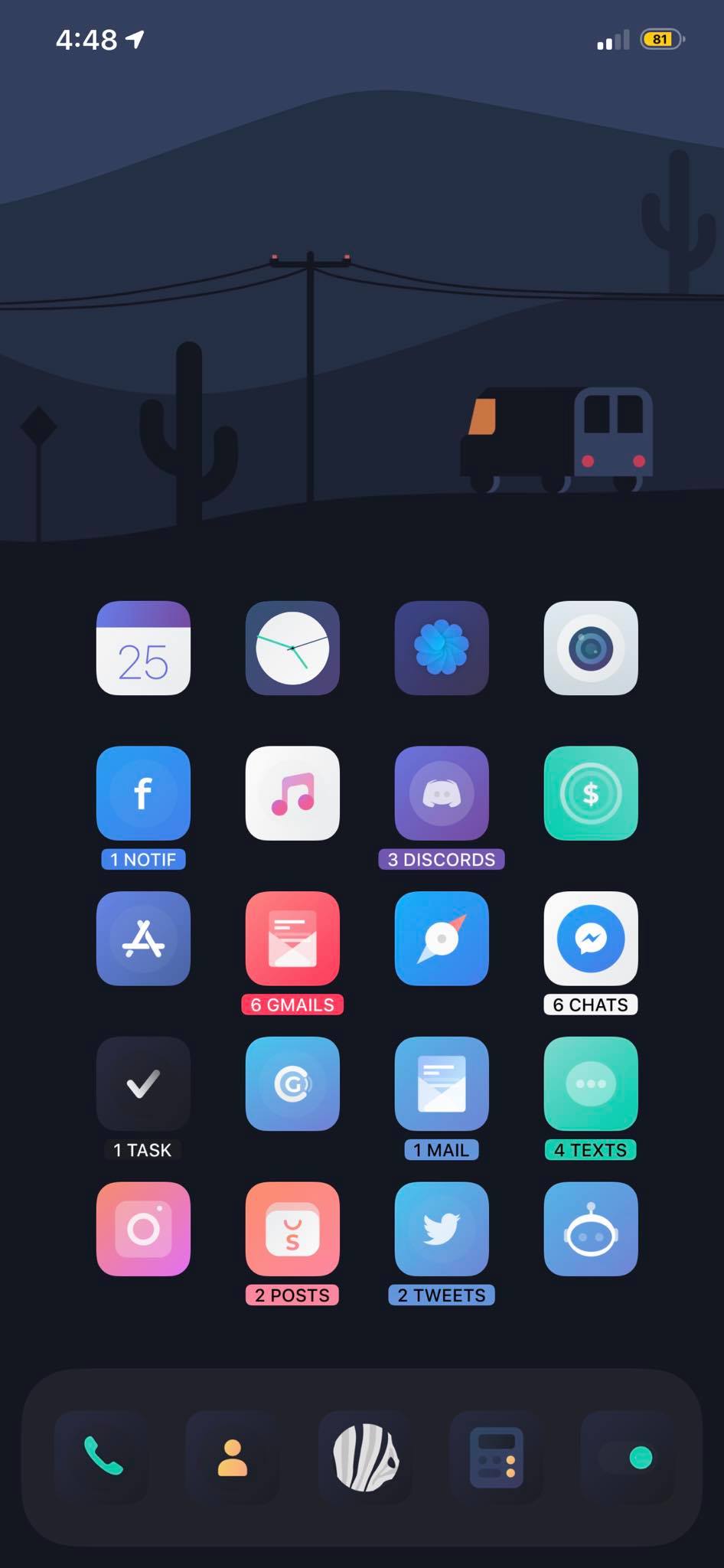
Jailbreaking is something that’s rarely discussed in the iOS developer community — which is unfortunate, because it’s amazing. Let’s walk through a few useful things you can do with it. (Picture by @mnzthegreat.)
Update May 30: The details of the 13.5 unc0ver exploit are now online. Expect Apple to patch this quickly.
Definition & Legality
iOS jailbreaking is a privilege escalation to remove software restrictions imposed by Apple on iOS, tvOS, and watchOS. This is done through a series of kernel patches. This jailbreaking allows root access to iOS, allowing the downloading and installing of additional applications and extensions which are unavailable through the official Apple App Store (source).
You might be wondering: Is this legal? This depends on your country, but jailbreaking is legal in Austria, Germany, Canada, India, New Zealand, the United Kingdom, and the United States. With the exception of the latest iOS 13.5 jailbreak, all major jailbreaks since 10 have been based on publicly available exploits, which were reported to Apple before.
If you don’t want to risk jailbreaking, you can still install some apps with AltStore, which signs apps on your Mac.
Motivation
Jailbreaking is looked down on by some because it can be used to pirate apps. But there are many other much more noble or interesting reasons as to why it’s worth exploring — like enhancing accessibility:
I have a special needs son for whom I jailbreak iDevices to support his disability. It is life changing for us.
— GadgetGal (@GadgetGal_) May 25, 2020
Here is a list of reasons why you might want to jailbreak:
- Security research (MITM via SSL Kill Switch or dumpdecrypted to decrypt/disassemble apps)
- Enhancing iOS with tweaks (e.g. native picture-in-picture, tabs in Safari, a callbar, better notifications, or better shortcuts)
- Enhancing other apps (e.g. adding a Tomatometer score to Netflix or disabling ads for YouTube [not linking, as this circumvents something Google charges money for])
- Installing apps that are not allowed on the App Store because they could be used for copyright violations (game console emulators) or are only legal in certain countries (automatic call recording)
- Adding widgets to the Lock/Home screen (e.g. Xen HTML)
- Theming via SnowBoard (Viola is what you see on the screenshot above; Mojito is another option)
- Convenience for developers (
sshinto a device, inspect the view hierarchy, use a proper file browser) - Accessing hardware features that are otherwise inaccessible (e.g. NFCWriter)
- Location spoofing
- Working around tethering restrictions (TetherMe)
- Improving accessibility (e.g. for blind folks or people who have special needs)
Many tweaks either modify apps themselves or integrate into Settings:
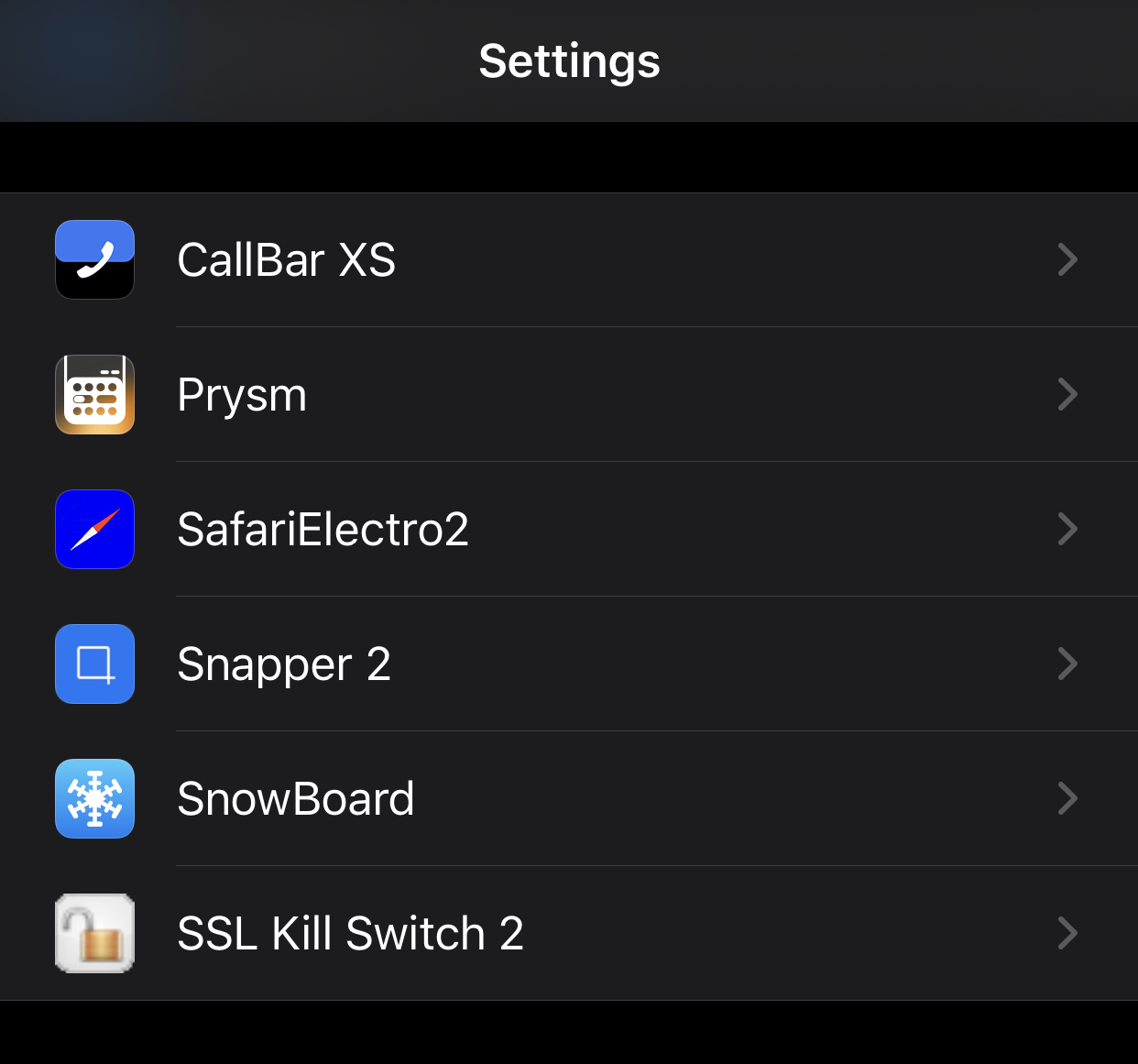
Beware: Some apps (like banking apps) might include a jailbreak detection and won’t work if they detect Cydia. However, this also can be circumvented with the right tweak.
State of Jailbreaking
There has never been a better time for jailbreaking. From iOS 10–13, including the just-released iOS 13.5, almost every version can be hacked. This is also somewhat worrying, as exploits require security flaws, and we’re now at a stage where exploit platforms aren’t paying for any additional exploits because they already have too many.
Reddit maintains a great overview of the current jailbreak availability situation (this GSheet is even more detailed). The two most interesting ones (as of May 2020) are:
-
checkra1n, which uses the Checkm8 exploit, which is an unpatchable vulnerability in the iOS bootrom for all devices from A5–A11 (everything up to iPhone X)
-
unc0ver, a semi-untethered jailbreak using various hacks, just updated for iOS 13.5.
checkra1n is semi-tethered, while unc0ver is semi-untethered (see types of jailbreaks). You need to retrigger the jailbreak after a reboot to patch the kernel so that it can run unsigned code. I recommend using AltStore to install the Jailbreak (see this guide).
Both variants are stable and don’t drain battery life or prevent use of Apple services like iCloud, Apple Pay, or iMessage, as was the case with some earlier variants. Apple’s user data protections and sandbox security is preserved.
Adding Repositories to Cydia
Cydia is the oldest and most common alternative App Store for iOS. It’s automatically installed for most jailbreaks, and it has a convenient UI for the apt-get packager it comes with. In the past, you could also buy apps through Cydia, but nowadays, most apps are sold via third-party repositories. These offer free and paid apps (via PayPal or credit card) and can be easily added to Cydia. Below I’ve listed the ones I’d recommend:
- Packix
- Dynastic Repo
- Twickd
- NSCake (for FLEX)
Heads up: Cydia hosts many tweaks that are outdated and will not work on iOS 13. It’s best to check /r/jailbreak or iDownloadBlog to find tweaks that work.
If you’re looking for a modern replacement for Cydia, there are quite a few alternative package managers out there. I really liked Zebra, and it’s also open source.
Preserve SHSH2 Blobs
A SHSH blob is a small piece of data that is part of Apple’s digital signature protocol for iOS restores and updates.
As of the time of writing this post, Apple signs iOS 13.4.1 and iOS 13.5, and you can expect 13.4.1 will be removed in a few days. With saving this blob, you can downgrade at any time without being dependent on Apple.
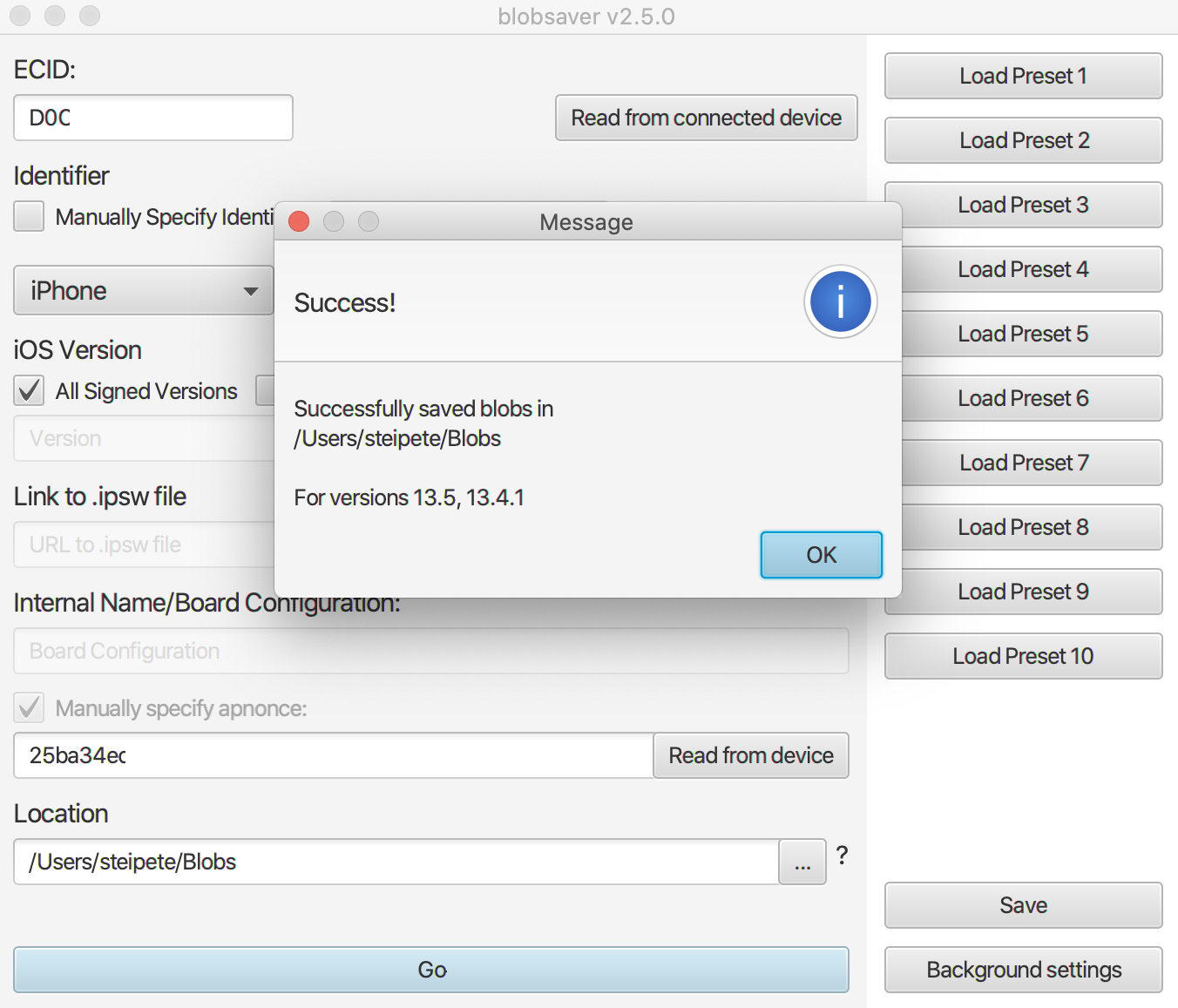
There are many ways to save these. I recommend blobsaver, as it saves the blobs on disk instead of relying on cloud services. Tools like futurerestore can then be used to downgrade (read more here). Store them; you never know when they might come in handy.
With that out of the way, let’s explore all we can do with our new superpowers!
SSL Kill Switch
SSL Kill Switch 2 is a tweak to disable SSL certificate validation on a device. This is useful for seeing which data apps send via an MITM proxy such as Charles. To use this, do the following:
- Install PreferenceLoader (dependency) and Filza (file browser) on Cydia.
- Download the latest version from GitHub (deb file).
- Open Filza and navigate to
/private/var/mobile/Library/Mobile Documents/com~apple~CloudDocs/Downloads. - Open the downloaded
com.nablac0d3.sslkillswitch2_0.14.deb(or similar) and press Install. - Respring (Restart SpringBoard).
- Find SSL Kill Switch 2 in iOS Settings.
If you’re curious how this works on a technical level, here’s a writeup for iOS 12. You can also just explore the source on GitHub.
FLEX In-App Debugging
FLEX is an open source in-app debugging and exploration tool for iOS by @NSExceptional. It’s amazing what you can do with it. Want the weather background as your homescreen background? No problem.
{% twitter https://twitter.com/nsexceptional/status/1250353513923674114 %}
To install, download FLEXing, reboot your device, and then tap on the status bar to load FLEX. You can browse the classes and inspect the view hierarchy with a 3D debugger, similar to how you can with Reveal. Here’s Spotify:

Of course, you can also inspect apps written in SwiftUI, like the popular ACHNBrowserUI. Back in 2013, I used Reveal for inspecting the view hierarchy of apps, but it’s way more fun to play around on device.
More Useful Cydia Apps & Tweaks
- iPadify — install iPad-only apps such as Playgrounds, native picture-in-picture
- Prysm — a feature-rich control center for iOS
- Reveal Loader — load Reveal to any app
- TapTapFlip — double tap to flip the camera in the Camera app
- Supercharge — create simple tweaks on the device
- Snapper 2 — crop screenshots before taking them
- Frida — a dynamic instrumentation / code injection toolkit
- FrontCamUnmirror — self explanatory
- CopyLog — a powerful clipboard history manager
- HomePlus — a homescreen layout manager
- FiveIconDock13 — self explanatory
- Springtomize 5 — tweak the homescreen
- TweakRestrictor — disable tweaks for some apps, so as to not get banned (e.g. Snapchat)
- Barmoji and DockX — add quick actions below the keyboard
- Evil Scheme — change your default web browser, maps navigator, package manager, and more!
Many tweaks are also open source, which is a great opportunity to learn. Check out FLEX, Sleeper (tweaks the stock iOS alarms app), Open Source Tweaks, or the collection at iPhoneDevWiki.
This is by no means a complete list. You can see some inspiration here. Thanks to everyone who responded to my tweet to help me collect these gems. Know a tweak I absolutely need to mention? Hit me up on Twitter!