


Communicating well is one of the key attributes of highly effective teams. We currently have 40 people at PSPDFKit, and because we’re spread across many countries and time zones, it’s a challenge to keep everyone in the loop. For a long time, we were small enough that email worked well. As we grew, we progressed to a single room in Campfire (now retired). But eventually we moved — like so many other companies — to Slack.
This is the first part of a two-part series on communication at PSPDFKit. The second part is about Effective Remote Communication and focuses on everything that’s not inside Slack.
Slacklash
Slack is both amazing and awful. It’s great because it really does feel like an office and makes it easy to see what everyone’s up to — that’s especially important as a remote company. But it’s also bad because it feels like an office, with all the noise, distractions, and interruptions. The honeymoon phase is long over, and many companies have moved away from Slack — AgileBits (1Password) is a famous example with their “Curing Our Slack Addiction” blog post. But The Atlantic and Vice have also transitioned. There is even an entire website dedicated to companies quitting Slack.
We understand some of this reasoning, but ultimately, we decided we want to keep using Slack. However, we knew we needed to finetune our processes to make it work well for us. And while we offer annotating PDF documents in real time on all platforms, it’s not really a Slack competitor ;)
It took a good while to get the most out of Slack. Initially, our public channels were very silent, as most communication took place in DMs. This caused a lot of interruptions to my day-to-day work, because people treated it like a chat and expected a fast response. To counter this, we began to push people toward using public channels, even when they just wanted to talk to one person. The motto was, everything that doesn’t have to be discussed by only two people should happen in the main channel that everyone could see. And often, the questions people had could be answered by more than one person, which resulted in less stress overall.
I had always evaluated Slack from the point of view of “Does it make me more productive?” and “Does it help my team ship a better product?”. I had never considered the more important question “Does Slack make me look and feel like a dick?”
— Dave Teare, AgileBits.
That said, I wanted to share some tips about things we did to make Slack work for us.
Channels
Accept that you cannot read everything that’s written in a channel. This is difficult to do when you’ve built a culture of making quick decisions via immediate Slack discussions. When you rely on Slack as a tool for dropping bombshells, so to speak, this will cause you to check it every few minutes and always be stressed about missing something.
Don’t do that. Treat channels as an async medium, to say “Hi, I am here.” Use them for status updates or for chit-chat. Meanwhile, important decisions should be posted elsewhere less fleeting, like GitHub Issues or Jira. You can even discuss them during a meeting with an agenda. What’s most important is that big discussions need to take place somewhere where you can easily chime in later on without missing out. If you find a bug, don’t just drop it into a channel, but write an issue. You can always ping people with the issue URL. Dropping it in Slack is lazy and creates a sense of urgency, which ultimately hurts everyone.
Be decisive about what to post into a channel. At PSPDFKit we have various special channels, with their own rules. (Yes, we even have a #cats channel.)
#announcements
#announcements is a channel we created for important messages in our company. Everyone can post in #announcements if it’s something that everyone should know. We use it for announcing releases, announcing new hires, updates on workflows that everyone should know about (e.g. the localization process), special days (we do Marketing Fridays and Experimental Fridays, which is 20 percent time for people to work on their own ideas/blog posts), reminders to answer Know Your Company questions when they are really important, new products, retreat announcements, and so on.
Questions are allowed, but only in a thread. We keep the channel very low noise and make it a requirement for everyone to read.
Reviewbot
Use automations sparingly. We keep most integrations in special channels that are muted. Some integrations do make a lot of sense, like our Reviewbot that checks GitHub every morning and posts all pull requests that are ready to be reviewed and relevant for a specific team into the appropriate team channel. This helps to get a common format, and people simply react with a :taking this over: emoji if they are going to review it later that day. Learn how you can set up your own Reviewbot — we recently open sourced our implementation.
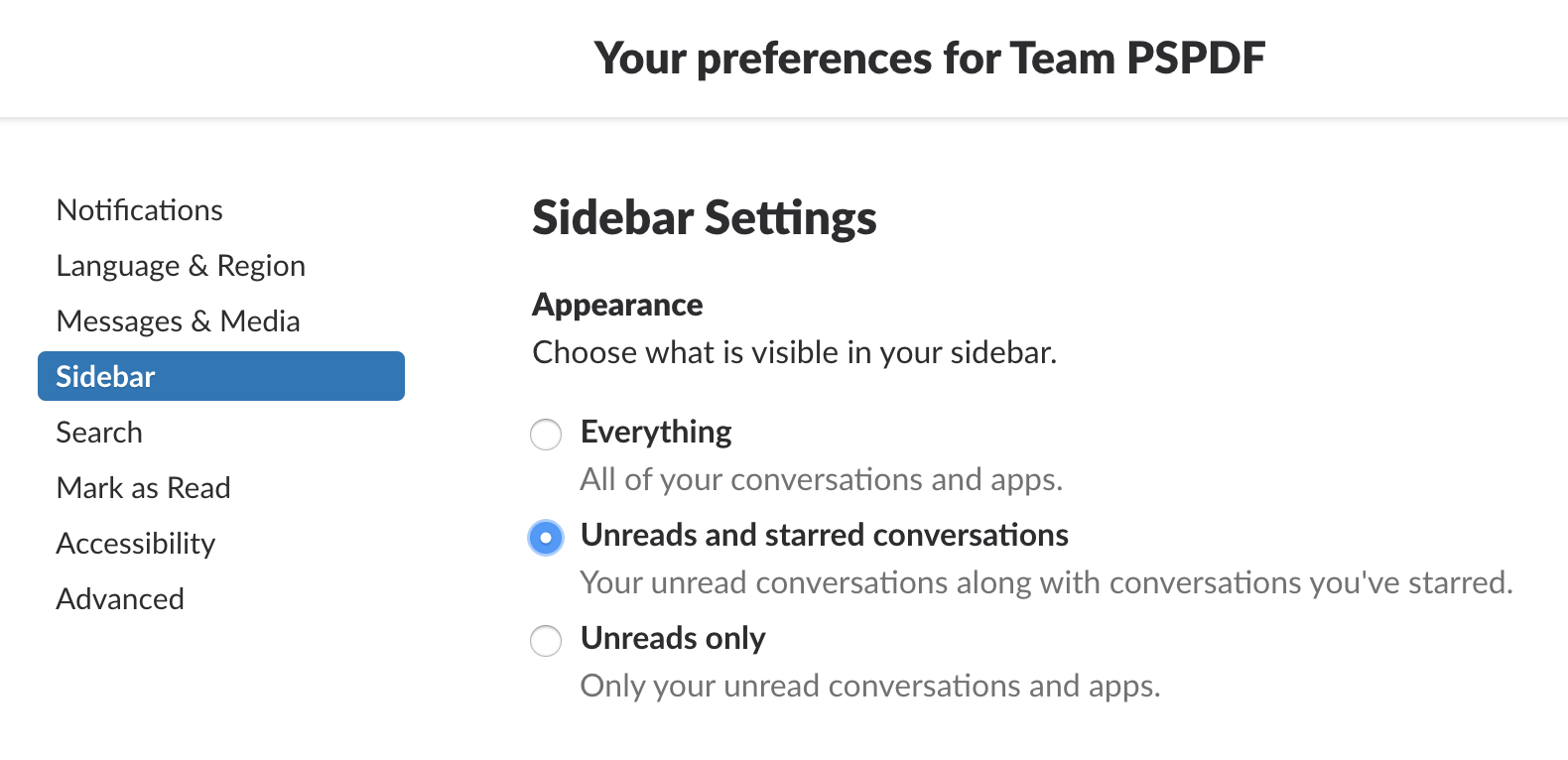
Declutter your sidebar by hiding all channels that don’t contain unread messages and are not starred. You still won’t miss anything, as they pop up if there’s chatter, and you can always use ⌘-T to open the Jump menu. It’s amazing how much better it feels if there aren’t 50 channels you need to scroll through all the time.
Mute and Leave
Mute service channels or really any channel that pushes content in from another source. Do you really need a ping when someone replied to the company Twitter? Do you really need an unread marker for #cats? (OK, that one might be allowed.) Mute all channels that you only want to read from time to time. And if it’s not relevant for you, just leave. Nobody will take it personally if you work on Android and leave the iOS channel after a topic that was relevant to your work has been discussed.
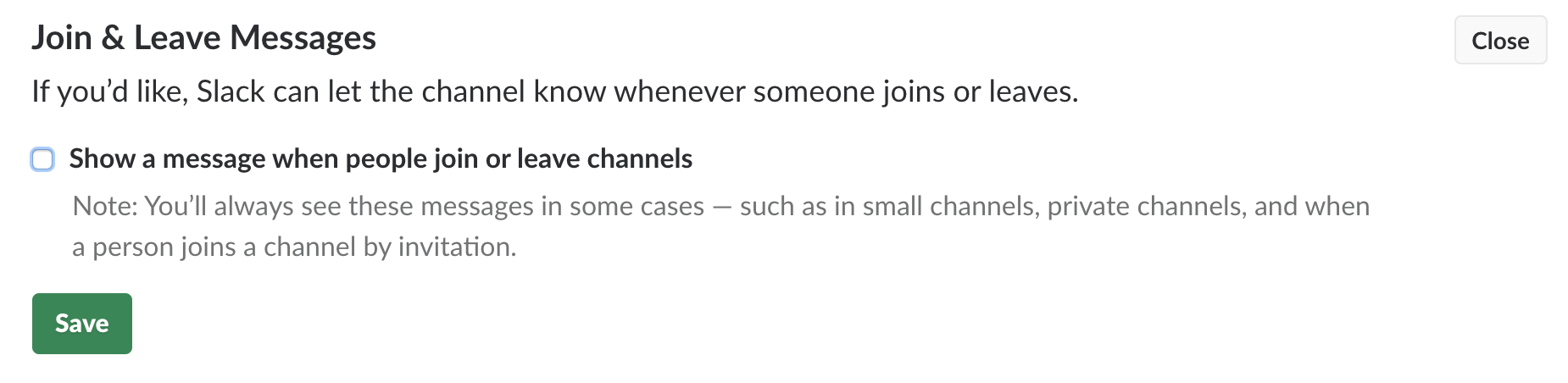
By default, Slack posts an “X has left the channel” message. These messages are completely unnecessary and just make it harder for people to leave. You can disable them if you’re the admin of your Slack org.
Threads
Threads took a while to figure out — when to just ramble on in a channel and when to respond in a thread? We mostly settled on discussing specific questions in a thread, with a twist. We added two emojis with a special meaning: :taking this over: and :done:. If somebody asks for a quick review on a pull request, I might just have time and react with :taking:. I might comment that I’ll do it right after lunch to set expectations, and ultimately react with :done: when I’m done. This also shows everyone else that they do not need to read the thread contents — it’s handled, it’s not interesting, and if it would be, I’d ping you.
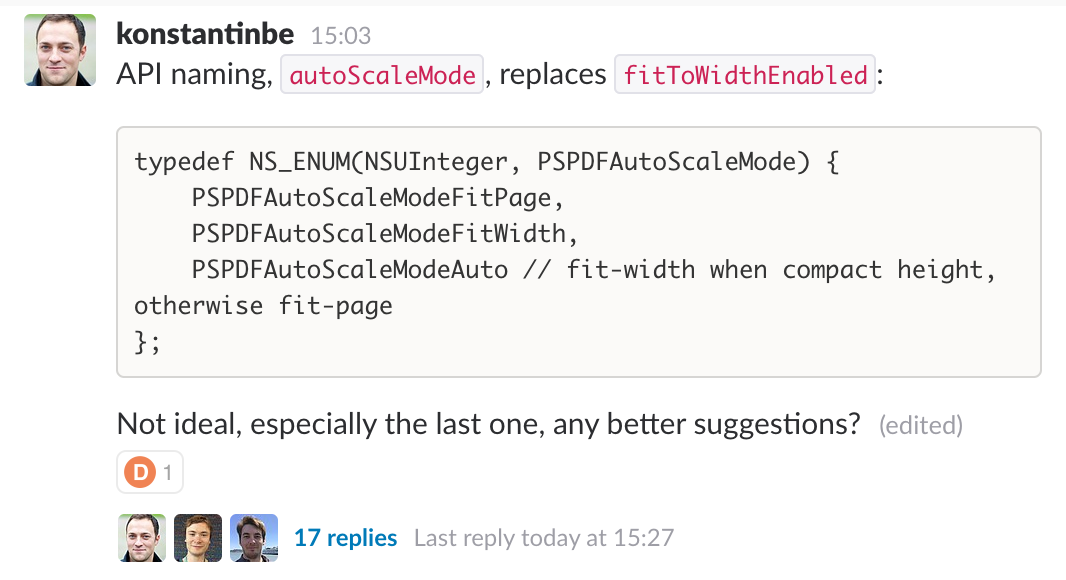
Feel free to use our emojis: pspdfkit-slack-emoji.zip
Remind Me about This
Slackbot has a built-in reminder. Treat it as a lightweight to-do list that you shouldn’t keep around for long. It’s great if you stumble upon something that requires follow-up work but don’t want to switch context right away.
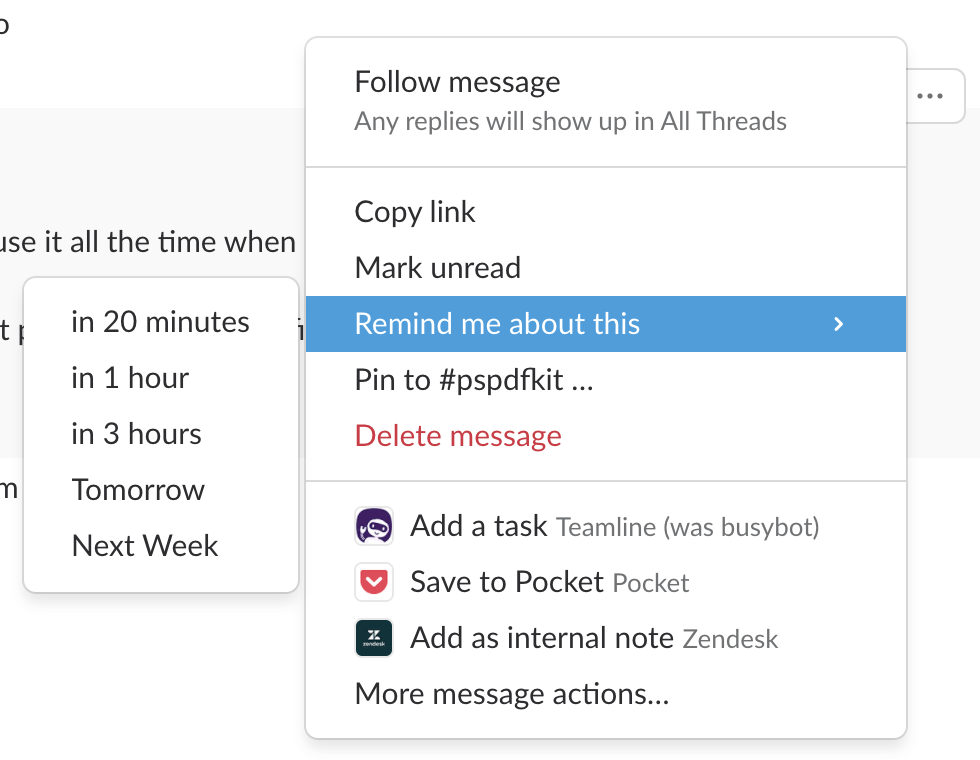
However, don’t let these reminders pile up — the Slack UI isn’t great for having a lot of reminders. I try to get through them at least once a week, if not daily.
Direct Messages (DM Hell)
It’s very easy to overuse DMs and see Slack as a real-time chat. In the default configuration, Slack will instantly send the recipient of a message a notification as soon as you send the first word. Please skip the politeness of writing only a “Hi” and then making me stare at a “Person is typing” message for 5 minutes. When there’s a lot going on, it’s extremely unsettling to be notified early. Same goes for “Hey, do you have a moment” spoilers where you get curious, only to ping the person back and then not receive a reply until much later.
PSA: when sending a slack to a busy person, never say “hi” and wait for a response before typing what you need to say.
— Eric Sammer (@esammer) May 24, 2018
Instead of DM, consider writing an email. If it doesn’t require an immediate response, don’t DM. Email is amazing. There are no notifications. (If you really get a notification for every new email, I don’t know how you get anything done.) Plus, it better pushes longform conversations. You can even say “Hi” at the beginning :)
(In the NSSpain talk, I made the argument to just see DM as async, but as my team pointed out, “It’s hard to ignore a phone when it rings 😉.”)
If it’s about a larger project, just create a new channel! DMs can’t easily be “lifted” to include more people, so often you start a conversation, realize you need someone else, and then have to copy or write it all again. Just make ad-hoc channels.
Oh, and if you’re about to write something longer, consider using a Google Doc. Or — again — good old email.
I know it's cool to hate on email but sometimes I wake up to 176 Slack notifications and think pls pls condense this into a coherent email
— Lauren Goode (@LaurenGoode) August 25, 2015
Today and Out for Today
We’ve been using “Today” for a long time as a form of async daily stand up and to let everyone know what the plans are. Recently we started adding an “Out for Today” to close the day. Turns out, this is much more useful and often contains many more details. People are proud when a pull request is ready for review or explain how and why they are stuck. It also “fixed” the bad feeling some people had when they posted the same thing in Today multiple days in a row, because they had a plan, but then more important things took priority over the course of the day. Out for Today gives everyone the opportunity to show the work they’ve accomplished, even if it isn’t what they set out to do.
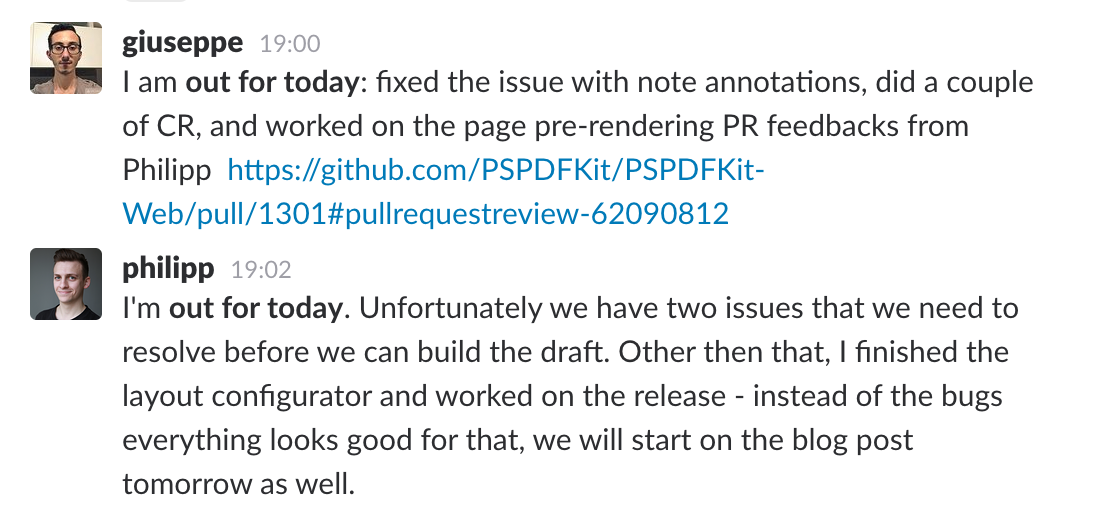
Again, keep it short, and add links to relevant pull requests, issues, or documentation. Make it easy for people to dig deeper, but allow it to be read quickly.
Video Calling
Whenever threads explode, people at our company generally jump on a call. If somebody forgets that in the heat of the argument, a reminder to “go on a call” helps a lot. It’s easy to forget that calling is just a /call away and you can discuss something easily that way. But the rule is to never call a person out of the blue. Either it’s an agreed-upon time on the calendar, you’re in a discussion already and someone proposes a call, or you simply ask via DM.
Calls are more efficient and convey so much more nuance — even more important when you throw different cultures into the mix. I’ve seen chats escalate, but that almost never happens with calls.
For calls with more than two people, we mostly switch to zoom.us. Slack’s call feature isn’t very reliable, and there’s nothing more annoying than video issues or spotty audio. Zoom is a full-blown conference solution and our preferred meeting tool. You can share your screen, it is highly configurable, and the quality is superior to even Slack. Oh, and the best feature is that it cuts you off after 40 minutes in the free version. There is rarely a reason for any meeting to be longer than 40 minutes, so we consider this one of its best features. :)
Notifications & Focus
We encourage people to be mindful about notifications. No DM is so important that it can’t wait half an hour. In fact, I see this still underused. Slack has a Do Not Disturb feature and Atlassian’s HipChat successor, Stride, made this one of its cornerstones, which they refer to a “Focus Mode.” If something is really urgent, people will call you on your phone. Everything else can wait a bit. Uninterrupted time is important — don’t let Slack take that away from you because someone is bored and asks you how your day is.

Talk at NSSpain
This is the first part of a two-part series on communication at PSPDFKit. The second part is about Effective Remote Communication and focuses on everything that’s not inside Slack.
If you’d like to learn more, watch my talk from NSSpain where I talked about Effective Remote Communication and our experience here at this PDF SDK product company.
Effective Remote Communication - Peter Steinberger from NSSpain on Vimeo.