





Table of contents
This post compares seven C# PDF libraries on features, pricing and licensing, and .NET integration, and it outlines which scenarios each library fits best.
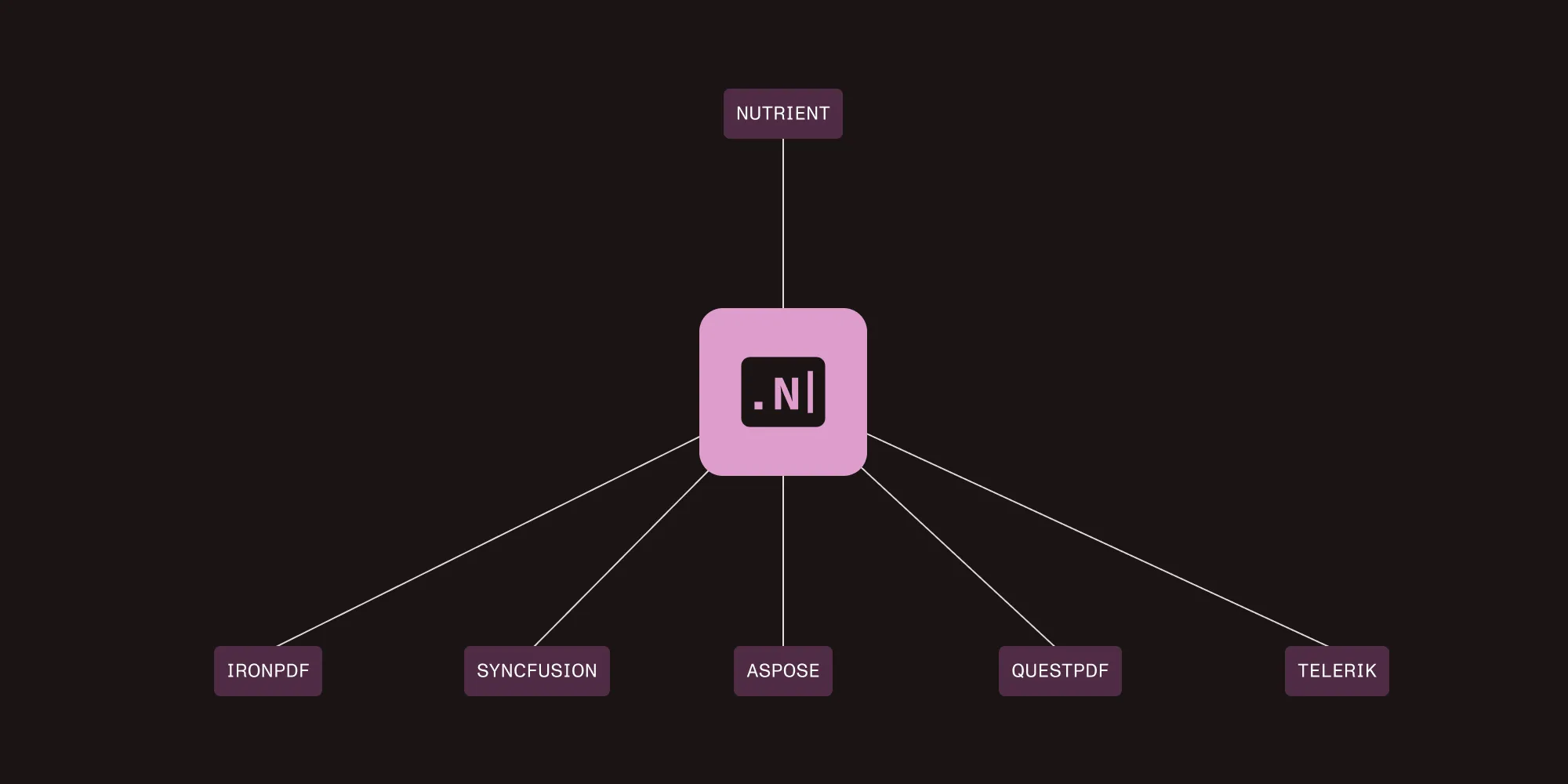
TL;DR
Compare seven leading libraries: Nutrient .NET SDK, IronPDF, iText Core, Syncfusion, Aspose, QuestPDF, and PDFsharp. This comparison features comprehensive analysis of performance, pricing, licensing models, and C# integration. It also includes production code examples, memory optimization benchmarks, and specific recommendations for different project types.
Key finding: Nutrient .NET SDK stands out as rare among .NET libraries in combining built-in AI document intelligence, support for more than 100 formats, and enterprise compliance in a single C# SDK. Try Nutrient free with your documents →
Quick decision matrix
| If you need… | Primary pick | Also strong at |
|---|---|---|
| AI-powered OCR and production data extraction | Nutrient .NET SDK | Multi-format workflows (PDF, Office, CAD, DICOM), PDF/A and PDF/UA, redaction, forms |
| A modern C#-fluent API for PDF generation | QuestPDF | Document operations (merge/split/overlay), code review-friendly layouts |
| HTML-to-PDF with Chromium rendering | IronPDF | PDF/A/UA output options, server deployments (verify footprint and CVE updates) |
| Complete low-level PDF manipulation and compliance | iText Core | Advanced forms, signatures, PDF/A variants, PDF/UA |
| Enterprise suite with UI components | Syncfusion PDF | High-volume batch generation, PDF/A (including A-4), PDF/UA, Blink-based HTML conversion |
| Maximum feature breadth and edge case handling | Aspose.PDF | Cross-format conversions (Word/Excel/HTML/EPUB), tricky/corrupted PDFs |
| Free and lightweight PDF generation | PDFsharp | Pair with MigraDoc for layouts; annotations/assembly; limited content edits |
What to look for in a C# PDF library
C# applications commonly require PDF processing for invoicing systems, document management platforms, and report generation. Building a custom PDF generator from scratch in C# takes months and requires ongoing maintenance.
Production requirements:
- Features that work — Reliable in production, not just marketing claims
- Performance under load — Reliable processing in high-concurrency scenarios
- Scalable pricing — Avoid per-server licensing
- Documentation quality — Critical for implementation speed
- Cross-platform support — Development machines and .NET 6/7/8 on Linux containers
What separates enterprise libraries from basic tools
- AI-native processing — Built-in machine learning for document analysis and OCR, not bolt-on features
- Comprehensive format support — Handle 100+ document types without additional libraries
- Production-scale performance — Memory optimization for gigabyte-sized documents
- Enterprise compliance — PDF/A, PDF/UA, and digital signature standards are built in
- Advanced document operations — Comparison, redaction, and form processing beyond basic generation.
Only enterprise-grade libraries like Nutrient deliver all these capabilities in a single SDK.
Interested in testing AI-powered document features? Try Nutrient with your actual documents — no credit card required.
Library breakdown: What C# developers are actually using in 2025
Here’s a closer look at the leading C# PDF libraries in 2025, including their key strengths and limitations, as well as the scenarios where each shines.
1. Nutrient .NET SDK (formerly GdPicture.NET) — Best overall
Commercial | Contact for pricing
Nutrient’s enterprise SDK, built on the GdPicture.NET foundation, processes 100+ formats — including PDF, Office documents, images, CAD, and DICOM — while providing integrated AI for OCR and data extraction. See the full feature list →.
Key strengths:
- AI OCR and extraction — Multi-language OCR, key-value/table extraction, auto form fields
- Viewer and annotations — HTML5 viewer, search, bookmarks, comments, flattening
- Forms and redaction — Create, fill, edit, and flatten forms; manual/regex redaction
- Compliance — PDF/A (including A-4), PDF/UA, digital signatures (certificates, timestamps, SHA-256)
- Document operations and conversion — Merge, split, and overlay; convert to/from PDF/PDF-A/images with optimization
- Barcode, capture, print — 1D and 2D barcodes; TWAIN andWIA scanning; server and client printing
- Cross-platform and scale — .NET 8+/6/7 and .NET Framework 4.6.2; Windows/Linux/macOS; tuned for high-volume workloads
Limitations:
- The library’s broad range of capabilities can be excessive for projects that only require simple PDF generation.
Best for: Enterprise document workflows, AI-driven data extraction, multi-format processing pipelines, and applications that require strict compliance.
Nutrient .NET SDK: OCR PDF in C#
Here’s a practical example demonstrating how to perform OCR on a PDF using Nutrient .NET SDK in C#:
using GdPicturePDF gdpicturePDF = new GdPicturePDF();
// Load the source document.
gdpicturePDF.LoadFromFile(@"C:\temp\source.pdf");
// Determine the number of pages.
int pageCount = gdpicturePDF.GetPageCount();
// Loop through the pages of the source document.
for (int i = 1; i <= pageCount; i++)
{
// Select a page and run the OCR process on it.
gdpicturePDF.SelectPage(i);
gdpicturePDF.OcrPage("eng", @"C:\GdPicture.NET 14\Redist\OCR", "", 300);
}
// Save the result in a new PDF document.
gdpicturePDF.SaveToFile(@"C:\temp\output.pdf");
gdpicturePDF.CloseDocument();
2. QuestPDF — Modern C# fluent API leader
MIT license (commercial above $1M revenue) | Cross-platform
QuestPDF(opens in a new tab) is a modern PDF generation library with a fluent C# API designed for the .NET ecosystem. Its code-first approach eliminates the need for external templates, making all documents version-control friendly.
Key strengths:
- Native C# fluent API — Feels natural to .NET developers and provides excellent asynchronous programming support
- High-performance generation — Memory-efficient design suitable for high-volume scenarios
- Strong community — More than 13,300 stars on GitHub, active development, and comprehensive documentation
- Generous MIT licensing — Free for companies with annual revenue under $1M
Limitations:
- QuestPDF has limited content manipulation capabilities. It doesn’t support content-level edits or text extraction, although its document operations API covers merging, page selection, and overlays.
- It doesn’t include enterprise-level features such as optical character recognition, artificial intelligence processing, or advanced compliance standards like PDF/A and PDF/UA.
Best for: Generating PDFs from scratch, creating reports and invoices, and producing structured documents with predictable layouts.
Note: QuestPDF’s document operations API supports merging, page selection, and overlays, but not content-level edits or text extraction.
3. iText Core (now part of Apryse)
AGPL/commercial | Cross-platform
iText Core is a mature PDF library with a detailed, specification-focused API. It’s widely adopted in enterprise scenarios that require fine-grained control over PDF structure and workflows.
Key strengths:
- Complete PDF manipulation — Broad API coverage for forms, signatures, encryption, text extraction, and document operations
- Extensive documentation and support — Long project history, commercial support options, and an active ecosystem
- Handles complex workflows — Supports secured PDFs, portfolios, and advanced merging and assembly
- Full compliance tooling — Supports multiple PDF/A variants, PDF/UA accessibility, and advanced security features
Limitations:
- The licensing is complex. The AGPL requires open source disclosure, and commercial licensing can be expensive.
- Its verbose API can make simple tasks require more boilerplate code and a steeper learning curve.
Best for: Complex PDF manipulation, enterprise forms processing, and projects that require comprehensive, low-level PDF features.
Enterprise requirements often outgrow basic PDF libraries. If you need advanced capabilities like OCR or AI data extraction, evaluate Nutrient’s features with your specific use cases.
4. IronPDF — HTML conversion specialist
Commercial | Cross-platform
IronPDF is a library specializing in HTML-to-PDF conversion using the Chromium engine. It delivers pixel-perfect rendering of modern CSS, JavaScript, and responsive designs with minimal configuration.
Key strengths:
- Chromium-based rendering — This feature provides browser-grade HTML-to-PDF fidelity and supports PDF/A (part 1b and part 2b), as well as PDF/UA-1 accessibility compliance, according to the vendor documentation.
- Straightforward API — The library provides a clean and intuitive C# interface, making HTML-to-PDF conversion easy to implement.
- Perpetual licensing — The library is offered under a perpetual license with mid-range pricing and doesn’t require ongoing subscription fees.
- Cross-platform deployment — The library supports deployment on Windows, Linux, and macOS, and it’s compatible with Docker and cloud-based environments.
Limitations:
- IronPDF has limited PDF manipulation capabilities beyond HTML-to-PDF conversion. While it supports common operations such as merging, splitting, form filling, and adding headers and footers, it lacks the comprehensive low-level PDF editing capabilities of libraries like iText or Aspose.
- The Chromium dependency significantly increases the application footprint, and Docker images with OCR and Chromium stacks often exceed 500 megabytes.
Best for: Converting webpages, HTML reports, and other web content to PDF with accurate CSS rendering.
5. Syncfusion PDF — Enterprise workhorse
Commercial with community license (under $1M revenue) | Cross-platform
Syncfusion PDF is an enterprise-grade library with more than 15 years of deployment history. It’s part of the larger Essential Studio suite, which provides consistent API patterns across user interface controls and document processing components.
Key strengths:
- Proven enterprise track record — Thousands of companies use Syncfusion for mission-critical applications, demonstrating the library’s reliability in production environments.
- High-performance batch processing — The library is optimized for generating thousands of PDF documents with minimal memory overhead, ensuring efficient large-scale operations.
- Full compliance support — Syncfusion provides full support for PDF/A (including A-4, A-4e, and A-4f) and PDF/UA accessibility standards, with documented examples for implementation.
- Integrated ecosystem — The library integrates seamlessly with Syncfusion user interface components and supports modern HTML-to-PDF conversion using the Blink rendering engine.
Limitations:
- Syncfusion’s licensing requires purchasing the entire Essential Studio suite; it isn’t available as a standalone PDF library.
- It lacks advanced features such as AI-powered document processing.
Best for: Enterprise applications, high-volume PDF processing, existing Syncfusion users, and comprehensive user interface component integration.
6. Aspose.PDF — Feature-complete but complex
Commercial | Cross-platform
Aspose.PDF provides the maximum feature coverage for the PDF specification, including rare edge case functionality. It offers industry-leading conversion capabilities between PDF and dozens of formats, such as Word, Excel, EPUB, and XPS.
Key strengths:
- Most comprehensive feature set — The library covers virtually every PDF specification feature, including PDF portfolios and three-dimensional annotations.
- Excellent format conversion — It provides reliable conversion between PDF and dozens of other formats, delivering professional-grade results.
- Enterprise support — Full enterprise support is included, with service level agreement guarantees, 24/7 support, and dedicated technical account management.
- Edge case handling — The library can process problematic or corrupted PDF files that may cause other libraries to fail.
Limitations:
- Aspose.PDF has high licensing costs, which may be prohibitive for smaller organizations.
- Its complex API architecture requires verbose code and significant boilerplate for simple operations.
Best for: Complex enterprise scenarios, comprehensive PDF manipulation, handling edge cases, and organizations with larger budgets.
7. PDFsharp — Open source foundation
MIT license | Popular open source | Cross-platform
PDFsharp is a lightweight and completely free PDF generation library distributed under the MIT license. It provides a reliable foundation for basic PDF needs without usage restrictions, revenue limits, or hidden costs.
Key strengths:
- Completely free MIT license — The library is distributed under the MIT license with no usage restrictions or revenue limits.
- Lightweight deployment — It has a minimal memory footprint, making it ideal for microservices and containerized environments.
- MigraDoc integration — The library integrates with MigraDoc to provide advanced document layout, including automatic page breaks and structured document creation.
- Cross-platform consistency — It delivers reliable behavior across Windows, Linux, and macOS without additional dependencies.
Limitations:
- PDFsharp has a basic feature set and lacks advanced capabilities such as optical character recognition, artificial intelligence processing, or comprehensive text extraction.
- Support is community-based only, relying on forums and documentation rather than commercial assistance.
Best for: Budget-conscious projects, simple PDF generation, learning purposes, open source compliance requirements, and lightweight deployment needs.
Feature comparison of C# PDF libraries
The following tables provide a detailed comparison of leading C# PDF libraries across core operations, advanced capabilities, and supported document formats. This overview helps you quickly identify which library best fits your project requirements based on features, performance, and integration options.
Core PDF operations in C#
| Feature | Nutrient | IronPDF | Syncfusion | Aspose | QuestPDF | iText Core | PDFsharp |
|---|---|---|---|---|---|---|---|
| PDF generation | ✅ | ✅ | ✅ | ✅ | ✅ | ✅ | ✅ |
| PDF editing | ✅ | ✅ | ✅ | ✅ | ❌ | ✅ | ✅* (annotations/assembly; no arbitrary text edits) |
| PDF merging/splitting | ✅ | ✅ | ✅ | ✅ | ✅ | ✅ | ✅ |
| Text extraction | ✅ | ✅ | ✅ | ✅ | ❌ | ✅ | ❌ |
| Form processing | ✅ | ✅ | ✅ | ✅ | ❌ | ✅ | ❌ |
| Digital signatures | ✅ | ✅ | ✅ | ✅ | ❌ | ✅ | ❌ |
PDFsharp PDF editing: annotations/merging supported; limited content-level editing
Advanced PDF capabilities
| Feature | Nutrient | IronPDF | Syncfusion | Aspose | QuestPDF | iText Core | PDFsharp |
|---|---|---|---|---|---|---|---|
| AI-powered OCR | ✅ Built-in ML | ❌ | ✅ Basic | ✅ Basic | ❌ | ❌ | ❌ |
| Smart data extraction | ✅ ML key-value | ❌ | ❌ | ❌ | ❌ | ❌ | ❌ |
| Document comparison | ✅ Change tracking | ❌ | ❌ | ✅ Basic | ❌ | ❌ | ❌ |
| PDF/A compliance | ✅ Full suite | ✅ Basic | ✅ Full | ✅ Full | ❌ | ✅ Full | ✅ Emerging |
| PDF/UA accessibility | ✅ Complete | ✅ Basic | ✅ Full | ✅ Full | ❌ | ✅ Full | ✅ Emerging |
| Barcode generation/reading | ✅ Advanced | ❌ | ✅ Basic | ❌ | ❌ | ❌ | ❌ |
| Memory optimization | ✅ Multi-GB docs | Watch for spikes | ✅ Good | Watch for slow | ✅ Light | Watch for slow | ✅ Light |
Document format support comparison
| Format category | Nutrient | IronPDF | Syncfusion | Aspose | QuestPDF | iText Core | PDFsharp |
|---|---|---|---|---|---|---|---|
| Document formats | ✅ 100+ formats | ❌ PDF only | ✅ Limited | ✅ Good | ❌ PDF only | ❌ PDF only | ❌ PDF only |
| Office documents | ✅ Native processing | ❌ | ✅ Basic | ✅ Good | ❌ | ❌ | ❌ |
| CAD files | ✅ AutoCAD, DWG, DXF | ❌ | ❌ | ✅ Basic | ❌ | ❌ | ❌ |
| Medical imaging | ✅ DICOM support | ❌ | ❌ | ❌ | ❌ | ❌ | ❌ |
| Image processing | ✅ Advanced preprocessing | ❌ | ✅ Basic | ✅ Good | ❌ | ❌ | ✅ Basic |
Want to test comprehensive format support? Try processing your documents with Nutrient to see the difference of handling 100+ formats in one SDK.
Which C# PDF library should you actually use?
The following recommendations highlight which C# PDF library is most suitable based on your specific project needs, such as document generation, OCR, compliance, or budget considerations. Use this guide to match your requirements with the library that offers the best combination of features and performance.
Pick Nutrient .NET SDK when
- You require OCR for processing real-world scanned documents.
- AI-powered data extraction can help save significant development time.
- Your project demands accessibility compliance, such as for government contracts.
- You have a budget available for enterprise-level support.
- You’re handling complex forms or legal documents that require robust processing.
Pick IronPDF when
- Your primary requirement is HTML-to-PDF conversion.
- You want a solution that requires minimal configuration.
- Accurate rendering using the Chrome engine is necessary.
- You have a limited budget but still need commercial support.
Pick Syncfusion when
- You need reliable PDF generation for your application.
- You qualify for the free community license.
- Your project already uses Syncfusion UI components.
- You require processing of Office documents in addition to PDFs.
Pick Aspose.PDF when
- You need comprehensive PDF capabilities for your project.
- You’re performing complex manipulations such as form merging or page extraction.
- Your application must comply with strict standards, including PDF/A-3b.
- You have the budget available for a premium solution.
Pick QuestPDF when
- You’re building PDFs programmatically without using templates.
- Open source licensing is a requirement for your project.
- You prefer a fluent API design for creating documents.
- Your documents follow a consistent and predictable structure.
Pick iText Core when
- You require comprehensive PDF manipulation capabilities.
- Your project involves complex form processing requirements.
- Your budget allows for commercial licensing.
Pick PDFsharp when
- You have a tight budget and need a completely free solution.
- Your requirements are limited to simple PDF generation.
- You’re learning PDF concepts and development.
- Open source licensing is required for your project.
- You need a lightweight library for deployment in constrained environments.
Bottom line for C# developers
Nutrient .NET SDK uniquely combines built-in AI OCR and data extraction; coverage of 100+ formats; and full PDF/A, PDF/UA, and digital signing in one SDK — ideal for end-to-end document workflows and compliance.
Alternatives excel at focused jobs: IronPDF (HTML→PDF), QuestPDF (code-first generation), iText Core and Aspose (low-level, spec-driven control and compliance), Syncfusion (suite integration + community licensing), PDFsharp (free basics). Select a library based on your main use case, preferred licensing model, and deployment requirements.
By consolidating capabilities in one SDK, Nutrient can reduce integration complexity, simplify maintenance, and lower total cost of ownership.
Ready to see the difference? Start your free trial with your actual documents, or speak with our technical team about your specific requirements.
FAQ
Among the C# PDF libraries reviewed, Nutrient stands out in combining AI document intelligence, support for 100+ formats, and enterprise compliance in one SDK. While competitors focus on basic PDF generation, Nutrient handles OCR, data extraction, document comparison, and complex workflows that typically require multiple libraries. Try Nutrient free with your actual documents to see the difference.
Nutrient’s OCR includes intelligent preprocessing (deskewing, noise reduction), supports 100+ languages including non-Latin scripts, and provides ML-powered key-value extraction that automatically identifies form fields and data pairs. Other libraries offer basic text extraction from digital PDFs only. Test Nutrient’s OCR capabilities on your scanned documents.
Yes. Nutrient provides complete PDF/A archival standards, PDF/UA accessibility compliance, and legally valid digital signatures. This eliminates the need for separate compliance tools. Government contracts and regulated industries choose Nutrient for built-in compliance features. Contact our team for compliance requirement discussions.
Nutrient processes 100+ document and image formats, including Office documents, CAD files (AutoCAD, DWG), medical imaging (DICOM), and archive formats — all in one SDK. Competitors require separate libraries for different formats, increasing complexity and costs. See the full format list and test with your specific file types.
Nutrient’s memory-optimized architecture is designed for large documents, including multi-gigabyte files and complex page structures. In our testing on standard server configurations (8 vCPU/16GB RAM), it maintained consistent performance where some other libraries experienced memory constraints. It’s built for 24/7 enterprise environments; your results may vary with content complexity. Try processing your largest documents to evaluate the performance characteristics.