

惯性聚合 高效追踪和阅读你感兴趣的博客、新闻、科技资讯
阅读原文 在惯性聚合中打开

推荐订阅源

C
CERT Recently Published Vulnerability Notes
F
Fortinet All Blogs
有赞技术团队
有赞技术团队
博客园 - 三生石上(FineUI控件)
V
Visual Studio Blog
量子位
博客园 - 聂微东
S
SegmentFault 最新的问题
月光博客
月光博客
爱范儿
爱范儿
罗磊的独立博客
博客园_首页
WordPress大学
WordPress大学
Google DeepMind News
The Hacker News
The Hacker News
G
GRAHAM CLULEY
大猫的无限游戏
大猫的无限游戏
K
Kaspersky official blog
小众软件
小众软件
Simon Willison's Weblog
T
Threatpost
美团技术团队
T
The Blog of Author Tim Ferriss
T
The Exploit Database - CXSecurity.com
Project Zero
Project Zero
C
Cyber Attacks, Cyber Crime and Cyber Security
酷 壳 – CoolShell
酷 壳 – CoolShell
K
KPMG report finds enterprise disconnect between AI and its ROI | CIO
C
Cisco Blogs
P
Proofpoint News Feed
PCI Perspectives
PCI Perspectives
Know Your Adversary
Know Your Adversary
aimingoo的专栏
aimingoo的专栏
博客园 - 司徒正美
T
Tor Project blog
S
Security Affairs
奇客Solidot–传递最新科技情报
奇客Solidot–传递最新科技情报
Vercel News
Vercel News
博客园 - Franky
IT之家
IT之家
Security Archives - TechRepublic
AI
AI
O
OpenAI News
N
News and Events Feed by Topic
Y
Y Combinator Blog
Last Week in AI
Last Week in AI
Stack Overflow Blog
Stack Overflow Blog
H
Help Net Security
钛媒体:引领未来商业与生活新知
钛媒体:引领未来商业与生活新知
Hugging Face - Blog
Hugging Face - Blog

Inside Nutrient

A guide to the invisible work behind documents Introducing Nutrient Documents for Salesforce: Native document generation and signing Document AI vs. traditional OCR: Choosing between OCR, AI, and hybrid pipelines PDF SDK compliance and security evaluation checklist for enterprise teams (2026) Invariant Corp replaces paper processes with Nutrient Workflow and scales without limits What is process mapping? A complete guide Nutrient vs. Conga Composer for Salesforce document generation (2026) Document routing: How to automate document distribution The CTO’s AI playbook: Why accountability architecture beats orchestration Compliance workflow automation: Why built-in compliance is table stakes Workflow diagrams: Examples, symbols, and how to build one that actually runs Digital forms: Replace paper forms with automated workflows Approval workflow software: How to automate approvals Why document-centric automation is different The CEO’s AI playbook: Why decision architecture beats model selection Nutrient SDK product updates for Q1 2026 PDF redaction verification: How to prove sensitive data is permanently removed What is a VPAT? The complete guide to accessibility conformance reports What is PDF/UA? The accessible PDF standard explained Salesforce eSignatures: Generate, sign, and track documents in one flow Online document viewer: Options, tradeoffs, and how to embed one Document viewer for web apps: React, Vue, Angular (2026) Best document viewers in 2026: A buyer’s guide How to edit a PDF in Python: Add text, images, and annotations Nutrient advances Workflow platform with agentic AI for enterprise-grade speed and consistency in document-heavy operations How to create a Salesforce quote template from opportunity data The business case for accessibility: Five ways it drives enterprise value Python PDF library comparison (2026): 7 libraries for developers Why your AI agent hallucinates PDF table data PDF.js limitations: When to upgrade to a commercial PDF SDK How Subject scaled 5× with Nutrient’s PDF SDK without rebuilding its document layer I replaced our sales training with an AI coach that runs in Slack — here’s what broke Redirecting to: https://securitybuzz.com/cybersecurity-news/why-enterprise-permissions-are-ais-most-dangerous-inheritance/ Nutrient .NET SDK vs. iText Core: Complete comparison for .NET developers DocuVieware: Support’s most frequently asked setup questions Introducing Nutrient Workflow How to convert PDF to Word in C# (.NET) When email and spreadsheets stop working: Work order approval workflows for field teams on the move Compliance with confidence: Why document-centric automation is the foundation of your mission Nutrient expands AI Assistant, automating multistep document workflows inside any application What is document generation? A developer’s guide to PDF generation Document Converter data flow and how real-time watermarks skip the queue PDF/UA compliance guide: Requirements, standards, and best practices Computers still can’t understand you How Athena Intelligence built AI agents for regulated enterprises with Nutrient’s document infrastructure How to convert HTML to PDF (2026): 4 methods from browser print to SDK How to build a document extraction pipeline with Nutrient Vision API OCR vs. intelligent document processing: Choosing the right document extraction engine Beyond OCR: How document intelligence eliminates manual processing in regulated industries Nutrient vs. IronPDF: Complete comparison for .NET developers Nutrient vs. Aspose.PDF: Complete comparison for .NET developers Redirecting to: https://fortune.com/2026/02/19/openclaw-who-is-peter-steinberger-openai-sam-altman-anthropic-moltbook/ Lufthansa Systems uses Nutrient to deliver reliable, scalable PDF rendering for pilots worldwide Nutrient vs. Syncfusion: Complete comparison for .NET developers React’s useTransition: The hook you’re probably using wrong First City Monument Bank streamlines banking processes with Nutrient Workflow Redirecting to: https://www.sdcexec.com/warehousing/automation/article/22957364/nutrient-workflow-automation-the-missing-link-in-supply-chain-efficiency The complete guide to digital signatures: PAdES, CAdES, and XAdES explained Nutrient Python SDK: Production-grade document processing for Python Introducing agentic document editing for web applications with AI Assistant Nutrient vs. QuestPDF: Complete comparison for .NET developers How we fixed the GdPicture license expiration (and what to do if you’re affected) Red team security testing with agentic AI The future of healthcare document automation Best healthcare workflow software compared Nutrient SDK product updates for Q4 2025 How Harvey scaled legal document workflows 50 percent MoM without rebuilding infrastructure HIPAA-compliant document management in hospitals How we optimized rendering performance while handling thousands of annotations in React — Part 2 Automated PII removal with Nutrient API Redirecting to: https://www.devopsdigest.com/2026-low-code-no-code-predictions Redirecting to: https://www.kmworld.com/Articles/Editorial/ViewPoints/Leaders-predict-AI-to-continue-permeating-all-aspects-of-KM-in-2026-172594.aspx What are deep agents and how do they solve complex problems? Whipping up document magic: Your easy-bake recipe for Vue and Nutrient Web SDK 🧁 What I’ve learned about product iteration planning while building SDKs Passwordless document signing: Three-layer security guide New zip folder functionality streamlines file management in Document Automation Server The keyboard shortcuts playbook: Taking control of keyboard events in Nutrient Web SDK From experienced engineer to AI beginner: My unexpected journey AI-assisted manual testing: Handling Safari’s PDF rendering and UI quirks How to keep a 20-year-old SDK up to date How we optimized rendering performance while handling thousands of annotations in React — Part 1 Nutrient announces new executive hires to accelerate next phase of growth High performance UI using web workers Automate document conversion at scale with Python and Nutrient DCS From curiosity to PLG (and AI): My journey to understanding product-led growth Prost to progress: One year as Nutrient Pigeon usage at Nutrient: Bridging native SDKs to Flutter Modernizing CI build servers: How to migrate from Chef to Ansible Unix man pages: AI-friendly documentation since 1971 Consistent hashing for even load distribution Best AI redaction APIs: Complete comparison guide for 2025 Why AI document redaction matters for modern security From coding to coordinating: How AI transformed my workflow What is intelligent document processing (IDP)? A complete guide Enterprise PDF SDKs: Best PSPDFKit (now Nutrient) alternatives GdPicture support best practices Redacting sensitive data with Nutrient AI redaction API How AI is transforming the customer experience at Nutrient: From instant answers to intelligent support How manual QA uses PR testing between releases
Nutrient SDK product updates for Q3 2025
Pavel Bogachevskyi · 2025-11-05 · via Inside Nutrient

This quarter’s SDK updates push a shared goal forward — to make the world’s most capable document SDKs the easiest to build with. Every improvement removes friction, addresses complexity, and brings intelligence closer to where developers work. That means tighter platform integration, cleaner APIs, and tooling that anticipates edge cases before you hit them.

From AI-powered, multidocument context across iOS, Android, Flutter, and MAUI to native support for iOS 26’s Liquid Glass, Q3’s updates make it easier to build faster, smarter experiences — with fewer workarounds. Accessibility is built into the rendering and annotation layers, and not added after the fact. And refinements across every SDK remove the subtle blockers that quietly slow teams down.

This release focuses on three dimensions: intelligence, performance, and inclusivity — each deeply integrated across every SDK. Here’s what’s new:
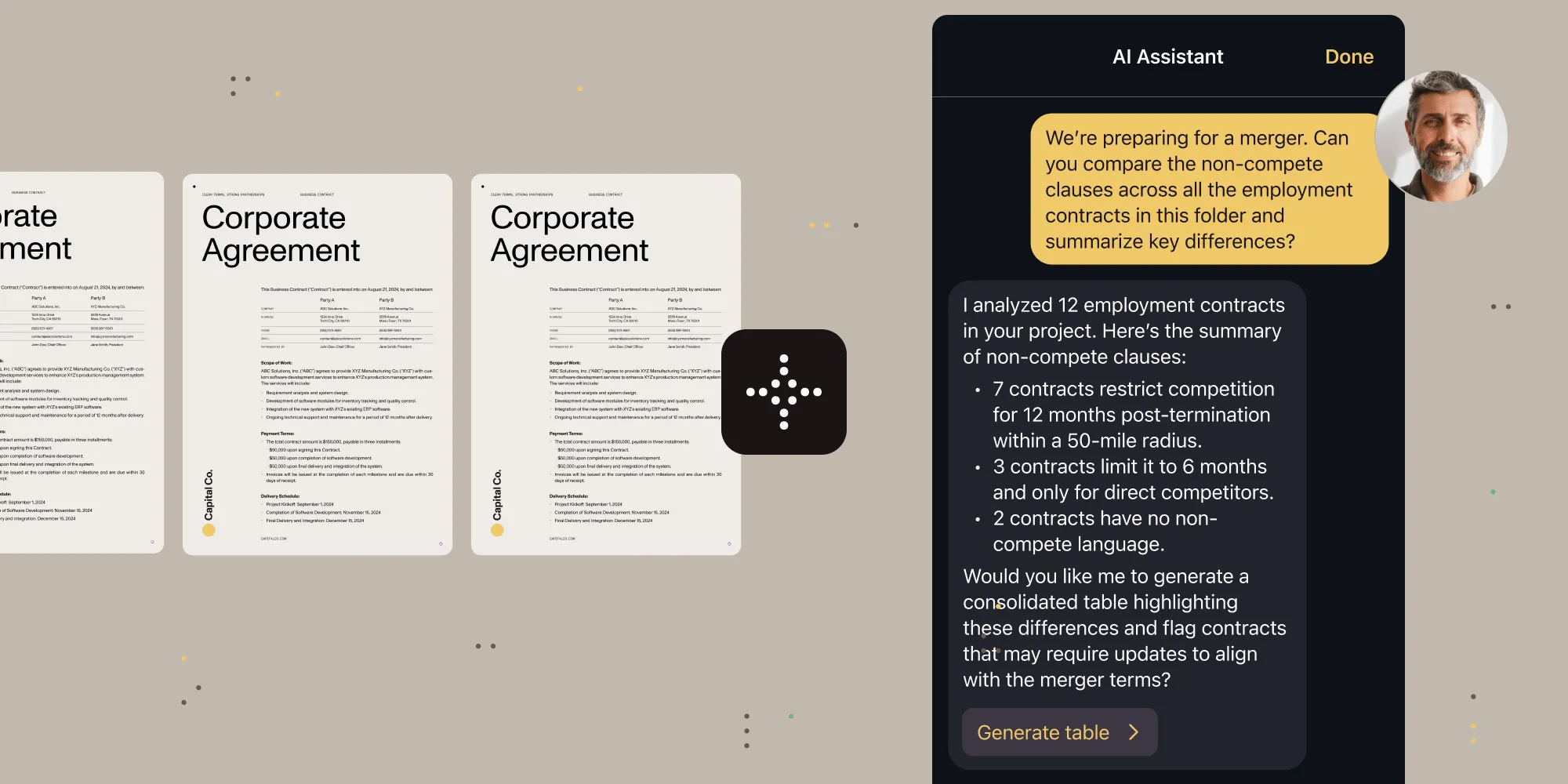
  • AI Assistant reaches feature parity across iOS, Android, and cross-platform SDKs
  • iOS 26 support with full Liquid Glass design, delivered on day one
  • Developer velocity improvements: type-safe APIs, Jetpack Compose, and modern concurrency support
  • New self-serve plans (including a free tier) for DWS API — server-side rendering without the infrastructure burden
  • Right-to-left language support in Web Viewer SDK opens Arabic and Hebrew markets
  • Granular theme customization with WCAG 2.2-compliant high contrast modes
  • Programmatic PDF editing in Web Viewer SDK with full style and layout fidelity

AI Assistant: Multidocument intelligence across every platform

AI Assistant

With Q3’s releases, AI Assistant achieves feature parity across iOS and Android with full multidocument support. Users can now query, compare, and synthesize across entire document collections — whether they’re reviewing contract variations, cross-referencing technical specifications, or analyzing financial reports.

What you get:

  • iOS SDK — Native AIAssistantView for SwiftUI with multidocument context, styling system via aiAssistantStyle(_:), and document navigation through onDocumentNavigationAction.
  • Android SDK — Multidocument support for both local and remote documents (Instant), which works seamlessly with the new InstantDocumentView composable.
  • Cross-platform parity — MAUI, Flutter, React Native, and .NET for Android now support the same AI capabilities as native SDKs.
  • Flexible LLM integration — OpenAI, Azure AI, AWS Bedrock, or self-hosted models — your choice, your control.

The technical achievement here isn’t just adding bolt-on AI features; it’s maintaining performance while managing multiple document contexts, preserving privacy while enabling intelligence, and keeping developer APIs clean while the underlying complexity grows. Any toolkit can add a chat window. Building AI that understands document relationships while respecting platform constraints — that’s different.

iOS 26 and Liquid Glass: When preparation meets opportunity

iOS 26

Apple’s iOS 26 introduced Liquid Glass — the most significant visual redesign since iOS 7’s flat design revolution. Nutrient iOS SDK 26 shipped with full Liquid Glass support on day one.

Our version jump from 14.x to 26 mirrors Apple’s numbering — a deliberate choice that signals alignment with platform evolution, not just compatibility. But here’s what matters more than the version number: compatibility across supported iOS versions. Your iOS 26 users get Liquid Glass. Your iOS 17 users get stability.

Technical highlights:

  • Glass effectsFlexibleToolbar and ScrubberBar with native glass backgrounds when appropriate.

  • Morphing animations — Smooth transitions between toolbar buttons and modal views.
  • Edge effects — Soft edges for navigation, hard edges for tabs — matching iOS 26’s spatial model.
  • Type-safe notifications — New Notification Center message APIs for Swift 6 concurrency.
  • Adaptive user interface (UI) — Automatic adjustment between old and new designs based on system configuration.

Developer velocity: The compound effect of thoughtful APIs

Developer velocity

Every quarter, we ship hundreds of refinements that each save seconds but, together, compound into weeks gained. Q3 pushed that further by fixing the small things that slow teams down and introducing foundations for what’s next.

For Web Viewer SDK, RTL support opens the door to new markets, while granular theming brings fine-grained branding control and built-in accessibility. On mobile, type-safe APIs and threading fixes remove the friction that hides in every release cycle. And in Document Engine, programmatic content (text) editing turns static files into adaptable ones.

Web SDK:

  • UI customization slots for comment threads and sidebars — inject your components, maintain our stability
  • Programmatic content (text) editing while preserving layout and font fidelity
  • Initial right-to-left language support for Arabic and Hebrew
  • Granular theme customization with system-aware accessibility
  • Fixed TypeScript definitions for edge case configurations
  • Removed unsafe-eval CSP requirement (finally, stricter security policies)
  • Better error recovery for malformed documents

iOS SDK:

  • Type-safe, concurrency-safe notification APIs (goodbye string literals)
  • Performance improvements for 100+ page documents (fixed threading deadlocks)
  • Document page highlighting with setPageIndexWithHighlights(_:highlights:)

Android SDK:

  • Native Jetpack Compose with InstantDocumentView
  • Enhanced stylus support with button controls for eraser and redaction
  • Form field autocomplete via OnTextFormElementSuggestionRequestListener
  • Improved save reliability with atomic write operation

The pattern here is clear: We’re not just adding features. We’re removing friction. Every improved API, every performance optimization — they compound into developer velocity. And developer velocity compounds into business value.

Accessibility: From a compliance checkbox to competitive advantage

Accessibility

Q2 introduced our accessibility commitment with WCAG 2.2 support. Q3 proves we meant it.

Across every SDK, every platform, and every release, we shipped accessibility improvements. Because when accessibility is built into your architecture, it doesn’t require special handling; it just happens.

Consider PDF/UA improvements now shipped across our SDK product line. When adding or flattening annotations, SDKs now preserve accessibility tags automatically. No configuration required. No special API calls. Documents that were accessible stay accessible. Documents that weren’t get the foundation to become accessible.

Or look at Web Viewer SDK’s high contrast themes: They adapt to system preferences automatically. They maintain readability across all UI elements. They work with custom themes, and not against them.

This quarter’s accessibility improvements:

  • Document Engine — Conversion to PDF/UA so you can automatically tag PDFs to make them accessible.
  • Web SDK — Keyboard navigation improvements, ARIA label refinements, and focus management fixes.
  • iOS SDK — Menu items use titles instead of images for better VoiceOver support.
  • Android SDK — Improved color contrast in signature selection, and better focus indicators.
  • Cross-platform — Consistent accessibility patterns across all SDKs and preserving accessibility tags when performing annotation operations.

Here’s what we’ve learned: Accessibility isn’t a feature you add. It’s a quality you maintain. Every new component, every API change, every UI update — they all need to preserve and enhance accessibility.

Android evolution: From mobile SDK to modern platform

Android evolution

Android development is undergoing a generational shift. Jetpack Compose is replacing XML layouts. Kotlin coroutines are replacing callbacks. Material Design 3 is replacing… well, everything that came before.

We’re embracing these changes as opportunities to deliver better developer experiences. The new InstantDocumentView composable brings native Compose support for server-side Document Engine processing. No interop layers or wrapper components. Just clean, declarative UI that follows Compose patterns:

@Composable

fun DocumentScreen(documentId: String) {

InstantDocumentView(

documentId = documentId,

configuration = rememberPdfConfiguration {

// Your configuration here.

}

)

}

But modern Android support goes beyond UI frameworks. Q3 brought enhanced stylus support with natural eraser controls, form field autocomplete for better a better user experience (UX), and atomic write operations for data integrity. Each improvement reflects how Android development is maturing from mobile-first to productivity-first:

  • Jetpack Compose — Native InstantDocumentView composable, with no bridge required.
  • Stylus support — Eraser tool via stylus button, pressure-sensitive redaction.
  • Form autocompleteOnTextFormElementSuggestionRequestListener for intelligent suggestions.
  • Material Design 3 — Updated styling system with proper theme integration.
  • Kotlin 2.10.2 — Latest language features and performance improvements.

DWS Viewer API — Bridging browser and backend

DWS Viewer API

Every team building document experiences eventually asks the same question: Should we keep rendering and processing in the browser or move it to the backend? Until now, that choice came with friction — setup, operations, cost. Trying and especially owning backend PDF rendering wasn’t easy.

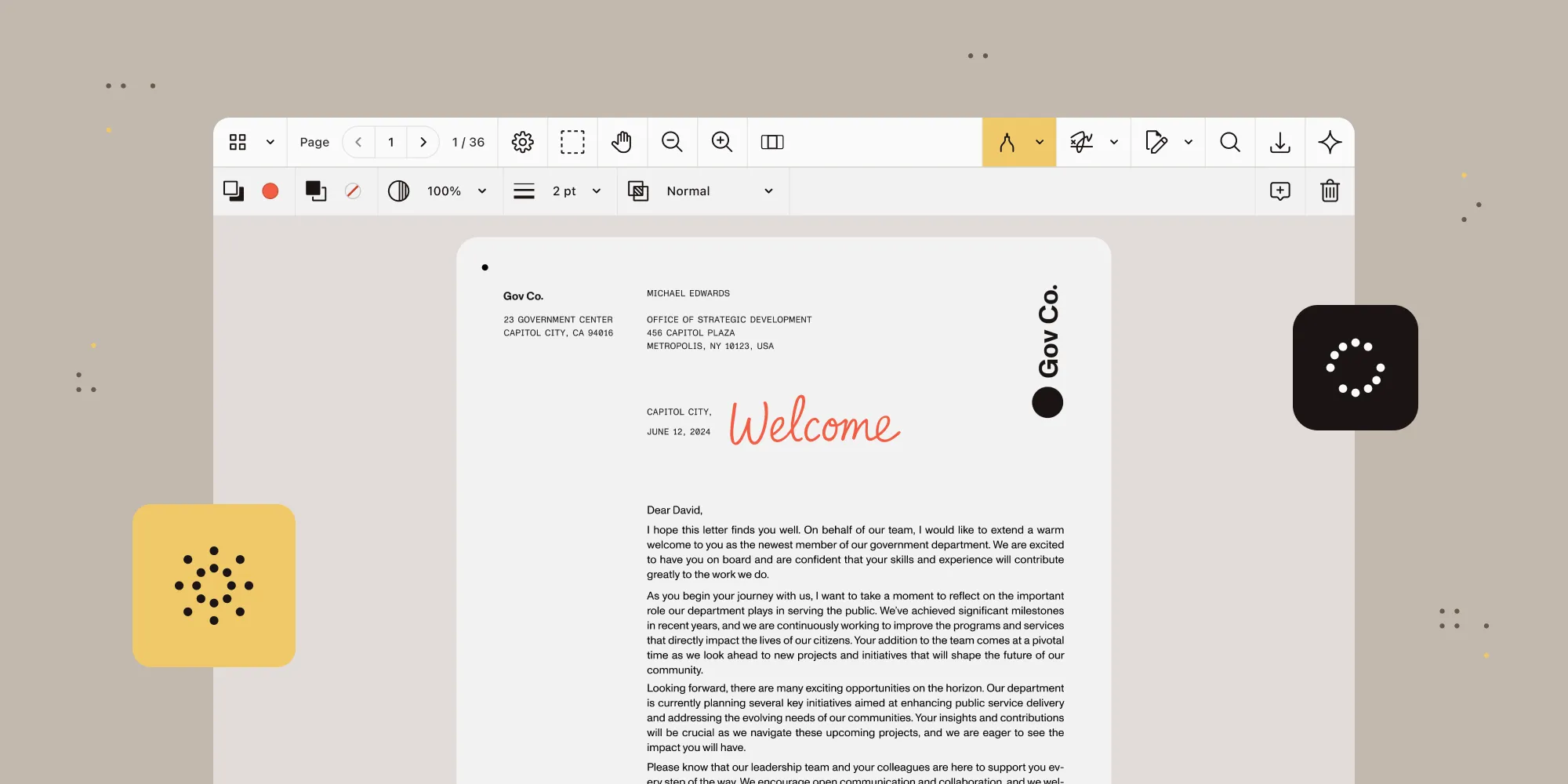
Document Web Services API changes that. This new SaaS further expands the Web SDK and Document Engine ecosystem, enabling web application developers to easily offload rendering and processing to the backend without thinking about infrastructure. Same Web SDK, same experience for the developer — just lighter on the client and ready for heavier workloads.

The new self-serve plans make that decision easy to test. Create an account, load your documents, and see how backend rendering behaves in your environment. No local setup or detailing with DevOps.

Why it matters

  • Compare, don’t guess. Measure real-world performance differences between client-side and backend rendering using your own PDFs.
  • Lighter clients, predictable performance. Offload the heavy lifting to the backend while keeping your existing Web Viewer SDK UI.
  • Simple entry point. Test server-side rendering and processing safely before moving to a full backend Document Engine operation should you need it.

Note: Quotas and limits apply. For larger businesses (more than 20 employees or more than $1 million in annual revenue) our Sales team can provide custom plans to ensure sufficient capacity for the best user experience. For the most demanding use cases or strict compliance requirements, Managed Document Engine allows bespoke isolated configuration (still managed by Nutrient), and Document Engine is, as always, available for self-hosted operations. All these solutions are compatible and share the same Document Engine API.

For most developers, DWS Viewer API is the easiest way to experience backend rendering before committing to infrastructure. It also works as the easiest and fastest pass for a production-grade viewing and editing experience for any web application.

Try all of these updates, and more!

Ready to experience these improvements firsthand? Start your trial to explore our latest features. Want to see how other teams are using these capabilities? Join our Discord community(opens in a new tab) where developers share patterns, solutions, and feedback.