




Table of contents
Every year, a new theme emerges, and 2024 was a year of growth and gratitude for us. We not only took root and grew as a company, but we reflected on how far we’ve come and embraced the opportunities that shaped us. We leaned into challenges with resilience, celebrated victories big and small, and found new ways to support one another. Gratitude anchored us, reminding us to cherish not only our successes but also the people and experiences that made them possible. For a glimpse into the milestones and moments that defined 2024, keep reading.
Acquisition of Integrify
We began the new year, quite literally, with the acquisition of Integrify — now Nutrient Workflow Automation Platform. Workflow Automation empowers users to design workflow processes, forms, and reports without coding, making it an ideal complement to our low-code audience.
However, adding another product line also highlighted a real problem we had: PSPDFKit was more a loosely held together group of five companies rather than one united under a single name. This was reflected not only externally in the product names, but also internally in the ways we subconsciously grouped ourselves into our “former” companies and not under one name. And it was high time we changed that.
From five companies to one
So, in 2024, one of the biggest projects — perhaps our largest project of all — was our rebranding. This wasn’t as simple as changing our name. Rather, it involved months of planning, strategizing, and hard work. We not only came up with a new name, but we had to rethink how we organized our product offering, which meant combining or deprecating some products. Then came the website project, which not only required new messaging and design, but also meant consolidating everything in one place. Suffice to say, even though we knew it was a massive undertaking, we still weren’t able to foresee all the challenges we came across. However, we relied on one another even more than before to work together and get our new brand across the finish line.
Now, united as Nutrient, we’re dedicated to providing a comprehensive range of modern document tools designed to help developers, product leaders, citizen developers, and IT administrators drive digital document transformation. With a new name, an updated website, and streamlined offerings from five integrated companies, we’ve thoughtfully unified our technologies into an enterprise digital document platform, simplifying the product experience into four product lines: software development kits (SDKs), low-code integrations, Document Web Services API, and a workflow automation platform.
Read more about our rebrand in the following blog posts:
- Welcome to Nutrient
- Taking Nutrient to market together
- The Nutrient rebrand: Transforming our low-code solutions
- Our evolution to Nutrient from an engineering perspective
- Nutrient: A bold new look, one atom at a time
SDK: New products, more innovation, better functionality
- This year, we were thrilled to release our Document Authoring SDK, an exciting new product that simplifies web-based document editing with a customizable WYSIWYG editor and works great for DOCX template document generation. Seamlessly edit and export documents directly from the browser, with native DOCX support and an easy-to-integrate UI.
- Our new AI Assistant enhances workflows with AI-driven insights for instant search, text analysis, and content generation. Users can test its functionality with our demo.
- AI Document Processing, our new generative AI-powered intelligent document processing (IDP) engine, enables users to attain human-level precision in data classification and extraction from various texts and image documents without set rules or coding.
- Document Engine was announced in February. This new offering merged our popular Processor and Server products into a single product and can operate as a plug-and-play document processor within your server infrastructure or be paired with any of our client-side SDKs. Throughout the year, Document Engine received many enhancements, including PDF-to-Office conversion, multi-tenant asset storage, email-to-PDF conversion, and optimized XLSX file splitting.
- Nutrient iOS SDK also saw many improvements, including the ability to customize the main toolbar directly in SwiftUI and added support for Writing Tools and Translate.
- We extended our signing use case and added the option for users to sign with Nutrient’s own digital certificate through DWS API. This makes it easy to build e2e signing flows and ensure compliance with global standards.
- We released our visionOS SDK in the first quarter of 2024. Our iOS team worked hard on the SDK, adding hover effects to UI elements that can be focused on with your eyes, displaying toolbars and auxiliary UIs as ornaments around the content outside the main window, optimizing interactions to feel intuitive for hand movements, and verifying that our UI looks great in spatial environments.
- We integrated Text Comparison into our standalone Web SDK, a feature that empowers applications to deliver precise, intuitive text comparison — making workflows smoother, faster, and more elegant.
- Early in 2024, we announced a new design system, Baseline UI, that now provides our customers with a unified language to build and customize code into a seamless UI experience for their users. Throughout the year, we overhauled our entire Web SDK to run on Baseline UI, enabling more efficiency, increased innovation, and improved brand cohesion.
- As usual, we spent a lot of time making improvements, both big and small, across all our SDKs. To learn more about these, check out our product update blog posts for Q2 and Q4, or refer to our changelogs.
Low-Code: More document solutions, new automated workflows, all within M365
- Document Converter got a lot of upgrades — from key-value pair and text extraction, to smart and pattern redaction. We also implemented new OCR and conversion technology powered by GdPicture. And toward the end of the year, we began the work of integrating Document Engine capabilities into our Document Converter product — work that we’ll continue in 2025.
- Document Automation Server, formerly Aquaforest Autobahn DX, saw upgrades, including powerful new features for streamlining conversion, enhancing reporting, and providing deep content analysis. They allow users to convert PDFs and any other file type, including email attachments, into Office formats; uncover metrics such as total page count, searchable page count, and image page count; and use pattern enumeration to identify and count specific terms in a PDF and export the results in CSV format.
- We continued improving Document Editor for SharePoint, with updates based on the Web SDK UI. Thanks to the addition of comments and coauthoring for SharePoint Document Editor Online, selective redaction, and permissions for forms and form submissions, Document Editor makes document management workflows more streamlined.
- Our very own Microsoft MVP Clavin Fernandes launched PPUG ORG (Power Platform and AI User Group)(opens in a new tab). This user group is aimed at fostering a community of Power Platform users who can exchange ideas, share job opportunities, and grow in their understanding of technology.
Workflow Automation Platform: Better processes, less paper — for business leaders and citizen developers
- We added a Document Viewer component, powered by Nutrient Web SDK, as a core foundation of our document-centric workflows in our Workflow Automation platform. It enables users to view files directly in the workflow form, regardless of file type, without the need to download them.
- Office Templating, released in early 2024, lets process designers seamlessly integrate Nutrient data into DOCX templates, saving time, ensuring accuracy, and providing flexibility for customization. This feature was highly anticipated and shows our commitment to being responsive to our customers’ needs.
- AI-based intelligent data extraction automatically extracts data from unstructured documents with AI-powered intelligent document processing. This lets customers automate the processing of invoices, receipts, and forms, and accelerate their digitization efforts.
- We added additional workflow and form templates tailored for various departments to provide our customers a jumpstart in implementing additional workflows. Templates reduce implementation, ensure best practices are used, and increase ROI for users.
- The Nutrient Workflow Power Automate Connector enables users to trigger workflows from Power Automate, pull data from SharePoint into the Nutrient workflows, and then call Power Automate actions from workflows to update SharePoint with approval status and other key data elements.
- We published the Nutrient Workflow Zapier integration(opens in a new tab), which enables more than 7,000 different apps to connect to Workflow Automation via Zapier. Instead of building resource-intensive custom integrations, customers can now take advantage of the prebuilt, configurable integrations that allow them to connect Nutrient Workflow to other apps in their organization.
- We added a centralized Credential Center to enhance security. Workflow admins and developers can now avoid exposing credentials in plain text by storing them in the Credential Center, which can only be accessed by system administrators. The Credential Center also enables admins to collect and save all credentials in one centralized place rather than having them scattered across the platform.
- Workflow administrators can now efficiently manage notifications with the Notification Center, which allows delivery of important messages regarding license usage and application activities to admins in an automated and centralized manner. This benefits system administrators and process designers in better system monitoring and decision making.
- We updated training videos to the latest platform version and created several new videos to focus on specific topics not typically covered in Fundamentals training.
- In addition to ongoing performance enhancements, many other minor enhancements, which are covered in our release notes, were added. Most are a direct result of customer insights that were quickly transitioned to new features. Even though they’re minor changes, they resulted in a big impact for our customers.
Webinars and demos
In 2024, we continued to host webinars regularly, and you can rewatch them at any time in our webinar archive. Some of the highlights included:
- Unleash the power of Nutrient AI Assistant
- A new era of document innovation
- Baseline UI: Designing the foundation for a better user experience
- Advance your document workflows with GenAI
- Redefining the document experience with AI
- AI-powered intelligent document processing
Conferences
ESPC
This year, we once again had a booth at ESPC, as well as a short speaking session on the Inspire stage. It was particularly special for us this time around — having rebranded just weeks before the event, ESPC provided the perfect stage to unveil our fresh look to the SharePoint community. Our new visual identity on our booth turned heads and attracted a steady stream of visitors, who were drawn in by the aesthetic and kept busy with our famous “Find It” penny game. Engaging with the ESPC audience was as rewarding as ever.
The conference, which was held in Stockholm, allowed us to reconnect with long-time customers and hear firsthand about their experiences and feedback. It was equally exciting to meet potential new customers, many of whom shared their challenges and aspirations for their SharePoint ecosystems. These interactions reaffirmed the importance of aligning our solutions with the evolving needs of this dynamic community.
In addition to networking, our engineers attended various sessions throughout the conference. These sessions provided them with the opportunity to learn about the latest advancements and challenges in the SharePoint community. The knowledge gained from these sessions not only enhanced their professional development, but also equipped them with new ideas and solutions to bring back to our team. Overall, ESPC 2024 was a resounding success, reinforcing our presence in the SharePoint community, and setting the stage for an exciting year ahead.
Workflow Automation User Conference
Meanwhile, our 2024 Integrify User Conference was a dynamic event that united professionals from various industries to learn, collaborate, and innovate. The conference was held in Denver, Colorado, and it featured a diverse range of topics, including new tools and techniques, real-world use cases, and insights from our power users. Attendees participated in a Workflow roadmap session, which unveiled a new suite of integrated capabilities. This was showcased in a follow-up webinar held in May, Advance your document workflows with GenAI.
The conference also showcased engaging presentations from partners and customers. Another highlight of the event was the team building challenge, where participants collaborated to build workflows from scratch, culminating in presentations and the selection of a winning team. The conference underscored the value of community and knowledge-sharing, inspiring attendees to continue their collaborative efforts in the coming year.
If this all sounds interesting to you, then be sure to register for Nutrient Workflow User Conference 2025, which takes place in April in Pittsburgh, Pennsylvania. We can’t wait to share the future of workflow optimization with you!
Our annual retreat
As champions of remote-first culture, it follows that we here at Nutrient are also huge fans of retreats, as they’re one of the best investments we can make. In past years, we’ve held retreats in Budapest, Lisbon, Vienna, Barcelona, and Athens (among others). This year, we met up in historical Prague. Our annual retreat took place in the middle of our rebranding, which made it extra special, as it was a time for us to all rally around our new name and identity. As with every year, it was a balance of work and play designed to foster collaboration, creativity, and connection.
We spent our days in focused meetings and brainstorming sessions, and taking part in team-building activities, while evenings gave us the opportunity to explore Prague. From strolling by the Astronomical Clock and across the Charles Bridge, to dining at charming local restaurants and sampling the nightlife, every moment brought us closer as a team.
On the blog
We published more than 100 blogs in 2024, the most popular of which was Generating PDFs in Angular with jsPDF and Nutrient Web SDK. This post provides a detailed, step-by-step guide for developers to seamlessly generate PDFs within Angular applications. Packed with practical insights and real-world examples, it’s an essential resource for anyone looking to integrate powerful PDF functionality into their Angular projects.
Unveiling Nutrient’s cutting-edge AI Assistant was a singular moment in 2024, thus the blog about it is a must-read for anyone looking to harness the power of AI in digital document processing and workflow automation. AI Assistant is designed to streamline document workflows, automate tedious tasks, and empower developers to build smarter applications.
Below are a few other highlights from the year.
Customer stories
We continued sharing customer stories on our blog to highlight the tangible impact of our technology in the real world. Throughout the year, we showcased a diverse array of customer experiences, illustrating how businesses across various industries used Nutrient to tackle unique challenges, streamline workflows, and foster innovation. These stories demonstrated the flexibility and strength of our solutions while celebrating the achievements of our customers.
New customers
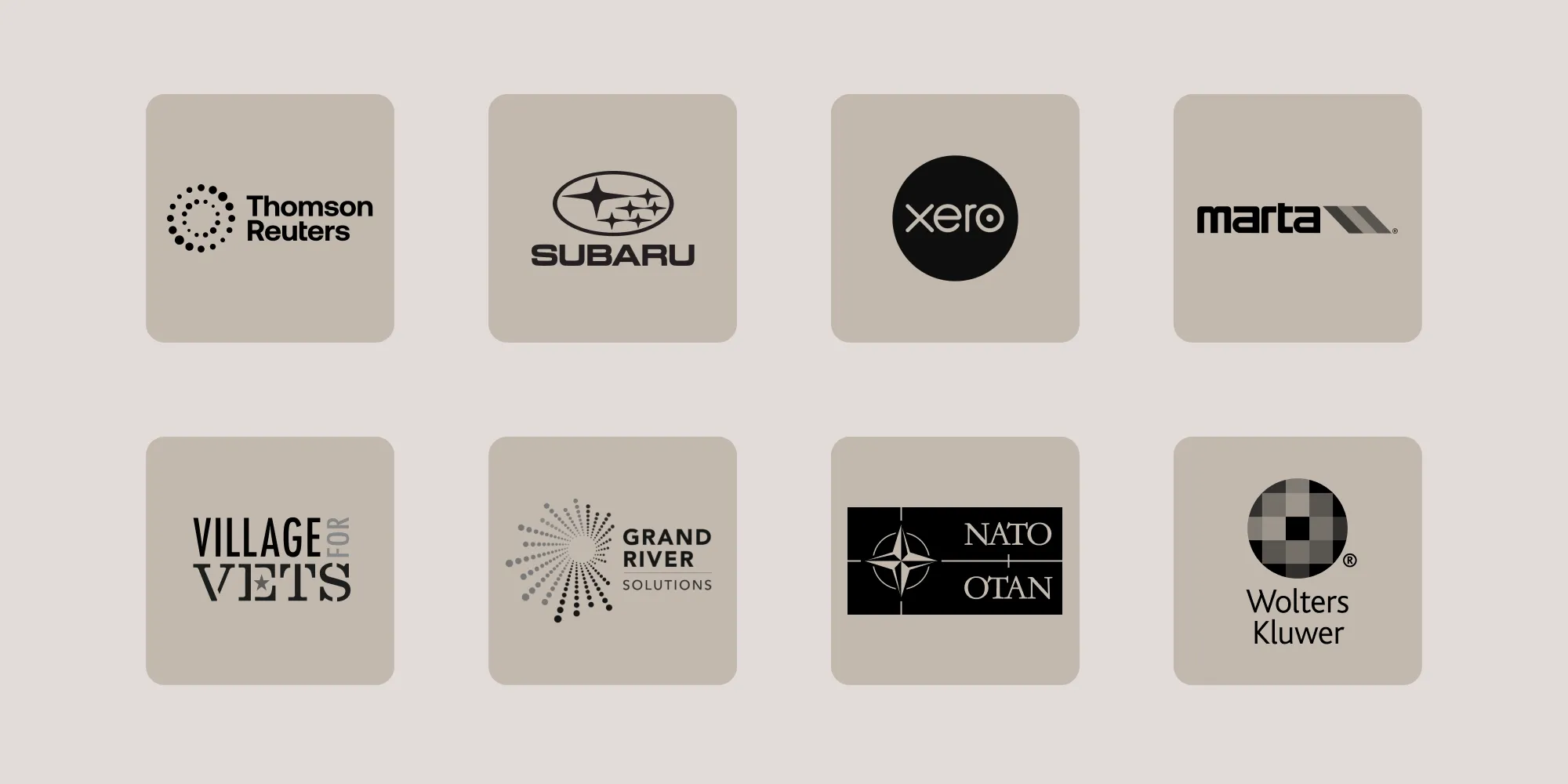
As we enter a new year, we remain excited and appreciative for the chance to collaborate with so many remarkable companies, supporting them in overcoming challenges and developing creative solutions. Here, we’re proud to showcase some of the new customers who became part of the Nutrient family in 2024.
Your name, your tree, your Nutrient
To celebrate the expansive growth of our business and that of our customers, we’ve planted a tree for each customer through One Tree Planted(opens in a new tab).
At Nutrient, growth is part of who we are. It’s in our name, and it drives everything we do — whether it’s empowering digital transformation, or supporting reforestation to protect our planet. The trees we planted symbolize our gratitude and commitment to nurturing success together while contributing to a healthier climate and a brighter future.
Looking forward to 2025
As always, we’re grateful to our customers for choosing to work with us and for trusting us, and we’re excited to see what 2025 holds! We’re just getting started…