








Table of contents
Need PDF functionality in your web application? This comparison of Nutrient Web SDK and PDF.js covers features, developer experience, and enterprise readiness. Learn why Nutrient is the go-to PDF.js alternative for production applications.
TL;DR
The verdict: PDF.js is fine for basic PDF rendering. Nutrient Web SDK is the better choice for production applications that need advanced features, performance, and support.
Key advantages of Nutrient over PDF.js
- Optimized rendering for large and complex documents with a hybrid client-server architecture
- Complete annotation toolkit (15+ types vs. limited markup in PDF.js)
- Real-time collaboration with instant sync between users
- Enterprise-grade security with encryption and access controls
- Advanced document workflows: digital signatures, interactive forms, editing, and AI-powered features
- Professional support with guaranteed SLAs
Bottom line: Use PDF.js for simple viewing. Choose Nutrient Web SDK for production-grade apps. See the full SDK comparison.
Why Nutrient Web SDK is the leading PDF.js alternative
While PDF.js delivers basic, free rendering, it lacks the enterprise capabilities modern apps demand. Nutrient Web SDK goes far beyond by offering:
- Performance at scale — Hybrid rendering keeps even massive PDFs responsive without browser crashes.
- Compliance and security — Built-in encryption, access controls, and audit trails meet regulatory needs.
- Productivity features — Rich annotations, real-time collaboration, forms, signatures, and AI workflows enable end-to-end document handling.
- Enterprise readiness — Commercial licensing, professional support, and guaranteed SLAs ensure reliability in production.
- Developer experience — TypeScript support, detailed guides, and flexible deployment make integration seamless.
For teams building production web applications with React, Angular, or Vue.js, Nutrient provides comprehensive framework integration that PDF.js can’t match.
Understanding the need for web-based PDF viewing
Web applications handle PDFs for reports, invoices, legal documents, and collaborative content. The complexity varies by use case:
- Basic viewing — Rendering static PDFs in a browser
- Interactive documents — Forms, annotations, and digital signatures
- Collaboration — Real-time editing and sharing
- Security — Encrypted access to sensitive documents
- Automation — Data extraction, redaction, and report generation
PDF.js: A lightweight PDF viewer
PDF.js is Mozilla’s open source PDF viewer. It parses and renders PDF documents in the browser. While it doesn’t generate PDFs, it handles basic display and manipulation on the client side.
Key features of PDF.js
- Client-side rendering — Uses the HTML5
<canvas>element - PDF parsing — Loads and interprets PDF documents
- Browser-native — Works with the standard HTML5 canvas
- Active maintenance — Regular updates from Mozilla
Use cases
PDF.js fits applications that display existing PDFs: e-readers, embedded viewers, and document portals.
Viewing a PDF with PDF.js
<!DOCTYPE html>
<html lang="en">
<head>
<meta charset="UTF-8" />
<meta name="viewport" content="width=device-width, initial-scale=1.0" />
<title>PDF.js Example</title>
</head>
<body>
<canvas id="pdf-canvas"></canvas>
<script src="/pdf.mjs" type="module"></script>
<script type="module">
import { GlobalWorkerOptions } from "https://cdn.jsdelivr.net/npm/pdfjs-dist@4.5.136/build/pdf.min.mjs";
GlobalWorkerOptions.workerSrc =
"https://cdn.jsdelivr.net/npm/pdfjs-dist@4.5.136/build/pdf.worker.min.mjs";
const url = "output.pdf"; // Replace with your PDF URL.
const canvas = document.getElementById("pdf-canvas");
const ctx = canvas.getContext("2d");
pdfjsLib
.getDocument(url)
.promise.then((pdf) => {
pdf.getPage(1).then((page) => {
const viewport = page.getViewport({ scale: 1.5 });
canvas.height = viewport.height;
canvas.width = viewport.width;
page.render({
canvasContext: ctx,
viewport: viewport,
});
});
})
.catch((error) => {
console.error("Error loading PDF:", error);
});
</script>
</body>
</html>
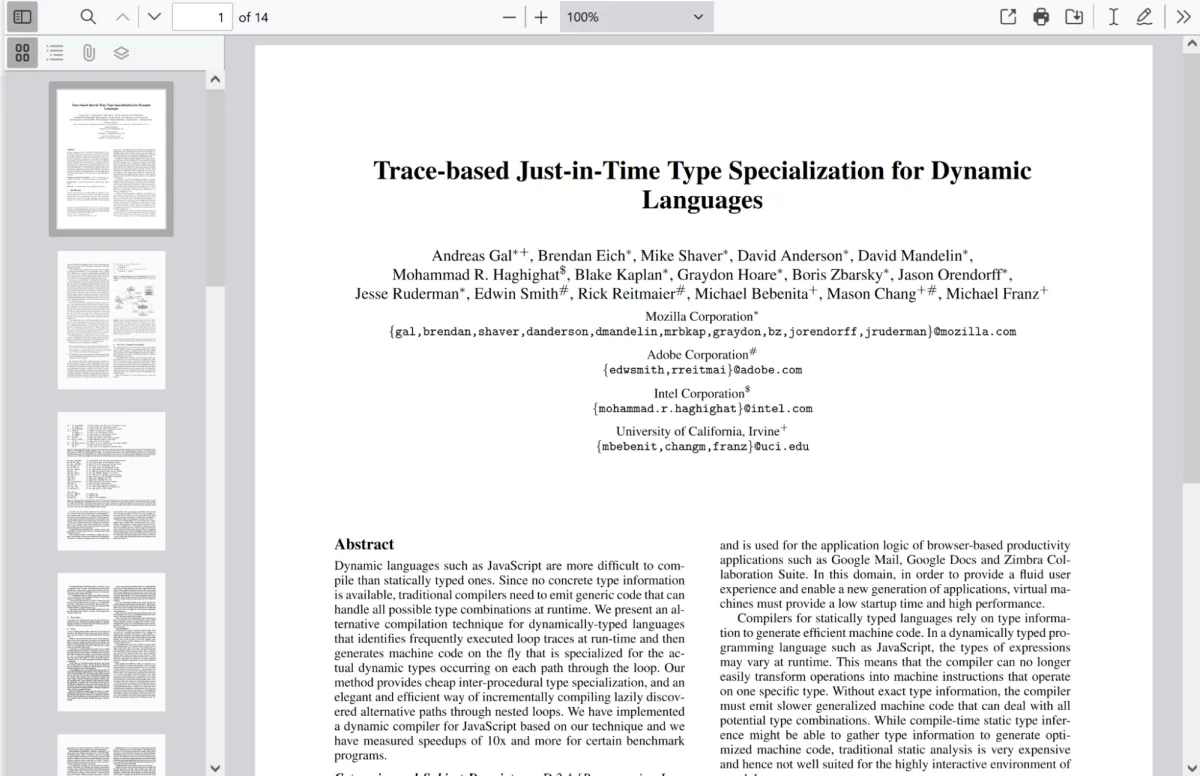
Check out our complete guide to PDF.js for more details on how to use PDF.js in your web application. For developers exploring other JavaScript PDF solutions, our guides on building a React PDF viewer, HTML5 PDF viewers, and JavaScript PDF editors provide comprehensive implementation strategies.
Nutrient Web SDK: An enterprise-grade PDF solution
Nutrient Web SDK is a JavaScript library that powers complete document workflows directly in the browser. Beyond viewing PDFs, it enables collaboration, editing, automation, and compliance in modern web applications.
Comprehensive capabilities
- Advanced PDF and Office viewing — High-fidelity rendering for PDFs, Office files (Word, Excel, and PowerPoint), and images (PNG, JPEG, TIFF, etc.).
- Annotations and markup — 15+ annotation types (highlight, ink, text, stamps, and redaction) with XFDF/JSON import/export.
- Real-time collaboration — Shared editing, live annotations, and version control.
- Form handling — Create, fill, validate, and extract data from interactive forms with JavaScript validation.
- Digital signatures — Hand-drawn eSignatures and certificate-based signing (PKCS#7).
- Document editing — Rearrange, crop, rotate, merge, and split PDFs directly in the browser.
- Redaction — Audit-safe permanent removal of sensitive data.
- Document conversion — Convert between PDF, Office, and image formats client-side or server-side.
- AI Assistant — Add-on module for AI-powered summarization, redaction, translation, comparison, and semantic search.
- Security and compliance — Enterprise encryption, access controls, DRM, and GDPR/HIPAA compliance.
- Customizable UI — Fully configurable viewer, toolbars, themes, localization, and responsive design.
- Accessibility — WCAG-compliant, with screen reader and keyboard navigation support.
- Deployment flexibility — WebAssembly-only, hybrid client-server, or cloud API deployment.
Use cases
Nutrient Web SDK works for applications needing full PDF editing: annotations, forms, and real-time collaboration.
Example of our JavaScript PDF viewer
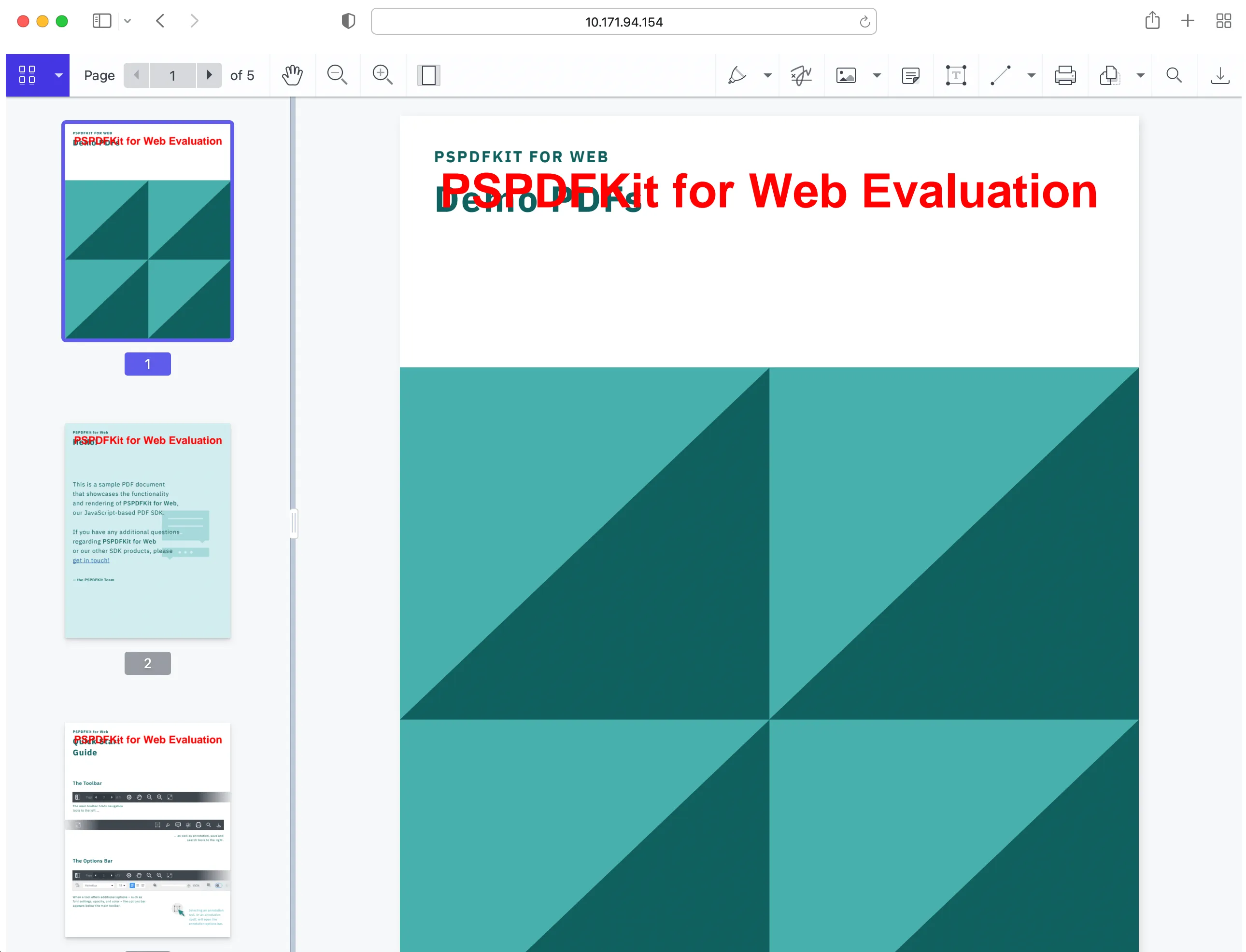
To demo our JavaScript PDF viewer, upload a PDF, JPG, PNG, or TIFF file by clicking Open Document under the Standalone option (if you don’t see this option, select Choose Example from the dropdown). Once your document is displayed in the viewer, try drawing freehand, adding a note, or applying a crop or an eSignature.
Viewing a PDF with Nutrient Web SDK
Nutrient Web SDK’s PDF viewer supports PDF, PDF/A, Office documents (DOCX, XLSX, and PPTX), and images (PNG, JPEG, and TIFF). Here’s how to integrate it:
<!DOCTYPE html>
<html>
<head>
<script src="https://cdn.cloud.pspdfkit.com/pspdfkit-web@1.6.0/nutrient-viewer.js"></script>
</head>
<body>
<div id="nutrient" style="width: 100%; height: 100vh;"></div>
<script>
window.NutrientViewer.load({
container: "#nutrient",
document: "document.pdf",
})
.then((instance) => {
console.log("Nutrient loaded", instance);
})
.catch((error) => {
console.error(error.message);
});
</script>
</body>
</html>
If you prefer a video tutorial, you can watch our step-by-step guide.
Nutrient Document Authoring
Nutrient Web SDK includes Document Authoring for opening, editing, and formatting DOCX documents in the browser.
Key features
- DOCX editing — Open, modify, and export DOCX files with rich text, tables, and images
- Multi-format export — Save as DOCX or PDF
- DocJSON support — Custom workflows and automation
- Page-based editing — Similar to desktop word processors
- Offline support — Client-side editing without server connection
Advantages
- High-fidelity exports — Consistent formatting when saving or printing
- Full DOCX support — Advanced formatting and layout tools
- Offline editing — No internet connection required
- TypeScript support — Easy integration with existing applications
- Data control — Full control over storage and security
Getting started with Nutrient Document Authoring
Here’s how to initialize Document Authoring:
<!DOCTYPE html>
<html lang="en">
<head> </head>
<body>
<div id="editor" class="my-editor"></div>
<script src="https://document-authoring.cdn.nutrient.io/releases/document-authoring-1.7.1-umd.js"></script>
<script>
(async () => {
const docAuthSystem = await DocAuth.createDocAuthSystem();
const editor = await docAuthSystem.createEditor(
document.getElementById("editor"),
{
document:
await docAuthSystem.createDocumentFromPlaintext("Hello world!"),
},
);
})();
</script>
</body>
</html>
This creates an in-browser document editor.
Explore the Nutrient Document Authoring demo to see it in action!
Adding annotations with Nutrient Web SDK
Add highlight annotations to PDFs programmatically:
const rects = NutrientViewer.Immutable.List([
new NutrientViewer.Geometry.Rect({
left: 10,
top: 120,
width: 200,
height: 10,
}),
new NutrientViewer.Geometry.Rect({
left: 10,
top: 150,
width: 200,
height: 10,
}),
]);
const annotation = new NutrientViewer.Annotations.HighlightAnnotation({
pageIndex: 0,
rects: rects,
boundingBox: NutrientViewer.Geometry.Rect.union(rects),
});
await instance.create(annotation);
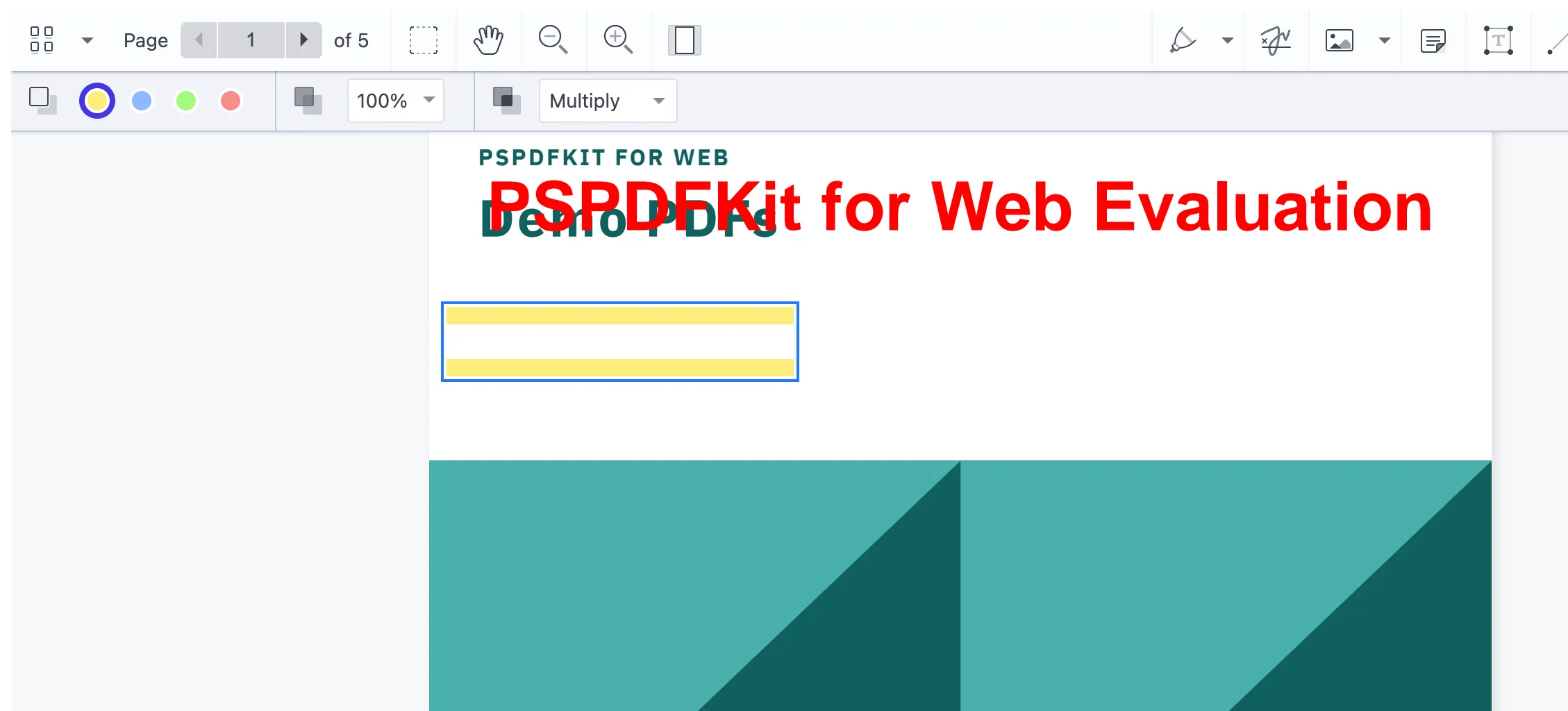
Learn more about how to add highlight annotations to PDFs in JavaScript and explore eight common PDF annotation types.
Adding watermarks with Nutrient Web SDK
Add watermarks to PDFs using the renderPageCallback option. This overlays user-specific details on each page:
NutrientViewer.load({
document: document,
renderPageCallback: function (ctx, pageIndex, pageSize) {
ctx.beginPath();
ctx.moveTo(0, 0);
ctx.lineTo(pageSize.width, pageSize.height);
ctx.stroke();
ctx.font = "30px Comic Sans MS";
ctx.fillStyle = "red";
ctx.textAlign = "center";
ctx.fillText(
`Generated for John Doe. Page ${pageIndex + 1}`,
pageSize.width / 2,
pageSize.height / 2,
);
},
});
The watermark appears only in the browser view — the original document stays unchanged. Customize text, position, and styling as needed.
Inserting digital signatures in a PDF with Nutrient Web SDK
Digitally sign PDF documents using a private key and certificate. This example uses the signDocument method with PKCS#7 signatures:
<!DOCTYPE html>
<html lang="en-US">
<head>
<meta charset="UTF-8" />
<title>Nutrient Digital Signature Demo</title>
<style>
#viewer {
width: 100vw;
height: 100vh;
}
</style>
<script src="https://cdn.cloud.pspdfkit.com/pspdfkit-web@1.6.0/nutrient-viewer.js"></script>
<script src="https://cdn.jsdelivr.net/npm/node-forge@1.0.0/dist/forge.min.js"></script>
</head>
<body>
<div id="viewer"></div>
<script>
NutrientViewer.load({
document: "sample.pdf",
container: "#viewer",
})
.then((instance) => {
console.log("Nutrient loaded", instance);
instance
.signDocument(null, generatePKCS7)
.then(() => {
console.log("Document signed successfully.");
})
.catch((error) => {
console.error("The document could not be signed.", error);
});
})
.catch((error) => {
console.error("Failed to load viewer:", error.message);
});
// Generate a PKCS#7 signature.
async function generatePKCS7({ fileContents }) {
const [certificatePem, privateKeyPem] = await Promise.all([
fetch("cert.pem").then((r) => r.text()),
fetch("private-key.pem").then((r) => r.text()),
]);
const certificate = forge.pki.certificateFromPem(certificatePem);
const privateKey = forge.pki.privateKeyFromPem(privateKeyPem);
const p7 = forge.pkcs7.createSignedData();
p7.content = new forge.util.ByteBuffer(fileContents);
p7.addCertificate(certificate);
p7.addSigner({
key: privateKey,
certificate,
digestAlgorithm: forge.pki.oids.sha256,
authenticatedAttributes: [
{ type: forge.pki.oids.contentType, value: forge.pki.oids.data },
{ type: forge.pki.oids.messageDigest },
{ type: forge.pki.oids.signingTime, value: new Date() },
],
});
p7.sign({ detached: true });
return stringToArrayBuffer(forge.asn1.toDer(p7.toAsn1()).getBytes());
}
// Convert binary string to ArrayBuffer.
function stringToArrayBuffer(binaryString) {
const buffer = new ArrayBuffer(binaryString.length);
const view = new Uint8Array(buffer);
for (let i = 0; i < binaryString.length; i++) {
view[i] = binaryString.charCodeAt(i);
}
return buffer;
}
</script>
</body>
</html>
This signs documents with PKCS#7 certificates for legal and enterprise use.
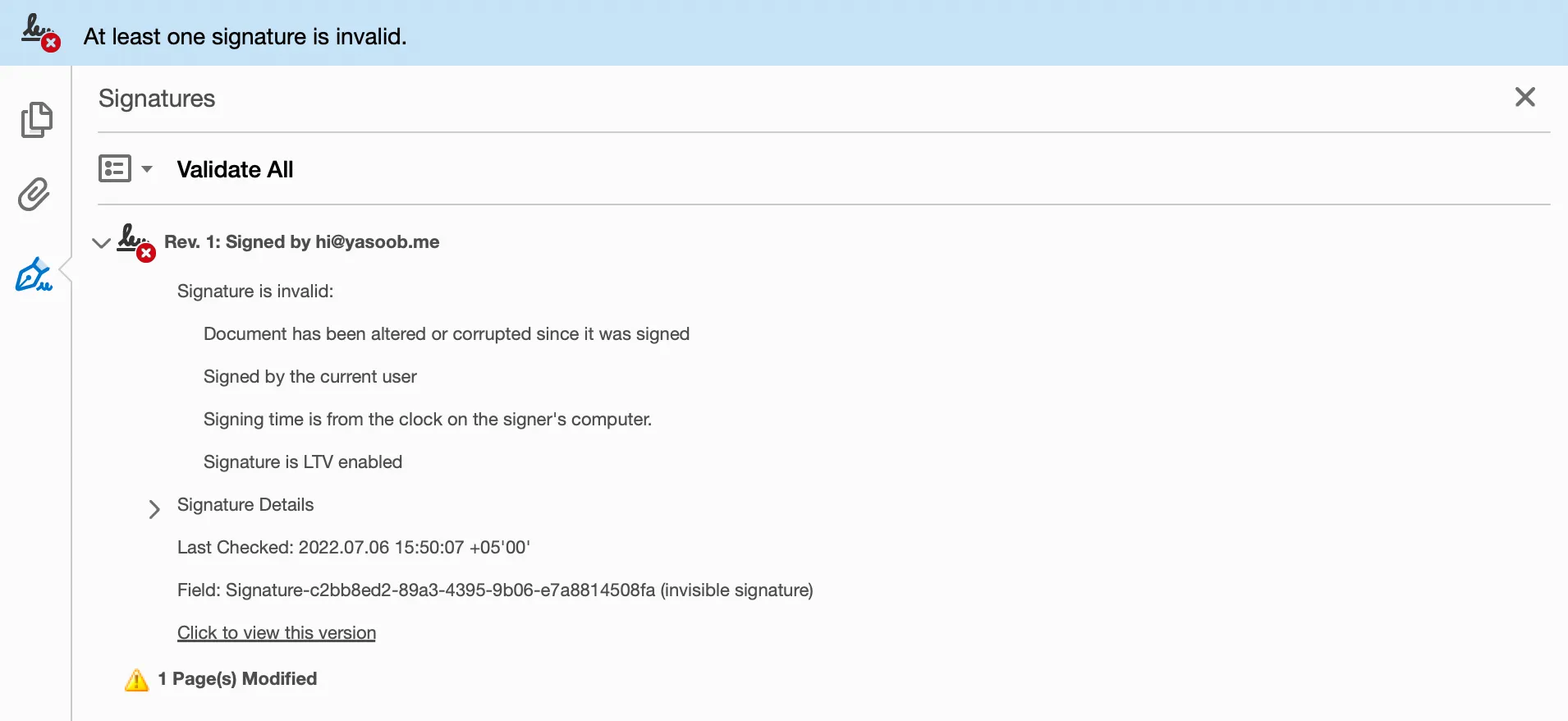
Check out our blog post on how to insert a digital signature in a PDF using JavaScript for more details.
Limitations of PDF.js
PDF.js works for basic viewing but lacks features for interactive documents:
- Annotations — Limited annotation editor (five types, including a basic signature tool). No support for advanced annotations, page manipulation, or redaction. No pinch-to-zoom on mobile.
- Performance — Client-side rendering slows down with large or complex PDFs.
- File support — Can’t handle MS Office documents, TXT files, or images.
- Text selection — Unreliable due to incorrect bounding boxes, causing spacing issues and missing words.
- Accessibility — Poor 508/ADA compliance due to inconsistent text extraction.
- Security — No access controls or encryption.
- Rendering quality — Blurry output and color issues when using
<canvas>. - Customization — Limited UI options require extra development.
- Updates — Breaking changes in updates require constant monitoring.
PDF.js vs. Nutrient Web SDK: Comprehensive feature and development experience comparison
This section breaks down how PDF.js and Nutrient Web SDK compare across two dimensions: the day-to-day experience of building with each tool, and the features available out of the box. For a condensed version, see the PDF.js vs. Nutrient SDK comparison page.
Development experience comparison
| Aspect | Nutrient Web SDK | PDF.js |
|---|---|---|
| Documentation quality | Professional documentation with examples | Community-maintained |
| TypeScript support | Full TypeScript definitions | Basic community types |
| Integration complexity | 10 minutes with prebuilt components | 1 hour for basic functionality |
| Update stability | Backward-compatible updates | Breaking changes common |
| Support quality | Dedicated technical team with SLA | Community forums only |
Feature comparison matrix
| Feature | Nutrient Web SDK ✅ | PDF.js ⚠️ |
|---|---|---|
| Render/view PDFs |  Yes Yes | Yes |
| Search text | Yes | Yes |
| Select/copy text | Yes |  Inconsistent selection and spacing issues Inconsistent selection and spacing issues |
| Advanced annotations and editing | Yes |  No No |
| Draw lines and mark up | Yes | Yes |
| Content editing (modify text and pages) | Yes | No |
| eSignatures and digital signatures | Yes | Basic signature drawing only; no digital signatures |
| Instant synchronization and comments | Yes | No |
| Redaction (remove sensitive data) | Yes | No |
| Measurement tools | Yes | No |
| Document conversion (PDF to Word, Excel, images, etc.) | Yes | No |
| PDF generation | Yes | No |
| Office file support (Word, Excel, and PowerPoint) | Yes | No |
| Image documents (PNG, JPEG, TIFF, etc.) | Yes | No |
| PDF/A conversion (archiving standard) | Yes | No |
| Page thumbnails | Yes | Yes |
| Rotate pages | Yes | Yes, but downloads don’t retain rotation |
| Open/print/download PDFs | Yes | Yes |
| High-quality rendering | Crystal-clear text and accurate color reproduction | Blurry text/images on <canvas> |
| Performance optimization | Hybrid rendering (client-server) for large files | Slow with complex PDFs |
| Security and encryption | Enterprise-grade access control and encryption | Minimal security features |
| Compliance (508/ADA accessibility standards) | Yes | No, struggles with accurate text extraction |
| UI customization | Extensive, developer-friendly tools | Limited, requires additional coding |
| Stability and updates | Stable updates without breaking functionality | Open source updates may break custom implementations |
Pricing and licensing
PDF.js and Nutrient Web SDK have different pricing models for different needs.
PDF.js licensing and cost
✅ Open source library available under the Apache License 2.0(opens in a new tab) and free to use.
⚠️ No dedicated customer support. Reliant on community contributions.
⚠️ Limited built-in functionality; annotations, form handling, and security features require additional development.
📌 Bottom line: PDF.js works for lightweight applications but needs extra development for advanced features.
Nutrient Web SDK licensing and cost
Nutrient Web SDK licensing follows a commercial subscription model, with structured pricing based on the number of users and the specific components you require.
- Commercial license with structured pricing based on users and components
- Includes enterprise-level features like real-time collaboration, annotations, and digital signatures
- Dedicated technical support and frequent updates
Bottom line: Nutrient Web SDK is ideal for businesses that need advanced features, enterprise security, and professional support.
How licensing works
Licensing provides access to enterprise-level features such as:
- Performance and scalability — Optimized rendering for large and complex documents
- Collaboration — Real-time annotations and co-editing
- Compliance — Digital signatures, forms, and enterprise security controls
Dedicated technical support, documentation, and frequent updates are included in the subscription.
AI Assistant add-on licensing
If you’re interested in AI-powered document features, Nutrient offers AI Assistant as an add-on product.
- Subscription-based licensing — Depends on user count, required components, and document volume
- Frontend SDK requirement — A valid Web SDK license is needed before enabling AI Assistant
- Separate activation key — Managed independently from the core SDK license
AI Assistant brings advanced capabilities such as:
- Intelligent summarization of complex documents
- Automated redaction for sensitive data
- Context-aware smart actions for workflow automation
Check out the AI Assistant licensing page for more details.
Nutrient Web SDK is designed for organizations that need advanced document functionality, enterprise-grade security, and reliable support. Its licensing is flexible and scalable, with the option to add AI-powered features when your workflows demand them.
See also
FAQ
PDF.js renders everything on the client side using HTML5 canvas, which becomes a performance bottleneck with complex or large documents. The single-threaded rendering approach means your browser’s main thread gets blocked, causing lag and potential crashes. Nutrient Web SDK’s hybrid architecture offloads heavy processing to optimized server components while maintaining smooth client-side interaction.
PDF.js lacks enterprise security features like encryption, access controls, digital rights management, or audit trails. It’s designed for basic PDF viewing, not secure document workflows. Nutrient Web SDK provides comprehensive security, including document encryption, user permissions, and secure sharing.
PDF.js is an open source library with frequent updates that can introduce breaking changes, requiring constant monitoring and code maintenance. Nutrient Web SDK follows enterprise release cycles with backward compatibility guarantees and migration guides, ensuring your implementation remains stable across updates.
PDF.js includes a basic annotation editor (five types) and limited form display, but it lacks advanced annotation types, form creation, and digital signatures. You’d need to build these features from scratch or integrate multiple third-party libraries, significantly increasing development time and complexity. Nutrient Web SDK includes 15+ annotation types, advanced form handling, and digital signatures out of the box.
PDF.js relies on community support through forums and GitHub issues, with no guaranteed response times or SLA. Nutrient Web SDK customers receive dedicated technical support with guaranteed response times, direct access to engineering teams, and professional services for complex integrations.
PDF.js struggles with mobile performance due to its canvas-based rendering approach. Touch interactions, pinch-to-zoom, and scrolling are often laggy or unresponsive. Nutrient Web SDK is optimized for mobile devices with smooth touch interactions, responsive rendering, and mobile-specific UI patterns.
Need more than basic PDF rendering? Nutrient Web SDK handles annotations, editing, digital signatures, and enterprise security in one package.
Try Nutrient Web SDK today. Request a free trial or talk to our experts.
- Open source vs. proprietary PDF SDKs — How open source PDF libraries compare to commercial solutions
- Top five JavaScript PDF viewers — Comparison of JavaScript PDF viewer libraries
- Comparing the best React PDF viewers — React-focused PDF viewer comparison
See the detailed PDF.js vs. Nutrient SDK comparison, or browse all product comparisons on the SDK comparison page.