











Table of contents
Managing large document libraries can be a daunting task, especially when dealing with thousands or even millions of files. Whether it’s an archive of historical records, a collection of legal documents, or business-critical files, efficient indexing, searching, and archiving are essential.
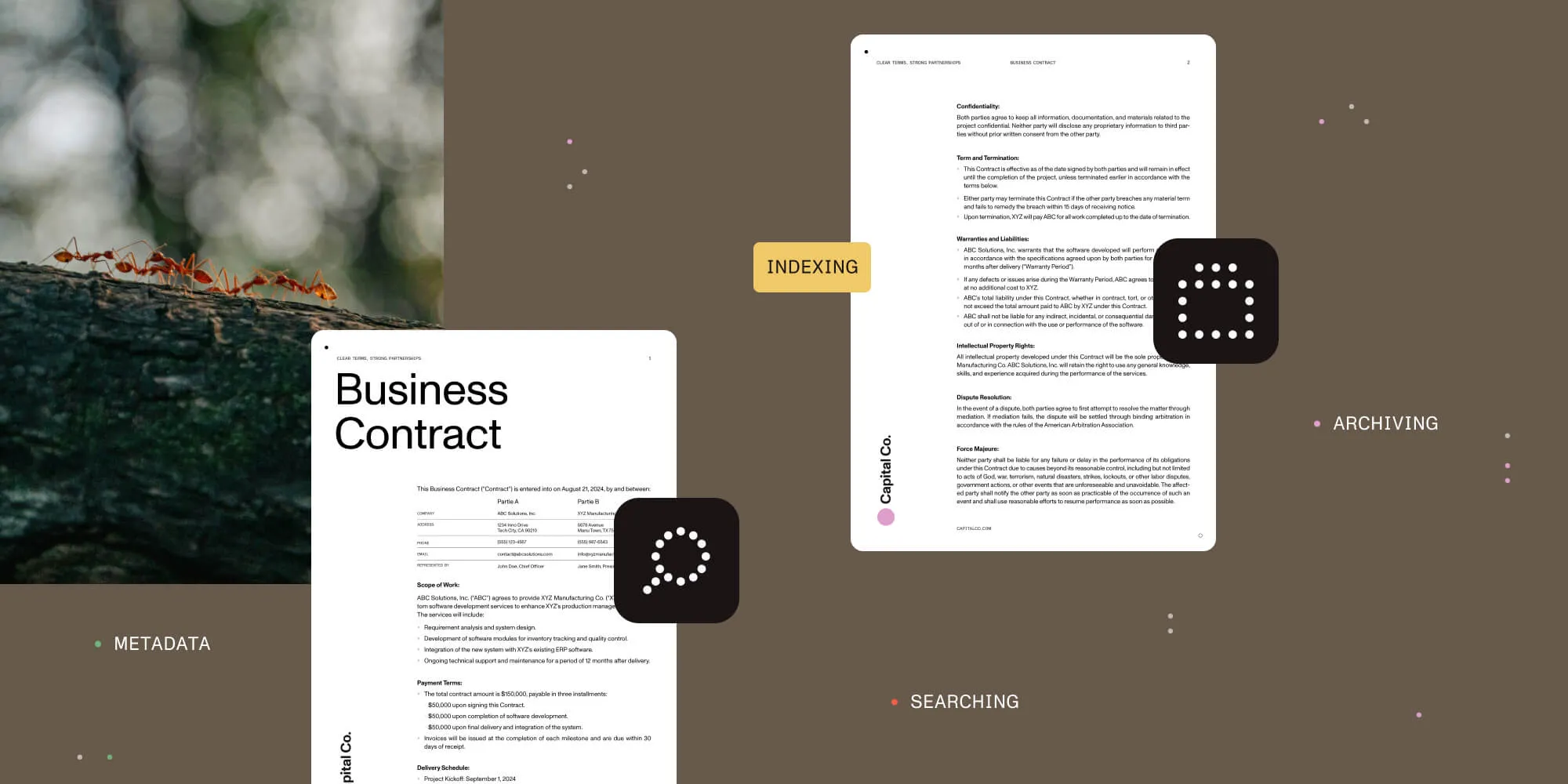
Using an SDK and low-code solution like Nutrient provides tools that streamline these processes, enabling faster retrieval and long-term document management. This post explores how Nutrient can help automate document management tasks — from organizing metadata to consolidating multiple files — ensuring your document library stays efficient and scalable.
Organizing metadata is a critical first step in managing large document libraries. Metadata — which includes details such as titles, authors, dates, and document types — significantly enhances the searchability and accessibility of your documents.
With Nutrient, you can automate the extraction and organization of this metadata. Nutrient offers an intelligent metadata extraction solution via its document searchability tagging tool, which automatically generates and tags metadata based on document content. The system can extract metadata in various ways, including rules, taxonomies, barcodes, PDF forms, and integration with natural language processing (NLP)(opens in a new tab) services.
Key features of Nutrient’s metadata extraction include:
- Taxonomy matching — Nutrient identifies and uses managed metadata and taxonomies for tagging documents.
- Entity extraction — Integrates with NLP services to assign values for entities, such as location, person, and company.
- Zonal extraction — Allows the extraction of text and barcodes from specific zones in PDF documents.
- Document metadata — Both standard and custom PDF metadata can be extracted and assigned to relevant columns in document management systems like SharePoint.
- PDF forms — Nutrient can extract data from PDF forms, assigning each field value to a separate SharePoint column.
These features enable intelligent tagging and classification of documents based on their content and attributes, helping categorize them even before the full content is indexed. This process optimizes the overall efficiency of your document library and reduces the time and effort required for manual categorization.
Additionally, Nutrient offers capabilities for automated document classification, which is especially useful in high-volume workflows. This further supports the organization of documents by key attributes, using advanced technologies such as generative AI to automate classification tasks.
Best practices
- Standardize metadata fields — Define standardized metadata fields across your documents (e.g. author, date, keywords) so that each document is tagged consistently. This is crucial for facilitating efficient searches. Nutrient’s solutions ensure consistency and accuracy across your SharePoint environment, making document management more efficient and reliable. To implement this, use templates or a document management framework like SharePoint to enforce metadata field consistency across your document repository.
- Automate metadata extraction — Leverage tools to automatically extract and assign metadata during the document import process. Nutrient’s Document Searchability tagging guide explains how our tool enhances findability and classification by automatically generating and tagging metadata based on the contents of the documents via rules, taxonomies, barcodes, PDF forms, XMP, and integration with NLP services.
Nutrient offers several methods for automated metadata extraction, including:
- Rule-based tagging — Includes text rules, zonal rules, barcode extraction, and PDF forms and metadata.
- NLP-based tagging — Uses natural language processing to analyze document content and generate relevant metadata.
- Entity extraction — Assigns values for entities such as location, person, company, etc.
- PDF metadata — Extracts both standard and custom PDF metadata, including XMP metadata.
By automating this process, you can ensure your documents are tagged with relevant metadata, significantly improving their findability and overall content management efficiency.
Case study: New Forest National Park Authority (NFNPA)
In the New Forest National Park Authority case study, Nutrient solutions were pivotal in improving document searchability. By using Document Automation Server (previously Autobahn DX), NFNPA converted more than 1 million TIFF files into searchable PDFs, improving both metadata extraction and accessibility. This initiative helped categorize documents more efficiently, ensuring metadata extraction was done accurately to streamline document management and retrieval.
2. Indexing for faster search and retrieval
Once documents are categorized, the next crucial step is indexing them to enable fast search and retrieval. Nutrient offers tools to implement efficient indexing for both metadata and full-text content, significantly reducing the time it takes to search through large document libraries.
Using the PdfLibrary class and related methods, you can queue documents for indexing using techniques like full-text search. This enables users to quickly search for content across multiple documents without waiting for long processing times. Nutrient supports the use of SQLite-based full-text search engines to handle large-scale document libraries, ensuring searches remain fast and responsive, even with a vast amount of content.
Key features of Nutrient’s indexing solution include:
PdfLibraryclass — This class implements a SQLite-based full-text search engine, enabling you to register documents for background indexing and then perform quick searches within the indexed collection.- Example usage to
enqueuedocuments for indexing:
// Assume that you have two valid `PdfDocument`s.
val doc1 : PdfDocument = ...
val doc2 : PdfDocument = ...
// The library will be saved in your application's files directory.
val library = PdfLibrary.get(File(context.filesDir, "library.db").absolutePath)
library.enqueueDocuments(listOf(doc1, doc2))
- Example usage to
Full-text search with SQLite — Nutrient leverages SQLite’s full-text search extensions (FTS3/4 and FTS5) for handling large document libraries. This allows for fast and efficient search, even across extensive collections of PDF files.
Quick and complex searches —
PdfLibraryenables complex searches to be performed quickly across a large dataset using a virtual table, making it ideal for use cases with a high volume of documents.Customizable search options — Nutrient provides options for customizing search results, such as generating text previews or setting specific preview ranges, enhancing the search experience.
These features allow for efficient background indexing of documents, enabling fast and precise searches, even in high-volume workflows. The use of SQLite-based full-text search engines ensures searches through large document libraries are completed swiftly, minimizing downtime and increasing productivity.
Case study: Counterpart International
The Counterpart International case study demonstrates how efficient indexing can improve workflow productivity. By using Document Searchability in combination with SharePoint Online, Counterpart processed more than 2 million pages, making PDF content searchable across multiple offices worldwide. This optimized the company’s document retrieval and workflow management, further enhancing its document management process.
3. Implementing an efficient search algorithm
Having a powerful search function is key to managing vast amounts of documents. A great search engine helps you find documents faster, with accuracy.
By integrating Nutrient into your system, you can leverage advanced search capabilities that support:
- Full-text searches — Nutrient supports full-text search across PDF documents. This functionality is available across multiple platforms, including iOS, Android, and Web.
- Page-level searches — Nutrient enables you to search for text within a single PDF document, providing the ability to perform page-level searches. This is particularly useful when you need to pinpoint specific sections or information within large documents, a feature available in our PDF search library for iOS.
- Annotation-based searches — Nutrient enables searching for text within annotations, a feature available in iOS, Android, and Web versions of the SDK. This is beneficial for searching comments or highlights within the document.
- Customized search UIs — Nutrient provides a customizable UI for searching for and highlighting relevant matches. You can adjust the search form to match your application’s unique look and feel, offering a seamless user experience.
- Advanced search capabilities — Nutrient also supports indexed full-text search, allowing you to search inside multiple PDFs at once, improving efficiency in environments with large document collections.
- Programmatic search — Nutrient offers APIs for programmatic full-text search, giving developers more control over the search process and enabling automated search workflows.
Case study: New Forest National Park Authority (NFNPA)
As seen in the New Forest National Park Authority case study, implementing an efficient search algorithm using Document Automation Server (previously Autobahn DX) made document processing scalable and accurate. With millions of paper documents digitized and made searchable, NFNPA was able to retrieve documents quickly, thanks to an effective search mechanism that handled large volumes efficiently.
4. Archiving and versioning for long-term storage
As documents accumulate over time, archiving becomes essential to maintain system efficiency. Archiving refers to moving infrequently accessed documents to secure storage while keeping them accessible when needed.
Using Nutrient, you can implement archiving solutions that support long-term preservation and compliance, particularly in sectors like finance and legal. Nutrient provides capabilities such as:
- Document archiving — Nutrient supports archiving documents by converting them to PDF/A format, ensuring long-term preservation and compliance with archival standards. This is useful for archiving financial and legal documents. Learn more about PDF/A conversion and email archiving.
- Long-term storage — Nutrient’s solutions are tailored to meet the needs of long-term document storage, especially in regulated industries like finance. They allow users to convert financial documents to PDF/A for compliance and preservation.
- Secure storage — Nutrient offers secure storage options, including encryption, access control, and password protection, ensuring archived documents remain protected. These features are particularly beneficial for compliance-heavy industries such as finance and legal.
Case study: New Forest National Park Authority (NFNPA)
In the NFNPA case, the need to archive millions of paper documents was successfully met with Document Automation Server (previously Autobahn DX), which digitized and made records easily accessible while ensuring long-term preservation.
5. Access control and security
Ensuring the security of your document library is crucial, especially when handling sensitive or confidential data. An effective document management system needs to enforce access control and data protection measures.
With Nutrient, you can implement robust security features to safeguard your documents.
- Access control — Nutrient supports fine-grained access control, enabling you to:
- Programmatically set or change PDF passwords and editing permissions
- Control access to annotations through annotation flags
- Encryption — Nutrient provides AES encryption for PDF documents, supporting both 128-bit and 256-bit encryption, to ensure document security across platforms Learn more about AES encryption.
- Password protection — You can apply password protection to PDF documents, adding an additional layer of security for sensitive files.
- Document redaction — Nutrient offers advanced redaction tools, allowing you to permanently remove sensitive information from documents.
- Compliance — Nutrient’s security features help you maintain compliance with data protection regulations such as GDPR, HIPAA, and CCPA, ensuring your document management practices meet regulatory requirements.
Case study: Counterpart International
Counterpart International used Document Searchability and SharePoint to create a secure and compliant system for managing large-scale documents. This approach ensured sensitive documents were only accessible to authorized personnel and the archiving process adhered to legal requirements.
6. Scalability for high document volumes
Scalability is vital when managing large document repositories. As document libraries grow, the system must be able to handle increasing volumes without compromising performance.
Nutrient is built to scale with your infrastructure, offering solutions designed for efficient performance:
- Scalability for high document volumes — Nutrient Document Converter is capable of handling hundreds of transactions per minute under optimal conditions. Learn more about Document Converter scalability.
- Distributed processing — Nutrient supports distributed processing across multiple servers. You can deploy multiple conversion servers and group them under a single hostname using a standard HTTP load balancer, such as Network Load Balancing Services (NLBS) included with Windows Server. Learn more about load balancing.
- Performance under high load — Nutrient Document Converter is designed for scalability and concurrency, allowing parallel processing of documents. By default, two parallel instances of each document type can run simultaneously, and this setting can be adjusted to fit your environment and workload.
- Avoiding performance bottlenecks — Nutrient Document Automation Server supports multicore processing to ensure high performance, even when handling large document volumes. Learn more about multicore processing.
7. Regular maintenance and cleanup
To keep a large document library efficient, regular maintenance is necessary. Over time, document libraries can become cluttered with outdated files, duplicates, or unnecessary documents. Without proper cleanup, search performance may degrade, and document management can become cumbersome.
Nutrient offers several features that can assist with document maintenance:
- Automated maintenance tasks — Nutrient provides automated document processing capabilities through the Document Automation Server, which can be used for batch processing and other maintenance tasks. Learn more about Document Automation Server.
- Archiving old documents — Nutrient supports document archiving for long-term preservation. Document Converter for Power Automate enables you to convert documents to PDF/A format, which is suitable for archiving.
- Consolidating multiple files — Nutrient allows you to merge multiple documents into a single file. This includes PDFs and Word documents, which streamlines document management and improves organization.
Additionally, Nutrient offers document merging capabilities in other contexts:
- For SharePoint — Merge documents in SharePoint
- For Power Automate — Combine documents in Power Automate
Detailed comparison of our document solutions
| Product | Platform | Description | Key features |
|---|---|---|---|
| Document Automation Server | Windows Server, SharePoint, and Azure | Automates document processing and management tasks. Ideal for handling large volumes of documents with batch processing and automated workflows. | - Batch processing - Automated workflows - Multicore processing (up to 64 cores) - Comprehensive file format support |
| Document Converter | SharePoint, Power Automate, Nintex, Windows Server | Converts more than 100 file types to PDF and other formats, including PDF/A for archiving. Offers additional features like watermarking, merging, and OCR. | - PDF/A conversion for archiving - High-fidelity conversions - Supports 100+ file formats - OCR and data extraction - Watermarking and document security - Integrates with SharePoint, Power Automate, and Nintex |
| Document Searchability | SharePoint, Office 365, and Windows | Enhances document search capabilities by making non-searchable documents searchable through OCR and metadata tagging, enabling quick and accurate searches. | - High-fidelity OCR - Advanced metadata tagging - Batch processing - Multilanguage support - Automated document monitoring - Comprehensive audit tool |
| Android | Android | Mobile SDK for handling documents on Android devices, enabling features like full-text search and annotation support. | - Full-text search in PDFs - Annotation and commenting - Document viewing and editing |
| iOS | iOS | iOS SDK for viewing and interacting with documents, supporting annotations and page-level searches. | - Full-text search - Page-level search - Annotation support |
| Web | Web | Web-based SDK for accessing and managing documents via browsers. Suitable for building online document management systems. | - Full-text search - Annotation support - Responsive interface for viewing documents |
- Document Automation Server — Automates document conversion, OCR, compression, and data extraction tasks across supported platforms.
- Document Converter — Converts various document types to PDF and other formats, including PDF/A for archiving. Offers additional features like OCR, watermarking, and security, integrating seamlessly with SharePoint, Power Automate, and Nintex.
- Document Searchability — Enhances document search capabilities by making non-searchable documents searchable through OCR and metadata tagging, enabling quick and accurate searches across large document sets.
- Android, iOS, and Web SDKs — Support document viewing, search, and annotation capabilities across mobile and web platforms.
Conclusion
Efficiently managing large document libraries requires a combination of advanced indexing, search, security, and archiving strategies. By leveraging Nutrient SDKs and low-code solutions, you can automate and optimize these processes, ensuring your system remains scalable and efficient, even as your document collection grows.
From automated metadata extraction and fast full-text search capabilities, to advanced security measures and scalable infrastructure, Nutrient provides all the tools you need to take control of your document libraries and enhance your overall document management strategy.
Ready to streamline your document workflows? Contact our Sales team to discuss your specific needs, or try our products today to experience their capabilities firsthand.
FAQ
Metadata enhances document management by making files easier to search, categorize, and retrieve. Properly tagged documents improve accessibility and reduce the time spent searching for information.
Full-text search enables users to quickly locate specific information within documents. It enhances productivity by allowing searches based on keywords, phrases, or document content without manually opening each file.
Security can be ensured by implementing access controls, encryption, password protection, and redaction features. These measures help protect sensitive information from unauthorized access.
Archiving helps store older or less frequently accessed documents while maintaining accessibility when needed. It ensures compliance with regulatory requirements and optimizes system performance.
A scalable document management system should support distributed processing, load balancing, and efficient indexing. Using optimized search algorithms and metadata tagging can also improve performance.