






Table of contents
Summary
Nutrient Workflow Automation Platform enhanced its PDF generation capabilities by integrating Document Engine, replacing limited open source solutions with a flexible DOCX-based approach. The new system uses Mustache tags for dynamic data merging, supporting complex data types like grids with repeating rows and columns.
In the past, Nutrient Workflow Automation Platform (formerly Integrify) used open source solutions to generate PDFs with data collected within the application. More specifically, these solutions used PDF templates as the starting point to merge data collected into the generated PDF. This solution worked for simple types of collected data; however, customers needed more complex types of data — such as grids with dynamic columns and rows — something that wasn’t possible with these open source solutions since we released the grid question type nearly 10 years ago.
Solution
Our document generation tool provided the solution we needed to deliver all the functionality customers desired. Our new solution uses DOCX files containing Mustache tags for merging data into the file. This solution:
- Is easier for customers to use
- Provides more flexibility in document formatting
- Doesn’t require costly tools to build PDF templates
- Supports repeating data Mustache tags to solve the aforementioned problem
- Requires significantly less development effort than the previous solution
- Enables us to generate more than just PDF documents
Implementation
We were able to quickly integrate Document Engine into our Kubernetes development environment by following the instructions found in the deployment guide. Once the pod was implemented in our environment, we had access to the full API library. The APIs we used for this solution were:
/api/process_office_templateto generate a DOCX file from a DOCX file with Mustache tags and a JSON file specifying the data for each Mustache tag./api/buildto generate a PDF file from the generated DOCX file.
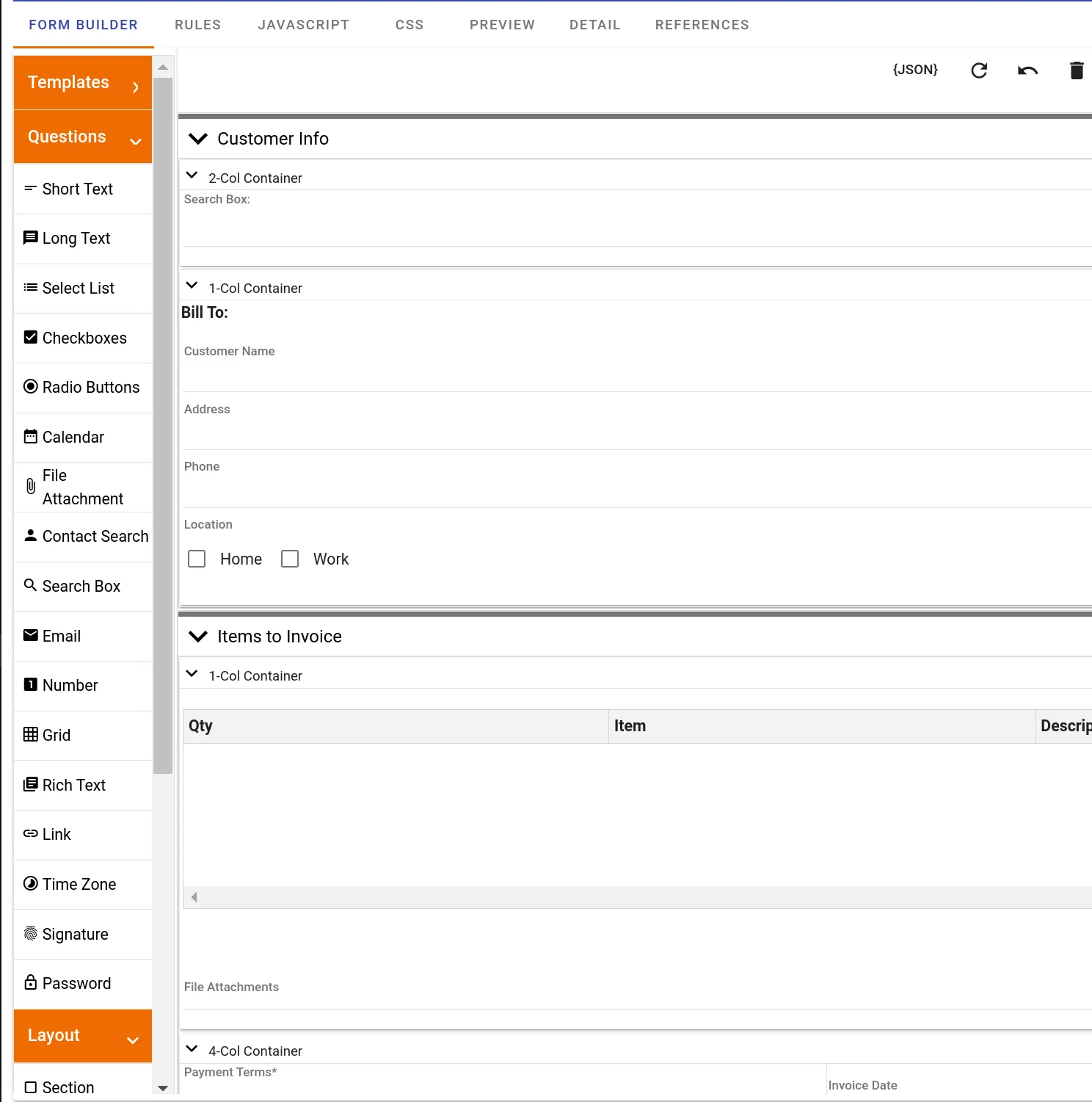
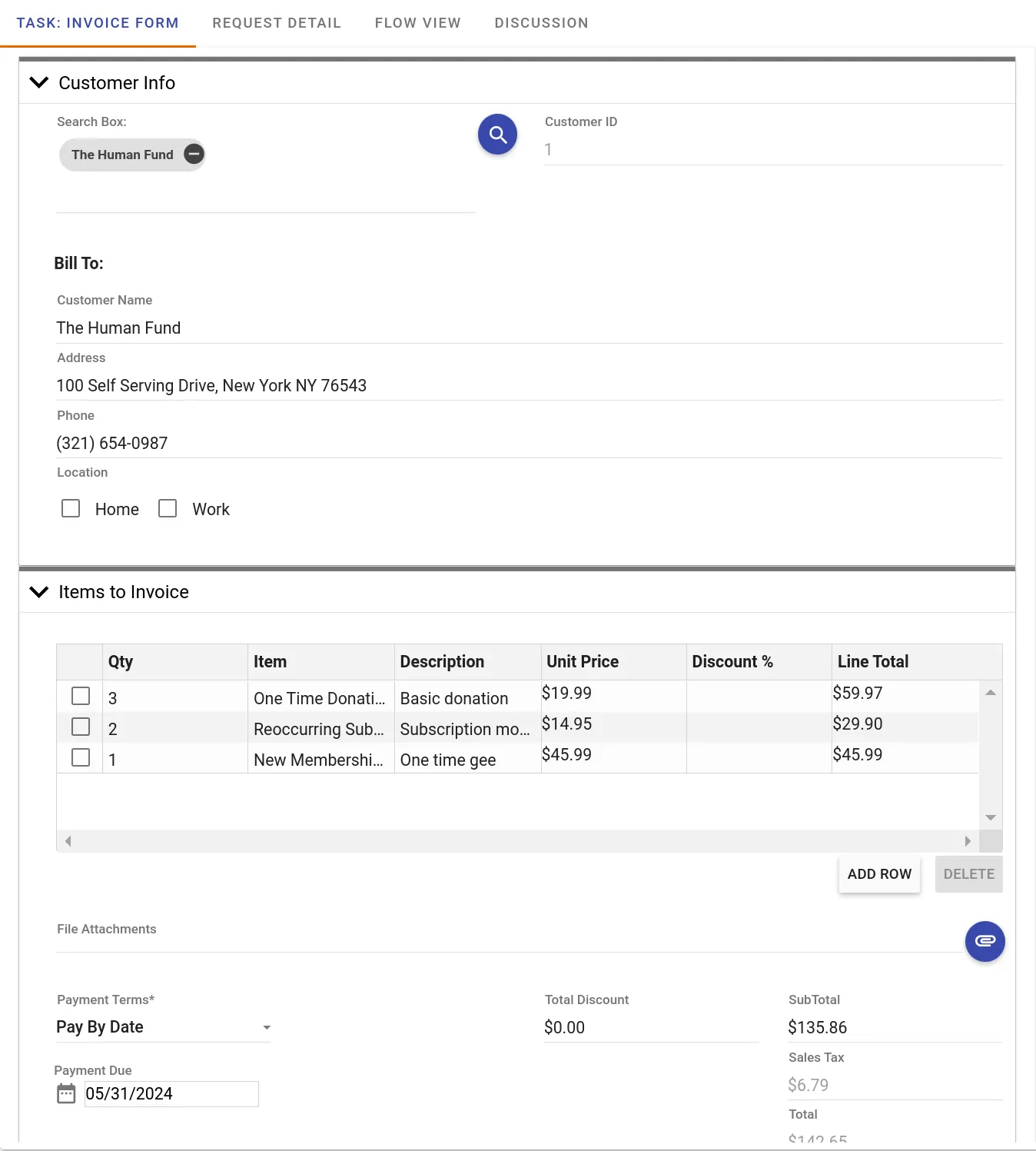
We were able to get a proof of concept working within a couple of hours by using a JSON file with hardcoded data. Then, we began developing a full solution within our workflow product. Our application allows users to create their own forms within the application. These forms collect a large portion of data that they need outputted to the generated PDF. There are also many other data elements that are associated with each process that users may want output to the PDF. Therefore, we have a requirement for users to map data to Mustache tags within the DOCX template.
Form Builder example
Form data collection example
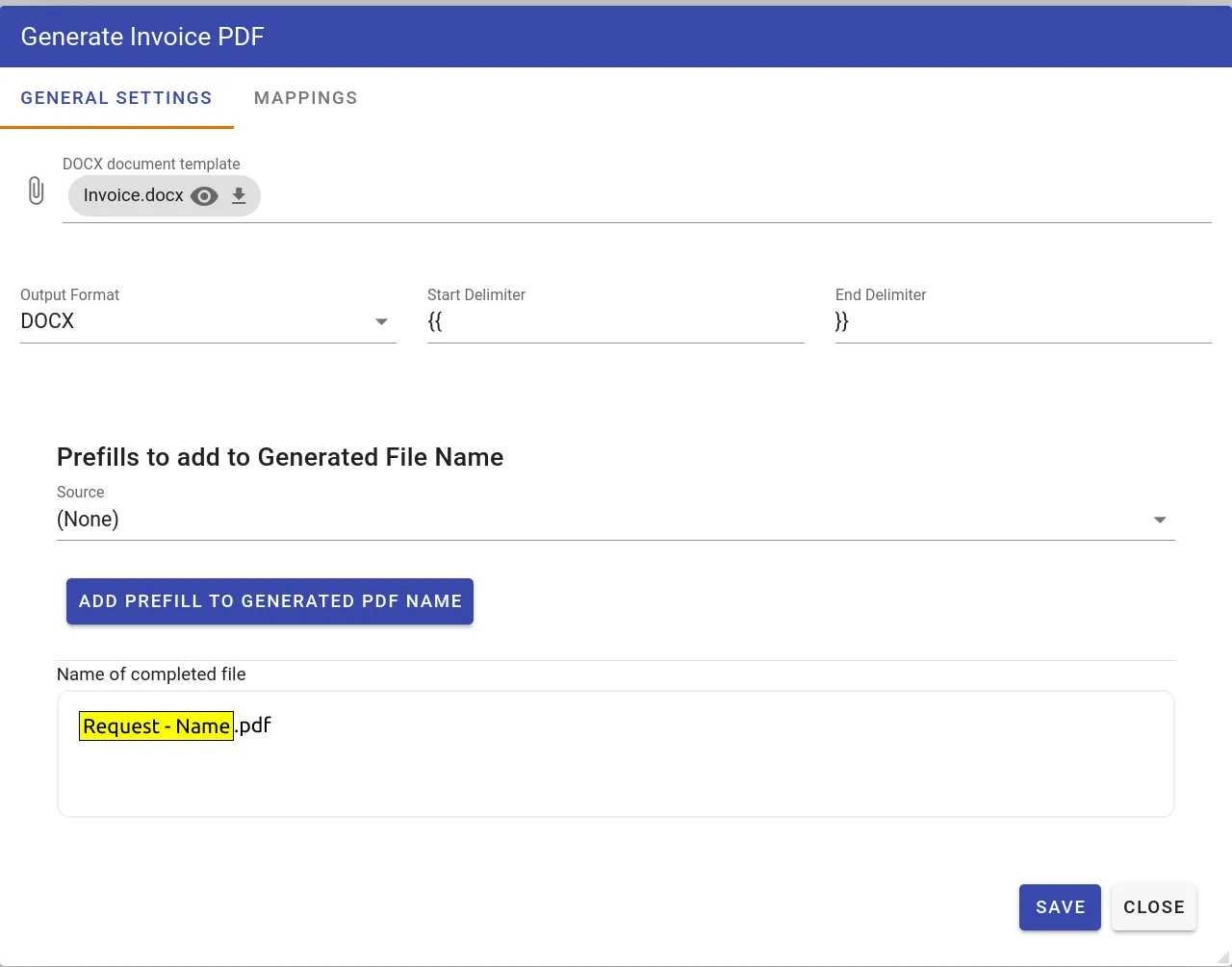
To meet this requirement, we built a task configuration screen that allows users to upload their DOCX template containing the Mustache tags. It then extracts all the tags within the document and allows the user to configure a form field-to-Mustache mapping, which is used each time the task is executed in a process workflow.
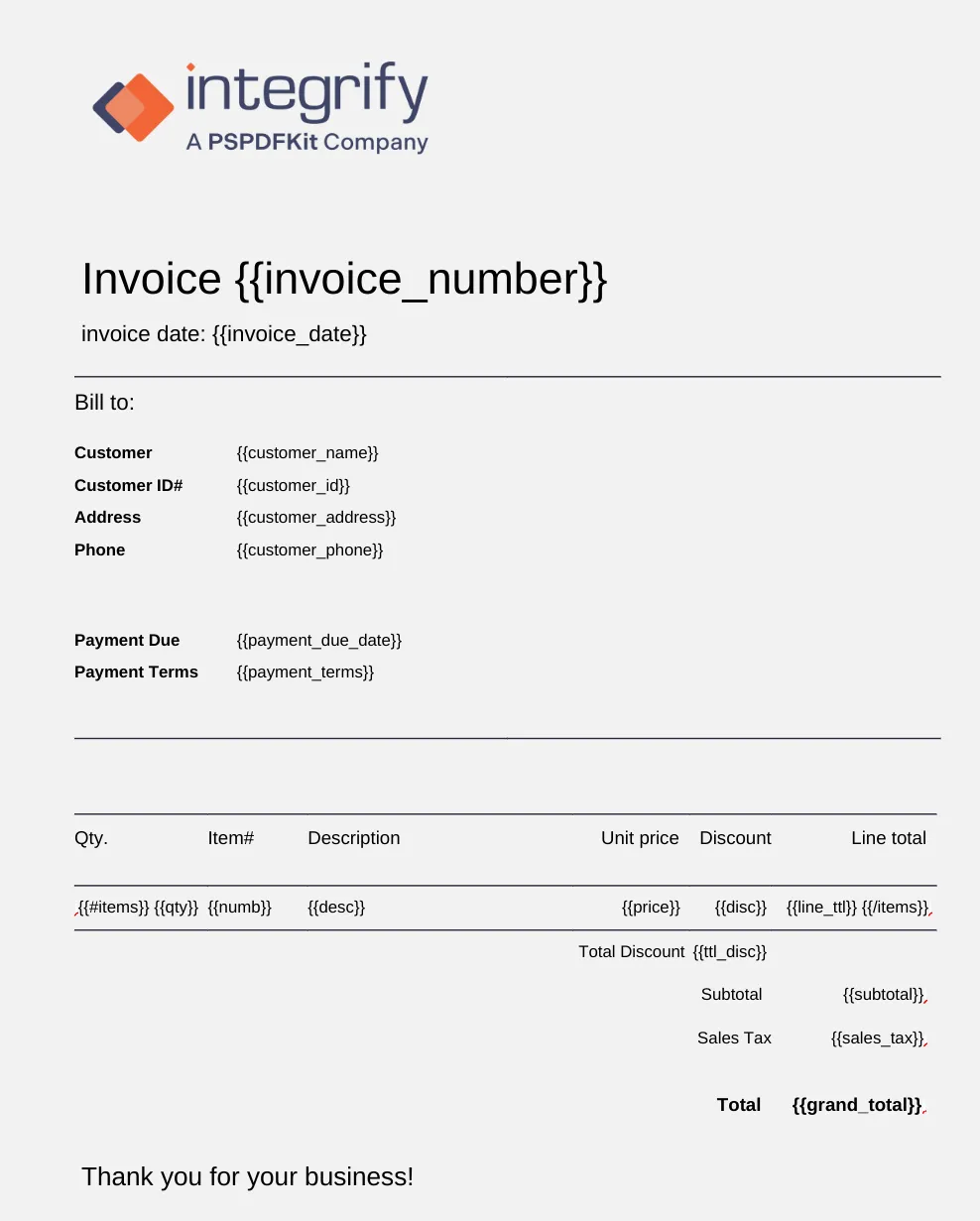
DOCX template example
Task config example
Mappings example
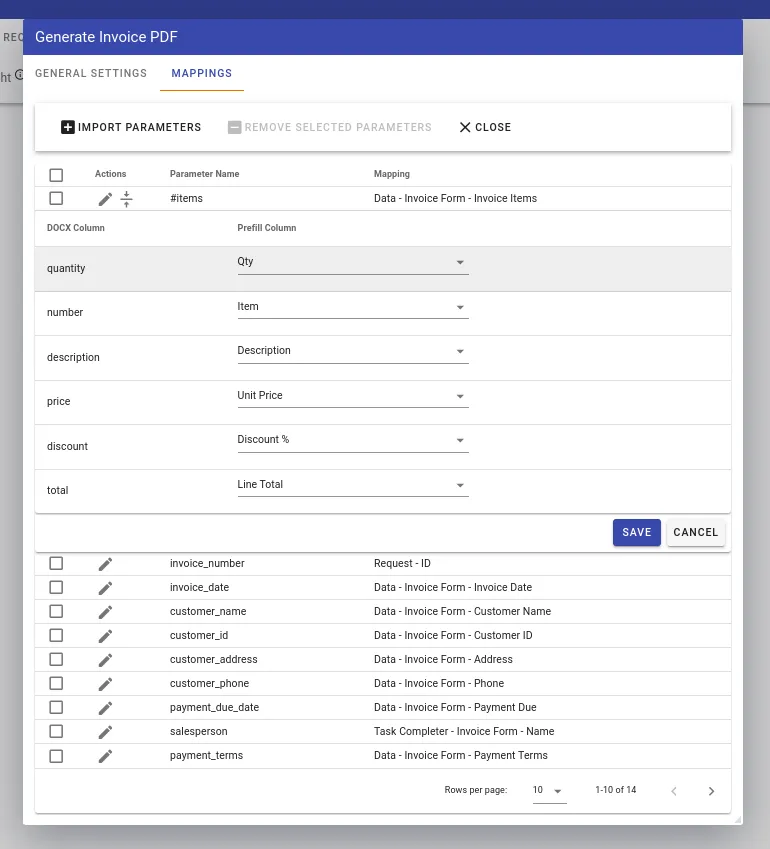
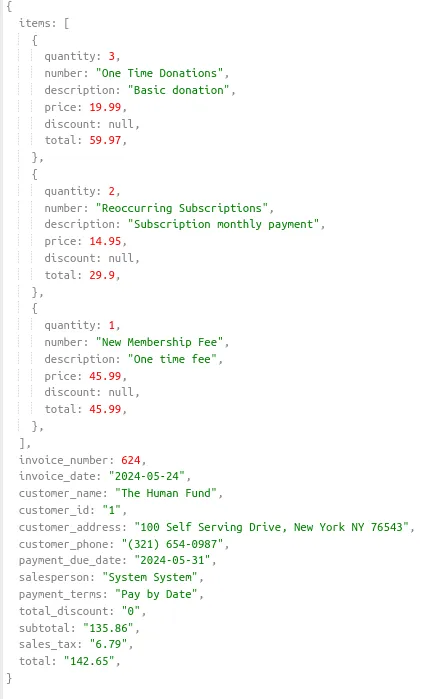
When the task runs, it calls Document Engine’s /api/process_office_template, supplying the form data in JSON that maps the data to Mustache tags, along with the DOCX file with the Mustache tags. In the DOCX file image example, you can see how between the Mustache tags {{#items}} and {{/items}}, there are repeatable tags representing columns in our grid question, which was mapped to the {{#item}} tag. The individual grid columns were then mapped to the repeatable tags within the {{#item}} and {{/item}} tags. If there’s data collected on the form that users don’t want to appear in the generated PDF, they simply don’t put Mustache tags in the DOCX file.
JSON with Mustache and mapped data
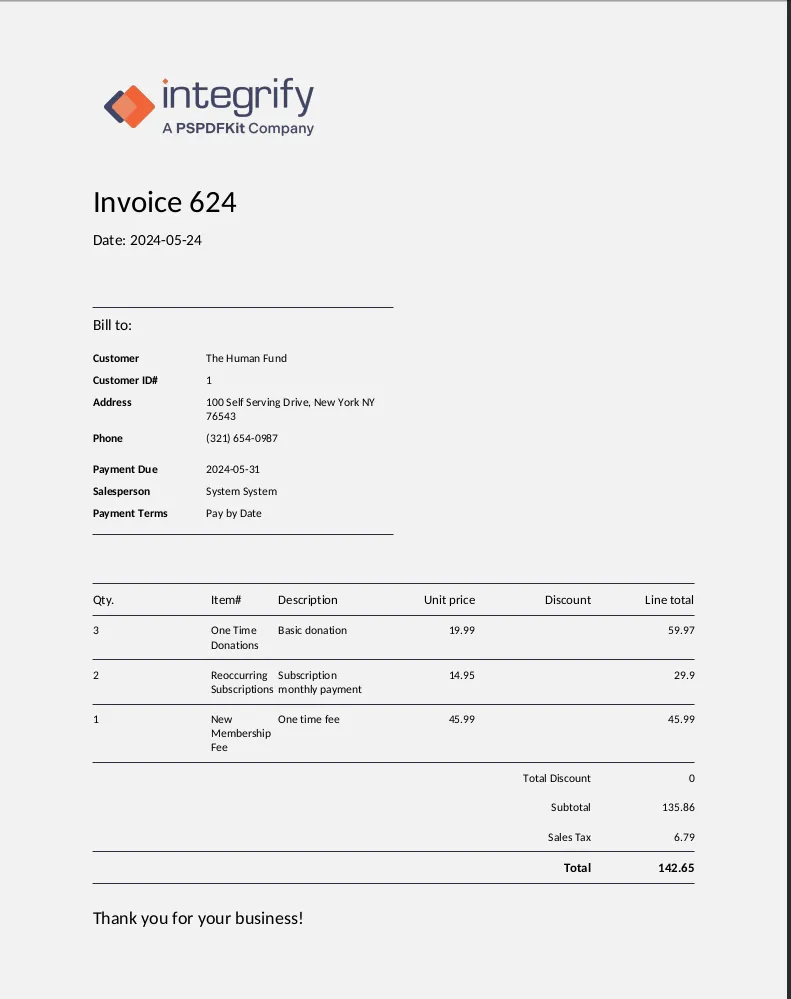
Generated PDF returned from Document Engine
/*
Node.js calling the `/api/process_office_template` Gather api parameters, config specifies the delimiters used in the template, and model is the value of the mapping data specified in the above screenshots (generalized here for space).
*/
const model = {
config: { delimiter: { start: "{{", end: "}}" } },
model: {
"Name": "John Doe",
"Age": "30",
"Address": "123 Main St",
"City": "Anytown",
"State": "CA",
"Zip": "12345",
"Phone": "555-555-5555",
"Email": "jondoe@gmail.com",
},
{...},
};
// Append document and model to the request body.
const formData = new FormData();
formData.append(
"document",
new File([fileData], fileName, {
type: fileType,
})
);
formData.append("model", JSON.stringify(model));
const requestOptions = {
method: "POST",
body: formData,
headers: { Authorization: 'my authorization' },
};
const url = `${documentEngineUrl}/api/process_office_template`;
const response = await fetch(url, requestOptions);
// Node.js calling the `/api/build`.
const formData = new FormData();
formData.append(
"document",
new Blob([docxArrayBuffer]),
fileName
);
const instructions = JSON.stringify({
parts: [
{
file: "document",
},
],
});
formData.append("instructions", instructions);
const requestOptions = {
method: "POST",
body: formData,
headers: {
Authorization: "my authorization",
},
};
const url = `${documentEngineUrl}/api/build`;
const response = await fetch(url, requestOptions);
const pdfResult = await responseForPdf.arrayBuffer();
Conclusion
By integrating Document Engine’s Office templating capabilities into our application, we were able satisfy our customers’ needs with minimal code. We recently released this functionality in production, and customers are ecstatic about the enhanced functionality Document Engine enabled us to provide them with.