
惯性聚合 高效追踪和阅读你感兴趣的博客、新闻、科技资讯
阅读原文 在惯性聚合中打开

推荐订阅源

S
Schneier on Security
GbyAI
GbyAI
H
Help Net Security
CTFtime.org: upcoming CTF events
T
The Blog of Author Tim Ferriss
Vercel News
Vercel News
Microsoft Azure Blog
Google DeepMind News
Stack Overflow Blog
Stack Overflow Blog
AWS News Blog
AWS News Blog
Spread Privacy
Spread Privacy
Apple Machine Learning Research
L
LINUX DO - 最新话题
K
KPMG report finds enterprise disconnect between AI and its ROI | CIO
P
Privacy International News Feed
C
CERT Recently Published Vulnerability Notes
C
Cybersecurity and Infrastructure Security Agency CISA
I
Intezer
Hugging Face - Blog
Hugging Face - Blog
H
Heimdal Security Blog
N
News and Events Feed by Topic
C
Cyber Attacks, Cyber Crime and Cyber Security
T
Troy Hunt's Blog
大猫的无限游戏
大猫的无限游戏
SecWiki News
SecWiki News
Martin Fowler
Martin Fowler
人人都是产品经理
人人都是产品经理
Recent Commits to openclaw:main
Application and Cybersecurity Blog
F
Fortinet All Blogs
Hacker News: Ask HN
Hacker News: Ask HN
Know Your Adversary
Know Your Adversary
Hacker News - Newest:
Hacker News - Newest: "LLM"
博客园 - 聂微东
S
Secure Thoughts
云风的 BLOG
云风的 BLOG
O
OpenAI News
The Cloudflare Blog
Jina AI
Jina AI
U
Unit 42
L
Lohrmann on Cybersecurity
Attack and Defense Labs
The Register - Security
G
Google Developers Blog
量子位
Simon Willison's Weblog
V
Visual Studio Blog
Threat Intelligence Blog | Flashpoint
G
GRAHAM CLULEY
TaoSecurity Blog
TaoSecurity Blog

Inside Nutrient

A guide to the invisible work behind documents Introducing Nutrient Documents for Salesforce: Native document generation and signing Document AI vs. traditional OCR: Choosing between OCR, AI, and hybrid pipelines PDF SDK compliance and security evaluation checklist for enterprise teams (2026) Invariant Corp replaces paper processes with Nutrient Workflow and scales without limits What is process mapping? A complete guide Nutrient vs. Conga Composer for Salesforce document generation (2026) Document routing: How to automate document distribution The CTO’s AI playbook: Why accountability architecture beats orchestration Compliance workflow automation: Why built-in compliance is table stakes Workflow diagrams: Examples, symbols, and how to build one that actually runs Digital forms: Replace paper forms with automated workflows Approval workflow software: How to automate approvals Why document-centric automation is different The CEO’s AI playbook: Why decision architecture beats model selection PDF redaction verification: How to prove sensitive data is permanently removed What is a VPAT? The complete guide to accessibility conformance reports What is PDF/UA? The accessible PDF standard explained Salesforce eSignatures: Generate, sign, and track documents in one flow Online document viewer: Options, tradeoffs, and how to embed one Document viewer for web apps: React, Vue, Angular (2026) Best document viewers in 2026: A buyer’s guide How to edit a PDF in Python: Add text, images, and annotations Nutrient advances Workflow platform with agentic AI for enterprise-grade speed and consistency in document-heavy operations How to create a Salesforce quote template from opportunity data The business case for accessibility: Five ways it drives enterprise value Python PDF library comparison (2026): 7 libraries for developers Why your AI agent hallucinates PDF table data PDF.js limitations: When to upgrade to a commercial PDF SDK How Subject scaled 5× with Nutrient’s PDF SDK without rebuilding its document layer I replaced our sales training with an AI coach that runs in Slack — here’s what broke Redirecting to: https://securitybuzz.com/cybersecurity-news/why-enterprise-permissions-are-ais-most-dangerous-inheritance/ Nutrient .NET SDK vs. iText Core: Complete comparison for .NET developers DocuVieware: Support’s most frequently asked setup questions Introducing Nutrient Workflow How to convert PDF to Word in C# (.NET) When email and spreadsheets stop working: Work order approval workflows for field teams on the move Compliance with confidence: Why document-centric automation is the foundation of your mission Nutrient expands AI Assistant, automating multistep document workflows inside any application What is document generation? A developer’s guide to PDF generation Document Converter data flow and how real-time watermarks skip the queue PDF/UA compliance guide: Requirements, standards, and best practices Computers still can’t understand you How Athena Intelligence built AI agents for regulated enterprises with Nutrient’s document infrastructure How to convert HTML to PDF (2026): 4 methods from browser print to SDK How to build a document extraction pipeline with Nutrient Vision API OCR vs. intelligent document processing: Choosing the right document extraction engine Beyond OCR: How document intelligence eliminates manual processing in regulated industries Nutrient vs. IronPDF: Complete comparison for .NET developers Nutrient vs. Aspose.PDF: Complete comparison for .NET developers Redirecting to: https://fortune.com/2026/02/19/openclaw-who-is-peter-steinberger-openai-sam-altman-anthropic-moltbook/ Lufthansa Systems uses Nutrient to deliver reliable, scalable PDF rendering for pilots worldwide Nutrient vs. Syncfusion: Complete comparison for .NET developers React’s useTransition: The hook you’re probably using wrong First City Monument Bank streamlines banking processes with Nutrient Workflow Redirecting to: https://www.sdcexec.com/warehousing/automation/article/22957364/nutrient-workflow-automation-the-missing-link-in-supply-chain-efficiency The complete guide to digital signatures: PAdES, CAdES, and XAdES explained Nutrient Python SDK: Production-grade document processing for Python Introducing agentic document editing for web applications with AI Assistant Nutrient vs. QuestPDF: Complete comparison for .NET developers How we fixed the GdPicture license expiration (and what to do if you’re affected) Red team security testing with agentic AI The future of healthcare document automation Best healthcare workflow software compared Nutrient SDK product updates for Q4 2025 How Harvey scaled legal document workflows 50 percent MoM without rebuilding infrastructure HIPAA-compliant document management in hospitals How we optimized rendering performance while handling thousands of annotations in React — Part 2 Automated PII removal with Nutrient API Redirecting to: https://www.devopsdigest.com/2026-low-code-no-code-predictions Redirecting to: https://www.kmworld.com/Articles/Editorial/ViewPoints/Leaders-predict-AI-to-continue-permeating-all-aspects-of-KM-in-2026-172594.aspx What are deep agents and how do they solve complex problems? Whipping up document magic: Your easy-bake recipe for Vue and Nutrient Web SDK 🧁 What I’ve learned about product iteration planning while building SDKs Passwordless document signing: Three-layer security guide New zip folder functionality streamlines file management in Document Automation Server The keyboard shortcuts playbook: Taking control of keyboard events in Nutrient Web SDK From experienced engineer to AI beginner: My unexpected journey AI-assisted manual testing: Handling Safari’s PDF rendering and UI quirks How to keep a 20-year-old SDK up to date How we optimized rendering performance while handling thousands of annotations in React — Part 1 Nutrient announces new executive hires to accelerate next phase of growth High performance UI using web workers Automate document conversion at scale with Python and Nutrient DCS From curiosity to PLG (and AI): My journey to understanding product-led growth Prost to progress: One year as Nutrient Pigeon usage at Nutrient: Bridging native SDKs to Flutter Modernizing CI build servers: How to migrate from Chef to Ansible Unix man pages: AI-friendly documentation since 1971 Consistent hashing for even load distribution Best AI redaction APIs: Complete comparison guide for 2025 Why AI document redaction matters for modern security From coding to coordinating: How AI transformed my workflow What is intelligent document processing (IDP)? A complete guide Enterprise PDF SDKs: Best PSPDFKit (now Nutrient) alternatives Nutrient SDK product updates for Q3 2025 GdPicture support best practices Redacting sensitive data with Nutrient AI redaction API How AI is transforming the customer experience at Nutrient: From instant answers to intelligent support How manual QA uses PR testing between releases
Nutrient SDK product updates for Q1 2026
Marija Trpkovic · 2026-05-07 · via Inside Nutrient

Document workflows have had a fragmentation problem for far too long. Instead of being thoughtfully designed, they’re often just accumulated over time. Optical character recognition (OCR) from one vendor, conversion from another, redaction bolted on later, signing handled elsewhere. Each integration makes sense in isolation, but together they create systems that are slow to build and brittle to maintain. In Q1, we focused on closing those gaps, so more of your document workflow can live in one place.

This quarter’s releases provide consolidation in the parts of the stack where teams feel the most friction. We expanded AI Assistant into a document editing agent designed to automate multistep document workflows inside the applications where people already work. We introduced a new Python SDK for end-to-end document processing, significantly advanced our Java SDK, and brought a powerful new AI data extraction solution directly into both. Across mobile, web, and the rest of the platform, we made the same bet: fewer moving parts, more built-in capability, and a better path from prototype to production.
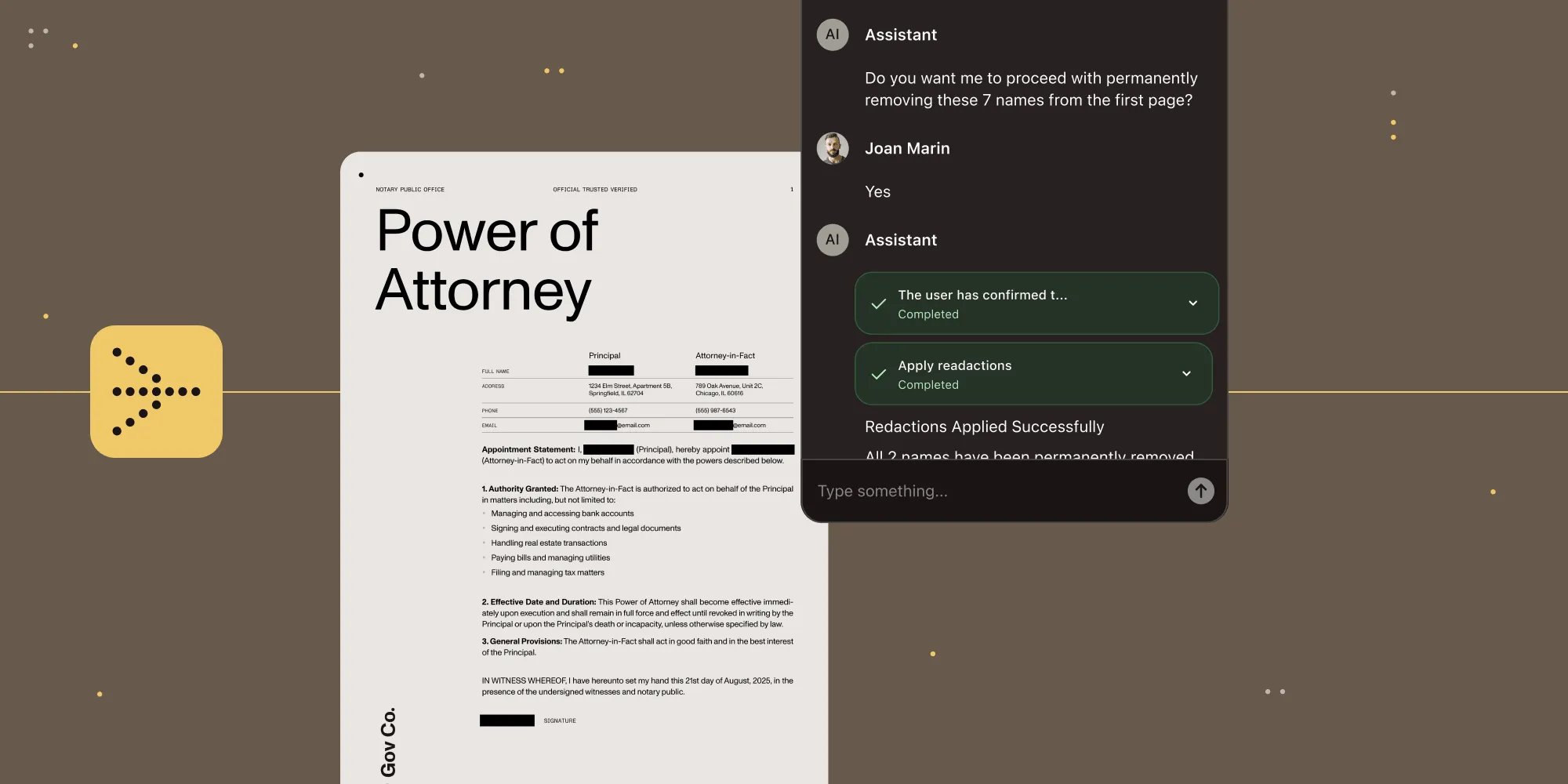
AI Assistant moves from conversation to execution

AI Assistant document editing agent

Nutrient has expanded AI Assistant with a document editing agent built to handle multistep work inside the application itself. The agent can plan, execute, and adapt as tasks unfold, using Nutrient’s purpose-built document tools for rendering, structure-aware extraction, form operations, annotation, and redaction.

The benefit for developers is straightforward: a simpler path to production-ready document automation. Instead of stitching together large language models (LLMs), parsing and rendering layers, tool orchestration, and governance controls, they can embed a prebuilt, policy-governed document agent from the start. Skills and approval policies let organizations define what the agent knows, how it operates, which actions can run autonomously, and which actions require review.

That’s what makes this more than a feature expansion. It brings AI deeper into document workflows, inside the products teams already build, with the control, review paths, and reliability those workflows require.
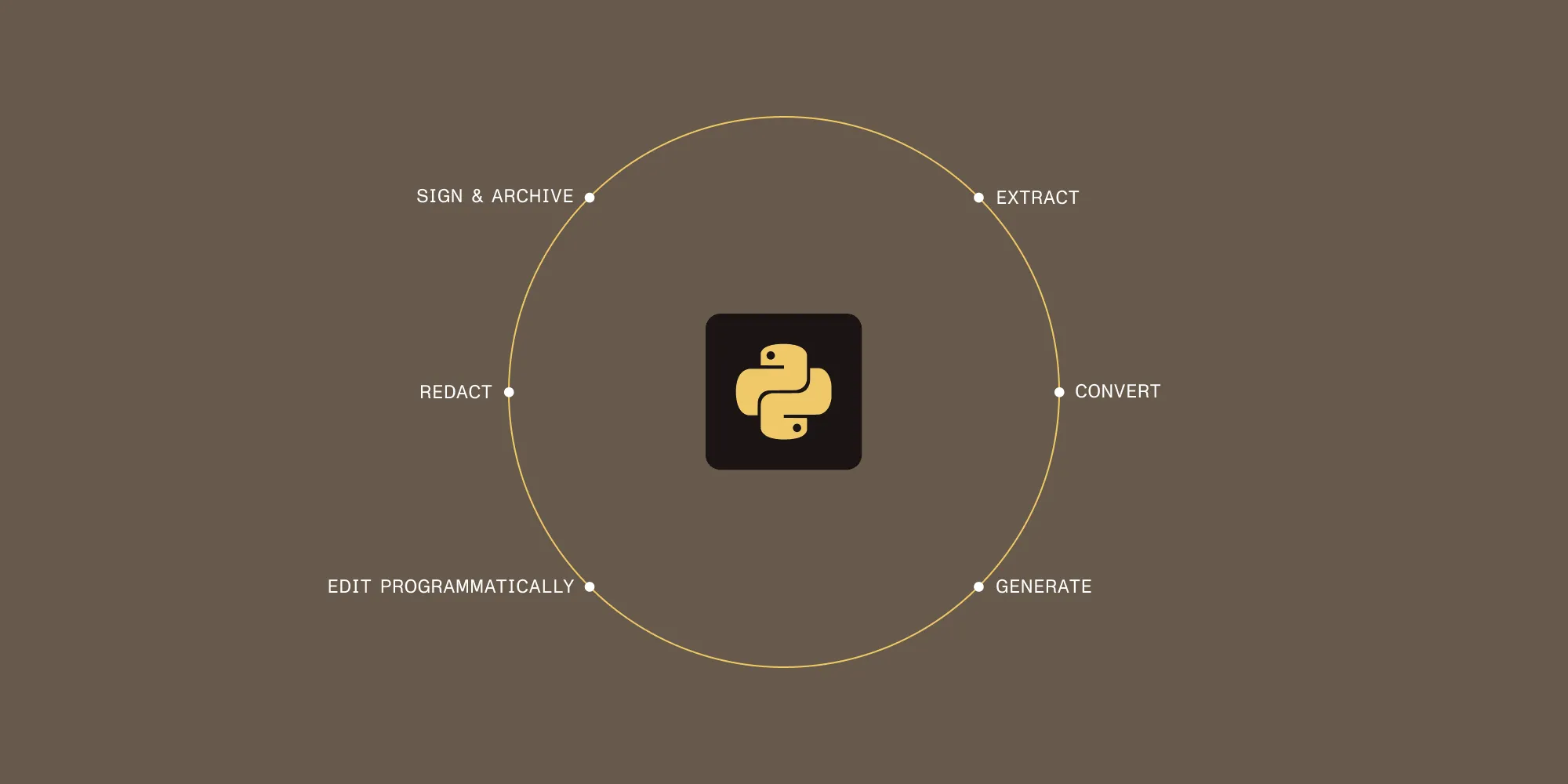
Python arrives as a full document-processing SDK

Nutrient Python SDK

Python teams are often forced to assemble document workflows from separate components: one library for conversion, another for OCR, another for signing, another for redaction, and more code to hold everything together. The new Python SDK is designed to collapse that complexity into one dependency that covers the full document pipeline.

The Python SDK stands out not just for the range of capabilities it includes, but for how naturally it fits into Python backend development. It’s designed for the way Python teams already build, with clean APIs and familiar patterns that fit into Django, Flask, and FastAPI. Extraction, conversion, generation, signing, archiving, redaction, and programmatic editing are all part of the SDK. AI data extraction is built in as well, so OCR, intelligent character recognition (ICR), and vision language model (VLM)-enhanced ICR are available directly rather than through a separate platform decision.

That’s what makes the Python SDK more than a language expansion. It’s not just Nutrient support for Python, but a more complete approach to document processing — one that replaces fragmented tooling without asking teams to give up production readiness, security, or compliance capabilities along the way.
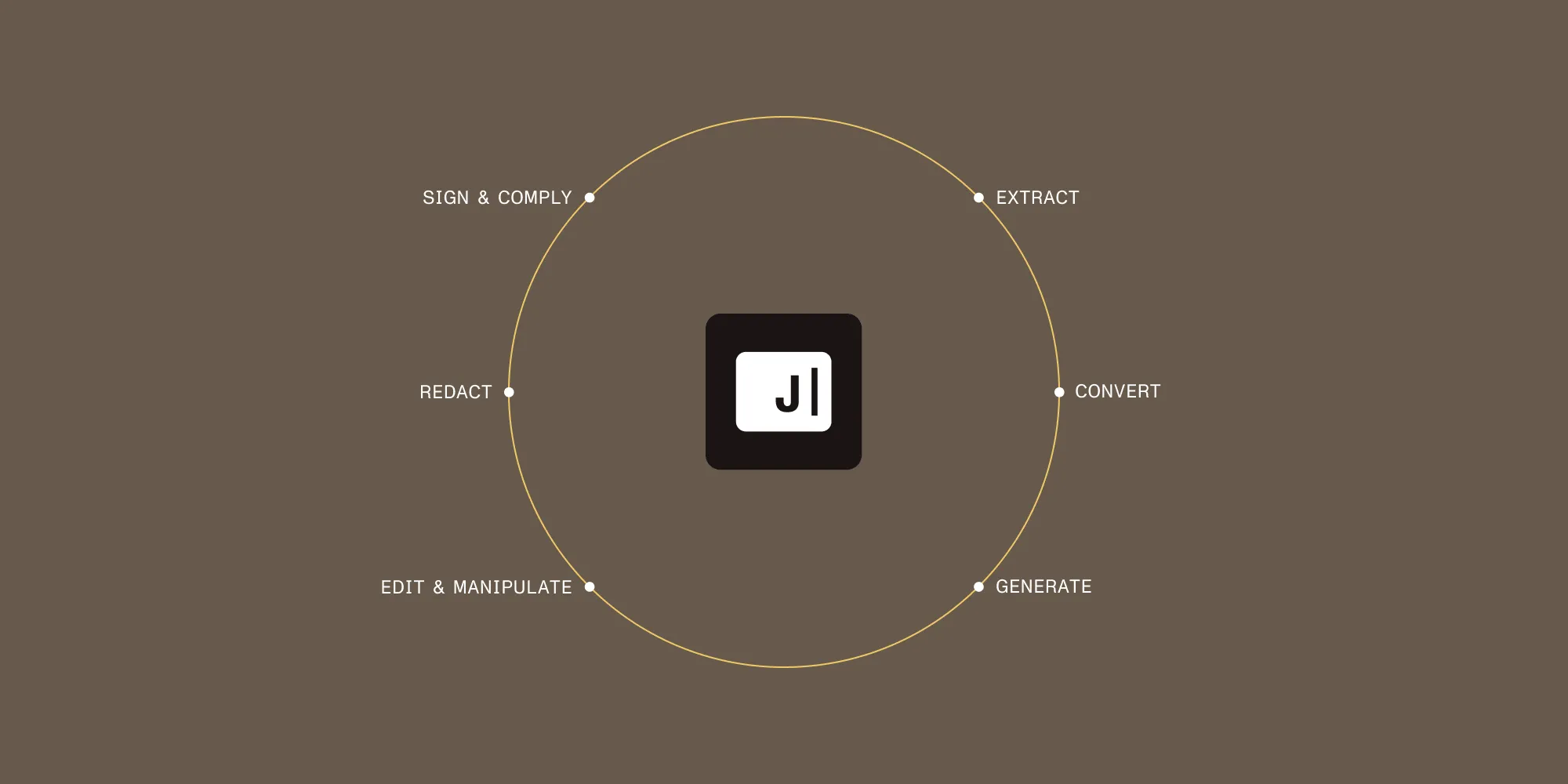
Java becomes a stronger center of the document pipeline

Nutrient Java SDK

Java wasn’t a new arrival this quarter. Instead, the focus was on making Nutrient Java SDK a more complete foundation for document work: one SDK instead of a mix of servers, CLI tools, and libraries; a proven core shared with Nutrient Web SDK and Document Engine; AI data extraction built directly into the SDK; and a packaging model that fits how Java teams actually work — from Maven Central distribution and signed artifacts, to Java 17–25 support and strong Kotlin and Gradle compatibility.

The SDK covers the full backend document pipeline — extraction, conversion, generation, signing, encryption, archiving, redaction, and manipulation — while also being optimized for microservices and containers through multithreaded batch processing, low memory footprint, and no external dependencies.

Together, these updates make Java SDK a more complete foundation for document work. Instead of maintaining separate tools across the workflow, teams can handle the full pipeline in one SDK built for production environments.
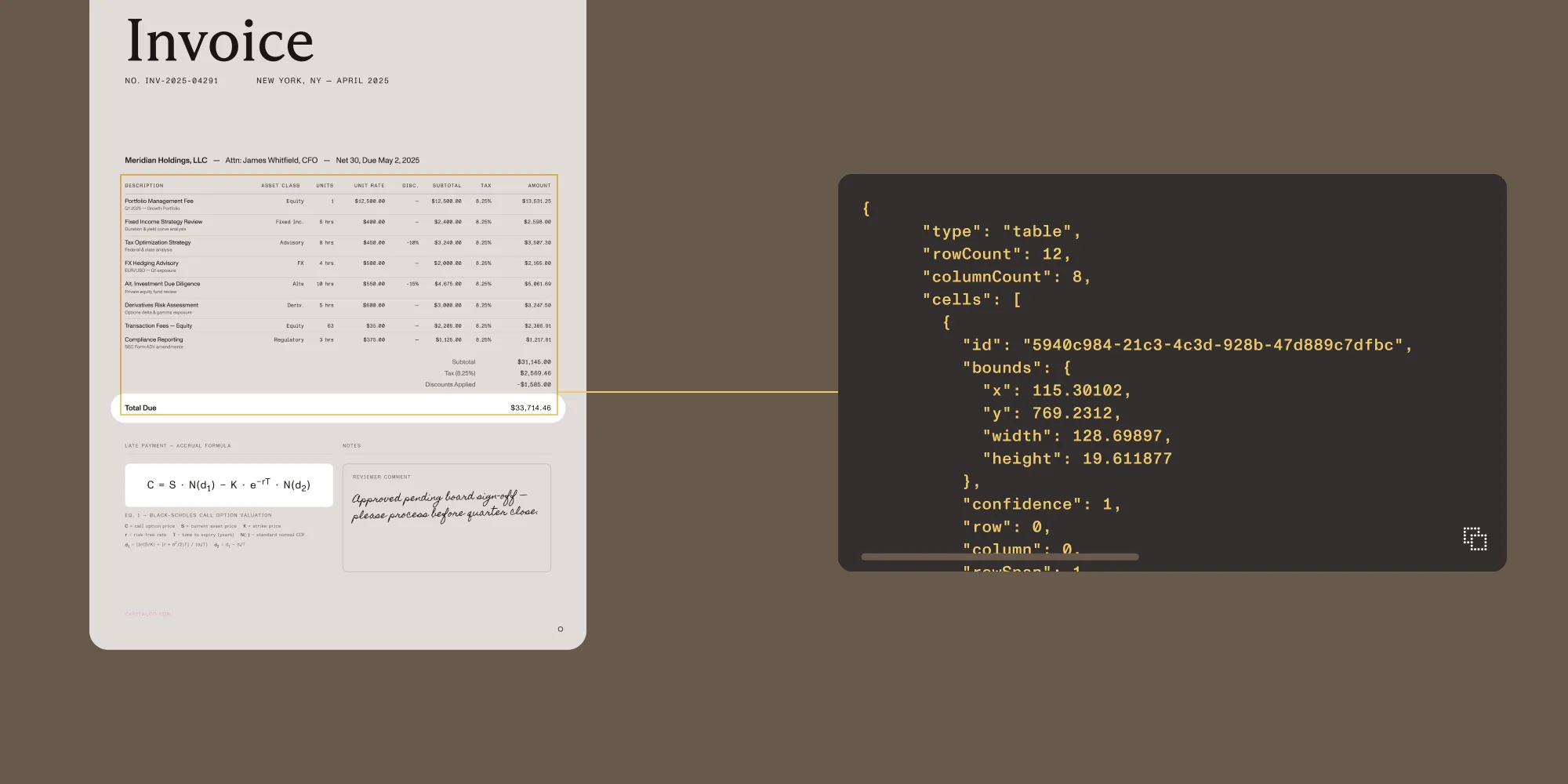
Nutrient Vision API

Traditional OCR is often only useful up to a point. It gives you text, but not much of the structure that makes documents meaningful in production workflows. Vision API is built around that gap. Rather than flattening documents into plain text, it preserves structure: tables stay tables, forms become key-value pairs, and extracted values remain tied to page coordinates. That makes the output far more usable for downstream systems and far easier to audit.

The three extraction modes reflect that layered approach. OCR handles fast local text extraction for high-volume indexing. ICR adds structured understanding for forms, tables, and reading order. VLM-enhanced ICR adds an optional AI pass for more complex or ambiguous layouts. Because all three are available directly inside the Python and Java SDKs, developers can adapt extraction to the document without adopting another service.

That matters even more in regulated or infrastructure-sensitive environments. Vision API keeps extraction local, supports air-gapped deployments, and returns bounding boxes on every extracted element for traceability and review. That makes it especially relevant in healthcare, financial services, legal, and government workflows, where structured extraction often needs to go hand in hand with deployment control and auditability.
PDF-to-Markdown makes AI workflows cleaner from the start

PDF-to-Markdown skill

Another important addition this quarter is our new PDF-to-Markdown skill for Claude and Codex. Getting usable Markdown out of PDFs is often messier and more resource-intensive than it should be, which means more cleanup, noisier output, and more wasted context window before the real work even begins.

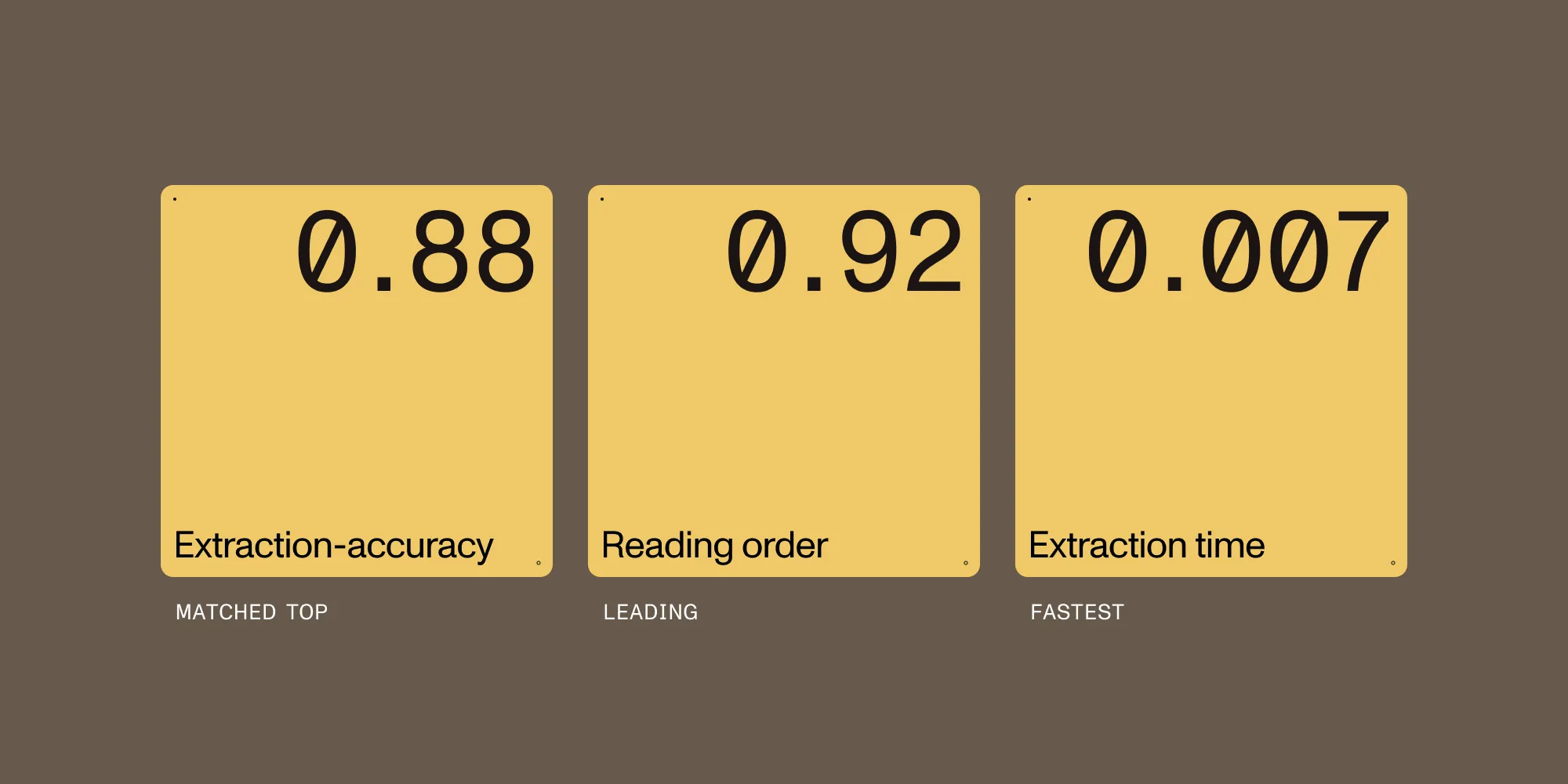
This skill is designed to simplify that first step. In our benchmarks, it matched the top extraction-accuracy score at 0.88, led on reading order at 0.92, and delivered the fastest extraction time shown at 0.007 seconds per page. Teams can use it in Claude Code, Codex, or as a standalone CLI, making it easy to fit into existing AI workflows.

Just as importantly, documents don’t need to be uploaded to Nutrient. PDFs stay inside the user’s own workflow, which makes the skill especially useful for teams that want cleaner AI-ready input without giving up control over how documents are handled.
Mobile SDKs: Faster rendering, stronger signing, and deeper native flexibility

Mobile SDK updates

Across mobile, the quarter’s updates deliver improved performance, reliability, and more capable document workflows.

On Android, that meant faster rendering, lighter memory usage, Compose-based modernization, stronger annotation workflows, and AI Assistant support for encrypted documents.

On iOS, the emphasis was on smoother signing, stronger PDF fidelity, and more secure AI workflows, including support for encrypted PDFs after unlock and a broader set of reliability improvements across editing and collaboration.

Flutter also moved forward, expanding both flexibility and native access through a headless document API and new platform adapter APIs.

Across both native SDKs and cross-platform development, these updates provide faster viewing, smoother editing, and more control over how document workflows are built into the app experience.

Web SDK, .NET, and the rest of the platform

Web SDK, .NET, and platform updates

Web SDK releases improved zooming speed, first-page rendering, PDF fidelity, accessibility, and annotation reliability, continuing to make the viewing and editing experience faster and more refined.

On the server side, Document Engine added broader document support and smarter processing, including TXT-to-PDF, Brotli support, PDF/UA auto-tagging, smarter OCR for mixed documents, Office template image substitution, and faster handling of large PDFs.

The same pattern continues across the rest of the platform. Our .NET SDK gained speed and memory improvements across key document workflows, React Native added deeper programmatic control, and Node.js expanded document support and processing capabilities. These may not be the biggest launches of the quarter, but they continue the same broader trend across the platform: faster performance, deeper workflow support, and a better experience across environments.

A quarter shaped by consolidation

The throughline across all the releases is the same: Document workflows shouldn’t require you to manage a different tool for every step. The expanded AI Assistant, the Python SDK, the advanced Java SDK, and Vision API are all bets on consolidation. You get more capability in fewer dependencies and more of the pipeline handled before you write a line of glue code. That’s the direction we’re headed, and we’re just getting started.