

惯性聚合 高效追踪和阅读你感兴趣的博客、新闻、科技资讯
阅读原文 在惯性聚合中打开

推荐订阅源

Hacker News: Ask HN
Hacker News: Ask HN
C
Cisco Blogs
The Hacker News
The Hacker News
T
Tor Project blog
Cyber Security Advisories - MS-ISAC
The GitHub Blog
The GitHub Blog
A
Arctic Wolf
CTFtime.org: upcoming CTF events
The Register - Security
云风的 BLOG
云风的 BLOG
Simon Willison's Weblog
P
Palo Alto Networks Blog
Vercel News
Vercel News
C
CERT Recently Published Vulnerability Notes
I
InfoQ
freeCodeCamp Programming Tutorials: Python, JavaScript, Git & More
M
MIT News - Artificial intelligence
I
Intezer
aimingoo的专栏
aimingoo的专栏
U
Unit 42
C
Cyber Attacks, Cyber Crime and Cyber Security
L
LINUX DO - 热门话题
Microsoft Security Blog
酷 壳 – CoolShell
酷 壳 – CoolShell
Cyberwarzone
Cyberwarzone
P
Proofpoint News Feed
P
Proofpoint News Feed
B
Blog
T
Threat Research - Cisco Blogs
博客园 - 叶小钗
Recorded Future
Recorded Future
Last Week in AI
Last Week in AI
N
News and Events Feed by Topic
cs.AI updates on arXiv.org
Know Your Adversary
Know Your Adversary
Engineering at Meta
Engineering at Meta
G
Google Developers Blog
PCI Perspectives
PCI Perspectives
Google DeepMind News
WordPress大学
WordPress大学
Application and Cybersecurity Blog
MyScale Blog
MyScale Blog
Security Archives - TechRepublic
Schneier on Security
N
News | PayPal Newsroom
C
Cybersecurity and Infrastructure Security Agency CISA
H
Help Net Security
博客园 - 聂微东
H
Hackread – Cybersecurity News, Data Breaches, AI and More
G
GRAHAM CLULEY

Inside Nutrient

A guide to the invisible work behind documents Introducing Nutrient Documents for Salesforce: Native document generation and signing Document AI vs. traditional OCR: Choosing between OCR, AI, and hybrid pipelines PDF SDK compliance and security evaluation checklist for enterprise teams (2026) Invariant Corp replaces paper processes with Nutrient Workflow and scales without limits What is process mapping? A complete guide Nutrient vs. Conga Composer for Salesforce document generation (2026) Document routing: How to automate document distribution The CTO’s AI playbook: Why accountability architecture beats orchestration Compliance workflow automation: Why built-in compliance is table stakes Workflow diagrams: Examples, symbols, and how to build one that actually runs Digital forms: Replace paper forms with automated workflows Approval workflow software: How to automate approvals Why document-centric automation is different The CEO’s AI playbook: Why decision architecture beats model selection Nutrient SDK product updates for Q1 2026 PDF redaction verification: How to prove sensitive data is permanently removed What is a VPAT? The complete guide to accessibility conformance reports What is PDF/UA? The accessible PDF standard explained Salesforce eSignatures: Generate, sign, and track documents in one flow Online document viewer: Options, tradeoffs, and how to embed one Document viewer for web apps: React, Vue, Angular (2026) Best document viewers in 2026: A buyer’s guide How to edit a PDF in Python: Add text, images, and annotations Nutrient advances Workflow platform with agentic AI for enterprise-grade speed and consistency in document-heavy operations How to create a Salesforce quote template from opportunity data The business case for accessibility: Five ways it drives enterprise value Python PDF library comparison (2026): 7 libraries for developers Why your AI agent hallucinates PDF table data PDF.js limitations: When to upgrade to a commercial PDF SDK How Subject scaled 5× with Nutrient’s PDF SDK without rebuilding its document layer I replaced our sales training with an AI coach that runs in Slack — here’s what broke Redirecting to: https://securitybuzz.com/cybersecurity-news/why-enterprise-permissions-are-ais-most-dangerous-inheritance/ Nutrient .NET SDK vs. iText Core: Complete comparison for .NET developers DocuVieware: Support’s most frequently asked setup questions Introducing Nutrient Workflow How to convert PDF to Word in C# (.NET) When email and spreadsheets stop working: Work order approval workflows for field teams on the move Compliance with confidence: Why document-centric automation is the foundation of your mission Nutrient expands AI Assistant, automating multistep document workflows inside any application What is document generation? A developer’s guide to PDF generation Document Converter data flow and how real-time watermarks skip the queue PDF/UA compliance guide: Requirements, standards, and best practices Computers still can’t understand you How Athena Intelligence built AI agents for regulated enterprises with Nutrient’s document infrastructure How to convert HTML to PDF (2026): 4 methods from browser print to SDK How to build a document extraction pipeline with Nutrient Vision API OCR vs. intelligent document processing: Choosing the right document extraction engine Beyond OCR: How document intelligence eliminates manual processing in regulated industries Nutrient vs. IronPDF: Complete comparison for .NET developers Nutrient vs. Aspose.PDF: Complete comparison for .NET developers Redirecting to: https://fortune.com/2026/02/19/openclaw-who-is-peter-steinberger-openai-sam-altman-anthropic-moltbook/ Lufthansa Systems uses Nutrient to deliver reliable, scalable PDF rendering for pilots worldwide Nutrient vs. Syncfusion: Complete comparison for .NET developers React’s useTransition: The hook you’re probably using wrong First City Monument Bank streamlines banking processes with Nutrient Workflow Redirecting to: https://www.sdcexec.com/warehousing/automation/article/22957364/nutrient-workflow-automation-the-missing-link-in-supply-chain-efficiency The complete guide to digital signatures: PAdES, CAdES, and XAdES explained Nutrient Python SDK: Production-grade document processing for Python Introducing agentic document editing for web applications with AI Assistant Nutrient vs. QuestPDF: Complete comparison for .NET developers How we fixed the GdPicture license expiration (and what to do if you’re affected) Red team security testing with agentic AI The future of healthcare document automation Best healthcare workflow software compared Nutrient SDK product updates for Q4 2025 How Harvey scaled legal document workflows 50 percent MoM without rebuilding infrastructure HIPAA-compliant document management in hospitals How we optimized rendering performance while handling thousands of annotations in React — Part 2 Automated PII removal with Nutrient API Redirecting to: https://www.devopsdigest.com/2026-low-code-no-code-predictions Redirecting to: https://www.kmworld.com/Articles/Editorial/ViewPoints/Leaders-predict-AI-to-continue-permeating-all-aspects-of-KM-in-2026-172594.aspx What are deep agents and how do they solve complex problems? Whipping up document magic: Your easy-bake recipe for Vue and Nutrient Web SDK 🧁 What I’ve learned about product iteration planning while building SDKs Passwordless document signing: Three-layer security guide New zip folder functionality streamlines file management in Document Automation Server The keyboard shortcuts playbook: Taking control of keyboard events in Nutrient Web SDK From experienced engineer to AI beginner: My unexpected journey AI-assisted manual testing: Handling Safari’s PDF rendering and UI quirks How to keep a 20-year-old SDK up to date How we optimized rendering performance while handling thousands of annotations in React — Part 1 Nutrient announces new executive hires to accelerate next phase of growth High performance UI using web workers Automate document conversion at scale with Python and Nutrient DCS From curiosity to PLG (and AI): My journey to understanding product-led growth Prost to progress: One year as Nutrient Pigeon usage at Nutrient: Bridging native SDKs to Flutter Modernizing CI build servers: How to migrate from Chef to Ansible Unix man pages: AI-friendly documentation since 1971 Consistent hashing for even load distribution Best AI redaction APIs: Complete comparison guide for 2025 Why AI document redaction matters for modern security From coding to coordinating: How AI transformed my workflow What is intelligent document processing (IDP)? A complete guide Enterprise PDF SDKs: Best PSPDFKit (now Nutrient) alternatives Nutrient SDK product updates for Q3 2025 GdPicture support best practices Redacting sensitive data with Nutrient AI redaction API How AI is transforming the customer experience at Nutrient: From instant answers to intelligent support
From black boxes to smart blurs: AI redaction sets a new document security baseline in DWS Processor API
Pavel Bogachevskyi · 2025-05-12 · via Inside Nutrient

Table of contents

    From black boxes to smart blurs: AI redaction sets a new document security baseline in DWS Processor API

    When the U.S. Transportation Security Administration accidentally posted its 93-page screening manual(opens in a new tab) online in 2009, officials thought the sensitive portions were safe behind thick black rectangles. However, curious readers simply copied and pasted the “redacted” text and exposed the entire playbook — a textbook example of how visual coverups can collapse in the digital world.

    And it keeps happening. Wired recently cataloged(opens in a new tab) modern redaction failures where confidential court filings and corporate documents leaked because someone relied on a highlight tool or a brittle script.

    Researchers at the University of Illinois tested 11 popular redaction utilities and broke two of them with a basic copy-paste attack(opens in a new tab) while developing a proof-of-concept called Edact-Ray, which guesses masked words from the spacing inside rectangles.

    The financial downside is clear: IBM’s Cost of a Data Breach Report 2024(opens in a new tab) pegs the average incident at $4.88 million, the highest ever recorded. Organizations that automate security with AI save approximately $2.22 million compared with their manual peers. Meanwhile, GDPR regulators have issued hundreds of fines(opens in a new tab) that collectively exceed €4 billion, and enforcement is only accelerating.

    Redaction is no longer a niche lawyer task; it’s a frontline control for anyone who ships PDFs to customers, partners, or auditors.

    Why classic redaction breaks down

    Legacy methodHow it worksWhere it fails
    Manual markupSomeone draws black shapes or sets text color to black.Humans miss items; hidden layers remain searchable; unbearably slow for large batches.
    Regex- or rule-basedA script removes strings that match patterns like \d{3}-\d{2}-\d{4}.Misses context (e.g. phone vs. SSN); fragile with new formats; limited rule sets.
    Raster and burnConvert pages to images, paint pixels, reconstruct PDF.Heavy DevOps; GPU bills; no granular accuracy metrics; quality loss on rebuild.

    All three approaches focus on appearance, not meaning. A black rectangle may hide glyphs on screen, but metadata (font positions, bookmarks, revision history) can still reveal the words underneath. Conversely, rule engines lock onto shapes of data (nine digits, four digits, etc.) and ignore semantics (for example, “May 5 2025” looks like an SSN in a naïve pattern).

    AI redaction: Context beats patterns

    Large language models (LLMs) flip the equation:

    • Semantic understanding — The model sees a number next to “Routing No.” and flags banking data, even if the format is unusual.
    • Multi-modal reach — Text and scanned images are all processed in one pass.
    • Confidence scoring — Every prediction carries a probability so teams can stage borderline hits for review.
    • Continuous learning — New entity types can be trained without rewriting brittle regex rules.

    It’s faster and more accurate. What used to take 15 minutes to manually redact — like a 10-page contract — now takes less than 20 seconds.

    Introducing AI Redaction for DWS Processor API

    If you already use Nutrient DWS Processor API to render PDFs in the browser, you now have instant access to AI-powered redaction via a single endpoint: /ai/redact.

    Under the hood, a headless AI assistant inside Nutrient’s multi-tenant cluster:

    1. Streams your PDF into memory.
    2. Calls your preferred LLM’s endpoints to understand the content.
    3. Returns a permanently redacted PDF — no DevOps, no GPU fleet, no extra authentication flow.

    What engineers get out of the box

    CapabilityWhy it matters
    Zero infrastructureNo servers, containers, or model updates to manage.
    Usage-based costOnly 0.05 credits × pages; redacting a 10-page contract costs approximately USD 0.05 on most plans.
    Manual QA vs. automationUse "state":"stage" for human-in-the-loop QA, or "apply" to burn boxes automatically.
    Confidence filterTweak precision/recall with a single configuration parameter — no redeploys needed.

    Security and privacy — Full transparency

    Recent internal discussions at Nutrient produced a clear data-flow policy:

    • Upstream AI vendor — We handle the heavy lifting with large language models, turning pages into vectors and queries into smarter searches.
    • No persistence — PDFs live only in RAM during processing and are destroyed immediately after the response.
    • Minimal telemetry — We only store request stats (number of pages, latency, credit cost) — nothing the model saw.
    • Policy in progress — A consolidated AI privacy policy covering Nutrient Copilot, DWS Processor, and future services will go public in Q2 2025.

    Hands-on: Redact a PDF in five minutes

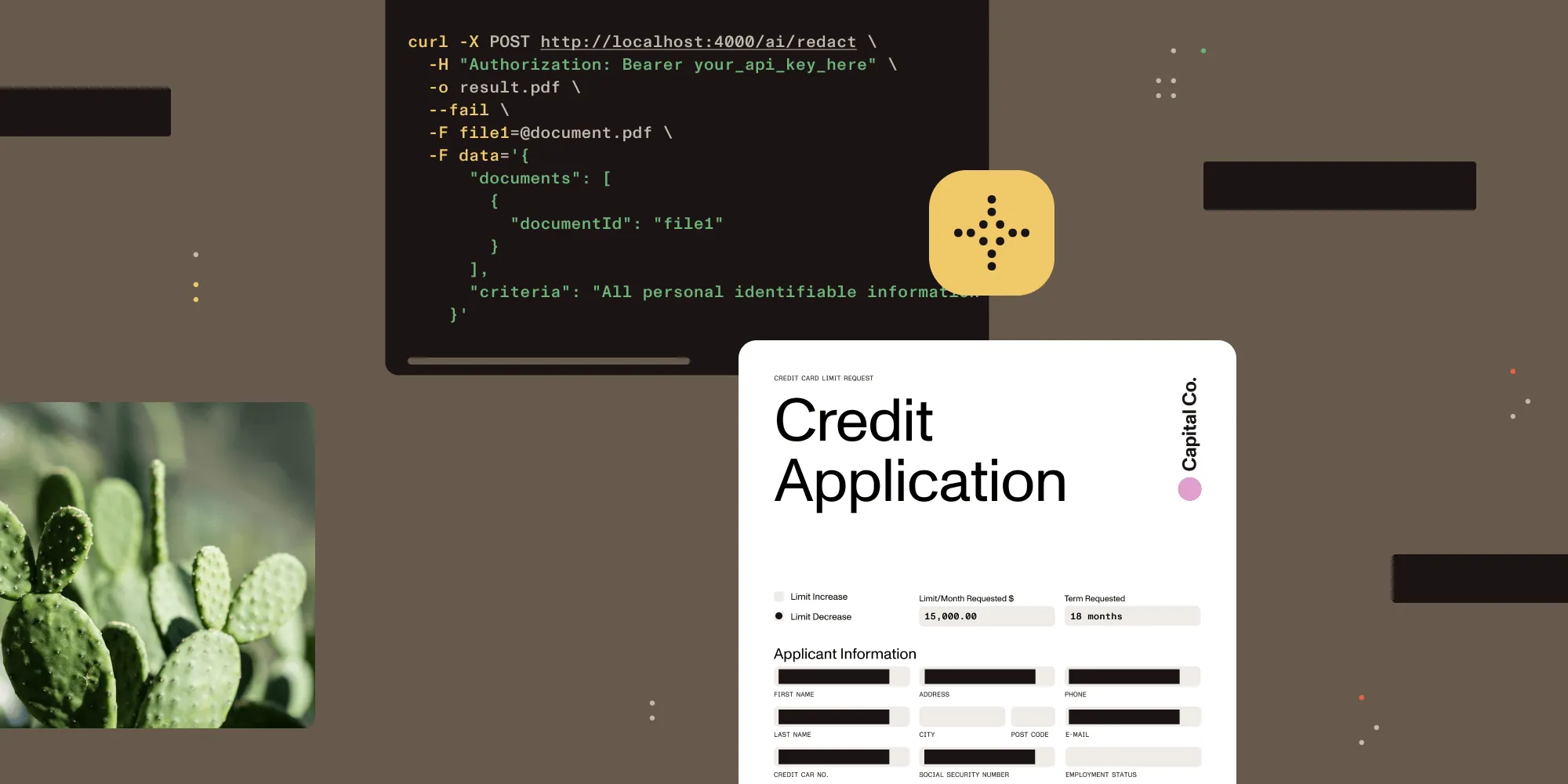
    curl -X POST https://api.nutrient.io/ai/redact \

    -H "Authorization: Bearer $NUTRIENT_KEY" \

    -H "Content-Type: multipart/form-data" \

    -F 'data={

    "documents":[{"documentId":"file1"}],

    "criteria":"All personal identifiable information",

    "redaction_state":"apply"

    }' \

    -F 'file1=@contract.pdf' \

    -o result.pdf

    What happens?

    • Uploadfile1 is sent to DWS memory and not stored.
    • Process — The AI assistant detects personally identifiable information (PII) and instructs Document Engine to stage or apply redactions.
    • Respond — You receive result.pdf.
    • Verify — Open the file in DWS Viewer or any PDF viewer; text under the boxes is destroyed, and not just hidden.

    Where customers are already winning

    SectorWorkflowResult
    FinTechStrip account and routing numbers from statementsReduced breach-insurance premium by 12 percent
    HealthcareRemove protected health information (PHI) before sharing with labsHIPAA audits completed in half the usual time
    Digital lendingWipe SSNs from loan packages prior to eSigningSlashed document preparation stage from 30 minutes to 3 minutes
    Public recordsAuto-redact addresses for FOIA releasesAvoided headline-grabbing data leak
    LegalAuto-remove privileged content before file handoffPrevented costly sanctions and rework during discovery

    The bigger picture: Privacy as product value

    Customers have options. They choose vendors who treat privacy as a first-class feature, not a checkbox. Permanent redaction helps close enterprise deals faster, builds trust with regulators, and reduces the cost of breach insurance.

    With the cost of an average breach approaching five million dollars, the math is simple: Proactive AI redaction is cheaper than reactive damage control.

    Questions? Feedback? Contact us for a demo and talk with our Solutions Engineers. Your users’ privacy — and your engineering team’s time and effort — will be better off for it.

    Learn more about our document AI capabilities.

    Explore related topics

    Try for free Ready to get started?

    Related Cloud articles

    Explore more