







Table of contents
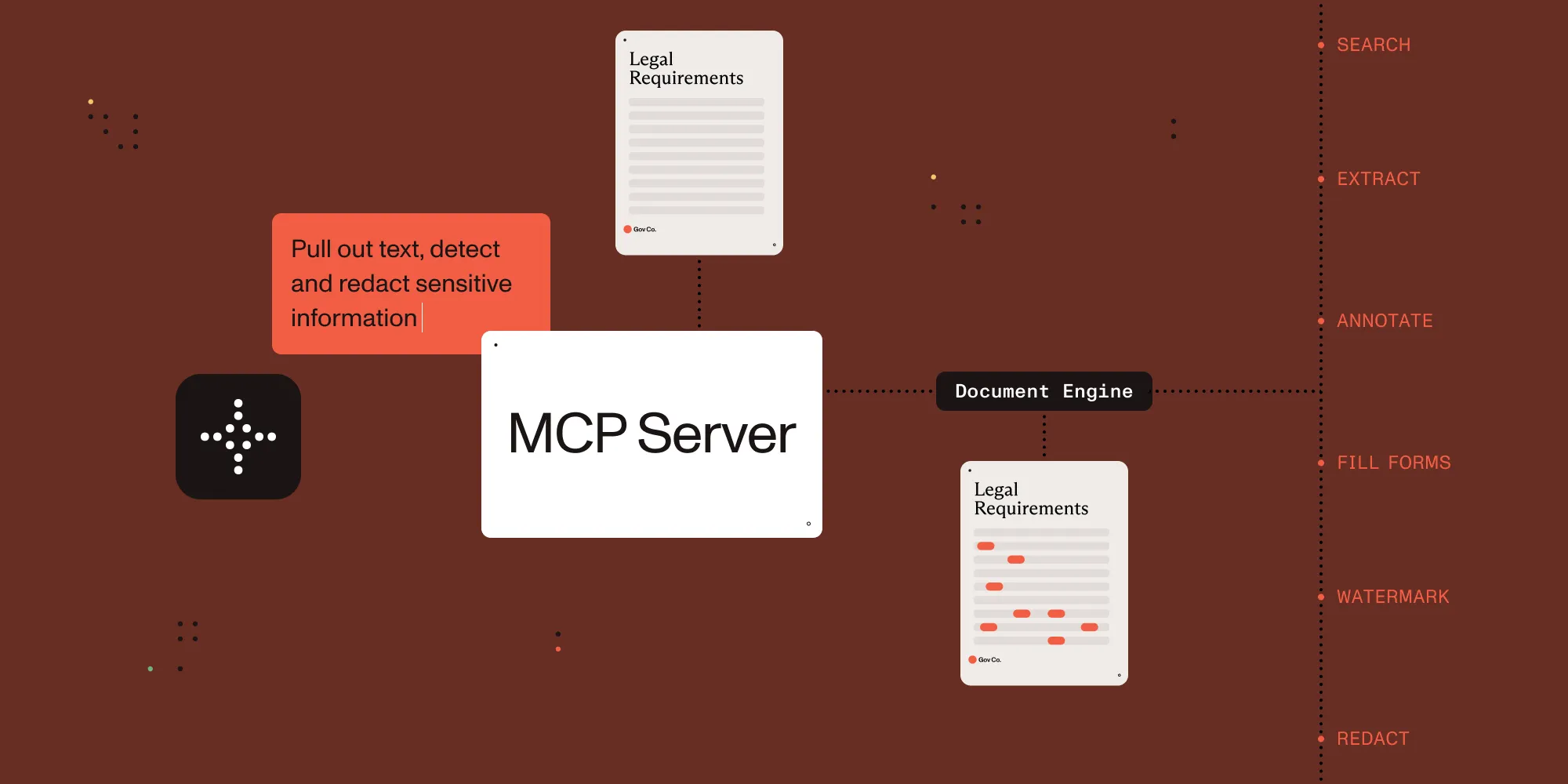
The future of document processing is here — and it speaks your language. Introducing Nutrient Document Engine MCP Server: a bridge between AI agents and document workflows, controlled entirely through natural language.
What is Nutrient Document Engine MCP Server?
Built on the Model Context Protocol (MCP)(opens in a new tab), the MCP Server allows clients and AI agents like Claude Desktop, LangGraph, and OpenAI interact with documents as if speaking to a document expert. There’s no need to write complex code or navigate clunky interfaces. You (or your agent) can request things like:
- “Extract all form fields and highlight liability clauses”
- “Merge reports and apply a company watermark”
- “Redact social security numbers and email addresses”
The MCP Server handles the complexity behind the scenes, translating your requests into precise operations using the robust Nutrient Document Engine.
Getting started
Get started with Nutrient DWS Processor API today and receive 50 free credits monthly! Perfect for watermark-free document processing targeting many use cases.
Prerequisites
Step 1 — Launch Document Engine
Start Nutrient Document Engine locally using Docker:
# Clone the repository.
git clone https://github.com/PSPDFKit/nutrient-document-engine-mcp-server
cd nutrient-document-engine-mcp-server
# Start Document Engine.
docker-compose up -d
This launches the engine at http://localhost:5000
Step 2 — Configure Claude Desktop
Add this to your Claude Desktop configuration (Settings > Developer > Edit Config):
{
"mcpServers": {
"nutrient-document-engine": {
"command": "npx",
"args": ["-y", "@nutrient-sdk/document-engine-mcp-server"],
"env": {
"DASHBOARD_USERNAME": "admin",
"DASHBOARD_PASSWORD": "password",
"DOCUMENT_ENGINE_BASE_URL": "http://localhost:5000",
"DOCUMENT_ENGINE_API_AUTH_TOKEN": "secret"
}
}
}
}
Step 3 — Restart Claude Desktop
To launch the MCP Server, restart Claude Desktop and ensure there are no errors at startup.
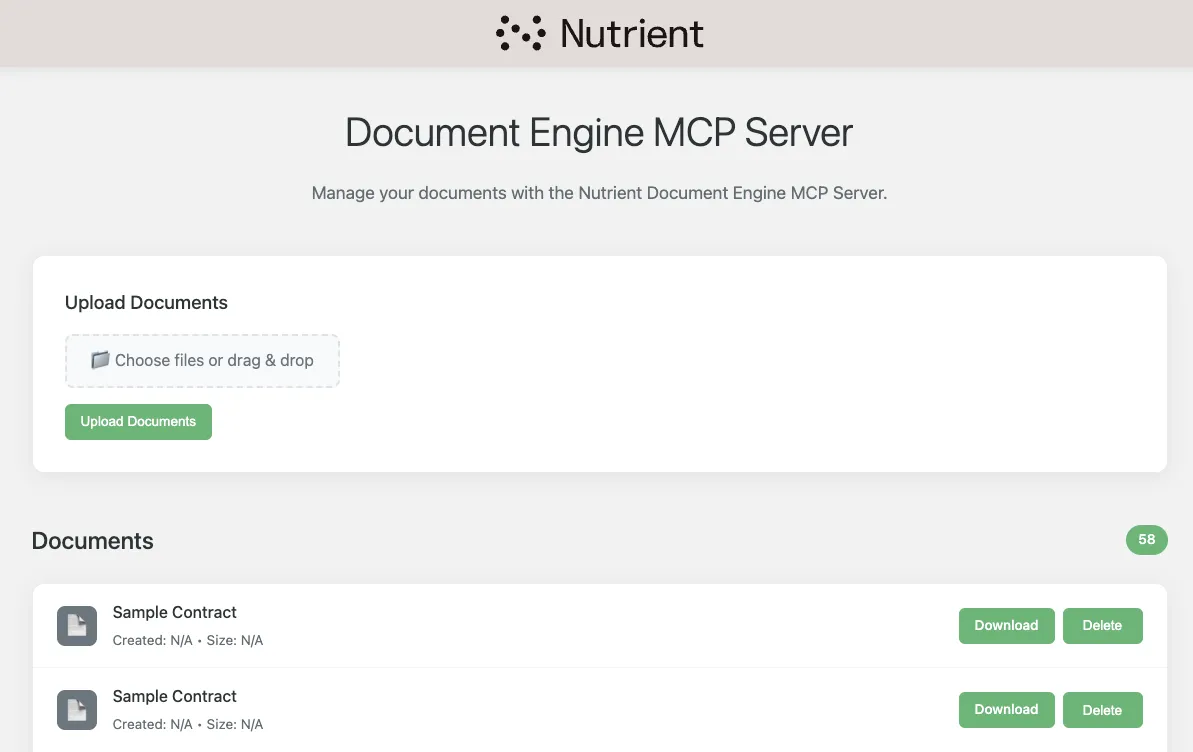
Step 4 — Upload a document via the dashboard
Navigate to http://localhost:5100/dashboard and enter the following credentials:
- Username —
admin - Password —
password
Drag and drop a document into the upload box, or click to select a document of your choice. Click Upload Documents to make it available to Document Engine.
Step 5 — Start your document conversation
In Claude, try something like:
You: "Can you list all available documents?"
Claude: [Lists documents with metadata]
You: "Extract text from contract.pdf and highlight mentions of 'termination'"
Claude: [Extracts text and applies highlights]
Beyond Claude Desktop
Claude Desktop is cool, but what’s more exciting about Document Engine MCP Server is its compatibility with AI agents. The MCP Server is built to work with popular agent frameworks such as:
- LangGraph(opens in a new tab) — Choose between defined workflows or an agentic design.
- OpenAI Agents SDK(opens in a new tab) — Create a professional suite of agents that can hand off to one another.
- Any tool that supports MCP — We’ve tested with many other options such as Claude Code(opens in a new tab) and Open WebUI(opens in a new tab). If your tool supports MCP tools, Document Engine MCP Server will work!
Real-world applications
Nutrient Document Engine MCP Server unlocks a wide range of document capabilities, enabling you to extract content, process forms, add annotations, edit structure, or apply redactions.
Here’s a glimpse of what’s possible:
- Discover and manage documents — Search, filter, and view metadata.
- Extract content — Pull out text (optionally with OCR), extract tables and key-value pairs, or search by patterns.
- Work with annotations — Add highlights or notes, read existing annotations, and clean up unnecessary markups.
- Automate form workflows — Extract field data, fill out forms, and evaluate form completion.
- Edit documents — Split or merge files, duplicate pages, and add branded watermarks.
- Secure your data — Detect and redact sensitive information like SSNs or emails, and ensure compliance.
Each capability is exposed via a specialized tool within the server, allowing the LLM to discover the capability and call the tools dynamically to unlock use cases like the ones outlined below.
Legal document processing
Automate contract reviews by extracting key terms, highlighting clauses, and redacting sensitive information — processing hundreds of contracts in minutes.
Financial compliance
Scan financial docs for sensitive data, apply redactions, and generate reports — all through simple conversational commands.
Report generation
Merge multiple documents, apply branding, and organize content to produce professional reports.
Form automation
Extract data from claims, applications, or surveys, and save the results for the next stage in the workflow.
Document assembly
Build customized documents from templates, client data, and consistent formatting — at scale.
Get started now
Whether you’re looking to use Nutrient Document Engine MCP Server locally, hosted on your server, or even hosted by Nutrient(opens in a new tab), we’ve got you covered.
- MCP transport — stdio and streamable HTTP are both supported.
- Deployment — Install directly from npm(opens in a new tab), or build a Docker image(opens in a new tab) to deploy on your infrastructure.
- Open source — Don’t see something you like? Jump in, fork it, and create a PR. This MCP Server is open source, so you’re free to change it in any way you wish!
Have questions or want help getting started? Reach out to us — we’re happy to support your setup.