





Table of contents
Summary
Document workflows shouldn’t require workarounds. Nutrient’s expanded low-code integration suite brings native document automation directly into Salesforce, SharePoint, and M365 apps — no switching tools required. New features include in-app editing, smart redaction, PDF-to-Office previews, and intelligent conversion with diagnostics. Teams can now manage documents securely, efficiently, and at scale — right where they already work.
In fast-moving organizations, documents are everywhere — embedded in sales pipelines, wrapped around compliance processes, central to every service interaction. But too often, the platforms teams rely on most weren’t built for the document-heavy processes that keep work moving. As a result, users are forced into workarounds: disconnected apps, browser tabs, or custom development cycles just to get documents in and out of their systems.
At Nutrient, we believe document automation should meet teams where they work — not the other way around. That’s why we’ve expanded our low-code integration suite to bring powerful new capabilities directly into Salesforce, SharePoint, and other core platforms, including native document editing, smart redaction, and PDF-to-Office previews.
You don’t need to rip and replace. Nutrient helps teams scale document-related tasks directly inside the tools they already know — securely, intelligently, and at scale.
Document Solutions for Salesforce
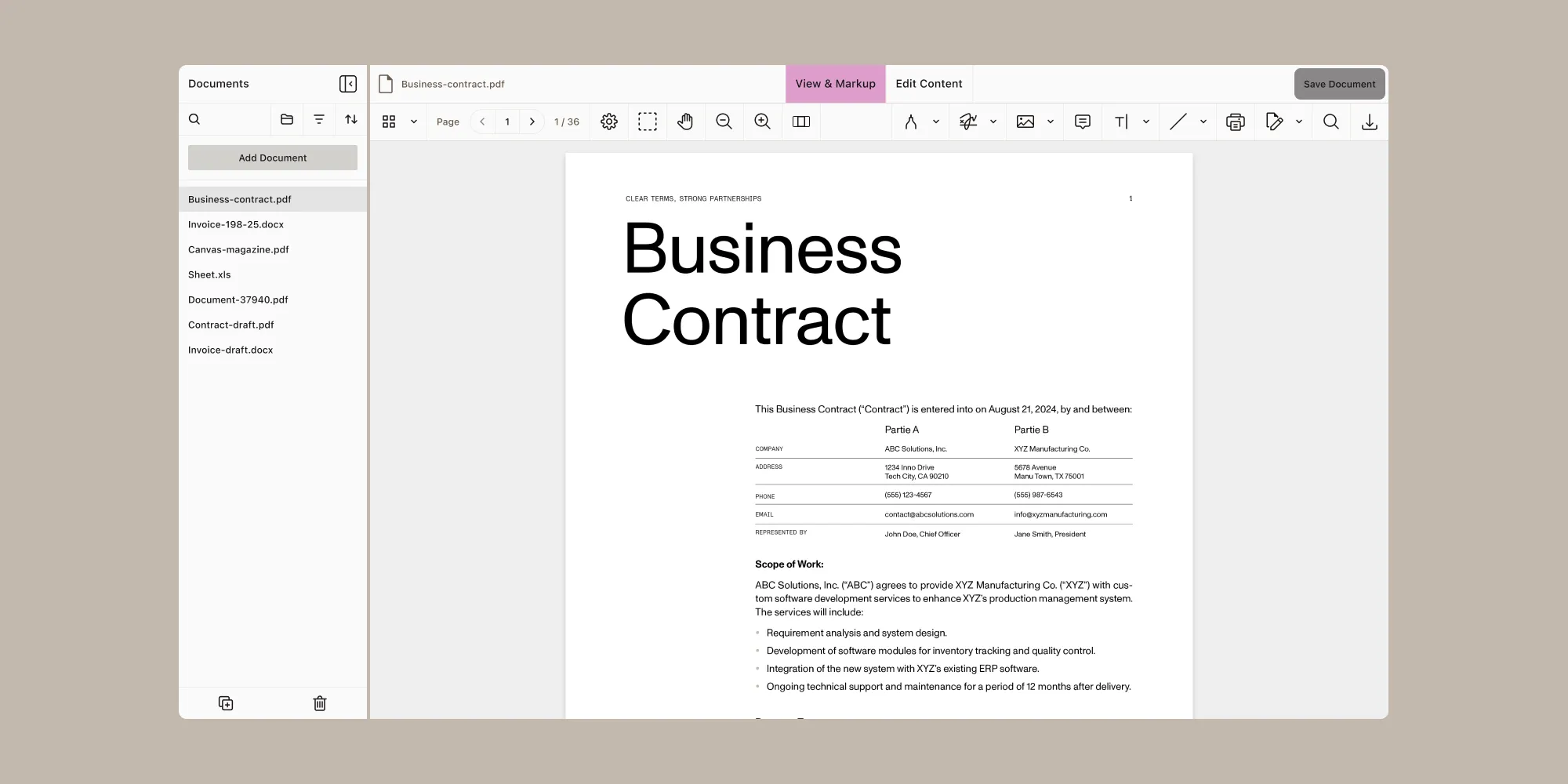
Document efficiency is key, and you shouldn’t have to settle for multiple, disconnected tools to manage document-related tasks within Salesforce. Nutrient Document Solutions for Salesforce empowers you to create and edit documents directly in Salesforce. No third-party tools, no downloads, no switching tabs — just powerful document management capabilities users will love.
What sets us apart
- Fully native solution allows you to create and edit documents within Salesforce — no external tools or platforms required.
- Proven reliability with a comprehensive feature set built on our industry-leading document SDK for maximum flexibility and scalability.
- Keep sensitive data secure by ensuring all document processes remain within Salesforce.
Updates to Document Converter

When speed, precision, and security are non-negotiable, document transformation should rise to meet the moment — effortlessly, insightfully, and at scale. Our latest updates to Document Converter deliver its most intelligent and performance-driven release yet — eliminating manual log analysis with built-in instrumentation, expanding format flexibility, and unlocking powerful new conversion capabilities — all without leaving SharePoint or other M365 applications. From effortlessly turning multipage PDFs into scalable SVG assets, to previewing Office-ready outputs and tracking usage with anonymized data, this release gives teams sharper tools and deeper visibility.
Here’s what’s new and why it matters
- Multipage PDF-to-SVG conversion enables pixel-perfect rendering with one clean SVG file per page — ideal for scalable visual workflows.
- Automated diagnostics and usage reporting provide CSV- and PDF-based insights on calls, operations, and file sizes — no more manual log digging.
- Privacy-first instrumentation with anonymous call IDs ensures sensitive data stays local while enabling complete operational visibility.
- PDF-to-Office previews expand flexibility with support for DOCX, XLSX, and PPTX formats, paving the way for richer content reuse.
- Smart redaction capabilities intelligently detect and redact sensitive information such as emails and credit card numbers — automatically and at scale.
By meeting users where they work, Nutrient expands the native capabilities of the tools teams trust — empowering them to move faster, stay compliant, and get more done.
Your Low-Code journey begins here
Get started now(opens in a new tab) to try our latest features.
Want to learn more about these and other updates? Watch our Nutrient Low-Code and Workflow product update: H1 2025 webinar.