





Table of contents
Postman is a powerful API platform that simplifies API development, testing, and collaboration. It allows developers to seamlessly send API requests, inspect responses, automate testing, and share API collections. With Postman, you can explore APIs interactively without writing code, making it an essential tool for efficient API integration and testing.

We’re excited to announce Nutrient DWS API is now available as a collection on Postman(opens in a new tab)! This means developers and testers can easily explore, test, and integrate our powerful document workflow solutions directly from Postman’s collaborative environment.
🚀 Get started in minutes
- Sign up and get your API key
- Create an account at Nutrient DWS Processor API(opens in a new tab) and receive 50 free credits to start testing.
- Configure your API key
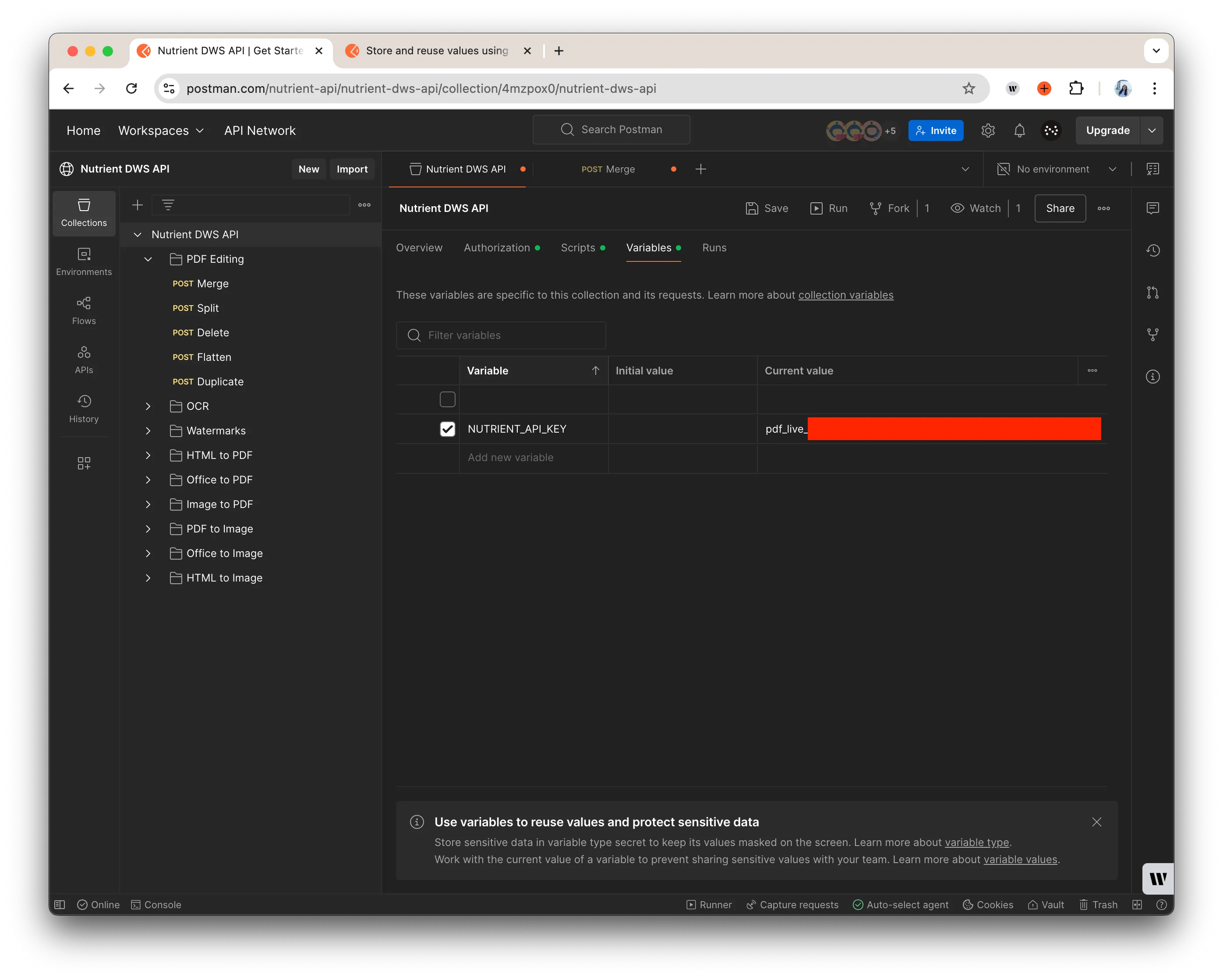
- Navigate to the Variables tab in Postman and create a new variable, e.g.
NUTRIENT_API_KEY. Then, paste your API key as its value.
- Go to the Authorization tab and select Bearer Token.
- In the Token field, enter
{{NUTRIENT_API_KEY}}to use the variable instead of hardcoding the key.
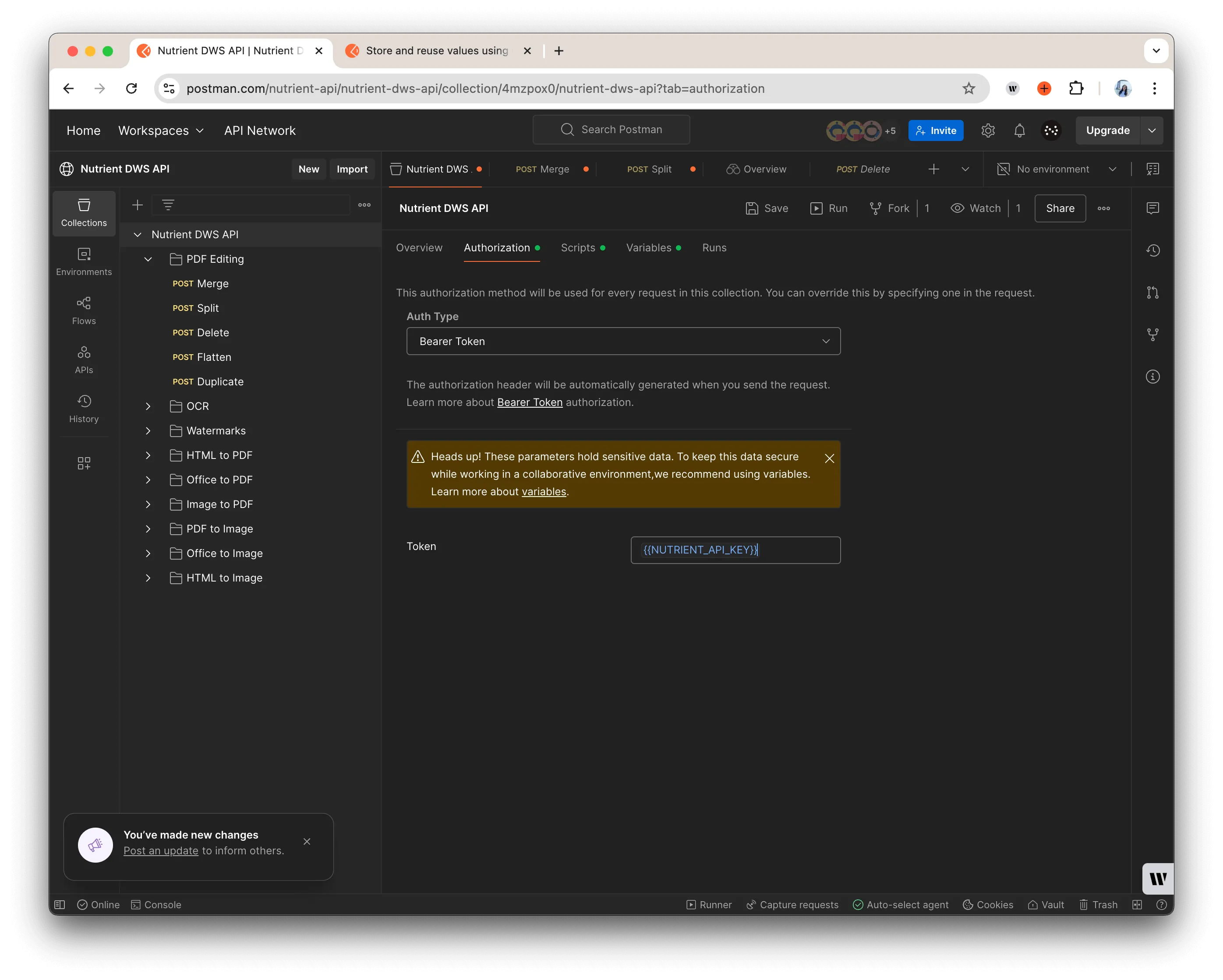
In each request, ensure the authorization header includes Authorization: Bearer {{API_KEY}}.
- Start making requests
Choose any example request from the left sidebar in Postman, press Send, and instantly see the response preview.
Note: You’ll need to manually add the example files to all the examples in the collection.
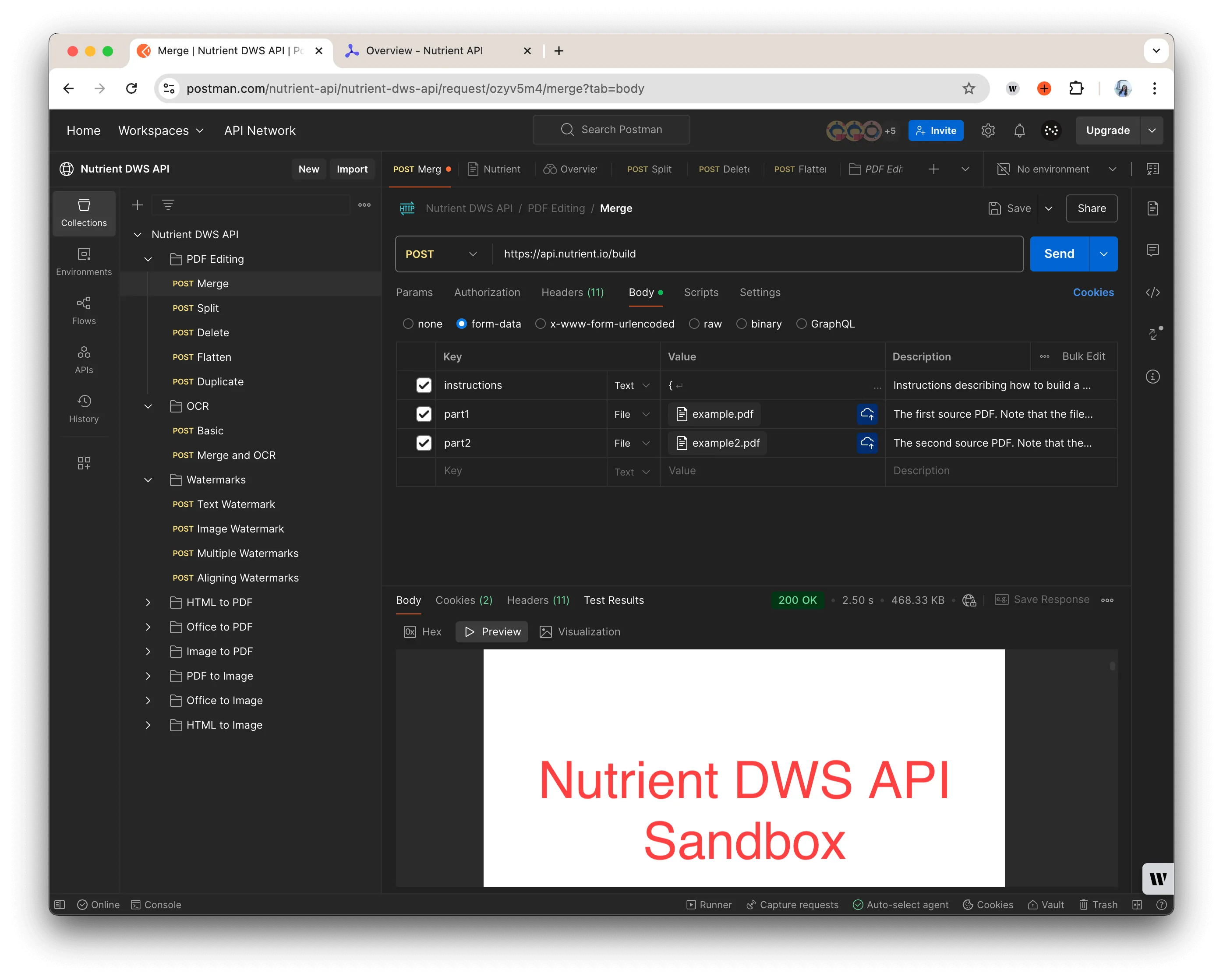
PDF editing tools
- Merge PDFs — Combine multiple PDFs into one document.
- Split PDFs — Extract pages from a PDF to create separate files.
- Delete pages — Remove unwanted pages from a PDF.
- Flatten PDFs — Convert a fillable PDF into a static, uneditable document.
- Duplicate pages — Copy specific pages within a PDF.
OCR operations
- Basic OCR — Convert scanned PDFs or images into searchable text.
- Merge and OCR — Combine multiple PDFs and apply OCR for enhanced searchability.
Watermarking
- Text and image watermarks — Add custom branding or security watermarks.
- Multiple watermarks — Apply multiple text or image overlays to a single document.
File conversion
- HTML to PDF — Transform HTML content into a structured PDF.
- Office to PDF — Convert Word, Excel, and PowerPoint files into PDFs.
- Image to PDF — Compile images into a PDF document.
- PDF to image — Extract pages from a PDF as images.
- Office to image — Convert Office files directly into images.
- HTML to image — Convert webpages into shareable images.
🔍 Example use cases
- Merge PDFs — Combine multiple documents and download the final result.
- OCR basic — Extract searchable text from scanned PDFs or images.
- Apply watermarks — Add branding or legal protection to PDFs.
- Convert HTML to PDF — Generate a professional PDF from a web page.
- Extract images from PDFs — Useful for previews or document visualization.
🐞 Report issues and get support
Encounter a bug or need assistance?
- Get support — Reach out to our Support team(opens in a new tab) any time for guidance and troubleshooting.
🔑 Start exploring today!
Sign up now to claim your 50 free credits and start testing Nutrient DWS API on Postman. Experience how easy it is to integrate advanced document workflow solutions into your applications.