


Table of contents
In the fast-paced world of web development, tools like Google Chrome’s headless mode have revolutionized workflows, enabling seamless automation and HTML rendering. However, recent updates have introduced notable changes between the old and new headless modes, impacting both functionality and performance. For developers leveraging these modes, understanding the differences is essential for maintaining efficiency. Nutrient .NET SDK — in particular, its GdPicture technology — ensures compatibility and offers solutions tailored to these evolving challenges.
Features of old vs. new headless modes
The following table provides an overview of how various features of the old and new headless modes compare.
| Feature | Old headless mode | New headless mode |
|---|---|---|
| Design | Lightweight, minimal resource consumption | Full browser experience with enhanced compatibility |
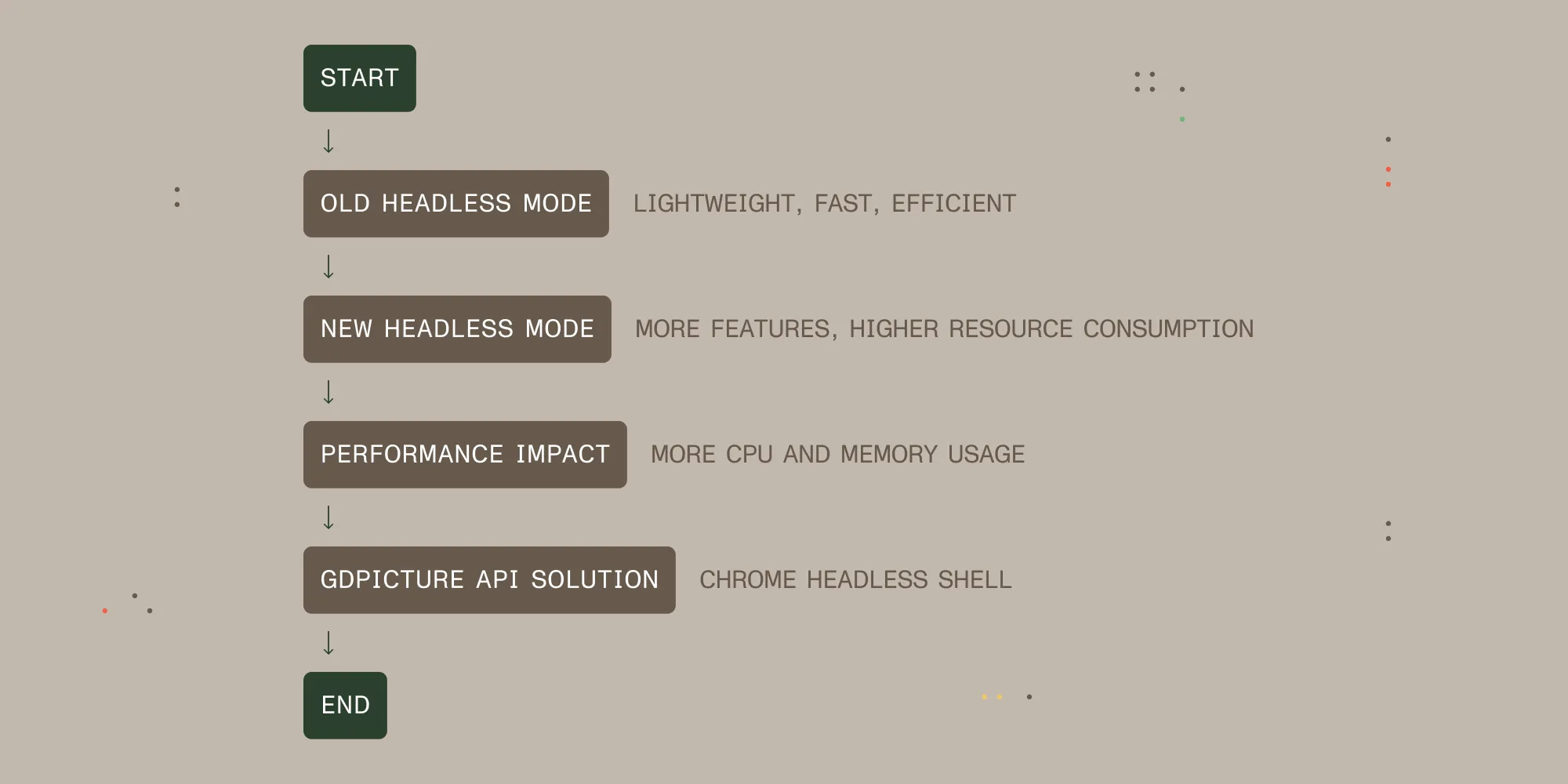
| Performance | Optimized for speed and efficiency | Increased resource usage (CPU and memory) |
| Use case | Ideal for automated testing and server-side rendering | Supports modern web features and applications |
| Resource consumption | Low CPU and memory usage | Higher CPU and memory usage |
| Execution speed | Faster execution time | Slower execution due to higher resource demand |
| Compatibility | Limited to basic web features | Compatible with modern web standards and features |
Nutrient .NET SDK has adapted to these changes, defaulting to the new headless mode to align with Chrome’s modernized framework, while offering alternatives to maintain optimal performance.
Performance impacts and solutions
The new headless mode addresses compatibility issues with advanced web applications, but its increased resource demands can challenge developers focused on performance. To counter this, GdPicture version 14.2.96 incorporates Chrome headless shell, a lightweight environment reminiscent of the old mode’s efficiency.
To facilitate easy adoption, Nutrient provides developers with two API methods:
public static string FetchLatestChromeHeadlessShell(string path)
public static Task<string> FetchLatestChromeHeadlessShellAsync(string path)
These tools simplify integration, enabling developers to regain performance while remaining compatible with modern standards.
For seamless compatibility with the latest Chrome version (132), update your GdPicture SDK to version 14.2.96 or later.
Recommendation
For developers seeking the best of both worlds — modern compatibility and streamlined performance — Nutrient .NET SDK offers unmatched flexibility. By leveraging Chrome headless shell, developers can tailor their workflows to suit their specific needs. Whether you’re focused on HTML-to-PDF conversions or broader automation tasks, GdPicture provides the tools to ensure seamless operations.
Conclusion
As Google Chrome continues to evolve, understanding the tradeoffs between the old and new headless modes is vital for optimizing development workflows. With Nutrient .NET SDK, developers can navigate these changes effortlessly, maintaining efficiency and compatibility.
Explore how Nutrient .NET SDK simplifies HTML-to-PDF conversions while ensuring top performance with Chrome headless shell. Try it today and optimize your workflow with GdPicture’s developer-friendly tools!