
惯性聚合 高效追踪和阅读你感兴趣的博客、新闻、科技资讯
阅读原文 在惯性聚合中打开

推荐订阅源

让小产品的独立变现更简单 - ezindie.com
U
Unit 42
IT之家
IT之家
Y
Y Combinator Blog
T
Tailwind CSS Blog
B
Blog
大猫的无限游戏
大猫的无限游戏
博客园 - 叶小钗
Jina AI
Jina AI
freeCodeCamp Programming Tutorials: Python, JavaScript, Git & More
I
InfoQ
J
Java Code Geeks
F
Fortinet All Blogs
T
The Blog of Author Tim Ferriss
OSCHINA 社区最新新闻
OSCHINA 社区最新新闻
H
Hackread – Cybersecurity News, Data Breaches, AI and More
人人都是产品经理
人人都是产品经理
腾讯CDC
Hugging Face - Blog
Hugging Face - Blog
GbyAI
GbyAI
博客园 - 司徒正美
The GitHub Blog
The GitHub Blog
酷 壳 – CoolShell
酷 壳 – CoolShell
L
LangChain Blog

Inside Nutrient

A guide to the invisible work behind documents Introducing Nutrient Documents for Salesforce: Native document generation and signing Document AI vs. traditional OCR: Choosing between OCR, AI, and hybrid pipelines PDF SDK compliance and security evaluation checklist for enterprise teams (2026) Invariant Corp replaces paper processes with Nutrient Workflow and scales without limits What is process mapping? A complete guide Nutrient vs. Conga Composer for Salesforce document generation (2026) Document routing: How to automate document distribution The CTO’s AI playbook: Why accountability architecture beats orchestration Compliance workflow automation: Why built-in compliance is table stakes Workflow diagrams: Examples, symbols, and how to build one that actually runs Digital forms: Replace paper forms with automated workflows Approval workflow software: How to automate approvals Why document-centric automation is different The CEO’s AI playbook: Why decision architecture beats model selection Nutrient SDK product updates for Q1 2026 PDF redaction verification: How to prove sensitive data is permanently removed What is a VPAT? The complete guide to accessibility conformance reports What is PDF/UA? The accessible PDF standard explained Salesforce eSignatures: Generate, sign, and track documents in one flow Online document viewer: Options, tradeoffs, and how to embed one Document viewer for web apps: React, Vue, Angular (2026) Best document viewers in 2026: A buyer’s guide How to edit a PDF in Python: Add text, images, and annotations Nutrient advances Workflow platform with agentic AI for enterprise-grade speed and consistency in document-heavy operations How to create a Salesforce quote template from opportunity data The business case for accessibility: Five ways it drives enterprise value Python PDF library comparison (2026): 7 libraries for developers Why your AI agent hallucinates PDF table data PDF.js limitations: When to upgrade to a commercial PDF SDK
Nutrient Workflow Automation for capital expenditure appr...
Toni Buffa · 2025-04-16 · via Inside Nutrient

If you’re looking for a tool that improves the cycle of your capital expenditure workflow, look no further. Roman Pendzich, an experienced industry professional, created a demo video that breaks down Nutrient Workflow Automation Platform and highlights different steps involved in working through a capital expenditure workflow. This article showcases key moments from the demo, and the complete video is also available at the end.
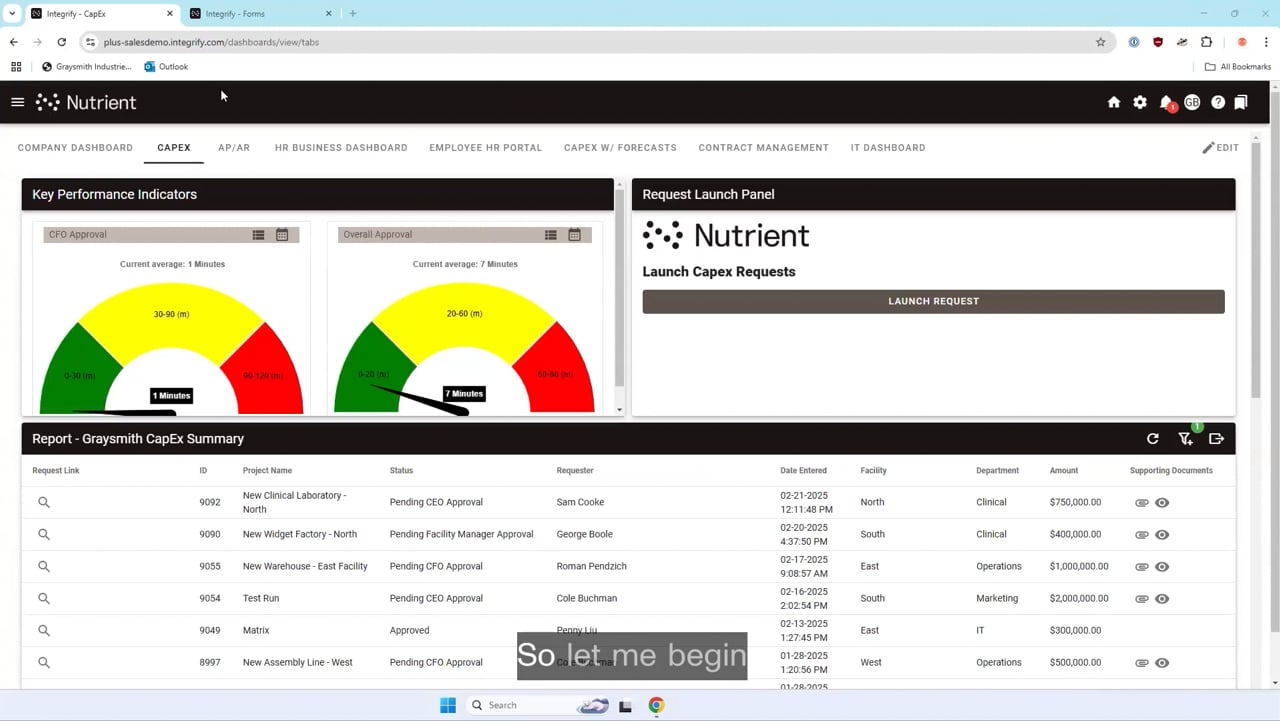
The dashboard — Your information powerhouse

Analyzing live requests and dashboard performance

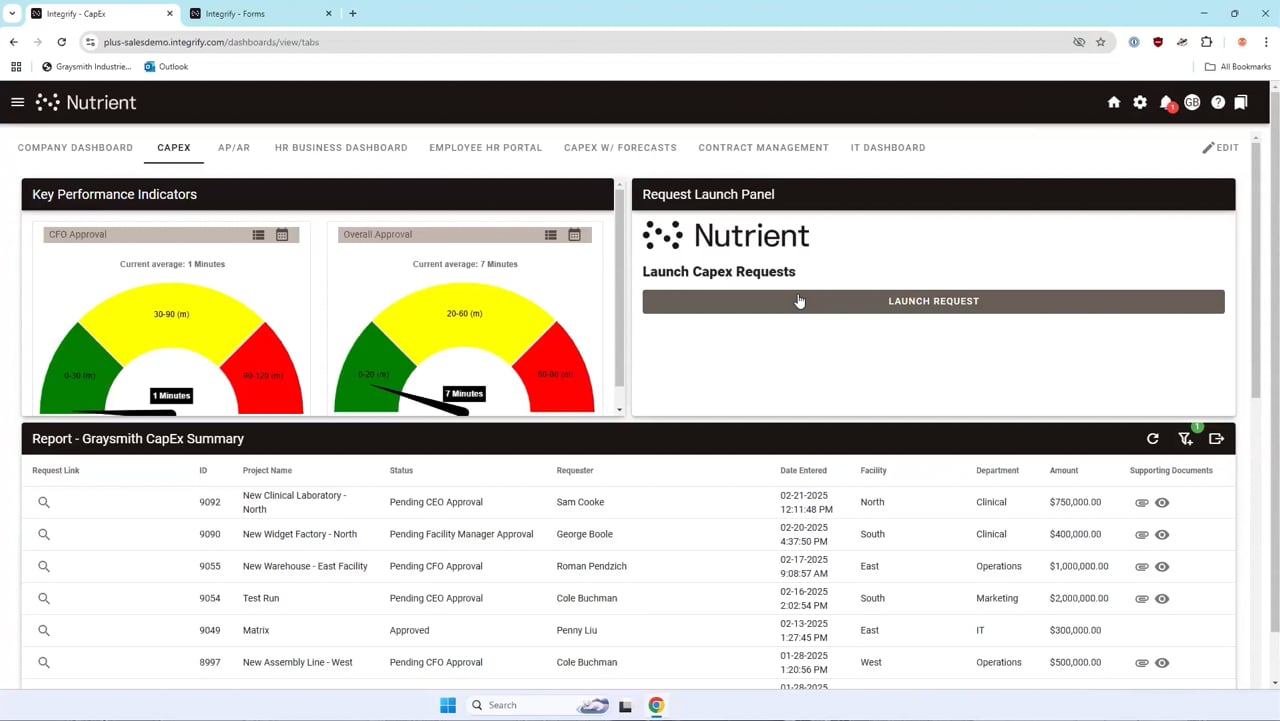
The walkthrough kicks off with a detailed tour of the dashboard. The dashboard hosts real-time data that provides information about requests as they roll in. This live visual overview allows for quick data interpretation and helps you swiftly adjust your strategy as needed.
Interactive form fields — Your assistant that adapts

Managing requests efficiently with workflow forms

Next, Pendzich shares what the smart form builder is capable of, along with the interactive features of form fields. What’s particularly notable is that a form can update itself and ask different questions based on how the user answers previous questions. This intuitive feature ensures thoroughness and accuracy, contributing to the improved quality of automated processes.
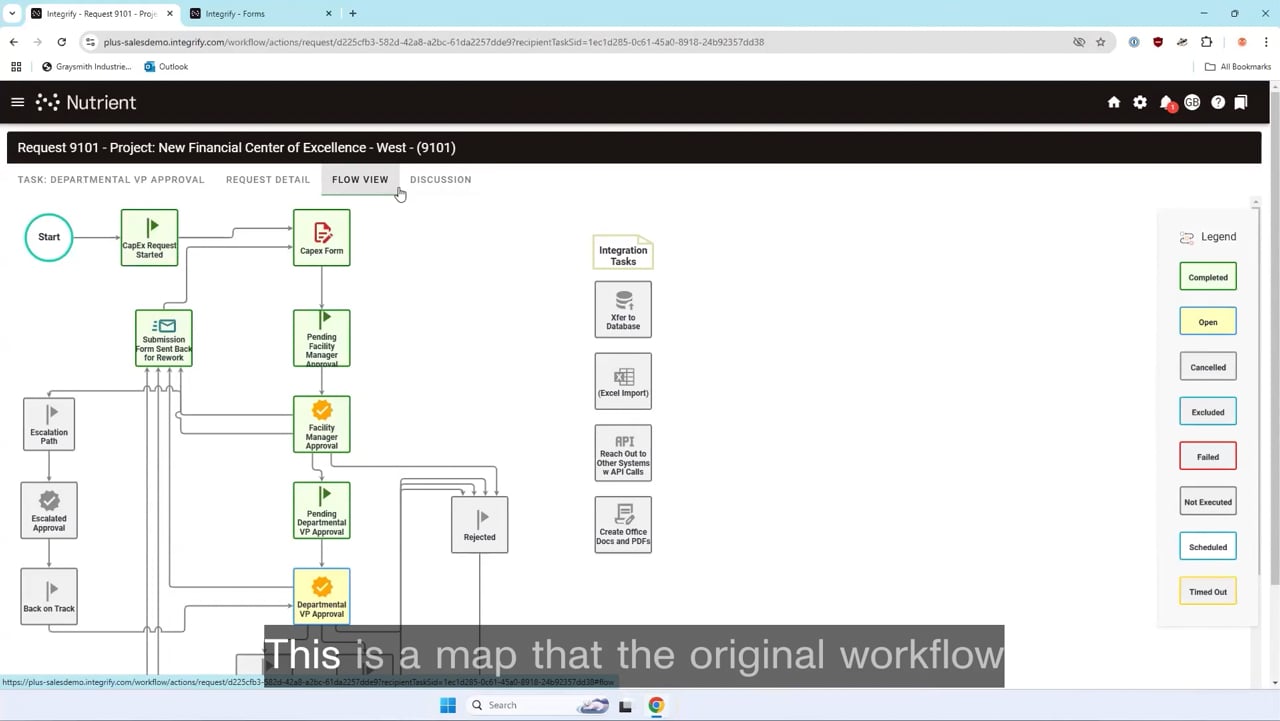
Revolutionary workflow design — Your catalyst for efficiency

Mapping progress with workflow "flow view"

Pendzich next talks about the workflow design, showing how it handles an example approval process — specifically, requests can be sent back for rework and changes, bringing approvals back to the original requester.

Then, in the flow view, he shows the different paths that can be taken in this workflow process. Completed tasks, he notes, are highlighted in light green, assuring friendly user interaction. Elaborating on the task paths, Pendzich outlines rejection and escalation routes, which are evident through different colors as well.
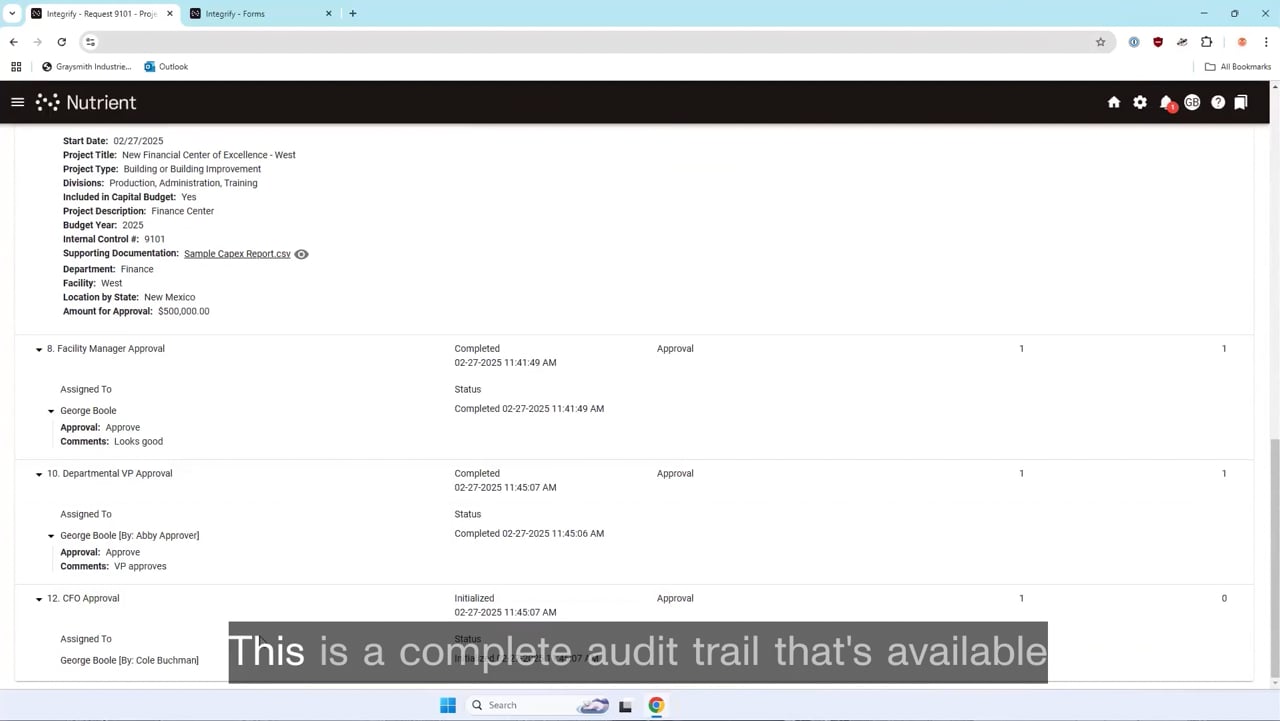
Audit trail — Your comprehensive record tracker

Nutrient Workflow's comprehensive audit trail

One of the key elements Pendzich strongly emphasizes is the audit trail feature. This view brilliantly maps out the workflow progress and keeps a clear record of approval decisions‌. ‌It’s a must-have for regulatory compliance and internal monitoring.
Communication and notifications — Your multi-channel alert system

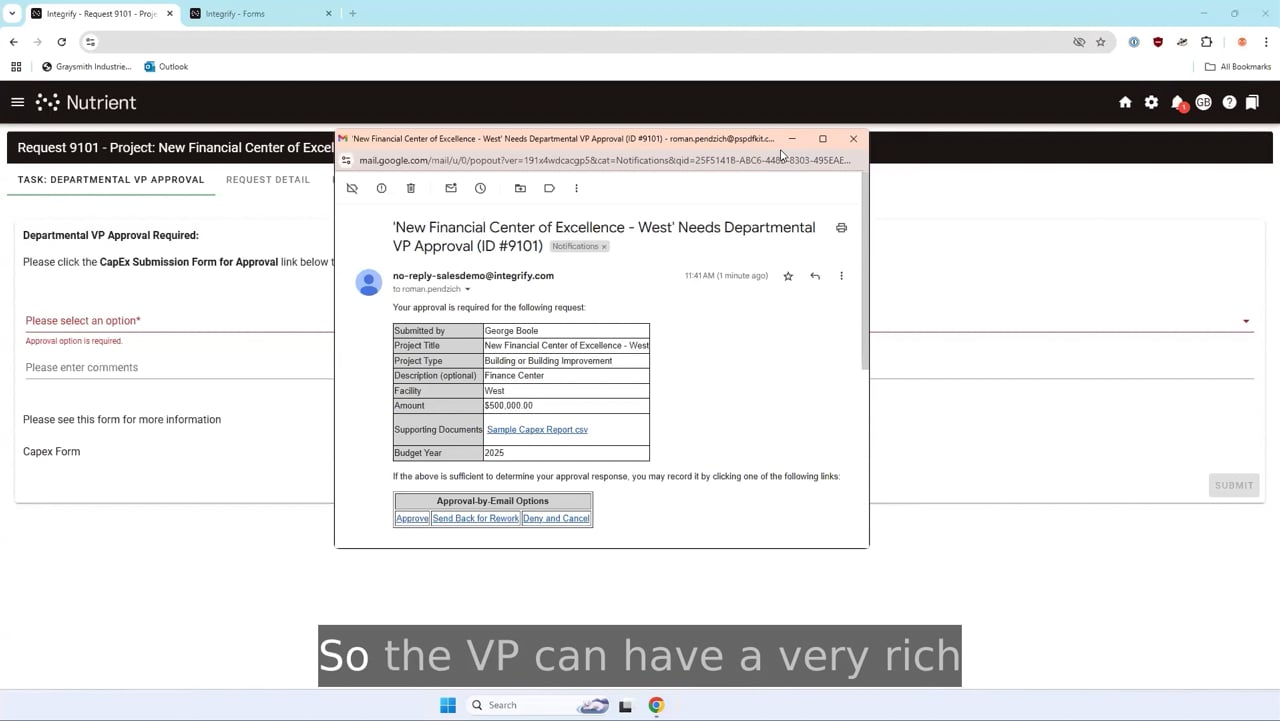
Workflow approval options and approval by email features

You won’t need to be at your desktop for on-the-go approvals. Nutrient offers the ability to set up approval via email with unique links for different actions, making decision-making quick and hassle-free. Alert notifications can be dispatched through multiple channels, including a built-in Slack integrator.
User and admin capabilities — Your control center

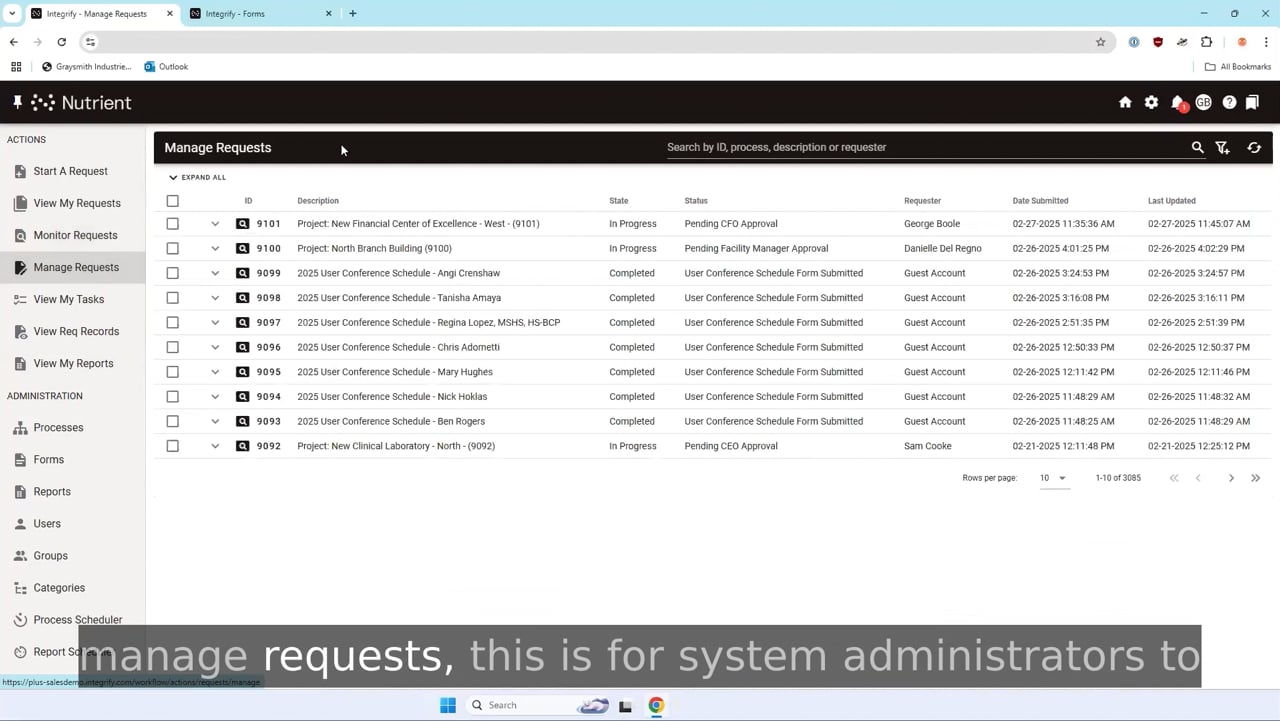
Capabilities for the system administrators in Nutrient Workflow

Nutrient allows users to navigate via menus, including beginning requests, viewing their requests, and task management. The additional capabilities for ‌system administrators allow further configuration. It’s possible to reassign tasks, change due dates, establish out-of-office delegation, and reset requests.

Conclusion

In summary, this video explains some important parts of our larger demo. It also serves as a useful guide with many ideas to help you get started with workflow automation. With Pendzich steering the way, you’re bound to journey along the path of greater efficiency and far superior management of your capital expenditure workflows.

Want to see it all? Watch the full demo video below, try Workflow Automation for free, or contact us for a demo.
CapEx approval workflow management demonstration