





Quality control is a paramount aspect of manufacturing processes, ensuring that products meet predefined standards and specifications. However, managing and analyzing quality control documents can be challenging, especially within large PDF files. This user guide illustrates how to employ the Aquaforest PDF Connector for Power Automate, specifically utilizing the “Split PDF by Barcode” action, to automate the extraction and analysis of quality control information based on barcode values.
Challenges
Manual processing of quality control documents within large PDF files presents several challenges:
The Aquaforest PDF Connector for Power Automate introduces a powerful action called “Split PDF by Barcode,” designed to address the challenges associated with quality control in manufacturing. This action utilizes barcode values embedded in PDF files to automate the splitting of the PDF into individual quality control documents. Furthermore, it facilitates the extraction of relevant information for analysis.
Follow these step-by-step instructions to implement the “Split PDF by Barcode” action for quality control:
Step 1. Configure Aquaforest PDF Connector:
Add the Aquaforest PDF Connector to your Power Automate workflow. First you choose the type of the flow and the trigger.
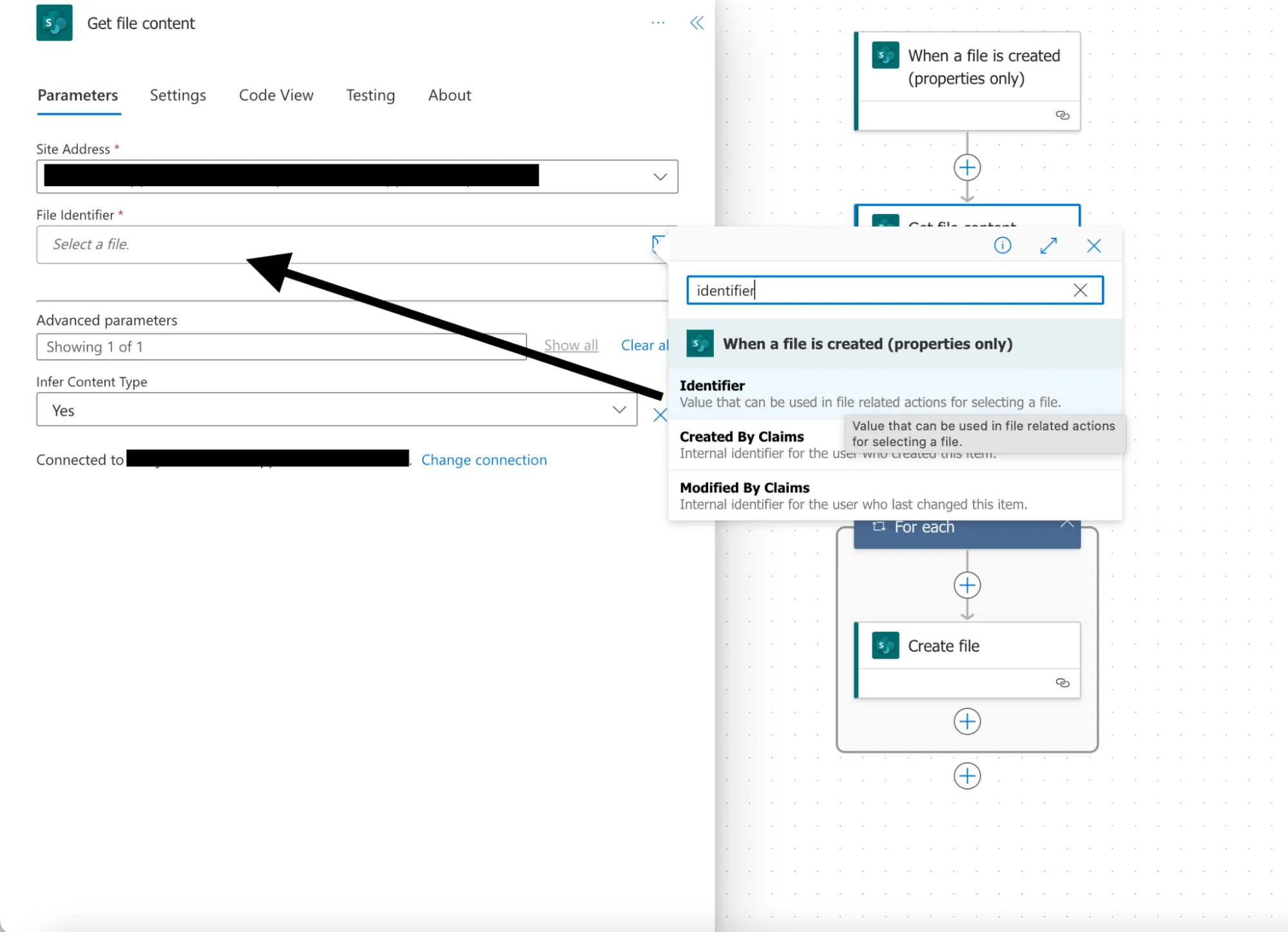
For this example, we will choose the “Automated cloud flow” and set a trigger “When a file is created (Properties only)”. This trigger is activated when an item is created, or modified in a library. As it returns only the properties stored in the library columns you need to add a “Get file content” step and use the “Identifier” property returned by this action to get to the contents of the file.
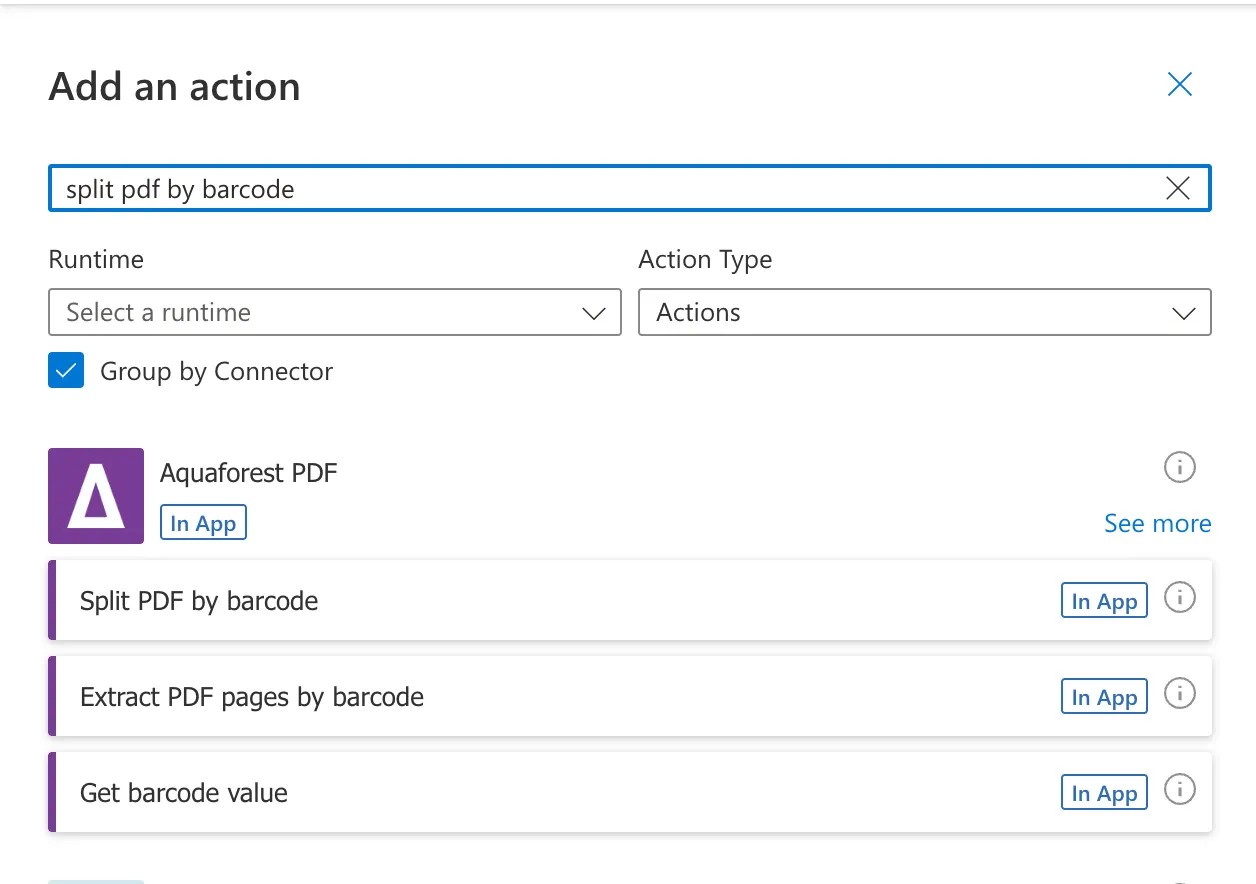
Click on the + button to add a new action, and in the search bar type “Split PDF by Barcode” action.
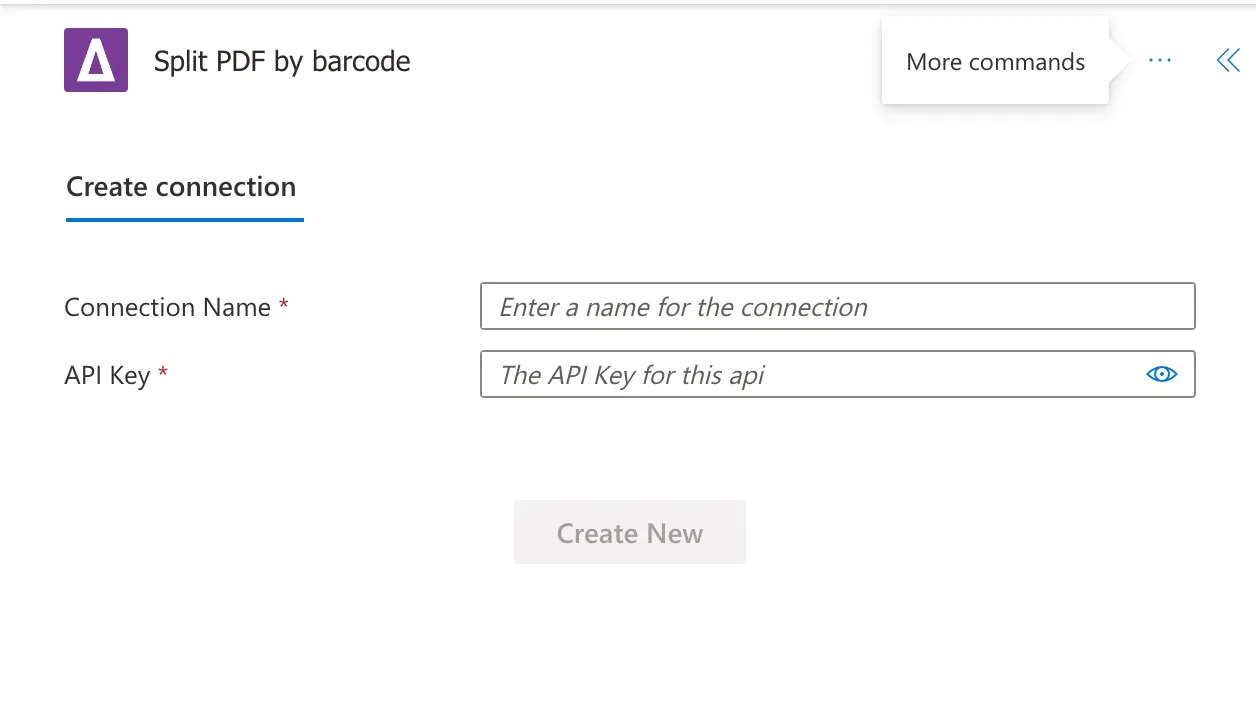
As a next step, you will be asked for a Connection Name and an API Key. Give your connection a name and use the primary key generated upon signing up for PDF Connector(opens in a new tab). If you need assistance, read the getting started guide, particularly Generate API key section.
Step 2. Provide Input Parameters:
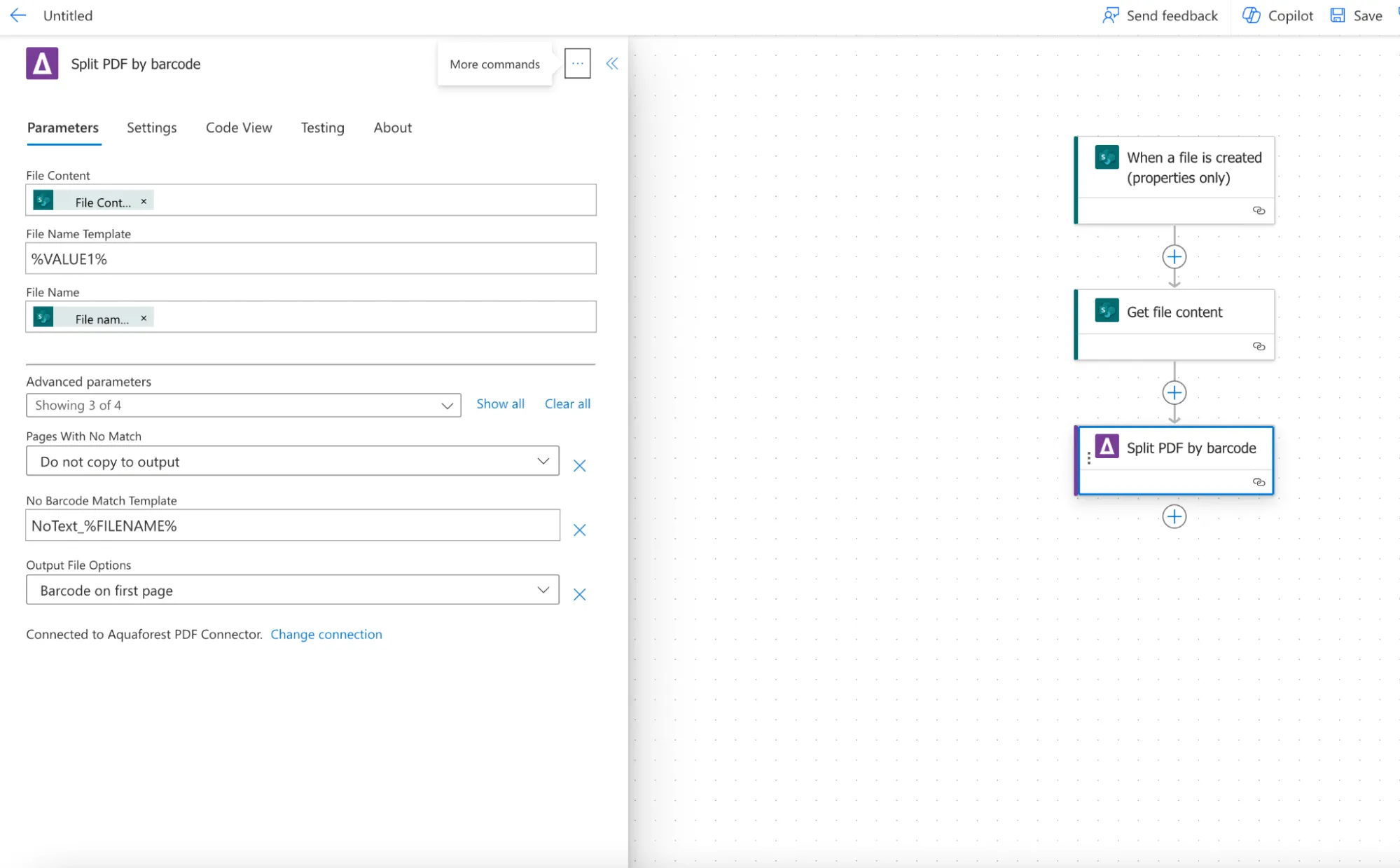
When you activate the connector and add an action, the next step would be to fill in the required fields. Enter the source file name, file content (base64 string), and file name template.
File Content: The content of the source file. Click on the thunder sign and type Get file content, then click Add.
File Name Template: Template for the output text result if a barcode match is found. You can leave it as it is and the %VALUE1% will be replaced by the barcode values found dynamically.
File Name: Click on the thunder sign and choose “File name with extension”.
Step 3. Configure Optional Parameters:
Pages with no Match: Define the behavior for pages with no barcode value in the split section output.
No Barcode Match Template: Template for the text to be returned if a barcode match is not found.
Output File Options: Choose the location of the page with the barcode in the output files from the split operation.
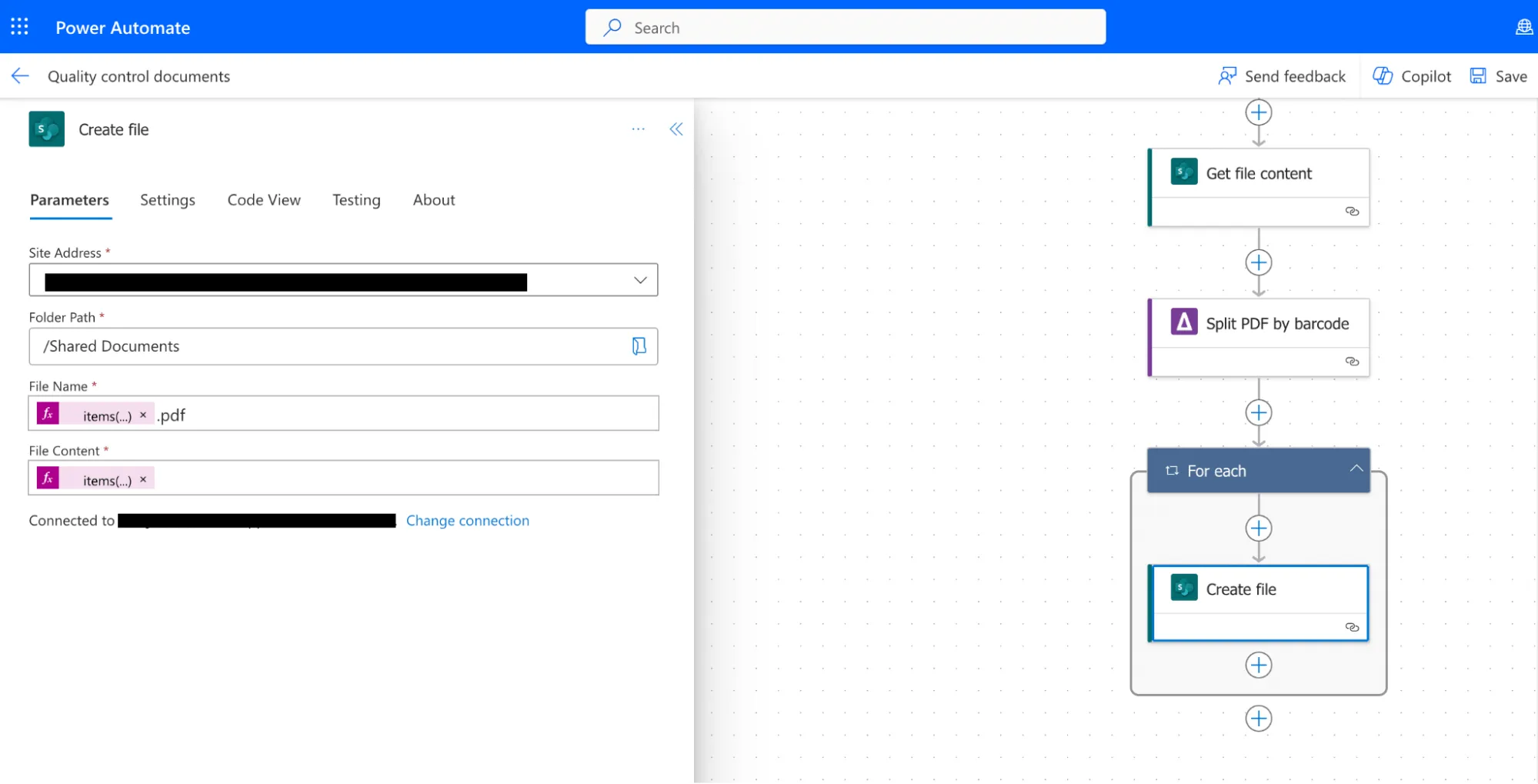
Step 4. Create file action. Add the create file action and configure following the details below: Site address: The URL of your SharePoint site. Folder path: The location of your SharePoint library where the input file is stored. File name: Choose “Split Output Files (file name)” and add “.pdf”. The output file name contains the barcode file in it. File content: Click on the thunder sign to open Dynamic content. Click on See More to show all the output parameters and then click on Split Output Files (file content) and confirm by clicking on the Add button. Split Output Files is the Array of Split Files with their corresponding file names. You can also check other output parameters: Page Range: The page range containing the page numbers of the split operation. Is Successful: A boolean value specifying if the operation was successful or not. License Info: Information about your API subscription key, it contains: LicenseType CallsRemaining CallsMadeError Message: Contains the Error message returned by the operation if any exist.
Step 5. Execute the Action:
Click on the Save button and run the Power Automate workflow to execute the “Split PDF by Barcode” action.
Step 6. Review Output:
Check the output for accurately separated invoices with customized file names based on barcode values.
Conclusion
By incorporating the Aquaforest PDF Connector(opens in a new tab)’s “Split PDF by Barcode” action into your Power Automate workflows, you can significantly enhance the efficiency and accuracy of quality control processes in manufacturing. This user guide provides a comprehensive walkthrough of the action, empowering users to automate the extraction and analysis of quality control information, thereby contributing to improved manufacturing workflows.
此内容由惯性聚合(RSS阅读器)自动聚合整理,仅供阅读参考。 原文来自 — 版权归原作者所有。