
惯性聚合 高效追踪和阅读你感兴趣的博客、新闻、科技资讯
阅读原文 在惯性聚合中打开

推荐订阅源

博客园_首页
Vercel News
Vercel News
月光博客
月光博客
S
SegmentFault 最新的问题
A
About on SuperTechFans
Microsoft Security Blog
U
Unit 42
Google DeepMind News
Engineering at Meta
Engineering at Meta
B
Blog RSS Feed
Y
Y Combinator Blog
云风的 BLOG
云风的 BLOG
N
Netflix TechBlog - Medium
小众软件
小众软件
WordPress大学
WordPress大学
G
Google Developers Blog
Recent Announcements
H
Hackread – Cybersecurity News, Data Breaches, AI and More
P
Proofpoint News Feed
Blog — PlanetScale
Blog — PlanetScale
MongoDB | Blog
MongoDB | Blog
F
Fortinet All Blogs
博客园 - 【当耐特】
I
InfoQ

Resend RSS Feed

6 Tips for Accessible Emails Welcoming Manoel do Amaral, our new Brand Designer Welcoming Michael Vaz, our new Customer Success Engineer Six Steps to Improve Your Sender Reputation Welcoming Tatira Andrade, our new Executive Assistant Welcoming Pedro Ivo Hudson, our new Design Engineer Welcoming Diel Duarte, our new Open source Engineer Welcoming Areia Spinner, our new Recruiter Resend Forward: A Conference about Craft React Email 6.0 Custom Tracking Domains AI Email Editor Introducing Automations Welcoming Ahmed Tolba, our new SRE Engineer Welcoming Aneil Singh, our new Founding Account Executive Welcoming Lucas Motta, our new Software Engineer Welcoming Trey Knowles, our new Founding Account Executive Welcoming Anxhela Carciu, our new SRE Engineer Introducing DMARC Analyzer Welcoming Evan Thibodeau, our new Customer Success Engineer Welcoming Derich Pacheco, our new Software Engineer Welcoming Alec Ventura, our new Data Engineer Welcoming Felipe Freitag, our new Software Engineer Welcoming Mateusz Wos, our new Software Engineer Incident report for February 15, 2026 Email automation for OpenClaw How to Create a DevTools Agent Skill Introducing Email Skills Why You Should Embrace the Promotions Tab Slater Smith, our new Customer Success Engineer
Open and Click Tracking
Zeno Rocha · 2023-03-11 · via Resend RSS Feed

"How are my emails doing?"

"Is anyone engaging with my CTA?"

"How many users saw my announcement?"

These are the questions that come when you start sending emails at scale.

Today, Resend helps you not just answer, but take action on those questions.

More than curiosity

We believe open and click tracking offers practical and actionable insights to better engage with your users.

Ultimately, opens and clicks show you which customers are the most interested in receiving the messages you send.

By knowing this you can:
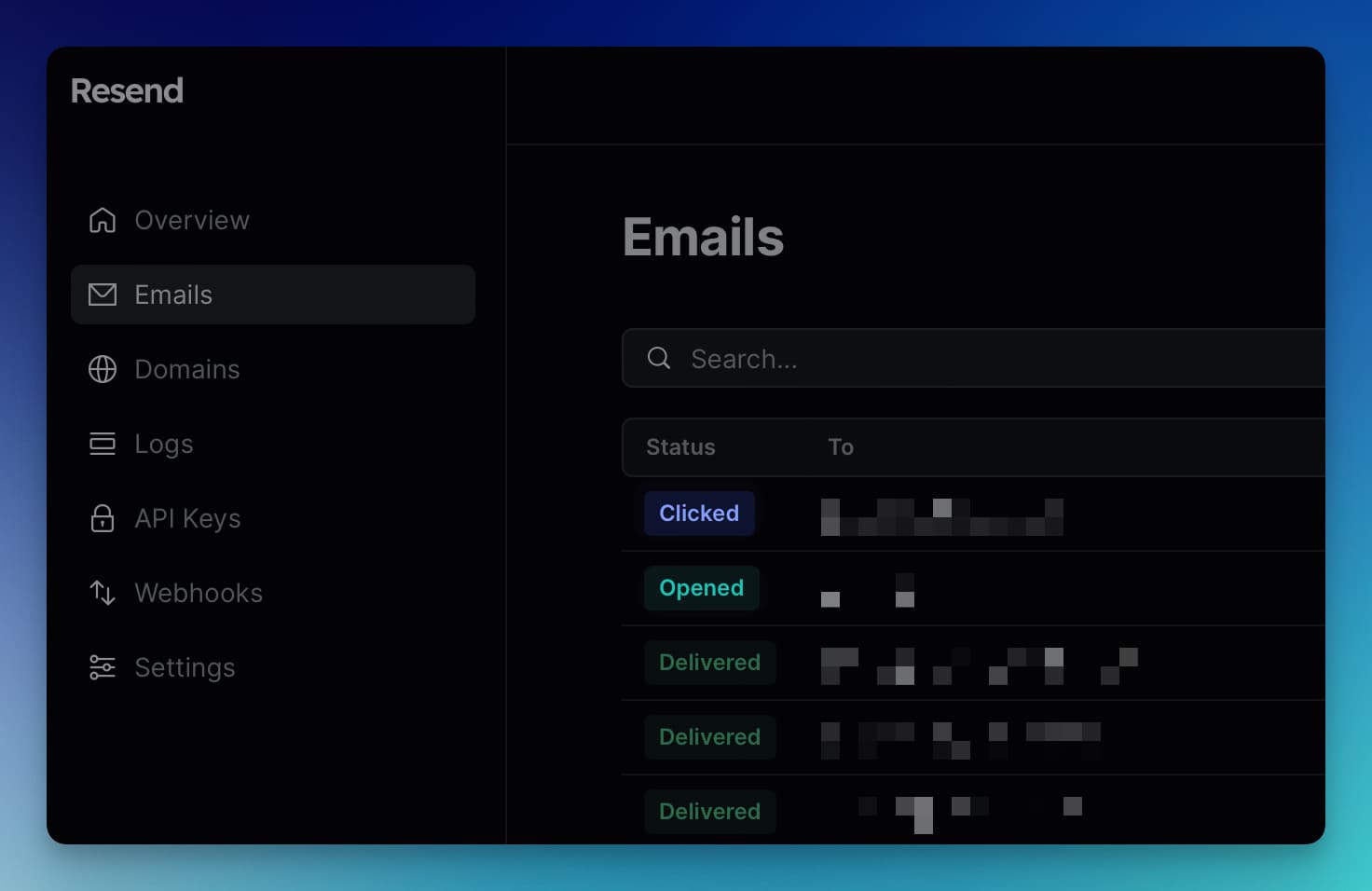
  • Measure results of your emails
  • Have a better understanding of your audience
  • Transform these insights into action by refining your email templates
Click and Opened Events in Resend Dashboard

How open tracking works

When open tracking is enabled, we insert a 1 pixel by 1 pixel transparent GIF image at the bottom of each message.

Each email includes a unique link to this image file; when the image is opened, we can tell exactly which message was opened and by which user.

"If you're a developer or working on a startup, you're going to love Resend's approach to emailing."

How click tracking works

When click tracking is enabled, we set up a redirect for each link in the message. When your user clicks a link, they are routed to a Resend server and then immediately forwarded to the address you provided. This handoff is imperceivable to the recipient in normal circumstances.

As with open tracking, each of these redirect links is unique, allowing you to easily determine which person clicked which link at what time.

"We were up and running with Resend in no time. It was seamless to integrate into our existing workflow and gave us a tremendous amount of visibility into our email capabilities. Simple to say, it was a no-brainer."

Perfectly paired with Webhooks

We announced Webhooks earlier this week, perfect timing for open and click tracking.

Creating a webhook stream of your tracking events gives you a live pulse of your contact list so you can take action immediately.
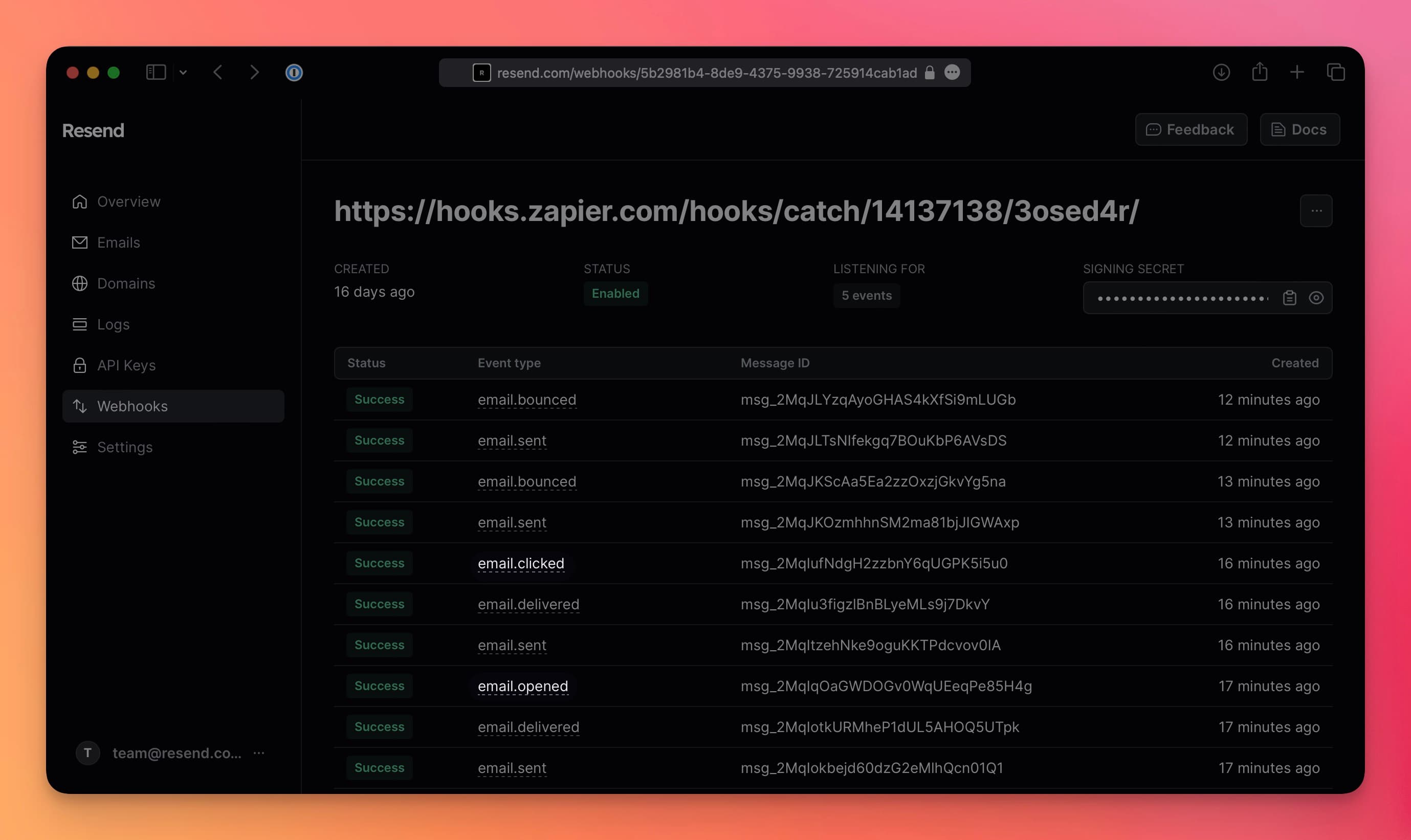
Click and Opened Events in Resend Dashboard

You can also feed these data points into an external storage system to provide more context alongside your other user events.
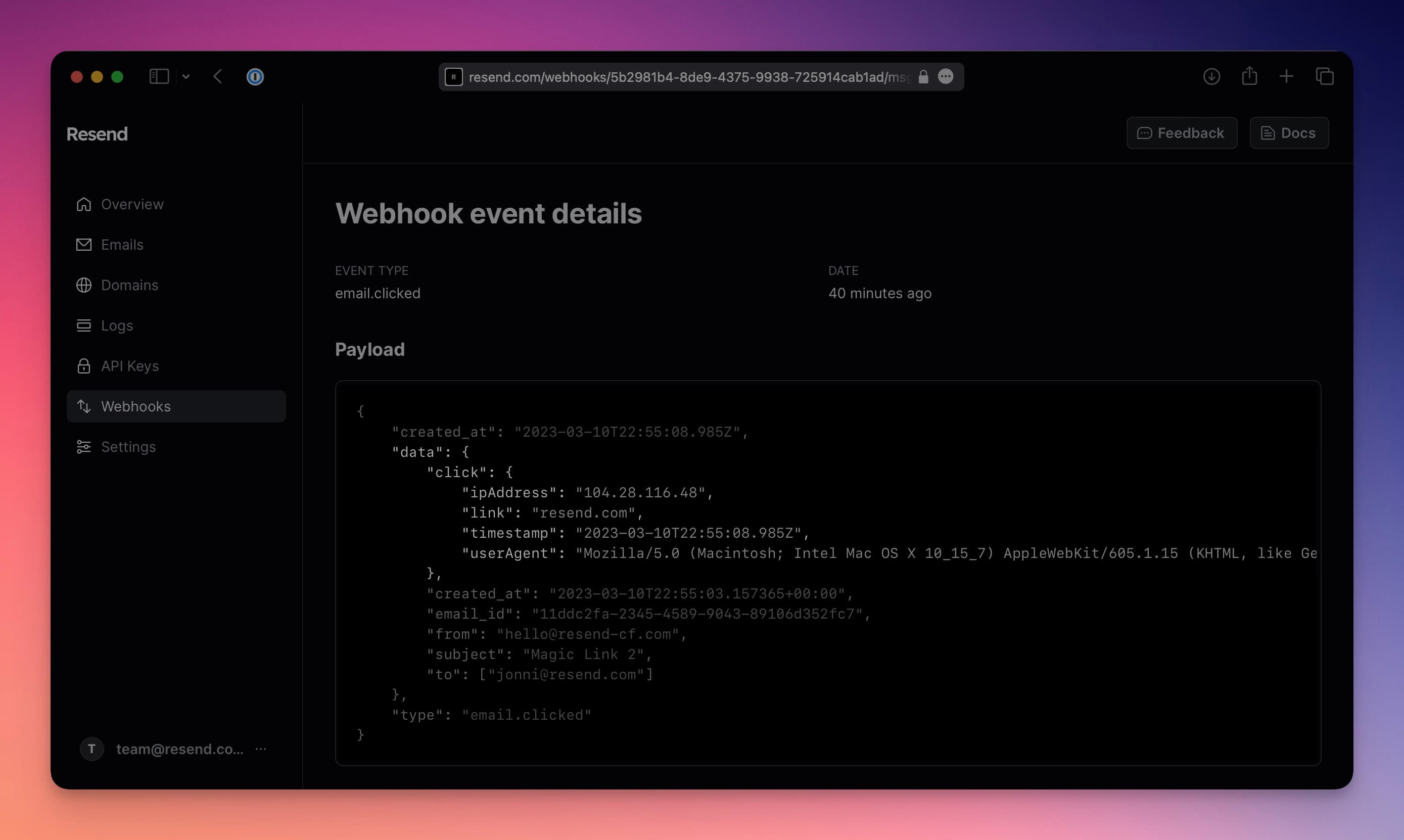
Click webhook event
Click webhook event

How to enable tracking

Tracking is configured on the domain level.

You can enable tracking today by navigating to Domains, selecting the domain you want to enable and looking for the "Configuration" section.
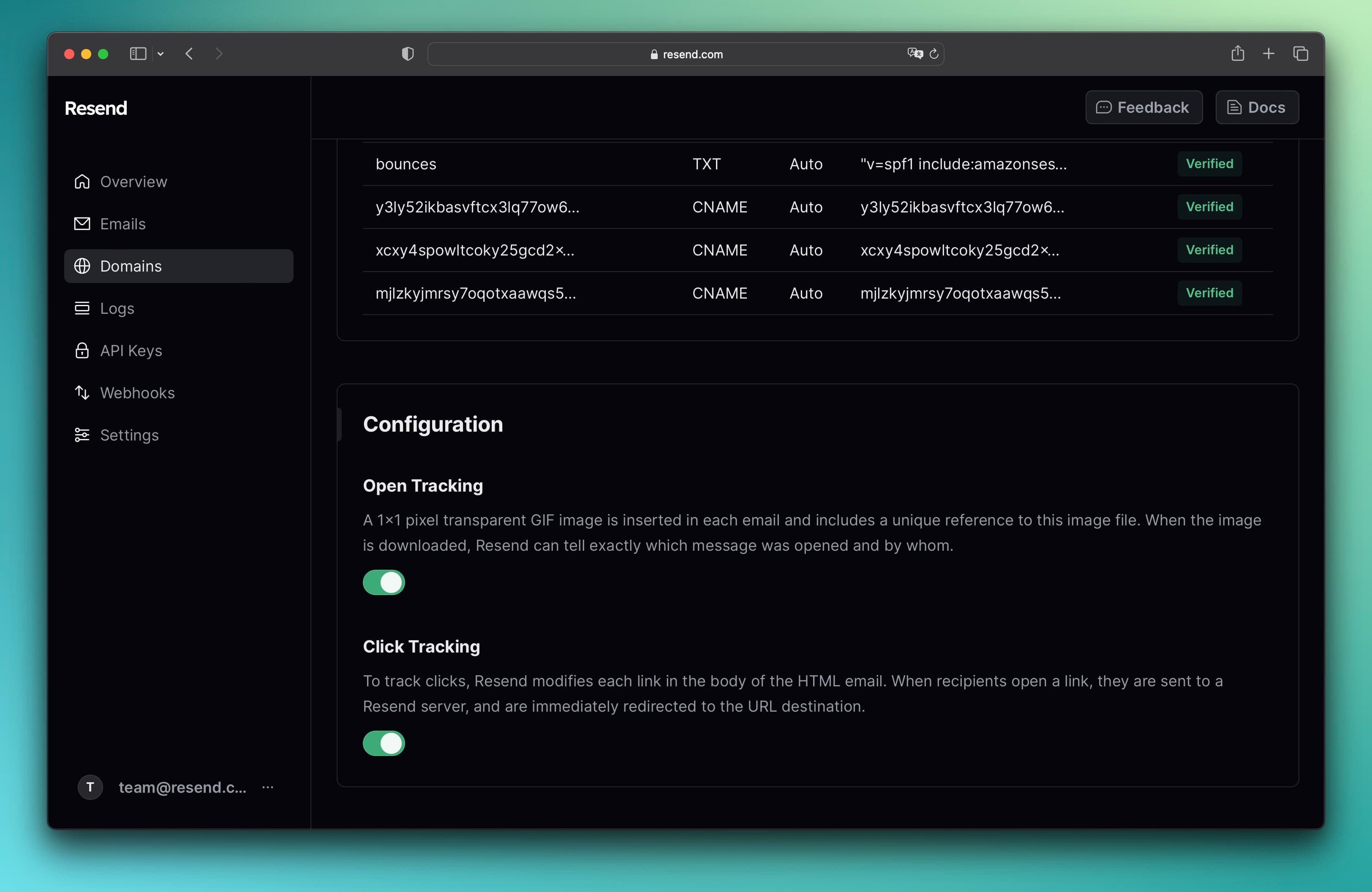
Enable Open/Click tracking