惯性聚合 高效追踪和阅读你感兴趣的博客、新闻、科技资讯
阅读原文 在惯性聚合中打开

推荐订阅源

Threat Intelligence Blog | Flashpoint
Exploit-DB.com RSS Feed
The Last Watchdog
The Last Watchdog
K
KPMG report finds enterprise disconnect between AI and its ROI | CIO
T
Troy Hunt's Blog
L
LINUX DO - 最新话题
C
Check Point Blog
T
Threat Research - Cisco Blogs
OSCHINA 社区最新新闻
OSCHINA 社区最新新闻
罗磊的独立博客
V
Vulnerabilities – Threatpost
cs.CV updates on arXiv.org
J
Java Code Geeks
Apple Machine Learning Research
大猫的无限游戏
大猫的无限游戏
S
Security @ Cisco Blogs
IT之家
IT之家
T
The Exploit Database - CXSecurity.com
The GitHub Blog
The GitHub Blog
D
Docker
Engineering at Meta
Engineering at Meta
AWS News Blog
AWS News Blog
S
Security Affairs
U
Unit 42
P
Palo Alto Networks Blog
V
Visual Studio Blog
Y
Y Combinator Blog
D
DataBreaches.Net
Forbes - Security
Forbes - Security
阮一峰的网络日志
阮一峰的网络日志
美团技术团队
Security Latest
Security Latest
aimingoo的专栏
aimingoo的专栏
Simon Willison's Weblog
A
Arctic Wolf
博客园_首页
钛媒体:引领未来商业与生活新知
钛媒体:引领未来商业与生活新知
H
Hacker News: Front Page
博客园 - 司徒正美
博客园 - Franky
宝玉的分享
宝玉的分享
TaoSecurity Blog
TaoSecurity Blog
Latest news
Latest news
Scott Helme
Scott Helme
MongoDB | Blog
MongoDB | Blog
量子位
cs.AI updates on arXiv.org
C
Cisco Blogs
P
Privacy International News Feed
Application and Cybersecurity Blog

Inside Nutrient

A guide to the invisible work behind documents Introducing Nutrient Documents for Salesforce: Native document generation and signing Document AI vs. traditional OCR: Choosing between OCR, AI, and hybrid pipelines PDF SDK compliance and security evaluation checklist for enterprise teams (2026) Invariant Corp replaces paper processes with Nutrient Workflow and scales without limits What is process mapping? A complete guide Nutrient vs. Conga Composer for Salesforce document generation (2026) Document routing: How to automate document distribution The CTO’s AI playbook: Why accountability architecture beats orchestration Compliance workflow automation: Why built-in compliance is table stakes Workflow diagrams: Examples, symbols, and how to build one that actually runs Digital forms: Replace paper forms with automated workflows Approval workflow software: How to automate approvals Why document-centric automation is different The CEO’s AI playbook: Why decision architecture beats model selection Nutrient SDK product updates for Q1 2026 PDF redaction verification: How to prove sensitive data is permanently removed What is a VPAT? The complete guide to accessibility conformance reports What is PDF/UA? The accessible PDF standard explained Salesforce eSignatures: Generate, sign, and track documents in one flow Online document viewer: Options, tradeoffs, and how to embed one Document viewer for web apps: React, Vue, Angular (2026) Best document viewers in 2026: A buyer’s guide How to edit a PDF in Python: Add text, images, and annotations Nutrient advances Workflow platform with agentic AI for enterprise-grade speed and consistency in document-heavy operations How to create a Salesforce quote template from opportunity data The business case for accessibility: Five ways it drives enterprise value Python PDF library comparison (2026): 7 libraries for developers Why your AI agent hallucinates PDF table data PDF.js limitations: When to upgrade to a commercial PDF SDK How Subject scaled 5× with Nutrient’s PDF SDK without rebuilding its document layer I replaced our sales training with an AI coach that runs in Slack — here’s what broke Redirecting to: https://securitybuzz.com/cybersecurity-news/why-enterprise-permissions-are-ais-most-dangerous-inheritance/ Nutrient .NET SDK vs. iText Core: Complete comparison for .NET developers DocuVieware: Support’s most frequently asked setup questions Introducing Nutrient Workflow How to convert PDF to Word in C# (.NET) When email and spreadsheets stop working: Work order approval workflows for field teams on the move Compliance with confidence: Why document-centric automation is the foundation of your mission Nutrient expands AI Assistant, automating multistep document workflows inside any application What is document generation? A developer’s guide to PDF generation Document Converter data flow and how real-time watermarks skip the queue PDF/UA compliance guide: Requirements, standards, and best practices Computers still can’t understand you How Athena Intelligence built AI agents for regulated enterprises with Nutrient’s document infrastructure How to convert HTML to PDF (2026): 4 methods from browser print to SDK How to build a document extraction pipeline with Nutrient Vision API OCR vs. intelligent document processing: Choosing the right document extraction engine Beyond OCR: How document intelligence eliminates manual processing in regulated industries Nutrient vs. IronPDF: Complete comparison for .NET developers Nutrient vs. Aspose.PDF: Complete comparison for .NET developers Redirecting to: https://fortune.com/2026/02/19/openclaw-who-is-peter-steinberger-openai-sam-altman-anthropic-moltbook/ Lufthansa Systems uses Nutrient to deliver reliable, scalable PDF rendering for pilots worldwide Nutrient vs. Syncfusion: Complete comparison for .NET developers React’s useTransition: The hook you’re probably using wrong First City Monument Bank streamlines banking processes with Nutrient Workflow Redirecting to: https://www.sdcexec.com/warehousing/automation/article/22957364/nutrient-workflow-automation-the-missing-link-in-supply-chain-efficiency The complete guide to digital signatures: PAdES, CAdES, and XAdES explained Nutrient Python SDK: Production-grade document processing for Python Introducing agentic document editing for web applications with AI Assistant Nutrient vs. QuestPDF: Complete comparison for .NET developers How we fixed the GdPicture license expiration (and what to do if you’re affected) Red team security testing with agentic AI The future of healthcare document automation Best healthcare workflow software compared Nutrient SDK product updates for Q4 2025 How Harvey scaled legal document workflows 50 percent MoM without rebuilding infrastructure HIPAA-compliant document management in hospitals How we optimized rendering performance while handling thousands of annotations in React — Part 2 Automated PII removal with Nutrient API Redirecting to: https://www.devopsdigest.com/2026-low-code-no-code-predictions Redirecting to: https://www.kmworld.com/Articles/Editorial/ViewPoints/Leaders-predict-AI-to-continue-permeating-all-aspects-of-KM-in-2026-172594.aspx What are deep agents and how do they solve complex problems? Whipping up document magic: Your easy-bake recipe for Vue and Nutrient Web SDK 🧁 What I’ve learned about product iteration planning while building SDKs Passwordless document signing: Three-layer security guide New zip folder functionality streamlines file management in Document Automation Server The keyboard shortcuts playbook: Taking control of keyboard events in Nutrient Web SDK From experienced engineer to AI beginner: My unexpected journey AI-assisted manual testing: Handling Safari’s PDF rendering and UI quirks How to keep a 20-year-old SDK up to date How we optimized rendering performance while handling thousands of annotations in React — Part 1 Nutrient announces new executive hires to accelerate next phase of growth High performance UI using web workers Automate document conversion at scale with Python and Nutrient DCS From curiosity to PLG (and AI): My journey to understanding product-led growth Prost to progress: One year as Nutrient Pigeon usage at Nutrient: Bridging native SDKs to Flutter Modernizing CI build servers: How to migrate from Chef to Ansible Unix man pages: AI-friendly documentation since 1971 Consistent hashing for even load distribution Best AI redaction APIs: Complete comparison guide for 2025 Why AI document redaction matters for modern security From coding to coordinating: How AI transformed my workflow What is intelligent document processing (IDP)? A complete guide Enterprise PDF SDKs: Best PSPDFKit (now Nutrient) alternatives Nutrient SDK product updates for Q3 2025 GdPicture support best practices Redacting sensitive data with Nutrient AI redaction API How AI is transforming the customer experience at Nutrient: From instant answers to intelligent support
Merge multiple PDF files with Nutrient Document Web Services API on Zapier
Hulya Masharipov · 2025-01-22 · via Inside Nutrient

Table of contents

    This tutorial shows you how to merge two PDF files into a single document using the Nutrient Document Web Services API on Zapier. This is ideal for combining reports, contracts, scanned documents, or any multi-part PDFs into one file.
    Merge multiple PDF files with Nutrient Document Web Services API on Zapier

    What is Zapier?

    Zapier(opens in a new tab) is a no-code automation platform that lets you connect apps like Google Drive, Gmail, and Slack to build automated workflows. You create “Zaps” that consist of triggers and actions between connected services.

    In this tutorial, you’ll build a Zap that merges two PDF files into one using Nutrient DWS Processor API.

    What is Nutrient DWS Processor API?

    Nutrient Document Web Services API helps you automate document workflows — from merging, converting, signing, OCR, and more. With a free account(opens in a new tab), you get 50 credits to test all tools.

    You can build powerful workflows without code using Zapier and Nutrient.

    What you’ll need

    Step 1 — Trigger a new file in a Google Drive folder

    1. Select Google Drive as the trigger app.
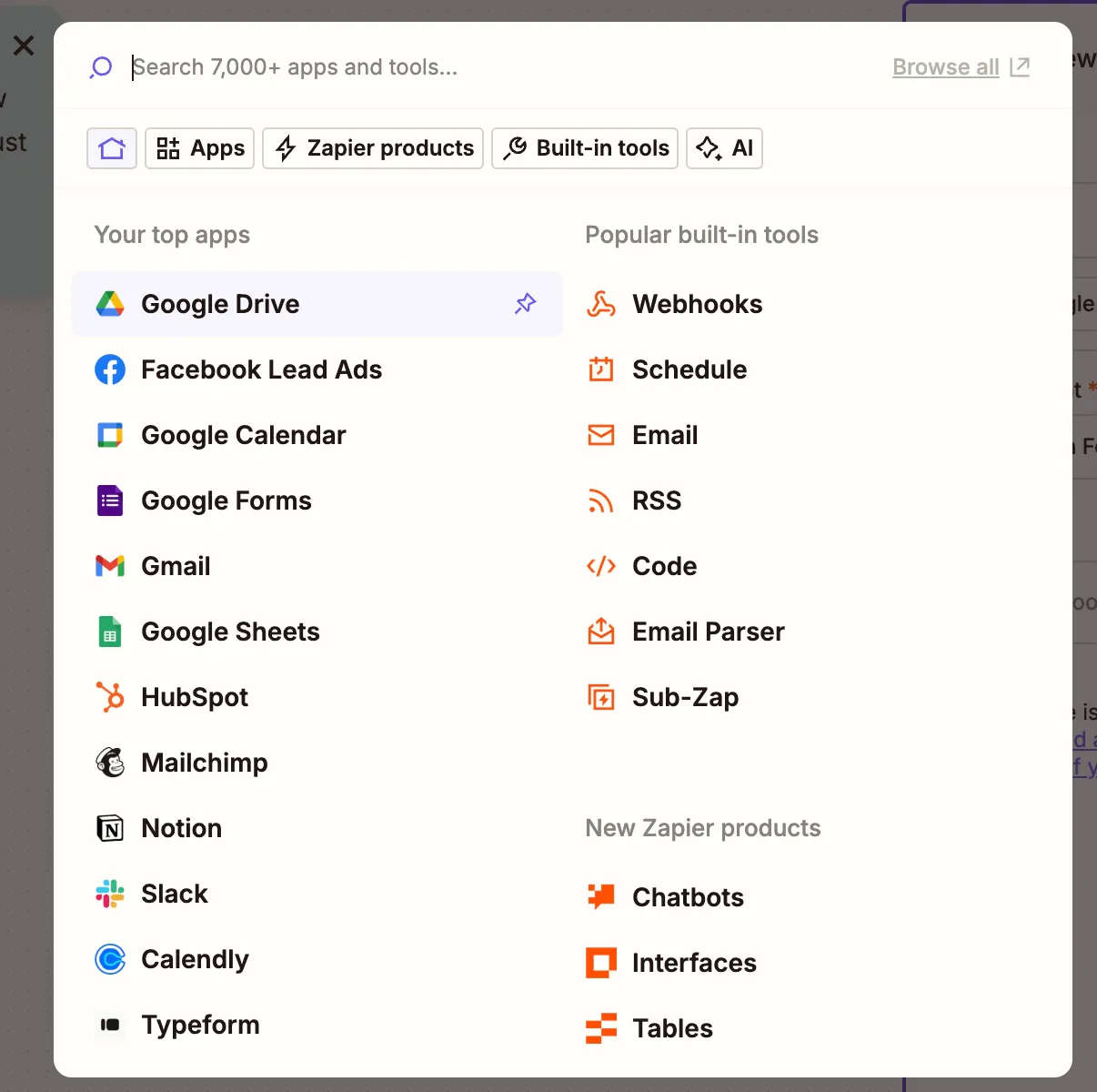
    Google Drive selected in Zapier trigger step

    1. Choose the New File in Folder trigger event.
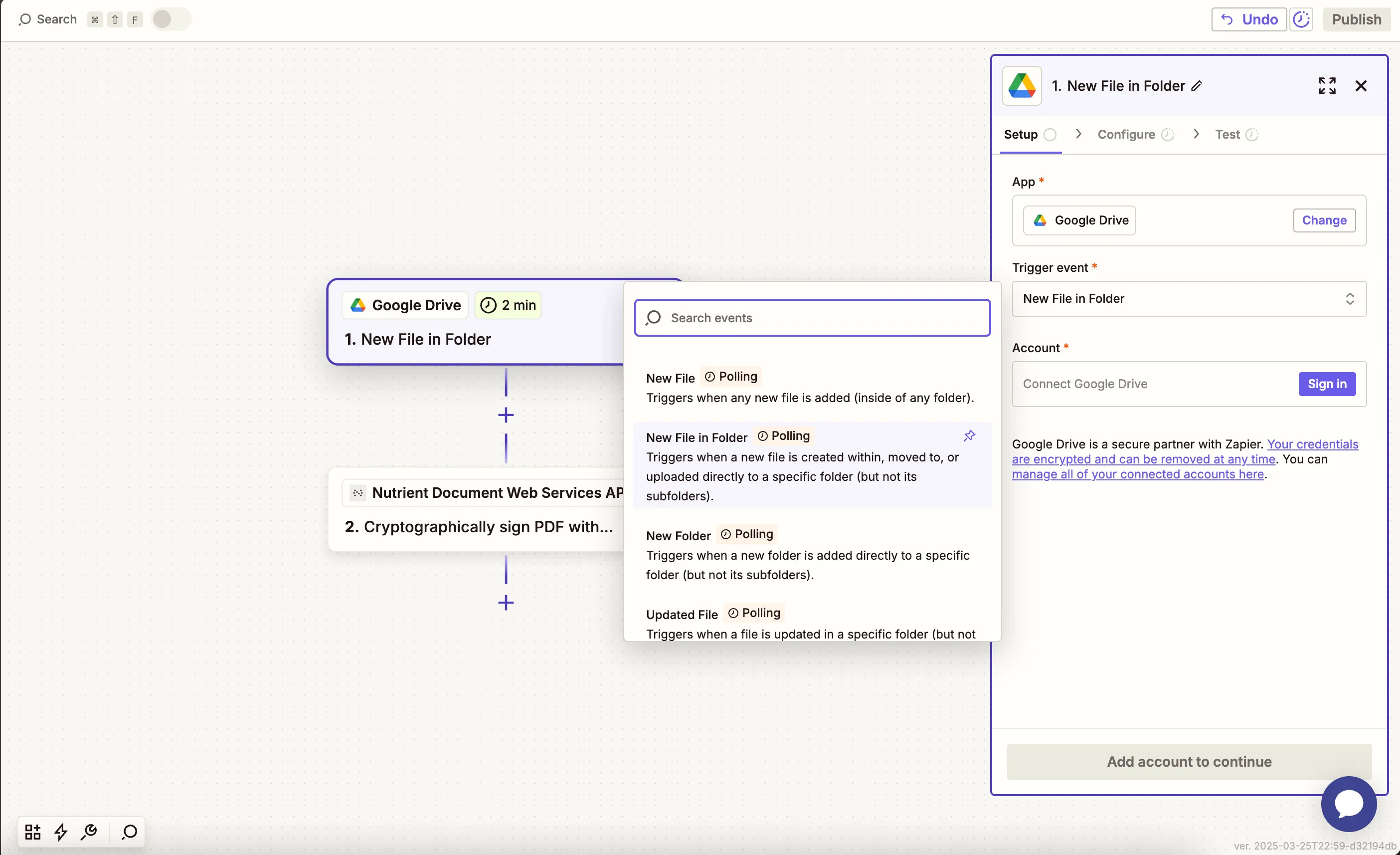
    Select 'New File in Folder' as the trigger event

    1. Connect your Google Drive account.
    2. Configure the folder that contains your first PDF file.
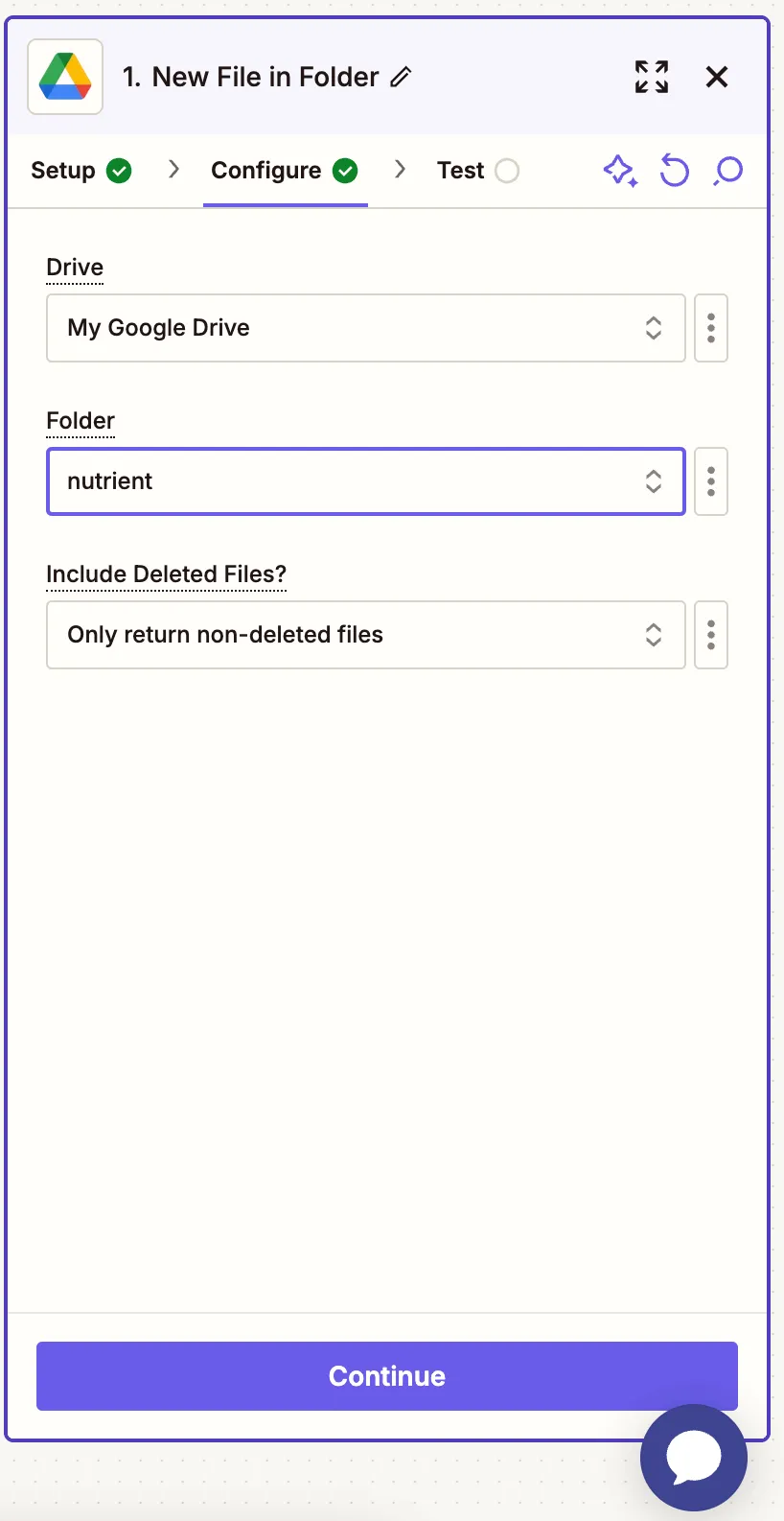
    Choose the folder for the first PDF file

    1. Test the trigger to pull in a sample PDF.
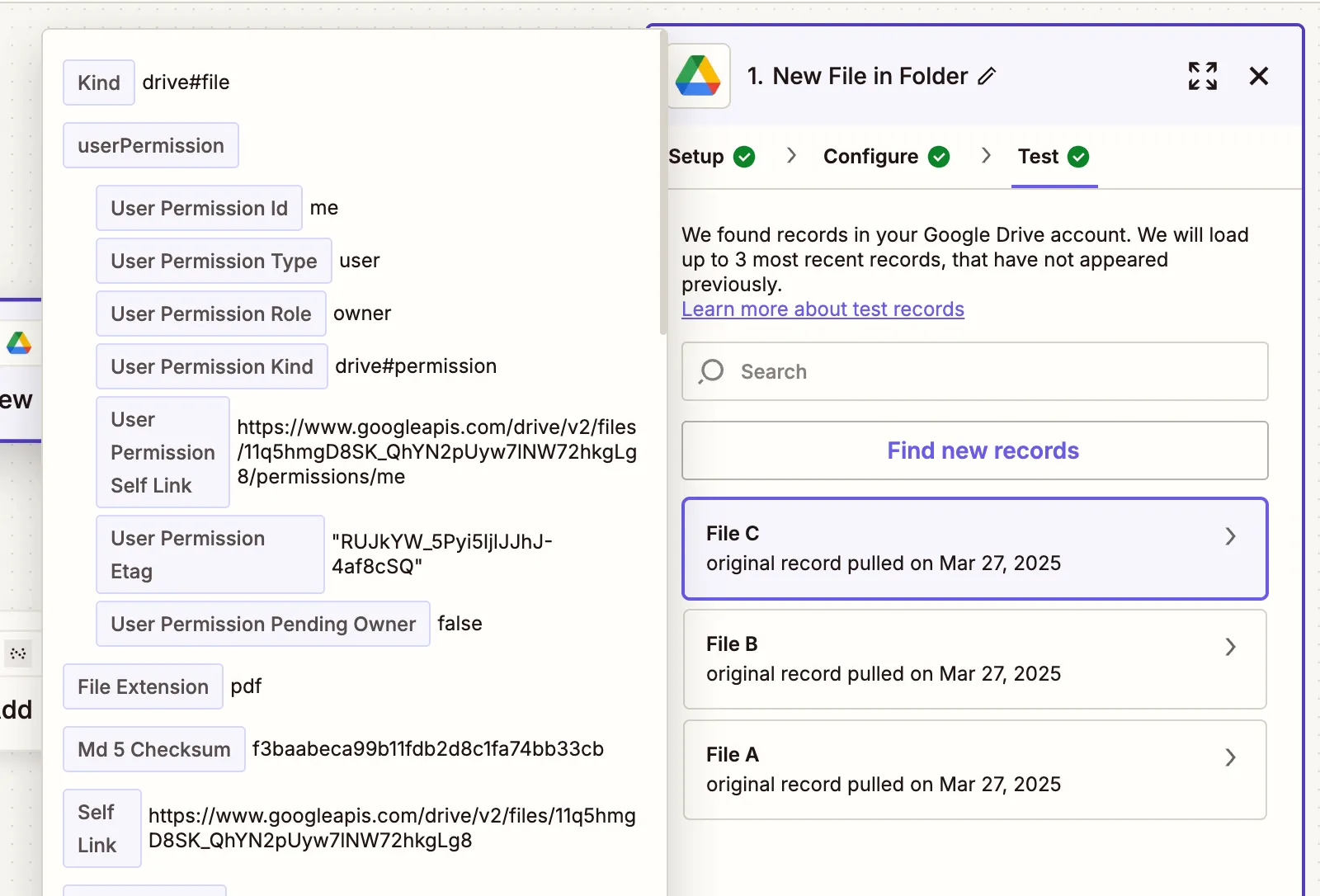
    Sample first PDF file pulled into the Zap

    Step 2 — Find the second PDF in Google Drive

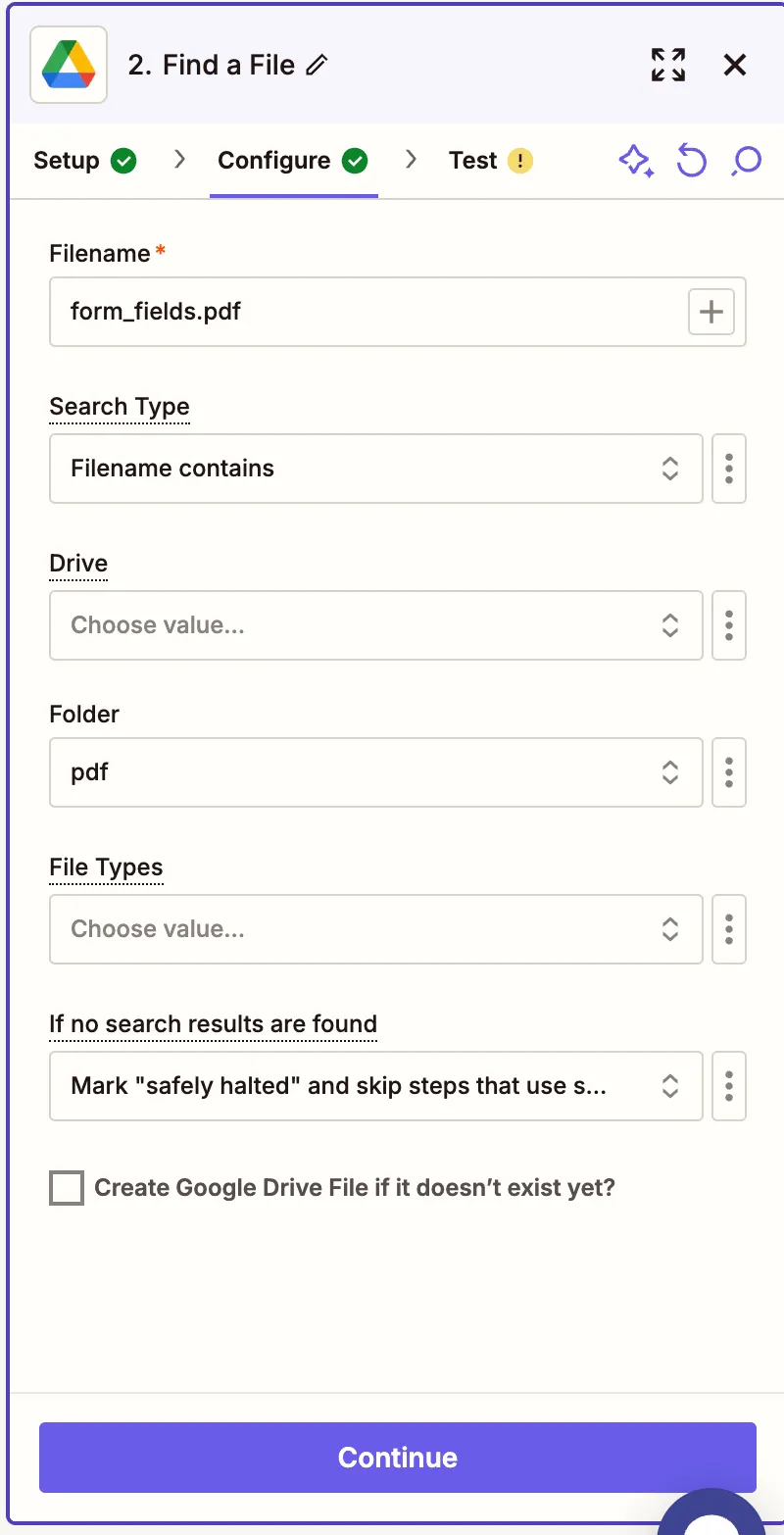
    1. Add another step: Google Drive > Find File.
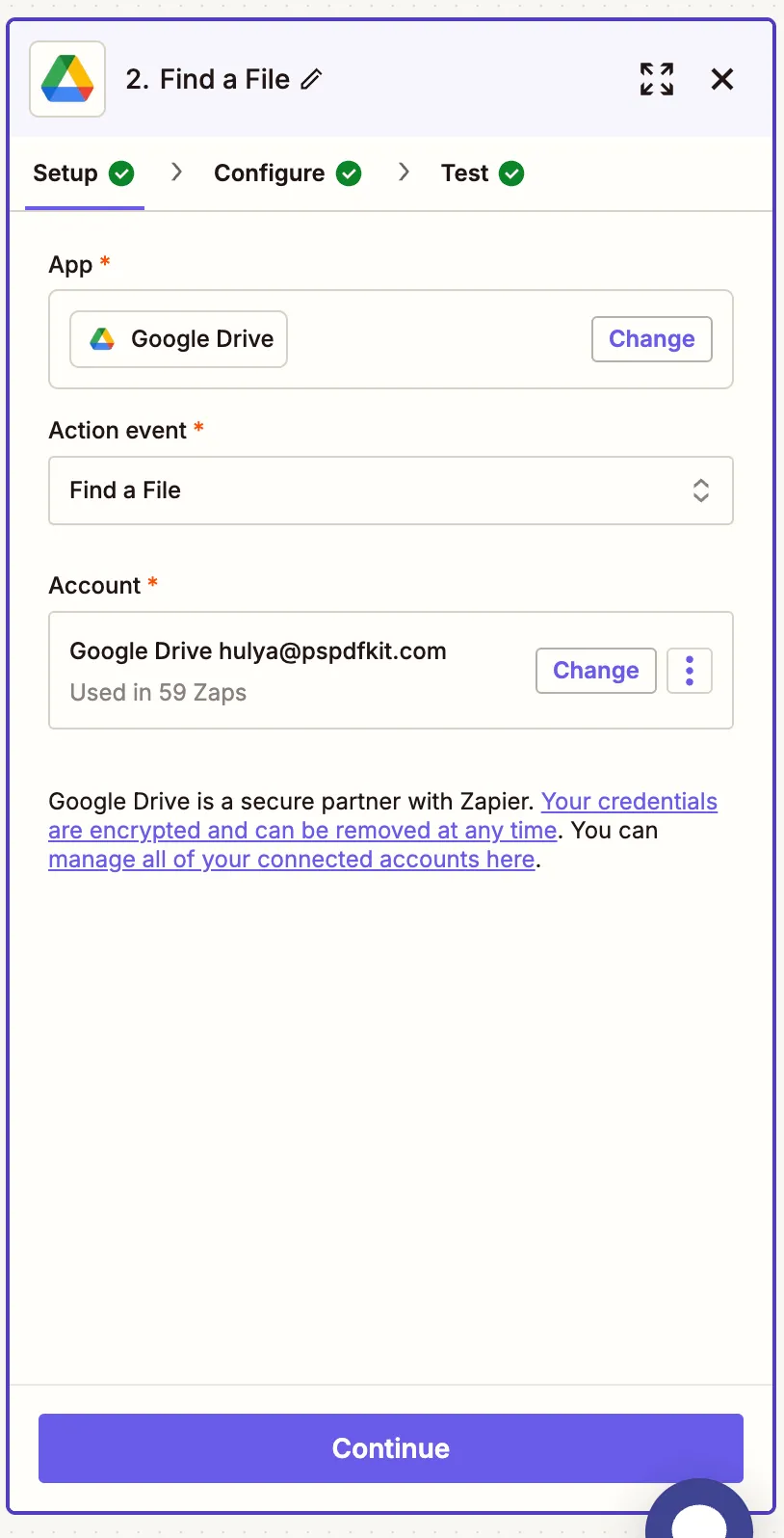
    Add Google Drive Find File step

    1. Set up the step to locate your second PDF:
      • Filename — Your second PDF file name
      • Search type — Filename contains
      • Drive — Your drive

    Configuring search for second PDF file

    1. Test to confirm it locates the second file.
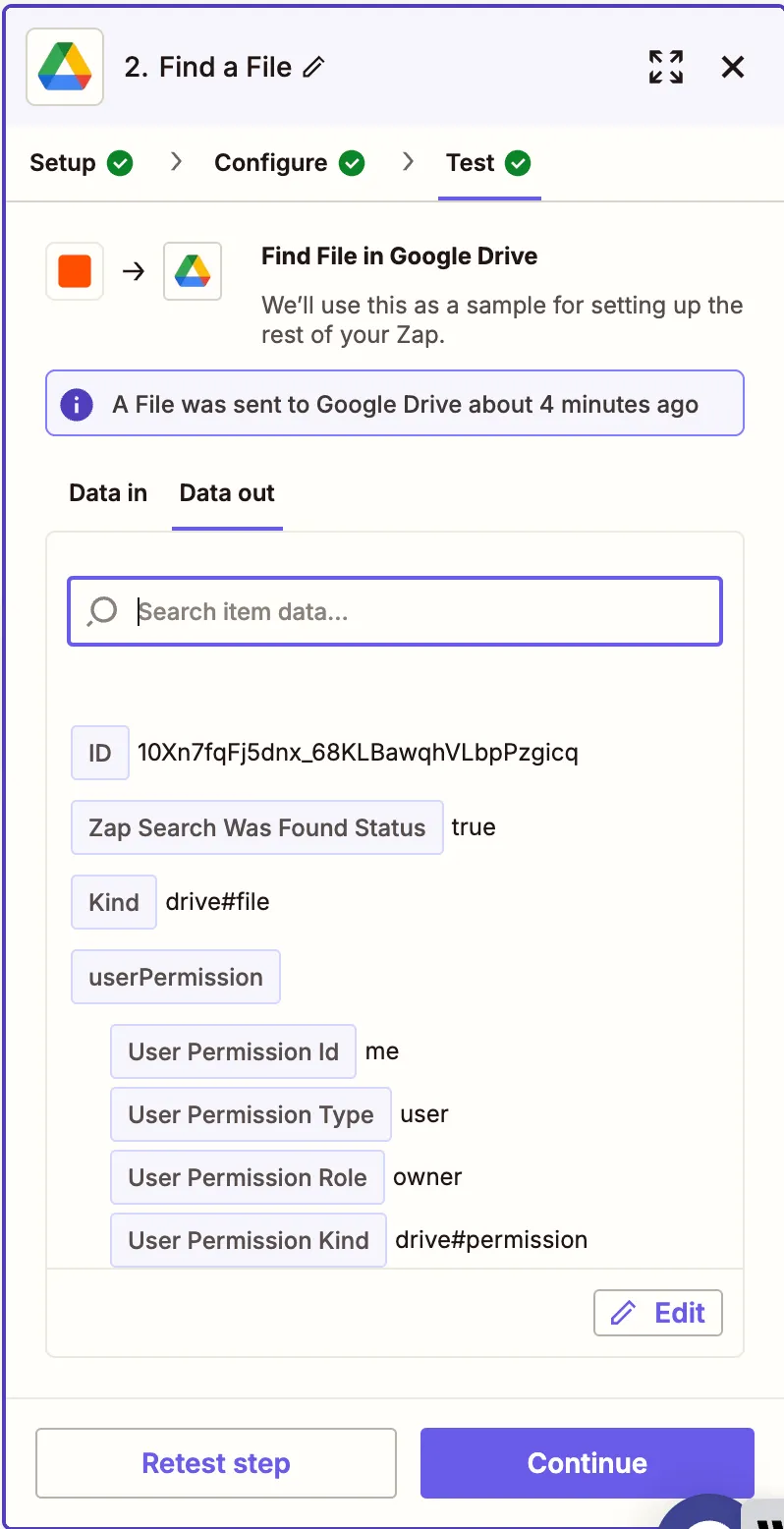
    Test shows second PDF file found

    Step 3 — Merge PDF files using Nutrient DWS Processor API

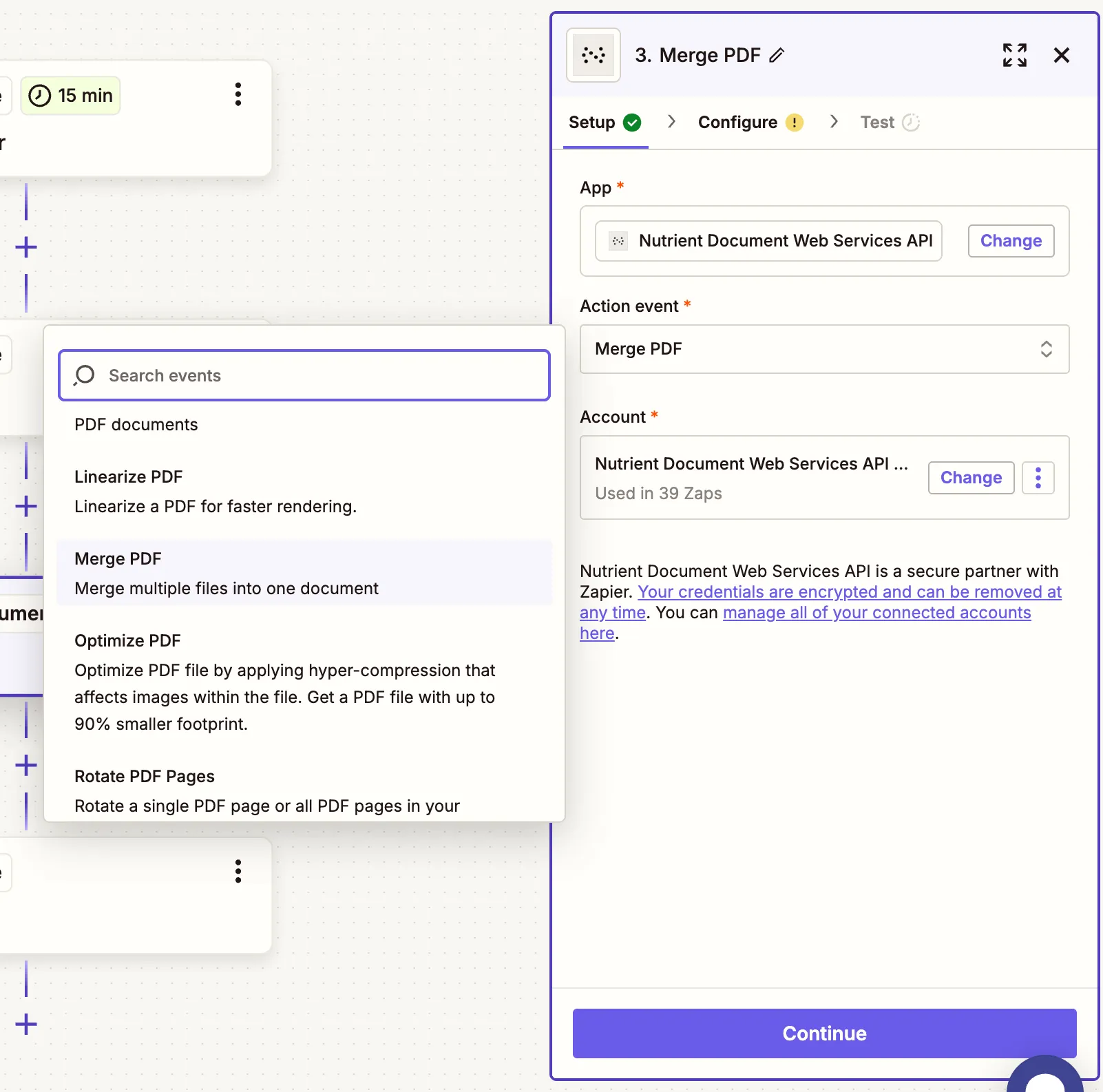
    1. Select Nutrient Document Web Services API as the app.
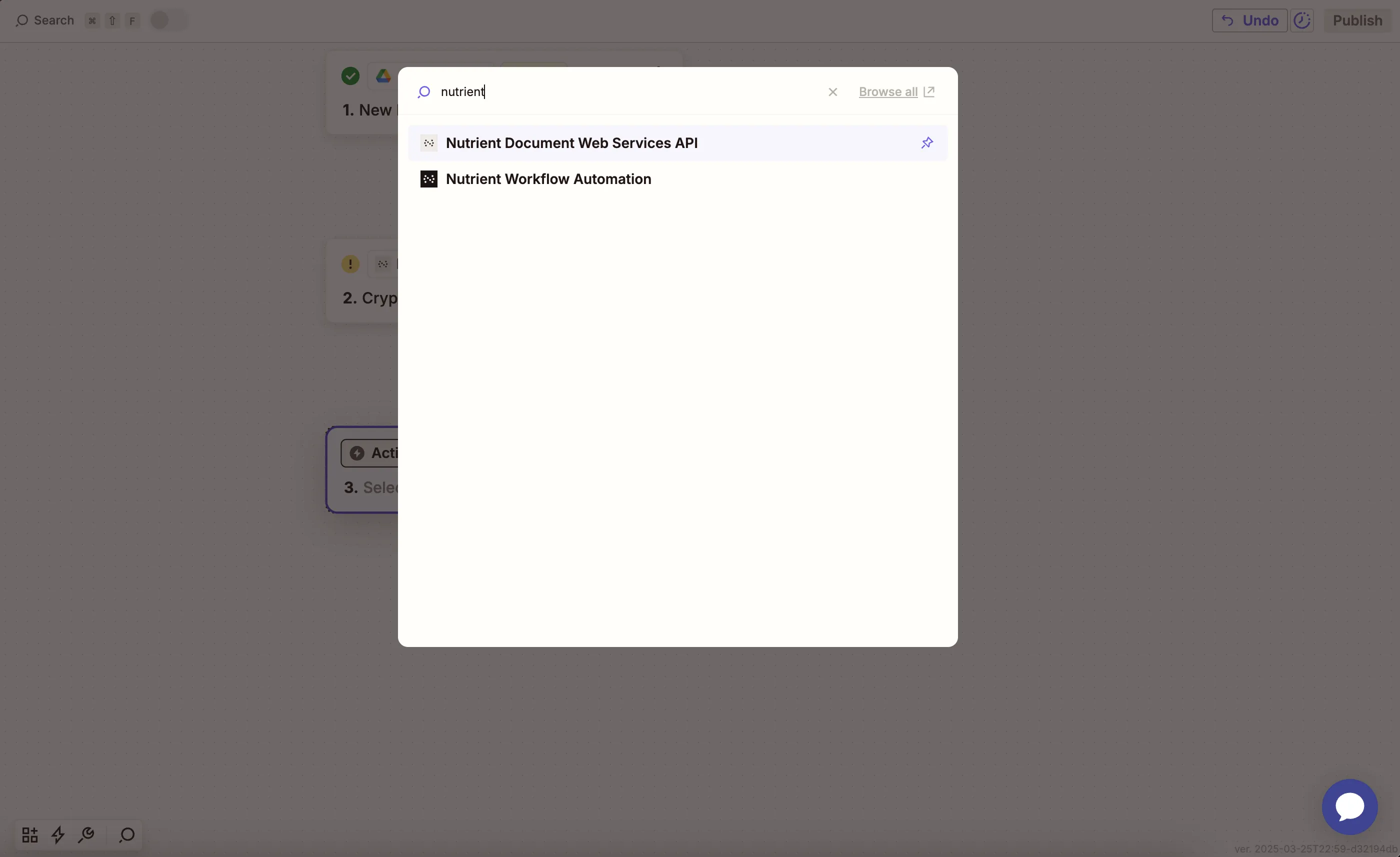
    Nutrient DWS Processor API selected as action app

    1. Choose the Merge PDF action.

    Action step to merge PDFs

    1. Connect your Nutrient DWS Processor API account with your API key.
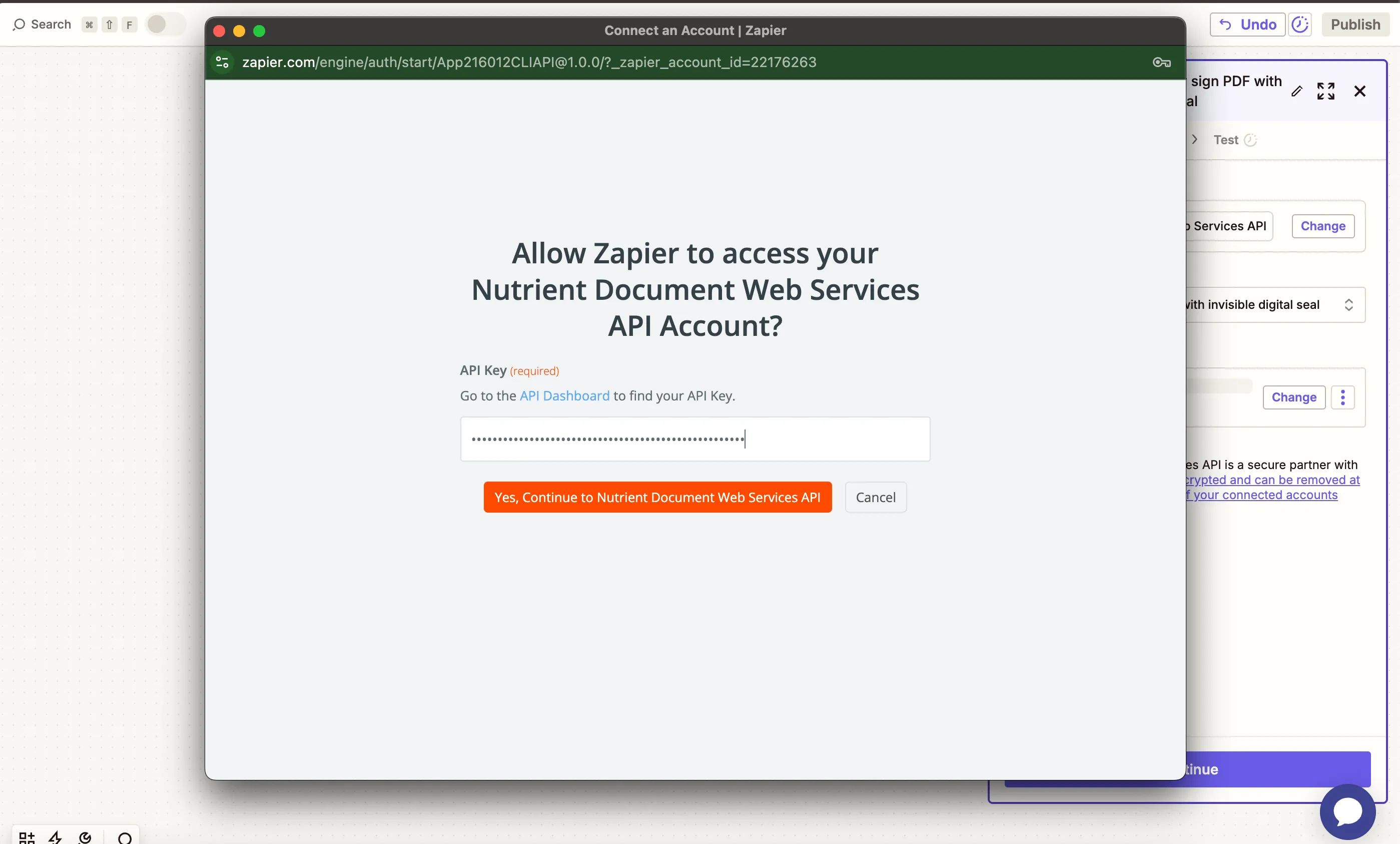
    Paste API key to connect account

    You can find your key in the Nutrient dashboard(opens in a new tab).
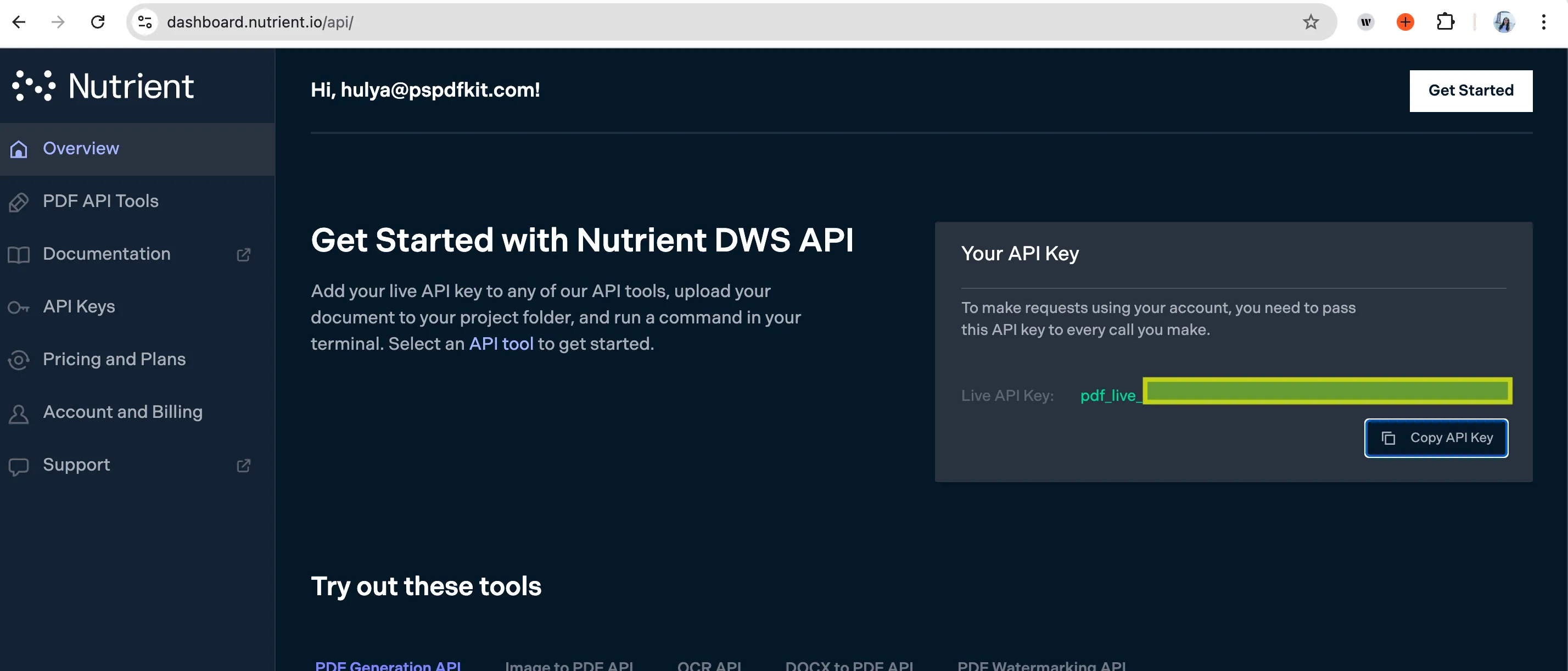
    API key shown in Nutrient dashboard

    1. Configure the action fields:
      • First PDF File URL — Use the file from step 1.
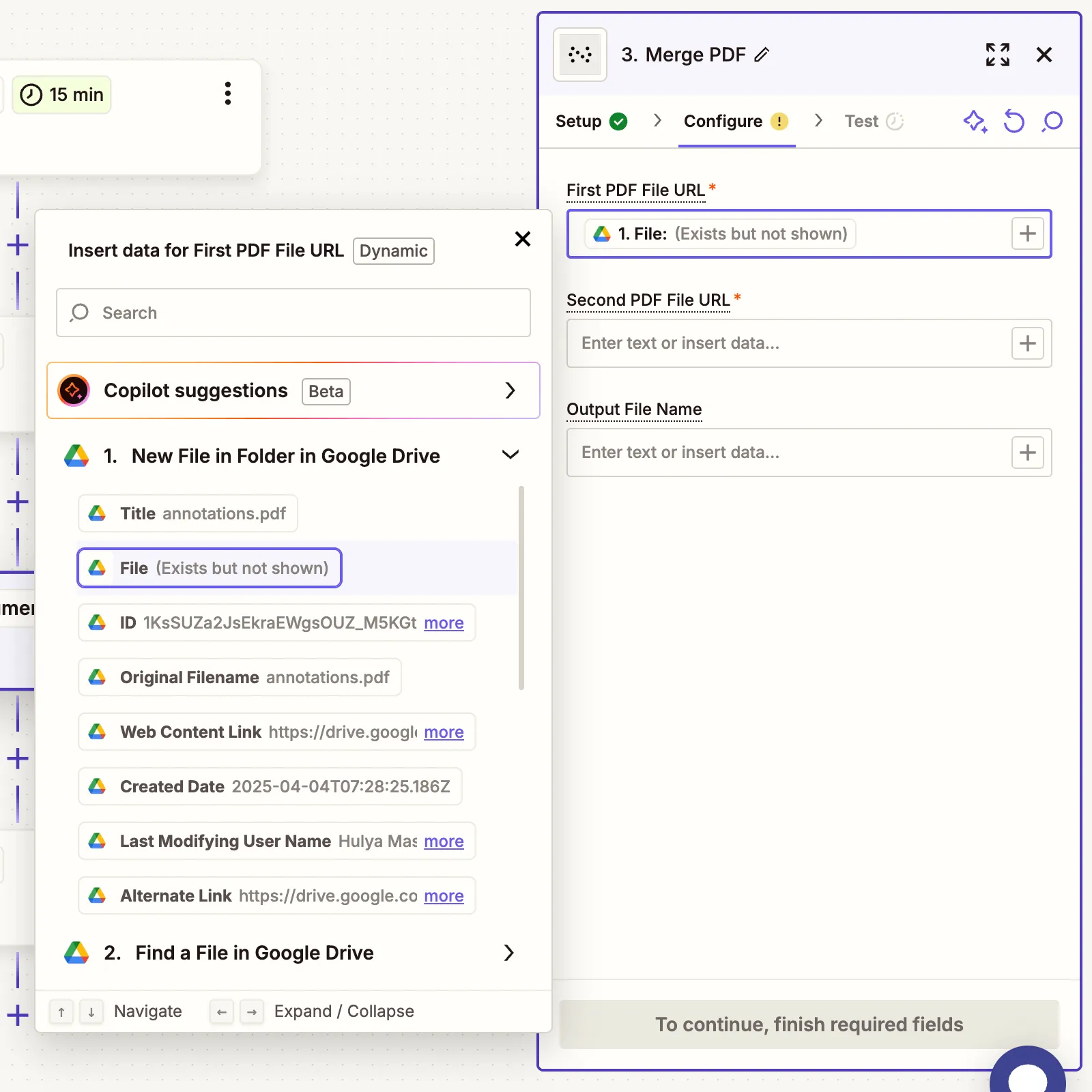
    Mapped merge action fields in Zapier step

    • Second PDF File URL — Use the file from step 2.
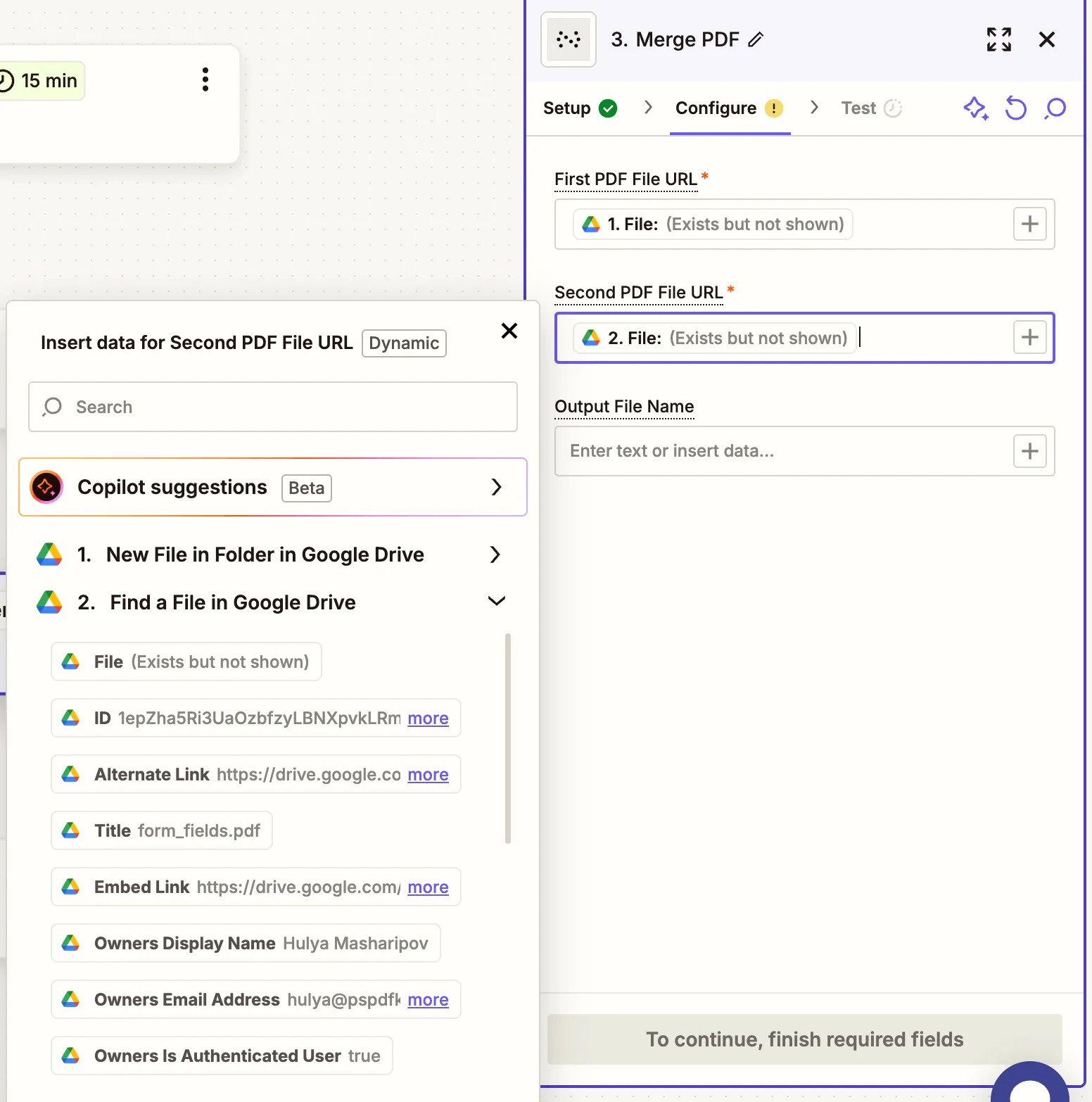
    Mapped merge action fields in Zapier step

    • Output File Name — Optional (e.g. merged_document.pdf).

    Make sure both PDFs are publicly accessible or Zapier has access via Google Drive.

    1. Run a test to confirm the merge is successful.
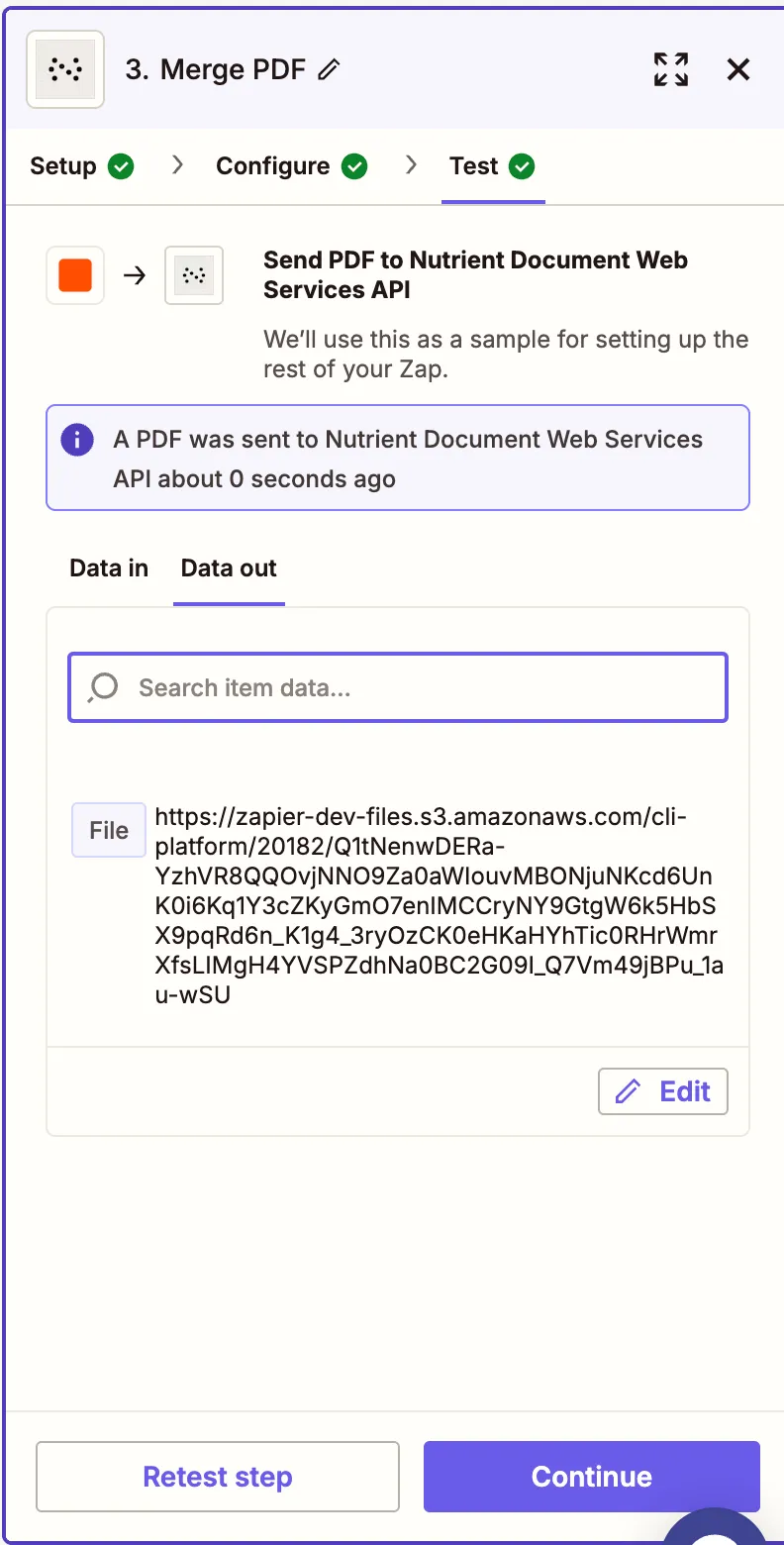
    Test showing merge completed successfully

    Step 4 — Upload the merged PDF to Google Drive

    1. Add a final step: Google Drive > Upload File.
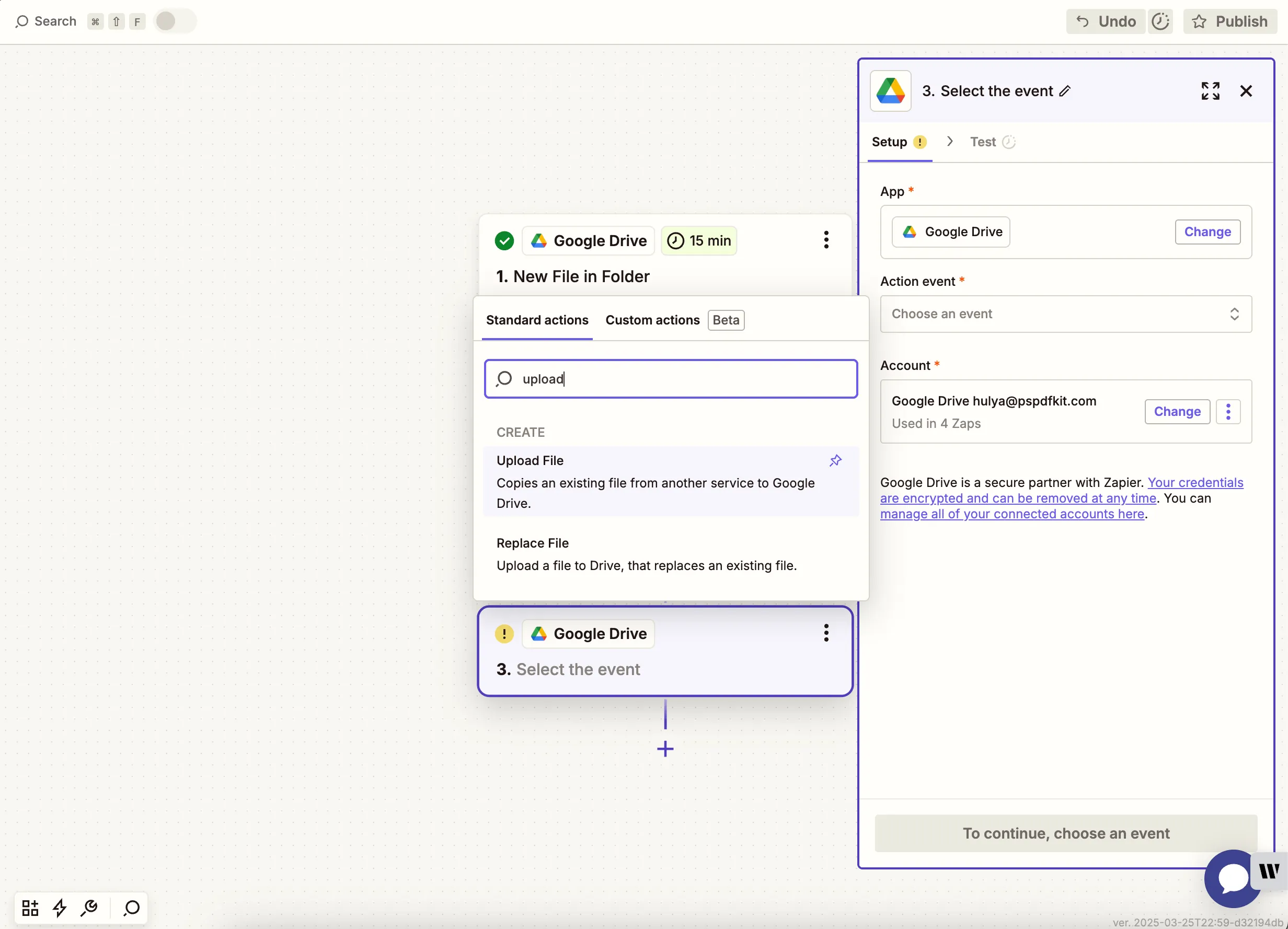
    Add Upload File to Google Drive

    1. Configure the upload:
      • Folder — Choose a destination folder like /merged.
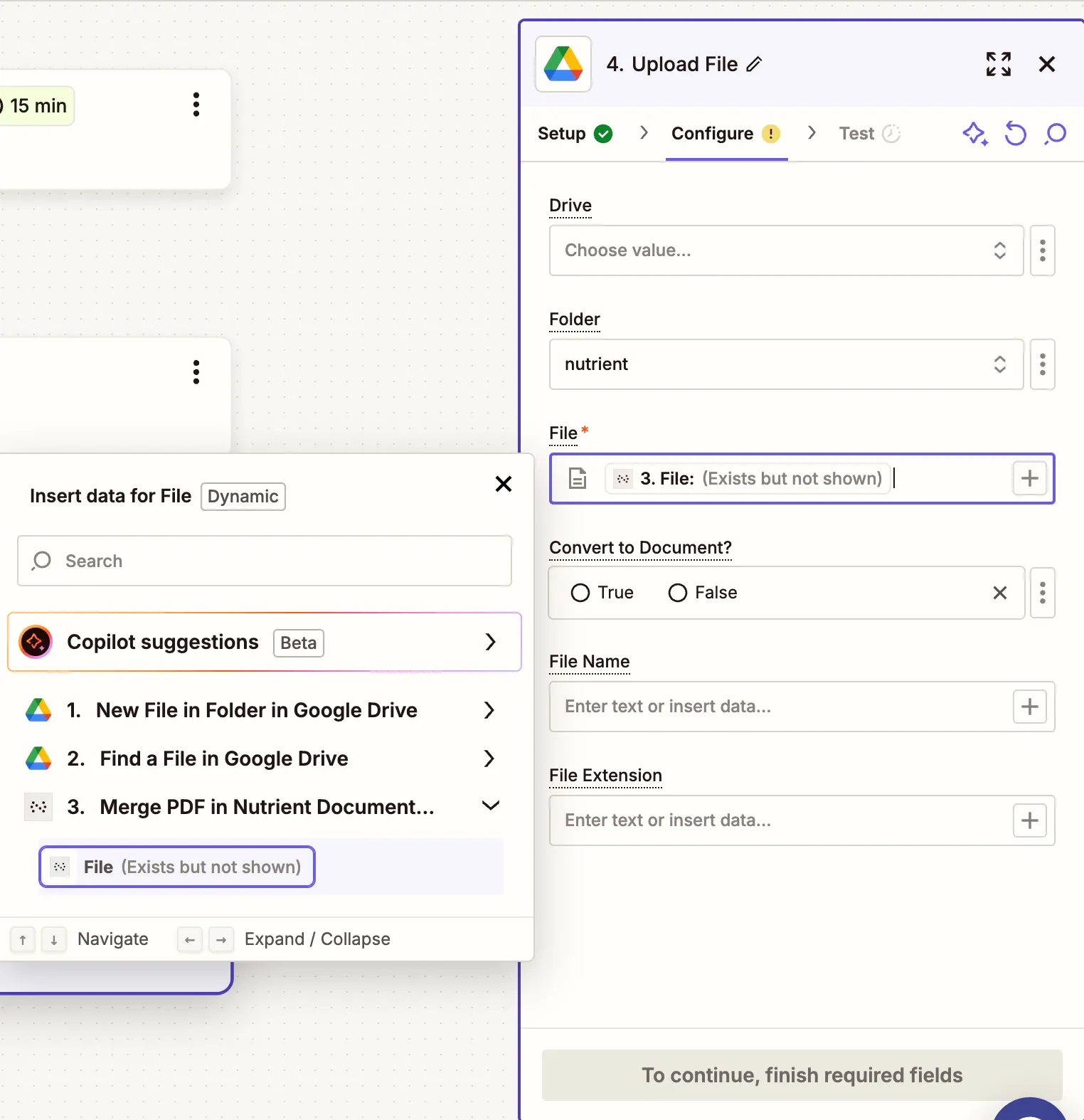
      • File — Use output from the Nutrient step.
      • File Name — Optional.

    Mapped merged PDF file for upload to Drive

    1. Run a test to ensure the file uploads.
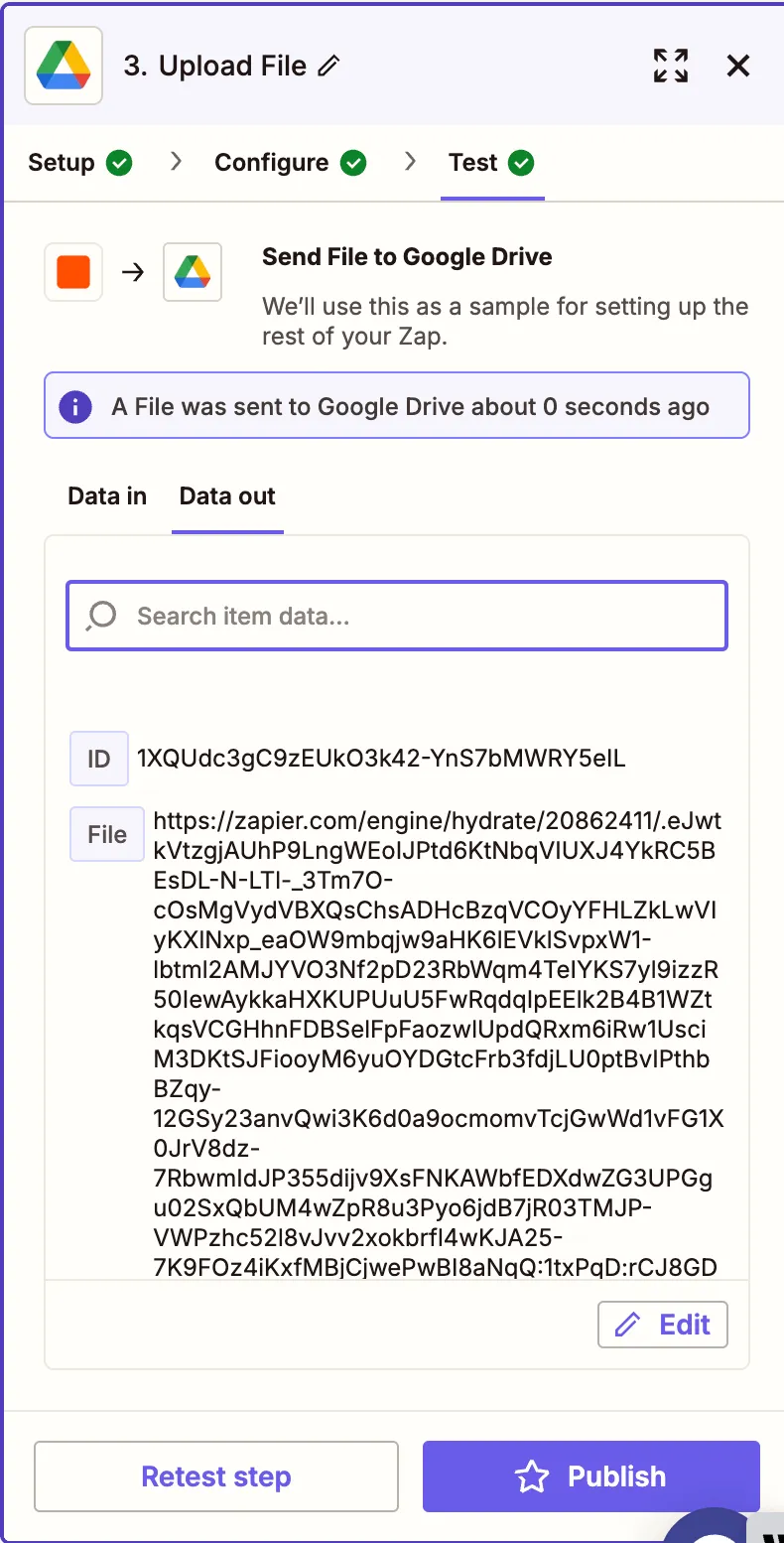
    Test result showing successful upload of merged file

    Conclusion

    You’ve just created a Zap that merges two PDF files automatically using Nutrient DWS Processor API(opens in a new tab). This is great for workflows that involve combining cover pages with documents, appending summaries, or creating a final package from multiple files.

    Expand your flow with steps like OCR or applying digital signatures.

    Explore related topics

    Try for free Ready to get started?

    Related SDK articles

    Explore more