


Table of contents
Great platforms aren’t just built to perform — they’re built to last. And lasting platforms start with foundations that serve everyone and scale intelligently.
In our Q2 2025 SDK release, we’re addressing two major shifts reshaping software development today:
- Accessibility as a mandate, not a feature
- AI as an interface, not an add-on
With the European Accessibility Act now in effect — and U.S. federal deadlines fast approaching — accessibility is no longer optional. That’s why WCAG 2.2 support is fully integrated into Nutrient Web Viewer SDK, and PDF/UA accessibility auto-tagging is available in our Document Web Services (DWS) API. Now your teams can build compliant, inclusive applications from day one. Because when accessibility is an afterthought, entire audiences get excluded — and so does your competitive edge.
And as generative AI becomes the new standard for user interaction, we’re launching a suite of developer-ready AI tools:
- AI-powered redaction, to remove sensitive content with context
- AI text comparison, to surface meaningful changes instantly
- DWS MCP Server, an open source document-tool service that powers agentic workflows
- AI Assistant support for MAUI, Flutter, React Native, and .NET for Android
- Multi-document support for AI Assistant workflows in Nutrient iOS SDK
Accessible by default. AI by design.
Accessibility baked in: WCAG 2.2 support in Web Viewer SDK

The European Accessibility Act enforcement deadline has passed, and accessibility is no longer just best practice — it’s now a legal, commercial, and user experience imperative. Teams everywhere are being asked to prove that digital products are compliant by design, and not patched after the fact. And while most toolkits treat accessibility as an afterthought or an opt-in toggle, Nutrient treats it as table stakes.
With this release, the Nutrient Web Viewer SDK user interface (UI) is WCAG 2.2-compliant, and the Document Web Services API adds PDF/UA auto-tagging so you can programmatically convert any PDF into a fully accessible, screen reader-ready file — no workarounds, no rework, no specialized forks.
What you get:
- PDF/UA tagging and document language metadata automatically applied via DWS Processor API (learn more about auto-tagging).
- Logical focus order and persistent dialog/tab state for true keyboard navigation in Viewer.
- WCAG-compliant color tokens and prefers-reduced-motion fallbacks out of the box.
- Full keyboard parity for toolbar and viewer controls.
- Self-assessed VPAT 2.5, reviewed with Level Access, and ready for procurement compliance.
Accessibility isn’t a sidebar or a sprint. It’s the foundation every great user experience is later built on.
We’ve put together a brief guide that explains the latest accessibility standards and shares a bit about what’s coming next on our accessibility roadmap.
AI redaction: Context-aware speed — without the black box risk
Redaction failures have made headlines: courts, law firms, and government agencies have all leaked sensitive data because someone drew a black rectangle but never actually removed the text beneath it. Proper redaction must irreversibly delete content, not just mask it.
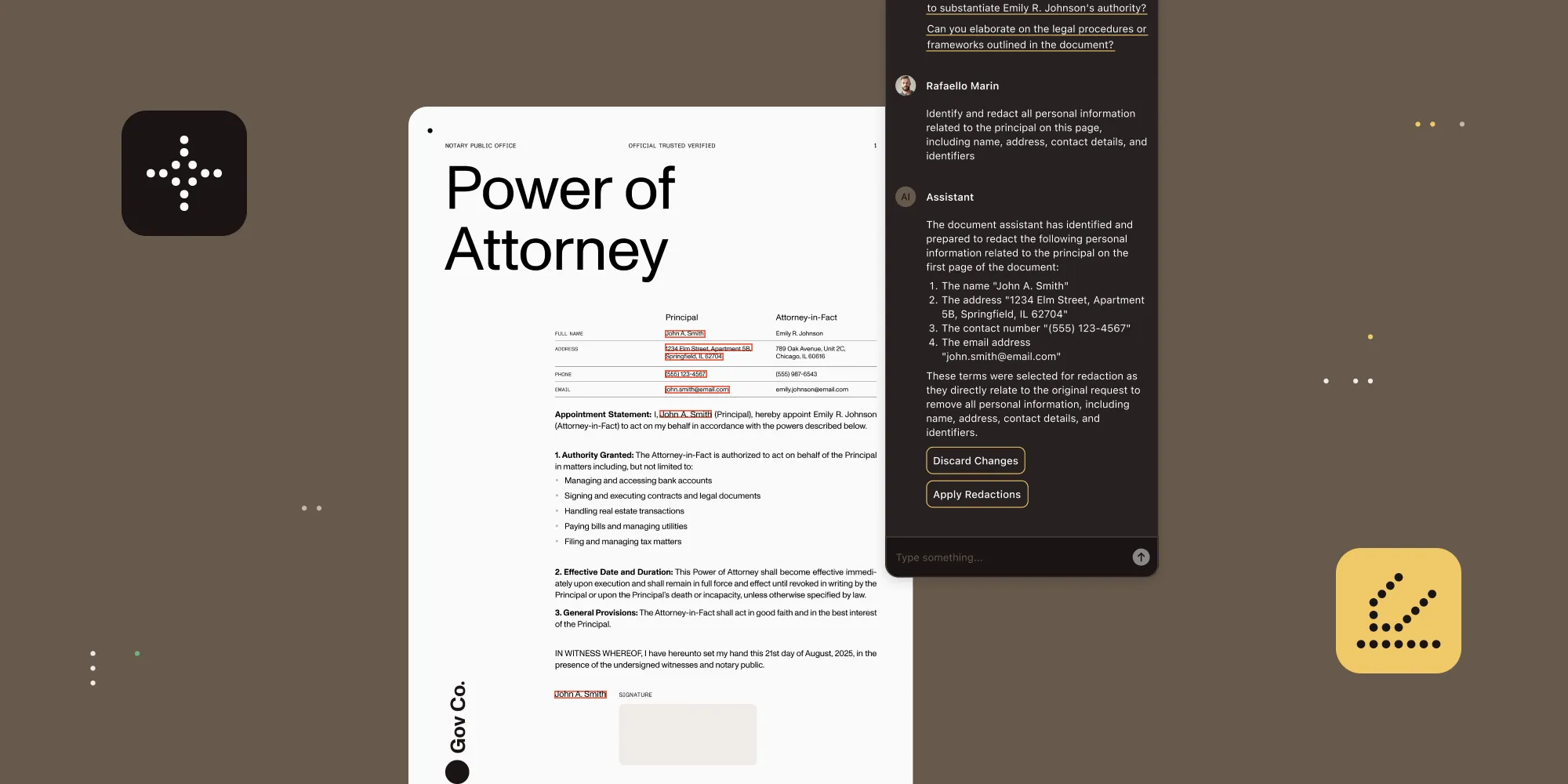
Most “smart” redaction tools try to help by running more sophisticated regex searches, but they still force reviewers to hunt line by line. Nutrient’s new /ai/redact endpoint tackles a different bottleneck: the time it takes a human to decide what to redact.
- A large language model (LLM) reads each page in context and suggests exactly which names, numbers, or clauses should be removed.
- The reviewer confirms or adjusts those AI-generated annotations in seconds — not hours.
- The API then burns the approved redactions into both text and images, guaranteeing no hidden data survives.
You get true, irreversible redaction and a workflow that keeps pace with today’s document volume — no brittle rules, no manual tagging, and no risk of leaving live text under “black boxes.”
Nutrient’s AI-powered redaction allows you to:
- Protect customer, legal, and employee data with high-confidence semantic redaction.
- Replace brittle rules and manual tagging with AI-driven entity recognition.
- Unify review and application workflows in a single, streamlined pipeline.
What you get:
- Entity-aware redaction with zero manual tagging.
- LLM-powered extraction of sensitive data across structured and unstructured content.
- Unified pass for native PDFs and image-based scans.
- Flexible modes:
state:"stage"for review, andstate:"apply"to burn in final redactions. - Runs entirely server-side via API — no GPUs, no specialized infrastructure.
- Straightforward pricing.
Legacy redaction hides text. AI redaction understands it — and makes sure it’s gone for good.
AI-powered text comparison: From noise to knowledge
Understanding what’s changed between document versions is critical — for legal accuracy, regulatory compliance, and editorial clarity. But traditional diffing tools often flood users with every single tweak: a stray comma, a font shift, a margin bump. The result? Noise that drowns out the signal — the meaningful changes lawyers, business leaders, and editors need when they run a comparison in the first place.
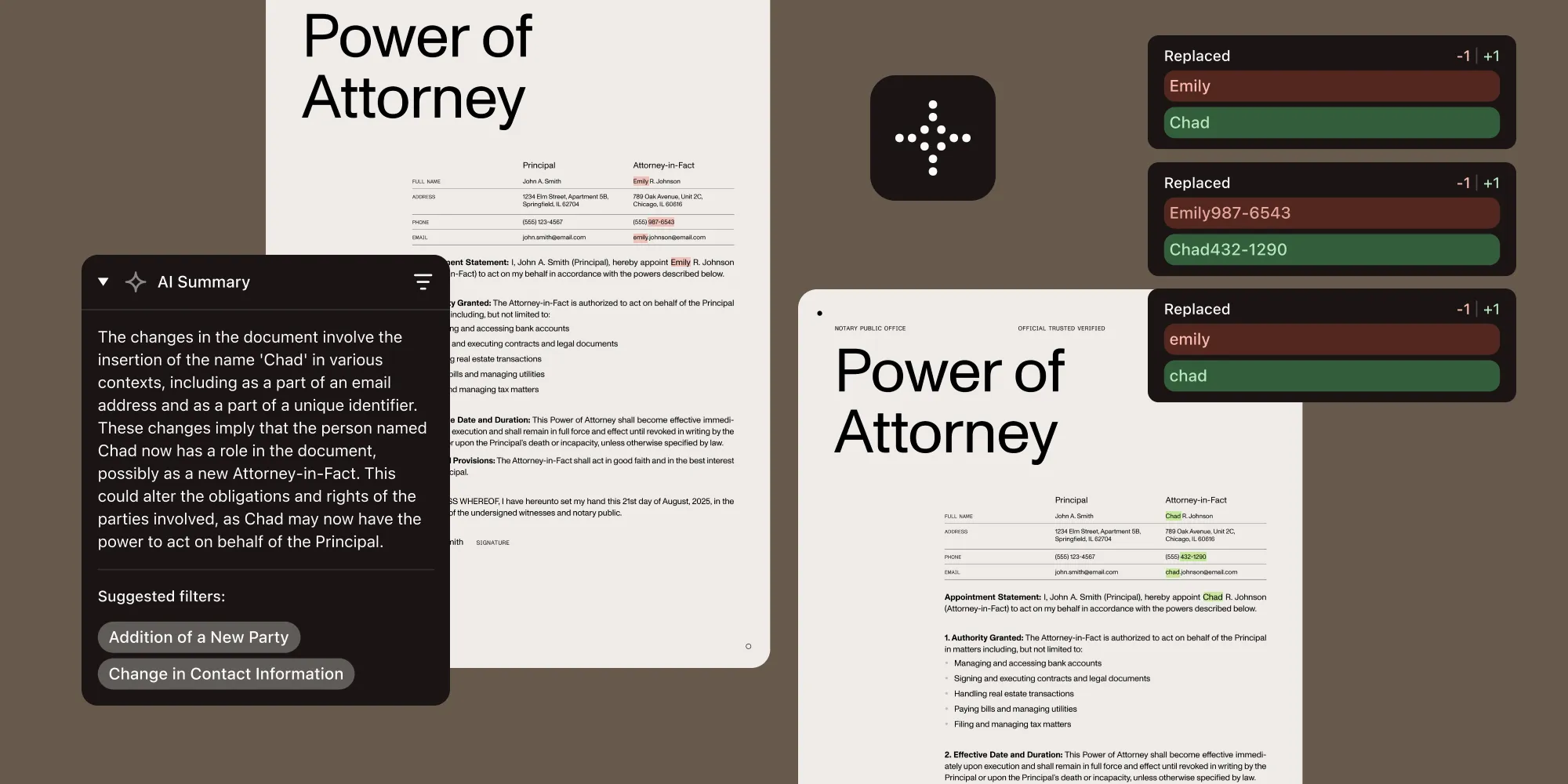
Nutrient’s new AI-powered text comparison turns that chaos into clarity. By combining the precision of a deterministic diff engine with the contextual intelligence of a large language model (LLM), this feature does more than just highlight edits — it interprets them. You get structured insights, categorized changes, and the ability to instantly zoom in on what’s important.
AI-powered text comparison allows you to:
- Cut through irrelevant edits by filtering out cosmetic or formatting-only changes.
- Focus review efforts on rewordings, additions, and substantive edits flagged by AI.
- Accelerate document QA with contextual summaries that explain what changed — and why it matters.
What you get:
- AI-generated summaries describing the nature and significance of changes between versions.
- Change categorization into types like content additions, rewordings, or formatting shifts.
- Intelligent filtering to zero in on the most meaningful edits.
- An enhanced UI with a summary panel and interactive sidebar for fast navigation.
- Customizable highlights that differentiate between insertions, deletions, and other change types with adjustable color schemes.
By merging smart summarization with precise diffing, Nutrient’s AI text comparison turns review cycles into quick, efficient passes — accelerating decisions for everyone from engineers to executive boards.
AI Assistant for cross-platform apps — now with multi-document intelligence on iOS
Document-heavy workflows don’t stay on desktops anymore. Whether reviewing contracts on a tablet, summarizing case files on a phone, or translating reports inside a cross-platform app, users expect intelligent tools wherever they work. But weaving AI-powered document interactions into multi-device apps has historically been slow, brittle, and framework-specific.
That changes with Nutrient’s new AI Assistant for MAUI, Flutter, React Native, and .NET for Android. The same powerful summarization, translation, and semantic search capabilities already trusted in our Web and mobile SDKs now ship natively across your cross-platform stacks. Whether on desktop or mobile, users engage with documents through natural language — to triage, annotate, or extract insights — without breaking flow.
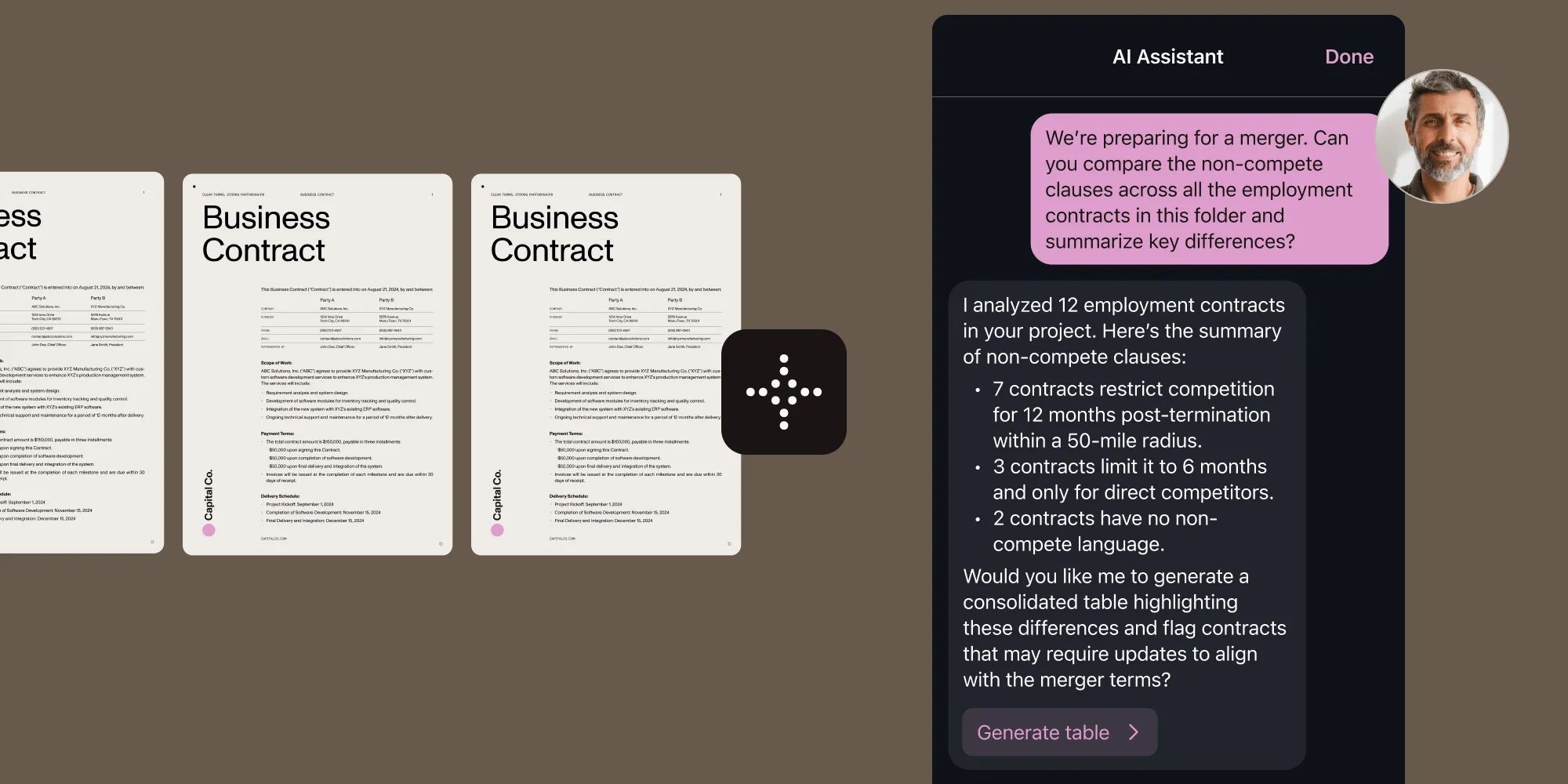
What’s more is we shipped a major upgrade to the native iOS SDK’s AI Assistant: multi-document support. AI Assistant now remembers context across an entire project, letting teams compare, cross-reference, and summarize multiple files in a single prompt. By unlocking compound AI workflows over entire document bundles, users are able to exponentially increase output and overall productivity.
Just to recap, AI Assistant lets you:
- Enable smarter workflows on any device, with AI that adapts to user context and input.
- Deliver fast, focused insights through built-in summarization and intelligent Q&A.
- Empower global teams with on-the-fly translation and multilingual document search.
What you get:
- Context-aware assistance that spans entire document collections — live in the iOS SDK today and rolling out across other platforms next.
- Natural-language access to key information inside long documents.
- Concise summaries of full documents or selected sections.
- Multilingual, conversational search across document content.
- Effortless translation for seamless global collaboration.
- A unified, intuitive interface across desktop, mobile, and tablet.
- Flexible LLM integration — OpenAI, Azure AI, AWS Bedrock, or self-hosted models.
With Nutrient AI Assistant, developers ship intelligent, language-aware document interactions across .NET MAUI, Flutter, React Native, and .NET for Android — no compromises, no extra complexity.
Open source Nutrient DWS MCP Server: Your gateway to agentic workflows
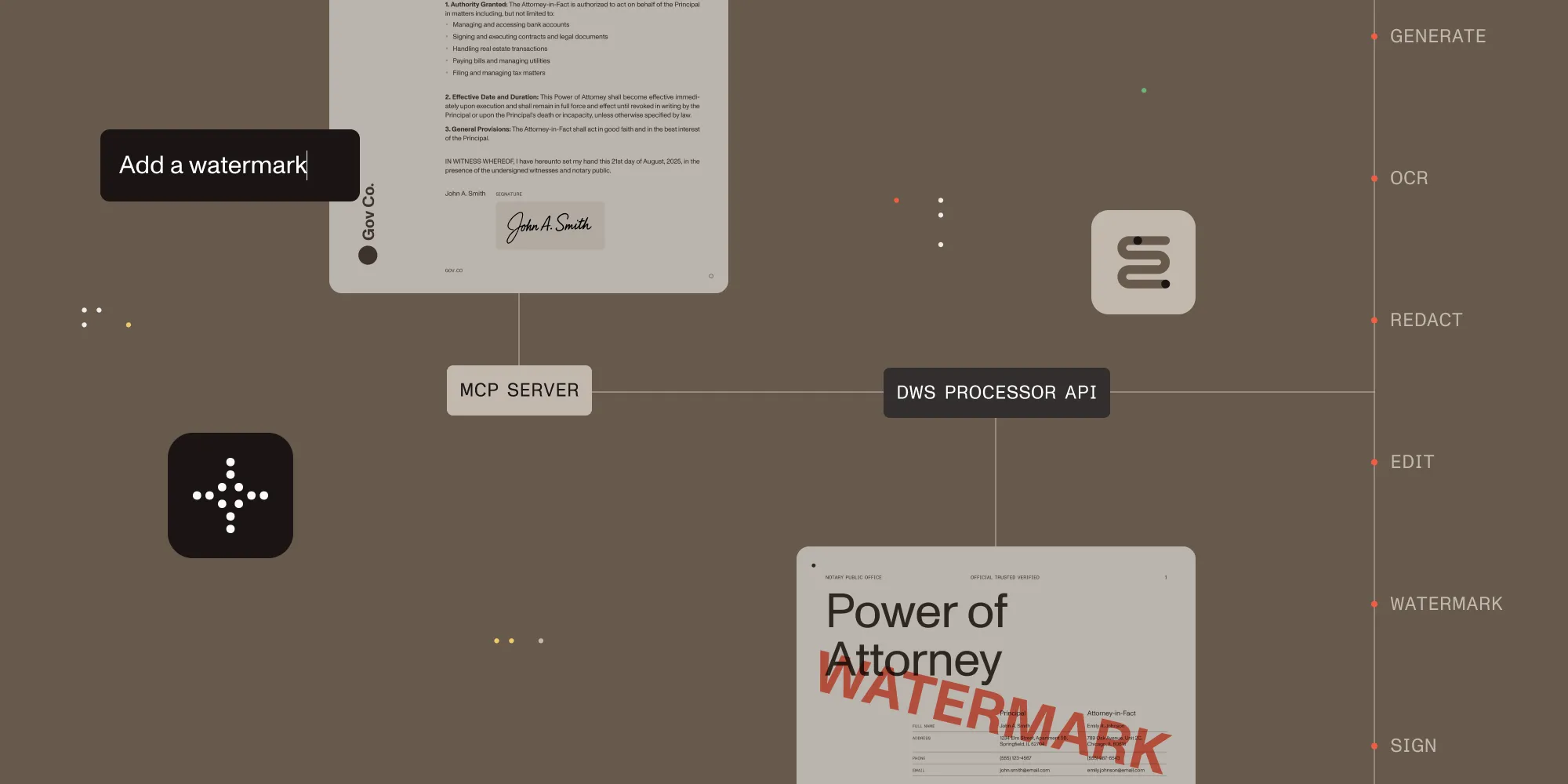
What if you could type “merge invoices, redact personally identifiable information (PII), and convert to PDF/A” in Claude Code, Gemini CLI, or any natural-language shell and watch it happen? The open source DWS MCP Server(opens in a new tab) makes that real.
- MCP-compliant proxy — It exposes every Nutrient Document Web Services (DWS) endpoint through the Model Context Protocol (MCP), so chat-based CLIs and IDEs can trigger live document operations with zero SDK wiring.
- Built for humans and agents — Today’s developers get a turbocharged command line; tomorrow’s autonomous workers inherit the same action toolbox.
- Drop-in and fork-friendly — Ship it as a local gateway, audit the MIT-licensed code, or extend it to suit your pipeline.
Natural-language prompts in, production-grade document actions out — that’s the fastest path from idea to execution.
Why is this a big deal?
| Reason | Real‑world impact |
|---|---|
| No code for non‑developers | Compliance officers type “Redact all PII from contracts” instead of filing a Jira ticket. |
| The UI of the future | Conversational agents are becoming the default interface — the server plugs Nutrient into that wave. |
| Open source under MIT | Teams can audit, fork, or extend — zero lock‑in. |
| Proxy pattern | Works today with Claude Desktop; drop‑in friendly for any assistant that speaks MCP. |
| Batch muscle without scripts | “Merge scans, compress under 5 MB, convert to PDF/A” becomes a single chat command. |
| Fast trial path | npx @nutrient-sdk/dws-mcp-server + API key + sandbox folder → ready in 60 seconds. |
A few examples of what you can ask your AI assistant today:
| Ask → | Server does → |
|---|---|
| “Merge invoices *.pdf and add a cover page.” | Merges, inserts cover, returns PDF. |
| “Watermark CONFIDENTIAL on q3‑draft.pdf.” | Applies diagonal watermark. |
| “Convert budget.xlsx to PDF/A‑2u.” | Runs format conversion and validation. |
| “Sign nda.pdf with Acme Corp.’s certificate.” | Adds PAdES‑standard signature. |
| “Extract tables from receipts into CSV.” | OCRs, parses tables, exports CSV. |
| “Redact all PII from hiring documents.” | Identifies and removes sensitive data. |
| “Compress board‑deck.pdf to under 5 MB.” | Optimizes size without quality loss. |
Java SDK v2: Rebuilt — and finally worthy of your JVM
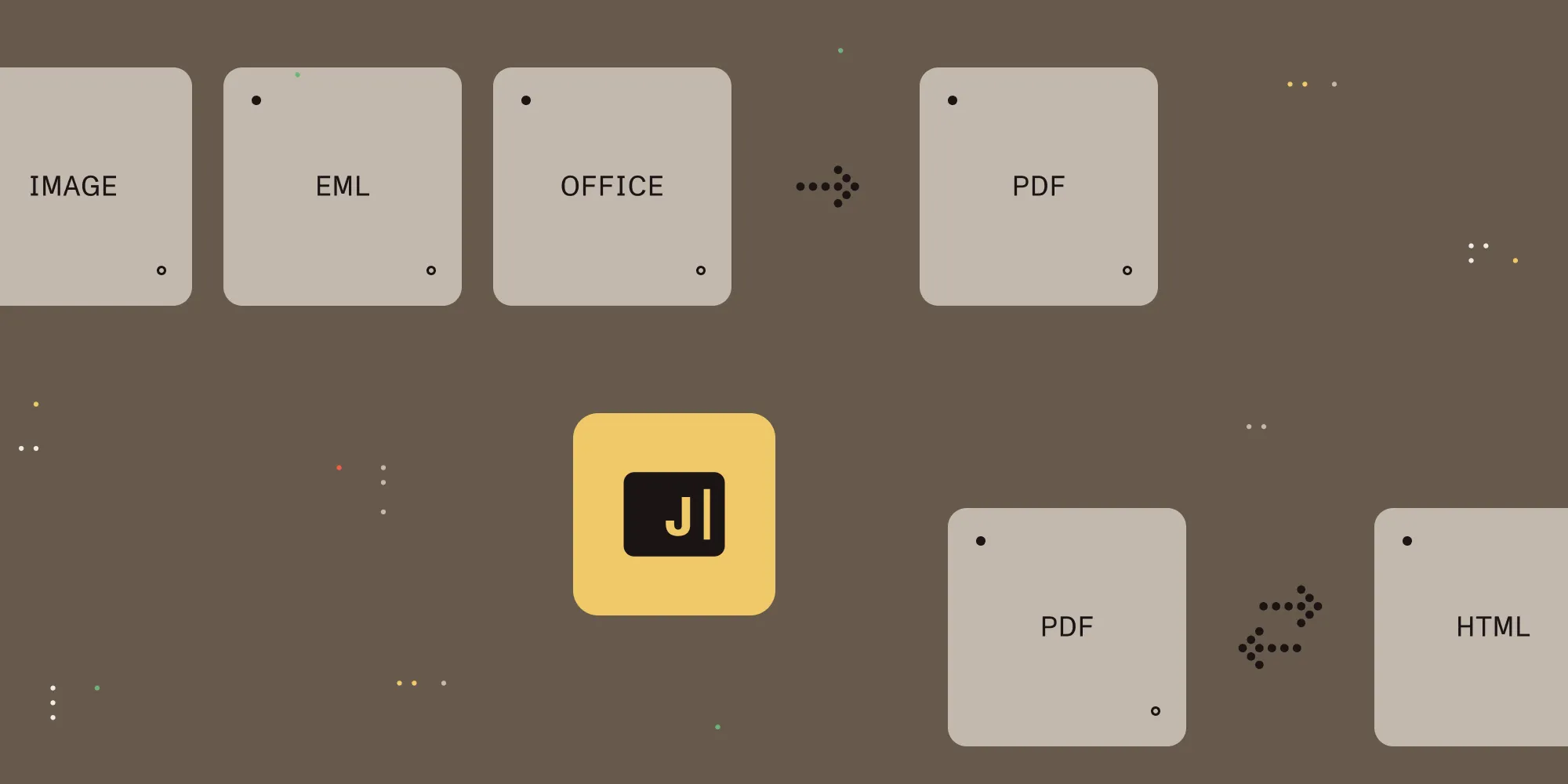
Let’s face it — our first Java SDK never truly hit its stride. Why? It ran on our PSPDFKit core, which was written in C++, and it used hand-rolled C++-to-Java bindings, which wasn’t easy to keep in sync, as the binding technic we chose wasn’t optimal. Simply put, it grew too stale and lacked the modern features Java teams expect.
So we started over.
What’s new under the hood — for developers:
- Rebuilt on the proven GdPicture engine — A fresh foundation that blends new requirements with battle‑tested tech, unlocking conversion, Office templating, PDF/UA auto‑tagging, and more on the horizon.
- Full hardware capacities — Ships with highly optimized native components that take full advantage of your hardware capacity.
- Familiar types and clear method names — We focused on presenting complex uses cases in the simplest way possible for the developer.
The legacy Java SDK (v1.8) remains fully supported for current customers, but it’s closed to new buyers — all future development lives here.
We started by focusing on your most used workflows:
Document conversion
- To PDF — Word → PDF, Word → PDF/UA, PowerPoint → PDF, Excel → PDF, Word template → PDF/UA
- From PDF — PDF → HTML, PDF → Word, PDF → PowerPoint, PDF → Excel
- PDF/UA auto‑tagging — Transform any PDF into a fully tagged, screen reader‑ready PDF/UA document in one call
PDF processing
- Merge PDFs, add custom pages
- Edit metadata — author, creation date, custom flags
No viewer dependencies. No sidecars. Just clean APIs and the document processing muscle you rely on. Documentation and quick start examples are ready — dive in and start shipping.
The “while we were at it” list
Not every upgrade needs a new feature name or specialized spotlight. While our teams were busy shipping the headline items above, they also tucked in a series of quality‑of‑life upgrades — little fixes and endpoints that remove friction you feel every single day. Individually they save minutes; together they shave hours off monthly workflows.
| Product | New superpower | Why you should care |
|---|---|---|
| Document Engine | Document listing and bulk delete | Clean thousands of stored files with a single call. |
| Document Engine | Comments in Instant JSON | Review threads travel with the document; no round‑tripping. |
| Document Engine | Multi‑language OCR | Higher accuracy in bilingual and multilingual scans. |
| Web Viewer SDK | Excel size controls and stronger callout/free text pipeline | Faster Office loads, smoother vector pages. |
| MAUI SDK | Image- and Office‑to‑PDF/PDF/A conversion | One call turns photos, Word, Excel, or PowerPoint into crisp, archivable PDFs. |
| Web Viewer and Node.js SDKs | Programmatic PDF text editing | Edit PDFs in place — keep fonts, styles, and layout intact while data stays on your server. |
| Flutter SDK | Faster Flutter Web loading | Faster web startup and tighter app control with new hooks. |
Small cuts, big-time savings.
Try all of these updates, and more!
Ready to transform how users interact with your software? Get started now to try our latest features. Want to learn more about our Q2 2025 product update? Register for the webinar today!
And if you’re part of our developer community, please join our Discord(opens in a new tab).