


SerpTrail is a brand new self-hosted SEO and GEO rank tracker from SerpApi built with Rails and SQLite for easy monitoring of search performance. Do you need to track keyword positions across locations, see how are your pages ranking or spy on your competitors? SerpTrail will help you with that and more. Continue reading to find out what can you do with SerpTail today and what's coming next.
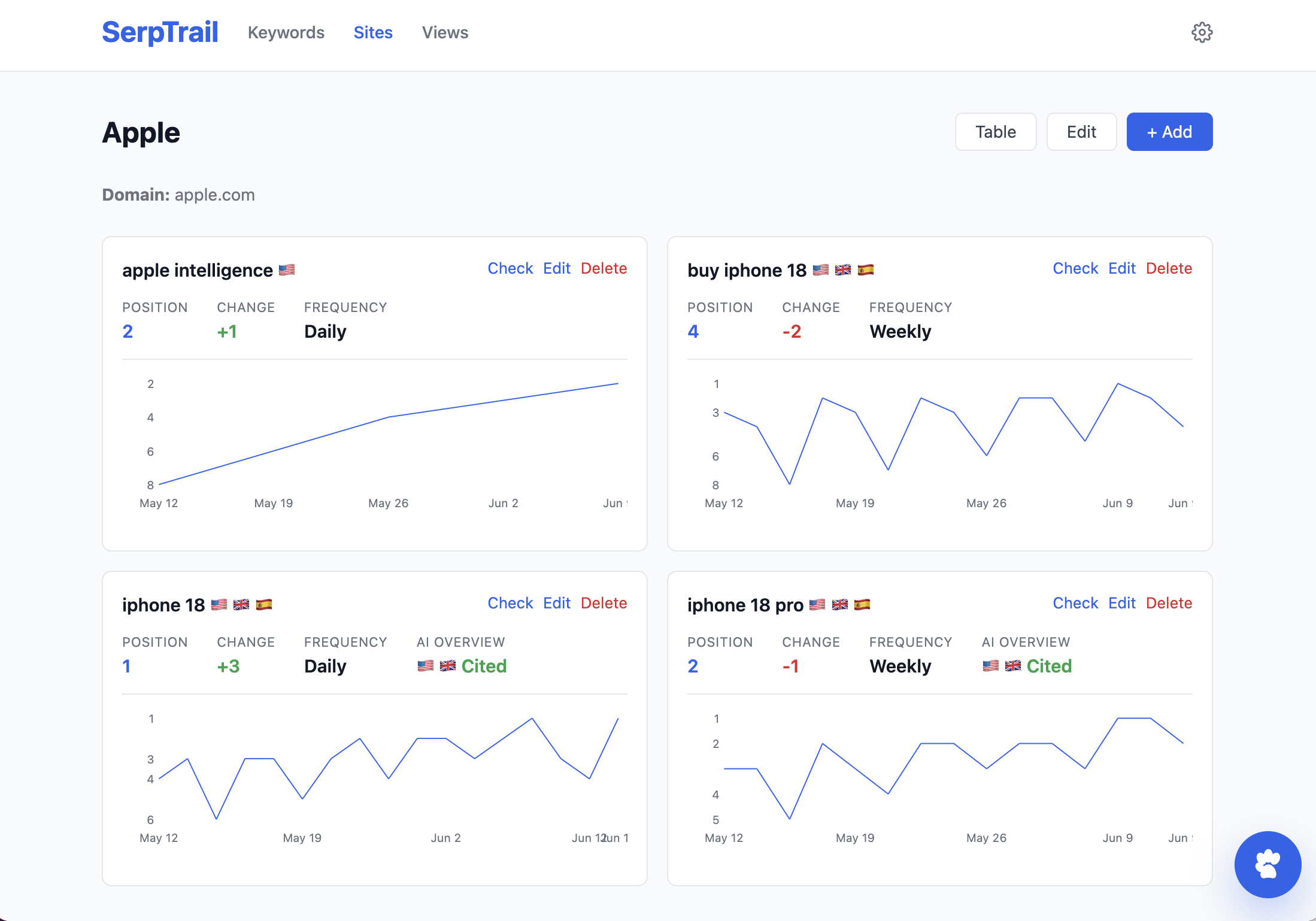
Search Engine Optimization (SEO) is is the practice of improving a website so it can be more easily discovered and ranked by search engines. It involves optimizing content, keywords, page structure, loading performance, links, and user experience so that search engines can understand what each page is about and show it to people searching for relevant topics.
The goal of SEO is to attract more organic traffic from visitors who find your site through unpaid search results and SEO tracking is the process of how to monitor your website search performance in search engines over time. This often means monitoring of your website pages positions in Google search and other search engines for important keywords close to your business.
This is why we created SerpTrail, a new Open Source rank and mentions tracker. The first version of SerpTrail is built around Google Search API, including the AI Overviews. However, SerpApi supports over 100+ APIs and so the next versions of SerpTrail will pick up new engines along the way as well.
Here's an introduction video so you can get look and feel for this new tool:
Introducing SerpTrail from SerpApi
Tracking your positions helps you understand whether your SEO work is actually paying off. You may publish new content, update old articles, build backlinks, or improve technical SEO but still stay clueless of what worked. SerpTrail can show you the usual graph of position changes over time:
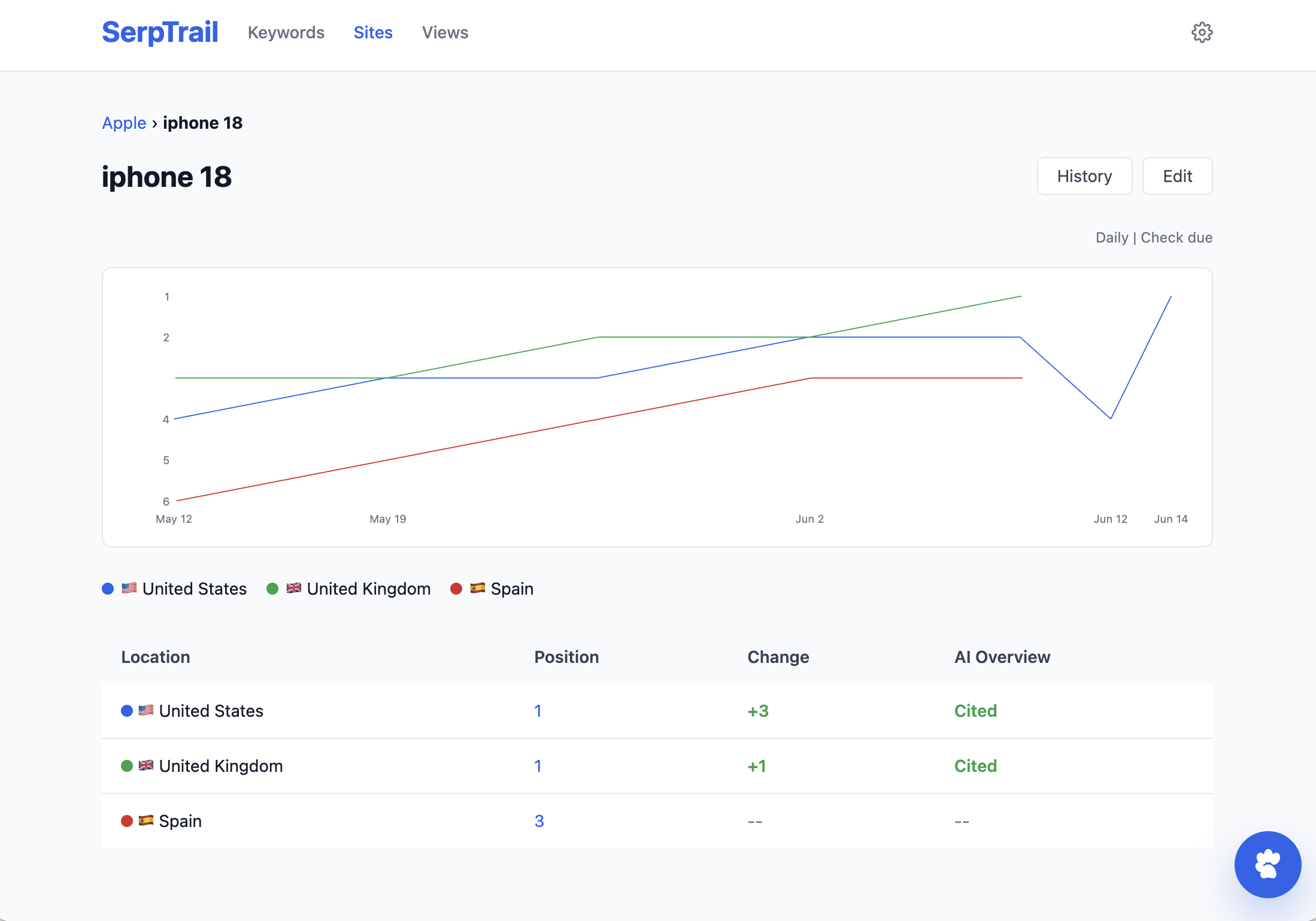
Position tracking is useful because it helps you:
Rankings change constantly. Search engines update their algorithms, competitors publish new content, and user behavior evolves. A page that ranks well today might slowly drop over time if it is not maintained.
SEO tracking is a long term effort. When you know where your pages stand, you can react faster, improve the right content, and make better decisions about where to invest your time.
Generative Engine Optimization (GEO) is the practice of improving and monitoring how your brand, site, or content appears in AI-generated answers and search experiences like AI Overview or AI Mode. GEO might be a future of SEO as generative search answers become more and more common.
SEO usually asks the following questions:
GEO on the other hand is about these:
Users increasingly get text-based answers directly from search results and AI assistants. A regular SERP ranking is still valuable, but it is no longer the whole picture. If your competitors are cited more in generated answers, your organic visibility can decline even if traditional rankings look stable.
SerpTrail is built from the first version to care about both. If there is a an AI Overview for a particular keyword, it's saved automatically.
SerpTrail changes how your website rank is monitored. You can add all the interesting keywords that matter for your product, content, or market without immediately connecting those searches to your website. Once you do, you'll immediately see the performance of your website against the saved data.
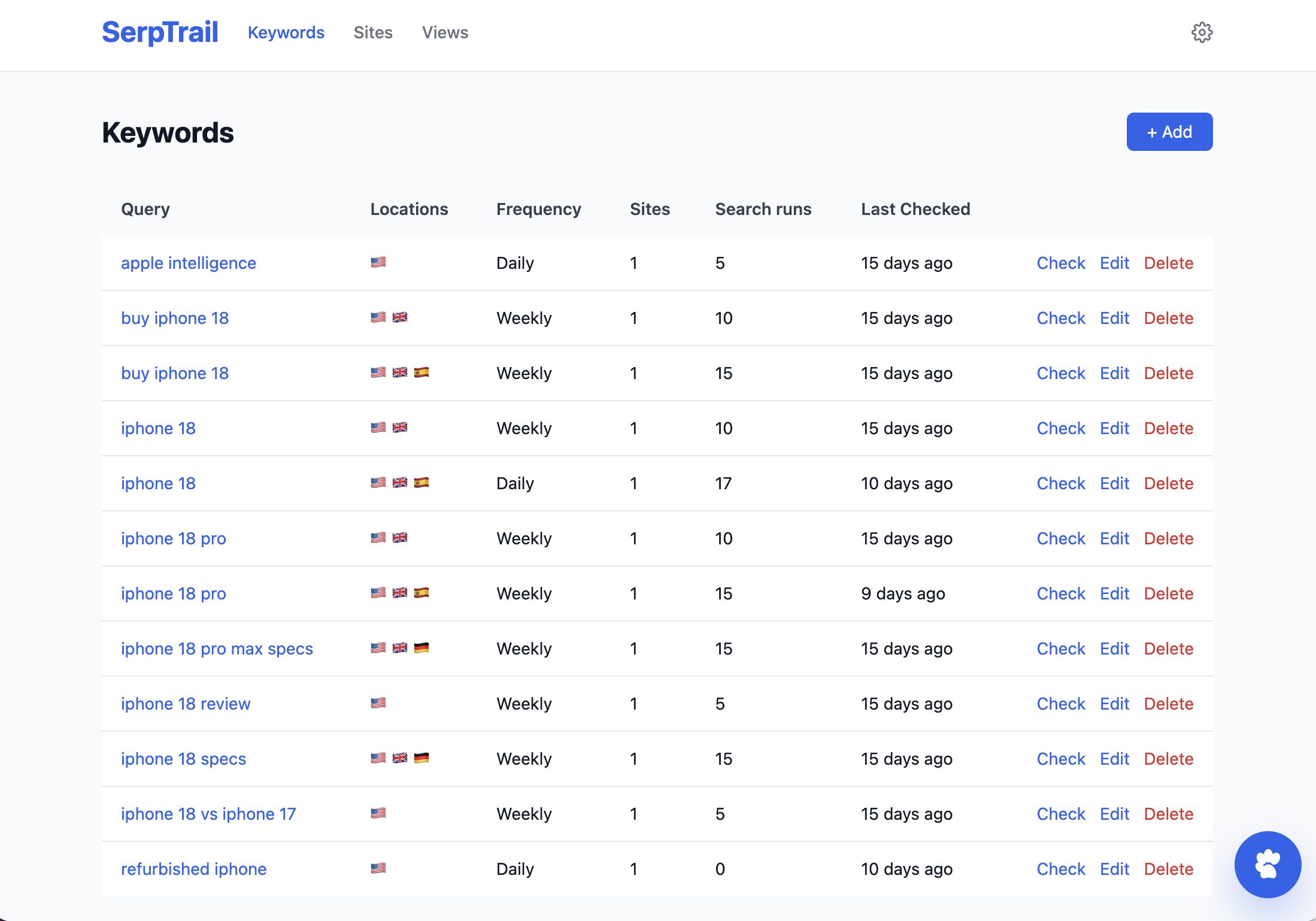
This way you can monitor as many websites as you have, including old and new competitors. SerpTrail also supports running searches across multiple locations.
You can use this tracking for:
Each keyword can be checked on a schedule:
For every due keyword, SerpTrail schedules background jobs through Solid Queue and records the search results for each configured location.
This option lets you track many keywords on a monthly basis for free as SerpApi comes with 250 free searches for a month.
You can also easily add many keywords at once using the bulk import.
SerpTrail uses SerpApi to collect Google search results and preserve the full search response for each check. That means you can review not only positions, but also the context around those positions.
Depending on the search result data available, SerpTrail can track and expose:
Internally this is done by saving the full SerpApi JSON:
serp-trail(dev):004> SearchRun.last.raw_response
  SearchRun Load (0.4ms)  SELECT "search_runs".* FROM "search_runs" ORDER BY "search_runs"."id" DESC LIMIT 1 /*application='SerpTrail'*/
=> "{\"organic_results\":[{\"position\":1,\"title\":\"Apple iPhone 18\",\"link\":\"https://apple.com/shop/buy-iphone/iphone-18\",\"snippet\":\"Buy iPhone 18 directly from Apple with financing options.\"},{\"position\":2,\"title\":\"iPhone 18 on Amazon\",\"link\":\"https://amazon.com/dp/iphone-18\",\"snippet\":\"Find iPhone 18 deals on Amazon with fast shipping.\"},{\"position\":3,\"title\":\"iPhone 18 at Walmart\",\"link\":\"https://walmart.com/iphone-18\",\"snippet\":\"Shop iPhone 18 at Walmart with great prices.\"}]}"
This design will let us add other useful features later for data you already have.
Having full historical search run data is what enables SerpTrail to give you an overview on your website historical ranking:
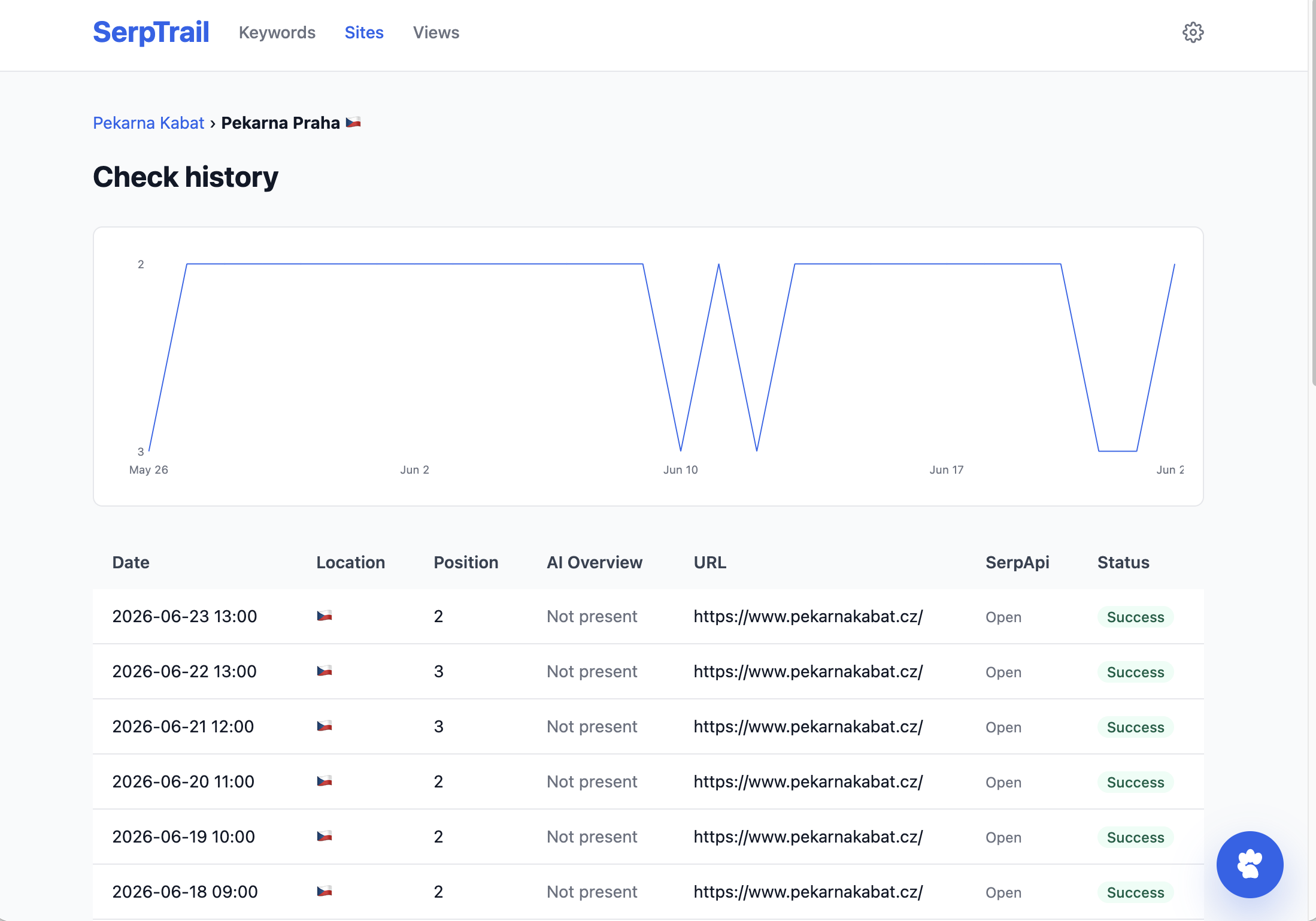
This lets you answer questions like:
SerpTrail 1.0 includes an optional AI chat assistant powered by OpenAI and the RubyLLM library. The assistant can answer questions about tracked keyword history, compare sites, summarize ranking changes, and even use live search tools powered by SerpApi:
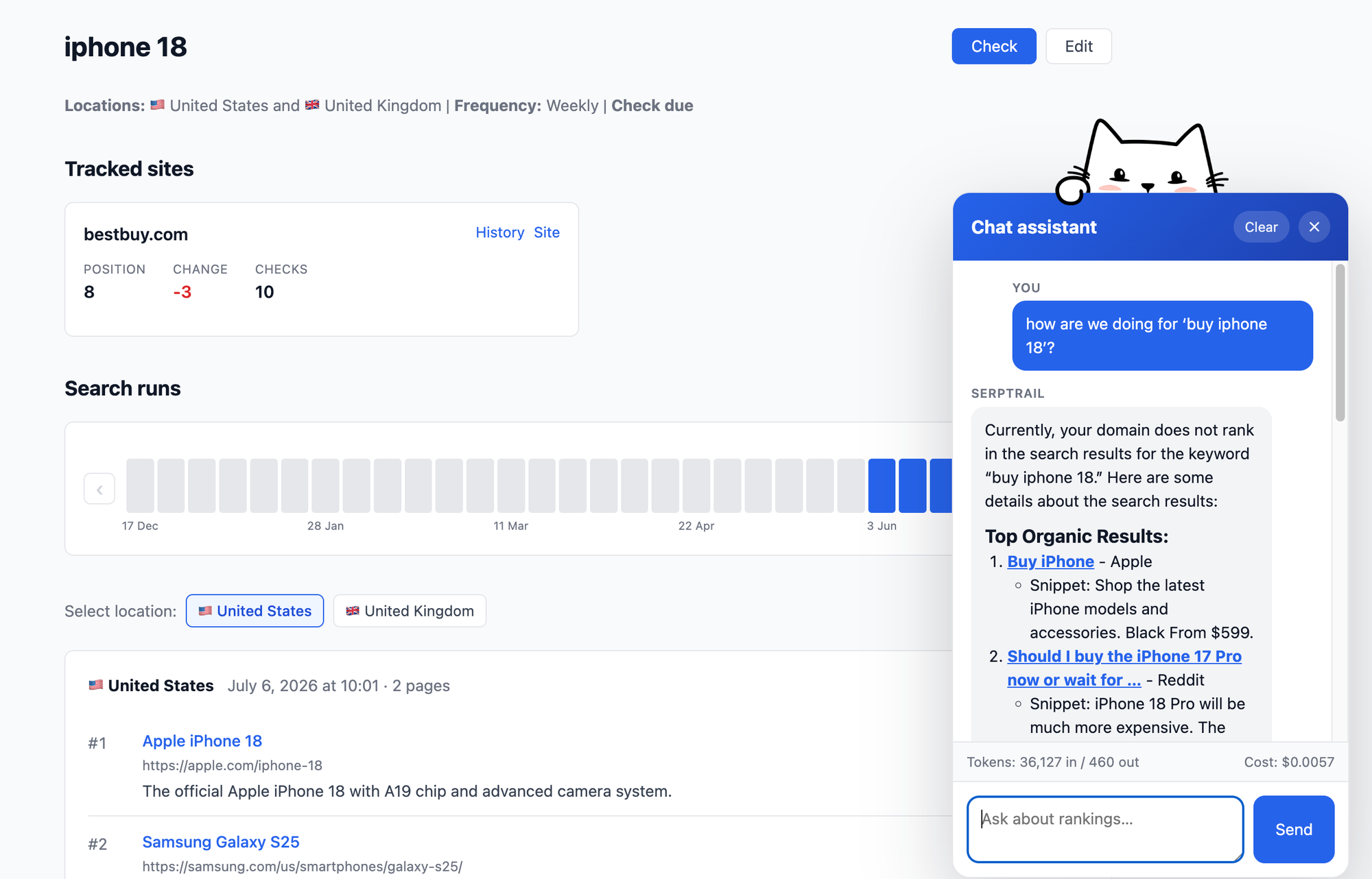
To use the chat assistant it's required to also add an OpenAI API key in Settings. This key is not required for regular tracking.
Combining your existing data with live search gives this assistant a lot of capabilities which will be extended in future versions.
SerpTrail is designed for effortless self-hosting. It is a Ruby on Rails application using SQLite, Solid Queue, Solid Cache, and Solid Cable, so you can run it without provisioning PostgreSQL, Redis, or extra infrastructure. This means you only need a storage like a Docker volume for data and a couple of environment variables.
The authentication is kept simple for now with HTTP Basic Auth. We also need SECRET_KEY_BASE which is a standard secret needed for Rails applications. And since service API keys are designed to be added in Settings, you'll need to provide Active Record encryption keys for their database encryption.
Here's how to run SerpTrail with plain Docker using our official image. Since Docker creates non-existing volumes automatically, you can run the application directly with a single docker run command. Provide the name, port, volume, environment variables and use the serpapi/serptail image:
docker run -d \
  --name serptrail \
  -p 80:80 \
  -v serptrail_storage:/rails/storage \
  -e SECRET_KEY_BASE="change-me-generate-a-long-random-value" \
  -e HTTP_AUTH_USERNAME="admin" \
  -e HTTP_AUTH_PASSWORD="change-me" \
  -e AR_ENCRYPTION_PRIMARY_KEY="change-me-generate-once" \
  -e AR_ENCRYPTION_DETERMINISTIC_KEY="change-me-generate-once" \
  -e AR_ENCRYPTION_KEY_DERIVATION_SALT="change-me-generate-once" \
  -e SOLID_QUEUE_IN_PUMA="true" \
  serpapi/serptrail:latest
The container entrypoint runs database preparation automatically before the Rails server starts. The volume serptrail_storage will be created automatically, but we need to tell Docker to mount it as /rails/storage.
To keep things as a single command, we can use the SOLID_QUEUE_IN_PUMA option to run the background job as part of the web process. Now you can open your deployed URL and sign in with the HTTP Basic Auth credentials you configured.
Running SerpTrail with Docker Compose is not that different from running with a single Docker command. Create the Docker Compose YAML file and define SerpTrail as a service. Again, you don't need to run background jobs separately if you don't want to. Here's such an docker-compose.yml file:
services:
  web:
    image: serpapi/serptrail:latest
    ports:
      - "80:80"
    environment:
      SECRET_KEY_BASE: "change-me-generate-a-long-random-value"
      HTTP_AUTH_USERNAME: "admin"
      HTTP_AUTH_PASSWORD: "change-me"
      AR_ENCRYPTION_PRIMARY_KEY: "change-me-generate-once"
      AR_ENCRYPTION_DETERMINISTIC_KEY: "change-me-generate-once"
      AR_ENCRYPTION_KEY_DERIVATION_SALT: "change-me-generate-once"
      SOLID_QUEUE_IN_PUMA: "true"
      # Optional initial values; these can also be configured in /settings.
      # SERPAPI_API_KEY: "your-serpapi-key"
      # OPENAI_API_KEY: "your-openai-key"
    volumes:
      - serptrail_storage:/rails/storage
    restart: unless-stopped

volumes:
  serptrail_storage:
Then you can run it with the usual Docker Compose commands such as:
docker compose up -d
docker compose downWe plan to document a few other options on how to run SerpTrail. For one, you can run it with Kamal directly from the git repository (useful if you are going to fork the project). And if you are looking for a PaaS like Coolify, we have a post on How to start self-hosting with Coolify 4. Coolify lets you run services using a Docker Compose file we already created.
SerpBear is an open source project for tracking your website keywords performance in Google search. It's an already established project, so it packs a little bit more functionality, but that won't last long. SerpTrail is pretty ambitions for the future as there is a plan to integrate more APIs from SerpApi.
Serposcope is a free rank tracker for SEO. Unlike SerpBear and SerpTrail, you can run Serposcope locally without 3rd-party API keys. This has a small downside, though. You might need to configure your own CAPTCHA solvers anyway which makes this advantage more work in the end.
SerpTrail 1.0 is just a start. We'll add more things around generative search performance as well as local SEO. You should also tell us what you want to see in the next versions by opening issues or submitting pull requests on the project's GitHub. SerpTrail is Open Source after all and contributions are welcome.
此内容由惯性聚合(RSS阅读器)自动聚合整理,仅供阅读参考。 原文来自 — 版权归原作者所有。